








Create Unique Photo Art With Smart Edit and Artsy Effects

A great photo doesn't always need a filter – sometimes it needs a whole new perspective or setting. What if that portrait had been taken somewhere more beautiful? What if the composition were wider, the lighting more dramatic, or the background completely different?
With Smart Edit, you can explore those possibilities without starting from scratch. With just a simple text prompt, you’re able to reimagine the setting, composition, lighting, or atmosphere of an existing photo. Then, take your transformation a step further with Artsy effects – the perfect way to instantly turn any photo into a frame-worthy masterpiece.
From watercolor landscapes to oil-painted portraits, pencil sketches, and comic-inspired creations, combining Smart Edit with Artsy gives you plenty of ways to turn everyday photos into unique works of art. Here are some of our favorite ideas to inspire your next project!
Recreate the Look of Your Favorite Shows and Movies
Ever wondered what you would look like in the world of your favorite TV show or movie? Start with a photo of yourself, your friends, or your family, then use Smart Edit to transform the setting and overall appearance. Think simplified backgrounds, bold outlines, flat colors, exaggerated features, or other distinctive visual elements associated with the show or movie you have in mind.
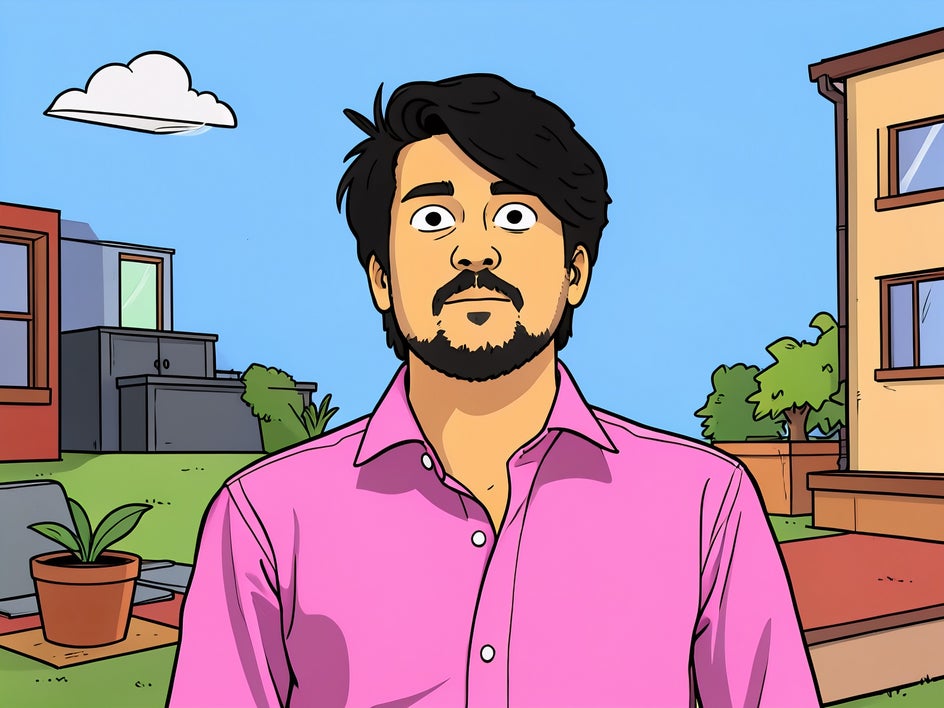

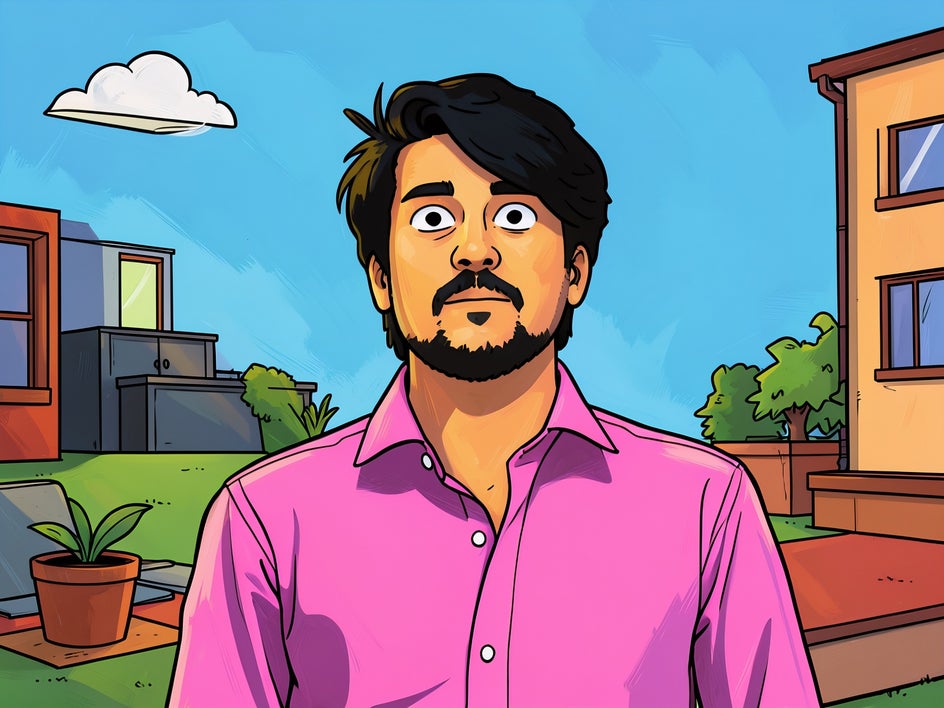
For example, you could turn a family photo into a playful animated scene with simple shapes, bright colors, and expressive cartoon features. Or, transform a portrait into a cinematic setting with dramatic lighting, atmospheric backgrounds, and a stylized composition. Once you've created your new scene, apply an Artsy effect that complements the look to take the transformation even further.
In this example, we’ve applied Neo Comic GFX+ at half-strength to give our image some texture.
Give Your Photos a More Beautiful Setting
Have you ever captured a photo where the subject looks perfect, but the surroundings leave something to be desired? A cluttered backyard, busy street, or plain wall can take attention away from an otherwise great portrait.
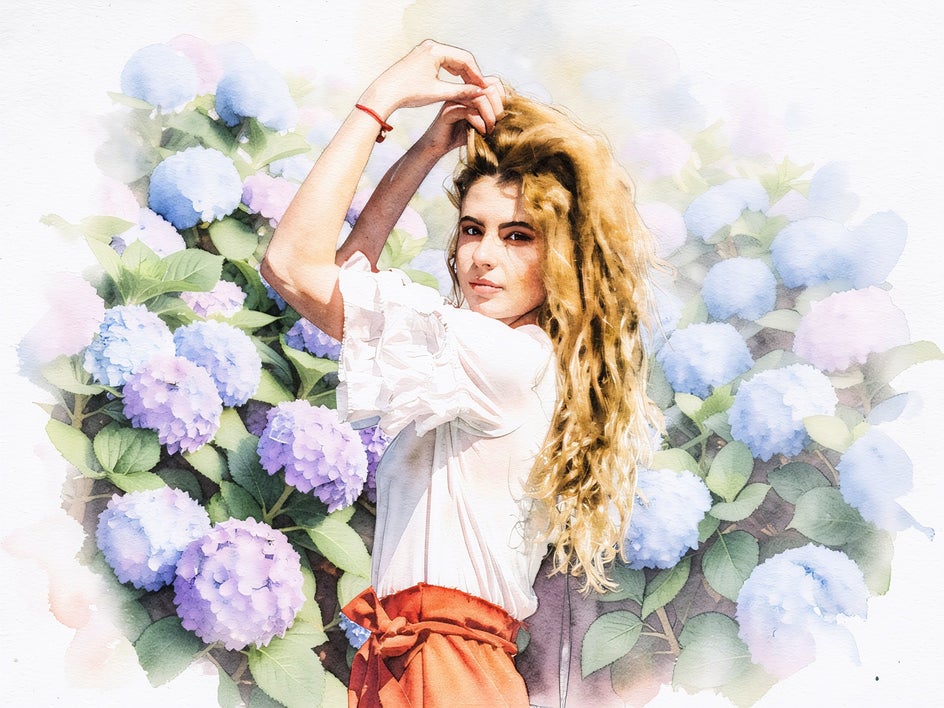
Smart Edit makes it easy to imagine the same subject somewhere more visually striking. Place a portrait in a sun-drenched garden, a misty mountain landscape, a tropical beach, or a cobblestone-clad European street. You can even create entirely imaginary settings, such as an enchanted forest or a dreamy underwater world.
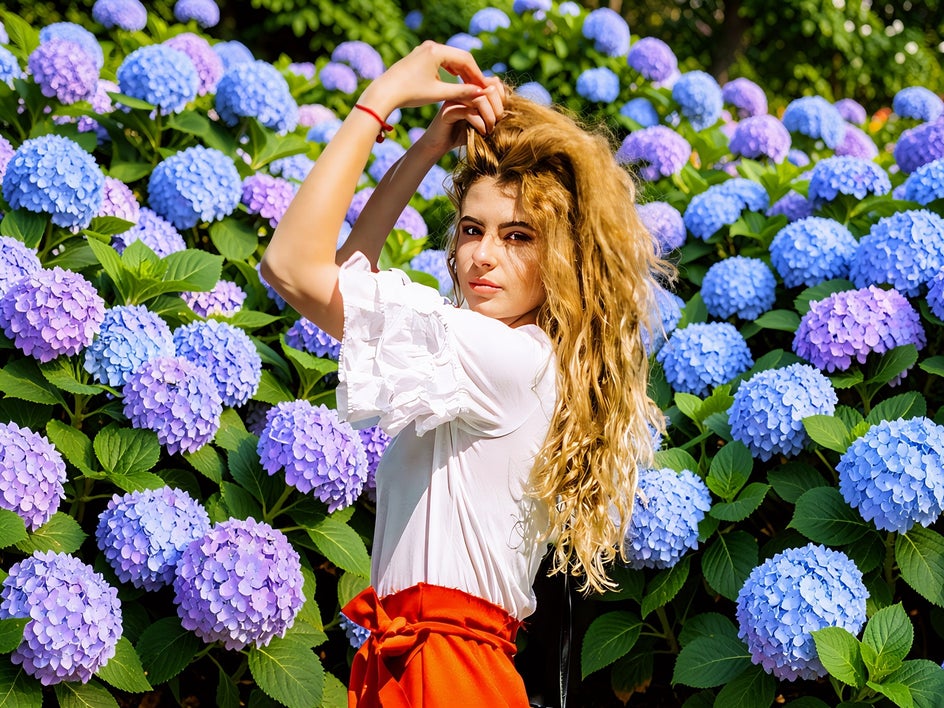
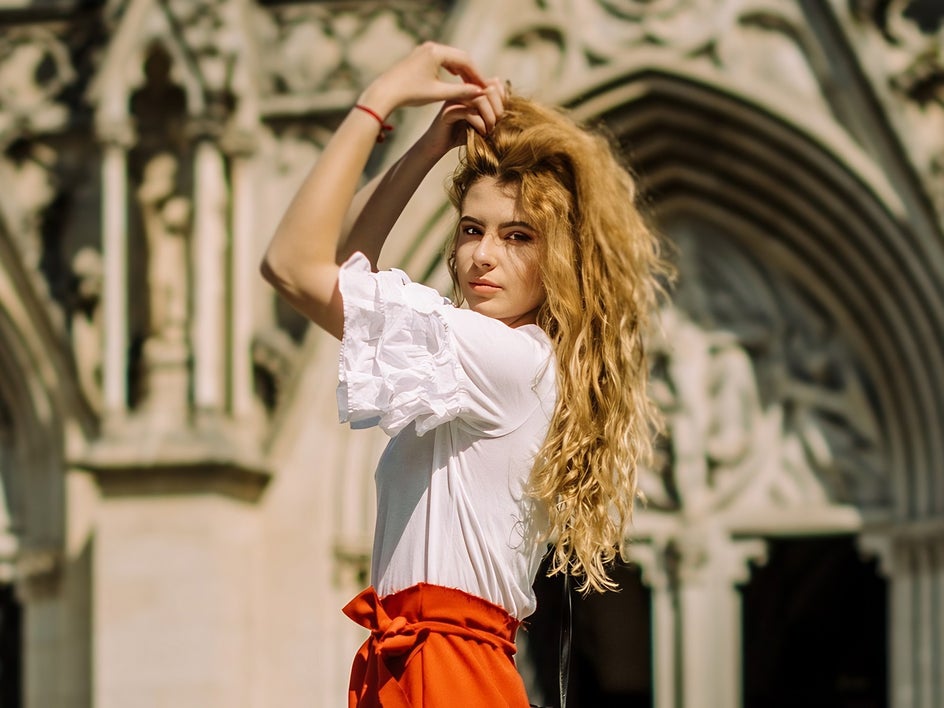
Once you've found a setting you love, apply an Artsy effect to transform your new scene into an eye-catching artwork. A watercolor effect can give a garden portrait a soft, delicate quality, while an oil painting effect can make a dramatic landscape feel like something you'd find hanging in a gallery.
In this example, we used Faded Watercolor GFX+.
Create a More Aesthetic Composition
Not every beautiful moment is captured with the perfect composition. Maybe your subject is too close to the edge of the frame, there's too much empty space, or the original photo doesn't have the sense of scale you're after.
Use Smart Edit to experiment with a new composition. Try expanding the scene to reveal more of the surroundings (or to insert elements that weren’t originally there), creating a wider landscape, or placing the subject within a more balanced setting.
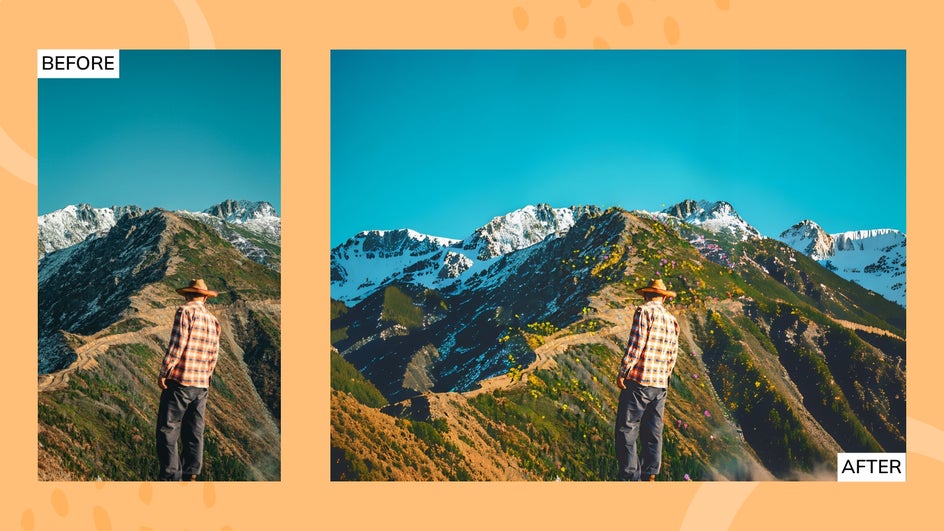
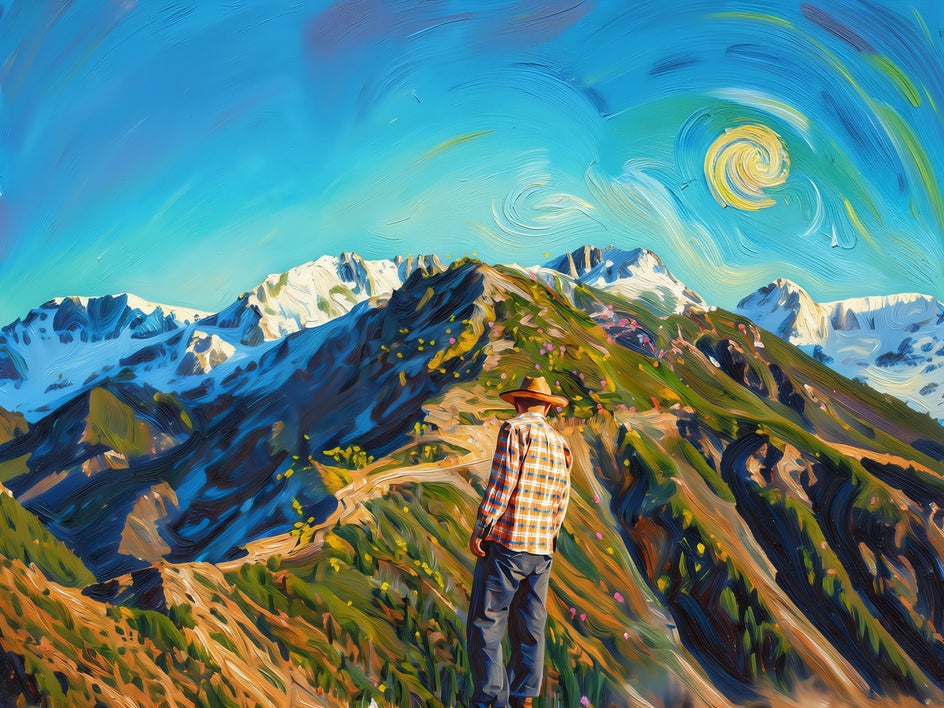
After you've found a composition that feels right, use an Artsy effect to emphasize the new aesthetic. A sketch effect can highlight interesting shapes and lines, while a painterly effect can bring attention to the colors and atmosphere of your reimagined scene.
Take this photo, for example, which we turned into a Van Gogh inspired artwork using Impressionist Soft GFX+.
Give Your Portrait a Creative Makeover
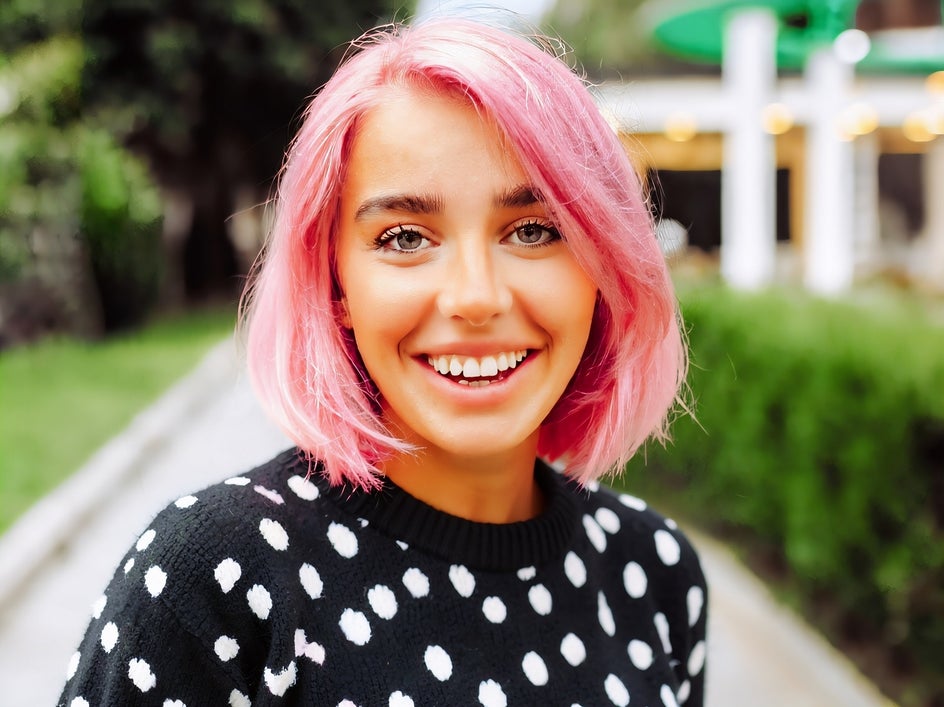
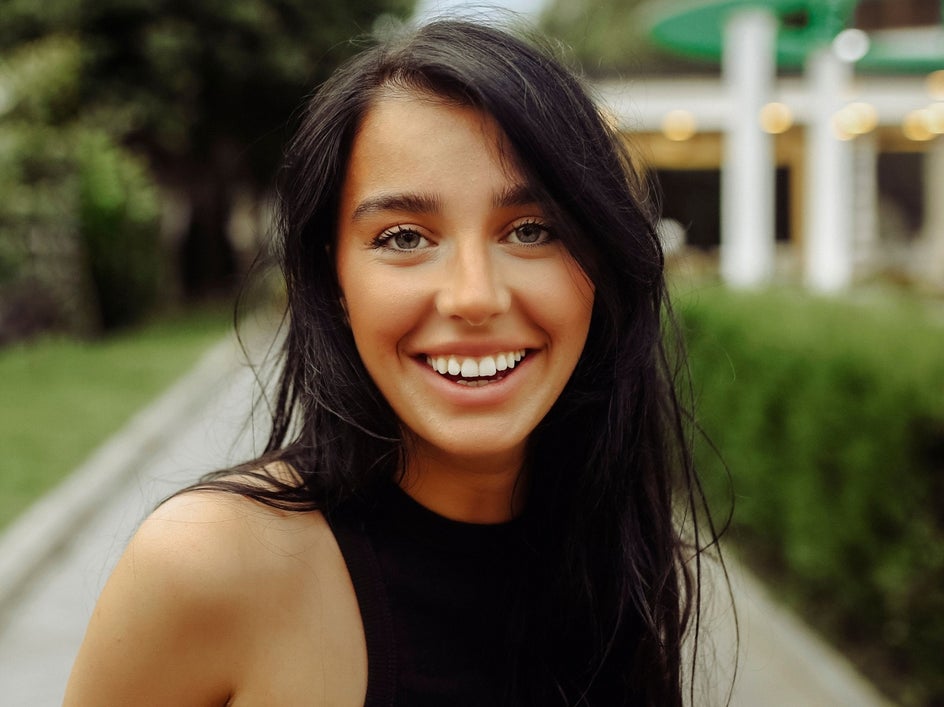
Smart Edit can do more than just change the setting around your subject – it can also help you experiment with their appearance. Did you know you can change hair color, add curls, swap an outfit, or introduce other creative details to give a standard portrait a completely different look?
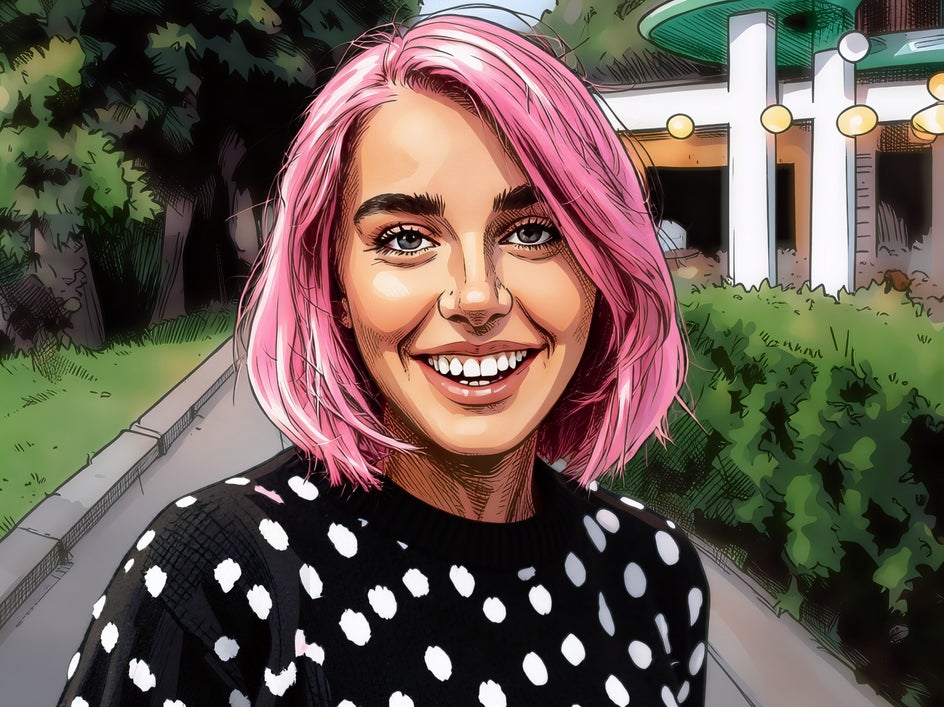
In this example, we’ve transformed our portrait by giving the subject short, bright pink hair and a black and white polka-dot sweater. Once you've created the makeover, take the transformation a step further with an Artsy cartoon effect.
Here, we’ve used Modern Comic GFX+. Bold outlines, simplified details, and vibrant colors can turn the reimagined portrait into a fun, illustrated artwork.
Enhance the Season in Your Photos
Sometimes a photo already captures the feeling of a season, but it just needs a little more of it. Smart Edit can help build on those existing details to create a more visually striking seasonal scene.
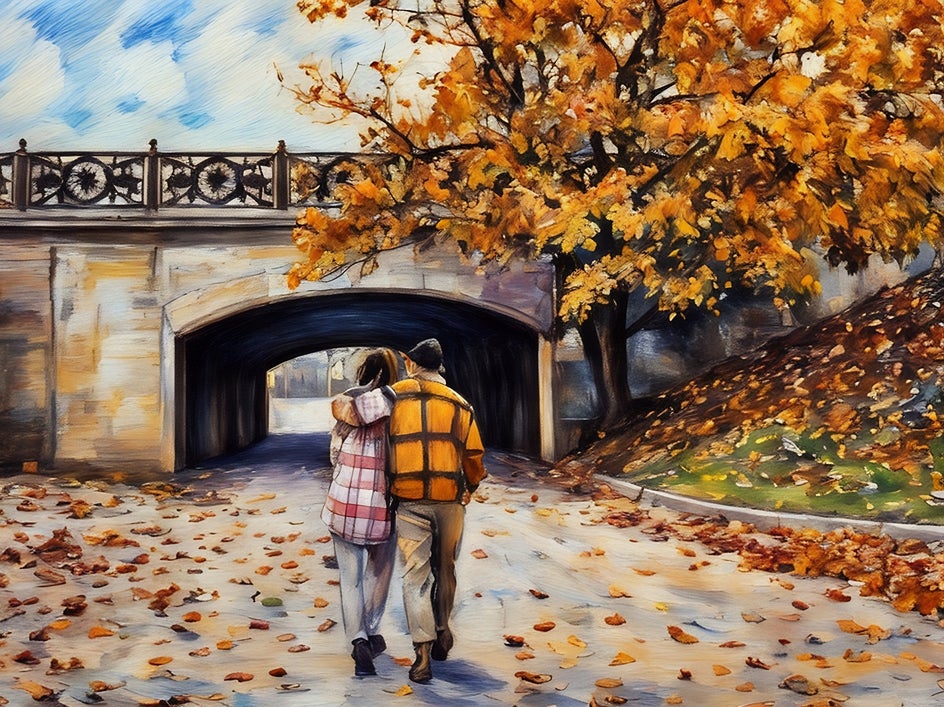
Take a fall photo with a few golden leaves and enhance the surroundings with fuller trees, colorful foliage, and a blanket of fallen leaves. For a spring image, add more blooming flowers, lush greenery, and other details that bring the setting to life. You can even build on a winter landscape by adding more snow-covered trees or frost-covered scenery.

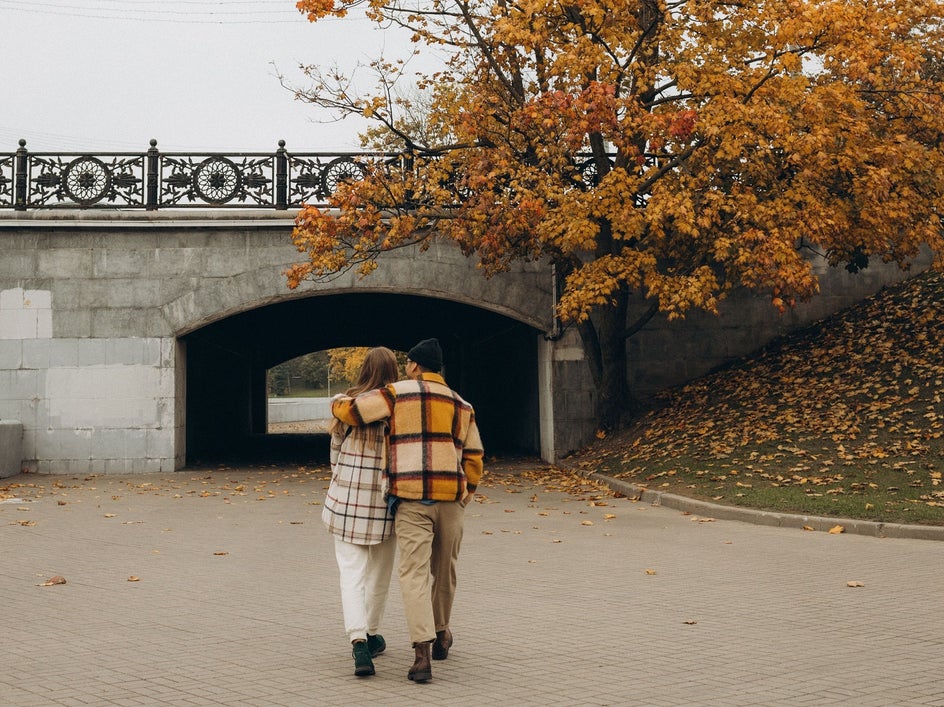
Once you've enhanced the seasonal atmosphere, apply an Artsy effect to turn the finished image into artwork. Here, we’ve used Pastel GFX+ to bring out the rich colors and textures of our autumnal scene.
Create Fantasy and Storybook Worlds
Smart Edit isn't limited to realistic settings. Let your imagination run wild by placing subjects in magical forests, futuristic cities, enchanted gardens, or other worlds that couldn't exist in an ordinary photograph.
Try combining imaginative environments with unusual lighting, atmospheric details, and unexpected scenery.
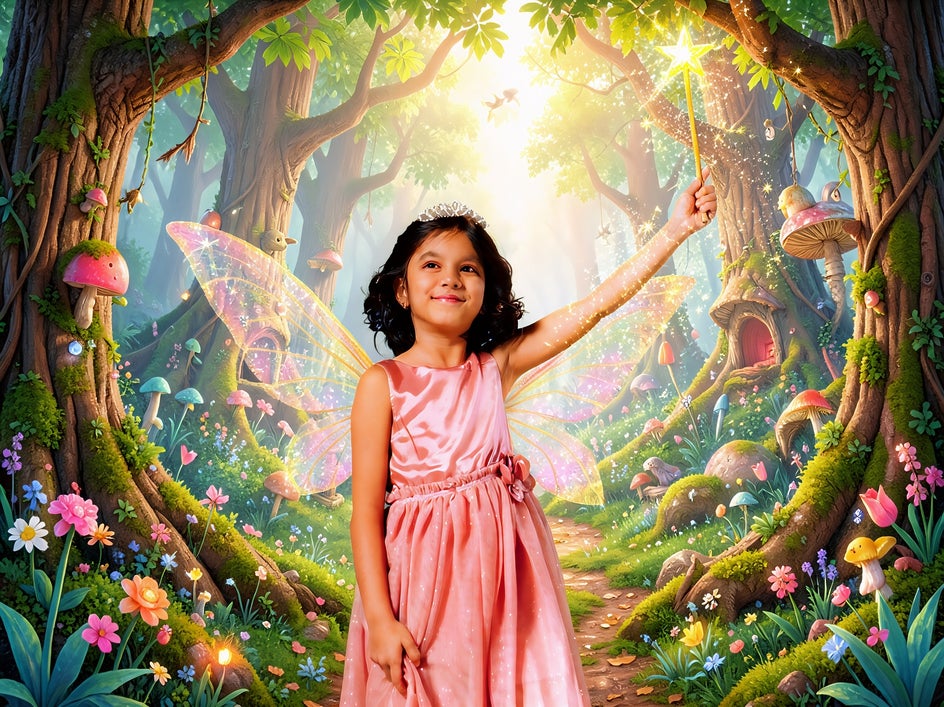
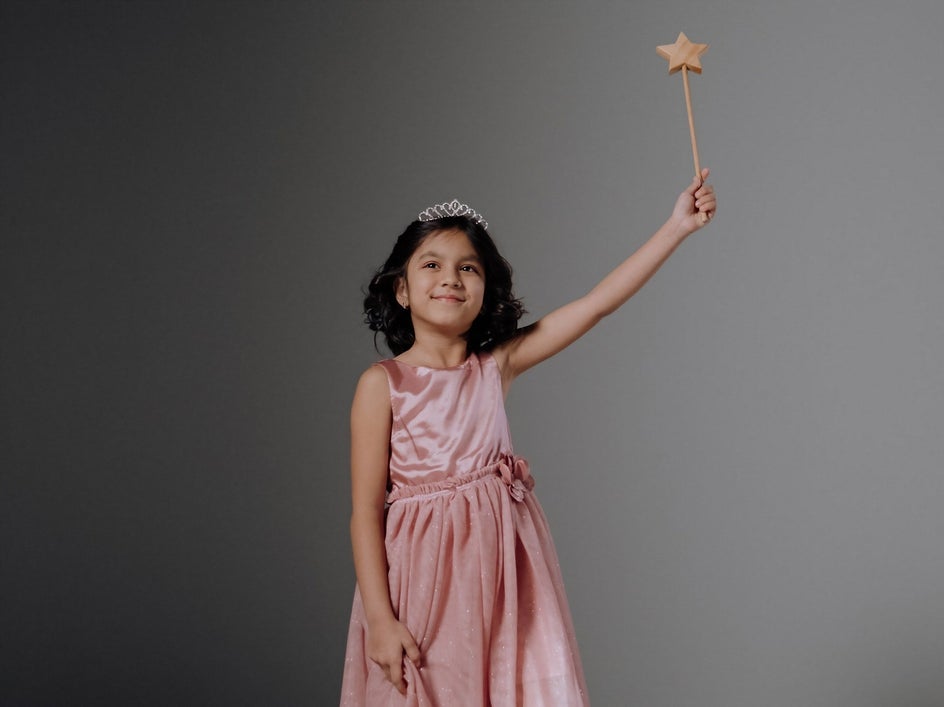
Then, apply an Artsy effect to give the finished image an illustrated or storybook-inspired appearance. In this example below, we've used Orton Painting GFX+ due to the magical glow it adds to this fairy portrait.
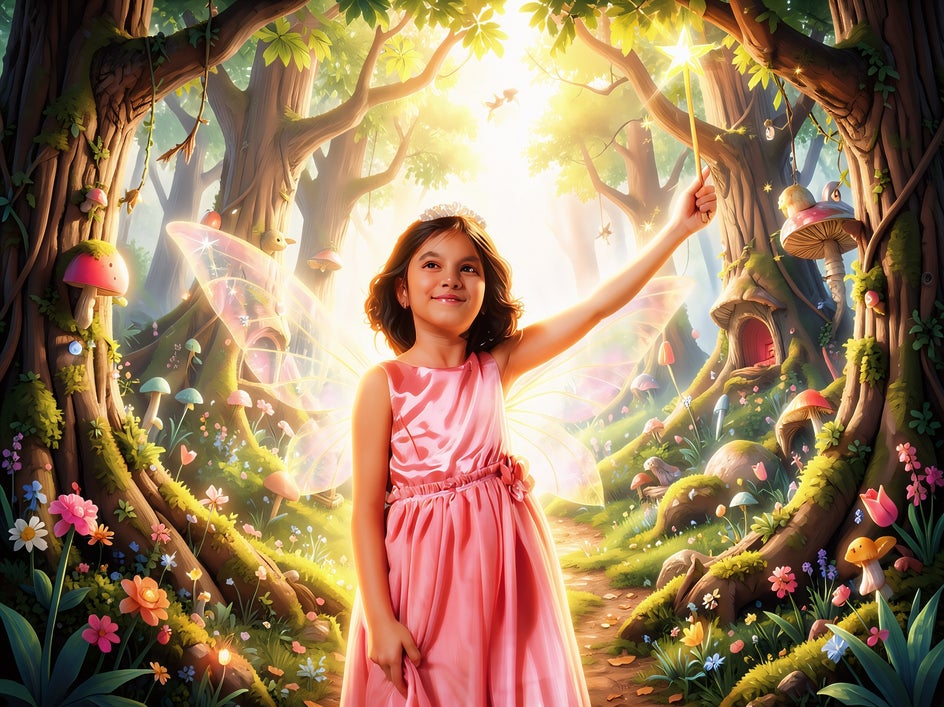
This is where Smart Edit becomes especially fun; you're no longer just correcting a photo or improving what's already there but are using it as a starting point for creating something entirely new!
Take Your Photos in a New Creative Direction
You don't need to start with a perfect photo to create something beautiful and artistic. Smart Edit gives you the freedom to experiment with your existing images, whether that means creating a more captivating setting, refining the composition, giving a portrait a playful makeover, recreating the look of your favorite shows, or building an entirely imaginative world.
Once you've created a scene you love, Artsy effects make it easy to explore a different artistic direction. Turn your photo into a soft watercolor, textured oil painting, detailed sketch, or bold cartoon-inspired artwork, and see how the same image can take on a completely new aesthetic.
With Smart Edit and Artsy effects, your photos can be starting points for creative ideas, artistic experiments, and one-of-a-kind artwork. Try Smart Edit in the Photo Editor today!