









Weather Ruined Your Photos? Smart Edit Can Fix That

You can plan a photoshoot down to the smallest detail, but there's one thing you can't control: the weather.
Maybe you planned an outdoor engagement session and got a grey, overcast sky instead. Perhaps your wedding day was rainy, your bridal shower was unusually gloomy, or your family photoshoot took place under harsh midday sunlight. When the date can't be changed, you're left with photos that don't quite match the atmosphere you had in mind.
Thankfully, you don't necessarily need another photoshoot to get the look you want. BeFunky's Smart Edit lets you describe changes to your photo using simple text prompts, making it possible to transform the lighting, weather, season, and overall atmosphere of an image. Instead of manually adjusting multiple elements or settling for a sky you don't love, you can tell Smart Edit what you'd like the finished scene to look like.
Want to learn how? We’ll show you below!
Smart Edit vs. Sky Replacer: Which Should You Use?
Before we begin, it’s important to determine which tool is most helpful for fixing your bad weather photo: Smart Edit or the Sky Replacer.
If the only problem with your photo is the sky, Sky Replacer may be all you need. It lets you swap an unappealing sky for something more suitable while keeping the rest of the image largely unchanged.
For example, use Sky Replacer when you want to:
- Replace a dull or empty sky
- Add a more interesting sky to an otherwise finished photo
- Make a straightforward sky swap
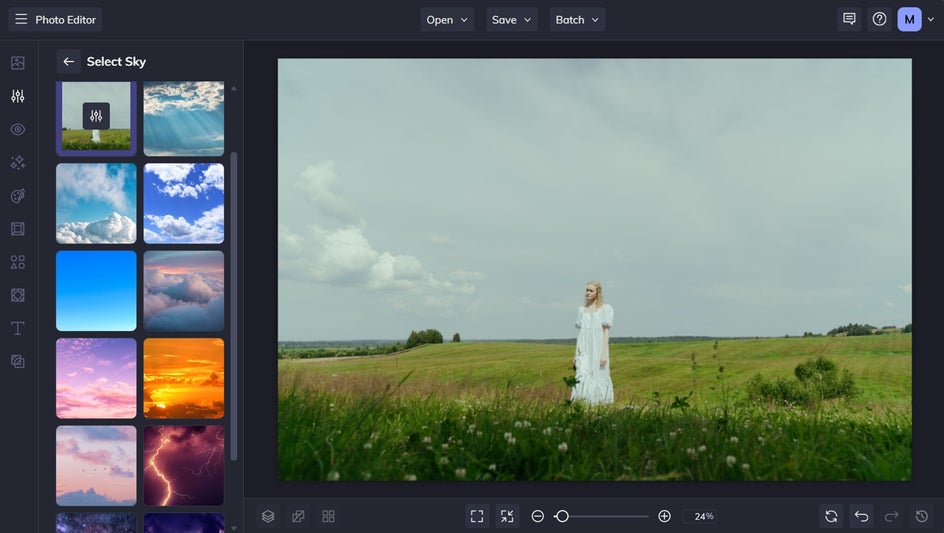
Smart Edit is useful when you want to go beyond the sky. It allows you to:
- Change the overall atmosphere of a photo
- Adjust the lighting and weather together
- Create a different seasonal feel
- Make a scene brighter, warmer, softer, or moodier
- Describe a specific finished look using a text prompt
Simply put, if your photo needs a simple sky replacement, Sky Replacer is a great place to start. If the entire atmosphere needs to change, however, Smart Edit gives you more creative freedom.
How to Transform Weather-Affected Photos With Smart Edit
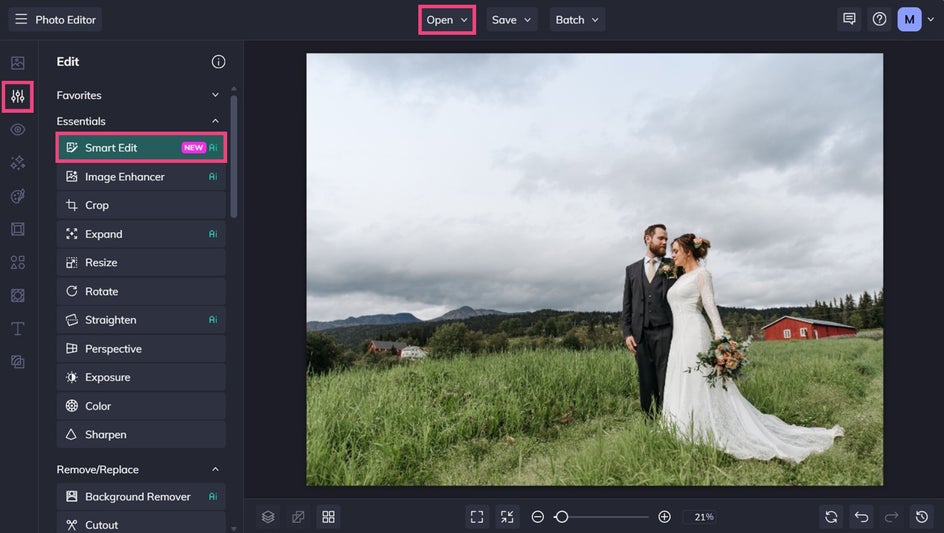
Ready to give your overcast or rainy photos a refresh? Start by opening your image in the Photo Editor, then select Smart Edit from the Edit tab.
Step 1: Write Your Smart Edit Prompt
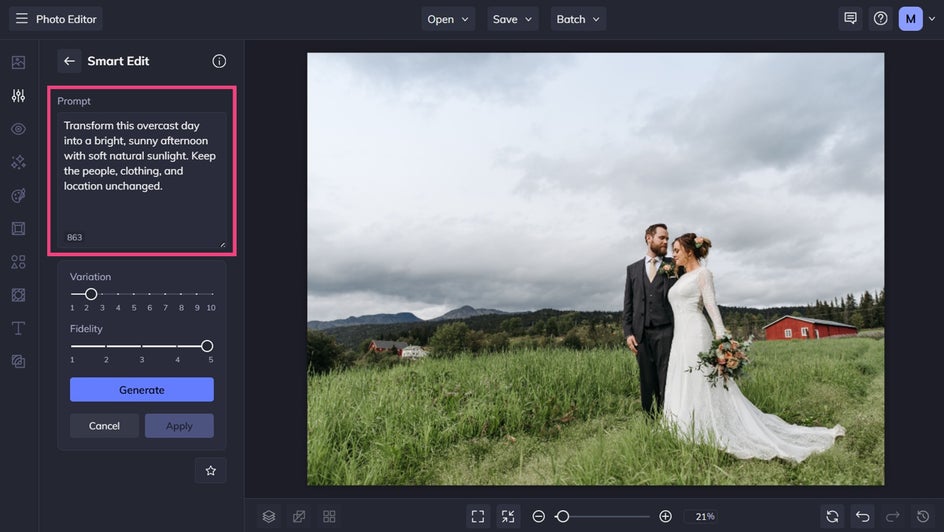
When writing your prompt, think about the atmosphere you'd like to create. Do you want bright sunshine, softer lighting, a warm golden-hour glow, or an entirely different seasonal feel?
Once you have an idea in mind, describe it in the prompt box. For the best results, explain what you'd like to change, what you'd like it to become, and which important details should remain unchanged.
For example: "Transform this overcast day into a bright, sunny afternoon with soft natural sunlight. Keep the people, clothing, and location unchanged."
Step 2: Generate and Apply Your Photo Edit
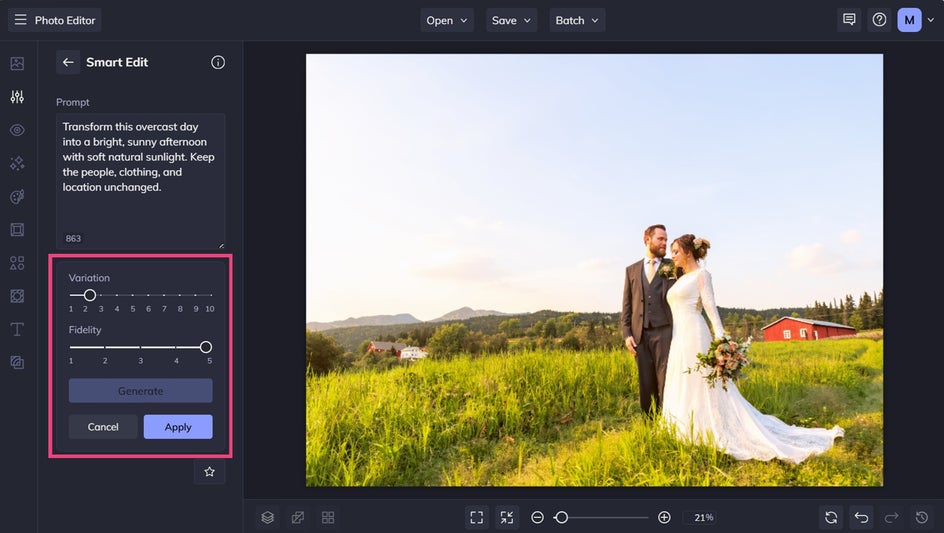
Click Generate to preview your edit. If the result isn't quite what you envisioned, refine your prompt and try again. You can also experiment with Variation and Fidelity to explore different results and control how closely the edit follows your original image.
When you're happy with the result, click Apply to save your changes.
Step 3: Save Your Results
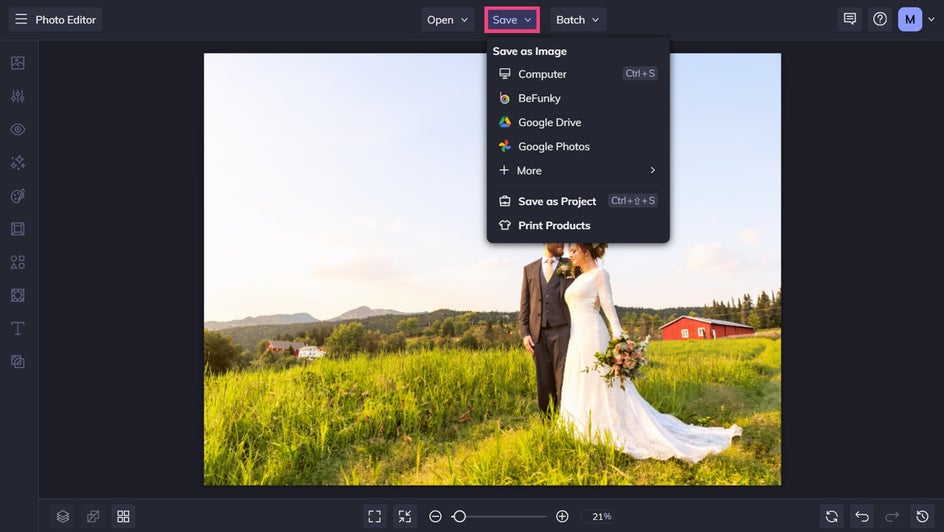
Click Save at the top of the screen, then choose your desired save format and location.
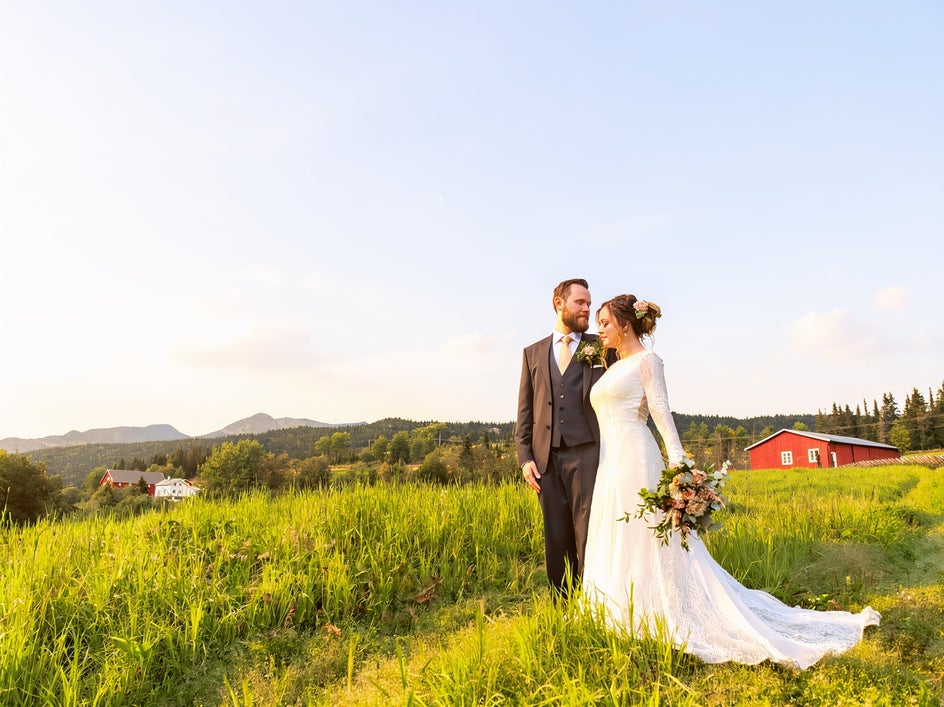
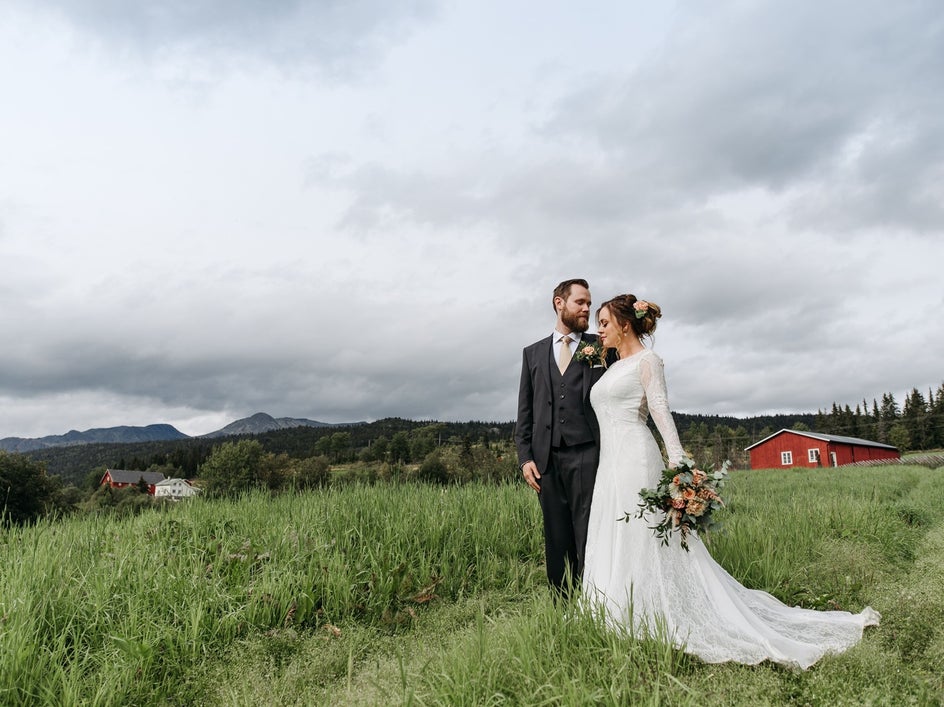
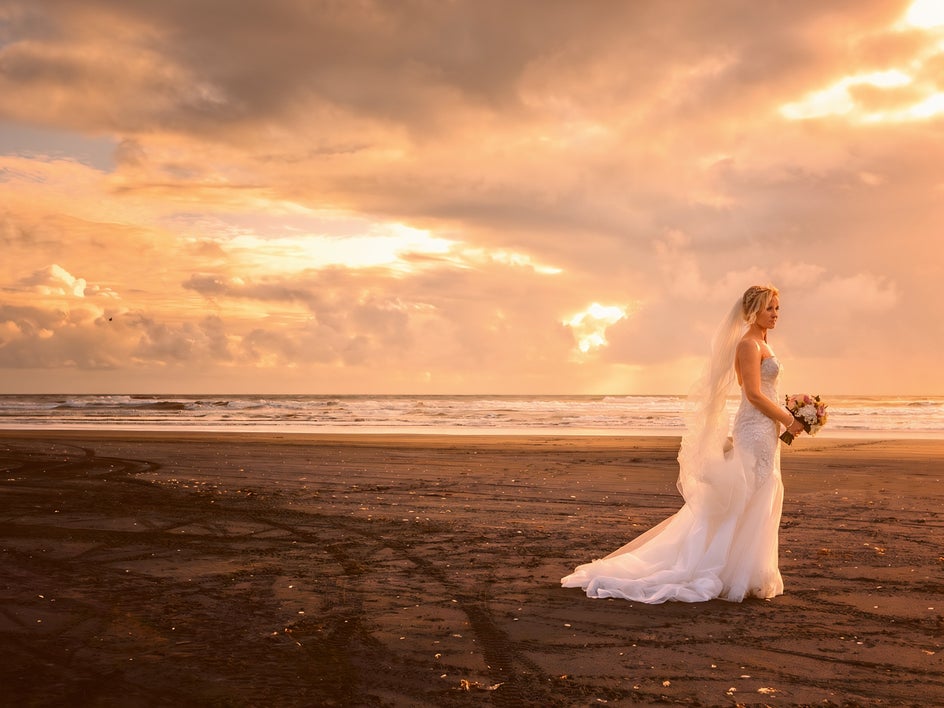
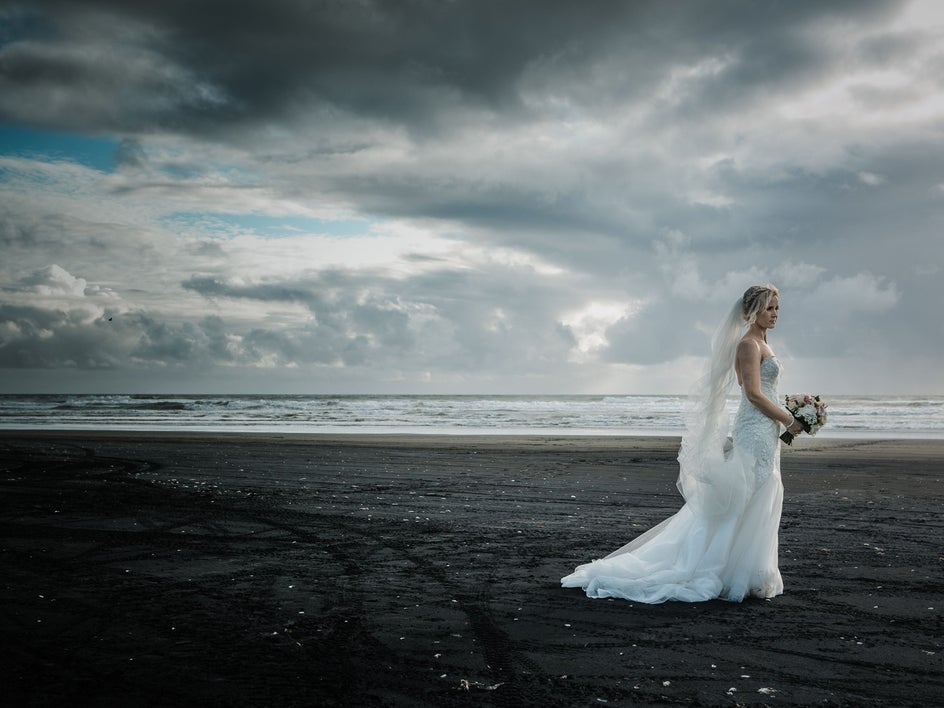
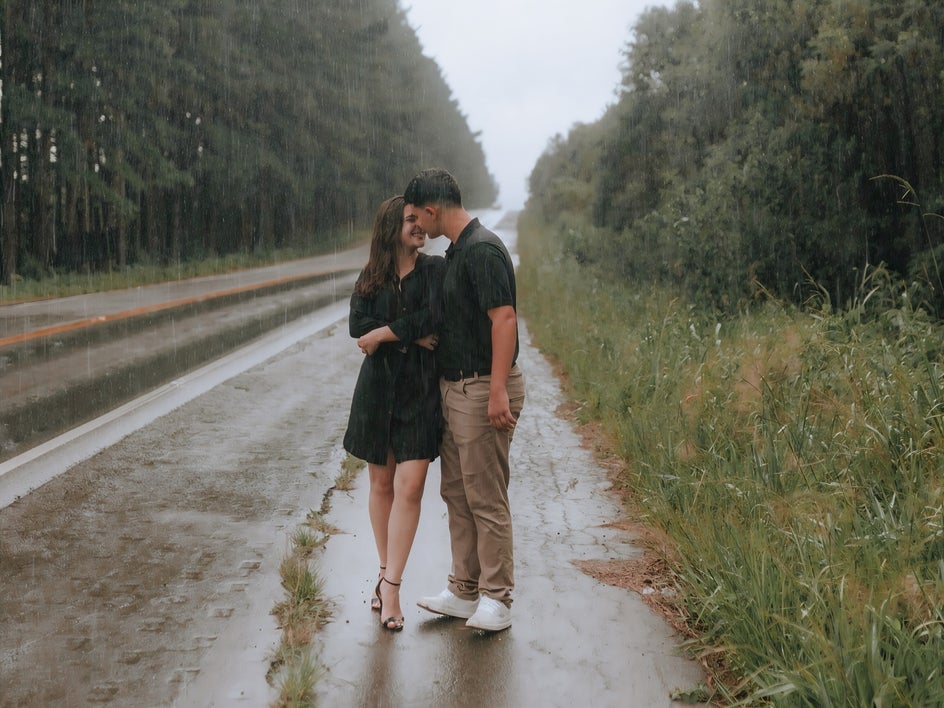
Before and After: Gloomy to Gorgeous Wedding Photo
With just a simple text prompt, we were able to give this wedding photo a summery refresh. Rather than allowing gloomy weather to ruin a special photo opportunity, Smart Edit ensures your precious memories stay picture-perfect.
Inspiration: Other Ways to Make Bad Weather Photos Beautiful
Once you've started experimenting with the weather in your photos, don't be afraid to get creative. Here are some other ideas you can try with your own photos!
Soften Harsh Sunlight
Too much sun can be just as challenging as too little.
Strong midday sunlight can create deep shadows across faces, harsh highlights, and distracting contrasts. If your photoshoot happened during the brightest part of the day, you may wish you'd had softer, more flattering light.
Instead of trying to recreate the conditions with complicated manual adjustments, use Smart Edit to describe the lighting you want.
For example: "Change the harsh midday sunlight to soft, diffused afternoon light with gentle shadows. Keep the subjects and background unchanged."
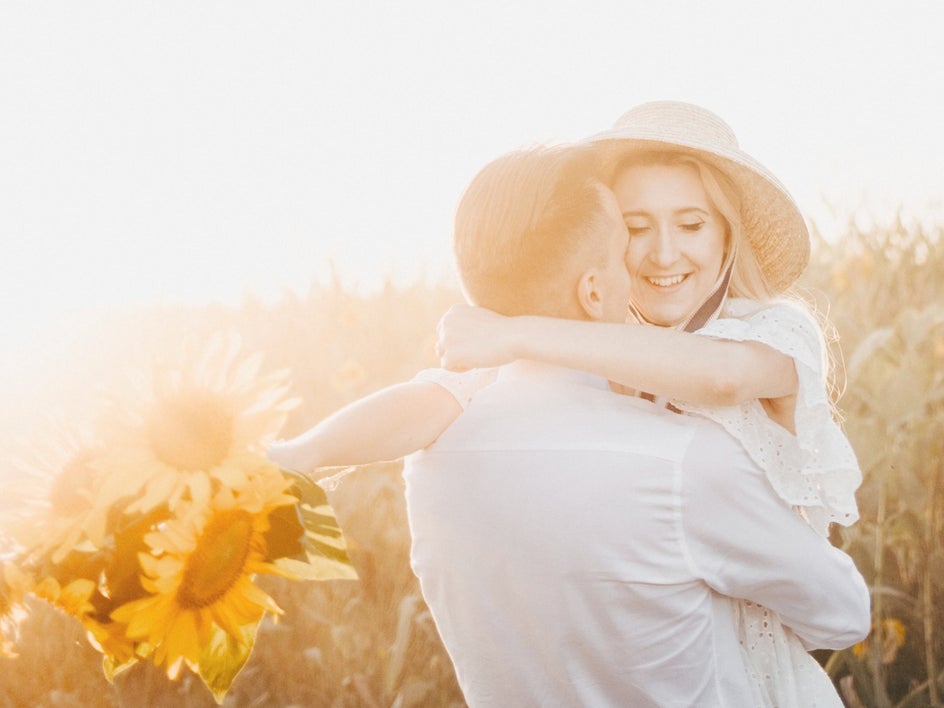
Create a Golden-Hour Look
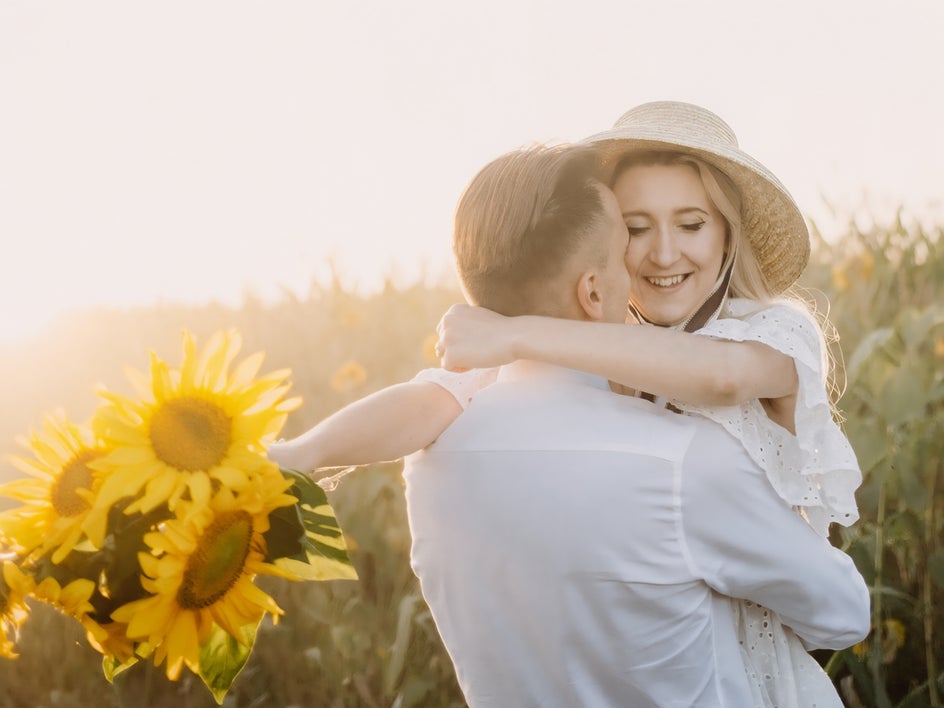
Golden hour has a way of making almost any photo feel magical. Unfortunately, the perfect sunset doesn't always line up with your photoshoot schedule.
Smart Edit can help you experiment with a golden-hour-inspired atmosphere, even when the original photo wasn't taken at sunset.
Try a prompt such as: "Transform this outdoor portrait into a warm golden-hour scene with soft sunset light and a gentle glow. Keep the subject, location, and composition unchanged."
You can also experiment with different levels of warmth and softness to find a result that feels natural for the original setting.
Give Rainy Photos a Fresh Start
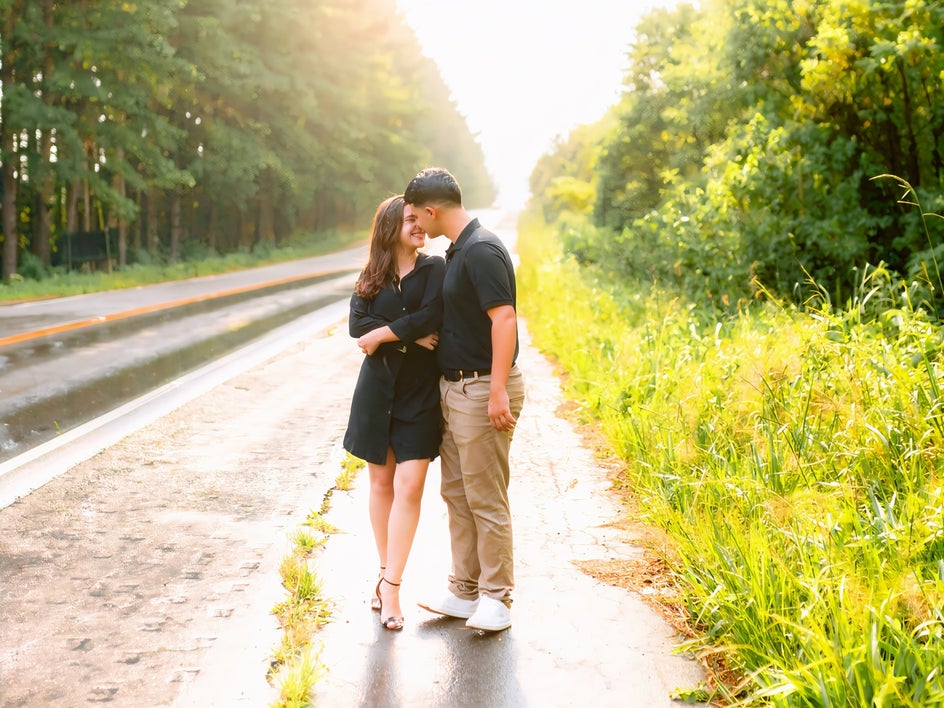
Rain can completely change the mood of an outdoor photo.
If rain has made an important photo feel gloomy, try using Smart Edit to create a brighter atmosphere. You could ask it to remove visible rain, brighten the surroundings, and introduce softer natural light.
For example: "Change this rainy outdoor scene into a fresh, bright afternoon with soft sunlight. Remove the visible rain while keeping the people, clothing, and location unchanged."
But you don't always have to fight the weather. Rain can also create a beautiful, cinematic mood. Instead of removing it, you could use Smart Edit to make the rainy atmosphere feel more intentional. Try adding moody lighting, misty surroundings, or a dramatic evening atmosphere to turn an unexpected weather condition into part of the photo's aesthetic.
Don’t Settle for Bad Weather in Your Photos
A disappointing forecast doesn't have to mean disappointing photos. With Smart Edit, you can take a photo captured on a cloudy, rainy, overly bright, or otherwise inconvenient day and experiment with a completely different atmosphere. Instead of rescheduling an important event or abandoning an otherwise great photo, you can describe the look you wanted and let AI help you create it.
Whether you're adding warm golden-hour light to an engagement portrait, brightening a cloudy wedding photo, softening harsh sunlight, or creating an entirely new seasonal atmosphere, Smart Edit gives you more ways to work with the photos you already have.
Head to the Photo Editor to try Smart Edit today!