









Create Bold Poster Art From Any Photo

Poster art has always been a powerful way to grab attention and communicate a message at a glance. From vintage advertising prints to iconic pop art, this style is all about bold visuals, simplified details, and striking color palettes. It often draws inspiration from movements like pop art, street art, and silkscreen printing, where high contrast and graphic shapes take center stage.
Thankfully, you don’t need a printing press or design experience to achieve that same look. With BeFunky’s Poster Art GFX+ effects, available in the Artsy section, you can instantly transform your photos into eye-catching, poster-style designs. No matter what you’re creating content for, these effects make it easy to turn any image into something bold, graphic, and memorable.
We’ll show you how to create your own poster artwork, plus share a few creative ways to use these effects in other projects!
How to Create Poster-Style Art
To get started, head directly to the Artsy tab and open the photo you want to transform into a graphic, poster-inspired design. Then, just scroll down to locate the Poster Art category.
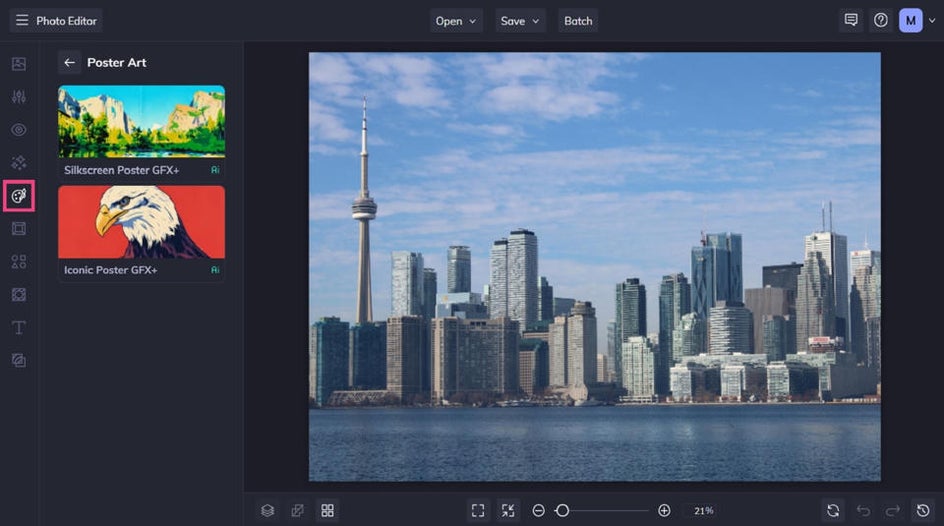
Step 1: Choose a Poster Art Effect
Click on any Poster Art GFX+ effect to sample them on your photo. You can then apply it as-is or adjust its strength using the corresponding slider.
Alternatively, if you want to further customize your effect, click on the Settings icon.
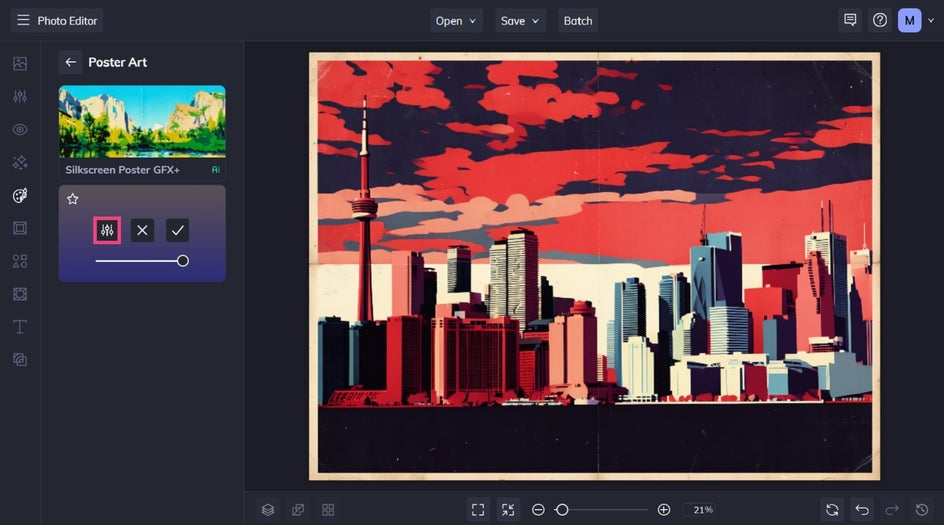
Step 2: Customize It
From this menu, you have the option to also tweak the fidelity and variation of the effect.
Fidelity refers to how closely the effect resembles the original photo without losing detail, while Variation allows you to toggle through several different variations of your image with the same effect applied to it.
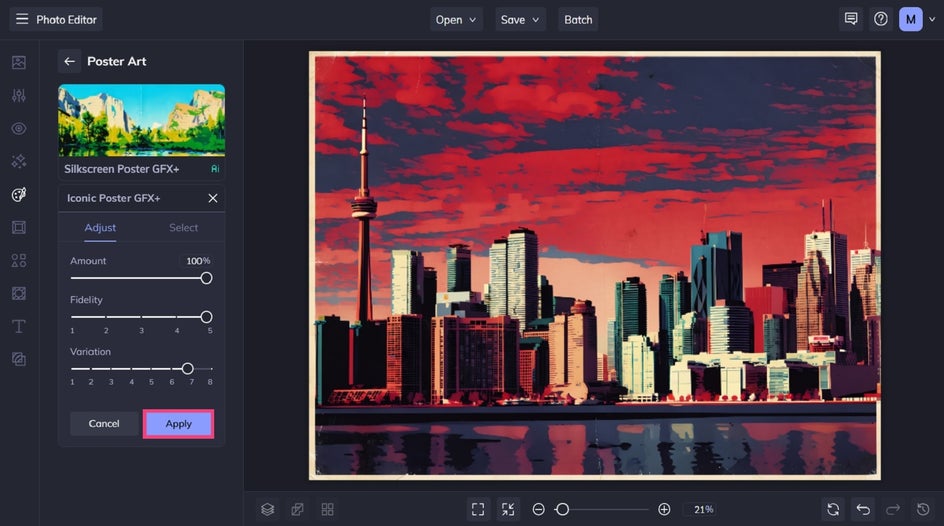
Once you’re happy with the results, click Apply to keep your changes.
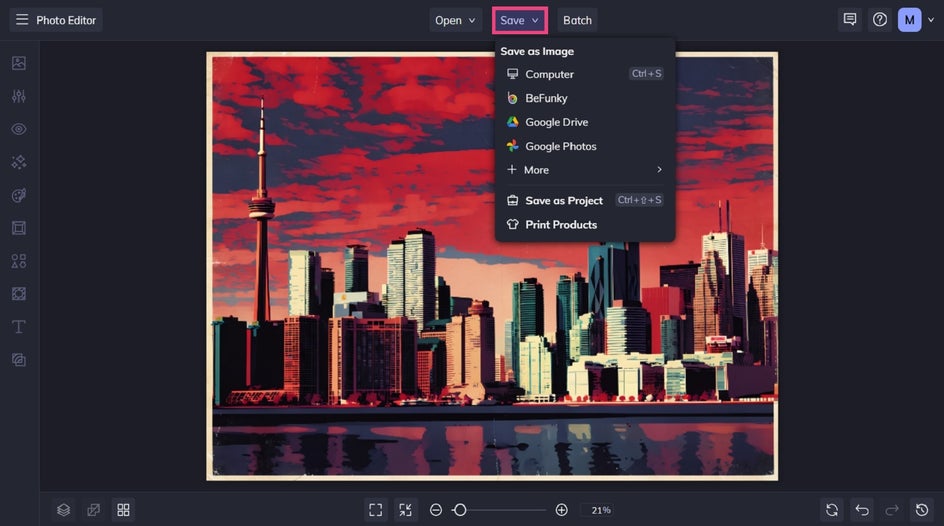
Step 3: Save Your Poster
Finally, it’s time to save your poster. Click Save at the top of the canvas and choose a location.
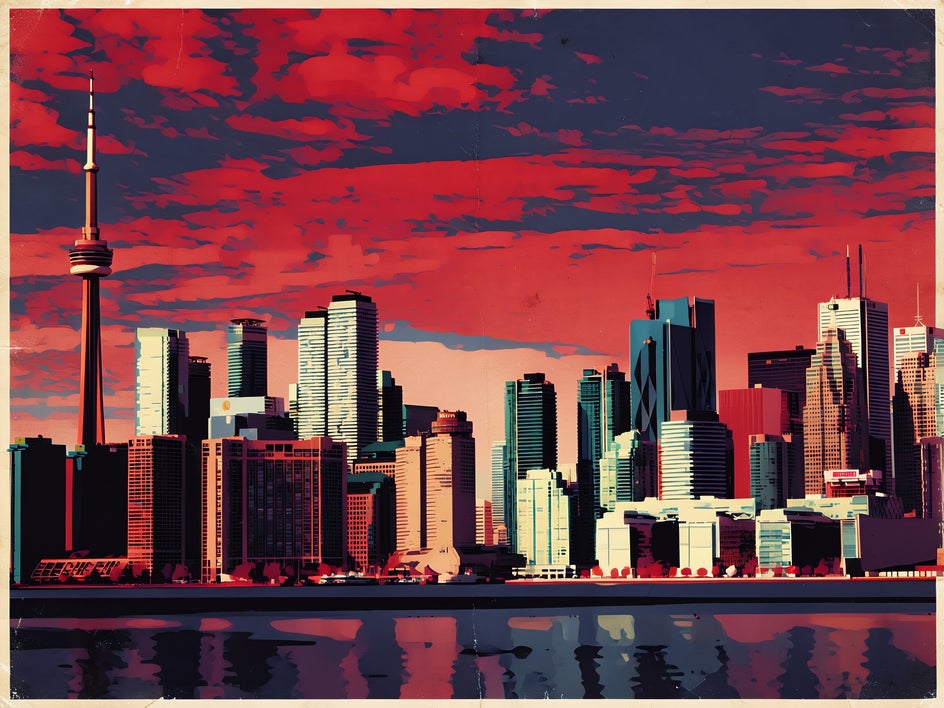
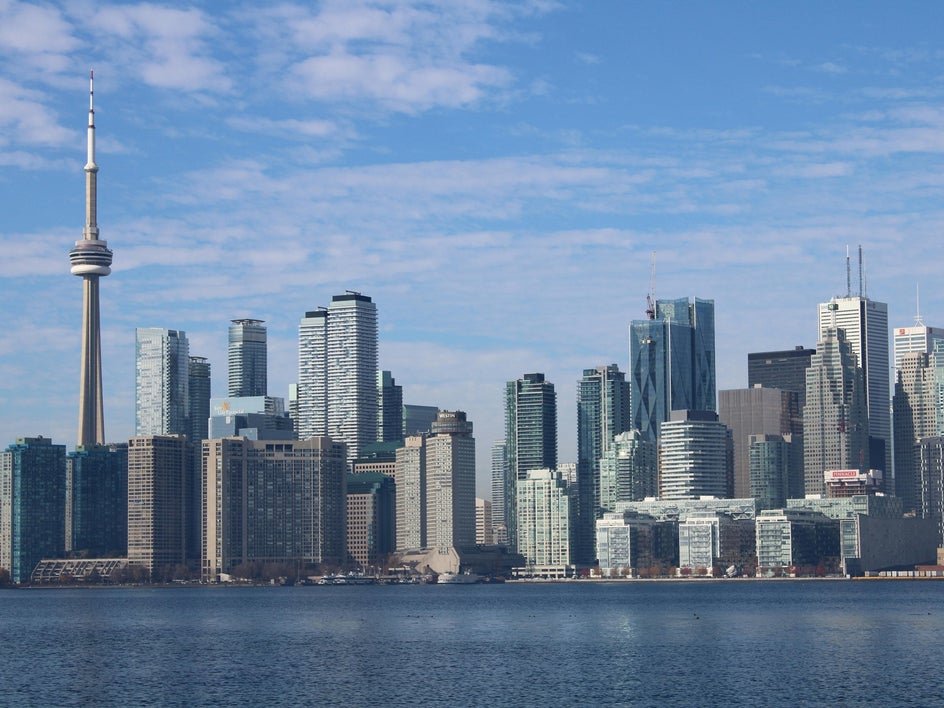
Before and After: A City Skyline That Pops
In just a few steps, we were able to turn an everyday photo of a city skyline into an iconic poster art inspired design. It’s a great example of how even familiar scenes can be reimagined into something striking and graphic with the right effect!
Creative Ways to Use Poster Art Effects
Poster-style designs are incredibly versatile. With their bold colors, graphic shapes, and high-contrast look, these designs are naturally attention-grabbing – making them perfect for both personal and professional projects.
Custom Wall Art
Turn your digital poster into printed wall art for your home or workspace. Poster-style effects work especially well for portraits, travel photos, or nature shots that you want to showcase in a bold, modern way.
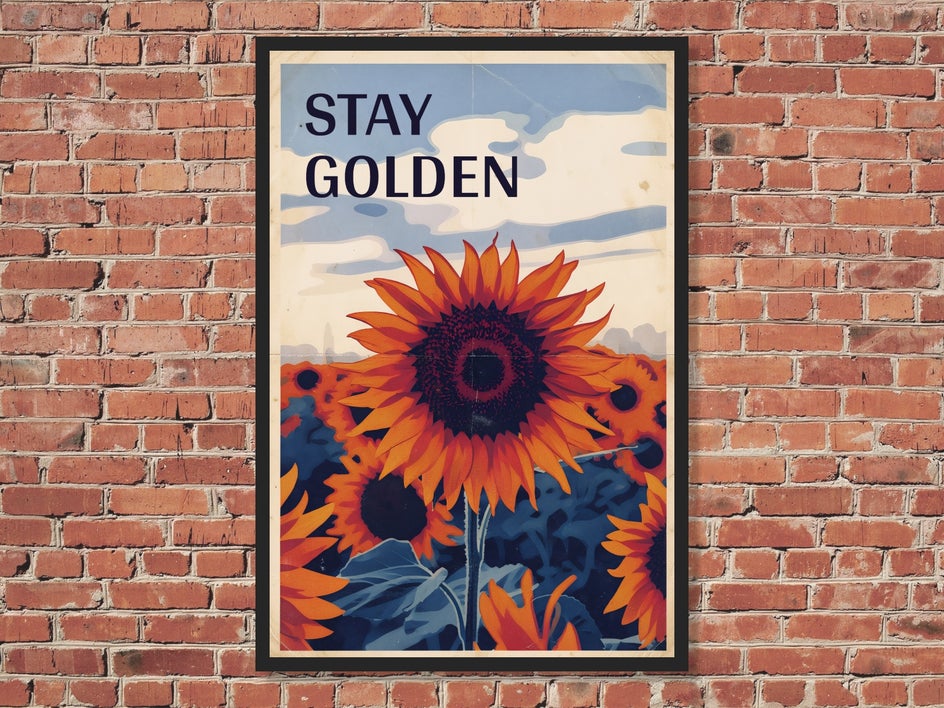
Choose a high-resolution image and consider adding minimal text or leaving the design as-is. If you do include text, try a short phrase or title that complements the image without overpowering it. You can also experiment with different color variations of the same design to create a cohesive gallery wall with a consistent theme.
Unique T-Shirts
Poster art translates perfectly onto t-shirts, and with BeFunky’s printing integration with Zazzle, creating your own tees has never been easier.
Whether you’re creating merch for your brand or just designing something fun for yourself, bold graphics and simplified colors make your design stand out on fabric.
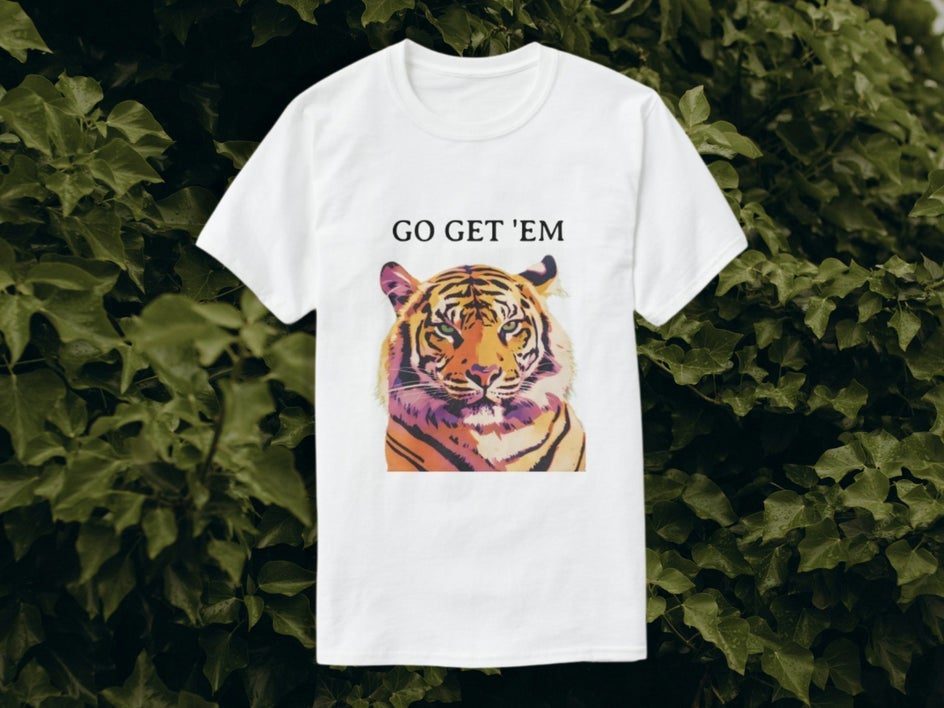
Stick to strong contrast and avoid overly intricate details so your design remains clear and impactful when printed. You might also consider how your design interacts with different shirt colors. For example, lighter designs tend to pop on dark fabrics, while bold, saturated colors work well on lighter backgrounds. Keeping your composition centered and balanced will help ensure it looks great when worn.
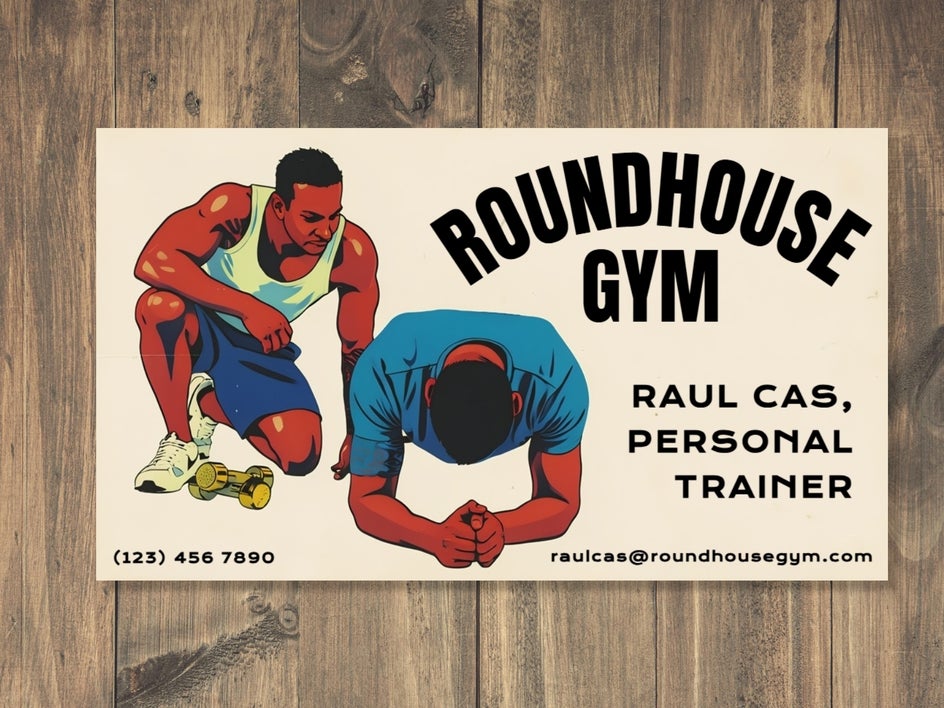
Standout Business Cards
Want to stand out from the crowd? Use poster-style effects to design a business card that’s both creative and memorable. This works especially well for designers, artists, or anyone looking to showcase a bold brand personality.
Pair your graphic image with clean, readable typography to keep the design professional while still visually striking. You can also carry your color palette and style across other branded materials, like social media graphics or portfolios, to create a more cohesive visual identity.
Start Turning Photos Into Posters
Poster-style effects are a fun and powerful way to transform your photos into bold, graphic designs. With just a few clicks, you can create artwork that feels inspired by classic print styles – while still being uniquely your own. Ready to get started? Head to the Artsy category in the Photo Editor to explore the Poster Art GFX+ styles.




