Turn Photos Into Bold, Graphic Art With Stenciler Effects

If you’ve ever wanted to transform a photo into something that looks hand-drawn, spray-painted, or screen-printed, BeFunky’s Stenciler effects are about to become your new favorite creative tool. Found within our Photo Effects, Stenciler offers a bold, graphic approach to photo editing, letting you simplify your image into striking lines, shapes, and high-contrast details.
Stenciler effects pair beautifully with our other illustration-inspired photo effects – like Charcoal and Line Artopia – as well as Artsy effects like Sketcher, Cartoonizer, and Inkify.
From eye-catching social media graphics to poster-worthy designs, Stenciler makes it easy to turn everyday photos into stylized, high-impact visuals. And with just a few clicks, you can completely reimagine your image in a way that feels both artistic and unique.
In this guide, we’ll walk through how to use Stenciler effects step-by-step, plus share a few creative examples to spark your imagination.
How to Use Stenciler Effects in the Photo Editor
While Stenciler works on almost any image, a few simple guidelines can help you get the most striking results.
Photos with strong lighting and clear contrast tend to translate best, since the effect relies on separating light and dark areas. If you’re working with portraits, look for images where facial features are well-defined. For landscapes or cityscapes, bold shapes and lines – like skylines or architectural details – will really shine.
Ready to transform your own photo? Head directly to the Stenciler effects within the Photo Editor and open your image to get started.
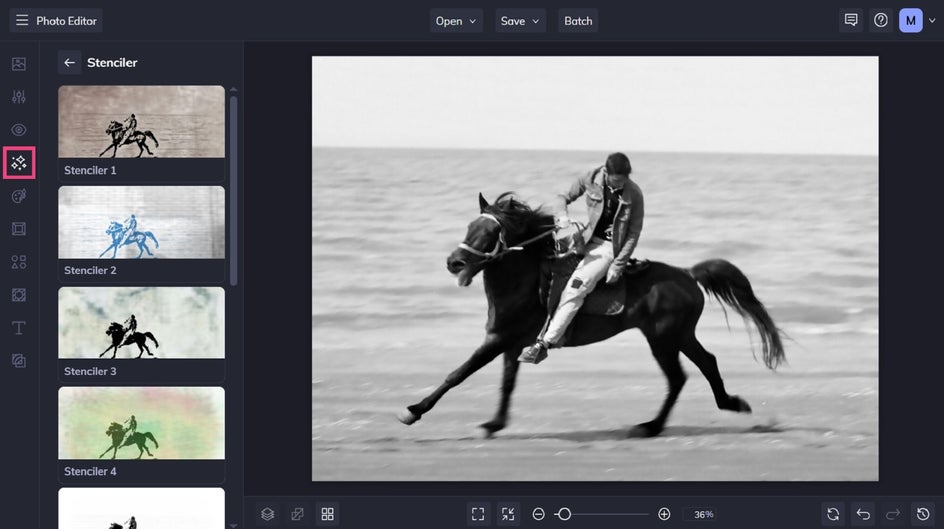
Step 1: Select and Adjust Stenciler Effect
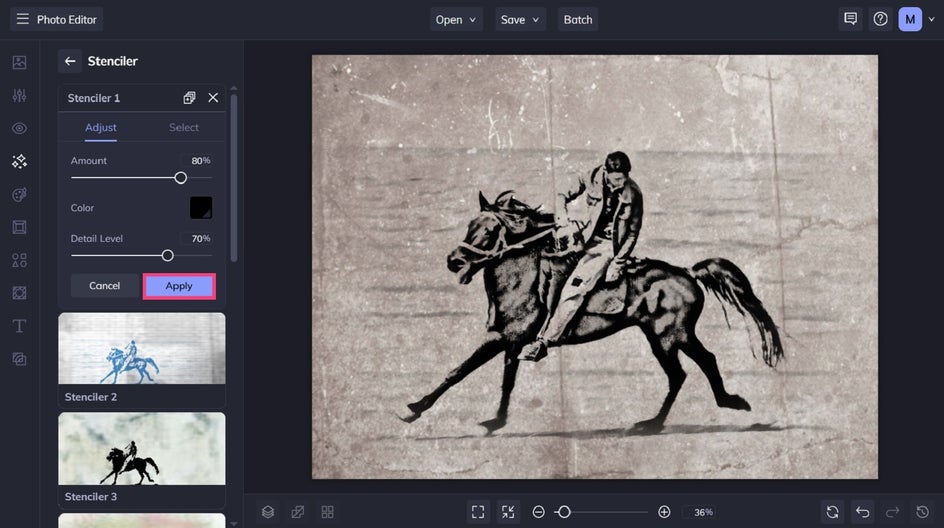
Click a Stenciler effect to sample how it looks on your image. You can adjust the slider to increase or decrease the effect. You also have the option to further customize your Stenciler effect by clicking Settings.
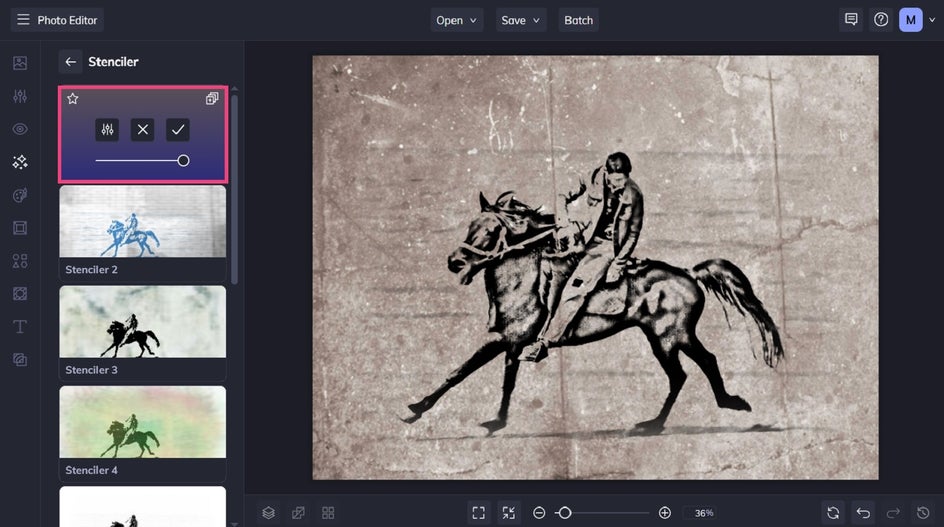
Here, you can not only adjust the amount, but also the color of your Stenciler effect, as well as the detail level.
To keep your changes, click Apply.
Step 2: Save Your Final Stenciler Image
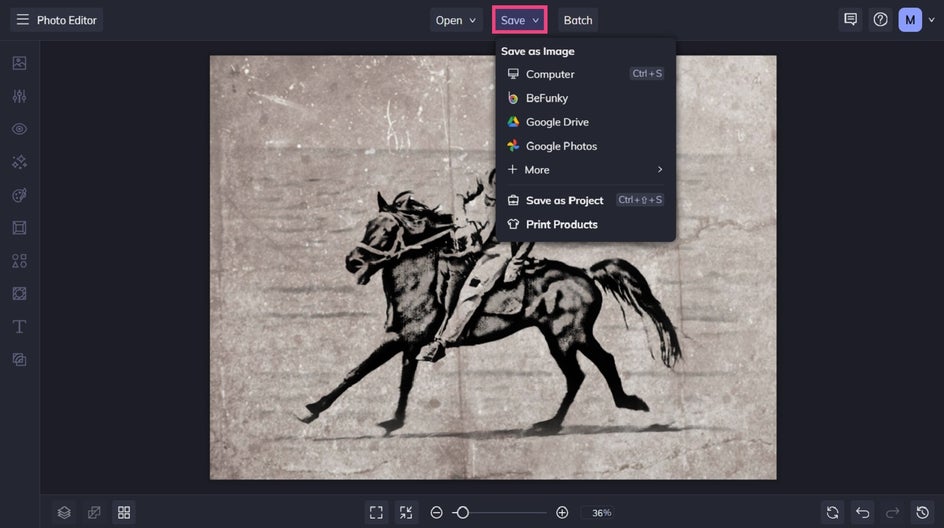
Once you’re happy with your photo to Stenciler transformation, it’s time to save your new image. Click Save at the top of the screen and select your desired save location.
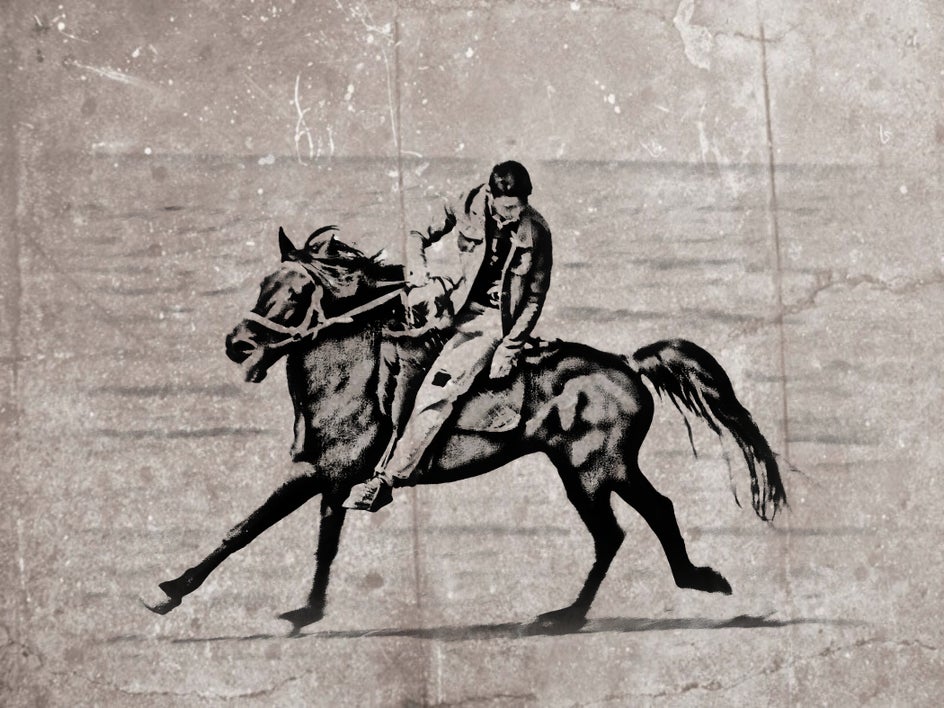
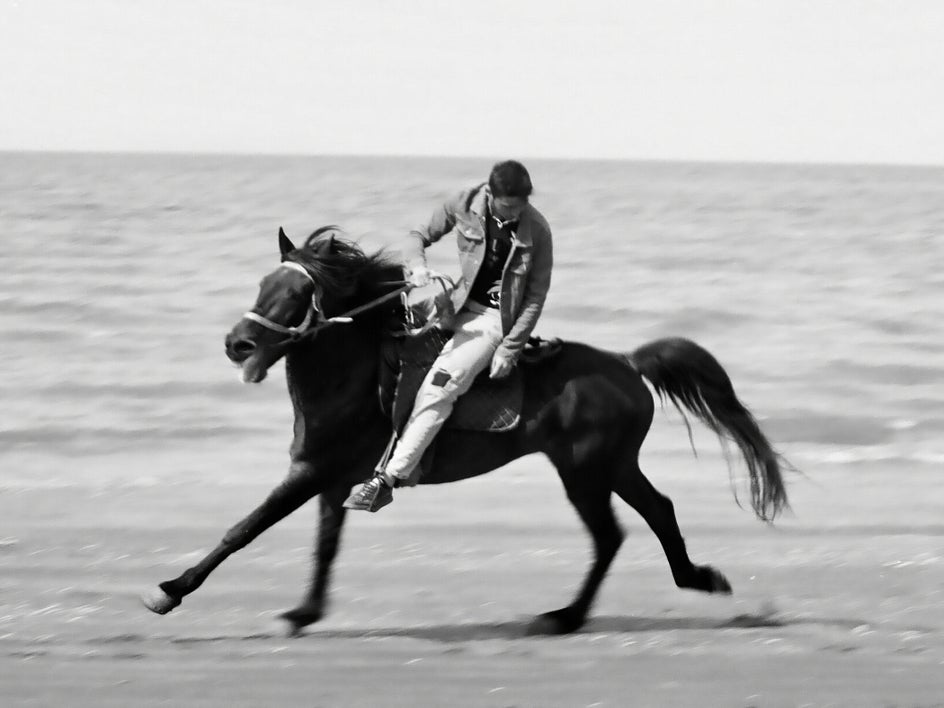
Before and After: A Stenciled Photo in Seconds
Wasn’t that easy? In just two simple steps, we were able to create a bold, stenciled photo that’s unique and eye-catching.
Inspiration: Other Ways to Use Stenciler Effects
To give you a better idea of what’s possible, here are three different ways Stenciler effects can completely transform an image.
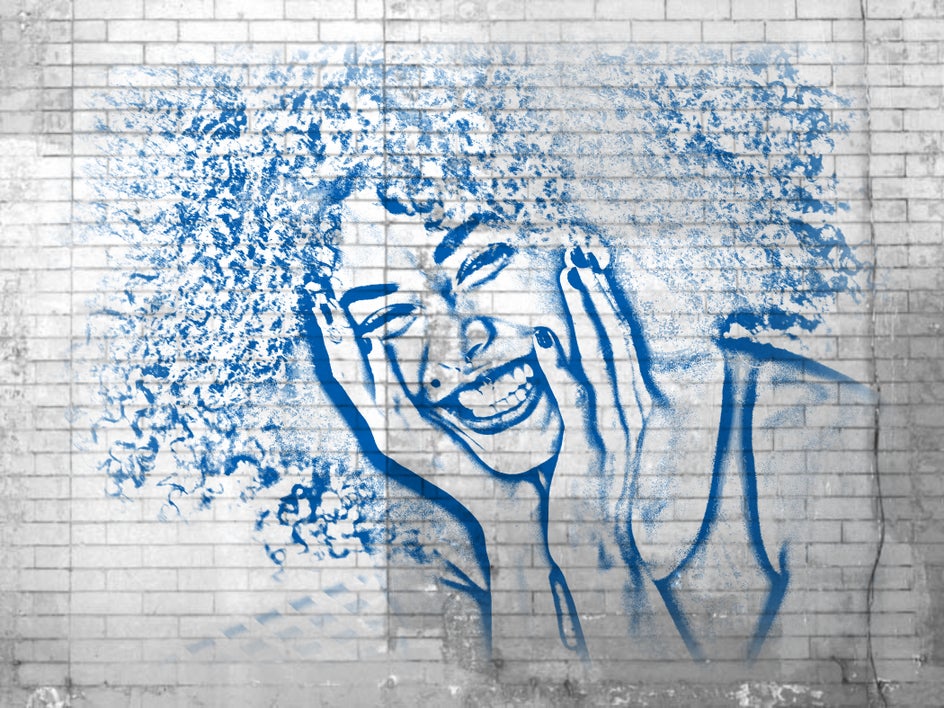
Turn Portraits Into Graffiti-Inspired Art
Using Stenciler 2 on a portrait can create a look that feels straight out of a street art scene. Take this photo of a woman, for example, which has been transformed into bold, sketch-like lines. It looks as if it’s been spray-painted onto a whitewashed brick wall.
The result is edgy, expressive, and full of personality – perfect for social media graphics, album art, or creative branding.

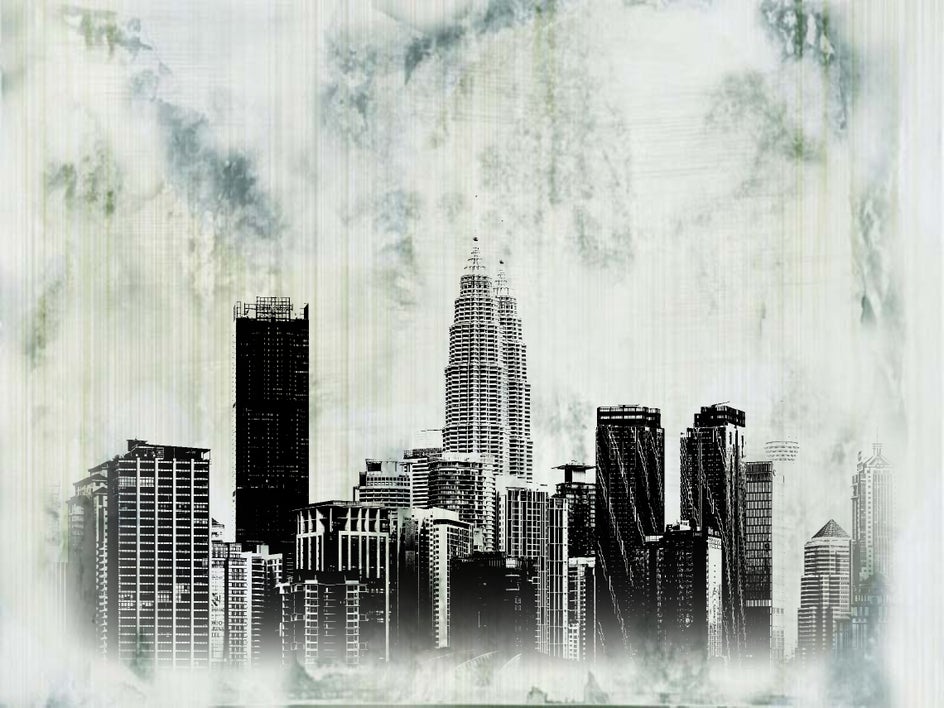
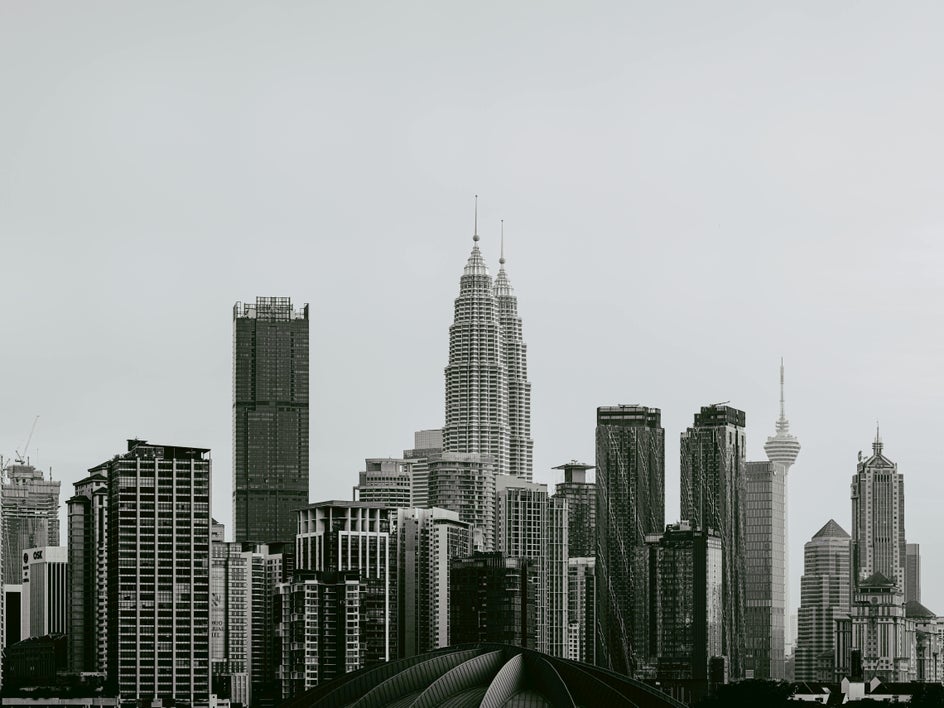
Create Striking Cityscape Designs
With Stenciler 3, city skyline photos take on a clean, architectural feel. The effect emphasizes strong lines and geometric shapes, while a textured background adds a softness to beautifully balance the whole image.
This style works well for travel graphics, posters, or even minimalist wall art. It’s a great way to highlight structure and form while keeping things visually engaging.
Add a Vintage, Textured Feel to Landscapes
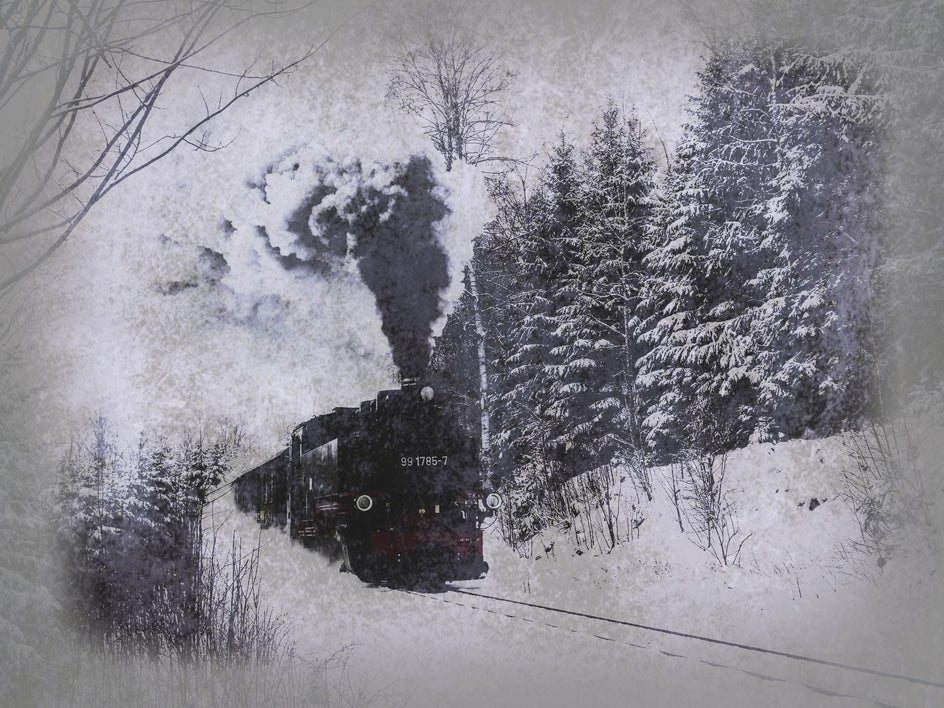
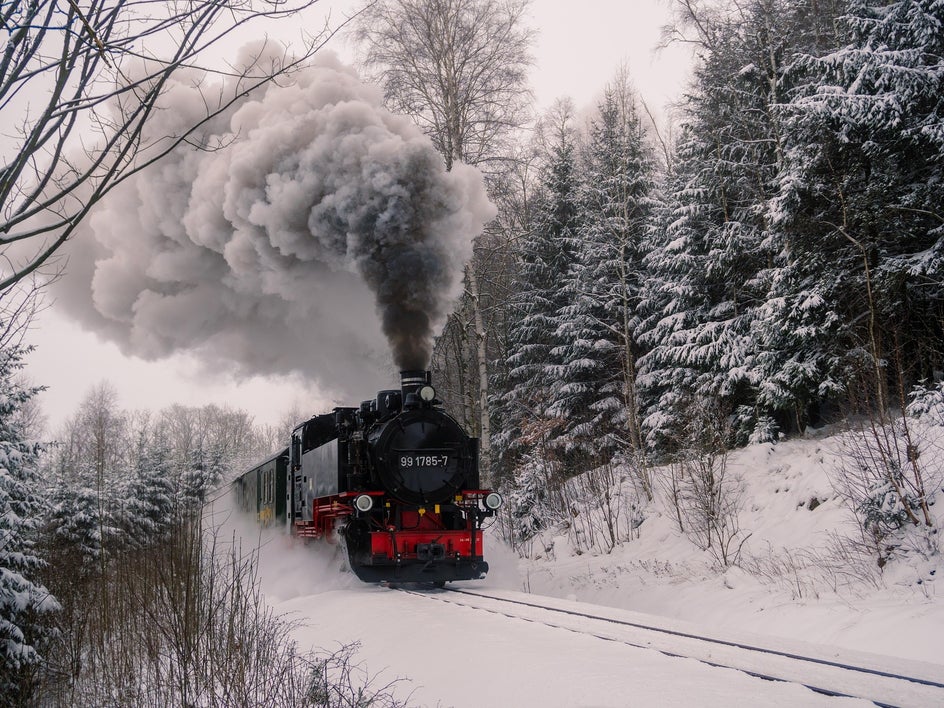
Applying Stenciler 10 to a snowy steam train scene creates a completely different mood. The effect introduces a slightly grungy, textured aesthetic that feels reminiscent of a vintage postcard.
The softened details combined with stylized contrast give the image a nostalgic, wintery atmosphere – ideal for storytelling visuals, seasonal designs, or themed projects.
Start Creating With Stenciler Effects
With just a few adjustments, you can turn a simple photo into something that feels handcrafted and artistic. Whether used on its own or layered with your favorite Artsy or Photo Effects, our Stenciler effects open up a whole new world of creative possibilities.
Ready to give it a try? Head to the Stenciler effects and start experimenting to see how easily your photos can transform into bold, graphic works of art.