







How to Visualize Home Makeover Ideas Using Smart Edit

Choosing new paint colors, flooring, wallpaper, or furniture is exciting, but it can also feel like a huge gamble. Even after collecting paint swatches and creating mood boards, it can be difficult to picture how everything will come together in your own home.
Fortunately, Smart Edit takes the guesswork out of decorating. Available in BeFunky's Photo Editor, Smart Edit lets you upload a photo of your space and use simple text prompts to preview realistic design changes in seconds. From testing new flooring materials to exploring completely different interior styles, it's an easy way to compare ideas before committing to a total makeover or expensive renovation.
Ready to redesign your space digitally? Keep reading, because we’ll show you how!
How to Preview Home Design Ideas With Smart Edit
Head to the Photo Editor and open a well-lit photo of the room you'd like to redesign. Then, navigate to Smart Edit within the Edit tab to get started.
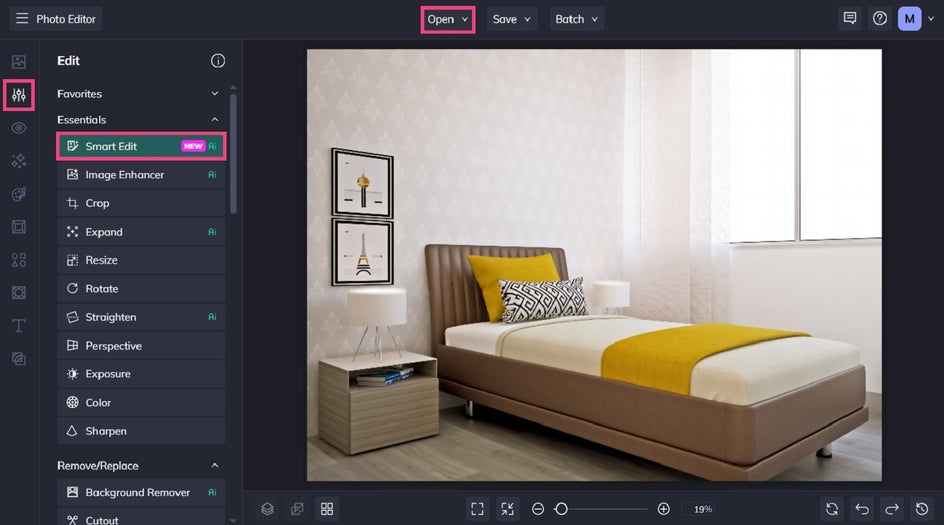
Step 1: Describe Your Design Changes
In the tool’s prompt box, describe exactly what you'd like to change. The more specific your prompt is, the more accurately Smart Edit can recreate your vision.
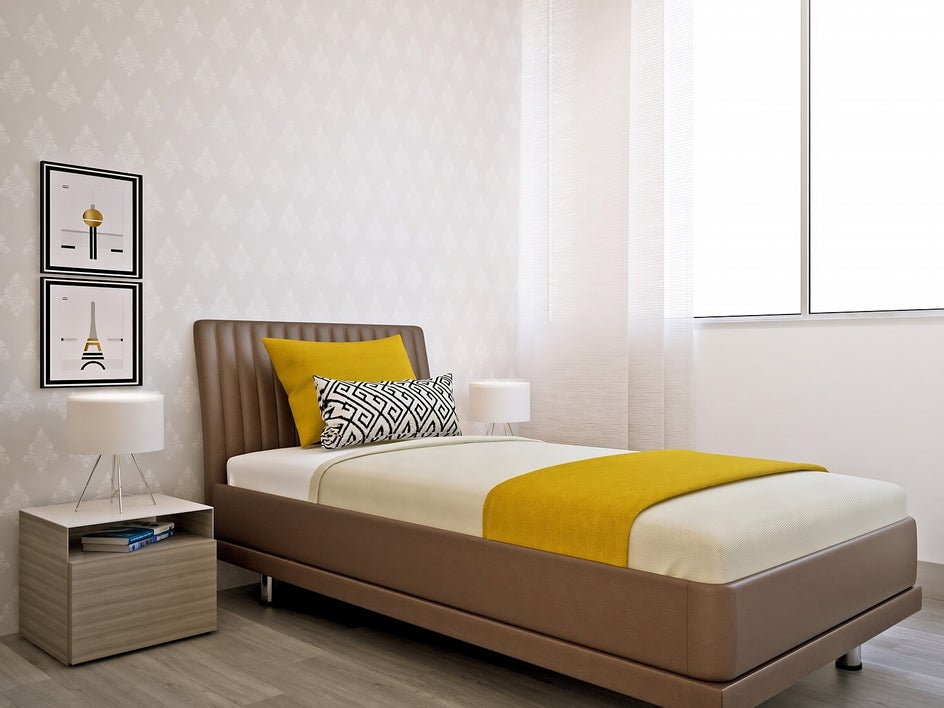
Here’s the prompt we’ve used to transform our own photo:
“Add sheer white floor length curtains to the window. Change the wall color to a very pale clay color. Remove the wallpaper pattern. Remove the two framed prints on the wall. Place one large canvas of an abstract painting on wall above bed. Remove white table lamps. Add two gold wall sconce lights on either side of canvas. Replace bedside table with fiddle leaf fig tree in terracotta pot. Replace current bed linen and cushions with linen and cushions in a boho style.”
Specific details help Smart Edit preserve the existing room while updating only the elements you want to explore.
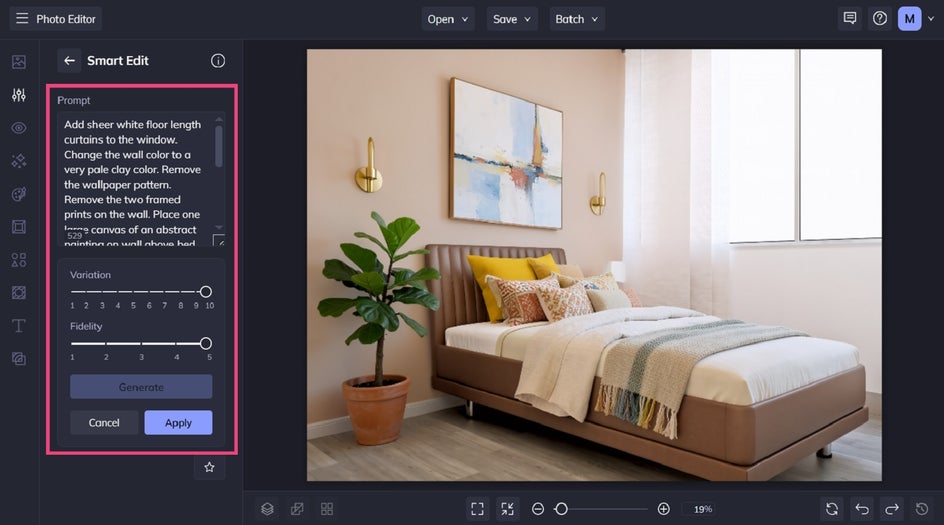
Click Generate to see your results.
If you'd like to explore more options, simply adjust your prompt and generate another variation. You can also experiment with the Variation and Fidelity settings to either create more creative alternatives or stay closer to your original photo.
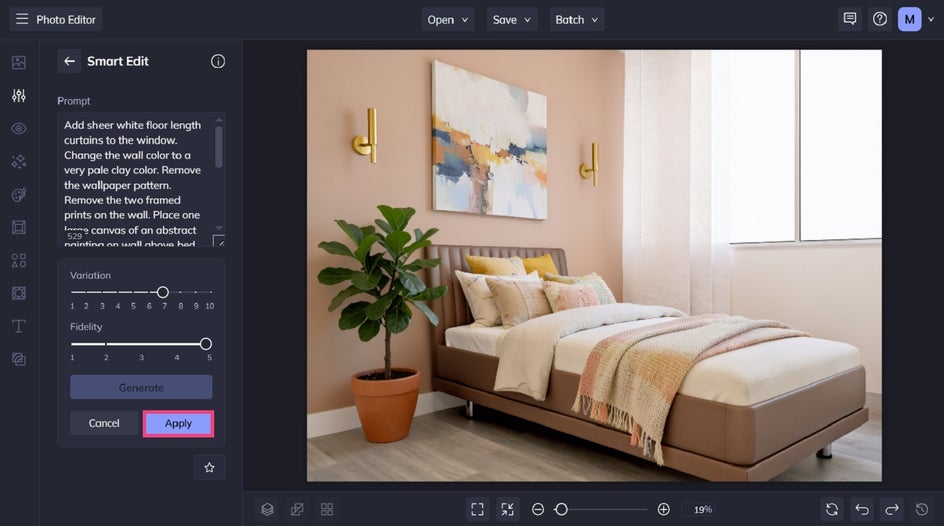
Once you've found a design you love, click Apply to keep your changes.
Step 2: Save Your Final Image
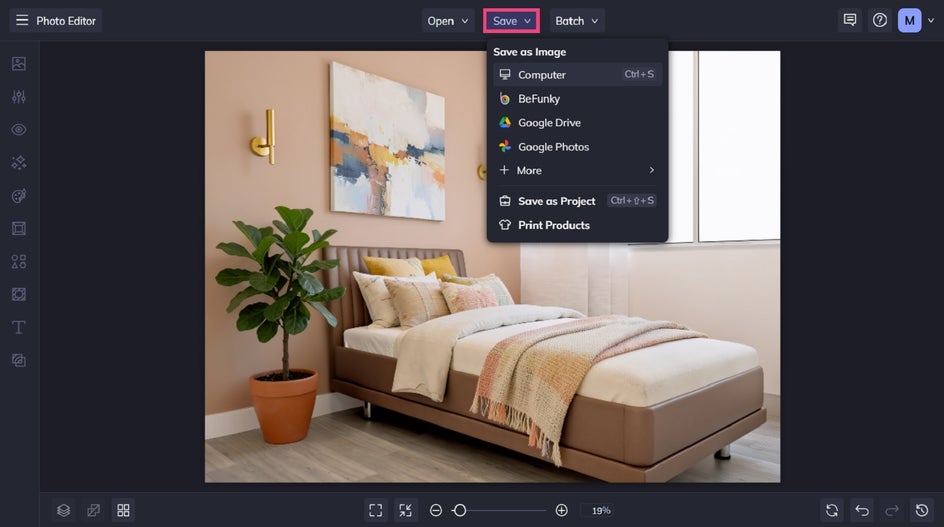
Click Save at the top of the screen, then choose your desired save format and location.
Before and After: A Bland to Beautiful Bedroom in Seconds
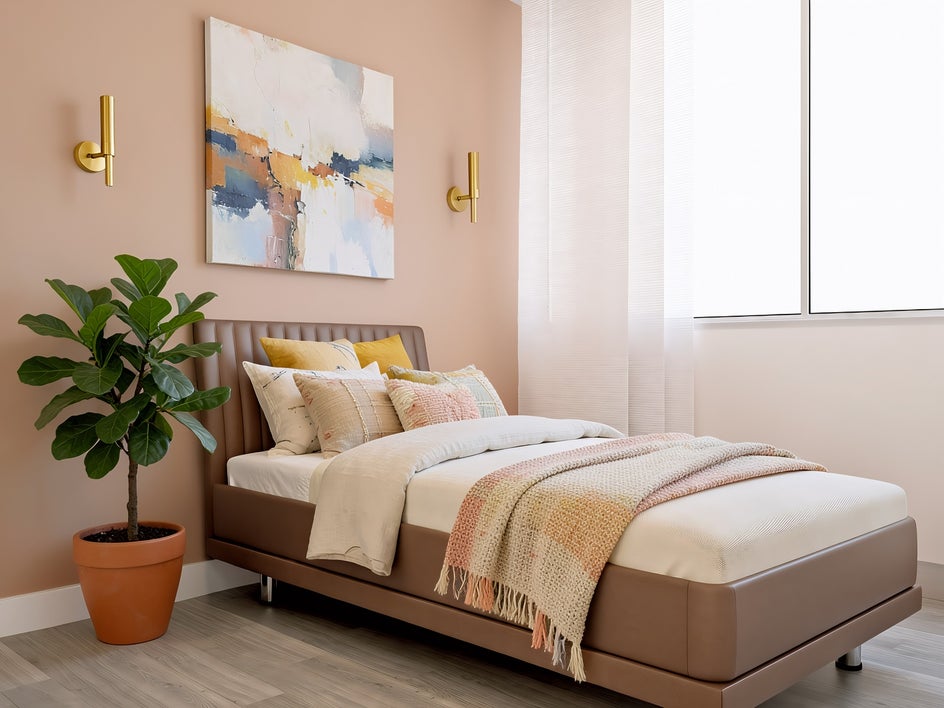
With just a single prompt, we’ve transformed this basic bedroom into a stunning, realistic design concept – all without purchasing paint samples, moving furniture, or committing to expensive renovations.
Find Inspiration for Your Next Home Project
One of the biggest advantages of Smart Edit is that the same simple workflow can help you explore countless decorating ideas. Here are a few other ways to put it to work.
Experiment With Paint Colors, Wallpaper, and Feature Walls
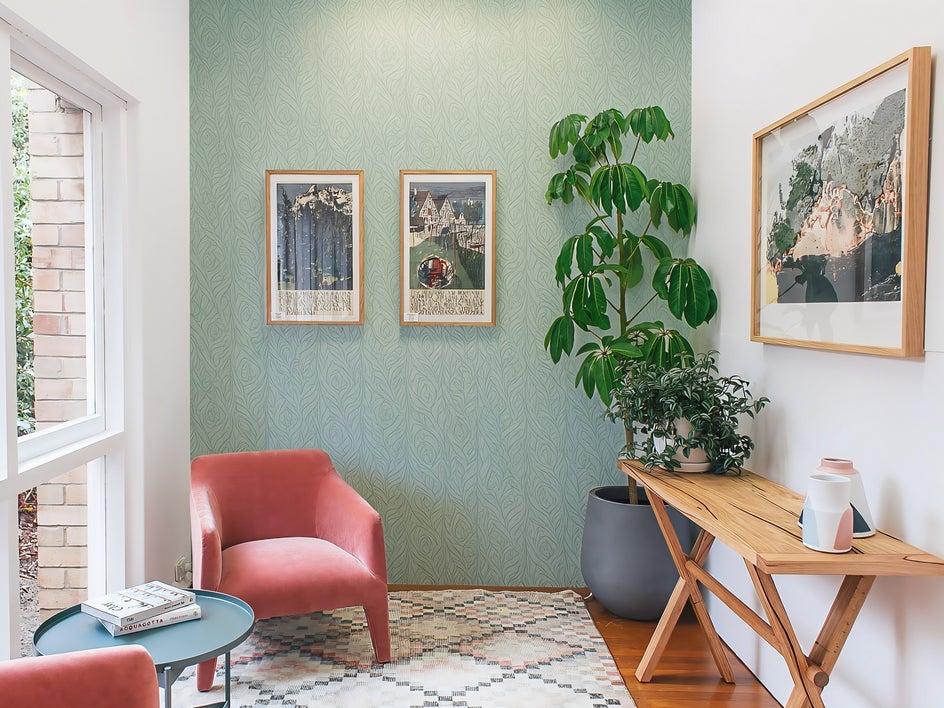
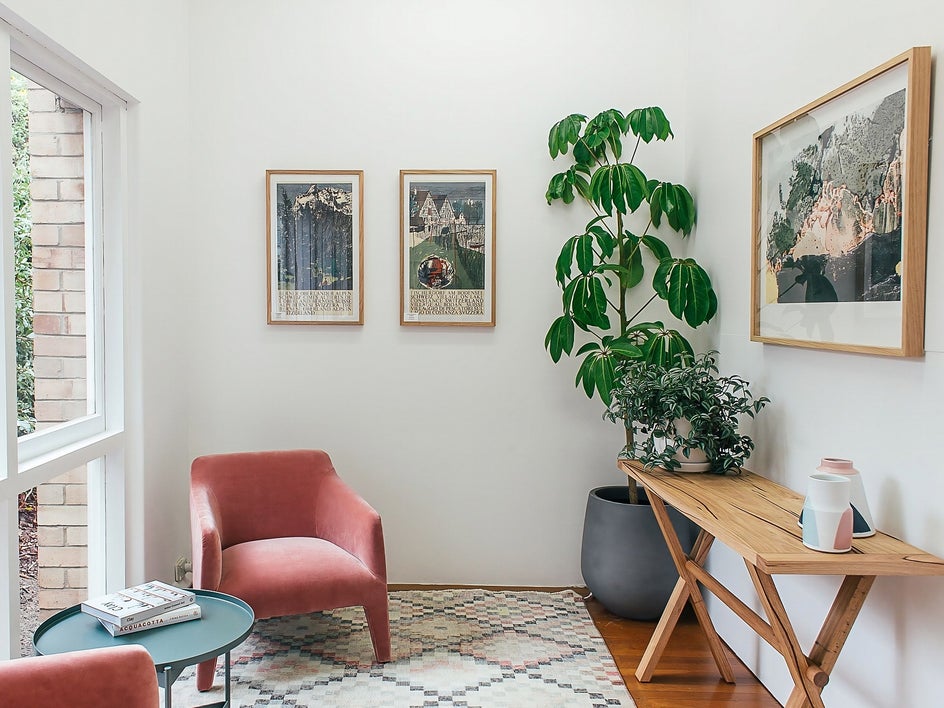
Changing wall finishes is one of the quickest ways to transform a room, but it can also be one of the hardest decisions to make. Smart Edit lets you compare multiple options without buying sample pots or hanging wallpaper first.
Try prompts like:
- Paint the walls a warm sage green.
- Replace the back wall with a textured limewash finish.
- Add a navy geometric wallpaper to the feature wall behind the bed.
Seeing these ideas inside your own room (rather than on a Pinterest board) makes it much easier to narrow down your favorites.
Compare Different Flooring Materials
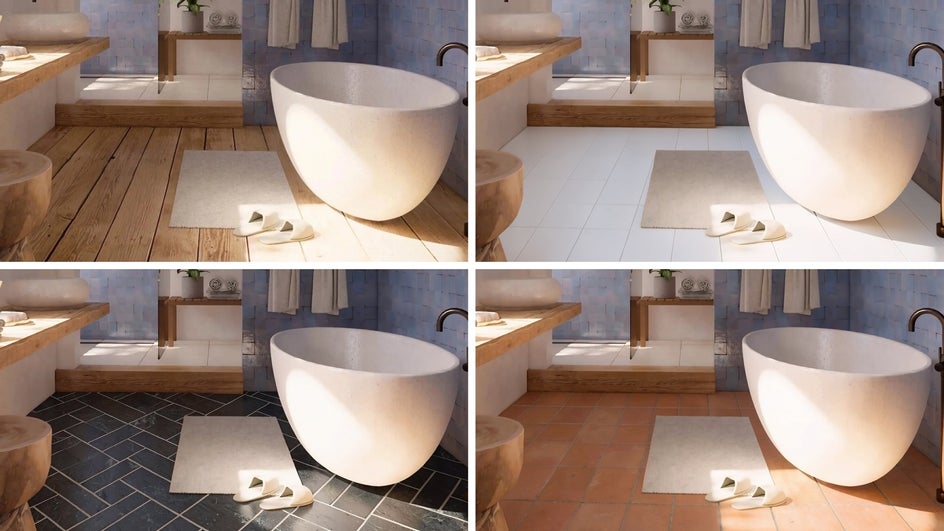
Flooring influences the overall style of a space, but replacing it can be expensive – not to mention time-consuming. Therefore, you want to get this decision right the first time. Don’t just rely on showroom displays; use Smart Edit to preview different materials directly in your room.
Not sure where to start? Try using Smart Edit prompts to experiment with:
- light oak hardwood
- polished concrete
- herringbone tiles
- high-pile neutral carpet
You may be surprised by how dramatically each option changes the overall feel of your space.
Rearrange Furniture and Refresh Your Decor
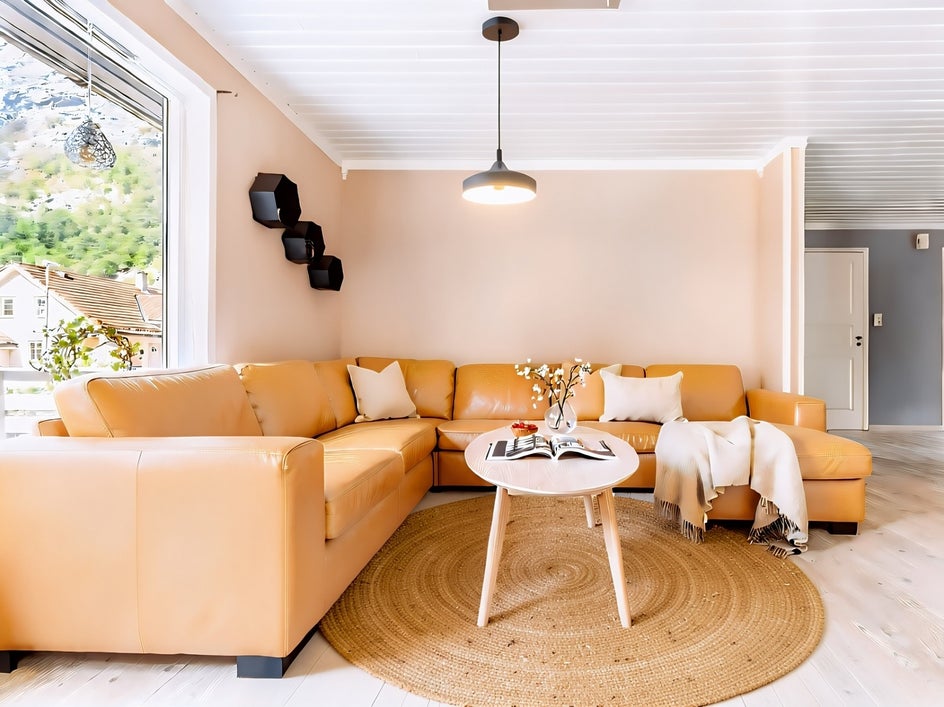
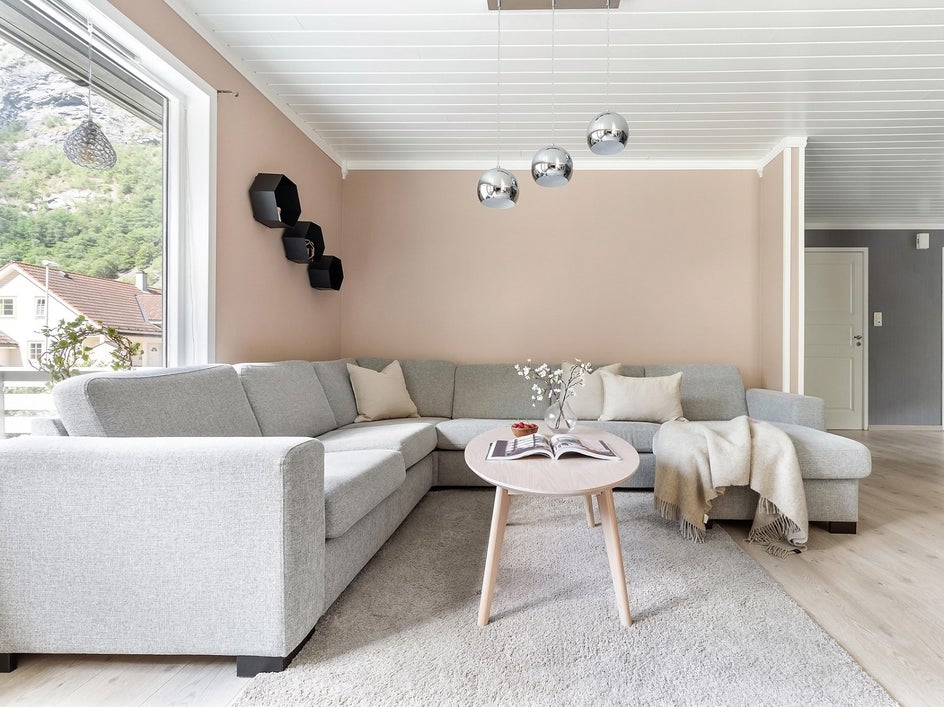
Smart Edit can also help you visualize furnishing updates before making major purchases.
Replace an outdated sofa, swap dining chairs, add artwork, introduce new lighting fixtures, or experiment with different rug sizes and coffee tables. You can even test decorative accents like indoor plants, shelving, or curtains to see how they complete the space.
Explore Completely Different Interior Design Styles
Sometimes the biggest challenge isn't choosing a paint color but deciding on your home’s overall aesthetic.
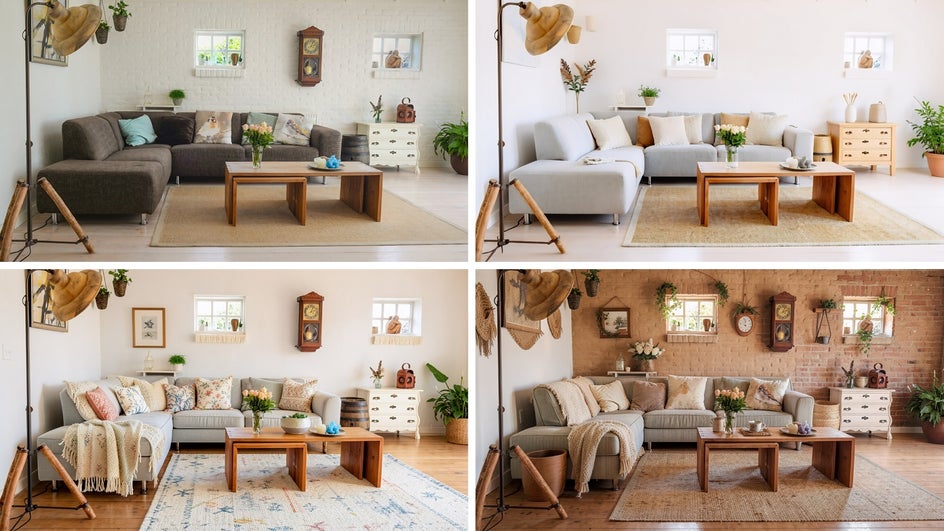
Instead of making one small change at a time (or battling crippling indecision), ask Smart Edit to completely reinterpret your room in a different design style.
Here are just a few of our favorite decor ideas:
- Scandinavian with light wood furniture and neutral textiles
- Modern farmhouse with rustic beams and warm natural textures
- Japandi with clean lines and calming earth tones
Exploring several styles side by side can help you discover an aesthetic you may never have considered otherwise.
Design Your Home With Greater Confidence Using Smart Edit
Home decorating should be exciting, not stressful. Instead of wondering whether a paint color, flooring material, or furniture piece will suit your space, Smart Edit eliminates the guesswork and gives you confidence and certainty.
By transforming your existing room photos with simple text prompts, you can compare ideas, refine your vision, and make the best design decisions every time. Whether you're renovating an entire home, refreshing a single room, or helping clients visualize concepts, Smart Edit gives you the freedom to experiment without worrying about cost or commitment.
Visit Smart Edit in the Photo Editor and start bringing your dream home vision to life!