








How to Perfect Real Estate Photos With Smart Edit

First impressions can make all the difference when selling a home. Since most buyers begin their search online, your listing photos often determine whether they'll schedule a viewing or keep scrolling.
Even beautiful homes can appear less inviting if photos contain clutter, poor lighting, empty rooms, or everyday distractions. So, how can you improve your real estate photography without hiring a professional photo editor?
This is where BeFunky's Smart Edit comes into play. Using AI photo editing, you can transform real estate photos using simple text prompts. Whether you're a real estate agent, homeowner, property manager, or vacation rental host, Smart Edit makes it easy to remove distractions, brighten interiors, refresh décor, and create more polished listing photos all without complicated selections or manual editing.
Ready to showcase your property at its best? Keep reading, because we’ll show you how!
How to Use Smart Edit to Enhance Your Listing Photos
To start, upload your real estate photo to BeFunky's Photo Editor, then select Smart Edit from the Edit tab.
For the most natural results, start with the highest resolution image available. Clear, high quality photos give the AI more detail to work with and often produce more realistic edits.
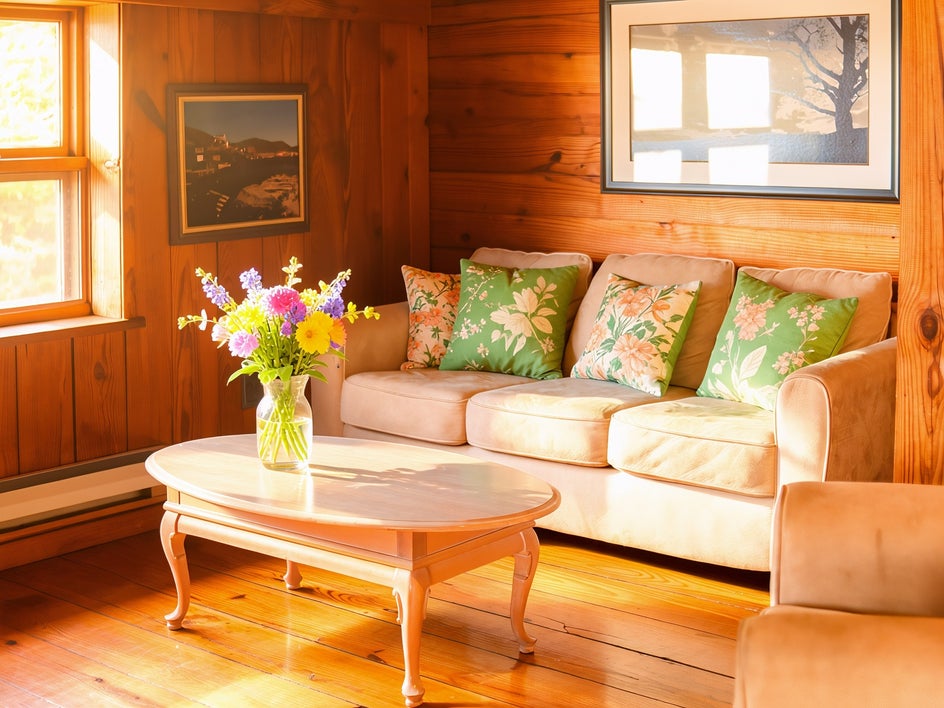
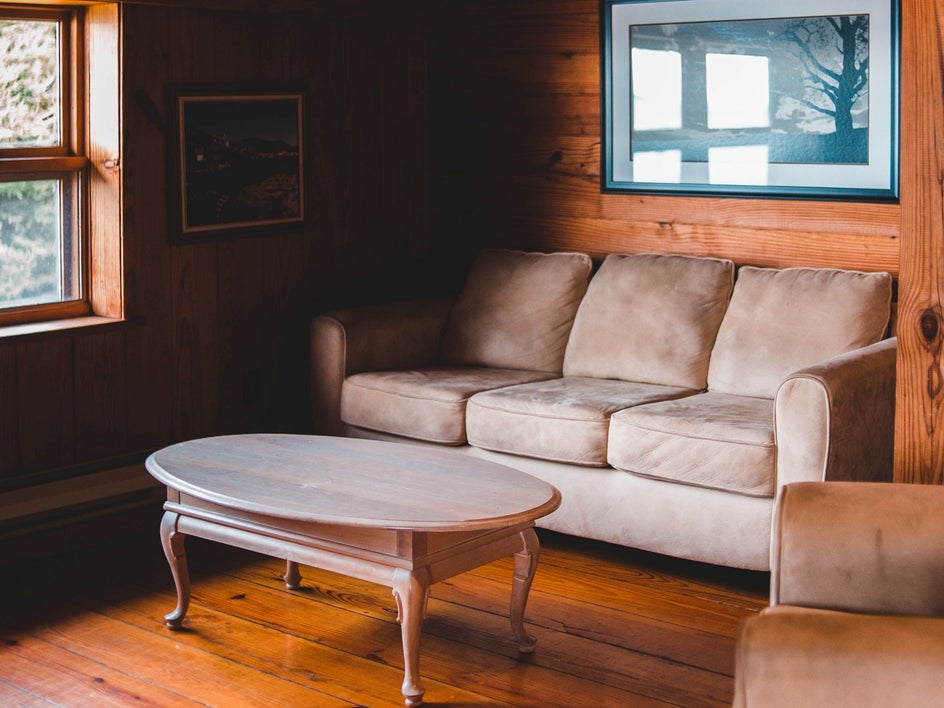
For this example, we'll transform a living room by creating a brighter, more welcoming atmosphere.
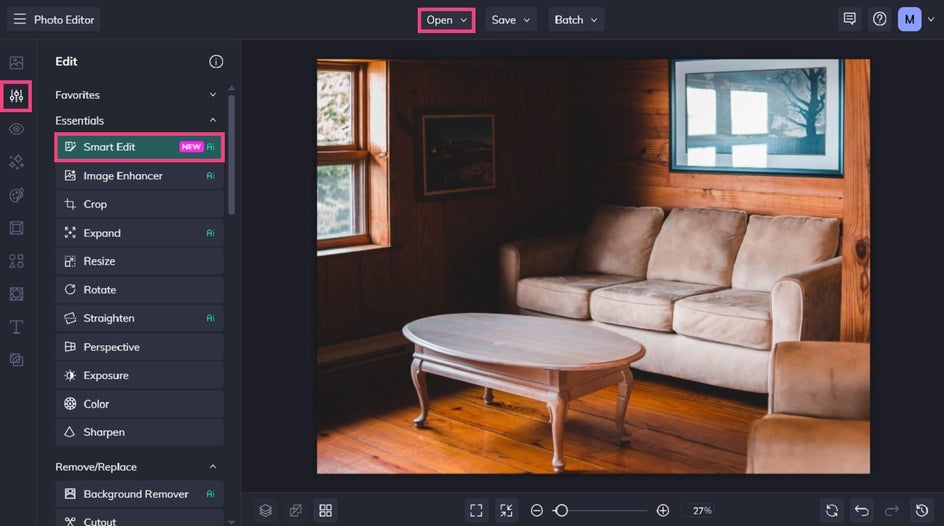
Step 1: Describe the Changes You'd Like to Make
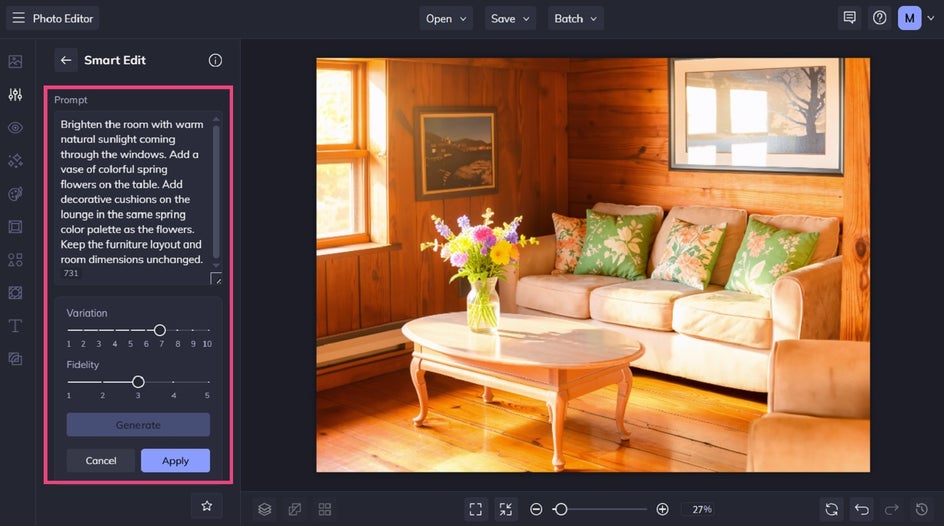
You'll see a prompt box where you can describe exactly how you'd like your image to change.
The most effective prompts explain:
- What should change
- What it should become
- Any important visual details
- What should remain unchanged
For example, you could use a prompt like:
Brighten the room with warm natural sunlight coming through the windows. Keep the furniture layout and room dimensions unchanged.
Because Smart Edit understands natural language, you can describe multiple complementary edits in a single prompt rather than editing each element separately.
It’s also important to mention that when editing real estate photos using Smart Edit, the key is to enhance your photo while maintaining its integrity. This includes cosmetic updates like adding in decor or making grass look greener, for example.
Step 2: Generate, Refine, and Save
Click Generate to preview your results.
If you'd like to make further improvements, simply adjust your prompt and generate another version. Small changes to your wording can often produce noticeably different results.
You can also experiment with the Variation and Fidelity settings. Variation explores different creative interpretations of your prompt, while Fidelity controls how closely the generated image matches your original photo.
Once you're happy with the transformation, click Apply to add the edit to your image.
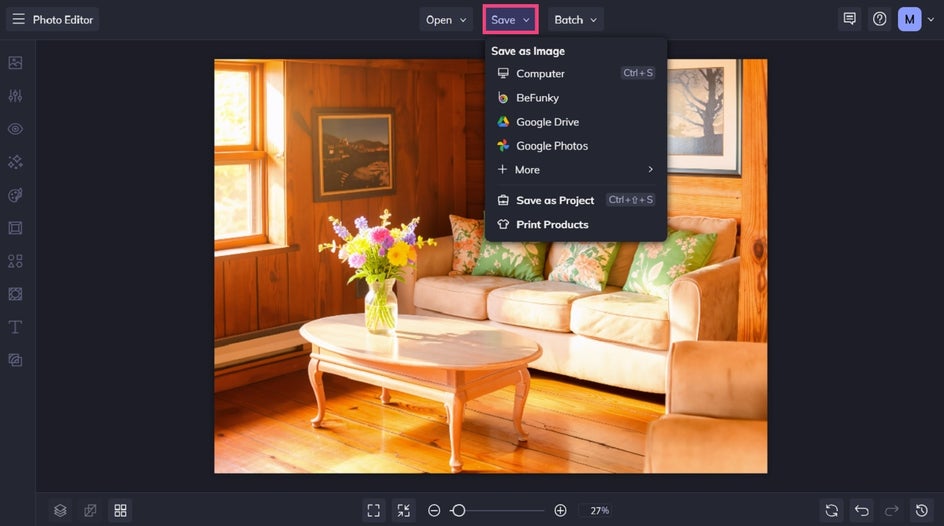
Finally, all that’s left to do is to save your final image. Click Save at the top of the screen, then choose your desired save location and format.
Before and After: From Dark to Delightful
With just a single prompt, we've transformed an everyday living room into a brighter, cleaner, and more inviting space that's ready for a real estate listing. The finished image still accurately represents the room while presenting it in its best possible light.
Rather than spending time masking objects, adjusting lighting manually, or using multiple editing tools, Smart Edit handled the entire transformation in seconds.
More Ways to Improve Real Estate Photos With Smart Edit
Here are a few more creative ways that Smart Edit can make properties feel more appealing to potential buyers.
Stage Vacant Rooms With Furniture and Décor
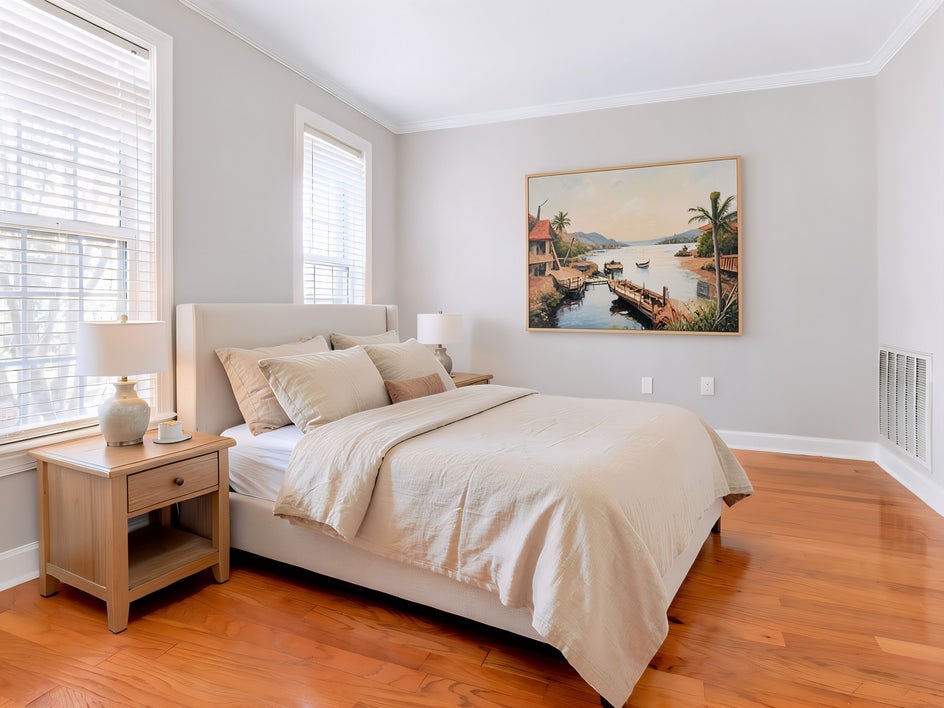
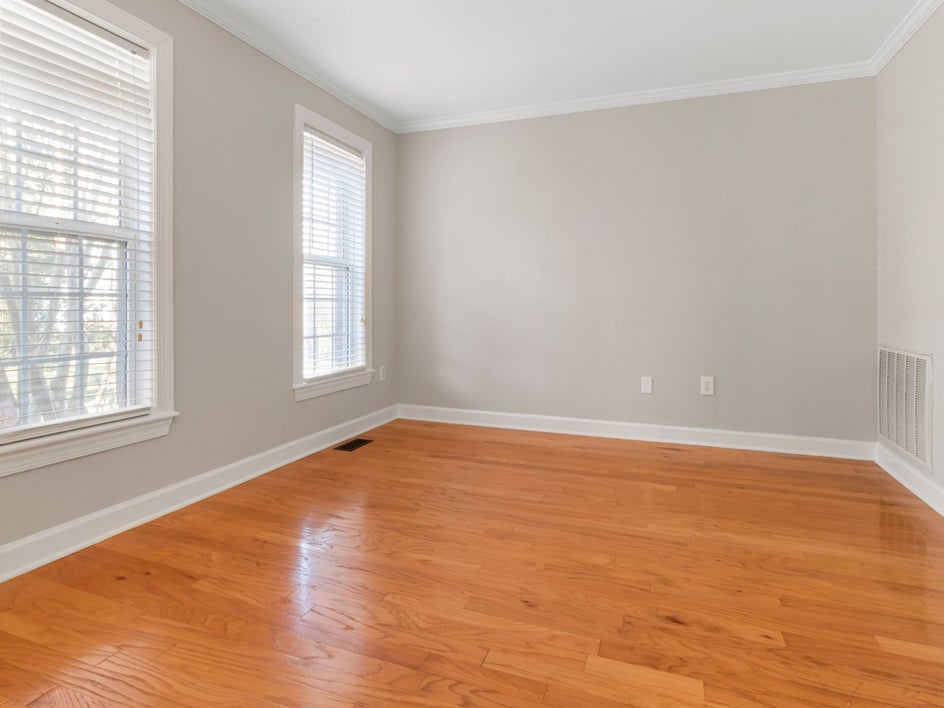
Empty rooms can make it difficult for buyers to imagine how a space could be used. Smart Edit can add tasteful furnishings and decorative accents that help showcase a room's purpose and potential.
For example, you might prompt:
- Add a modern sectional sofa, coffee table, and neutral area rug to the living room. Keep the flooring and walls unchanged.
- Furnish this bedroom with a queen bed, matching bedside tables, and soft linen bedding in neutral colors.
- Add a wooden dining table with six chairs and a simple centerpiece.
Subtle virtual staging can help buyers visualize themselves living in the space while maintaining a clean and realistic presentation.
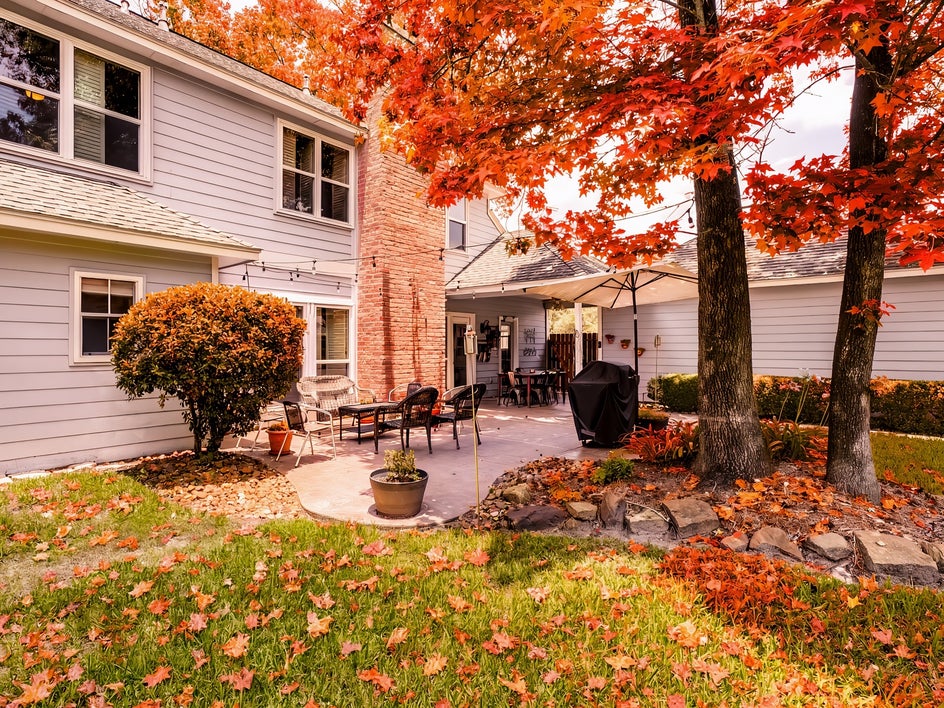
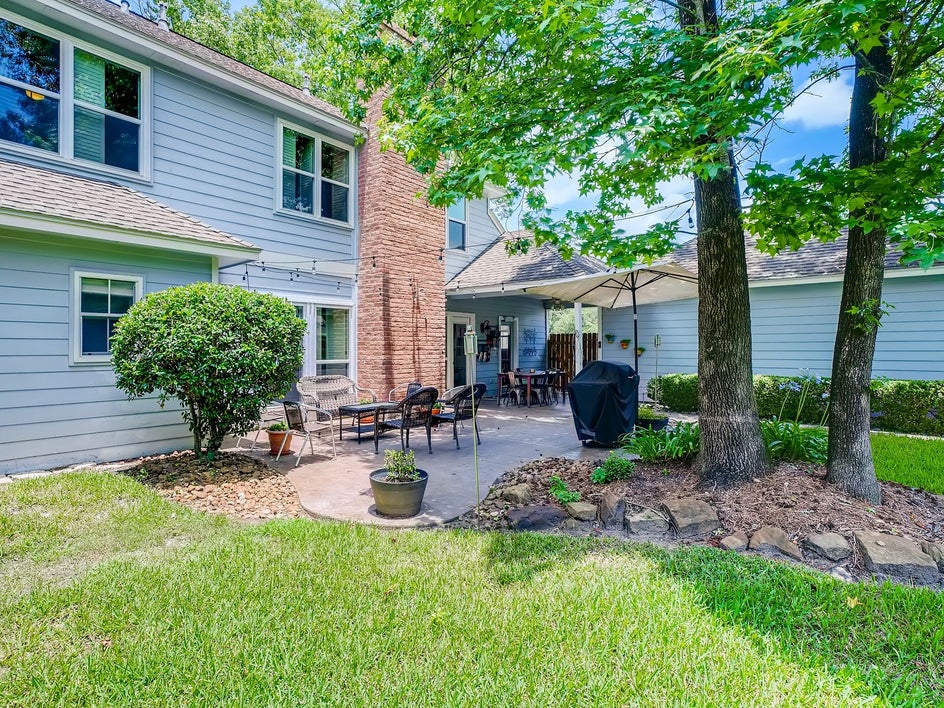
Refresh the Property for Any Season
The time of year shouldn't limit when a property looks its best. Smart Edit makes it easy to adjust seasonal details to create a warm and welcoming atmosphere.
Try prompts like:
- Add colorful spring flowers along the garden beds and brighten the lawn.
- Replace the trees with vibrant autumn foliage while keeping the house unchanged.
- Add cozy outdoor string lights and warm evening lighting to the patio.
These small seasonal touches can make listing photos feel more inviting without changing the property's overall character.
Boost Curb Appeal
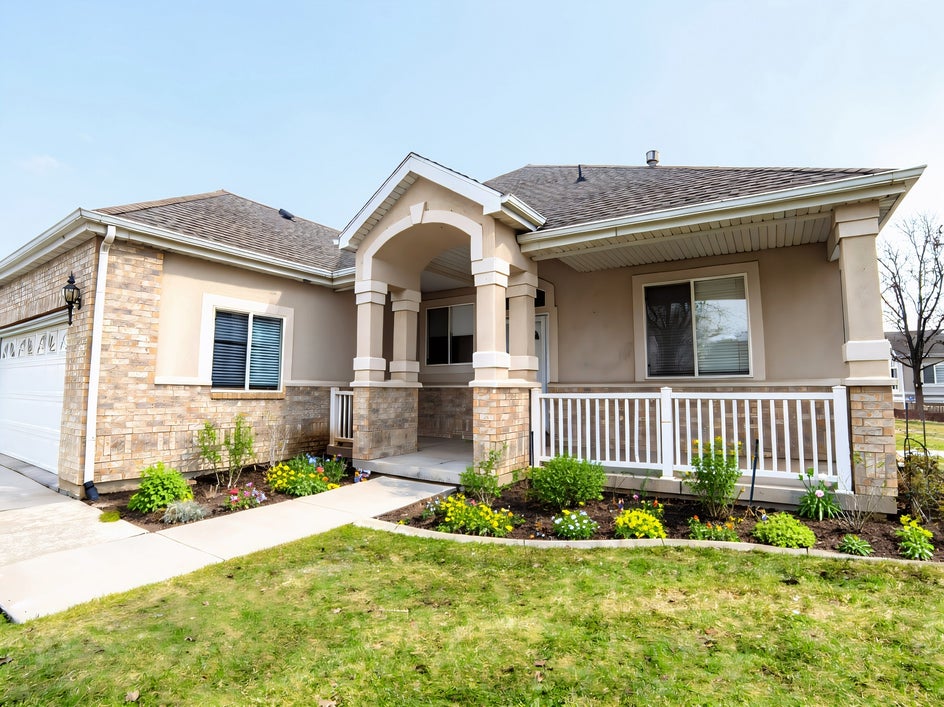
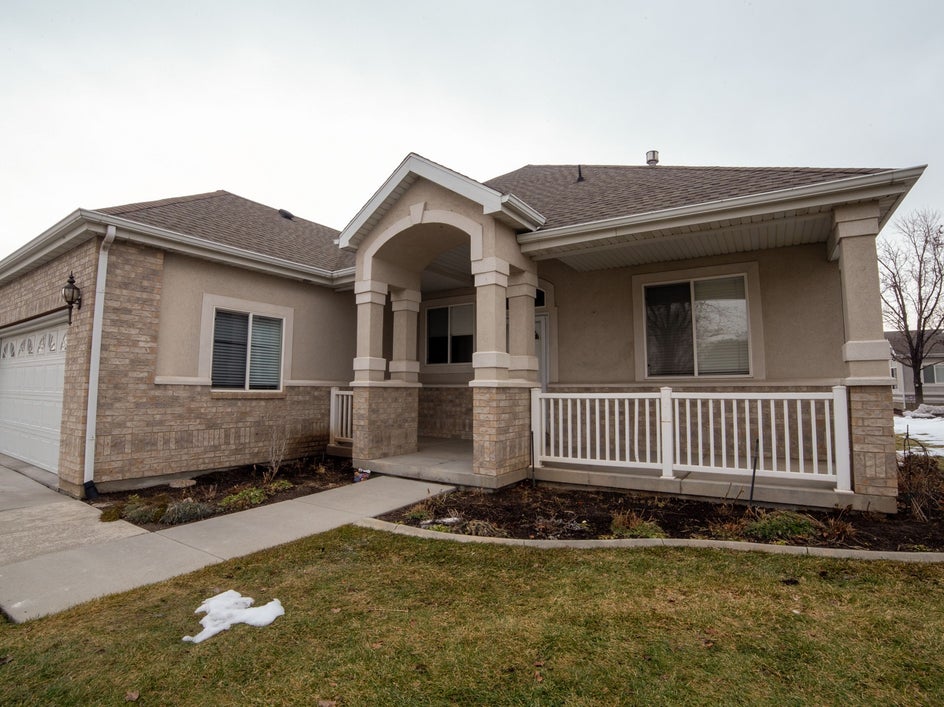
Exterior photos create buyers' first impression, making curb appeal just as important as interior spaces.
Smart Edit can quickly tidy up outdoor scenes by removing distractions and enhancing landscaping.
Consider prompts such as:
- Remove the garbage bins from the driveway and replace them with shrubs in terracotta pots.
- Remove the parked vehicles and brighten the lawn with healthy green grass.
- Clean up scattered leaves, brighten the sky, and add colorful flowering plants beside the front entrance.
These subtle improvements help direct attention toward the home's best features while creating a polished and welcoming appearance.
Create Listing Photos That Leave a Great First Impression
Compelling real estate photography doesn't always require expensive software or advanced editing skills. With Smart Edit, you can improve listing photos using simple text prompts, making it easier than ever to remove distractions, brighten interiors, stage empty spaces, and enhance curb appeal.
Whether you're preparing a home for sale, marketing a rental property, or refreshing an online listing, Smart Edit helps you create professional looking images in just a few clicks.
Open BeFunky's Photo Editor, give Smart Edit a try, and discover how quickly your real estate photos can become more polished, inviting, and market ready!