Generate Beautiful, On-Brand Marketing Photos in Seconds

Finding the right image for your brand can be surprisingly difficult. Stock photo libraries offer plenty of options, but how often do you find a photo that captures your brand’s exact aesthetic, colour palette, and personality? And when you do find something close, there’s always the chance your competitors are using the very same image.
With BeFunky’s Image Generator, you can create custom lifestyle imagery that feels more personal to your brand. Instead of settling for whichever stock photo comes closest to your vision, you can explore imagery tailored to the feeling you want your brand to communicate.
Here’s how to create images that complement your brand and bring your marketing materials together!
How to Create Unique Brand Photos Using the Image Generator
Before generating images, take a moment to consider the look and feel you want your brand to convey, as well as the visual details that make your brand recognisable. Your colour palette, preferred lighting, textures, and overall mood can all help guide your image generation. You might already have product photos, a website, or social media graphics that establish your visual identity. Use these as a reference when deciding what your new lifestyle imagery should look like.
The goal is to create images that feel like a natural extension of your existing brand assets. They don’t all need to look identical, but they should share a visual language that makes them feel connected.
Once you’re ready to get started, head to the Photo Editor and open the Image Generator.
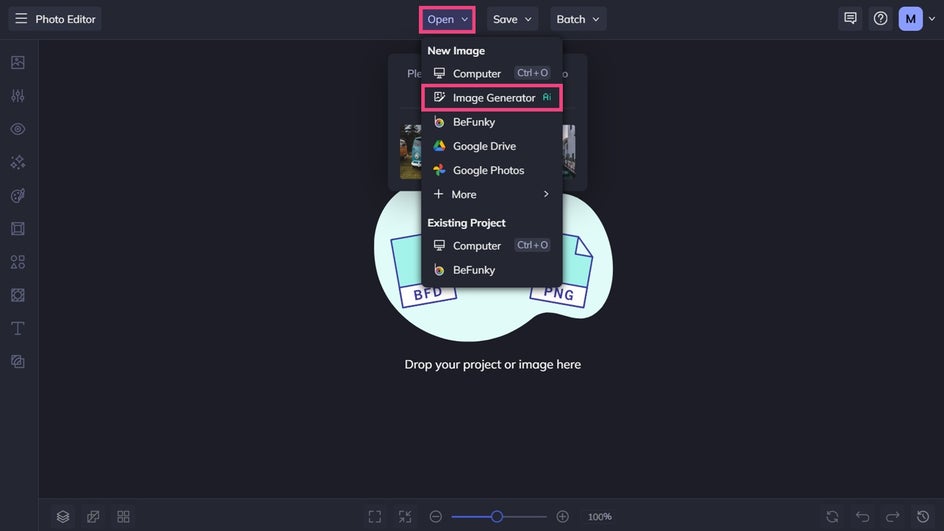
Step 1: Write a Powerful Prompt
With your clear visual direction in mind, it’s time to start experimenting with prompts.
Begin by describing the subject and setting, then add details about lighting, colours, composition, and mood.
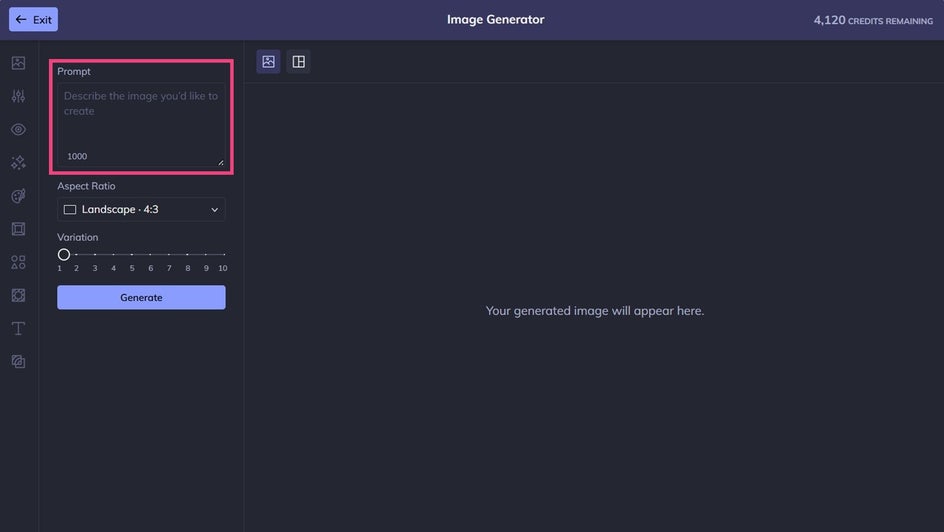
For this example, we’re going to create lifestyle imagery to support an organic coffee brand. Here’s the exact prompt we’re using:
Editorial lifestyle photography of a young woman with long brown hair and bangs, drinking her morning coffee from a ceramic cup outside in her garden in the sunshine. subtle film grain, relaxed composition.
Step 2: Generate Your Marketing Photos
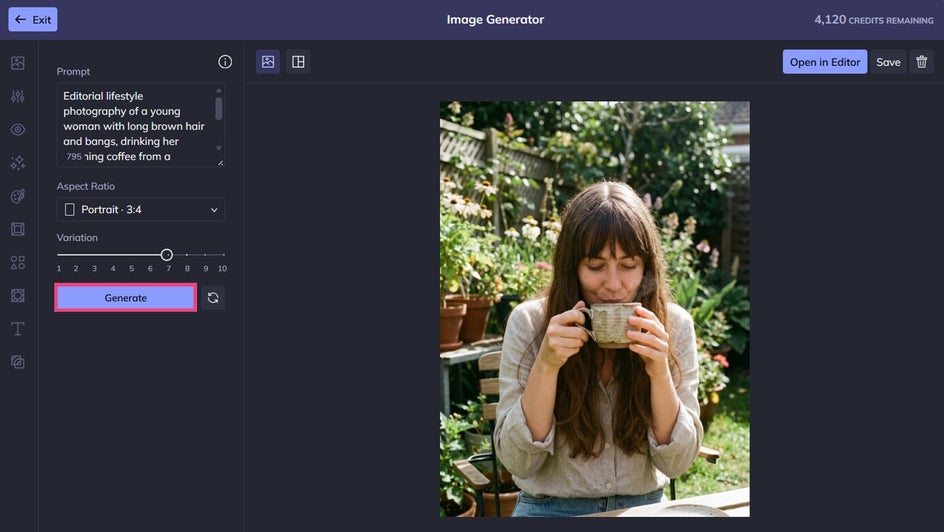
Choose your aspect ratio, then click Generate to view your results.
Lifestyle imagery works particularly well when it adds context to your existing photography. Product photos show customers what you sell, while lifestyle images can help them imagine the experience, mood, or values associated with your brand.
One important distinction: if you’re selling a specific physical product, keep your actual product photography at the centre of any imagery where customers need to see exactly what they’re buying. Use generated lifestyle scenes to establish the mood around it, rather than relying on AI-generated depictions to represent how the product looks.
Step 3: Repeat and Refine As Needed
Don’t be afraid to refine your prompt or experiment with different descriptions until you find a direction you like.
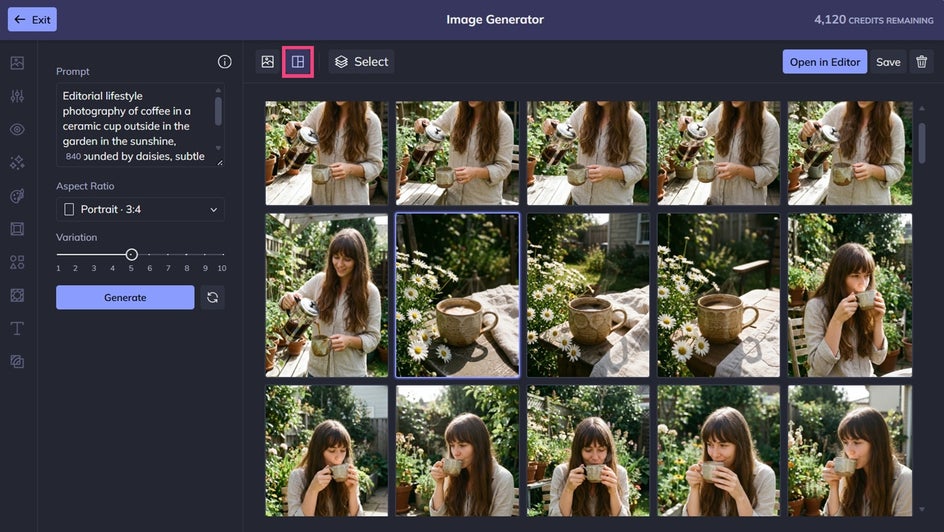
Want to explore different versions of the same idea? You can view up to 10 variations of your generated image and choose the rendition that best matches your vision.
As you generate variations, look at each image and ask yourself: Does it communicate the right feeling? Does it complement your product photography? Would it sit comfortably alongside the other images on your website or social feed?
Curating your results is just as important as generating them. You don’t need dozens of images – just a handful of carefully chosen visuals can go a long way.
View your entire library of generated images by clicking on the Image Generations icon above your image. Then, delete or save your images accordingly.
Final Results: One-of-a-Kind Brand Imagery That Turns Heads
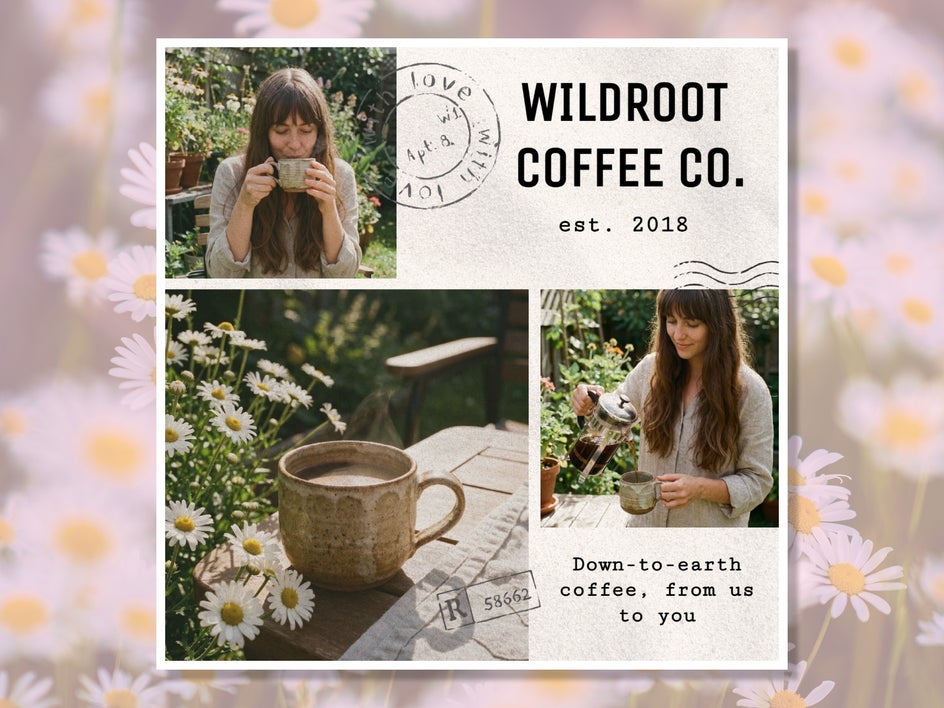
Once you’ve created imagery that fits your brand, you can use it across a variety of marketing materials. For example, add a lifestyle image to a website banner, use it to introduce a blog post, or incorporate it into a social media campaign. The possibilities are endless!
Create Lifestyle Images That Feel Uniquely Yours
The right supporting imagery can communicate your personality, reinforce your values, and help customers connect with the experience behind your products or services.
Using the Image Generator, you can experiment with new creative directions or generate lifestyle photos for a specific campaign without having to find the perfect stock photo every time.
Your generated images can sit alongside real product photography, professional portraits, customer photos, and other brand assets. Each serves a different purpose, but together they help create a richer and more recognisable visual identity.
Ready to create your own? Check out the Image Generator in the Photo Editor today!