









Create Better Instagram Content With Seamless Photo Edits

Trying to make Instagram content that actually grabs people’s attention? The Graphic Designer’s Instagram post and story templates have your back. These professionally designed templates have great composition, are easy to customize, and boost audience engagement. The Designer offers every graphic design tool you could need, like an intuitive Text Editor, an enormous stock photo library, and thousands of vector graphics. But one of the greatest benefits of using it is that you also get seamless access to hundreds of photo editing tools.
With the in-platform Photo Editor, you can edit any image in your project and then return to your design instantly – no switching apps, no separate tabs, and no down time. Take advantage of professional-grade tools, AI enhancements, and one-click effects to completely transform your Instagram content. When switching between photo edits and graphic design is effortless, you’ll have more time and energy to get creative.
How to Edit Photos for Standout Instagram Content
Creating better Instagram post and story designs with photo edits is a breeze. Here we’re editing an IG story template, but this method can be used with any Instagram template or even with a design you’ve started from scratch. To get started, just open up a customizable Instagram template, making sure it includes at least one photo.
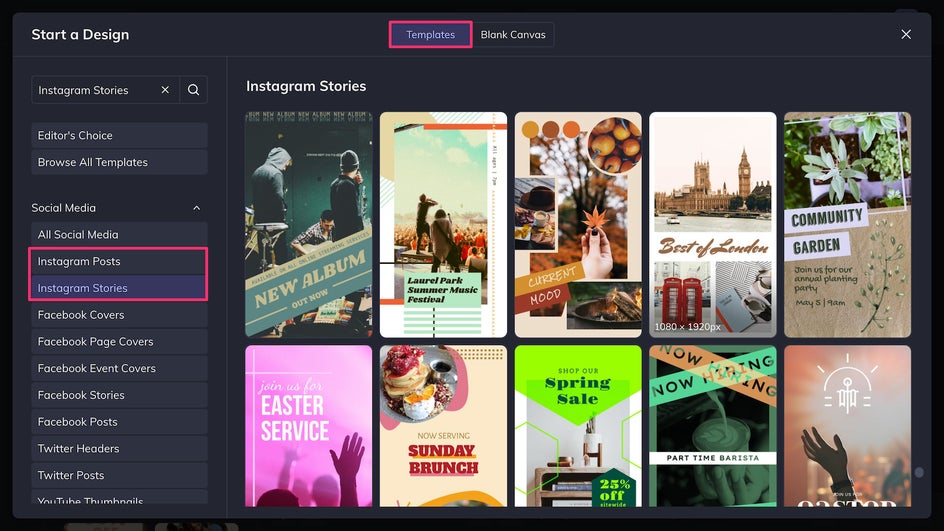
Step 1: Replace Existing Imagery
Upload any photos you want to use to the Image Manager. Click and drag the photos onto the canvas to replace the placeholder image(s).
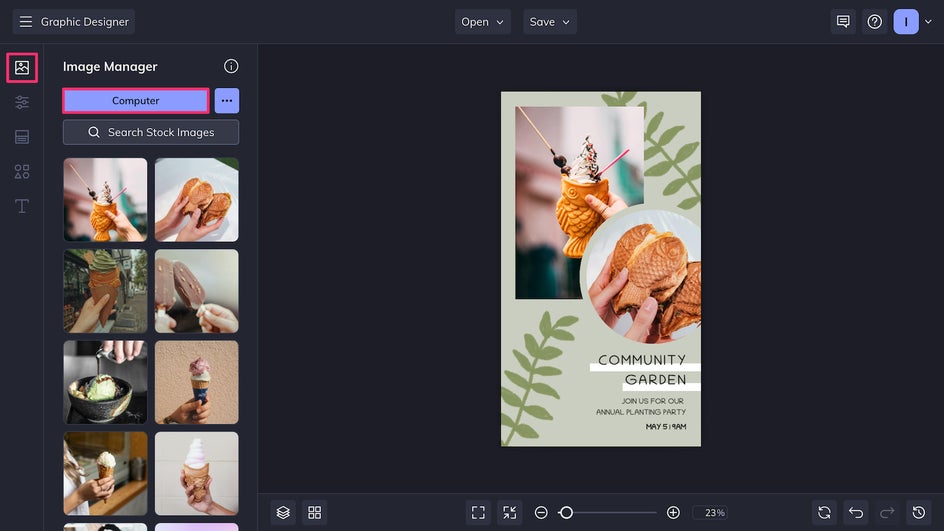
Step 2: Make Your Edits
Select any photo to open the Image Properties menu. Click the Edit Image button to be brought to the in-platform Photo Editor – no tab-switching or page loading required.
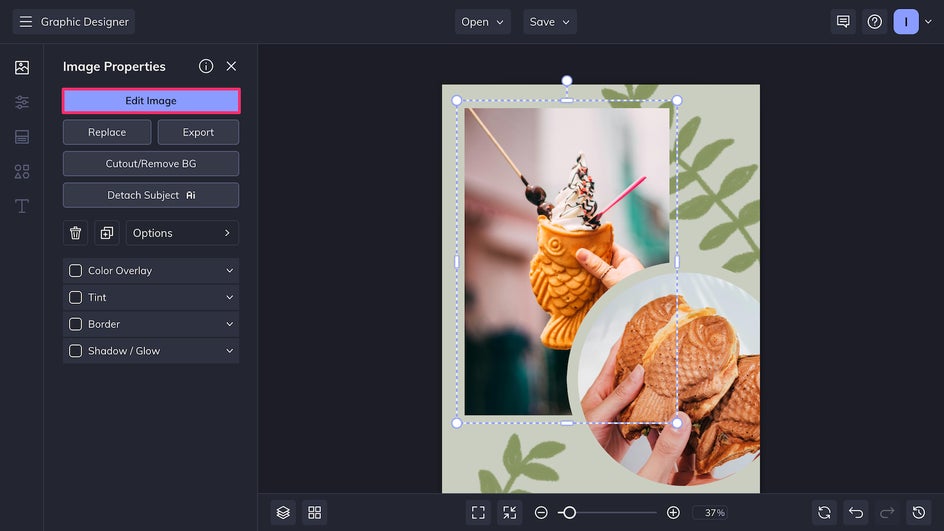
Once in the Photo Editor, you’ll have access to hundreds of editing tools, effects, overlays, and textures. Some tools are one-click wonders while others offer adjustments and customization options. Here we’re using Analog Tones 9, a toning filter that will give the photo a soft, colorful vintage feeling. We’re also going to add a slight Glow, which can be found in the Edit tab.
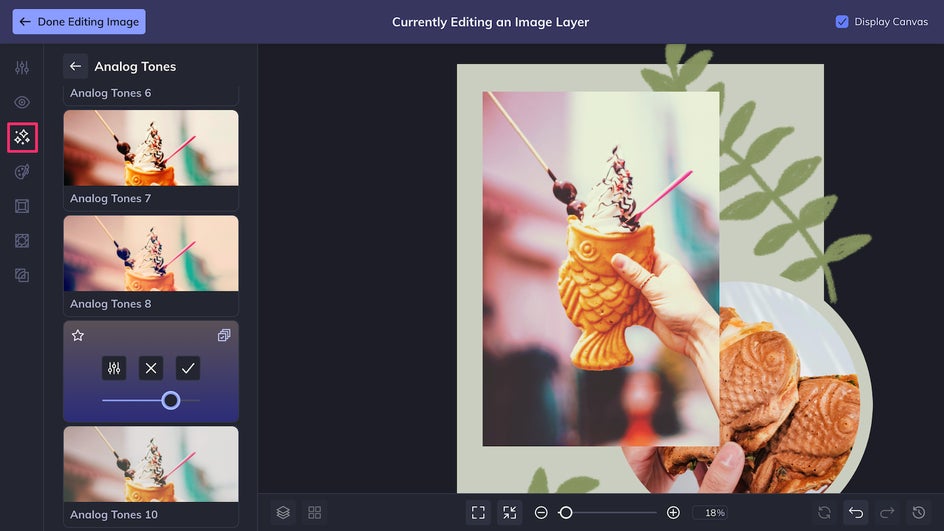
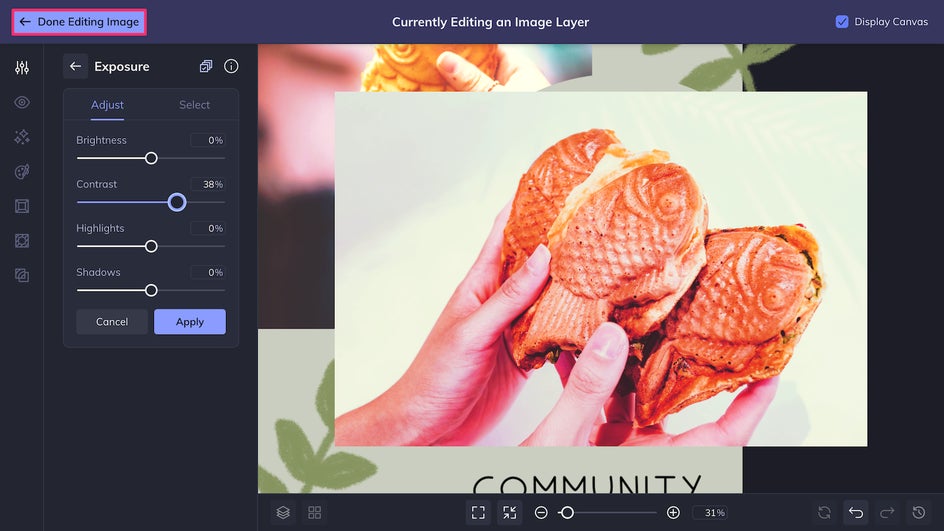
The Color Mixer is helpful for balancing tones or adjusting the hue and saturation of different colors in your photo. Use the Exposure tool to balance lighting, shadows, and contrast. When you’re done making adjustments, simply click Done Editing Image in the top left corner to return to your design project.
Step 3: Customize the Rest
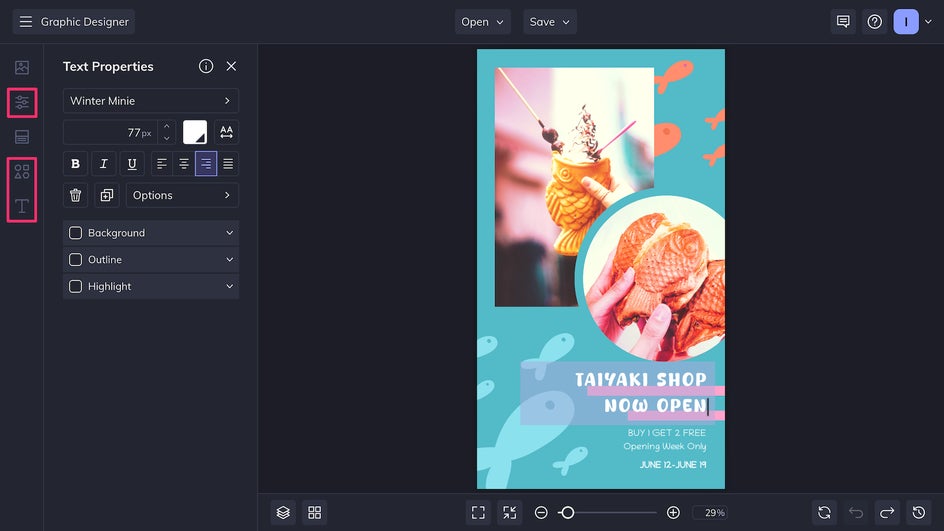
Wrap up your Instagram story design by customizing the text, colors, and graphics. Just click on any element to edit the colors and/or style. You can also add new graphics from the Graphics Library.
Step 4: Save and Post
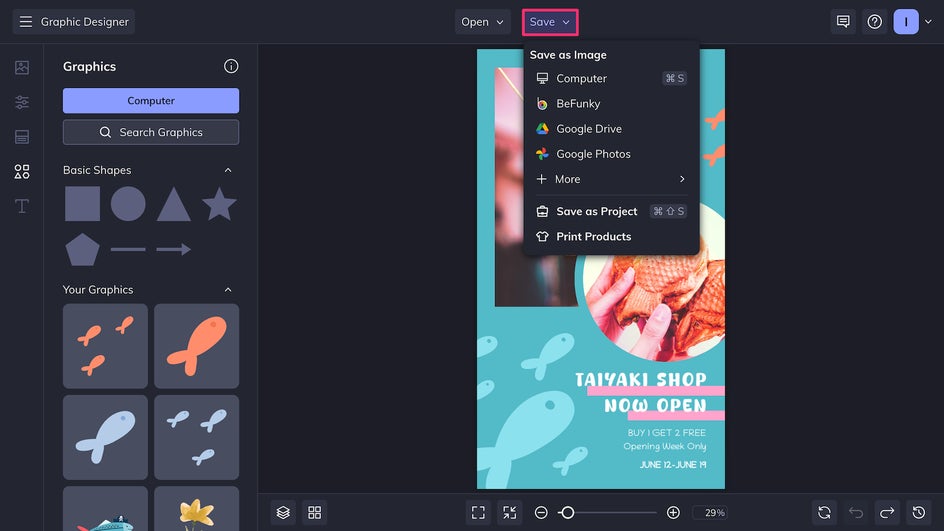
It’s time to get your new piece of Instagram content ready for posting. Click Save at the top of the canvas and export your design as a high-quality PNG for the best results.
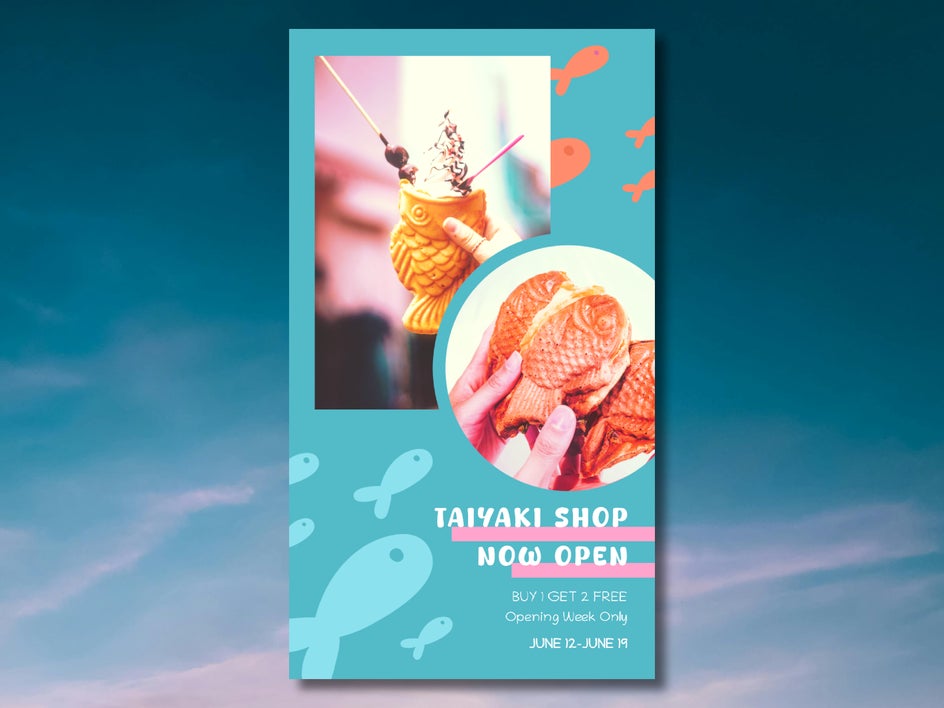
And that’s it! In just minutes, we’ve used the combined power of the Graphic Designer and Photo Editor to create a beautiful, engaging Instagram story that our audience would be hard-pressed to skip.
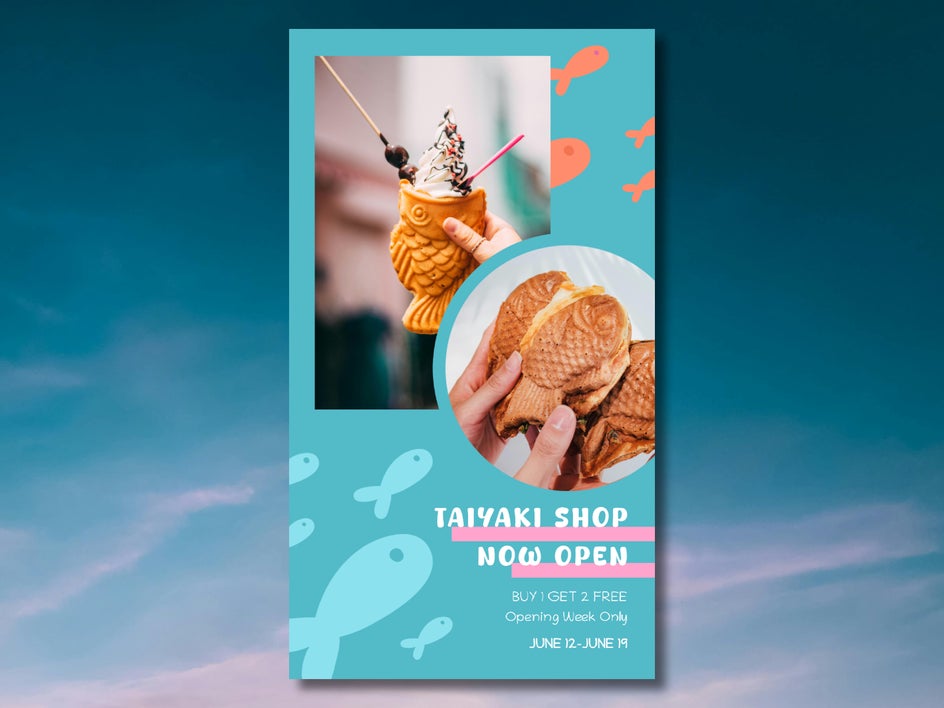
Instagram Photo Editing Inspiration
The Designer’s in-platform Photo Editor offers tons of tools and effects to elevate your Instagram design projects. Once you start combining tools, the creative possibilities are endless. Here are just a few examples of what you can accomplish when you edit Instagram template images in the Graphic Designer.
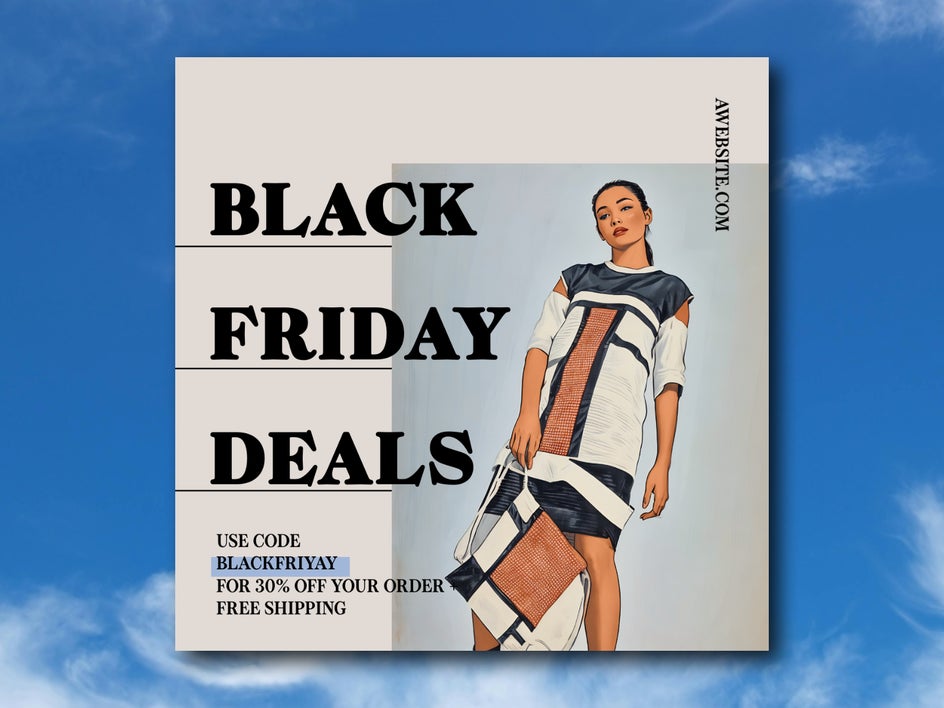
Vintage Art Poster
BeFunky offers dozens of different painting, digital art, and drawing effects to turn any photo into a handmade work of art. Combine the Vintage Comic effect with a bold font to make a creative Instagram post that replicates the look of a vintage poster. This type of edit is especially great for unique ads or eye-catching selfies.

Cinematic Still
Layer Cinematic effects like Anamorphic and Film Grain to replicate the look of iconic movie stills. Combine with the vignette tool for an Oscar-worthy Instagram story. This editing method is perfect for food photos and unique OOTD posts.
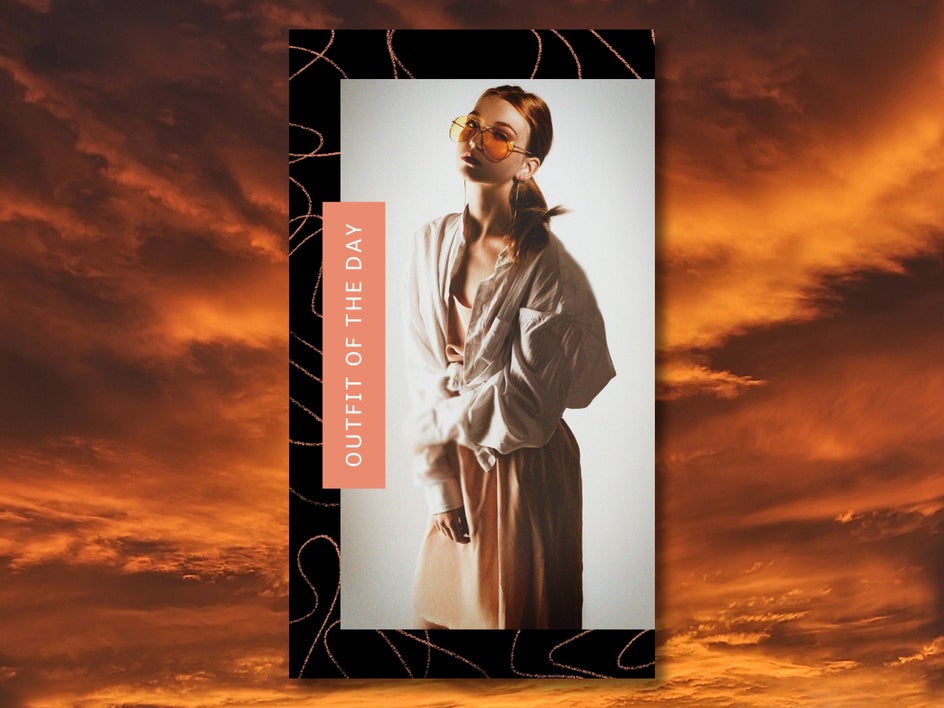
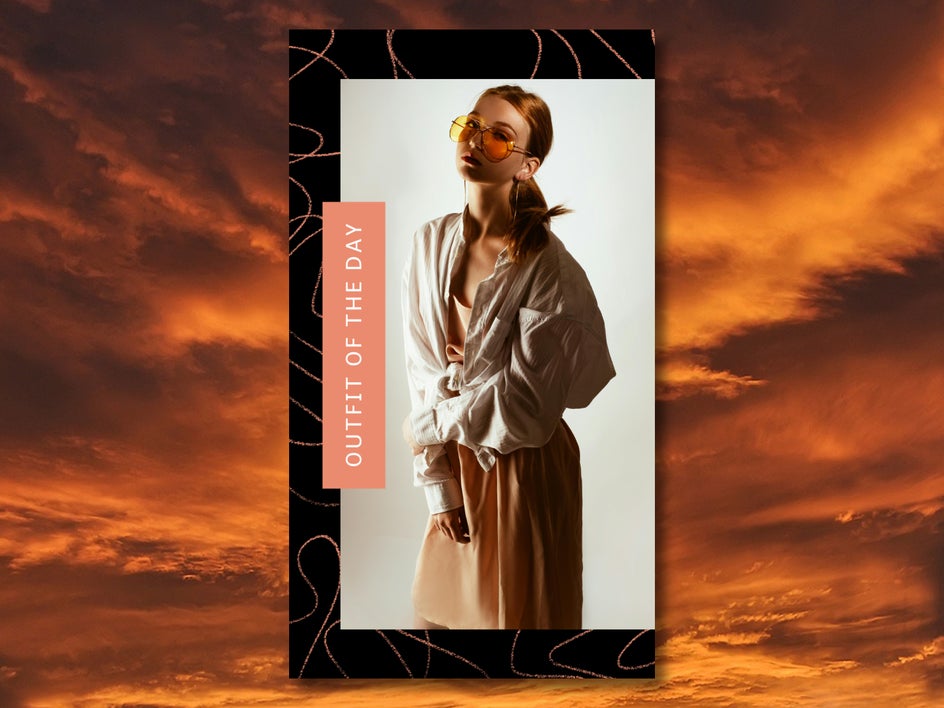
Standout Skies
The AI Sky Replacer enables you to transform the mood of any photo instantly. Create dramatic sunsets, turn stormy skies blue, and add rainbows to sunny days regardless of the weather. This is especially helpful for real estate content, travel photos, and editorial photography.


Edit Like a Pro: Make Your Instagram Photos Pop
To create Instagram content that truly stands out, you don’t need a ton of experience or complicated software – all you need are the right tools. With BeFunky, not only do you have access to professional graphic design assets and photo editing tools in one place, but they’re also easy to use. Whether you’re using Instagram story templates or post templates, the process is quick and intuitive. Switch easily between the Graphic Designer and Photo Editor and create better content in less time. Try it for yourself and customize your first Instagram template with photo edits today!




