Your Guide to Designing Engaging YouTube Thumbnails

A great YouTube thumbnail can be the difference between a video getting ignored or getting watched. In a sea of uploads – over 500 hours of new content every single minute – you need to grab attention fast. Thumbnails are often the first thing someone sees when a video pops up, and they’re what helps a creator stand out before the title even registers. YouTube itself has said that 90% of top-performing videos use custom thumbnails.
However, most people already spend hours just getting a video ready to post. Between editing footage, writing copy, researching SEO, and handling uploads, thumbnail design can feel like one more thing to squeeze in. Starting from scratch every time adds up – especially if graphic design isn’t your thing.
That’s why we created the online YouTube Thumbnail Maker. With premade templates, easy-to-use design tools, and infinite customization options, it’s perfect for getting video thumbnails done fast without sacrificing quality. Whether you’re uploading once a week or every day, the Thumbnail Maker helps keep things consistent and professional. All the layouts are designed to stand out on YouTube’s homepage so that the algorithm works in your favor. Here’s how to use it to streamline your thumbnail making process!
The Quickest Way to Make a Custom YouTube Thumbnail
Creating a custom thumbnail doesn’t have to be complicated. With the right starting point, it can be both fun and fast. Here’s how to get it done in three simple steps.
Step 1: Pick a Template That Pops
Start in the YouTube Thumbnail Maker and choose a template that fits the tone of your video. These layouts are already sized for YouTube (1280x720), so there’s no need to mess with dimensions.
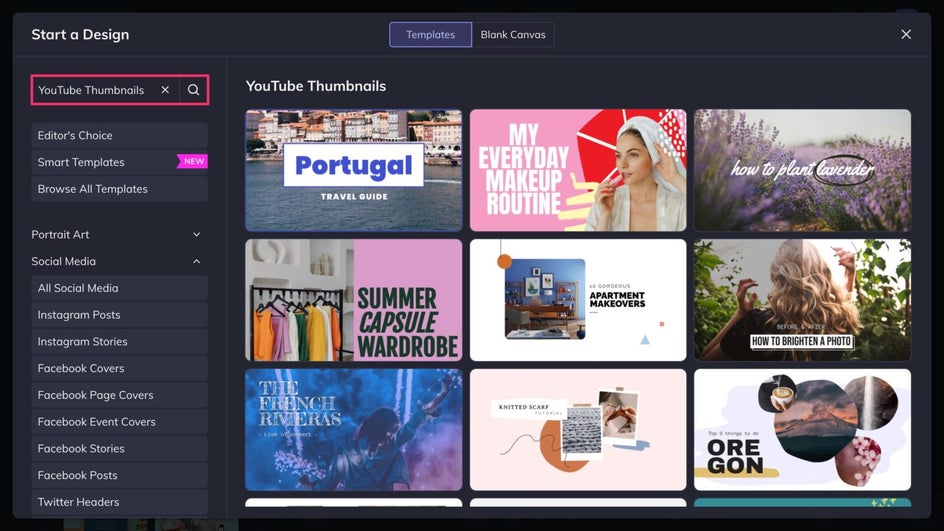
Some templates lean bold and energetic, others are more minimal and modern. There’s something for every kind of creator – whether you’re vlogging about gaming, beauty, lifestyle, tech, or a different niche. Using a template gives a solid foundation and skips all the guesswork around layout or formatting.
Step 2: Add a Photo or Video Still
Next, drop in an eye-catching screenshot or image. It could be a facial reaction, a product, a behind-the-scenes moment – anything that captures the heart of the video. Just upload your photo to the Image Manager, drag and drop it onto the canvas, and adjust as needed.
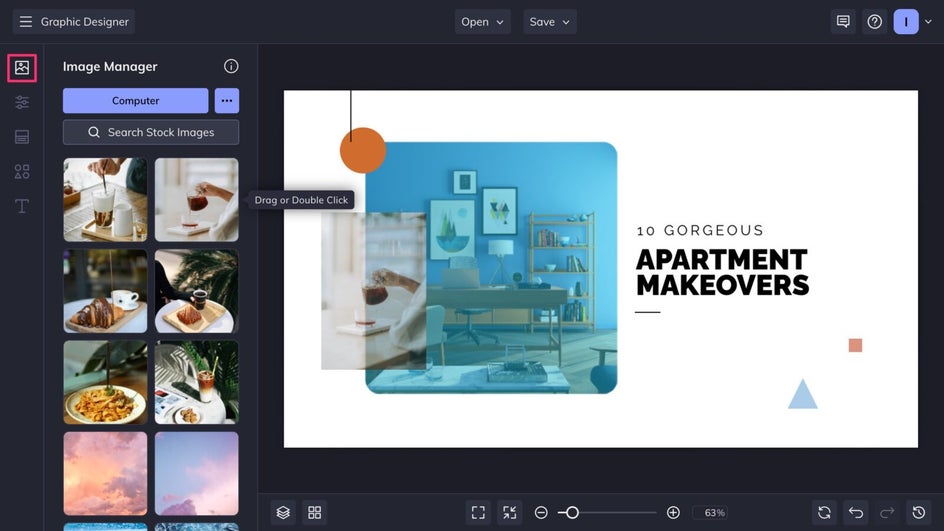
Faces with clear expressions and bold visuals tend to perform best, especially on smaller screens. If the image needs a little cleanup or color tweak, built-in editing tools make it easy to adjust on the fly.
Step 3: Customize With Text and Design Elements
Now for the fun part – making it personal. First, change the background color in the Customize tab to better match your brand color palette.
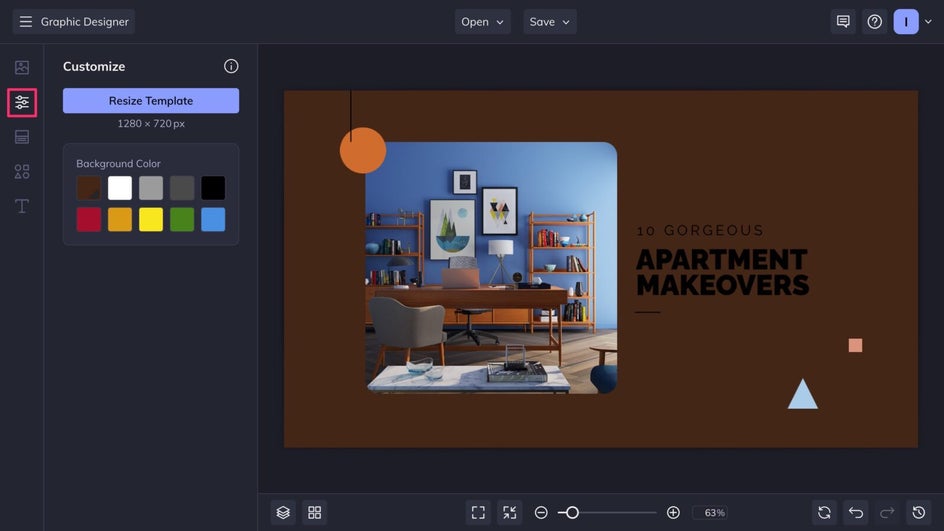
With the Text Editor, swap in text using bold fonts that align with your channel’s aesthetic and are readable even at a small size. Keep the headline short and punchy, and make sure the colors are high contrast.
The Graphic Library provides illustrations, icons, borders, and more to bring the design to life – use the template’s existing graphics or replace them with design elements that tie back to the rest of your channel. This is a good stage to add a logo or watermark.
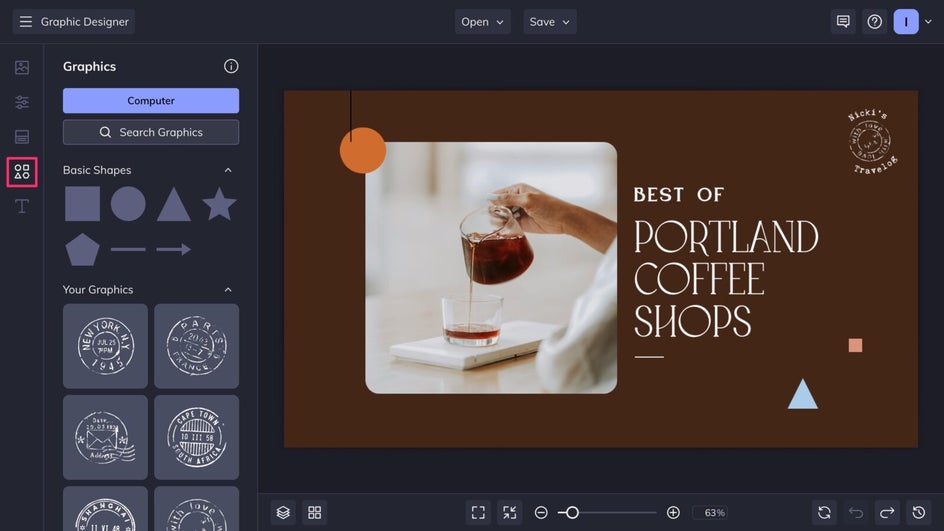
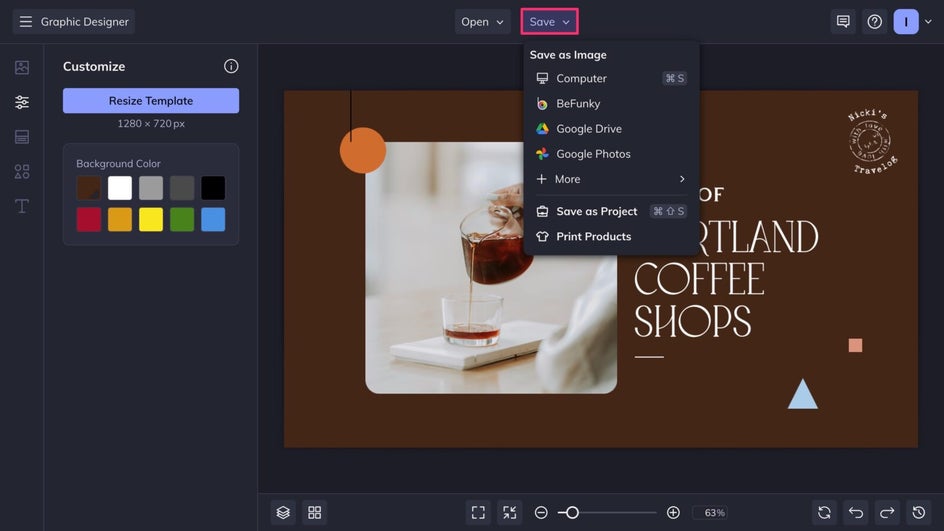
When everything looks just right, click Save at the top of the canvas, then export the file as a high-quality PNG. Your new custom thumbnail is ready to be uploaded to YouTube along with your next video!
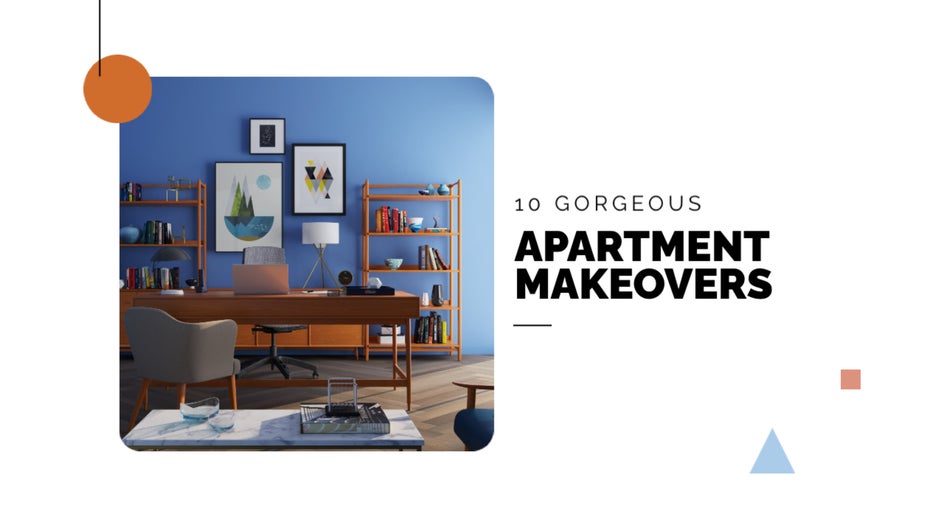
In just a few clicks, we were able to create an eye-catching custom thumbnail that perfectly sums up the video while staying on-brand.

YouTube Thumbnail Ideas for Creators
Not all thumbnails need to look the same. Some work better with lots of images, others with bold text, and some are all about a single powerful photo. Here are a few styles to try depending on the type of content being posted.
Compact Collage
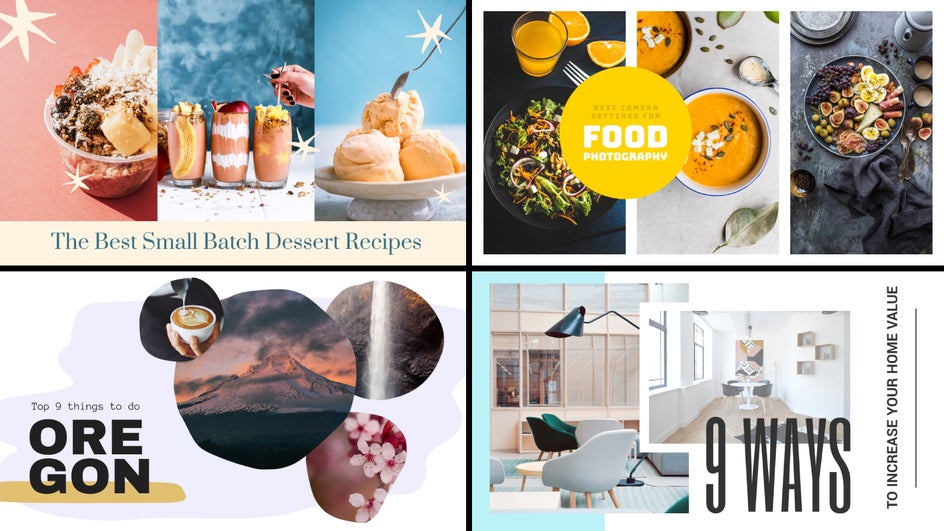
For videos that cover multiple topics, break down a process, showcase a journey, or rank different items, try a collage-style thumbnail template. These designs let you layer in several images to show variety – great for DIY, travel, educational videos, and reviews. Viewers get a quick visual summary of what they’ll see, which can help with click-throughs. Remember not to add more than a few images since thumbnails are small, especially on mobile. Try applying a toning filter so that all the photos used in the collage have a similar aesthetic!
Bold Headline
Big, bold words are hard to miss, especially on mobile. These templates put the headline front and center, which works well for videos where the title or concept is the main hook. Think: Commentary, listicles, tutorials, and anything with a dramatic twist or big idea. Keeping it simple and focused makes the message land quickly – perfect for catching eyes during a quick scroll. Pick from hundreds of free fonts or upload your own brand typeface! For complex backgrounds, use a blur or texture on the photo, or a drop shadow on the text to make the headline easier to see.

Cutout Thumbnail
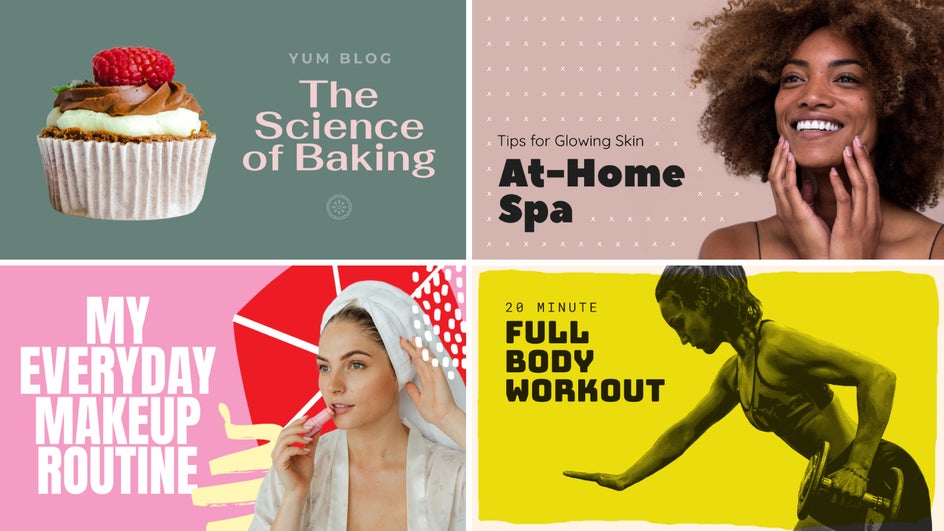
Use one of our cutout YouTube thumbnail templates for a clean, iconic layout. These minimal templates keep the central image big and clear alongside big, readable text. It’s a solid choice for vlogs, beauty, fitness, and lifestyle videos. A strong facial expression or action shot adds personality and builds connection fast. Just use the Cutout tool to remove the background from any photo right in the platform.
YouTube Thumbnails Made Easy With BeFunky
Well-designed thumbnails help videos get noticed, build momentum, and grow a channel. With editable templates and straightforward tools, The YouTube Thumbnail Maker makes the process smooth from start to finish – whether you have design experience or not. You can even batch edit multiple thumbnails at once to save time! It’s never been simpler to make something that both looks great and garners views. Get started now and design a custom thumbnail for your next upload with the YouTube Thumbnail Maker!