The Mood Board Maker to Motivate and Inspire
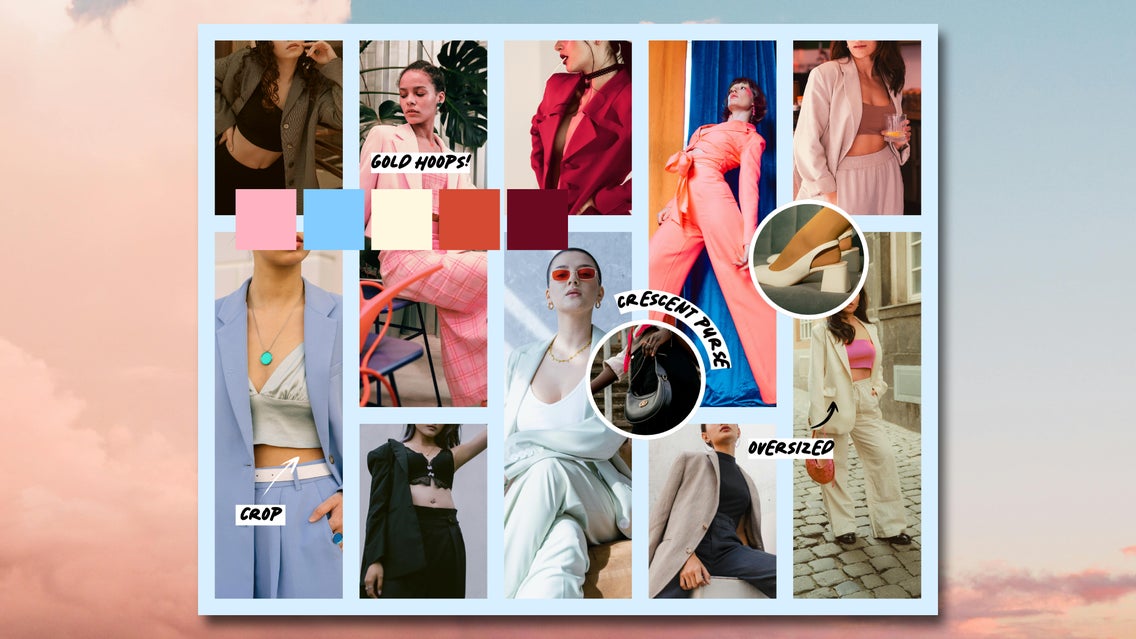
No idea is built totally from scratch. Even if you’re creating something new, inspiration has to come from somewhere. This is why mood boards are so popular, and why they’re used as a starting point for graphic designers, brand consultants, interior designers, photographers, and more. They can even be used for your personal life, from fashion inspo to hair goals to New Year’s resolutions. No matter what you hope to achieve, mood boards turn your vision from a concept into tangible reality.
So how exactly do you create an inspirational mood board? Pinterest is great for finding photos, but not for organizing them or turning a whole collection of images into a single, easy-to-reference design. Physical collages are an option, but they’re often inconvenient and messy. The Collage Maker offers the best of both worlds by combining the convenience of a digital mood board maker with unlimited creative power – including dozens of collage layouts, thousands of stock images, in-platform photo editing, and a free library of digital graphics, fonts, and patterns.
With its many assets, unique tools, and an easy drag-and-drop interface, the Collage Maker is the best website for creating a mood board with both ease and style. Here’s how to use it to create your own aesthetic mood board in minutes.
How to Create a Mood Board With the Collage Maker
Remember that inspirational mood boards are most effective if you have a specific objective: For instance, starting a brand, writing a book, or renovating a room. Once you have a vision and a goal in mind, just open up the Collage Maker to get started.
Step 1: Collect Inspiring Photos
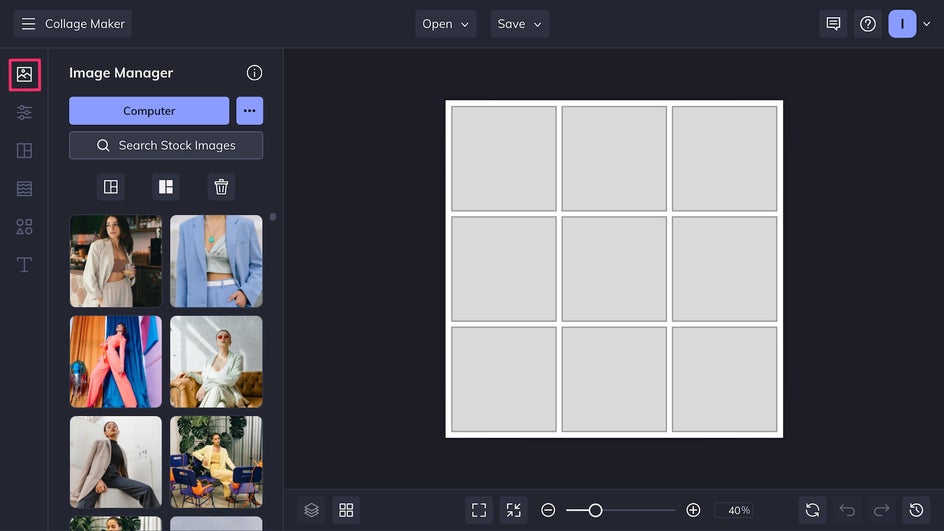
Upload personal photos, editorial shots, Pinterest images, gallery art, and any other inspirational photos to the Image Manager. For even more convenience, you can also add photos directly from BeFunky’s enormous collection of stock images. Here we’re creating a fashion inspo mood board, so we’re putting together styles and cuts that aren’t identical but do share a similar vibe.
Step 2: Customize the Layout
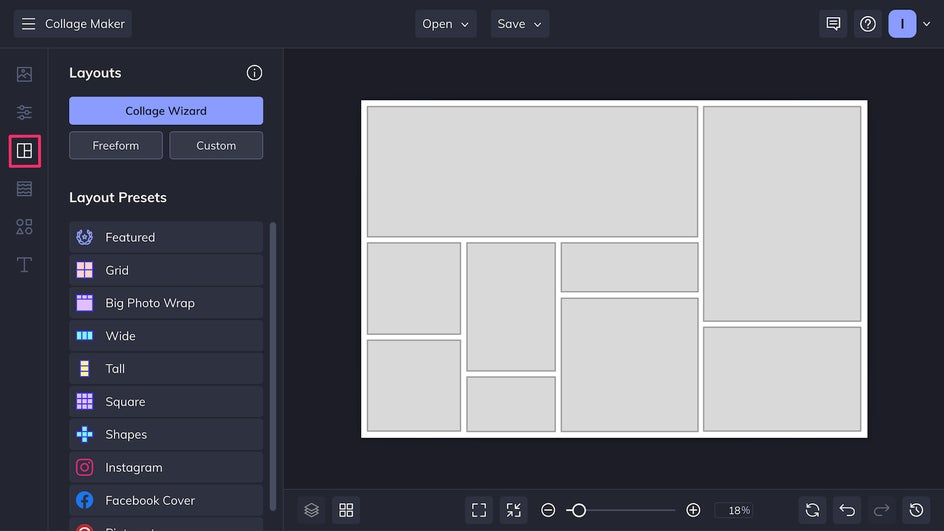
Head to the Layout tab to find dozens of different collage layouts. You can also choose the Freeform option for even more creative control. If you don’t have a specific order in mind for your photos, the Collage Wizard is a great way to instantly organize any mood board.
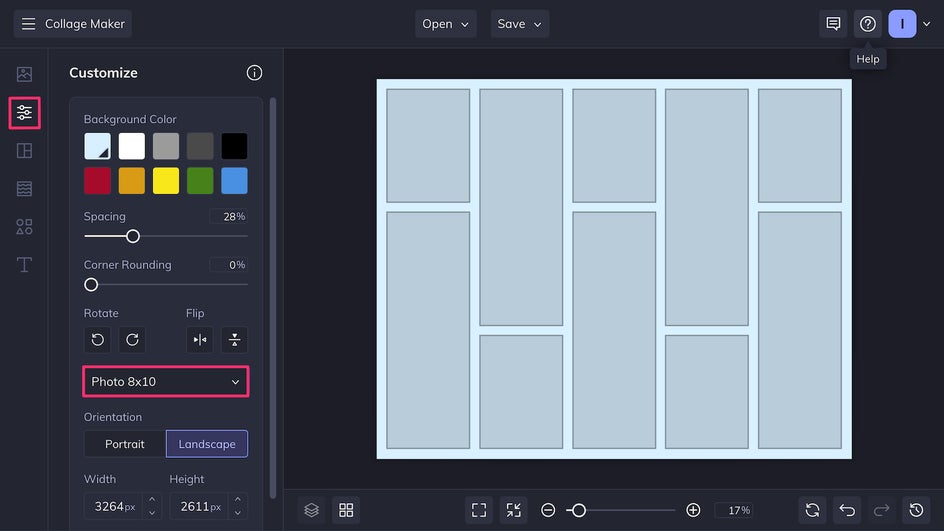
Canvas size, background color, image spacing and more can be adjusted in the Customize tab. Use the drop-down menu to pick common image sizes like 8x10”, which is perfect for printing.
Step 3: Arrange and Edit
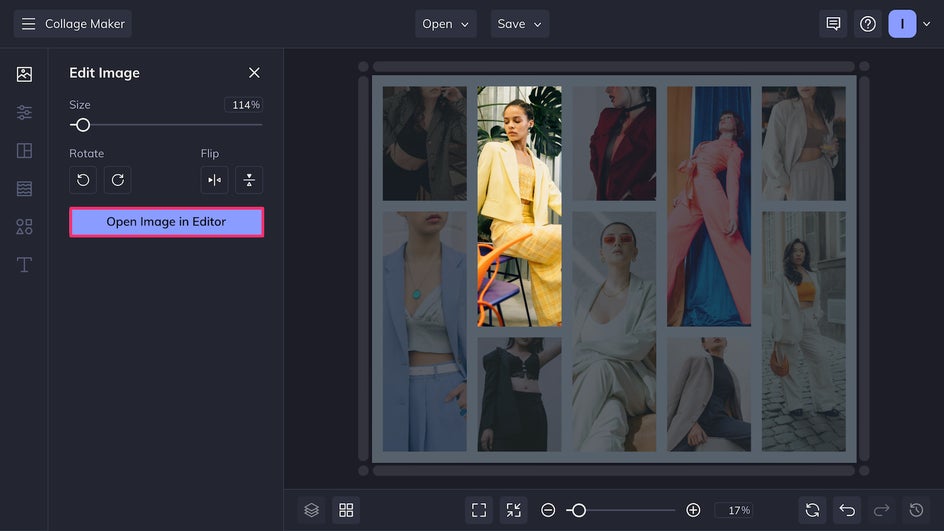
Now you can add and arrange your mood board photos. Just drag and drop photos into the empty placeholders. If you’re not satisfied with the placement, drag and drop to swap any two images.
One of the best parts of the Collage Maker is that you have immediate access to the in-platform Photo Editor. To use it, click on any photo and select Edit Image, then Open Image in Editor.
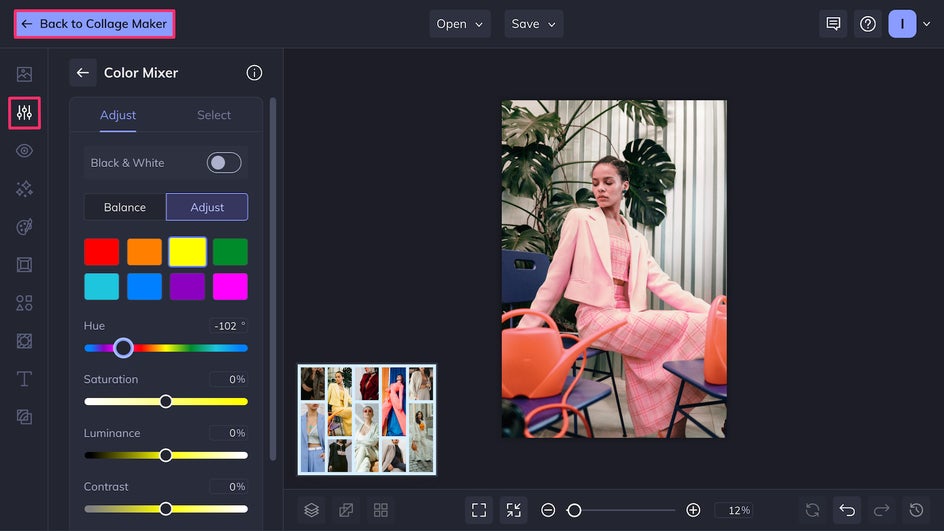
In the Photo Editor, you’ll find hundreds of effects, adjustment tools, textures, and more. To create a more cohesive color palette, we’re using the Color Mixer tool to bring out the pink tones. Once you’re done editing, simply click the Back to Collage Maker button.
Step 4: Add a Creative Touch
After edits, it’s time to add some flourishes to inspire you even further. Use the Text tool to include notes, deadlines, or inspirational quotes. Add shapes, artwork, and symbols in the Graphics tab – you might want to put photos in a clipping mask, connect some images with arrows, create a color palette, or just add some creative embellishments.
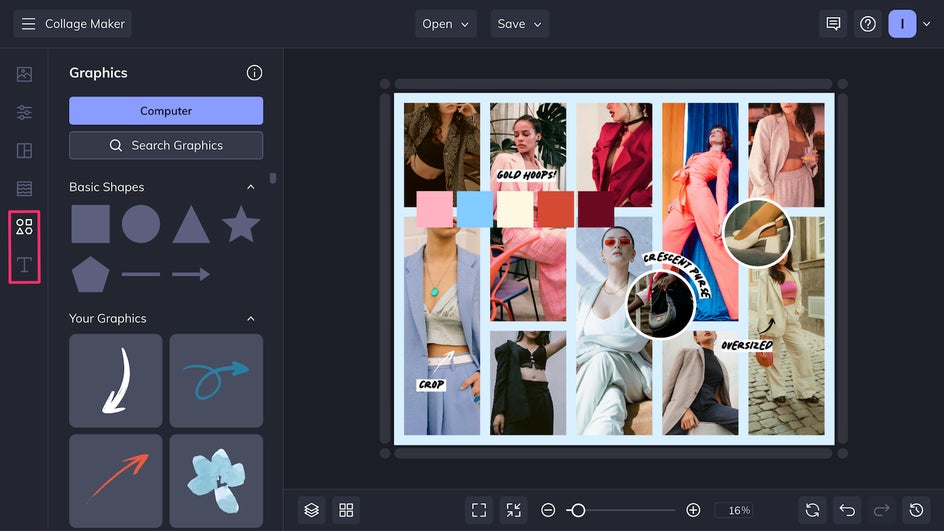
Step 5: Save Your Mood Board
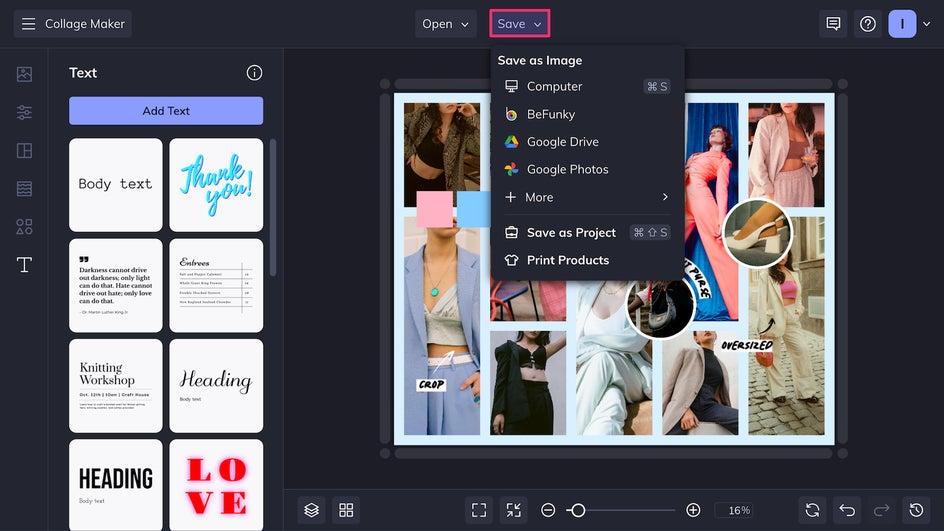
Now that your mood board is complete, it’s time to export your file. Click Save at the top of the page to save the collage to your device or drive. If you want to keep a file digital and use it as a wallpaper or upload it for sharing, save as a high-quality PNG. If you plan on printing it out to hang on a wall or tape to a planner, export the file as a print-quality PDF.
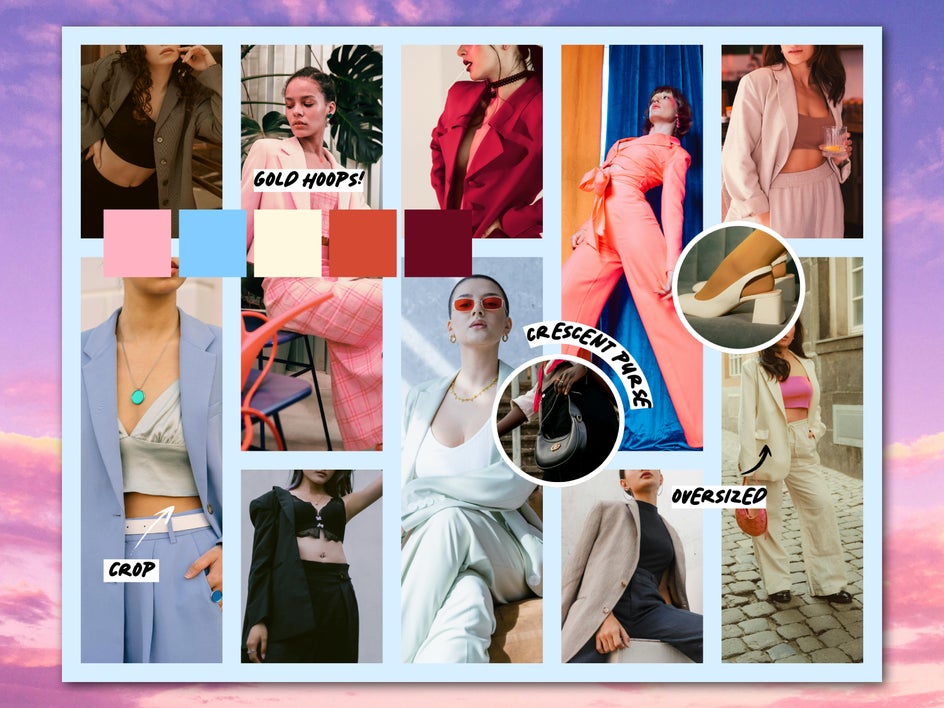
This fashion inspo mood board is now complete! It’s ready to be pulled up for shopping or thrifting to keep up a consistent wardrobe.
Aesthetic Mood Board Inspiration
The Collage Maker offers plenty of flexibility for all your inspirational mood board needs. Here are a few ideas for how to use it to boost your creativity and make achieving your goals easier:
Weddings and Events
Planning a wedding is no easy task. Simplify the process by honing your vision into a wedding mood board. You might want to create different mood boards for different parts of the process – like the dress, decor, photos, hair and makeup, and food - or put everything together into a single collage. This makes it easier to get your ideas across when working with wedding planners, vendors, caterers, and stylists. Plus, it helps with creating a wedding color palette and wedding invites.
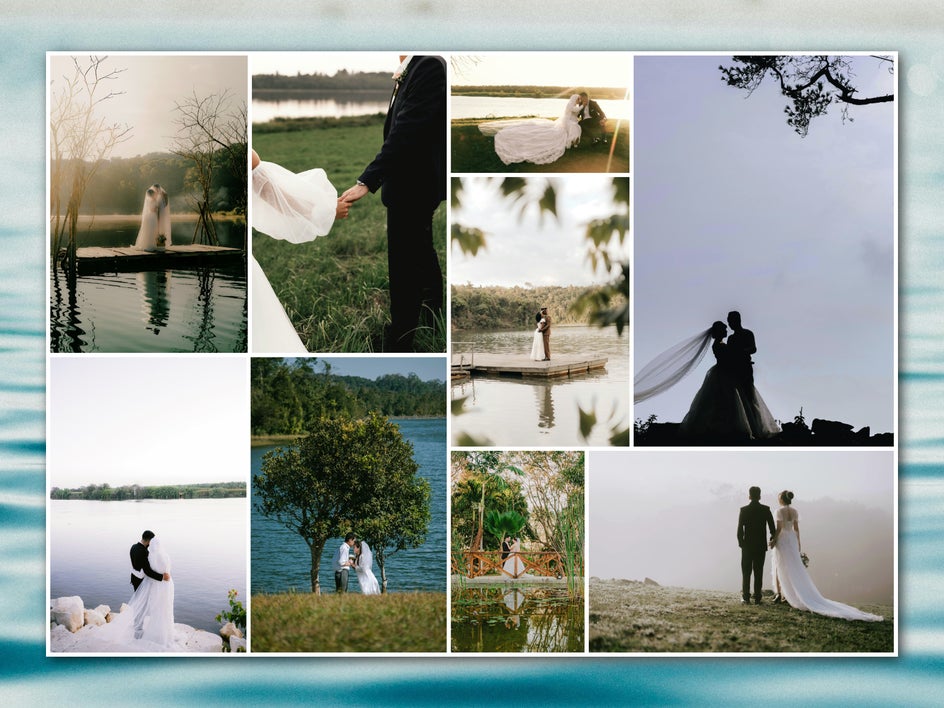
Try using a toning filter or texture to accentuate the specific vibe that you’re looking for. This particular collage uses Warmer Tones 9. This style of mood board can also be for large parties, community gatherings, and other major events.
Interior Design and Decor
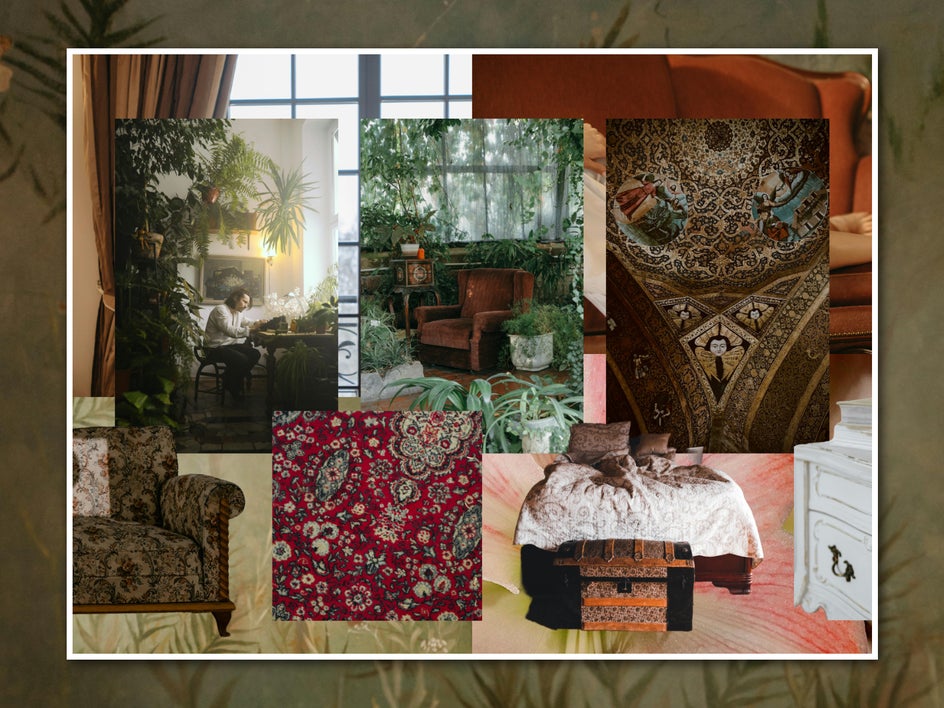
Renovating or redesigning a room in your home? A mood board can help keep you on track while you purchase paint, hit up furniture stores, and rearrange floor plans. In this case, consider starting in the Graphic Designer instead of the Collage Maker, and use the Cutout tool on your photos to better layer fabrics, colors, patterns, and furniture. This way, you can make sure that every element looks good together – especially with these interior design tips in mind!
Planning and Roadmapping
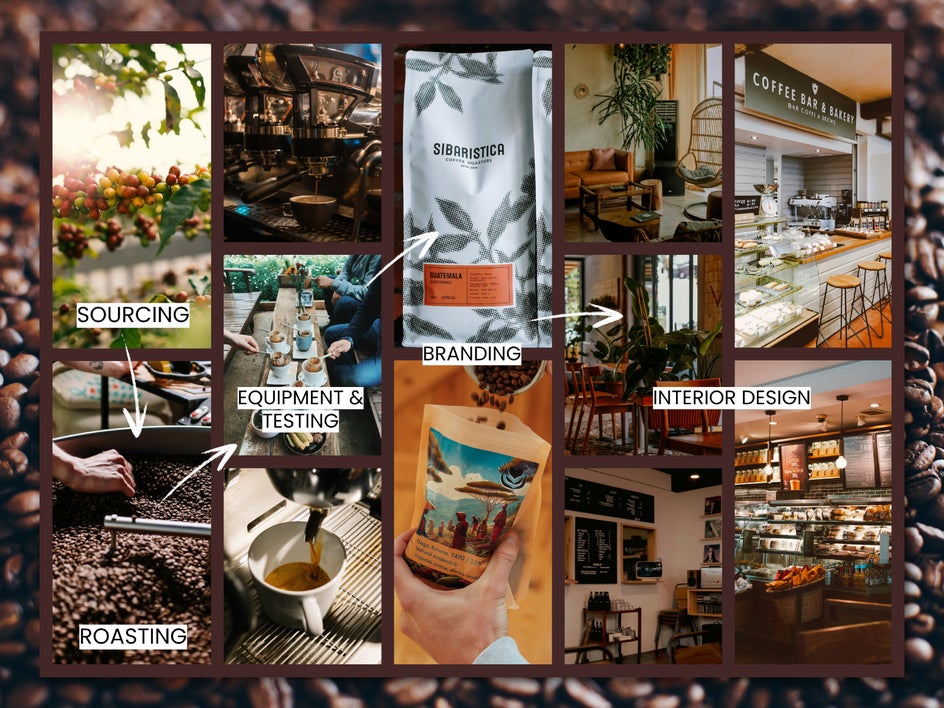
It can be easier to stick to a long-term plan if you have a visual mood board to refer to. These mood boards are especially great for business-related endeavors like creating a brand or opening a new storefront. Take advantage of the Text tool to make notes and reminders along the way.
Create Your Own Mood Board and Get Inspired
Creating a mood board should be a free-flowing, intuitive process – meaning you don’t want to spend much time fussing with complicated software, but also don’t want to run into any creative limitations. The Collage Maker provides the perfect balance, giving you full creative freedom while still being easy to use. It’s the best online mood board maker for all your inspirational needs. Try it out for yourself and create your own mood board today!