How to Create a Monthly Vision Board Online
You know that feeling when you’re inspired to dream big, but don’t quite know where to begin? Whether you’re setting personal goals, planning a brand launch, or just want to visualize your ideal month ahead, a vision board can help turn your thoughts into something tangible.
Thankfully, BeFunky’s Collage Wizard – available in the Collage Maker – makes it easier than ever to bring your vision to life. All you have to do is upload your images and then watch as it generates a huge range of perfectly portioned collage layouts for your photos – no cropping, resizing, or rotating necessary!
With fully customizable templates and access to stock photography, graphics, and text tools, you can create a board that reflects your monthly mindset in just a few steps. Keep reading, because we’ll show you how!
Why Create a Monthly Vision Board?
A monthly vision board helps you set focused intentions for the weeks ahead, keeping your goals front and center. It’s like a personal moodboard that captures where you want to go and how you want to feel. By creating one regularly, you give yourself space to reflect, reset, and get re-inspired.
More than just a tool for manifestation, vision boards are also great for curating aesthetic inspiration and mapping out creative ideas. And when you’re building one each month, they become a powerful habit that keeps you aligned with what matters most.
Create Your Monthly Vision Board Using the Collage Wizard
Ready to create a vision board online for free? Head to the Collage Maker to start a new collage, then follow these 5 steps.
Step 1: Upload Inspiring Images
Start in the Image Manager tab. From here, you can upload images from your computer. Or, search for inspirational images using our free Stock Image Library.
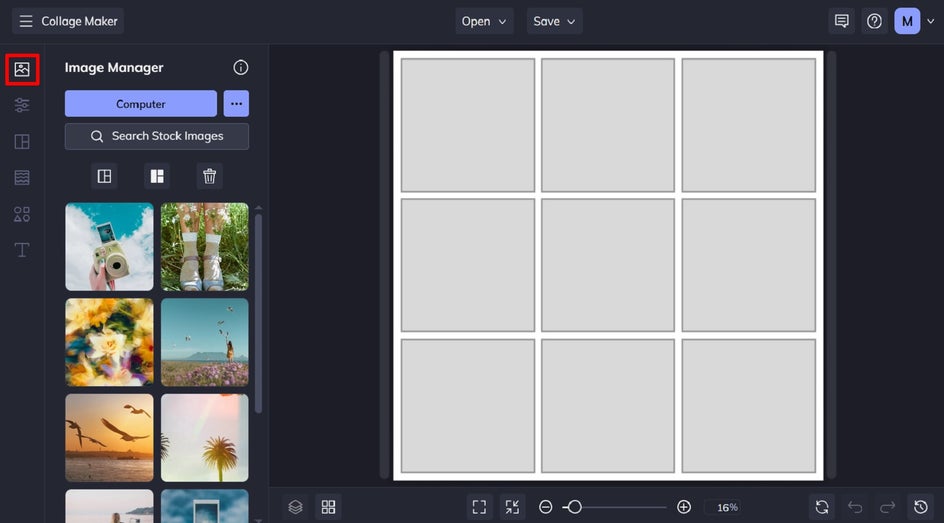
If you’re using the Stock Image Library, type in a few keywords that match your goals or mood for the month. Click the images you want to use, and they’ll be added to your Image Manager.
Step 2: Choose Your Layout
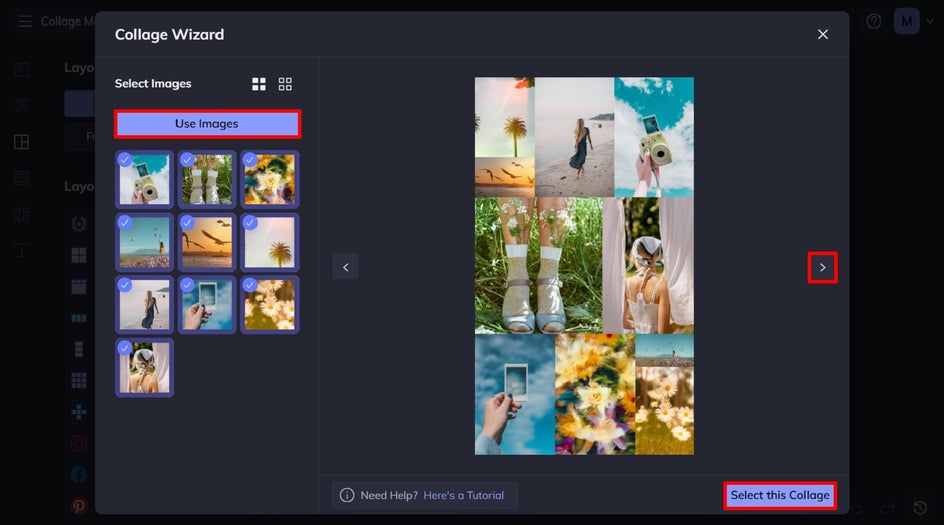
With your images ready, head to the Layouts tab. One of the easiest ways to build your monthly vision board is with the Collage Wizard, as it takes the guesswork out of arranging your photos.
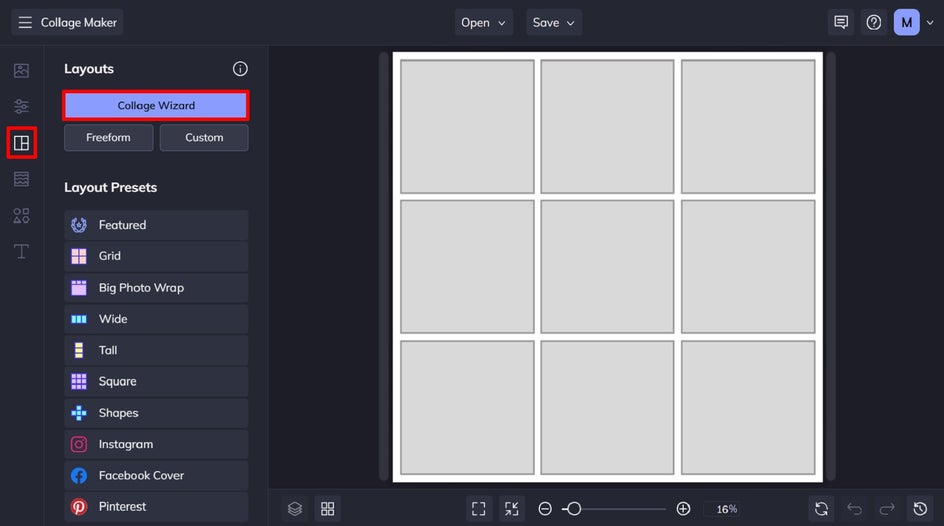
Simply select the images you want to include, then click Use Images. The Collage Wizard will generate endless layout options for you. Use the arrows to scroll through each option, before clicking Select this Collage to open it on the canvas, ready for you to make any further adjustments.
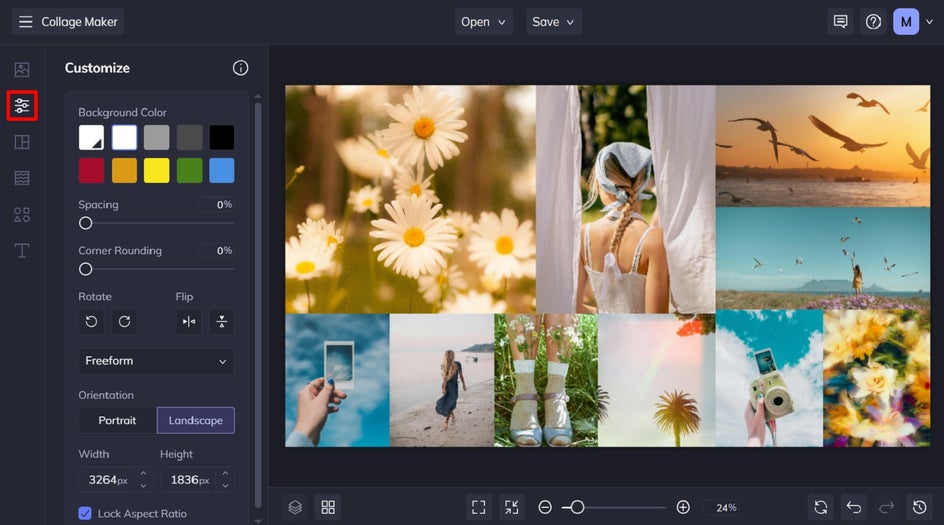
Head to the Customize tab to adjust your collage’s background color, spacing between cells, and corner rounding. You can also change your vision board’s size or tweak its aspect ratio. These subtle changes can make a big difference in how your vision board feels overall.
Step 3: Add Text and Graphics
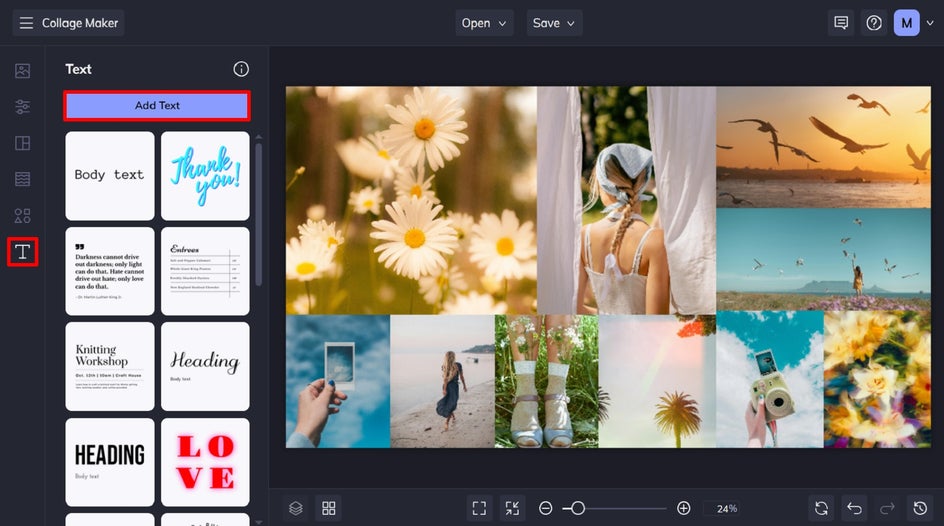
Text can help bring your vision board to life by adding quotes, goals, power words, or monthly intentions. To add text to your collage project, navigate to the Text tab.
Click Add Text or choose one of our curated text patches. Then, double-click your text box to type in what you’d like it to say.
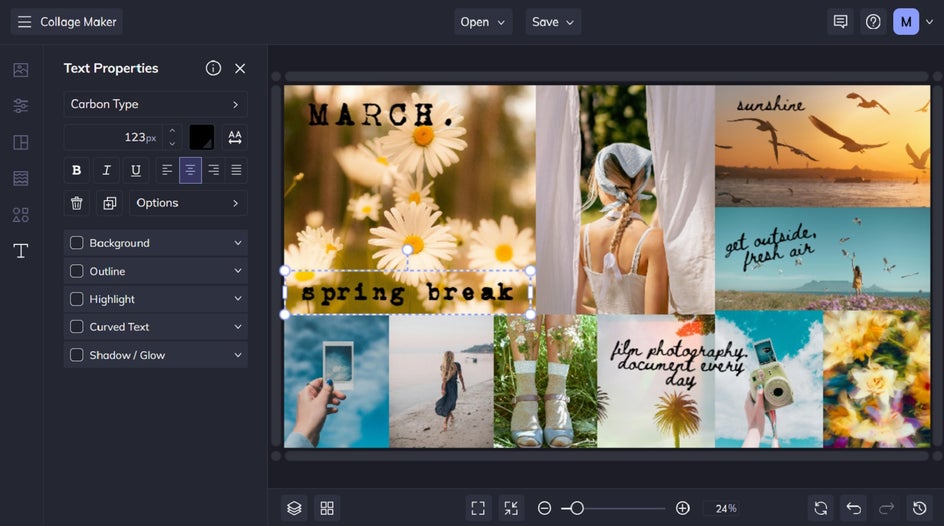
You can also use the Text Properties menu to customize the font, size, alignment, color, and more. You can even add a background color to help your text stand out against busy images.
Want to add graphics too? Our Graphics Library is packed with icons, shapes, and illustrations that can help make your board feel more on-theme and personal.
Click the Graphics tab, followed by Search Graphics. Select any graphics you wish to use in your vision board design, then exit the library. These graphics will now be located in the Your Graphics section.
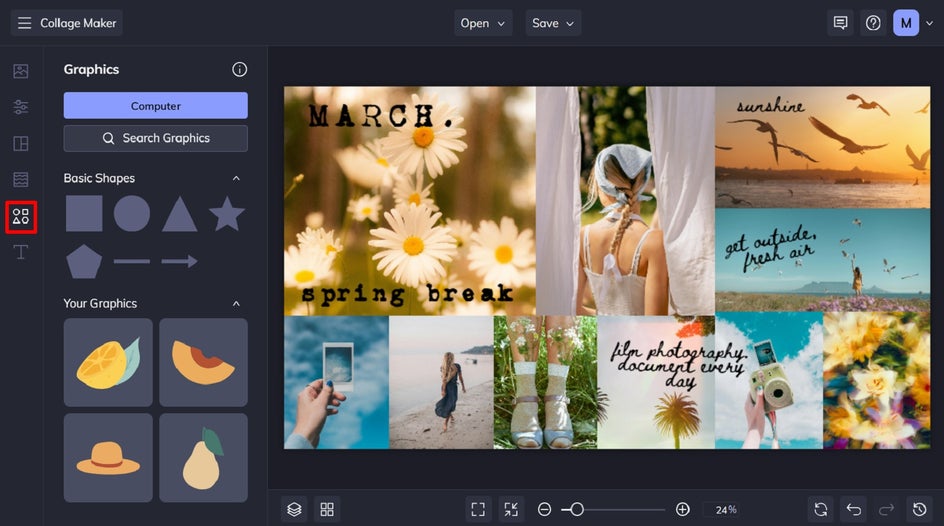
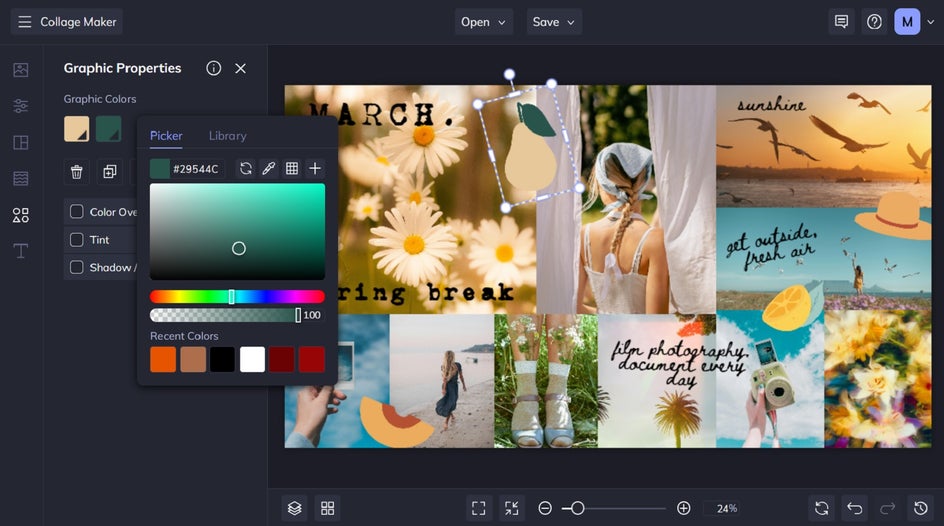
Drag your chosen graphics onto the canvas, then use the Graphic Properties menu to customize their colors or add other effects to make them pop.
Step 4: Save and Share Your Vision Board
Once you’ve finished customizing your vision board, choose Save at the top of the screen. You can save it to your computer, BeFunky account, or another connected platform.
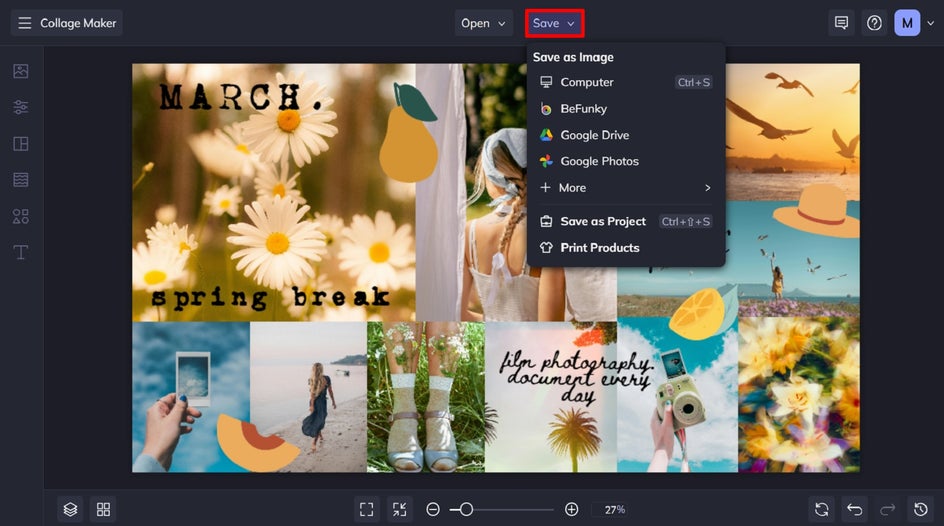
We recommend saving it as a JPG or PNG for easy sharing or printing. You can also select Save as Project to keep an editable version, perfect for tweaking or revisiting throughout the month.
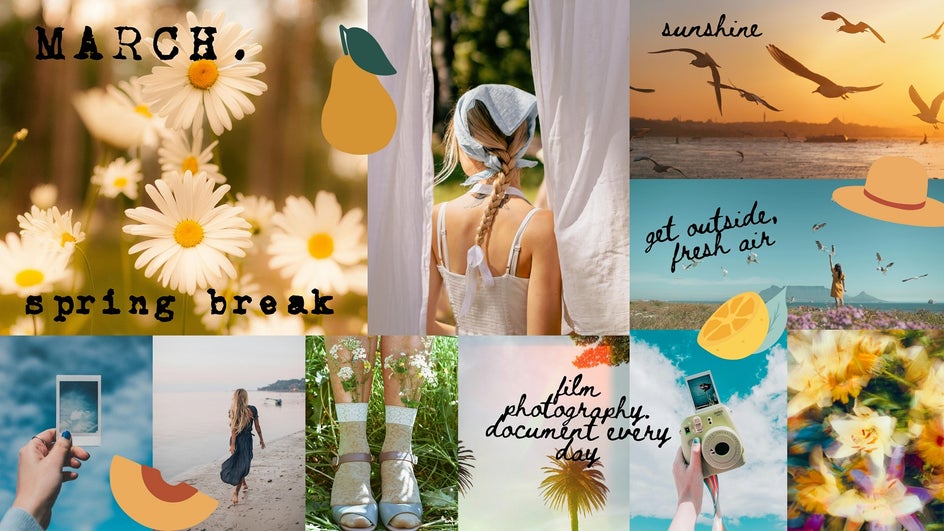
Final Results: A Spring Break Moodboard
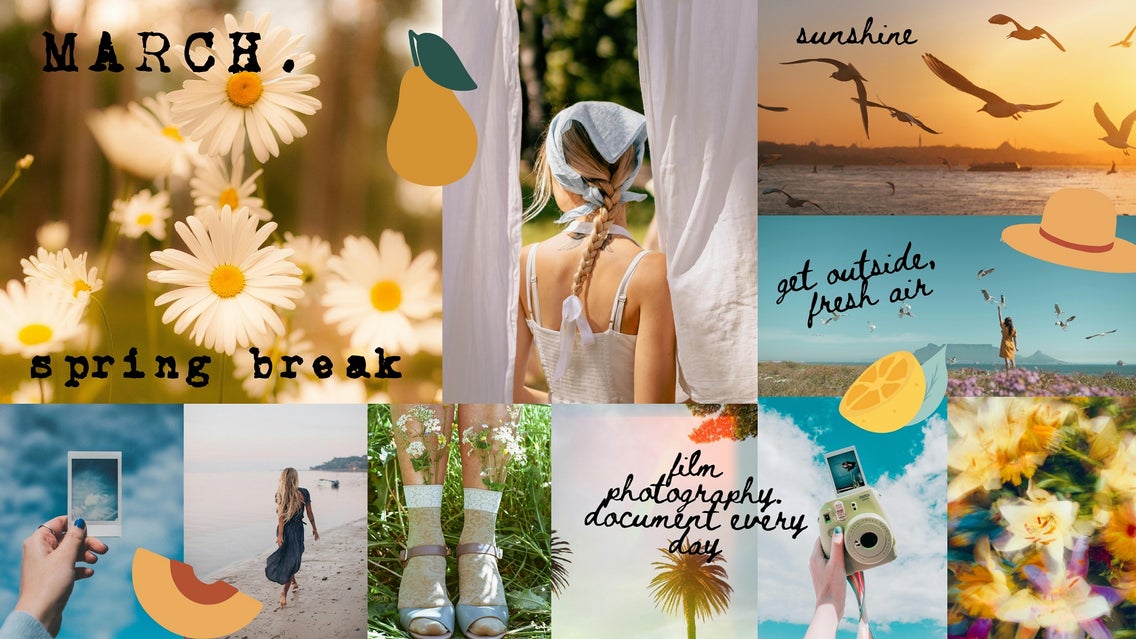
No occasion is too big or too small for a monthly moodboard. This collage not only serves as a visual reminder of the beauty of spring, but also a checklist of things to do and places to see while on break. Thanks to the Collage Wizard, it only took a few minutes to create!
Monthly Vision Board Inspiration
Looking for more ideas to guide your next collage? Here are a few fun and practical ways to use a monthly vision board:
Personal Goal Setting
Whether you’re focused on building healthy habits or just trying to carve out more time for yourself, a vision board can be a great way to keep those intentions top of mind. You can add visuals for fitness goals, mindfulness practices, sleep routines, or even reminders to drink more water. Include uplifting quotes, calming color palettes, or photos that represent how you want to look and feel throughout the month. Think of it as a visual pep talk you can refer to any time you need a boost!

Content Planning
If you manage a blog, social media, or even a small business, monthly vision boards are incredibly helpful. Use yours to set the tone for your upcoming content and encourage you to maintain a cohesive, on-theme presence throughout the month. Be sure to add images that reflect your brand aesthetic, content pillars, or current campaigns. You can even include graphics or placeholders for post ideas to give you a visual roadmap for the month ahead.

Creative Inspiration
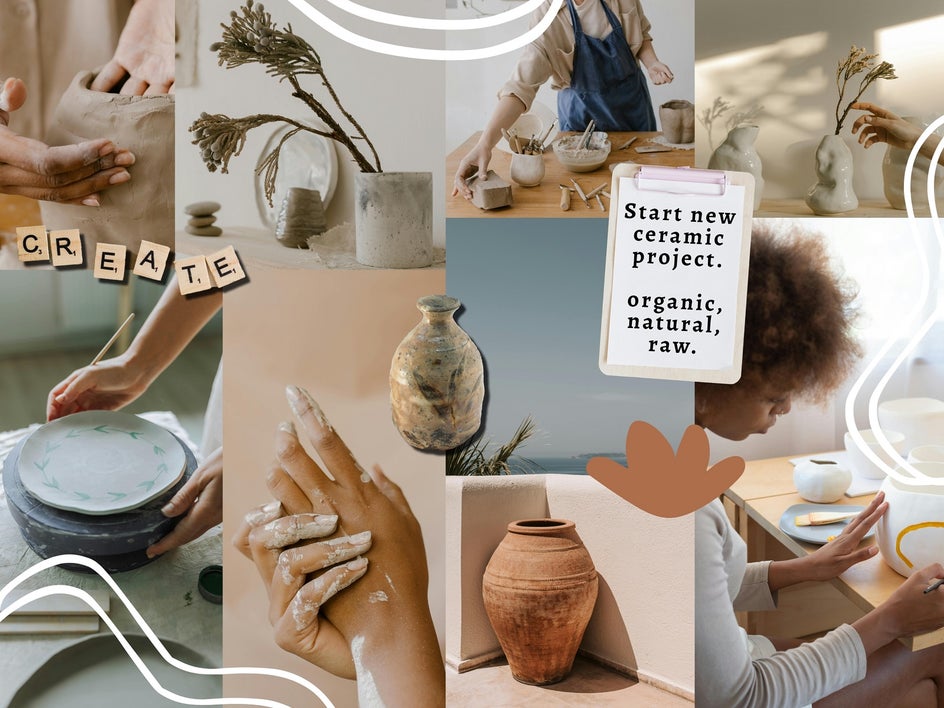
You can also use your monthly vision board to gather inspiration for a new creative project, whether that’s a photo series, a piece of writing, or your next DIY. Play around with textures, color schemes, or typography you love to really bring your moodboard to life. It’s the perfect way to spark new ideas or help you stay true to a creative concept when you start making. If you’re feeling creatively blocked, this is a great way to get unstuck.
Make a Vision Board for Every Month of the Year
Visions aren’t static – they shift and grow with you. That’s why building a new vision board each month is such a helpful habit. It gives you a fresh visual to focus on for the weeks ahead, ensuring your dreams and ideas remain relevant and at the forefront of your mind.
Ready to bring your monthly goals, dreams, and aesthetic to life? Check out the Collage Wizard for yourself to see just how easy it is to use!