









How to Design and Print T-Shirts With BeFunky

Searching for the perfect custom tee? Whether you want to promote a small business, celebrate an event, or showcase your artwork, learning how to design and print T-shirts at home offers total creative control. There’s no need for a degree in graphic design or expensive software – all you need is a great idea and the right tools to bring it to life.
The Graphic Designer makes producing your own T-shirt simple, even for beginners. This intuitive online software features access to tons of fonts, hand-drawn graphics, and creative photo effects that can be used to create a professional-looking design no matter your experience level. From here, the shirt design can be sent directly to Zazzle and ordered on a custom tee within minutes. It’s the most affordable way to get a personalized T-shirt because it can be designed completely for free – and digital previews help you test ideas and layouts before spending a dime.
Custom apparel lets you express your personality, promote a cause, build brand identity, and more. In this tutorial, we’ll show just how easy it is to design and print a T-shirt at home, and provide some inspiration for your next custom shirt to get the creative juices flowing. Let’s get started!
How to Design and Print a T-Shirt Online
To design and print a T-shirt, you first need some idea of the visuals and messaging you want to display. Once that’s figured out, the rest won’t take long!
Step 1: Prep Your Canvas
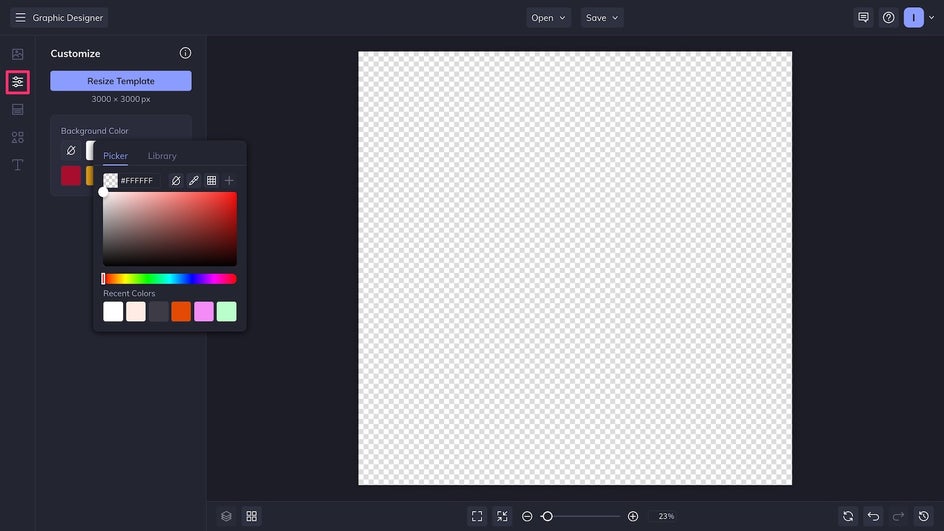
Start by opening a large blank canvas, at least 2400px wide, in the Graphic Designer. Before adding any assets, make the background transparent in the Customize tab.
Step 2: Add Imagery
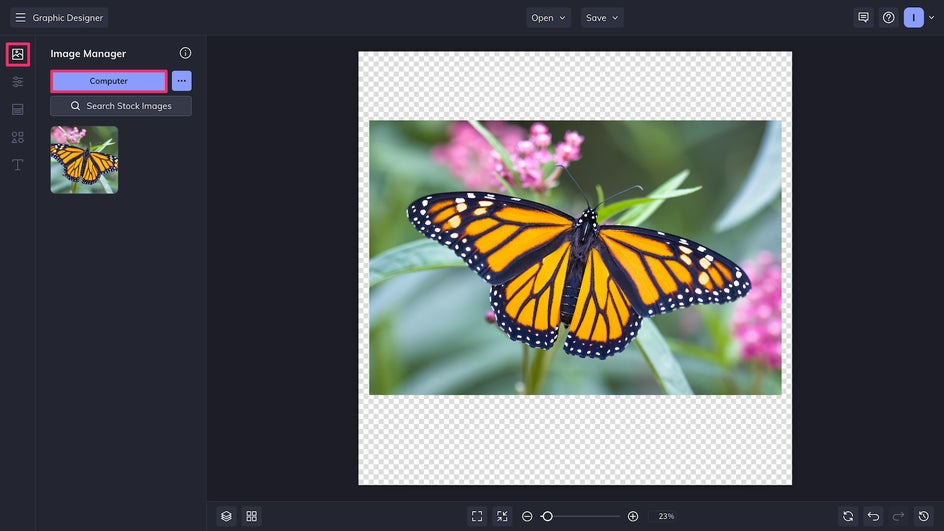
Most T-shirt designs have one central visual as a focal point. This could be a photo, a logo, a graphic, or even some creative typography. Here we’re starting by uploading a photo to the Image Manager and dragging it onto the canvas.
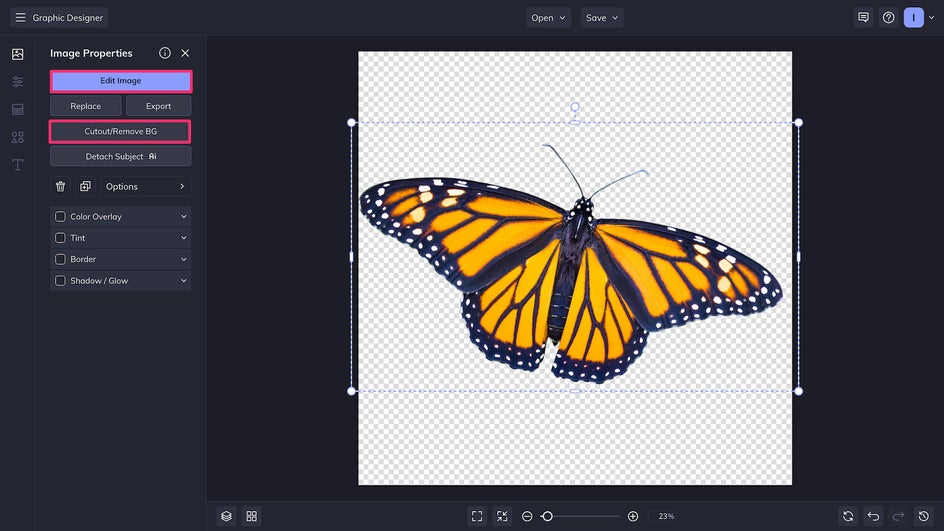
Click on the photo and select Remove Background to select Edit Image to transfer directly to the Photo Editor.
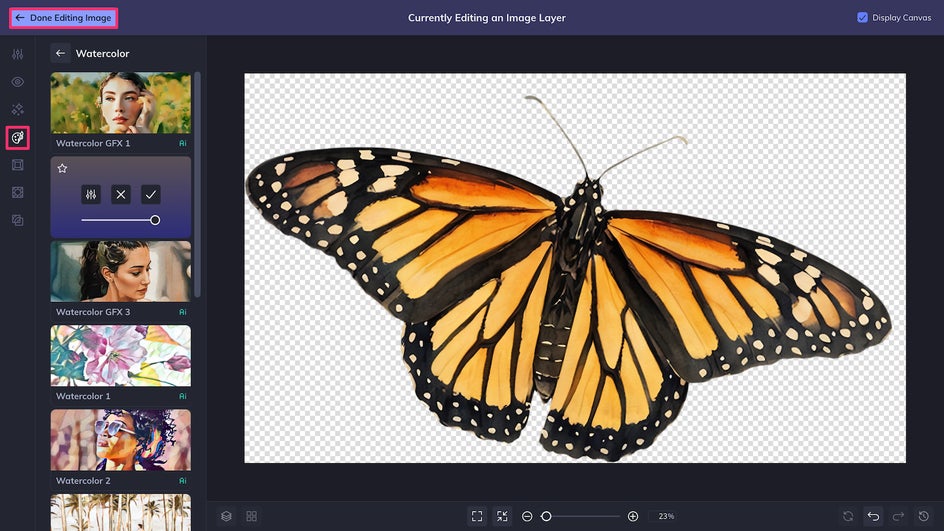
Here you can add photo effects, filters, or AI tools to bring more visual interest to your photo. We’re using Watercolor GFX 2, which is one of several watercolor Artsy effects available. Once you’re satisfied with the changes, just click Done Editing Image to return to the Designer.
Step 3: Add Design Elements
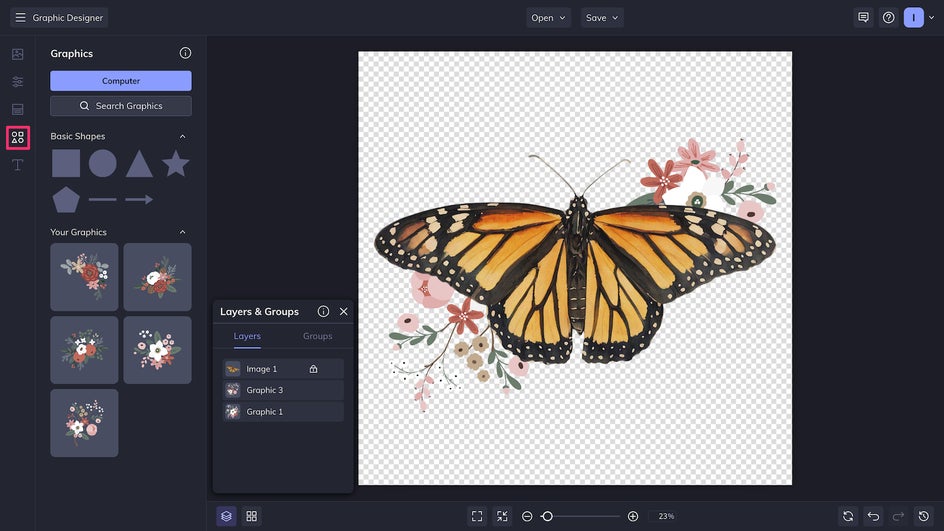
At this stage, consider adding vector graphics from the Graphics Library to bring color and balance to your T-shirt design. Note that it’s usually possible to change the color of individual graphic elements to match the shirt’s overall color scheme.
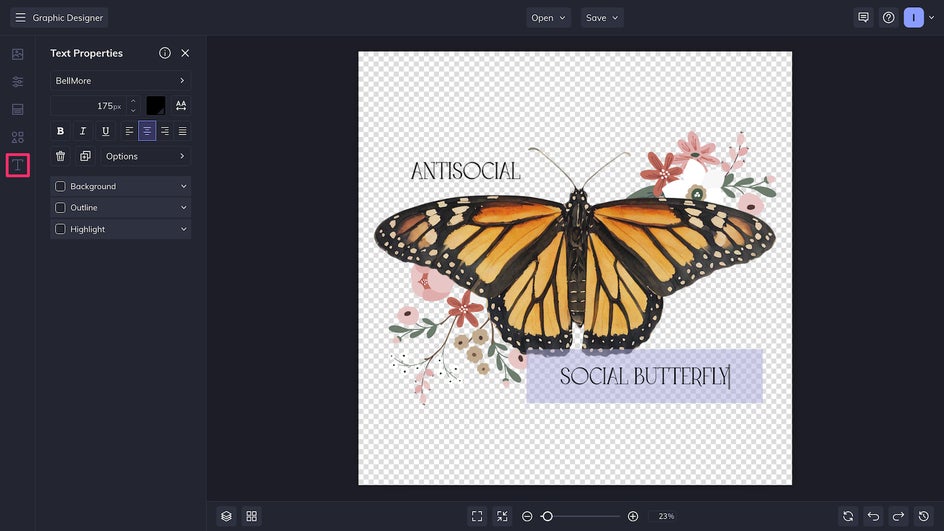
For professional shirts, adding some messaging in the Text Editor is a great way to boost branding or promote an event. For personal designs and gift shirts, use it to add a funny or inspirational quote. Choose from hundreds of free fonts offered by the Graphic Designer or upload your own.
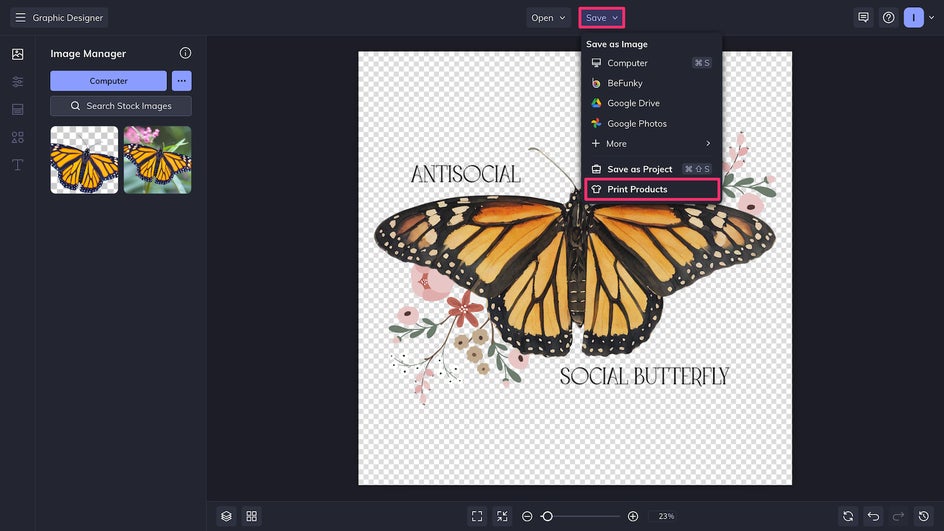
Step 4: Save and Print Your T-Shirt
Finally, it’s time to Save your T-shirt design using the button at the top of the canvas. For the ultimate convenience, click Print Products to send the design directly to Zazzle, our integrated printing partner.
Once on the Zazzle website, simply choose the product you want to print on – in this case, a women’s or men's T-shirt.
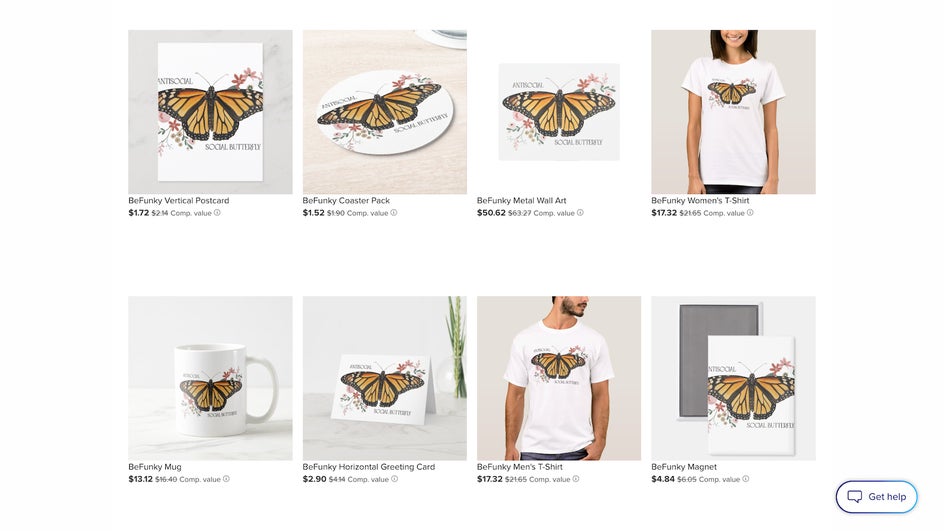
You can choose from different T-shirt cuts and materials (including sweatshirts and hoodies!), preview how the design will look in real life, and use the “Personalize This Design” button to tweak the size and placement of the image as needed. For a more in-depth tutorial on printing and customizing your designs, check out this article on printing with BeFunky.
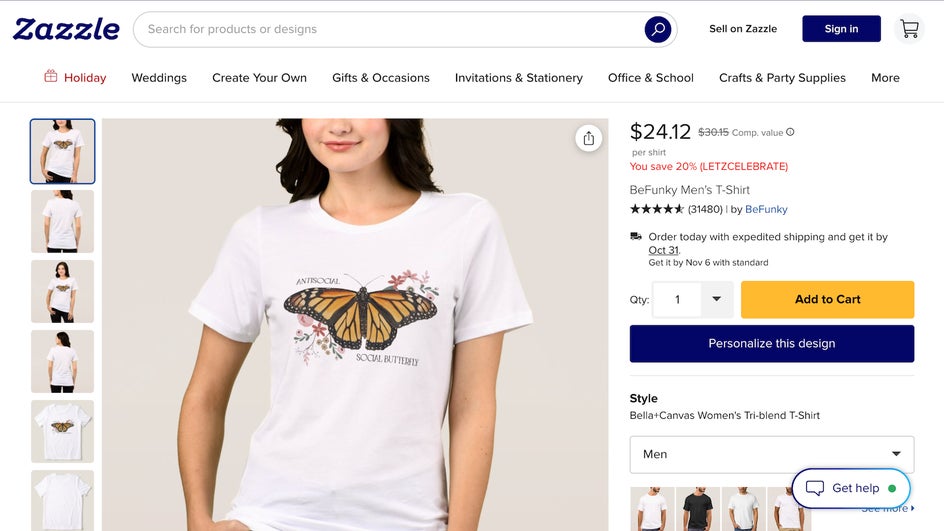
Once the design is perfected, simply add to cart, place the order, and you’re done!
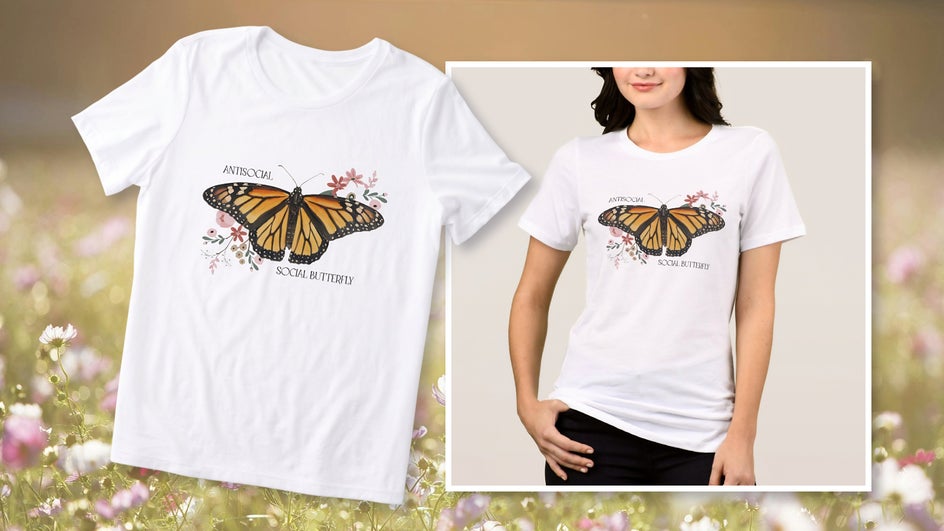
That’s it: In just a few steps, we’ve designed a professional-looking T-shirt that perfectly suits our personal style. Everything was done online from home for a convenient custom tee that won’t break the bank.
T-Shirt Design Inspiration: Ideas for Every Occasion
The ability to design and print your own shirts opens endless possibilities. Here’s some creative inspiration that showcases just how versatile custom T-shirt design can be.
Personalized Pet Portraits
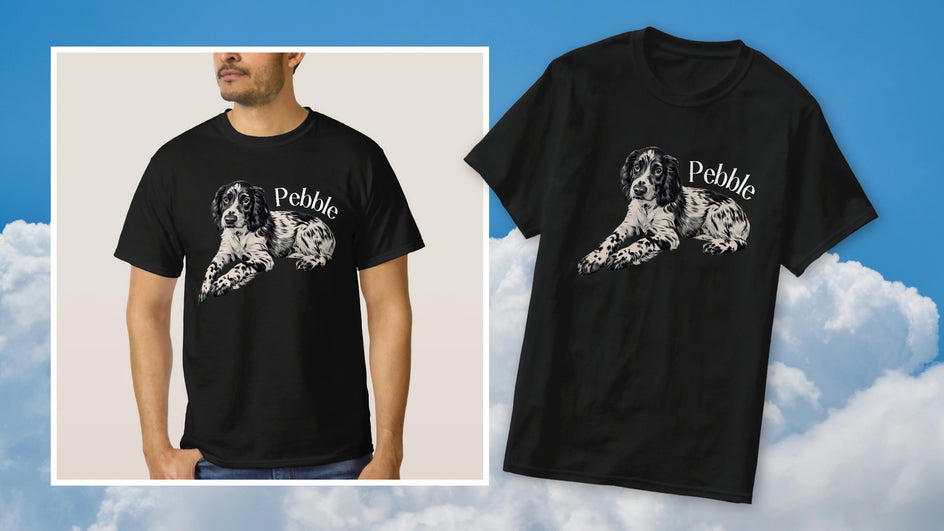
For animal lovers, a pet portrait T-shirt featuring your furry friend is the ultimate conversation starter. Simply upload your pet photo, use the Cutout tool to remove the background, then apply an Artsy effect and add some minimal text. These make thoughtful gifts, especially when paired with matching mugs or wall art.
Business and Brand Tees
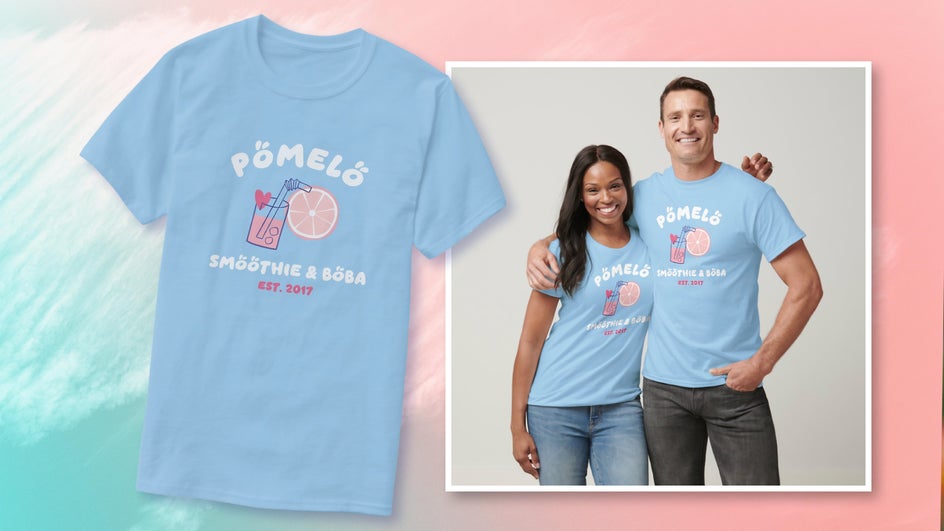
For small businesses, custom branded T-shirts serve to boost brand visibility and trust. Add your small business logo, tagline, and brand colors to create custom merch or staff uniforms – or both! These are also great raffle prizes if you’re hosting a social media giveaway.
Event Shirts
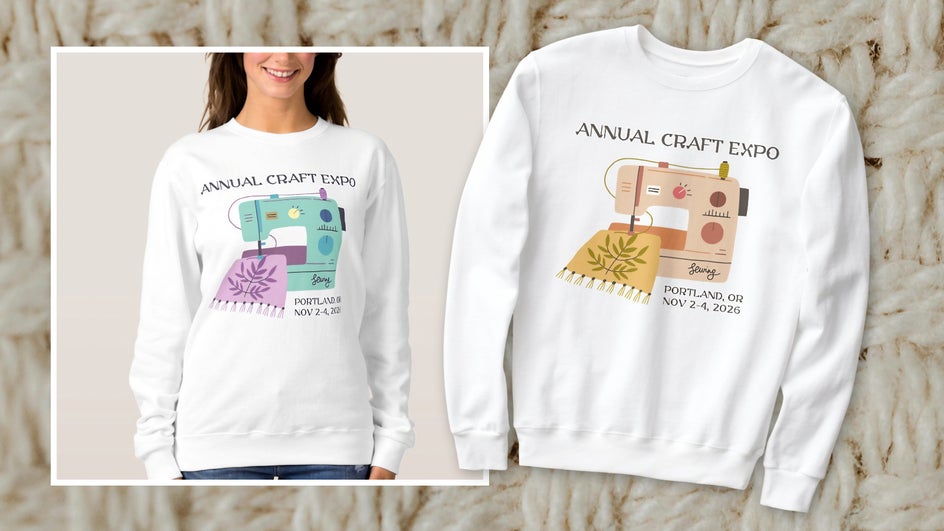
From family reunions to art expos to charity runs, matching personalized T-shirts create a sense of unity and make for perfect souvenirs. Use a single large graphic and bold typography that reflects the theme of the event. Don’t forget to include dates and hashtags to commemorate the occasion! Change up the graphic colors or even use the Color Mixer to create different colorways. Match these to your event posters for the ultimate cohesive look.
Bring Your T-Shirt Idea to Life With BeFunky
With BeFunky, it’s never been easier – or more fun – to design and print your own T-shirt. Whether you’re creating brand merch, hosting an event, or just want to add more personality to your wardrobe, the Designer gives you everything you need to make it happen. Start creating today and bring your custom T-shirt to life in the Graphic Designer!




