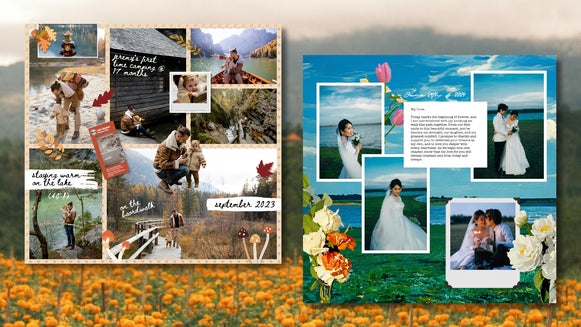
Preserve Your Big Day With a Wedding Collage

Weddings might last a day, but wedding photos last a lifetime. And rather than having them sit in a heavy album on the shelf, those beautiful memories deserve to be used and displayed – like in a digital wedding collage that’s been printed and framed.
While the Graphic Designer’s wedding sets are perfect for pre-wedding stationery and invites, the online Collage Maker shines when it comes to bringing post-wedding memories together. It gives full creative freedom to mix, match, and style your photos into a piece of art that reflects your personality and the story of your big day. In-platform photo editing and the powerful Collage Wizard simplify the process even further. Here’s how it works!
How to Create a Wedding Photo Collage
When making a wedding photo collage, the goal isn’t just to pack in as many images as possible, but to tell a story or capture a specific feeling. To get started, first open up the Collage Maker.
Step 1: Gather the Right Photos
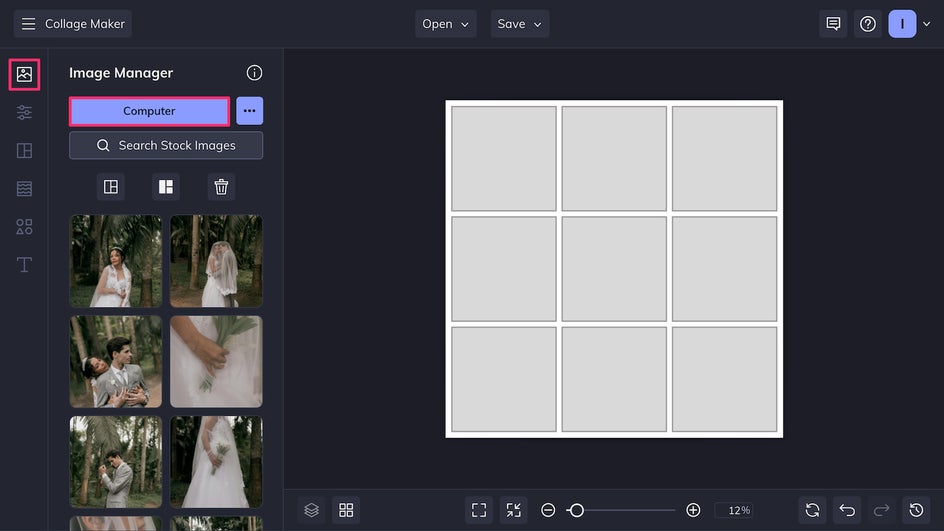
Start by selecting a balanced mix of photos and uploading them to the Image Manager: Candid shots, portraits, venue details, and any special moments unique to the celebration. Avoid including too many similar poses – variety will keep the collage dynamic. High-resolution images are best for printing, so check that each file is at least 300 dpi, or use the Upscaler if you want to size up an image without losing quality.
Step 2: Choose a Layout
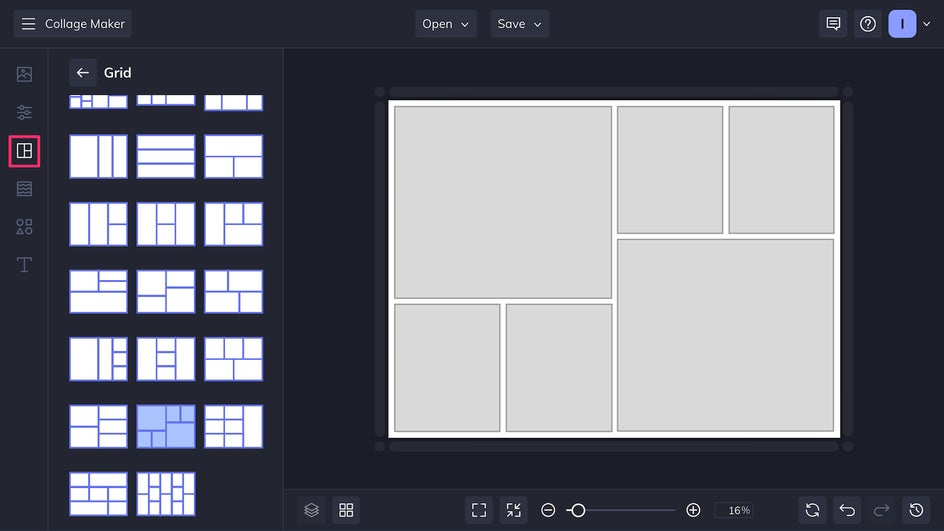
The Collage Maker offers plenty of different layouts including grids, unique shapes, and photo wraps, as well as freeform layouts. For a timeless wedding collage, a simple grid works beautifully. For a more modern take, try an asymmetrical layout or photo wrap. You can also use the Collage Wizard to instantly put all your favorite photos into a beautiful layout without doing any arranging yourself.
Step 3: Customize Size and Color
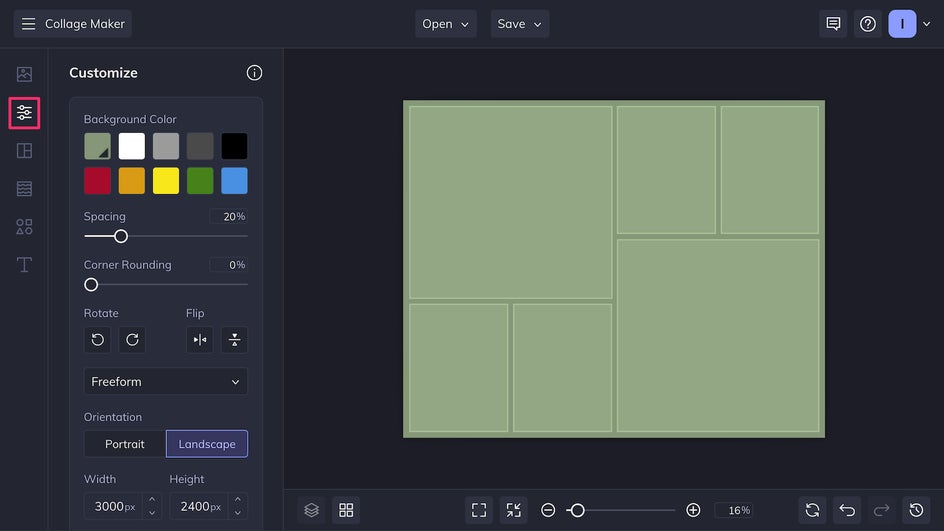
Change the size, color, and image spacing of your canvas in the Customize tab. For printing, an 8x10” or 11x14” format works for most standard frames – that equates to a size of either 2400x3000 px or 3212x4088 px.
Instead of the default white, consider a background color that goes with your wedding color palette. A pattern can also add depth without distracting from the images.
Step 4: Add and Edit Imagery
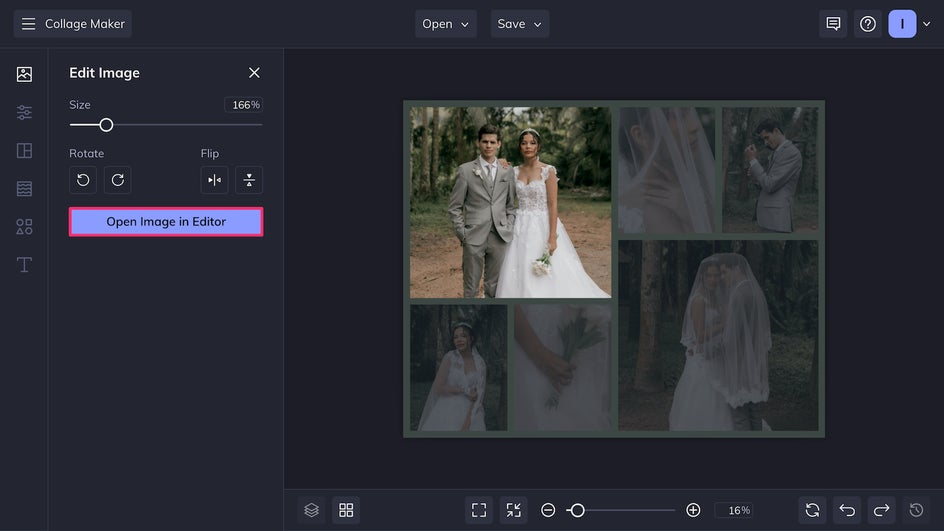
To place photos into your collage, just drag and drop photos from the Image Manager right onto the canvas. To make edits and adjustments to images once they’re placed, click on them and select Edit Image, then Open Image in Editor.
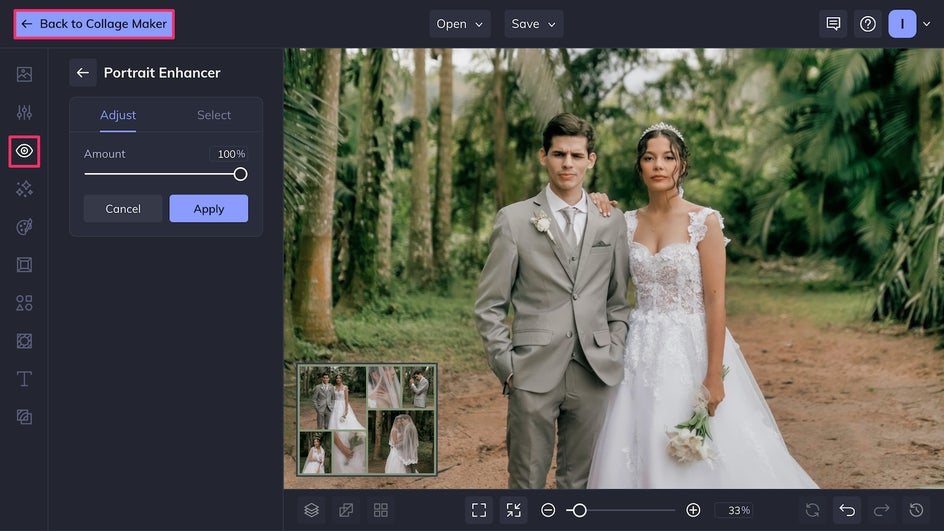
You’ll instantly be brought to the in-platform Photo Editor, where there are hundreds of available tools, effects, filters, frames, and textures. Here we’re using the AI Portrait Enhancer to smooth skin, brighten features, and provide more flattering color and lighting. After you’re through making edits, just click Back to Collage Maker to return to the collage.
Step 5: Get Creative
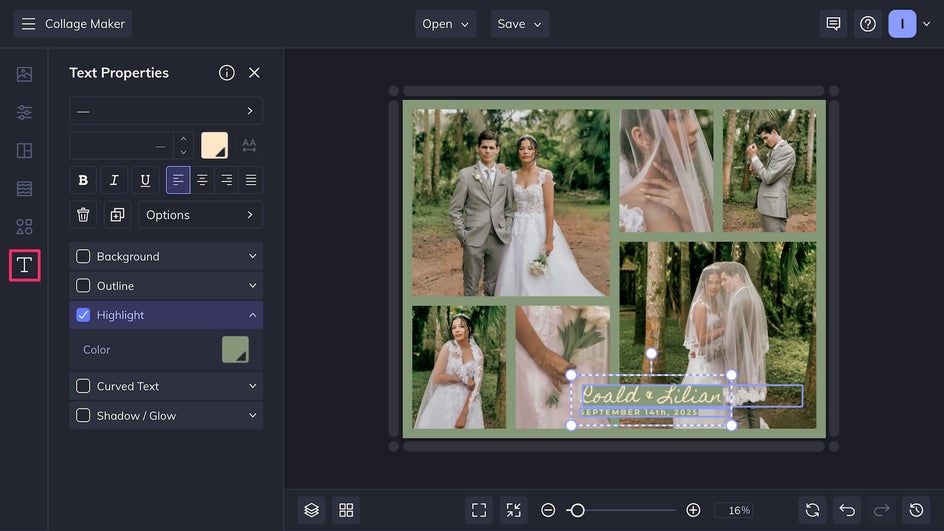
Now it’s time to add some personal flair. Use the Text tool to add simple details like the wedding date, the couple’s names, or the location. Elegant script or serif styles often work best for wedding designs. Make sure to add text to a low-contrast area, or else add a highlight or outline for greater visibility.
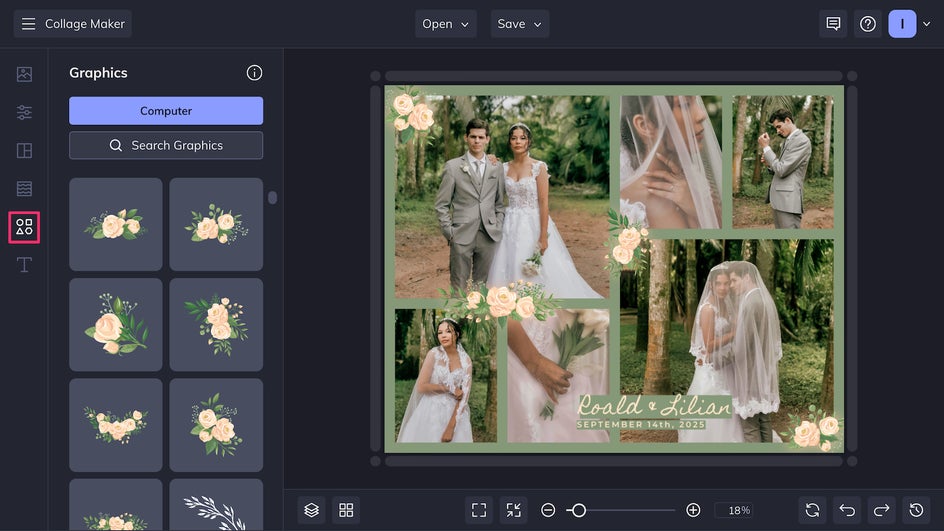
To add some personality to the collage and make it more romantic, overlay simple vector graphics like florals or frames.
Step 6: Save for Printing or Digital Sharing
Once your design is finalized, export as a print-quality PDF for the best printing resolution. If sharing the collage online or using it for something like a phone wallpaper, save it as a high-quality PNG.
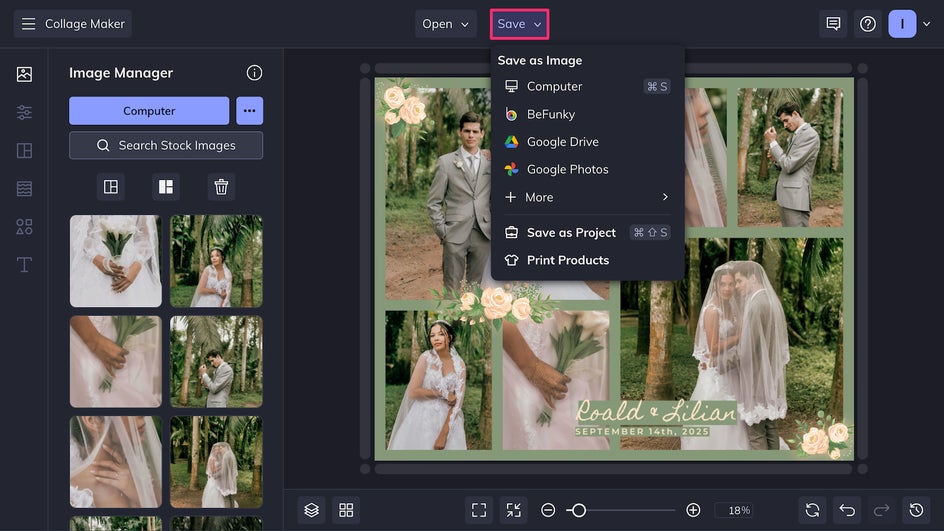
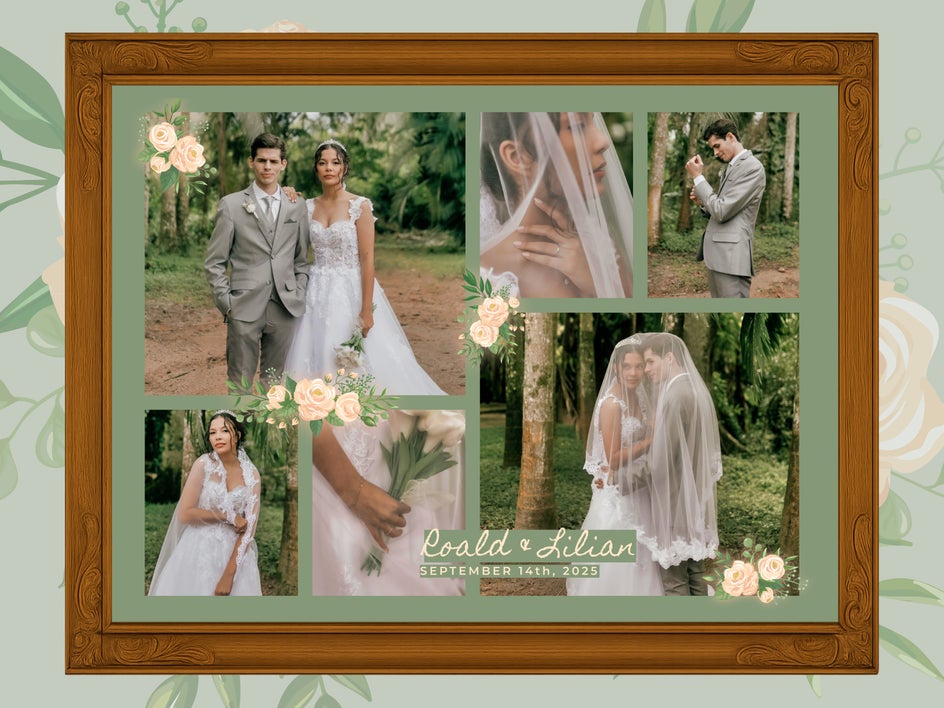
Wedding collages stand out most when printed and framed. If printing at home, invest in high-quality paper and inks, and do a test print first to ensure colors match your screen. Note that matte paper gives a soft, romantic look, while glossy paper will make the colors pop. For the best results, use a professional print shop. Printing online with Zazzle is the most convenient way to get professional framed prints directly through the Collage Maker.
Here’s our final wedding collage, ready to be displayed!
Beyond the Frame: More Creative Ways to Use Wedding Collages
A wedding collage doesn’t have to live only on a wall. Here are a few ways to repurpose your design:
- Thank-You Cards: Miniature versions of the collage make heartfelt, personalized thank-you notes for guests.
- Anniversary Gifts: Revisit your original collage each year, adding one new photo from your marriage to track your journey.
- Digital Displays: Use the collage as a rotating screensaver on smart displays or digital photo frames.
Photo Books: Incorporate the collage into the opening or closing pages of a wedding album for a strong visual summary.
Wedding Collage Inspiration
Even within the medium of collage, there are plenty of different ways to stylize your photos for display. Here are three more wedding collage ideas that work well for post-wedding projects.
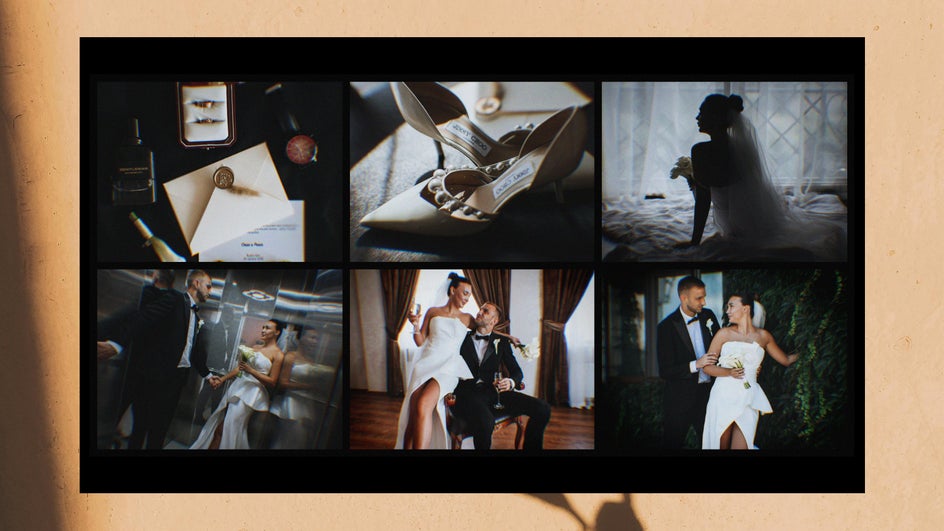
Romantic Storyboard Collage
This is the cinematic version of a collage – a sequence of images that walks viewers through the day from start to finish. Arrange photos in chronological order: For example, getting ready, the ceremony, couple portraits, first dance, and send-off. Use Cinematic effects like Color Grading and Film Grain for a more dramatic tone. To quickly apply the same editing style to every image, simply batch edit your wedding photos before adding them to the Collage Maker!
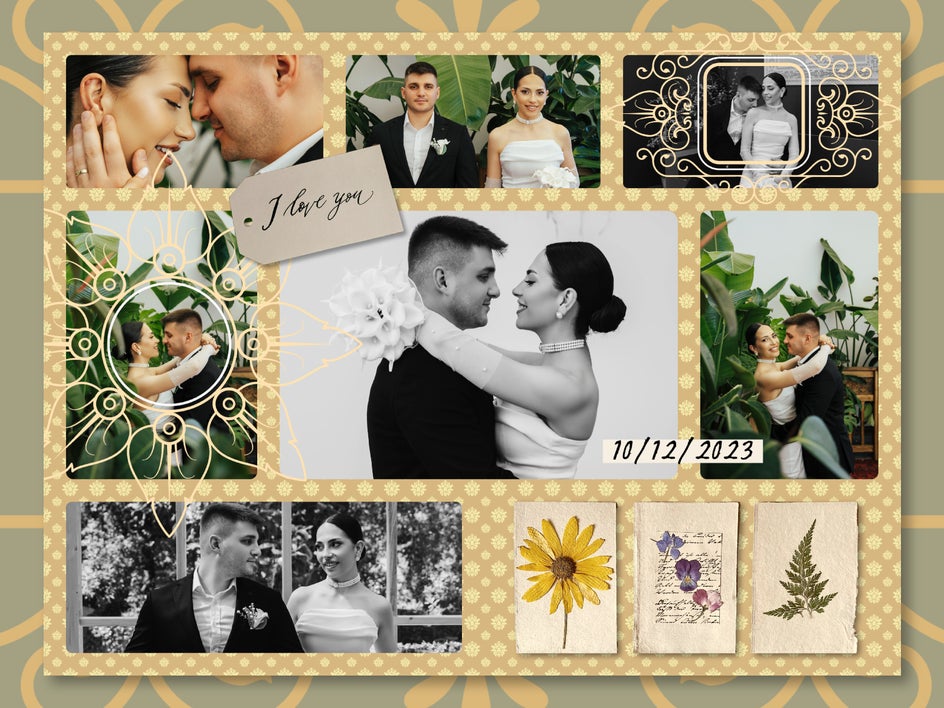
Mixed-Media Digital Scrapbook
Drawing inspiration from scrapbook layouts, this collage style layers photos with patterns and textures, decorative frames, and cutout elements like pressed-flower scans or handwritten snippets from vows. It’s especially charming for intimate weddings or destination events where the design can incorporate travel stamps, maps, or ticket stubs. The digital scrapbook format allows for bolder colors and more eclectic layouts without the mess and limitations of physical scrapbooking supplies.
Stylized Statement Piece
While the Collage Maker is ideal for flexible, photo-driven layouts, the Graphic Designer can be used to create a collage with more graphic structure. For example, start with a central image and detach the subject, then combine it with bold text, layered photos, and large graphics for a striking poster-like piece.
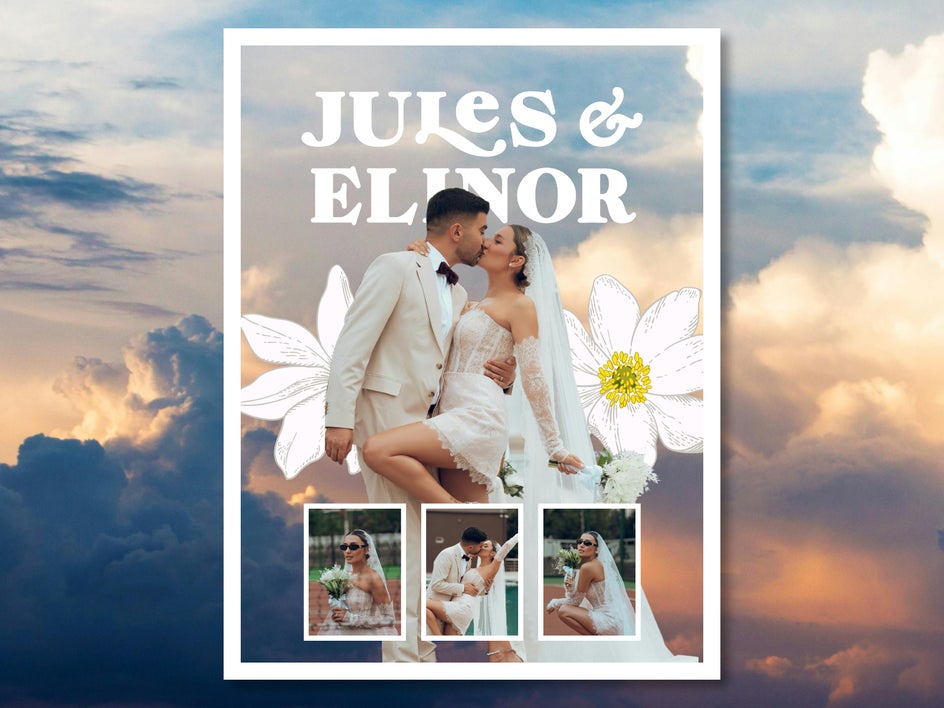
Turn Wedding Memories Into Works of Art With the Collage Maker
Whether creating a timeless grid or a mixed-media design, a wedding collage is one of the best ways to tell the story of your big day and help keep all your memories in one place. With the Collage Maker, every design choice is yours to customize, making it easy to transform hundreds of wedding images into a single, impactful keepsake. Turn your favorite wedding memories into something worth sharing and displaying for years to come with the Collage Maker!