Turn Photos Into Watercolor Canvas Prints

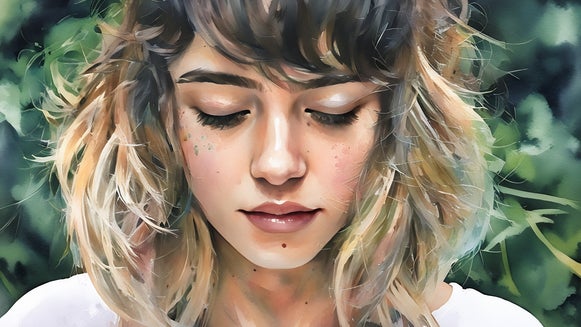
With its soft brushstrokes and gentle color blends, it’s hard not to love the beautiful medium of watercolor. While not everyone has the talent, resources, or time to master this art form, BeFunky’s AI-powered watercolor effects allow you to instantly transform your photos into watercolors – all in the click of a button.
If you’ve ever wanted to go a step further and turn your watercolor photos into stunning canvas prints, now you can. In fact, with built-in printing through Zazzle, you can now do so without even leaving our platform!
Whether you’re creating wall art for your home or a meaningful gift, the process is simple. Start with a photo, apply a gorgeous watercolor effect, and order a high-quality canvas print in any size you want. We’ll show you how!
How to Turn a Photo Into a Watercolor Canvas Print
Before you create your watercolor print, be sure to choose an image that has extra breathing room around the edges. Canvas prints are wrapped around a wooden frame, so keeping important details away from the margins helps preserve the full design.
Step 1: Apply a Watercolor Effect
Head directly to the Watercolor Artsy effects within the Photo Editor and open the image you wish to edit. Here, you’ll find a range of realistic effects inspired by traditional watercolor painting, from light washes to more textured styles.
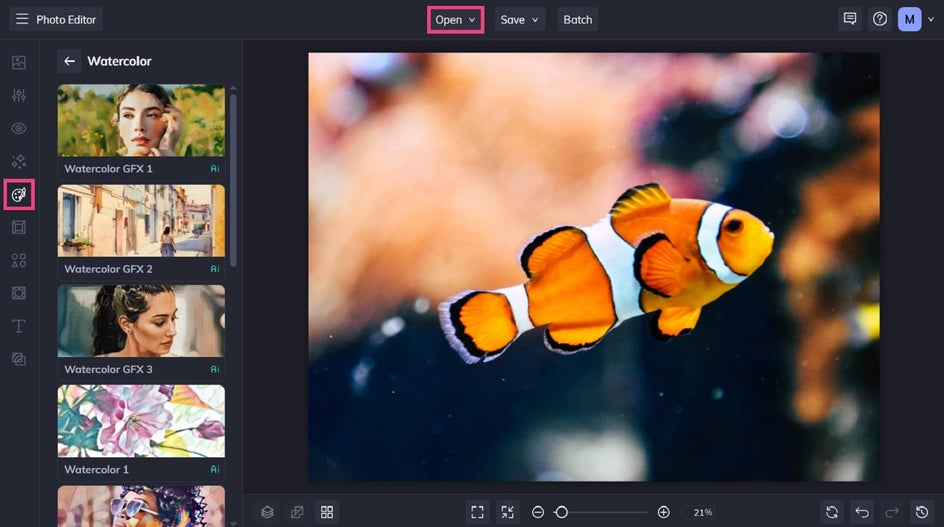
Select a watercolor effect to preview it on your photo. Use the sliders to adjust intensity and click the checkmark to apply the effect.
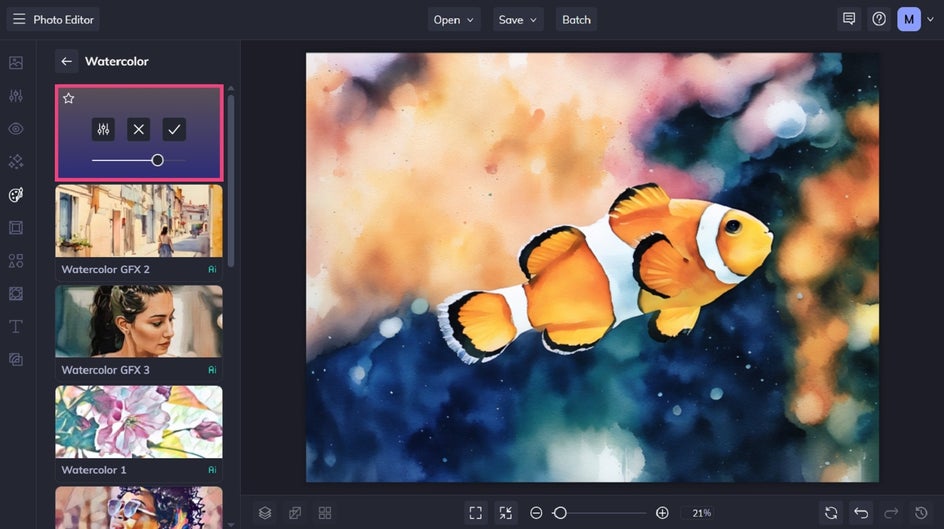
Pro Tip: Want to customize your watercolor effect further? Just select the Settings button. Here, you can adjust elements like fidelity and variation, or apply the effect to only selected parts of your image.
Step 2: Save and Send to Zazzle
Next, click Save at the top of the screen and choose Print Products.
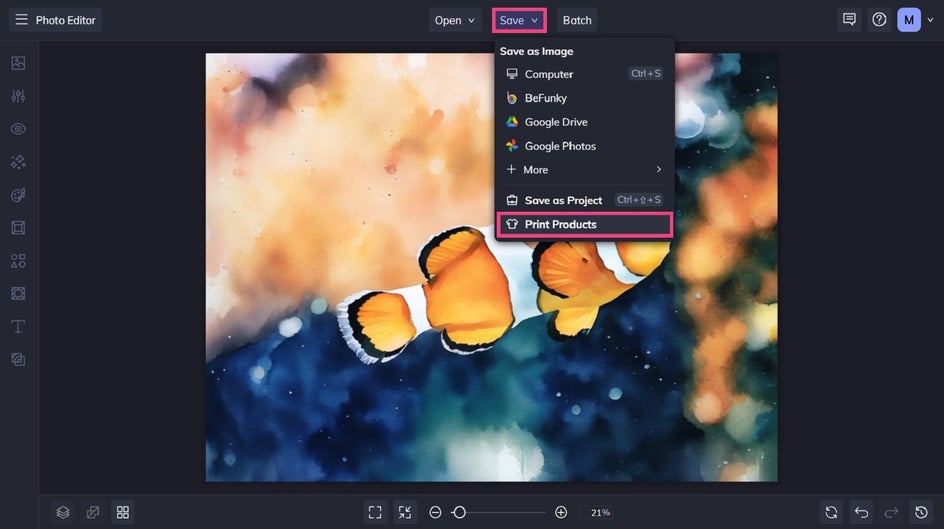
This direct integration lets you move straight from editing to ordering your canvas.
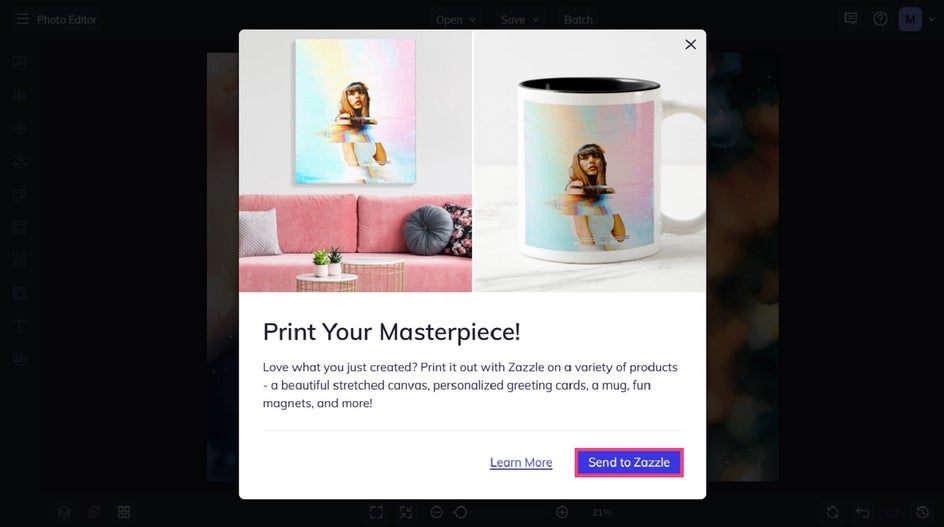
Hit Send to Zazzle to confirm your choice and to head directly to the Zazzle platform with your watercolor image already loaded.
Step 3: Finalize Your Canvas
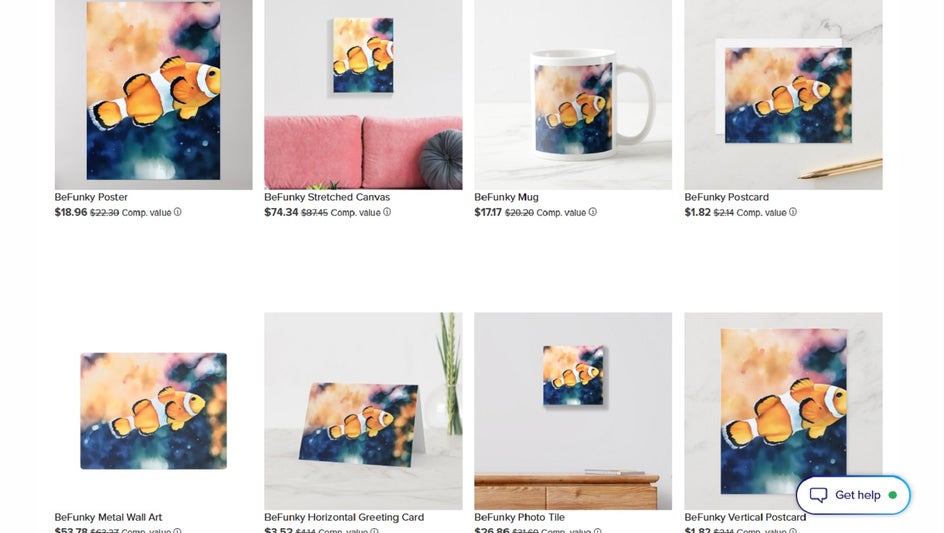
Once your image loads within Zazzle, you’ll notice there are plenty of product types to choose from. Select Stretched Canvas to begin ordering your watercolor canvas print.
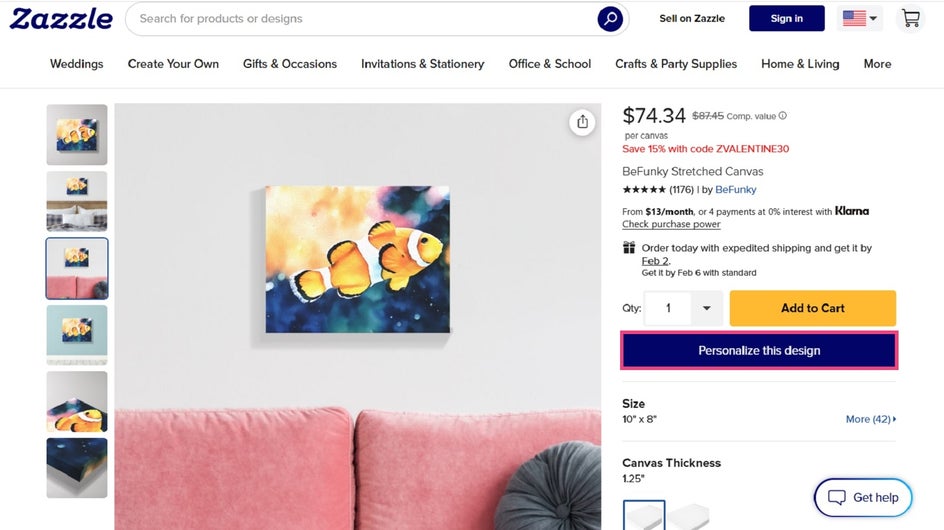
You’ll then see a larger preview of how your watercolor photo looks on your canvas. If you’d like to make any changes, click Personalize this Design.
Here, you can adjust the size and placement of the image until it fits the canvas perfectly. Use the Preview button in the upper right corner to double check how it looks.
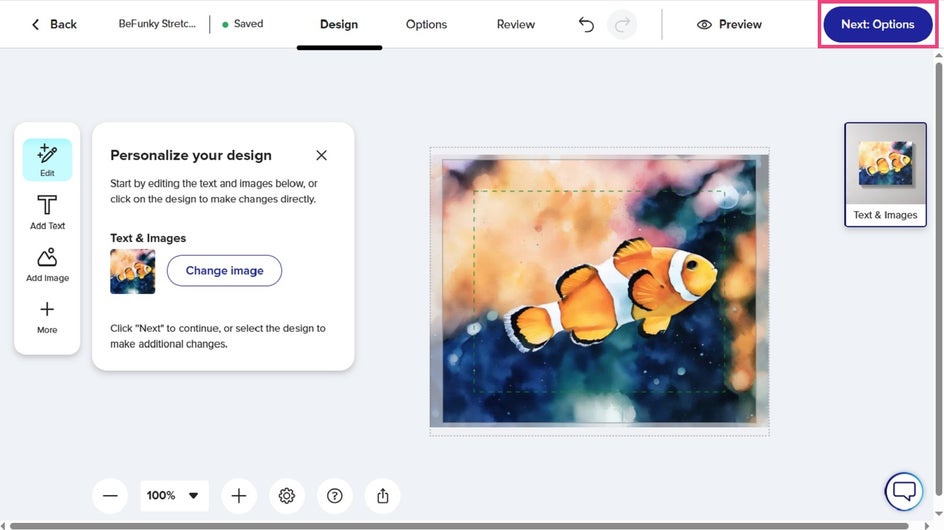
Next, review your options. Pick your canvas size and thickness, depending on how you’d like your watercolor canvas art to look and where you’d like to display it. Keep in mind that larger canvases work well as statement pieces, while smaller sizes are great for shelves or gifts.
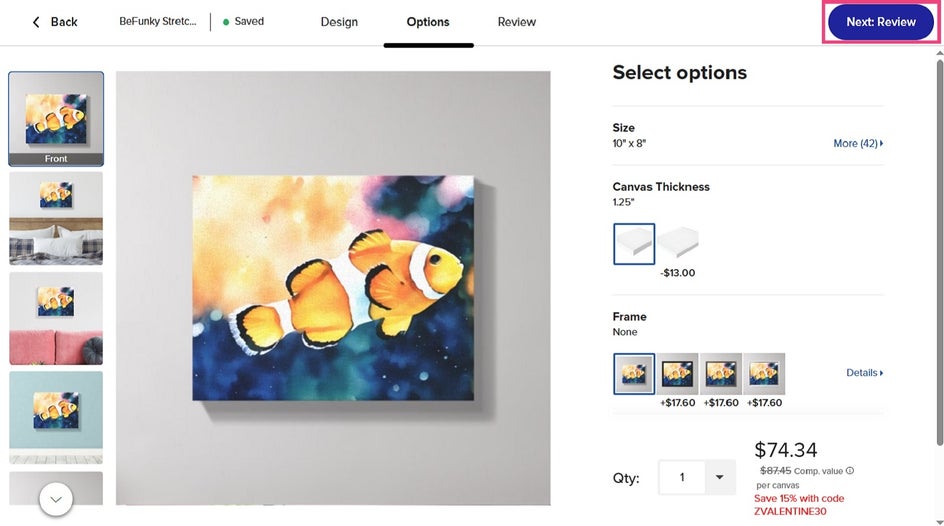
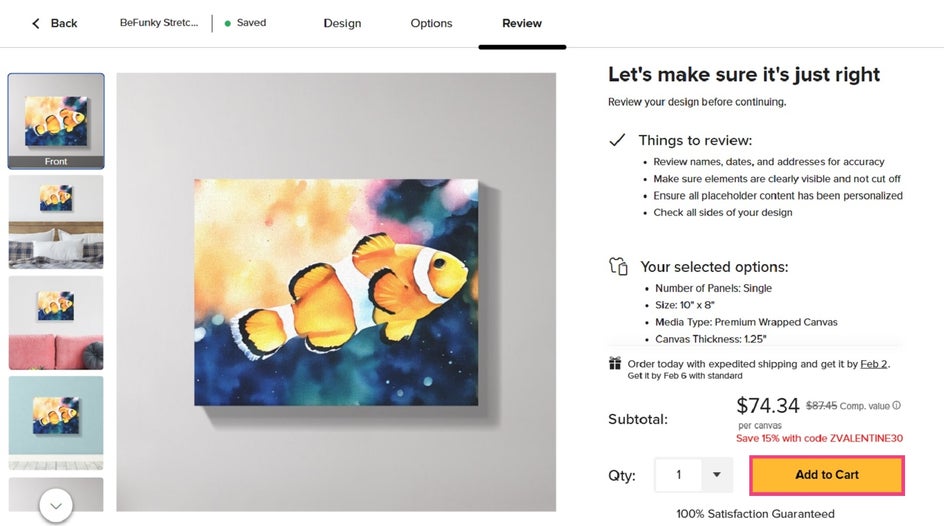
Then, all that’s left to do is to add the product to your cart and check out. Your watercolor photo will be printed on high-quality canvas and delivered directly to your door!
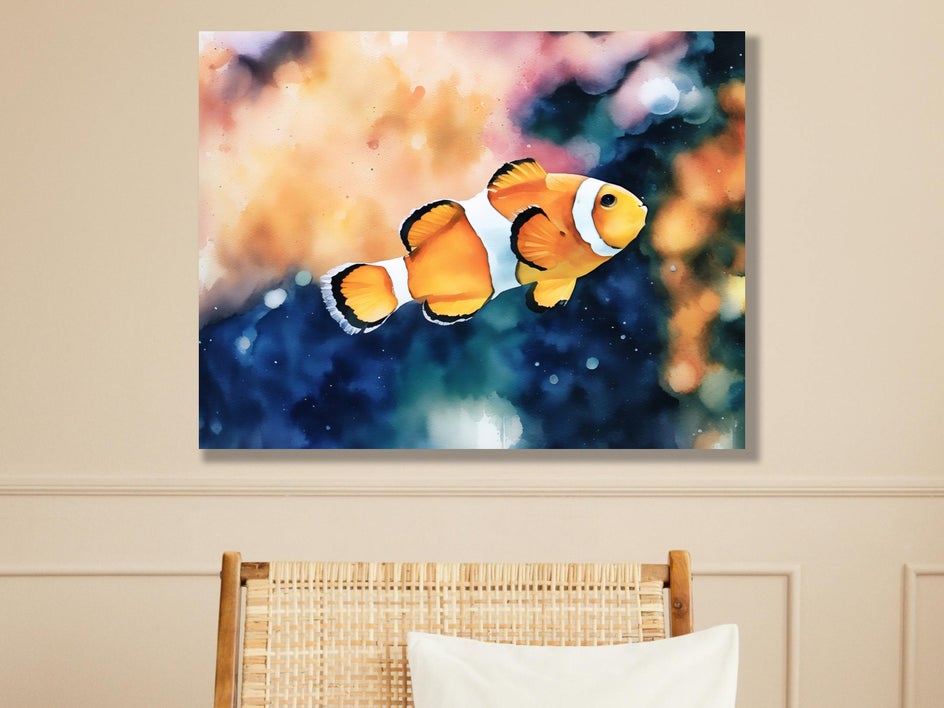
Here’s the final product – a stunning watercolor canvas print that looks like it was painted by hand. Your guests won’t believe you when you say it took just minutes to create this work of art!
Watercolor Canvas Print Inspiration
Watercolor canvas prints work beautifully across many types of photos. Here are a few more ideas to inspire your own.
Family Portraits
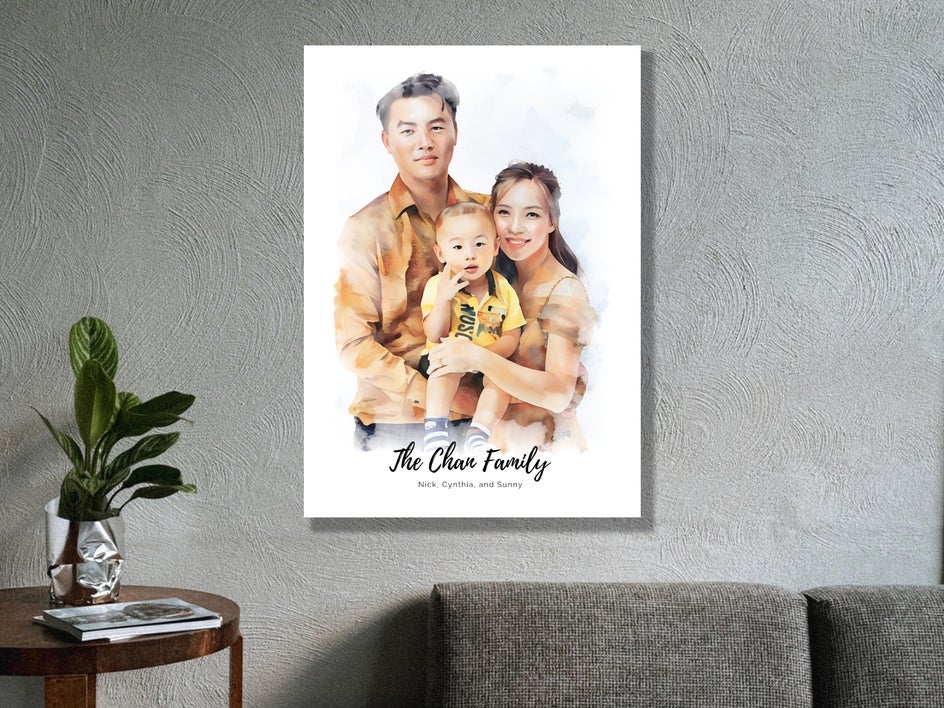
Give a favorite family photo an artistic look with a watercolor effect. The medium’s soft brushstrokes and subtle color blending help turn everyday snapshots into something truly unforgettable.
When printed on canvas, these portraits make easy, meaningful decor for your home or a thoughtful gift for loved ones. Family photos with neutral or coordinated outfits often create a more cohesive final look, but even casual images can feel elevated with a flattering watercolor effect.
In the example below, we used a Smart Template, located within the Graphic Designer, to create the perfect watercolor family portrait. Smart Templates allow you to simply swap in your own photo to achieve the same effect – no guesswork or additional photo editing required! Then, all we did was edit the placeholder text to make this design our own.
Landscape and Travel Photography
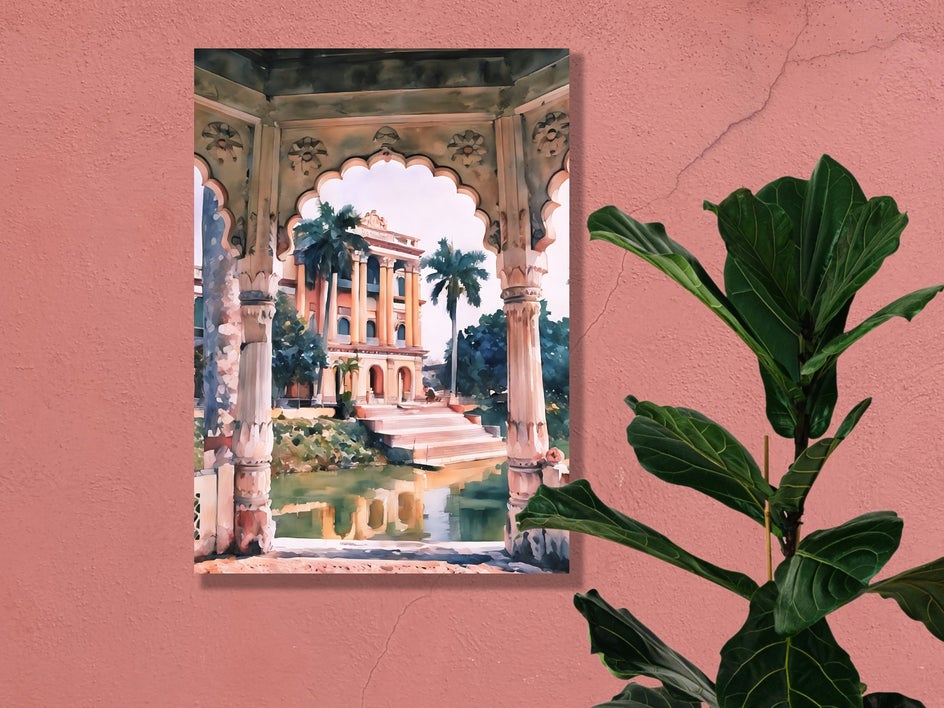
Landscape and travel photos pair beautifully with watercolor effects, as they add a relaxed and artistic feel to scenic shots. Images of mountains, coastlines, city skylines, or favorite vacation spots take on a softer look, with blended colors and light textures.
When printed on canvas, these watercolor landscapes feature even more depth and visual interest. Whether it’s a reminder of a favorite trip or a way to bring nature indoors, watercolor canvas prints turn your travel photos into wall art with a personal story behind it.
In the example below, we used the Watercolor GFX1 effect for a dreamy, painterly look. In a few clicks, we were able to turn an everyday travel photo into an extraordinary piece of art.
Pet Portraits
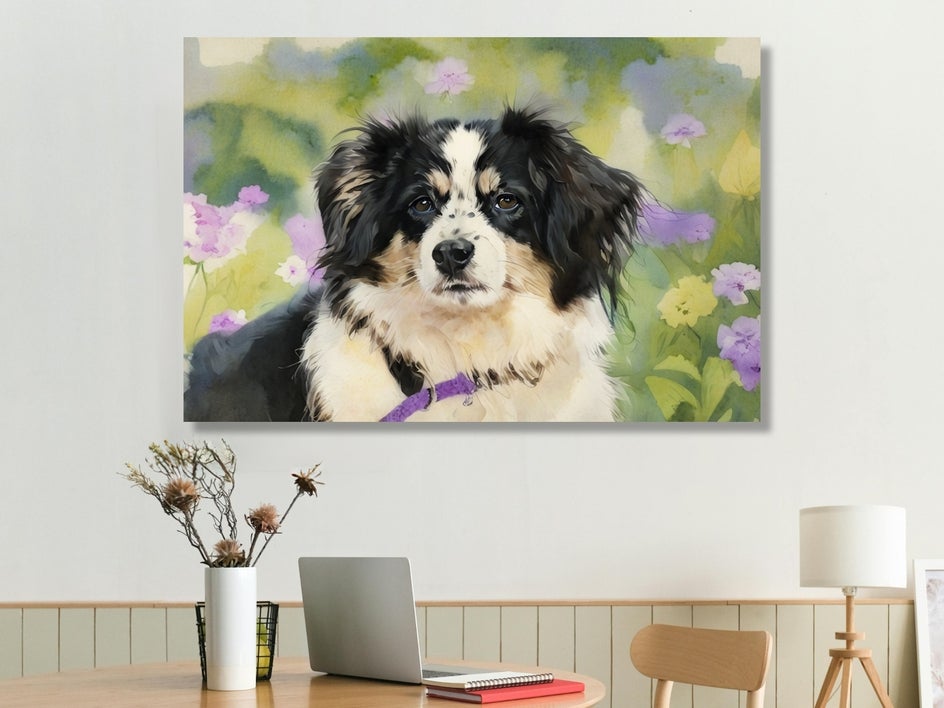
Watercolor pet portraits are a popular choice for canvas prints, and it’s easy to see why. Watercolor effects add a soft, hand-painted feel that works beautifully with an animal’s fur texture and playful expression. Whether you experiment with our wide range of Watercolor Artsy effects or opt for a Pet Portrait Smart Template that already has a watercolor style, the result feels unique to your own furry friend.
Close-up shots with good lighting tend to work best, especially when your pet’s face is clearly visible. When printed on canvas, these portraits make sweet keepsakes or thoughtful gifts for fellow pet lovers. It’s a simple way to turn a favorite photo into an artwork that captures your pet’s personality and charm.
In the example below, we applied Watercolor GFX3. Not only does it showcase this pup’s adorable features, but the effect also pairs wonderfully with the floral background.
We’ve got a handy tutorial for easily turning your pet portraits into art.
Create and Print Watercolor Canvas Art With BeFunky
Turning photos into watercolor canvas prints doesn’t have to be complicated. With BeFunky, you can edit, preview, and print your artwork all in the one place.
Explore the Watercolor effects in the Photo Editor, transform your photos into painterly art, and bring them to life as canvas prints. It’s an easy way to create something that will be displayed and cherished for years to come!