








Our Favorite Creative Baby Shower Ideas + the Perfect Invites for Each

Planning a baby shower is about celebrating a growing family and creating lasting memories with loved ones. One of the first details guests will see is the invitation, making it the perfect opportunity to introduce your shower's theme and set the tone for the celebration.
Whether you're planning a cozy brunch, an outdoor picnic, or a modern minimalist gathering, the right invitation helps bring your vision to life.
With BeFunky's professionally designed baby shower invitation templates, you can create your own in just a few clicks. Within our Graphic Designer, you'll also find matching templates for thank you cards and birth announcements to complete the journey.
In this article, we’ll not only show you how you can quickly and easily edit one of our baby shower invite templates to make it your own, but we’ll also reveal three of our favorite shower themes – as well as the perfect invite templates to go with them.
How to Create a Baby Shower Invitation
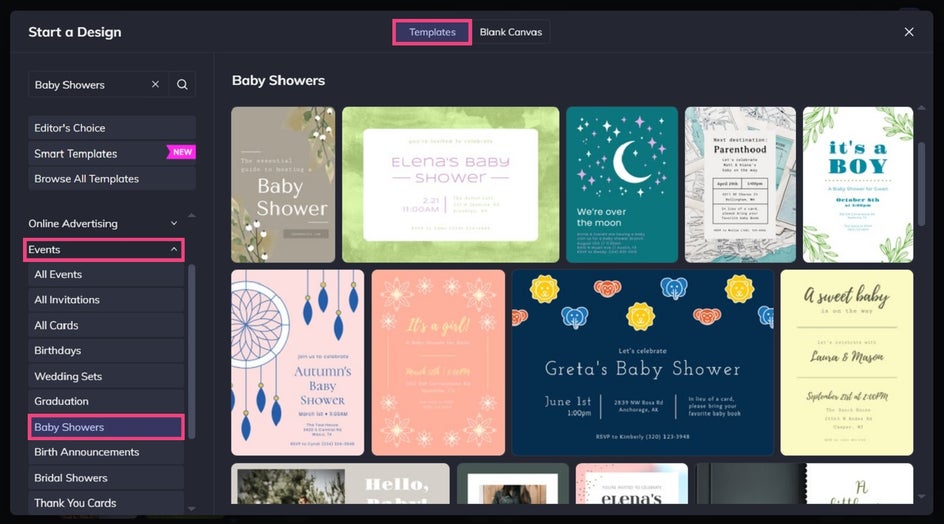
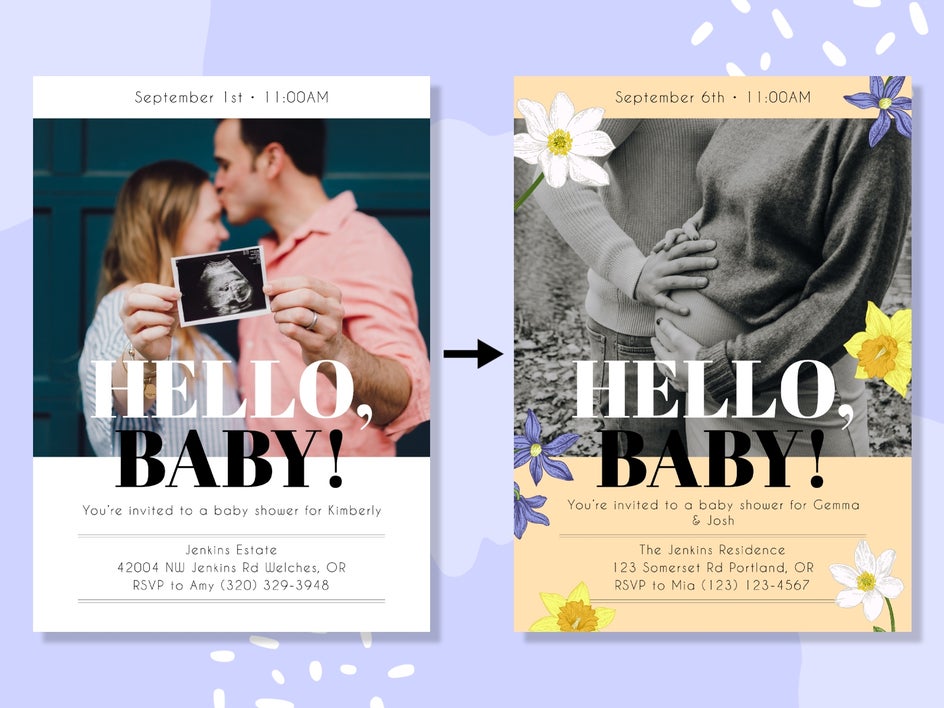
Ready to transform one of our templates for your upcoming event? Head directly to the baby shower invites within the Graphic Designer, then select a design to get started!
Step 1: Add Your Photo (Optional)
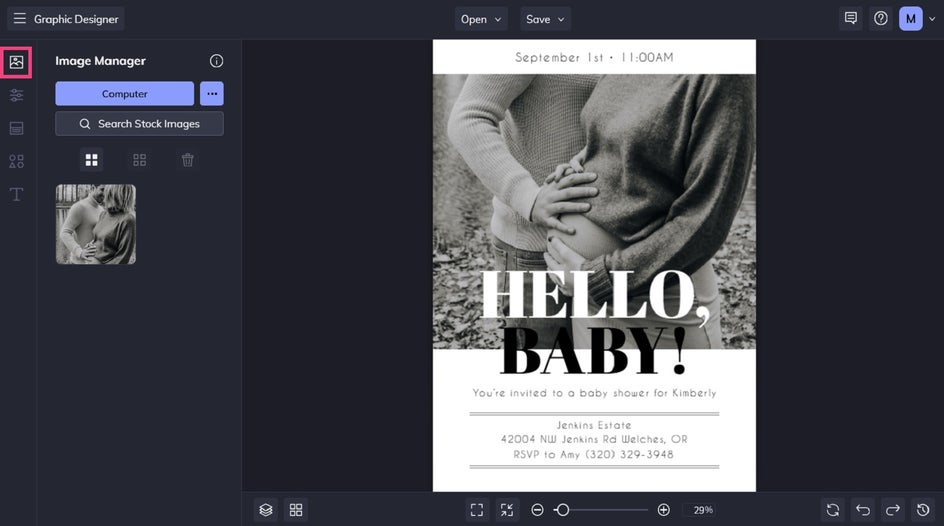
If your template features a photo, then the first thing you’ll need to do is to change this existing photo (or photos) to one that features the mom-to-be or couple being celebrated.
To do this, navigate to the Image Manager in the main menu on the left, then upload your own file. Simply drag and drop your new image onto the existing image to replace it.
Step 2: Edit the Text
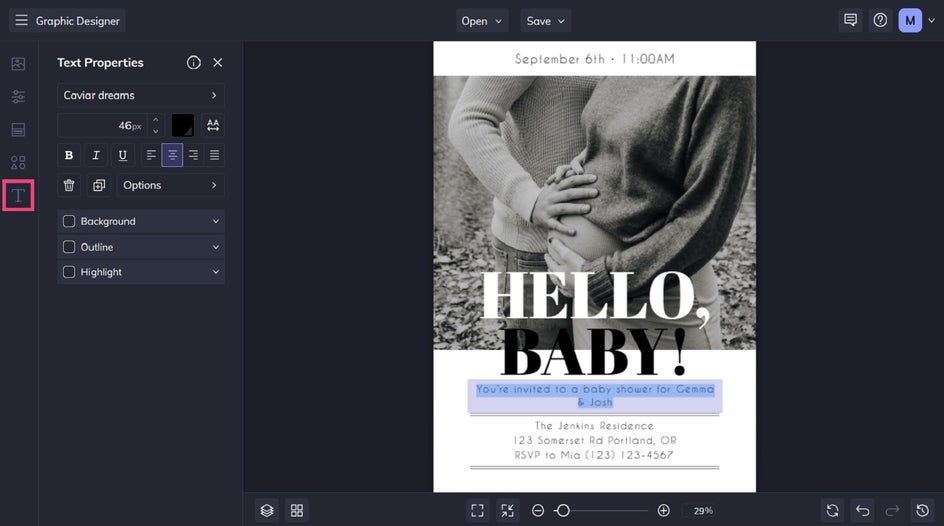
You’ll then want to edit your baby shower invite’s existing text to include your own event’s details. Double-click any text box you wish to change, and you can simply type what you want it to say.
From the Text Properties panel which appears when you click on a text box, you can also adjust things such as the font, text size, text color, spacing, and more.
Step 3: Customize the Template
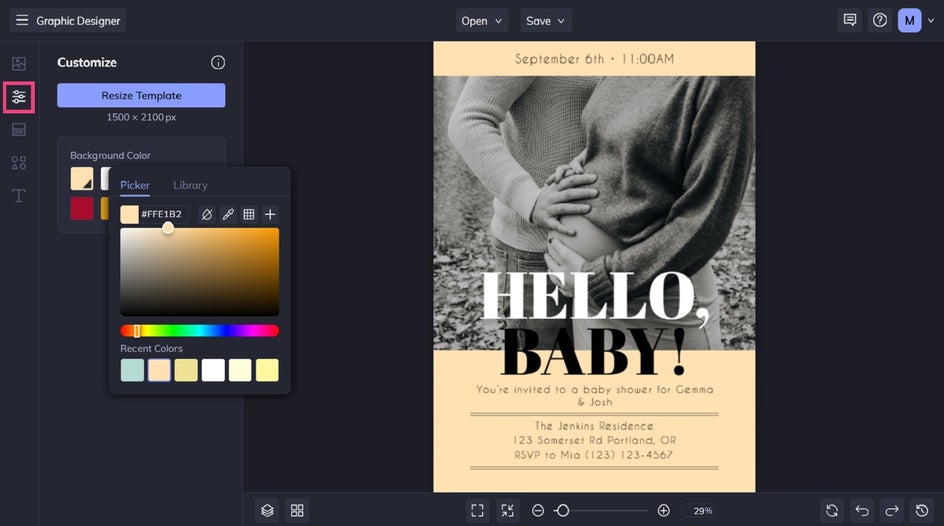
Want to change the background color of your baby shower invite design? Navigate to Customize in the main menu, then select a new shade from the color swatches. Clicking the first swatch will open the Color Picker, from which you can choose any color you want.
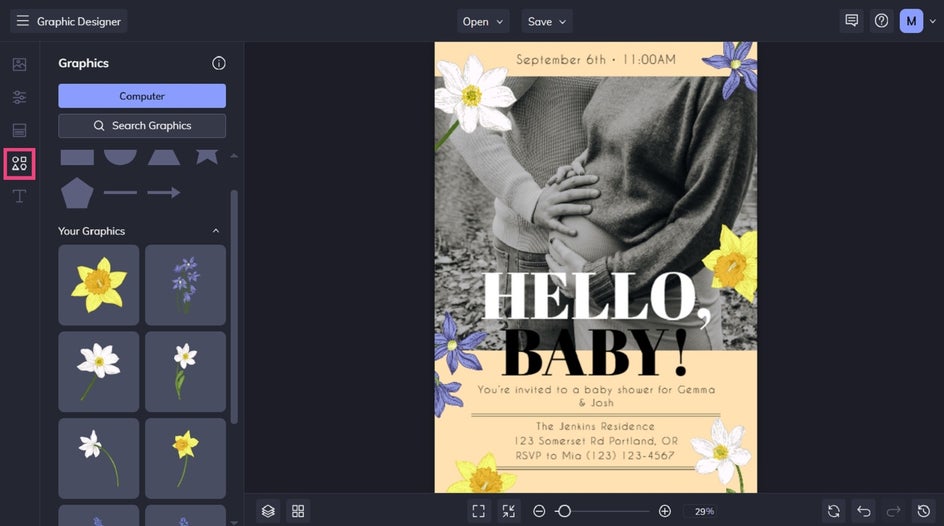
You can also add graphics to your baby shower invite by clicking on Graphics in the main menu on the left. There are basic shapes to choose from, or click Search Graphics to access our huge library of clip art, symbols, illustrations, and more.
Once selected, drag and drop the new graphics onto your design and reposition or resize as needed.
Step 4: Save Your Custom Baby Shower Invite
Once you’ve finished designing your DIY baby shower invitation, all that’s left to do is to save it. Click Save at the top of the screen, then choose your save location and format.
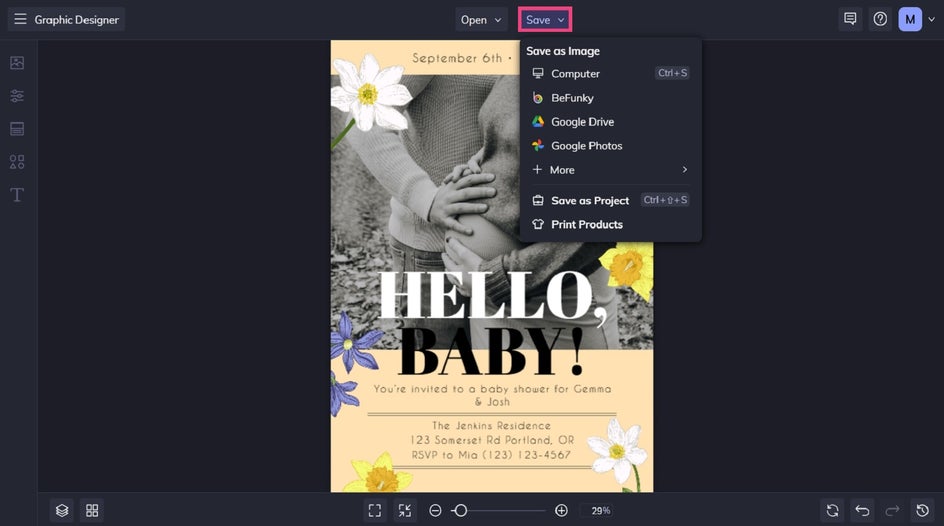
If choosing to print your invite, we recommend saving it as a PDF file in Print Quality. If sharing digitally, saving your design as a JPG file will suffice.
Baby Shower Theme Inspiration
Need help deciding on a theme? These non-traditional baby shower ideas pair beautifully with BeFunky's invitation templates and offer plenty of opportunities to personalize your celebration.
Celestial Baby Shower
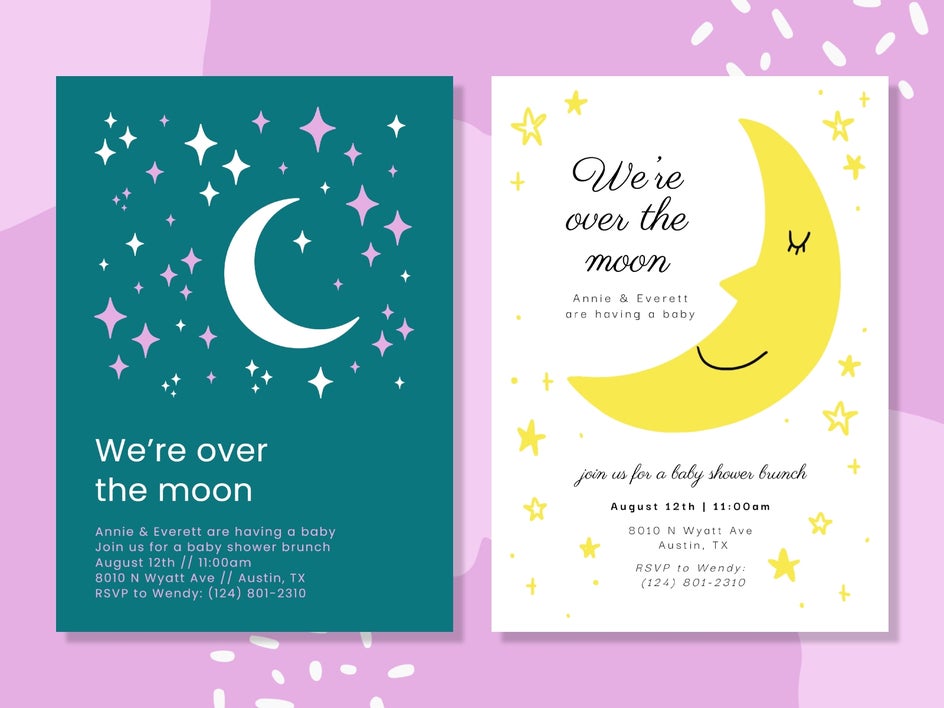
Twinkling stars, moons, and dreamy night skies create a magical theme that's suitable for any season.
Choose deep navy, soft gold, or muted lavender color palettes and enhance your invitation with constellation graphics, sparkling accents, or subtle gradient backgrounds. The result is a baby shower invitation that's both whimsical and timeless!
For an extra-special touch, carry the celestial theme into matching thank you cards and birth announcements, so every piece of stationery feels perfectly coordinated.
A Little Adventure Awaits
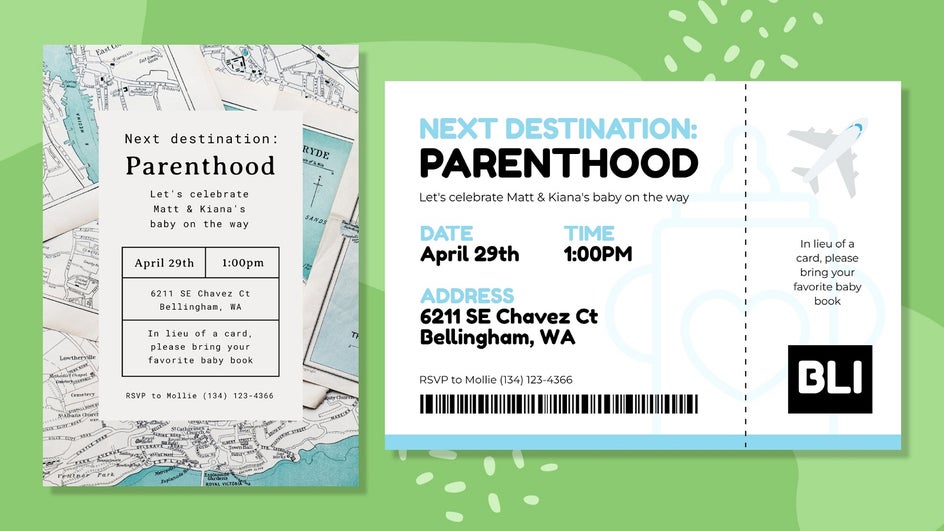
Why not celebrate the family's next adventure with a travel or nature-inspired baby shower? Think mountains, forests, hot air balloons, woodland animals, or vintage maps.
Customize your invitation using earthy colors, textured backgrounds, and travel related symbols to create an adventurous feel.
This theme works especially well for outdoor gatherings, picnic-style celebrations, or parents who love hiking, camping, or traveling together.
Modern Minimalist
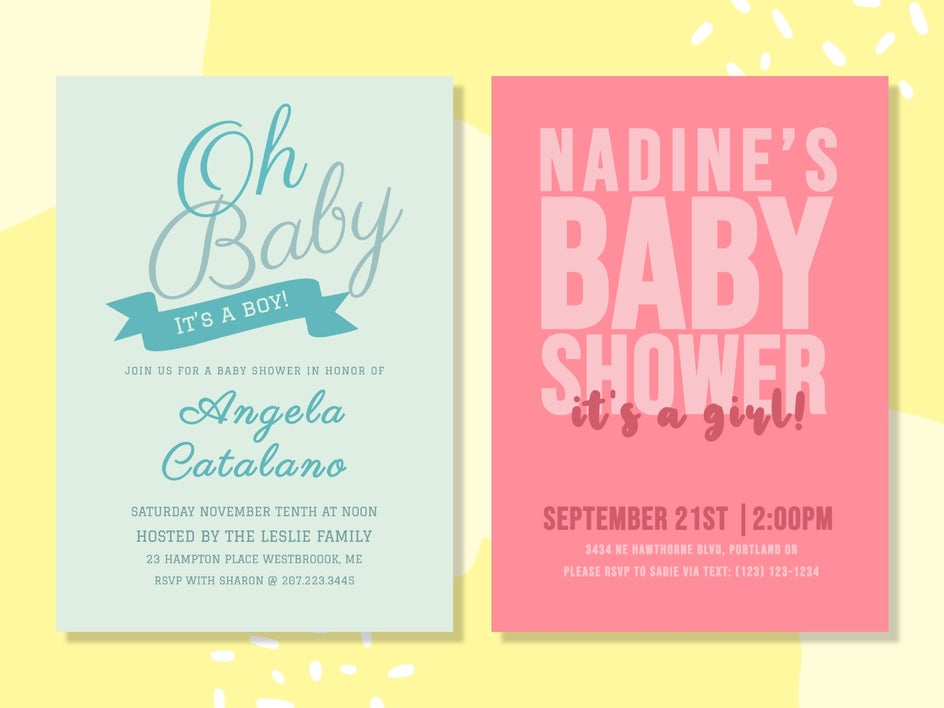
Sometimes less really is more. A minimalist baby shower theme focuses on clean typography, neutral colors, and simple layouts that let your event details shine.
Customize your template with elegant fonts and plenty of white space for a contemporary look.
To make the design feel more personal, add a subtle photo, monogram, or single accent color that ties into your shower décor while keeping the overall aesthetic clean and refined.
Create Bespoke Baby Shower Invitations in Minutes
Designing a custom invitation is easier than you might think. Simply choose a template that matches your theme, personalize it, and you're ready to send it digitally or print it at home.
Ready to start designing? Browse our customizable baby shower invitation templates to find a style that matches your celebration!