









Design Pet Portraits in Seconds With Smart Templates

If you’ve ever wanted to show off your furry friend in a creative way or DIY a gift for the animal lover in your life, look no further than printable pet portraits. Pet portraits combine graphic design with Artsy effects to create personalized canvas art that looks hand-painted. With the Graphic Designer, the process was always simple – but now, it’s even easier thanks to Smart Templates.
With Smart Templates, there’s no need to create a pet portrait design from scratch. Save time by simply dragging and dropping a photo of your pet onto the canvas and letting the algorithm apply all the necessary effects. With this method, you can create a stunning pet portrait in seconds, then use our Zazzle integration to order your design as a canvas print, T-shirt, coaster, or other product. Don’t worry about trying to figure out the best layout or color scheme – Smart Templates let you preview exactly what your final pet portrait will look like from art style to background color to font.
With Smart Template pet portraits, affordable custom pet art is just a click away. Here’s how easy it is to use these templates to create your own personalized pet portrait in the Graphic Designer.
How to Create & Print a Pet Portrait With Smart Templates
To begin, open up the Pet Portrait category of the Graphic Designer. The preview images tell you exactly what the final pet portrait results will look like, so choose a template that matches your personal style. Note that you have the option to change colors later if needed.
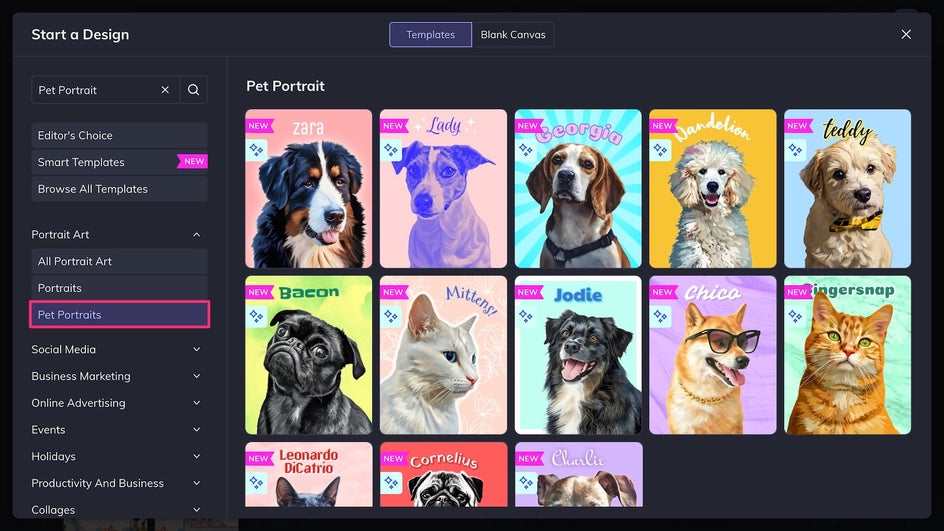
Step 1: Add Your Pet Photo
Click the placeholder image to replace it with your favorite pet photo, or drag and drop it from your computer onto the canvas. For the best results, choose a well-lit, close-up portrait.
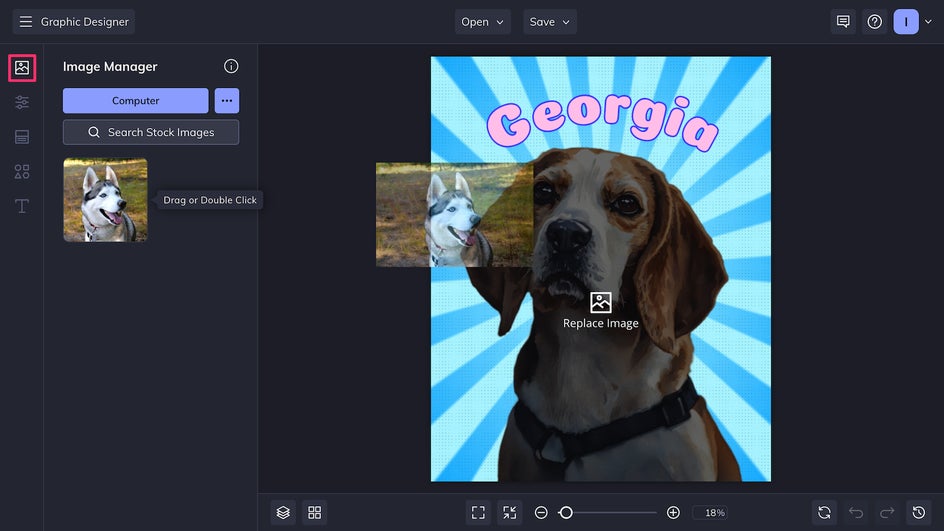
Once you’ve uploaded an image, the Smart Template will analyze it instantly, and the Background Remover and Artsy effect will be automatically applied to create a stunning pet portrait. Click on your newly Artsy-fied photo to resize and reposition it as needed.
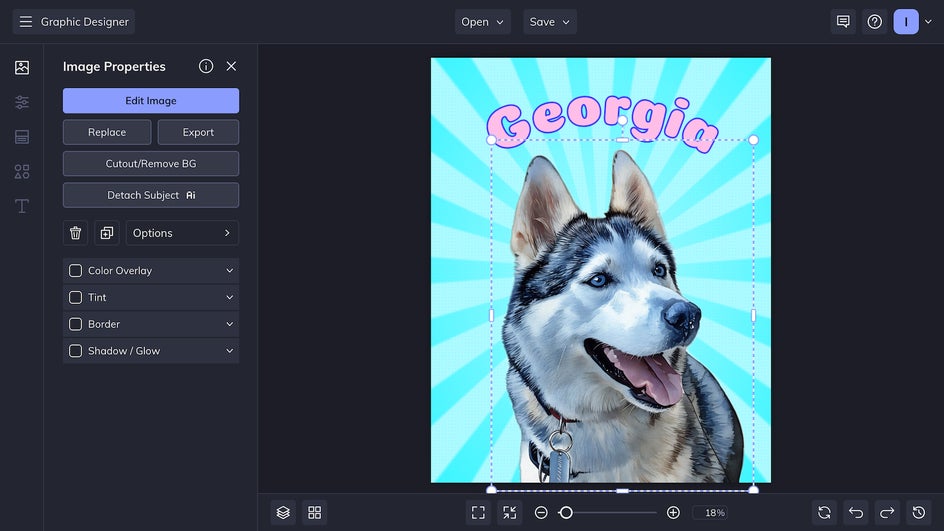
Step 2: Customize the Design
Click on the text to customize it with your pet’s name. There’s the option to change the text color, typeface and style, as well as the canvas background color. But for a one-click design that makes full use of the Smart Template’s convenience, you can simply replace the name and leave everything else as is!
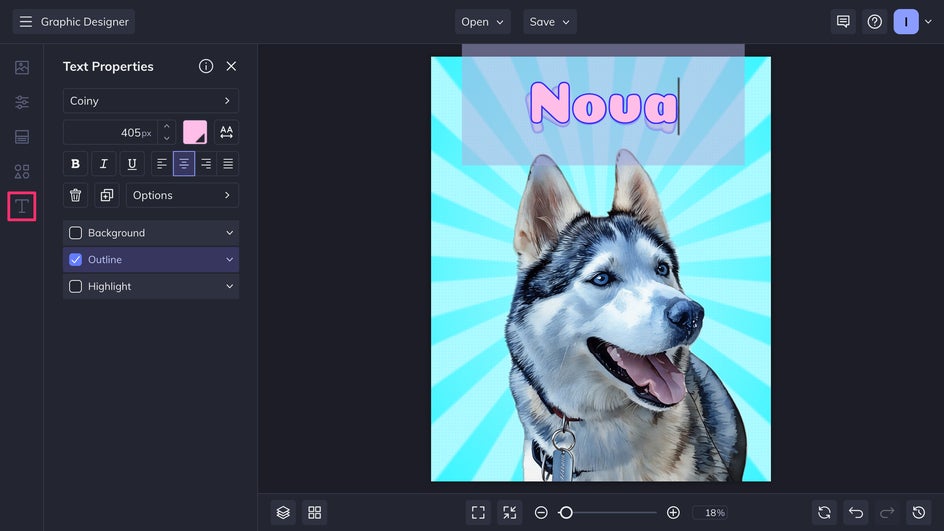
Step 3: Save and Share Your New Pet Portrait
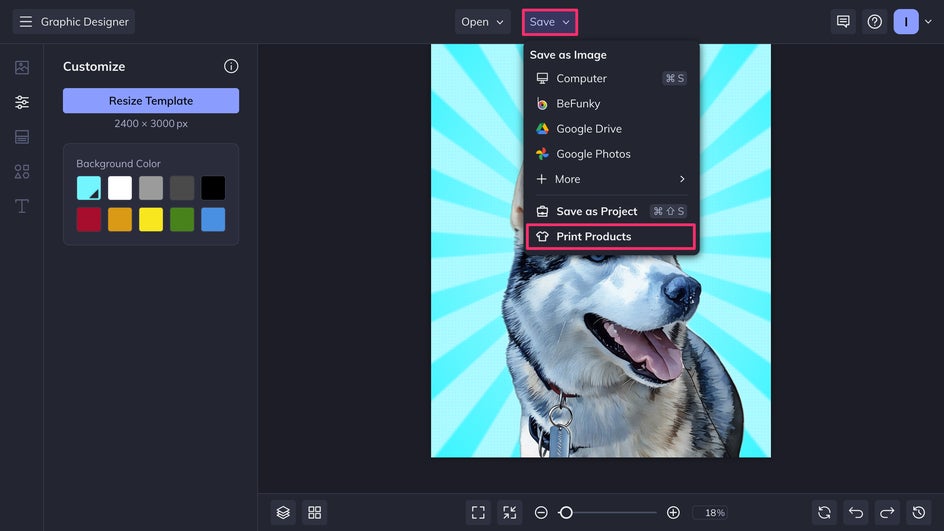
Our design is now complete! To print your pet portrait directly from the Designer, click Save > Print as Product.
On the Zazzle website, choose between a canvas print or high-quality poster, and customize the material and frame.
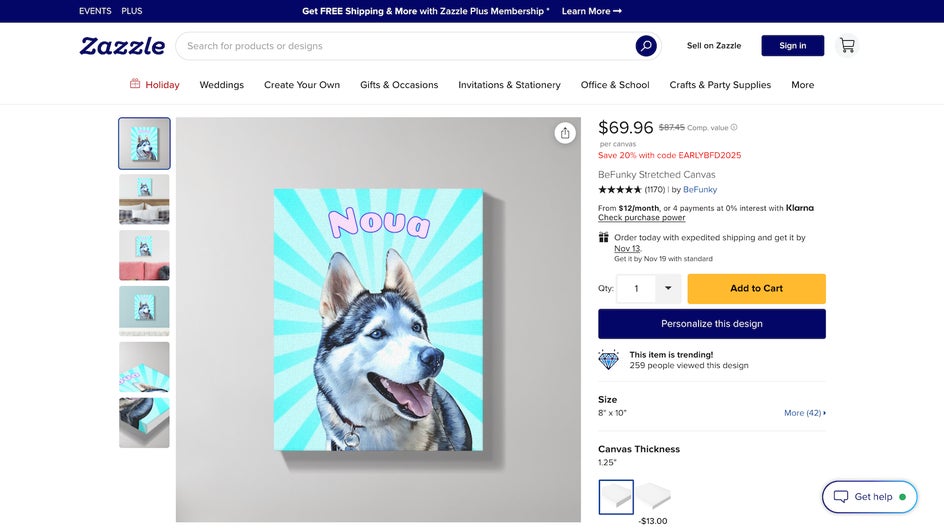
Simply add to cart, place the order, and you’re done! Whatever your budget or decor style, turning your finished pet portrait into beautiful wall art is a breeze with the Graphic Designer.

The fun doesn’t need to stop at wall decor – with Zazzle, pet portraits can also be printed on mugs, coasters, T-shirts, and more. These make for great DIY gifts for birthdays and around the holidays!
Creative Ideas For Your Next Pet Portrait
Smart Templates let you skip several steps of editing and design work, leaving more time to get creative. Here are some simple elements that can be added in just one or two clicks to any smart pet portrait to make it even more eye-catching.
Add Personality With Graphics
After adding your pet photo to the Smart Template, arrange some vector graphics from the Graphics Library onto the background. This method is perfect for a mixed media pop art look or vintage scrapbook aesthetic.
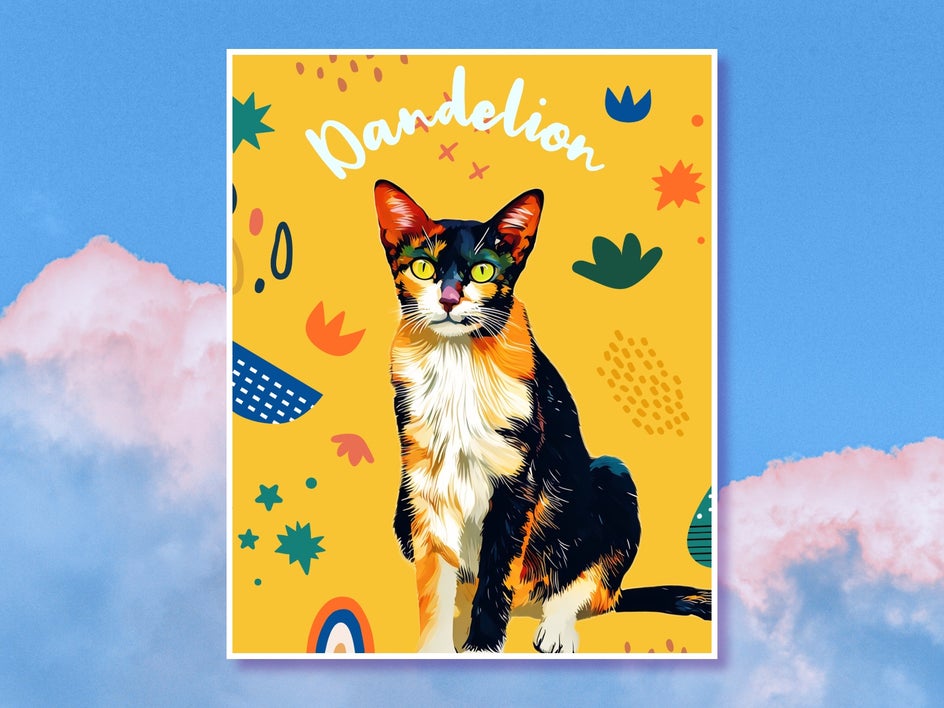
Set the Scene With a New Background
For a portrait with added depth and complexity, choose a scenic photo from the Stock Image Library or select one you took yourself. Resize it and drag it behind your pet photo using the Layers function and voila, you have a beautiful picturesque background. To create an even more cohesive look, use the in-platform Photo Editor to apply a Watercolor or Oil Painting effect to the photo.

Enhance With Gradient Overlays
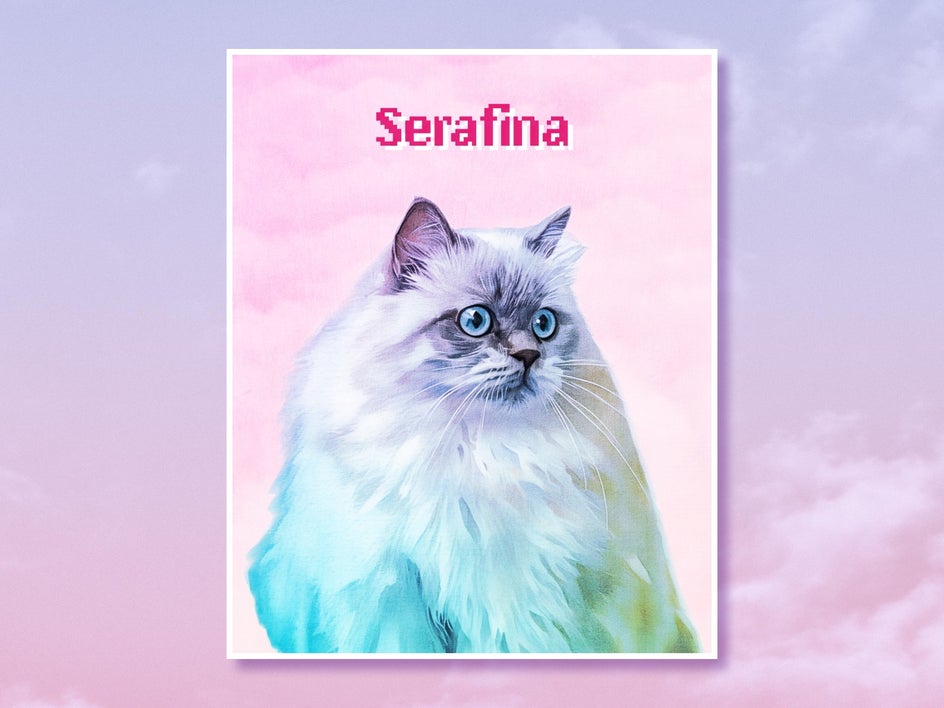
Want to add just a touch of additional color and visual interest to your pet portrait? Use the Stock Image Library to search for a colorful gradient or use the Vignette tool to make one yourself. Add it to your pet portrait and then change the blend mode to Overlay to create effortless color and texture.
Create Pet Portraits Instantly With Smart Templates
With Smart Templates, it’s never been easier to celebrate the animals in your life. Creating a custom, hand-drawn pet portrait takes just seconds from start to finish, and printing can be done right from the comfort of your home. Whether you want to add some personal art to your walls, create a heartwarming greeting card, or gift a custom sweater to a friend, it’s the perfect time-saving tool. Take the guesswork out of graphic design and try our Smart Template today!




