









Learn How to Create a Pop Art Collage With BeFunky

Whether you’re searching for a retro gift for a friend, documenting vintage art and objects, or simply trying to add unique color and style to your home, pop art collages have got you covered. These unique mixed media collages, inspired by the revolutionary pop art movement of the mid-20th century, are perfect for wall art, greeting cards, scrapbooks, and more. If you’re not sure where to start, don’t worry: Thanks to the combined power of the Collage Maker and BeFunky’s one-click Pop Art effects, it’s never been easier to create a custom pop art collage right from your browser.
What Is a Pop Art Collage?
A pop art collage is a vibrant artwork that combines images, text, and found objects to create a bold, eye-catching composition. Traditionally, pop art draws from popular culture like product packaging and comic books, but you can also include your own photos and mementos for a personal touch. Visually, pop art collages are marked by saturated colors, strong silhouettes, and mixed materials.
In the past, pop art collages were made with physical elements like drawings and magazine cuttings. The Collage Maker simplifies things by allowing you to make a pop art collage digitally.
Why Make a Pop Art Collage?
Beyond using them as a creative outlet, there are a few practical reasons why you might want to design a pop art collage:
- Personalize gifts and decor: Create a lasting memory by turning pet portraits or family photos into Warhol-style wall art.
- Create attention‑grabbing posters or social graphics: Not only do pop art collages look great as large-scale prints, the bold colors and textures also stand out on any feed.
- Mix multiple styles in one layout: Have a bunch of elements with different aesthetics? Combine unedited photos, Pop Art effects, printed media, and other tools for a dynamic, mixed‑media look. This is a great way to create a digital scrapbook or unique poster design!
How to Turn Photos Into a Pop Art Collage
With Pop Art effects, creating a pop art collage online is as simple as a few clicks. First, open up the Collage Maker and pick a collage layout that speaks to you.
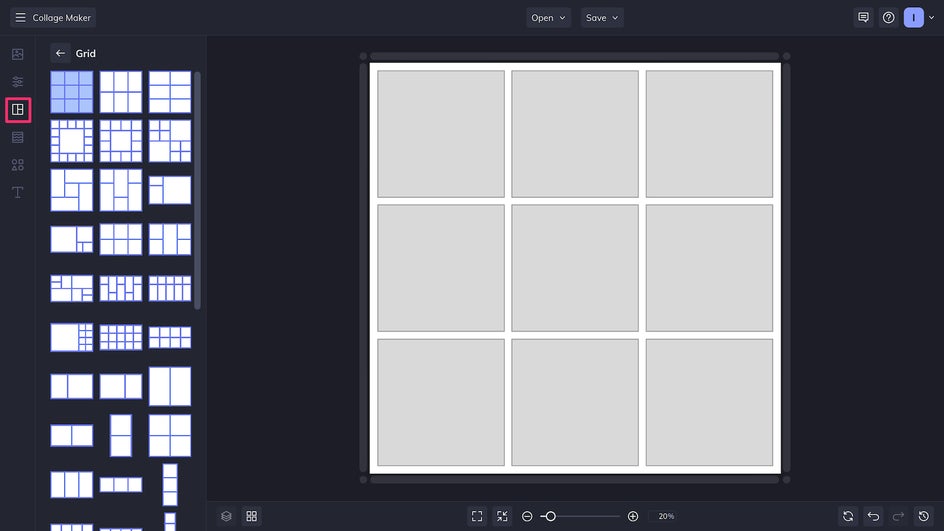
Step 1: Add Your Photos
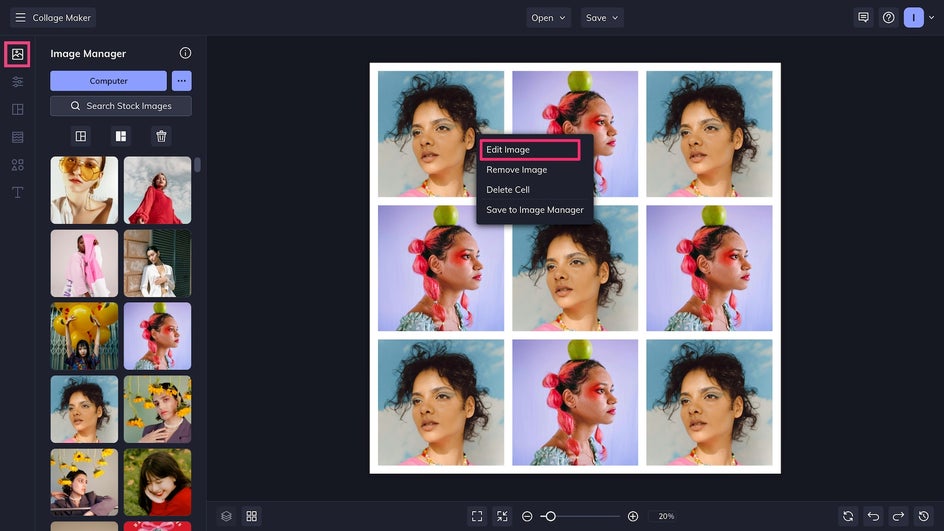
Upload your photos to the Image Manager. Drag and drop photos into cells to add them to the canvas, and drag and drop to rearrange if needed. One of the visual hallmarks of pop art is repetition, so here we’re going to use the same two photos in alternating cells.
Once the collage is arranged, click on any photo and select Edit Image > Open Image in Editor to access BeFunky’s full suite of photo editing tools right from the Collage Maker.
Step 2: Apply a Pop Art Effect
The Editor offers everything from classic editing to AI tools to instant photo-to-art filters. You’ll find the Pop Art category in the Effects tab.
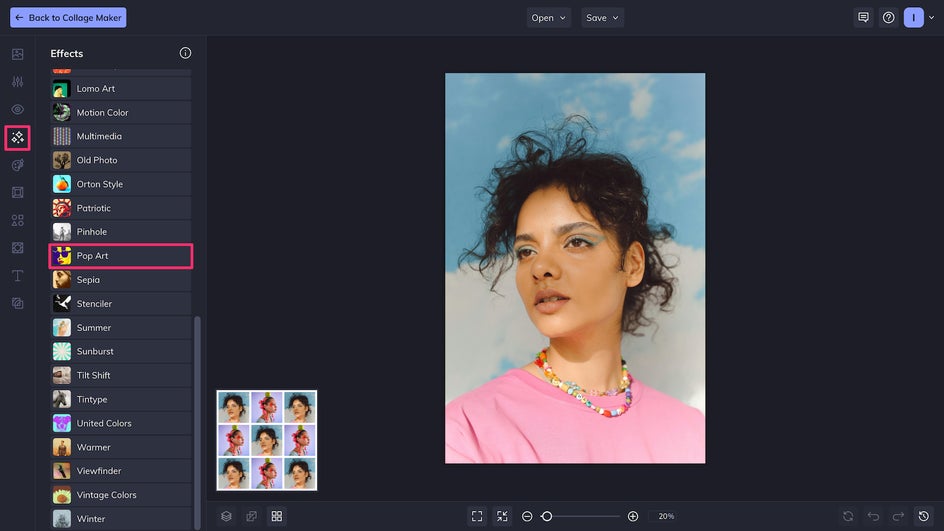
There are over a dozen Pop Art effects to choose from, each replicating a different iconic style. Effects can be applied in one click, but many also have customization options so that you can tailor the results to your taste. Once you’ve applied the effect, click Back to the Collage Maker to return to your design.
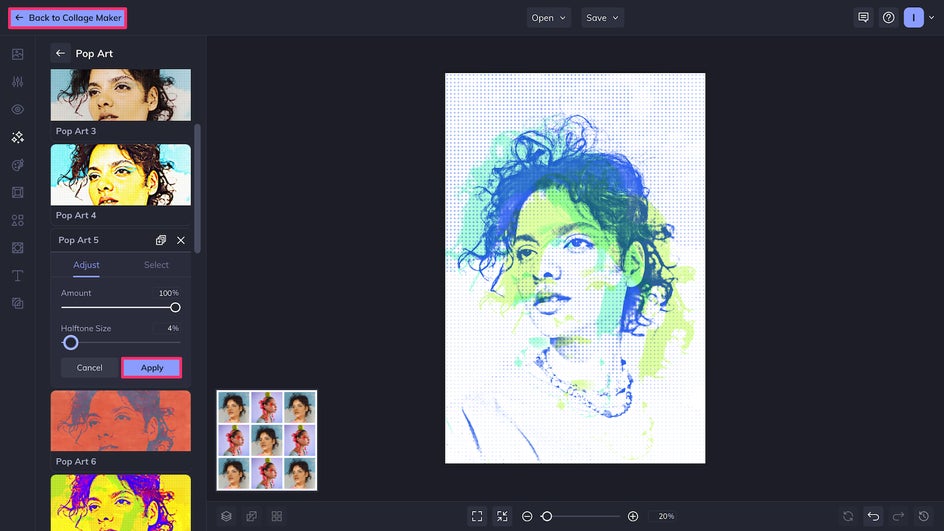
Repeat the process for the remaining photos in your collage. Mix and match a variety of pop art styles for the most effective result!
Step 3: Layer Text and Graphics
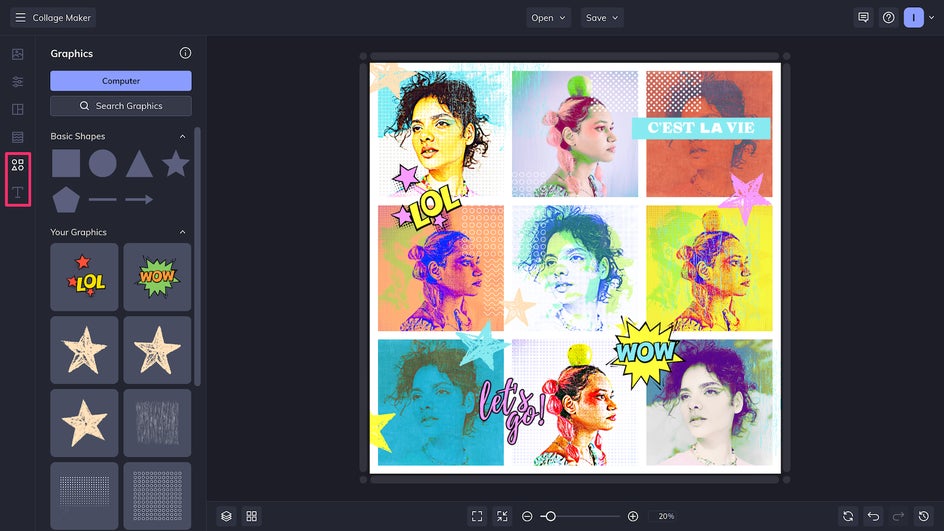
Once your photos have been edited, it’s time to add text and graphics for a true mixed media aesthetic. The Collage Maker includes thousands of hand-drawn vector graphics that you can layer on top of your pop art collage – use textured graphics for the most authentic look, or you can texture them yourself. Use the Text Editor to add text in bold fonts – use mismatched typefaces to mimic old-school collages!
Step 4: Save Your Pop Art Collage
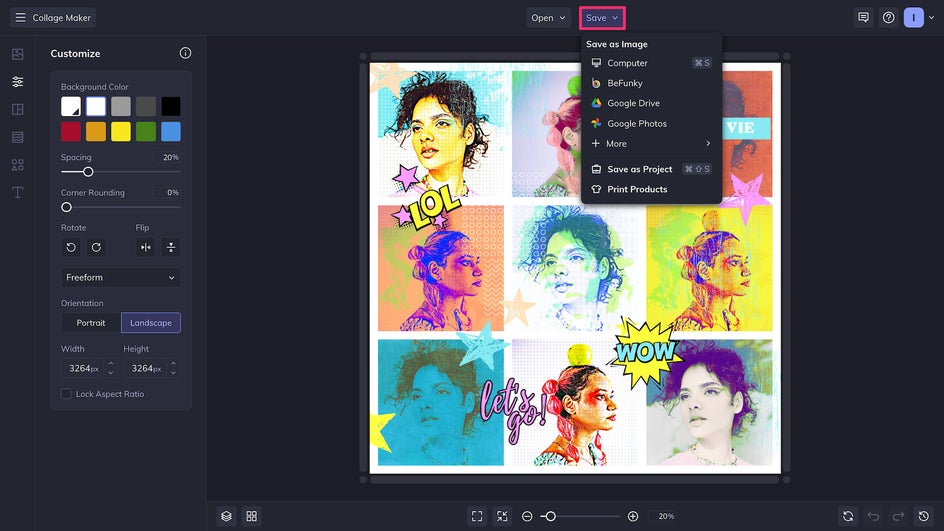
Believe it or not, we’re almost done! Simply click Save at the top of the canvas to export your new pop art collage. Save as a print-quality PDF if you plan to print and frame this piece as wall art – or send it to Zazzle to have it professionally printed and sent to your door. For digital use, save as a high-quality PNG for the best results.
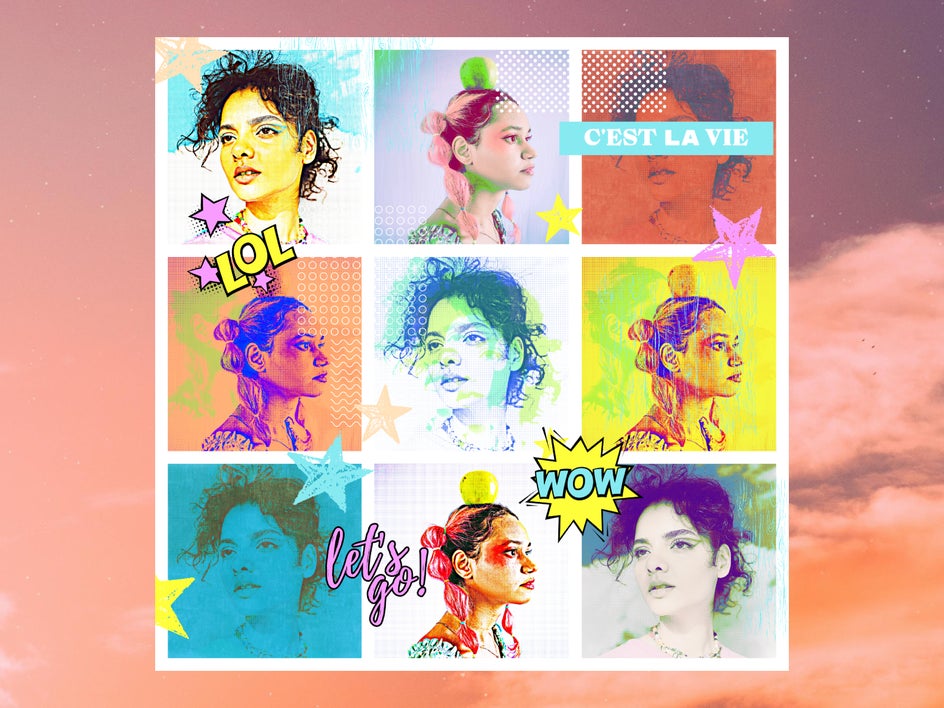
Here’s our finished collage, ready for sharing on social, printing on canvas, and more!
Pop Art Collage Inspiration
Collage is a super versatile medium, and pop art collages can be made in a variety of different ways. Try combining different Pop Art effects with other BeFunky tools for unique results, and don’t forget to try out pop art Artsy effects like Pop Comic GFX and Pop Vector GFX!
Comic Book Card
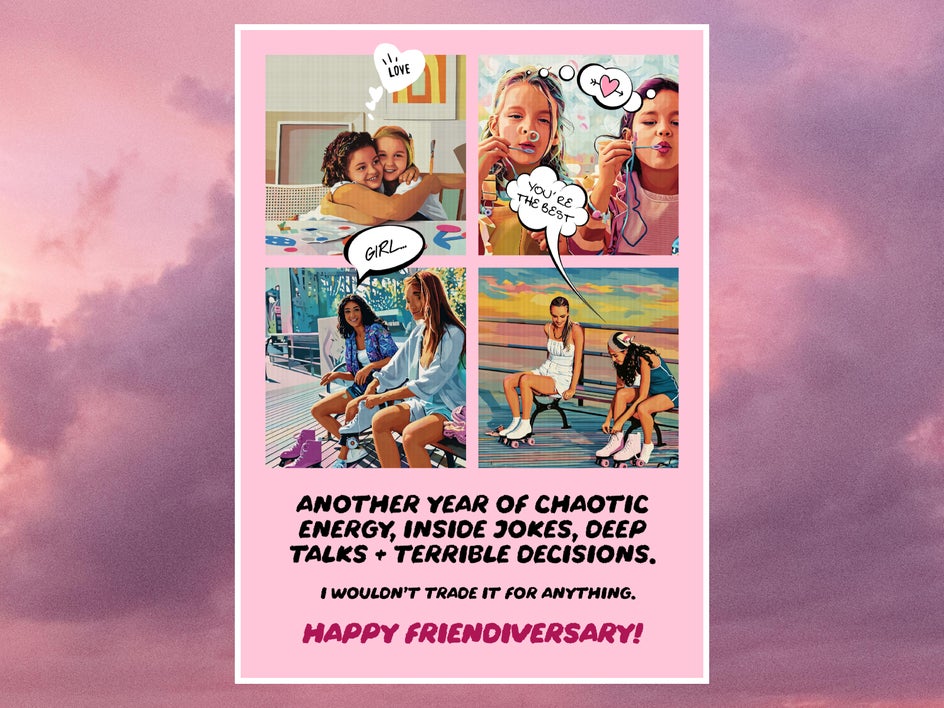
Looking to make a fun handmade greeting card? Open the Card Maker and choose a collage-style template. Replace the placeholder photos with your own, apply Vector Pop GFX in the Artsy tab, then add graphic speech bubbles to mimic the look of a contemporary, colorful comic book page. For more texture, try layering Halftone Duotone.
Pet Art Collage
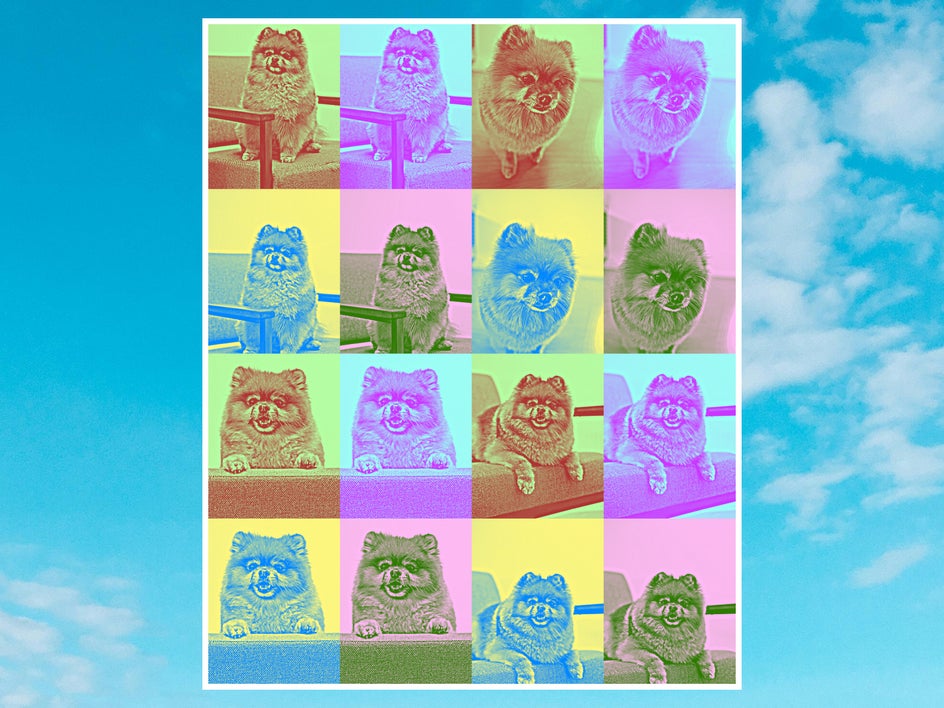
Start with a grid collage layout and drop in your pet’s best close‑up(s). Apply a 2x2 panel Pop Art effect like Pop Art 12 to each cell to create an iconic large-scale pet collage. Print it big on glossy paper for maximum impact!
Social Media Collage
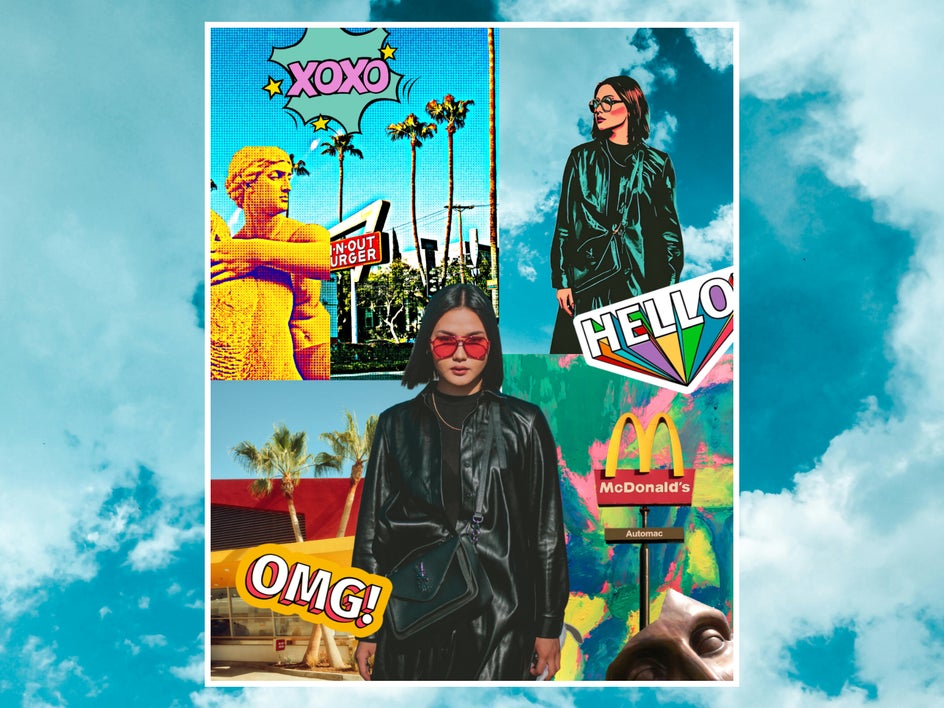
Create a layered pop art collage by starting with a blank canvas in the Graphic Designer and using the Cutout tool. Mix different Pop Art effects with plenty of graphics as well as other effects like Sketcher GFX. This is a surefire way to create an attention-grabbing social media graphic – and a great method for creating pop art posters, too.
Start Creating Your Own Pop Art Collage!
If you’re a fan of bright colors and bold style, a pop art collage is the perfect design project for you. Pop Art effects make the process a breeze whether you’re creating a handmade gift, putting together a scrapbook, or designing a print for your own space. Get started on your own pop art collage today in the Collage Maker!




