Design and Print Your Own Cartoon Greeting Cards Online

Before the launch of BeFunky’s Cartoonizer, there was no way to create a cartoon portrait without the help of a professional artist. The Cartoonizer made it possible to turn any photo into a cartoon in a single click – and BeFunky’s innovative features grew from there. Now, this pioneering photo-to-art software has since evolved from a single tool into a whole collection of Cartoon effects. These customizable effects recreate a variety of cartoon and comic styles to add flair to posters, profile pictures, pet portraits, you name it. You can even use Cartoon effects to create unique cartoon greeting cards!
Cartoon cards turn a simple message into a work of art. They’re lighthearted and colorful, making them a great way to infuse any occasion with joy. Cartoon effects are great for funny cards and kids’ birthdays, but they also add color and style to holiday cards or even thank you notes. And by making a cartoon card instead of buying one at the store, you get to use personal photos that are truly meaningful to the recipient. It’s always a welcome surprise to get a custom piece of stylized art!
A Cartoon effect can be applied to any template in the Card Maker for birthdays, holidays, thank yous, and other occasions. The process is seamless thanks to the in-platform Photo Editor, which allows you to access the Cartoonizer without needing to leave your design or open a new tab. Here’s how it works!
How to Make a Custom Cartoon Card
First, open up the Card Maker. Here you’ll find hundreds of professionally designed card templates organized by category. For the best cartoon card template, choose one with a large central image so that the artwork will shine once the Cartoon effect is applied. We'
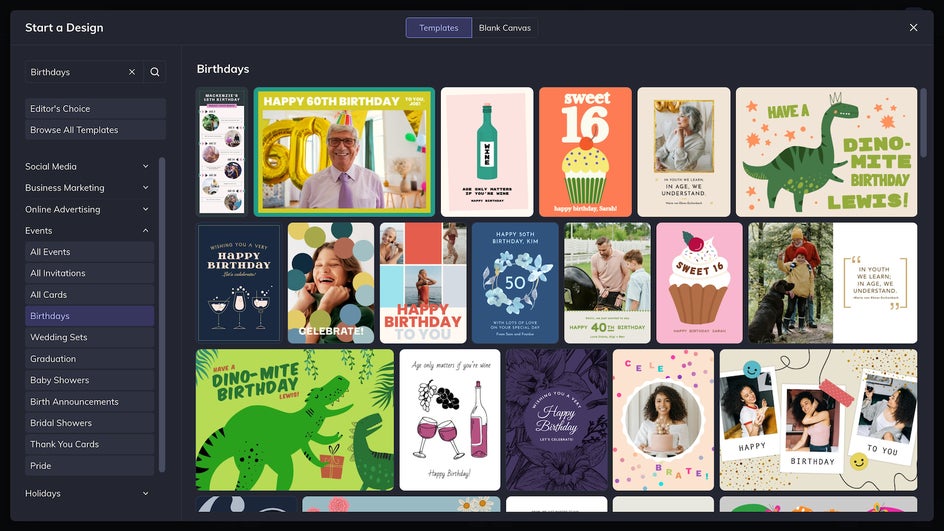
Step 1: Add a Photo to Cartoonize
Once your chosen template is open, select a photo and upload it to the Image Manager. Drag and drop it onto the placeholder image and adjust the placement as necessary. Cartoon effects work particularly well with portraits and pet photos taken from the chest up. You can always crop a photo to size right in the Card Maker.
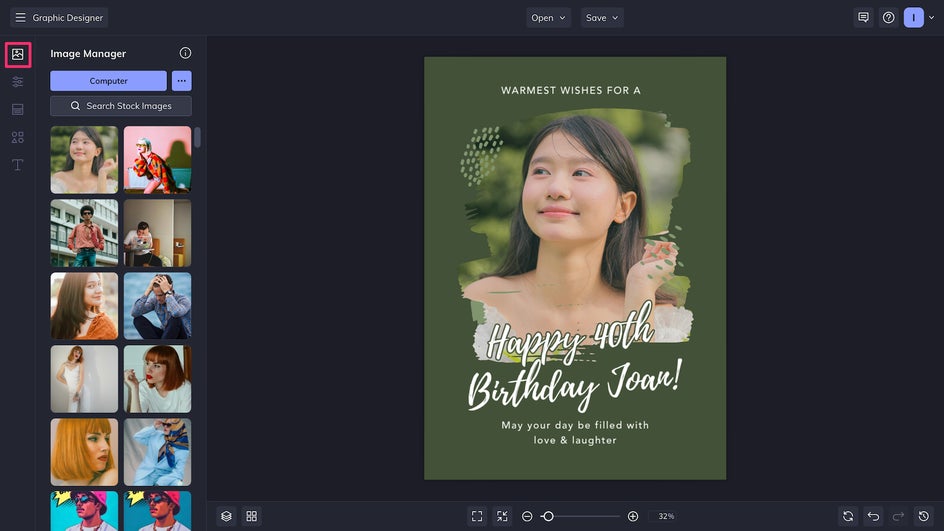
Step 2: Use Photo to Cartoon Effect
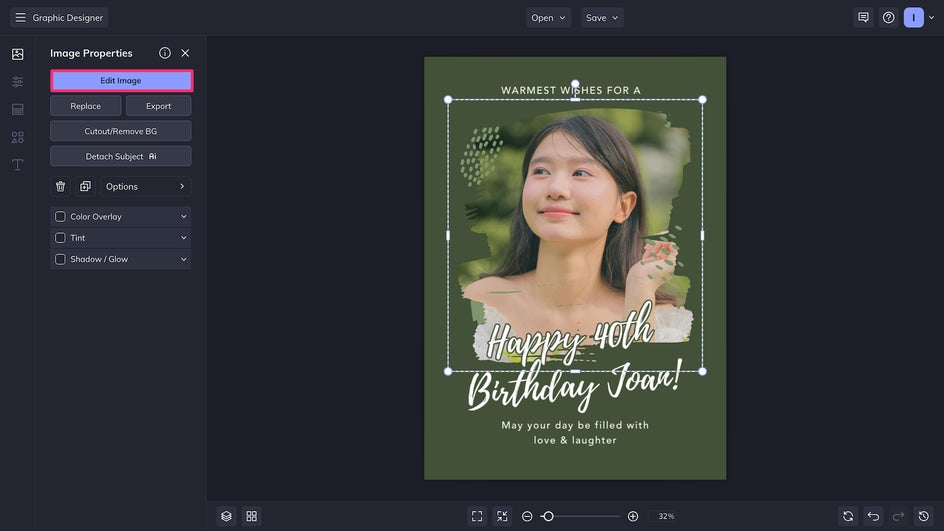
Click on the newly placed photo and select Edit Image to seamlessly access the in-platform Photo Editor.
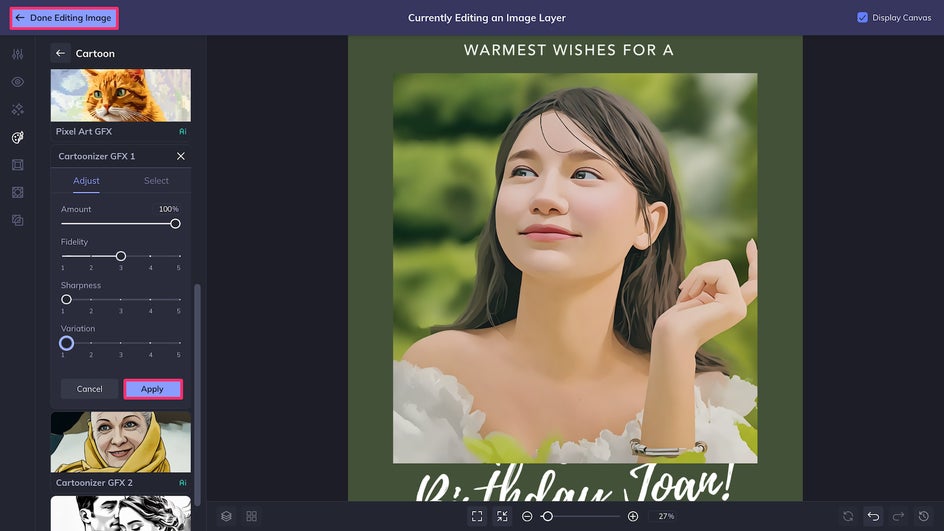
Navigate to the Artsy tab and then select the Cartoon category to check out all of the Editor’s comic and cartoon-inspired effects. Here we’re using Cartoonizer GFX 1, which produces a lineless, stylized cartoon that allows the subject to remain recognizable. If you’re completely satisfied with the look, apply the effect now for one-click results. Otherwise, click on Settings to customize the effect further.
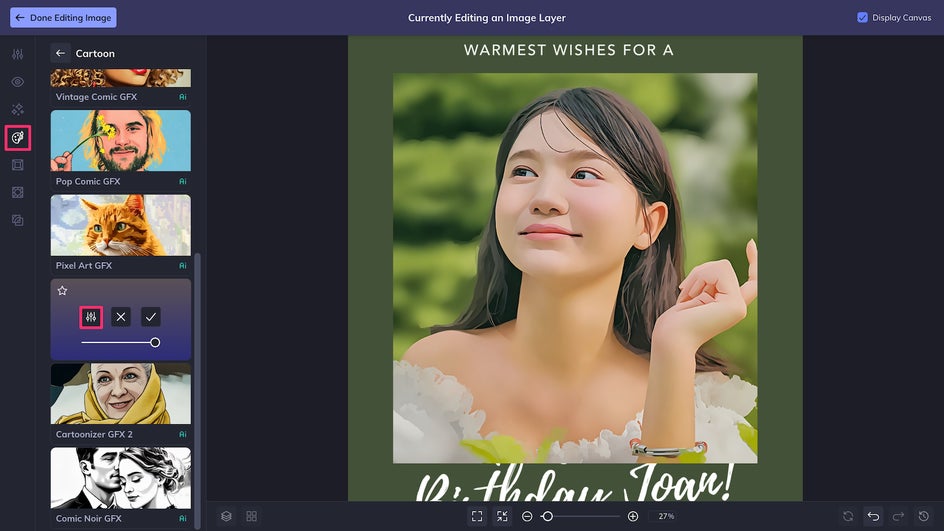
Here you’ll find adjustment sliders:
- Sharpness: Impacts the contrast between light and dark areas.
- Fidelity: Lower the Fidelity for a more stylized look, or raise it to increase the photorealism.
- Variation: See a few different versions of the same Cartoon effect.
After making adjustments, click Apply and then Done Editing Image to instantly return to the Card Maker.
Step 3: Customize Your Cartoon Card
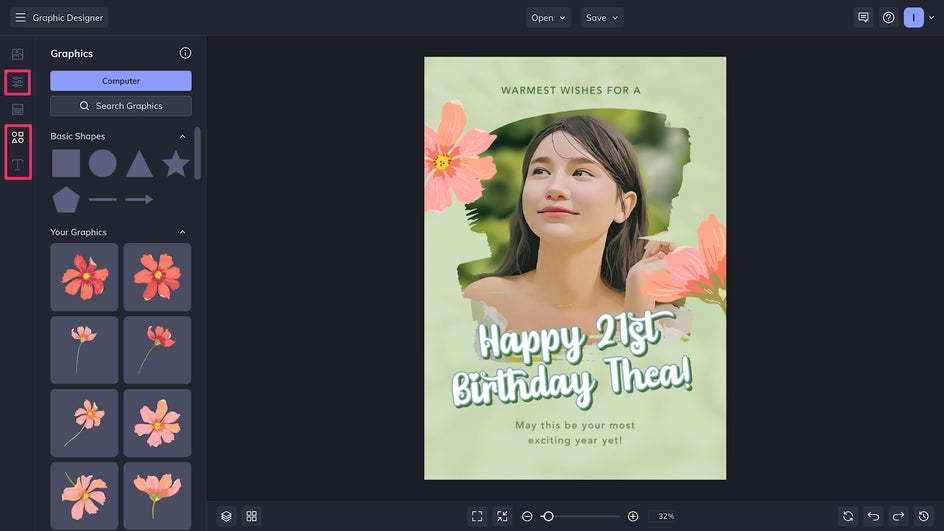
Now that this card has been Cartoonized, it’s time to make the design your own. To change the background color, head on over to the Customize tab. Edit messaging, add text, and change fonts with the intuitive Text Editor. And finally, for even more customization, you can choose to replace the design’s existing graphics in the Graphics tab.
Step 4: Save and Print
In just a few minutes, we’ve completely transformed this card template into a memorable cartoon birthday card! Now it’s time to click Save at the top of the canvas and get our DIY card ready to print.
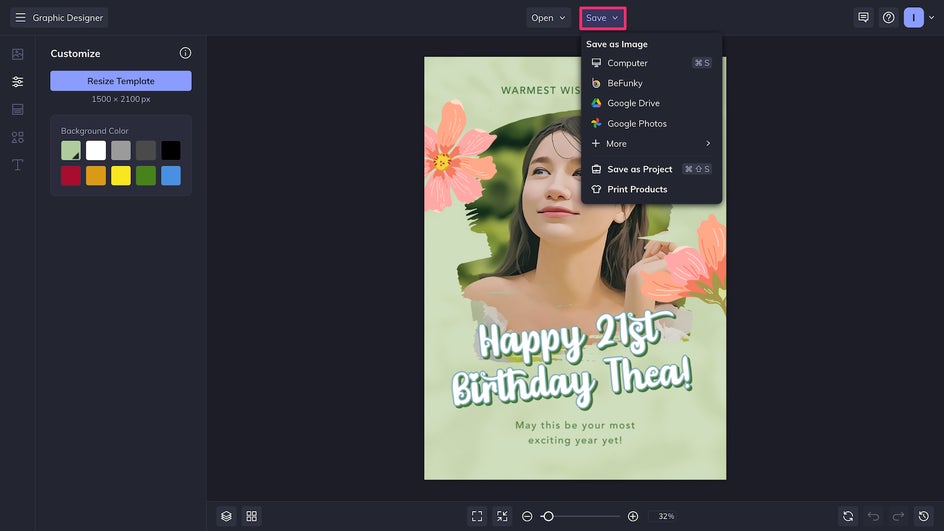
All of the Card Maker’s templates are sized according to standard US card sizes so that printing is a breeze. To print your cartoon card at home or at a local print shop, save the design to your computer and export it as a print-quality PDF. To print it online and have it delivered directly to your door, simply click Print Products at the bottom of the save menu. This will send the design straight to our integrated printing partner, Zazzle, where you can have your cartoon card professionally printed on quality cardstock.
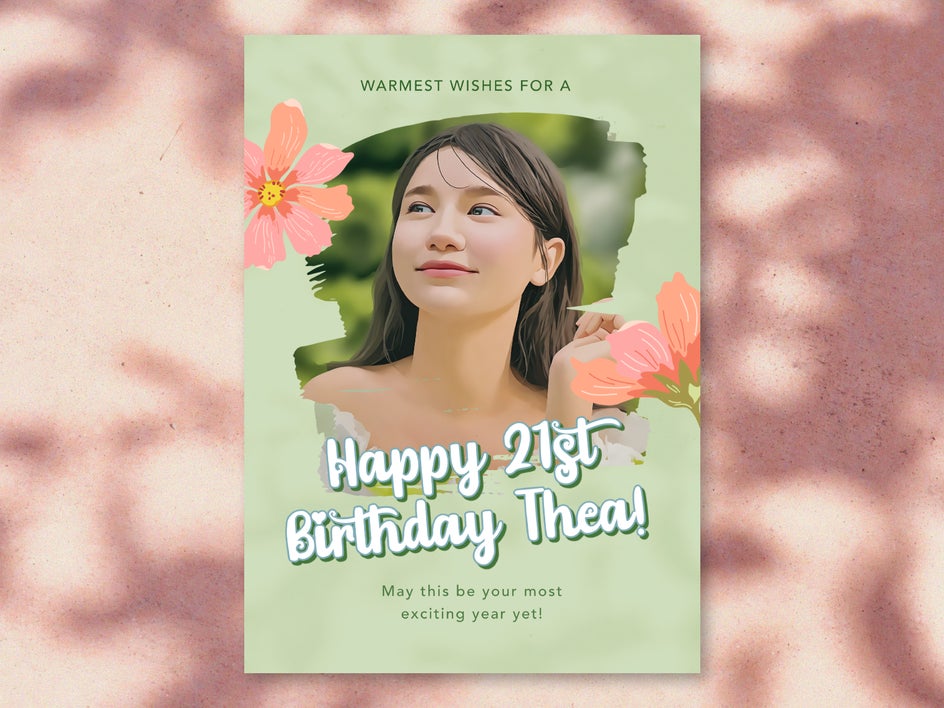
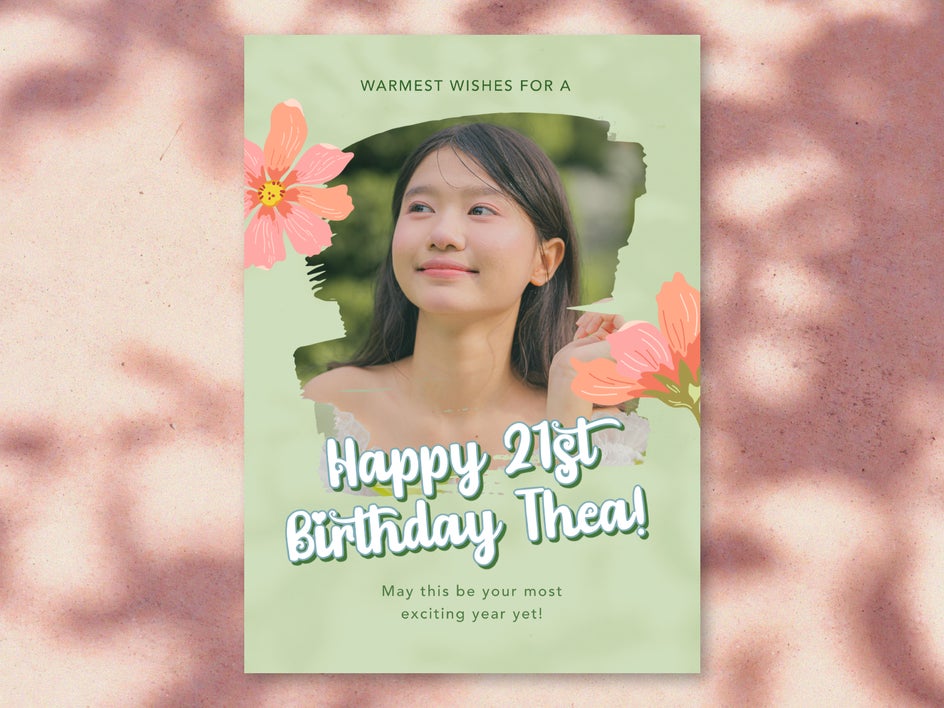
And that’s it! With the power of a well-designed template and the online Cartoonizer, creating this custom cartoon card was even simpler than buying one at the store. It’s personalized to our recipient, making it a wonderful keepsake, and even doubles as beautiful art for a fridge door or gallery wall.
Cartoon Card Ideas for Your Next Occasion
Cartoon effects can be used to create a wide variety of cartoon greeting cards in different styles. They’ll turn out unique every time, especially when combined with BeFunky’s other tools, filters, and graphic design features. Here are just a few ideas to help you get started.
Funny Cartoon Card
Take advantage of the highly stylized Vector Pop GFX effect to send a witty, punny, or tongue-in-cheek message. Use the Background Remover for a clean, minimal look and choose a fun font pairing to add laughter and joy to a birthday, thank you, or even get well soon card.

Vintage Holiday Card
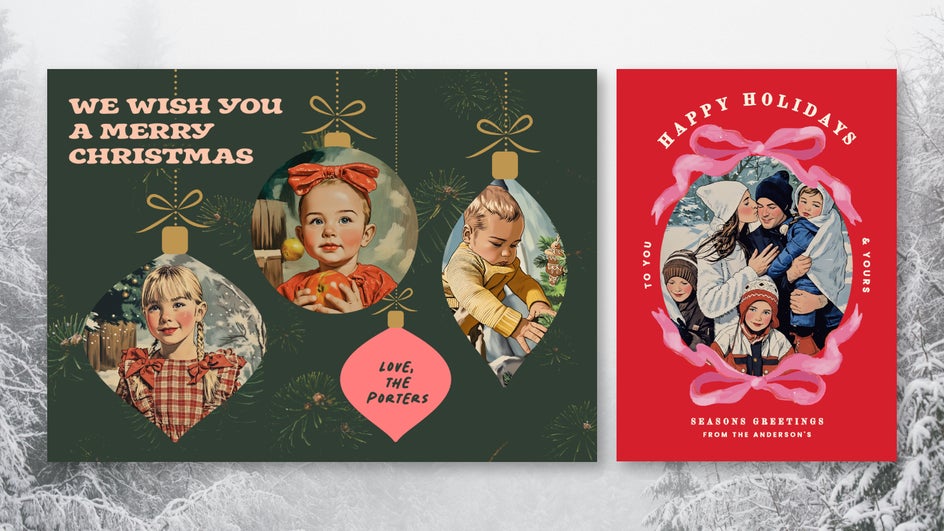
Trying to come up with a creative, memorable idea for your next holiday card? Use Vintage Comic GFX to add some midcentury charm to your photos. The Card Maker offers dozens of holiday card templates for the winter season so that you can create a custom design in no time – incorporate one with hand-painted vector graphics for a more authentic vintage feel.
Comic Book Panel Card
Combine Graphic Novel GFX with speech bubble graphics and bold fonts to create a card that looks straight out of a Golden Age comic book. For a more colorful option, you can also use Pop Comic GFX. These cartoon cards are great for kids – or any adult comic fans in your life.

Make DIY Cards More Fun With Cartoon Effects
If you’re tired of store-bought cards and overdone designs, it’s time to show that you care with a custom cartoon card. Bright colors, fun designs, and a personal touch mean that these Cartoonized card templates are sure to brighten anyone’s day. Design your own cartoon card online today in the Card Maker!