


Create Your Brand Mood Board Images Using AI

A strong brand identity is about more than choosing a logo and a few brand colors. It's about creating a recognizable look and feel that connects with your audience, from your website and social media graphics to your product photography and marketing materials. But when you're starting a business, figuring out exactly what that visual identity should look like can be easier said than done.
That's where a brand mood board comes in. By bringing together complementary imagery, colors, textures, and design inspiration, you can turn abstract ideas about your brand into a clear visual direction. And with BeFunky's Image Generator, you don't have to spend hours searching for the perfect reference images. You can generate original visuals tailored to your brand's personality, then bring your favorites together in a custom mood board.
In this tutorial, we'll show you how to use the Image Generator and Graphic Designer to create an inspiring brand mood board for your own small business. We’ll cover everything from how to develop a visual direction to generating complementary images, and assembling everything into a cohesive reference you can use to guide future creative projects!
How to Create a Brand Mood Board With AI-Generated Images
Before we head to the Image Generator, you’ll first need to define your brand’s personality.
A mood board should reflect your business's personality and appeal to your target audience, so having a clear creative direction will help you choose imagery that feels cohesive.
Start by writing down three to five words that describe your brand. Is it playful and colorful, refined and luxurious, or natural and understated? Consider your ideal customers, the products or services you offer, and the feeling you want people to associate with your business.
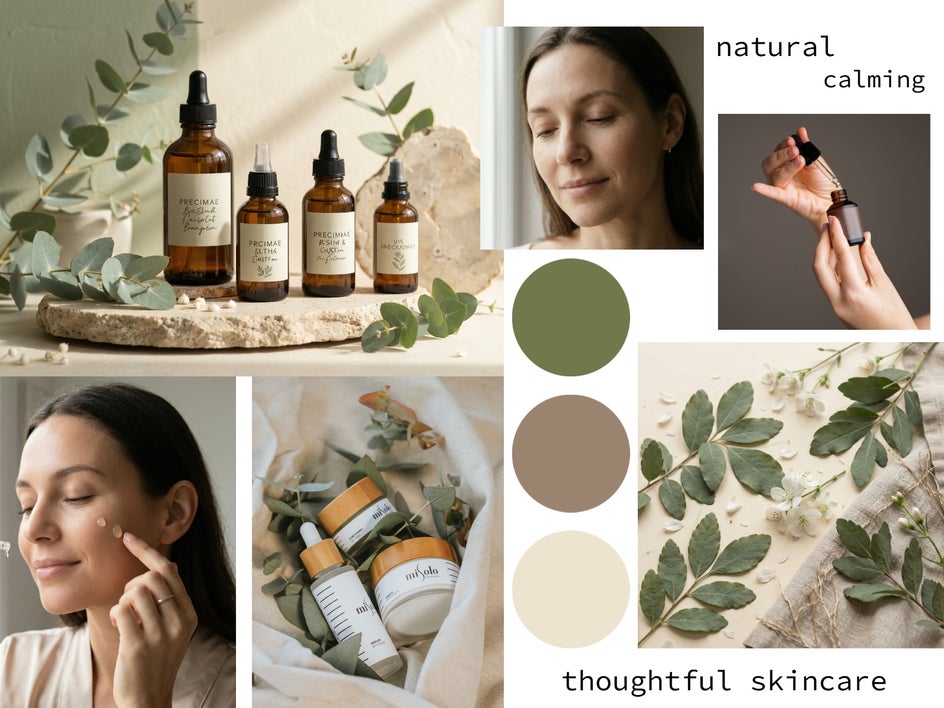
For this tutorial, let's imagine we're developing a visual identity for a small handmade skincare brand. We want the brand to feel natural, calming, thoughtful, and premium, with an emphasis on botanical ingredients and simple, sustainable living.
Step 1: Generate Images That Capture Your Brand Aesthetic
Now it's time to turn your ideas into visuals! The Image Generator lets you create images from text prompts, making it easy to explore imagery that fits your chosen aesthetic.
Head to the Photo Editor, then click Open > Image Generator from the dropdown menu at the top.
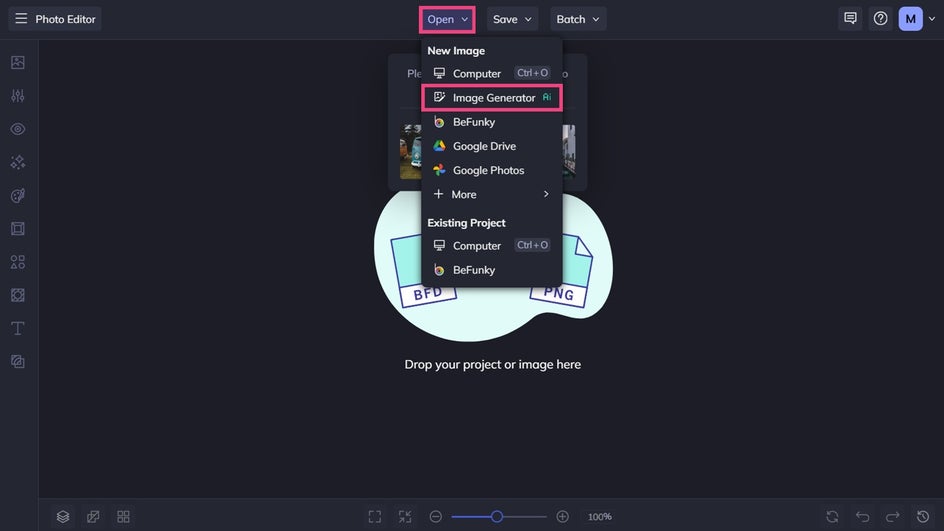
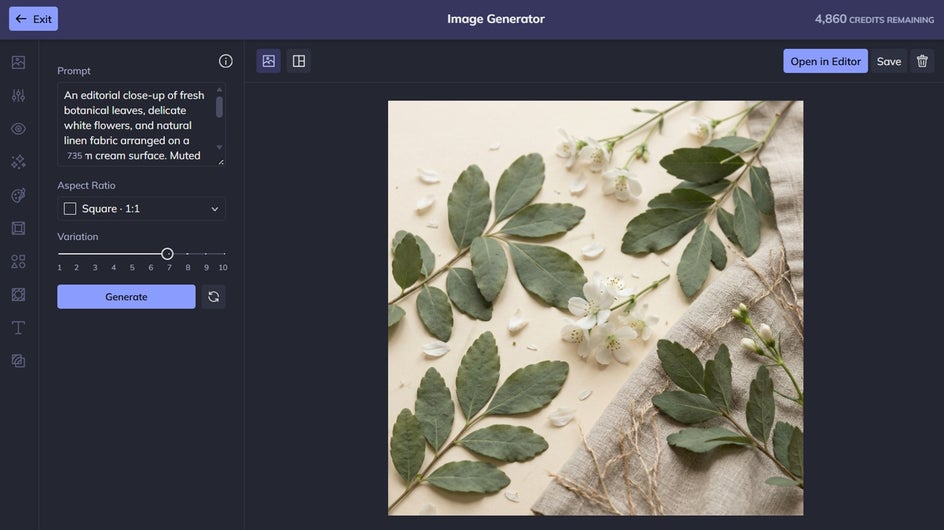
Within the Image Generator, use the prompt box to describe the image you want to create. Think about the subject matter, color palette, lighting, composition, and overall mood. The more clearly you communicate your creative direction, the easier it will be to explore visuals that fit your vision.
Here’s the exact prompt we used to generate our first set of imagery for our own mood board:
A premium botanical skincare still life featuring amber glass bottles, fresh eucalyptus leaves, and natural stone surfaces. Soft sage green and warm cream tones, gentle morning sunlight, subtle shadows, minimalist composition, calming and organic atmosphere, editorial product photography.
Choose your aspect ratio, then click Generate to view your own results. Don’t be afraid to refine your prompt or experiment with different descriptions until you find a direction you like.
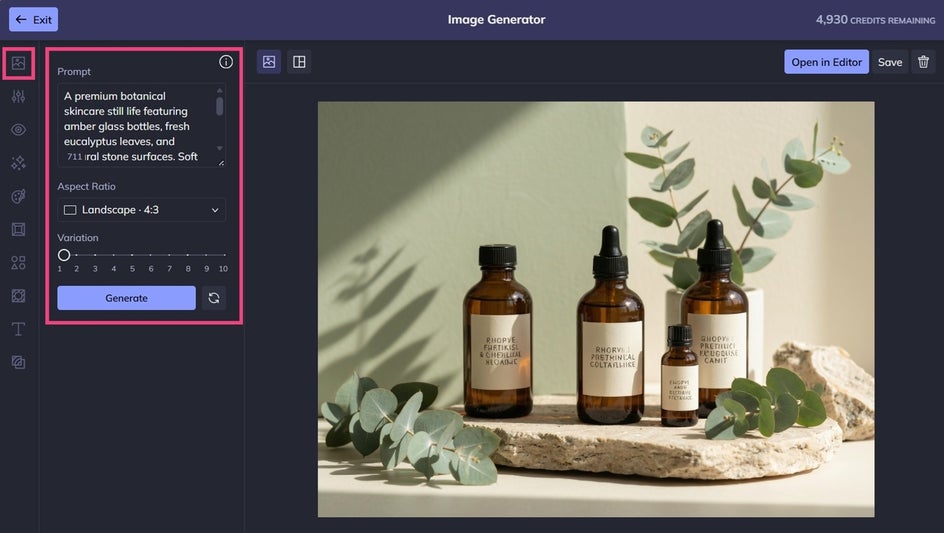
Next, generate a few complementary images. Think about any close-ups, location shots, lifestyle imagery, or textures you might want to include in your mood board.
Step 2: Curate a Cohesive Collection of Images
Once you've generated a selection of images, it's time to narrow them down. A great mood board isn't simply a collection of attractive pictures. Each image should contribute to the overall visual direction and work alongside the others to communicate your brand's personality.
Click on the Image Generations icon to review your generated images together and consider a few key questions. Do the colors complement one another? Is the overall mood consistent? Do the images reflect the brand personality you defined in Step One? Are there enough variations in subject matter and composition to make the board interesting?
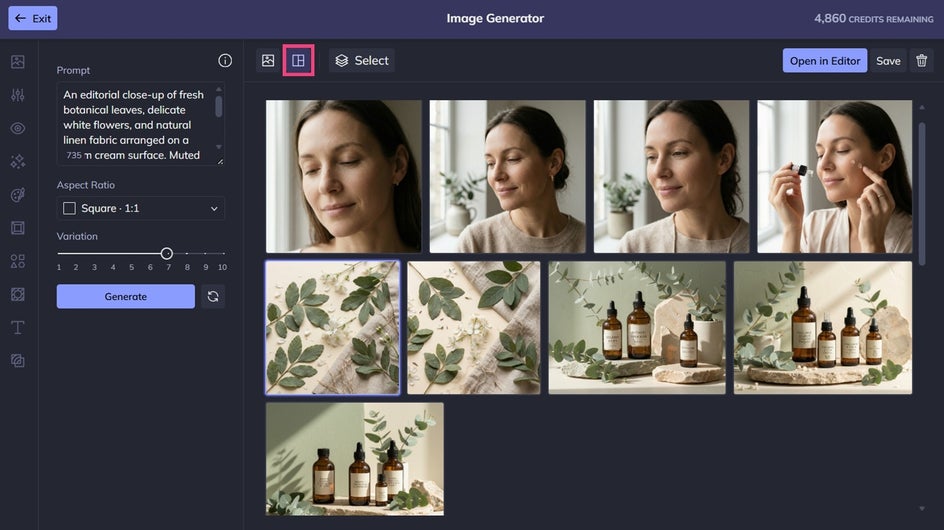
If an image feels out of place, don't be afraid to leave it out. You can also return to Image Generator to create alternatives or fill gaps in your collection.
Be sure to save any images you wish to use in your mood board before proceeding to the next step.
Step 3: Assemble Your Brand Mood Board in the Designer
With your favorite images saved, you're ready to bring everything together!
The Graphic Designer gives you the most control over your mood board layout, which is particularly useful for incorporating additional elements such as color swatches, brand keywords, or typography inspiration alongside your generated imagery.
Click on Image Manager on the left, then upload your generated images from your files.
As you arrange your board, pay attention to visual hierarchy. Give your strongest image room to stand out, group complementary visuals together, and leave enough breathing room between elements. You want the board to feel intentional and easy to scan, rather than overcrowded.
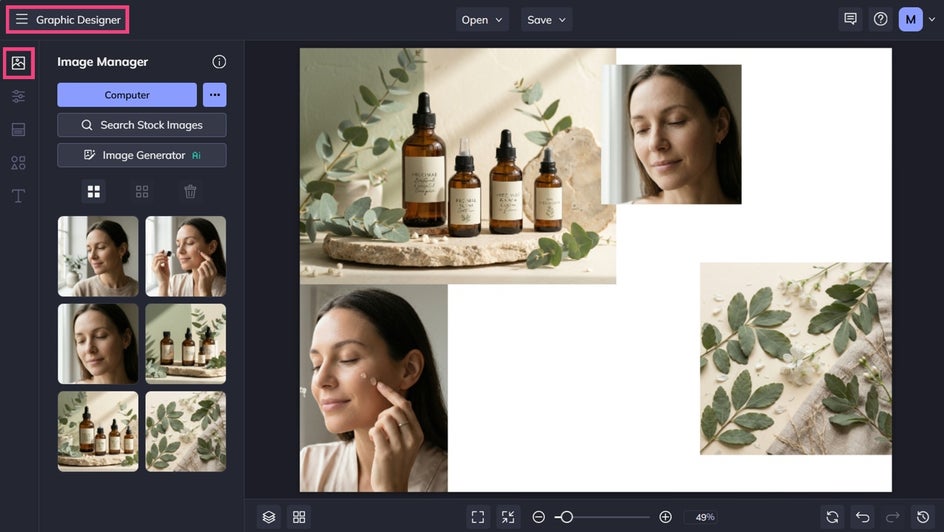
You can also include typography references if you have a particular lettering style in mind. Just remember that the mood board is a starting point for your brand identity, not a finished design system. The purpose is to explore how your visual elements work together before committing to specific branding decisions.
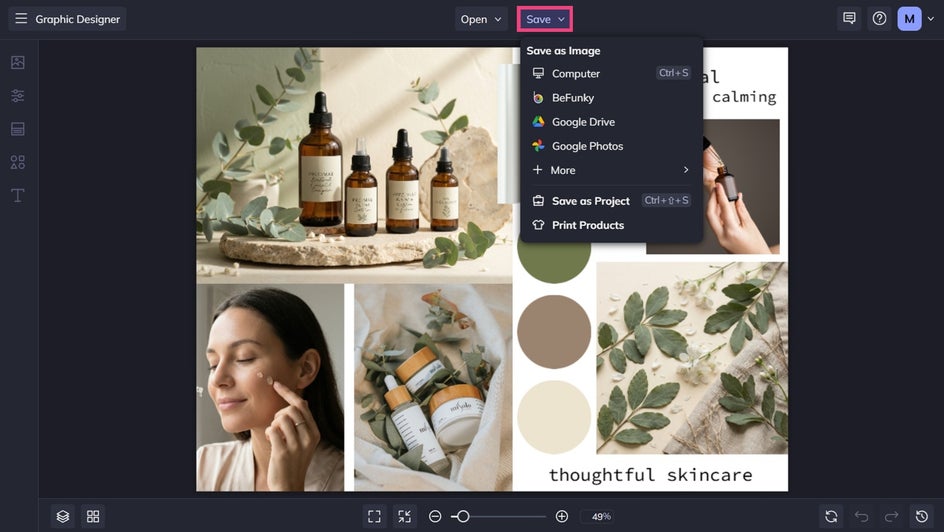
Once you're happy with your mood board, click Save at the top of the screen and choose your desired format and location.
Final Results: A Visual Direction for Your Small Business
Our fictional skincare brand now has a cohesive collection of imagery, colors, and textures that communicates its personality at a glance.
Keep your mood board somewhere accessible as you work on future creative projects. You can refer back to it when designing social media graphics, planning website imagery, creating promotional materials, or briefing a photographer or freelance designer.
A mood board can also help you make more consistent creative decisions as your business grows. Instead of starting from scratch every time you need a new visual, you'll have an established direction to build on.
Bring Your Brand Vision to Life With BeFunky
You don't need a fully developed brand identity to start exploring what your business could look like. With our AI-powered Image Generator, you can experiment with colors, imagery, and creative styles until you discover a visual direction that feels right for your brand.
Ready to see where your ideas take you? Open the Image Generator within our Photo Editor and start creating today!