









Creative Photo Edits for Personalized Wedding Invitations

Wedding planning is hard work – especially when you’re on a budget. That’s why the Graphic Designer offers hundreds of customizable online wedding templates to save you time and money. With these professionally designed templates, it’s possible to make a beautiful wedding set in a matter of minutes, like save the dates, menus, and thank you cards. And, of course, there are wedding invitation templates for every style and theme.
All wedding printables are important for the big day, but none more so than invitations. Aesthetically, invites set the tone for the event; practically, they convey essential information to your guests. In short, invitations are a first look at the wedding itself!
Every couple is unique – meaning every wedding invitation should be unique, too. Luckily, the Graphic Designer offers virtually unlimited customization options, including the ability to make photo edits directly in the platform. Choose from thousands of tools, effects, and filters to elevate your wedding invite, from AI painting effects to the one-click portrait enhancer. No matter what your wedding theme might be, photo edits are the perfect shortcut to a stunning and creative wedding invitation.
How to Edit the Photos of Your Wedding Invite
First, open up the Wedding Invitations category of the Graphic Designer and pick a template that features at least one large photo.
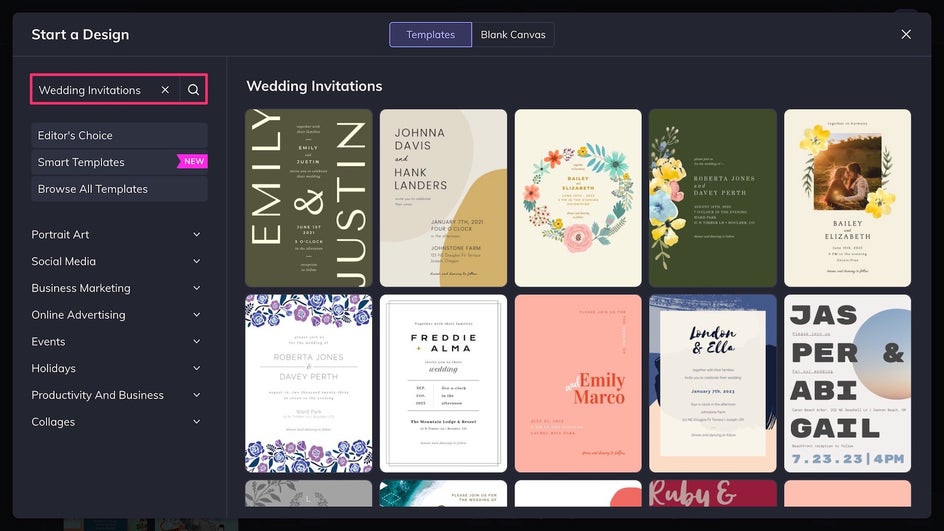
Step 1: Upload Your Photo
A wedding invitation usually features a photo or two from the engagement shoot, but feel free to use whatever best represents you as a couple! Upload the photo from your device to the Image Manager and then drag and drop it onto the canvas to replace the placeholder.
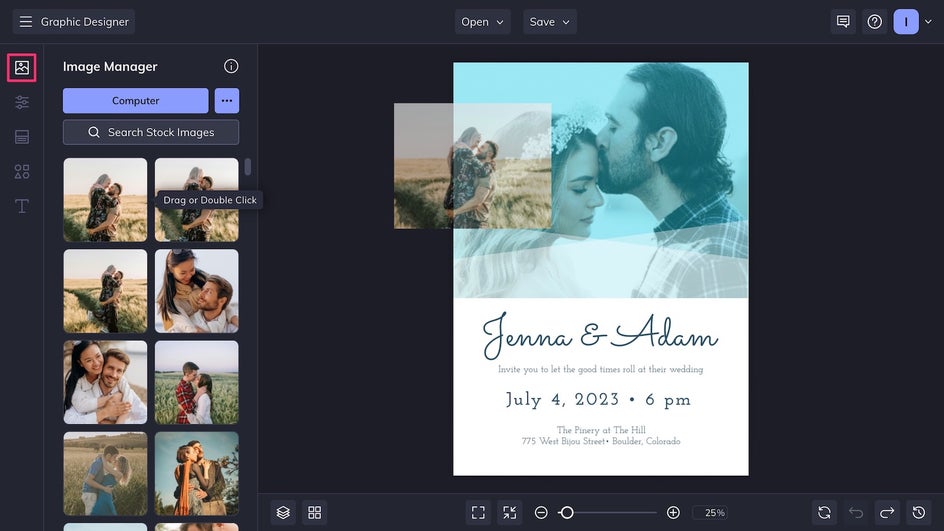
Once a photo has been added, click on it and select Edit Image in the Image Properties menu. This will bring you directly to the in-platform Photo Editor without needing to open a new tab. You’ll be able to switch seamlessly between the Editor and Designer at any time.
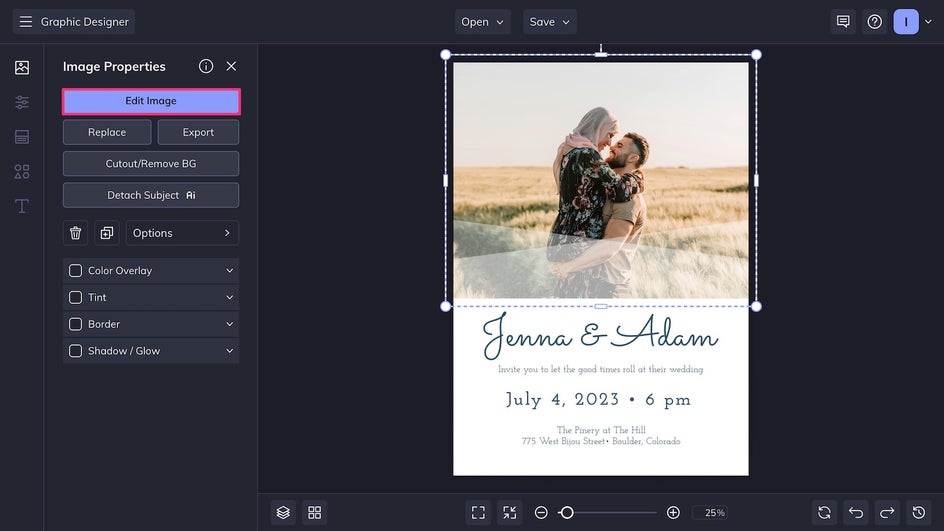
Step 2: Apply Photo Edits and Effects
The Photo Editor features basic photo editing essentials that are great for subtle enhancements, like the Exposure and Color tools. But for a more creative wedding invitation, you can use tools like the AI Sky Replacer to increase the photo’s visual impact.
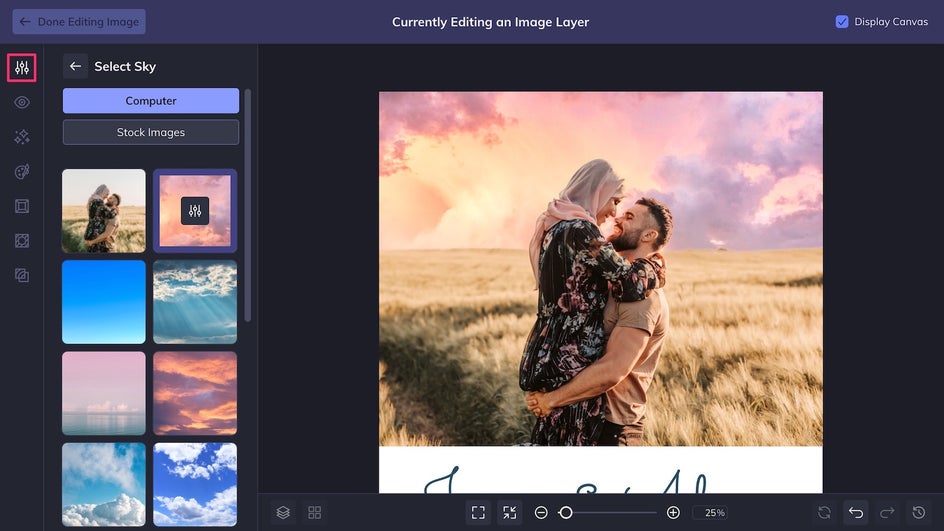
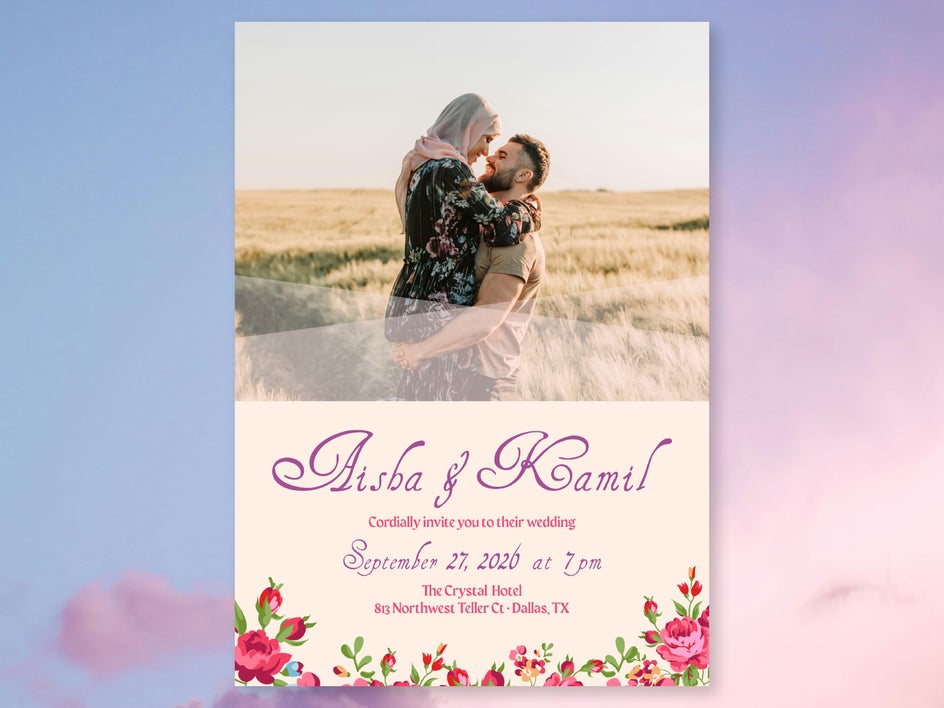
Replacing the sky has already made this photo pop. For an even more romantic, cinematic feeling, we’re also adding a Warm Sun lens flare on the horizon. The color and intensity can be adjusted depending on your needs.
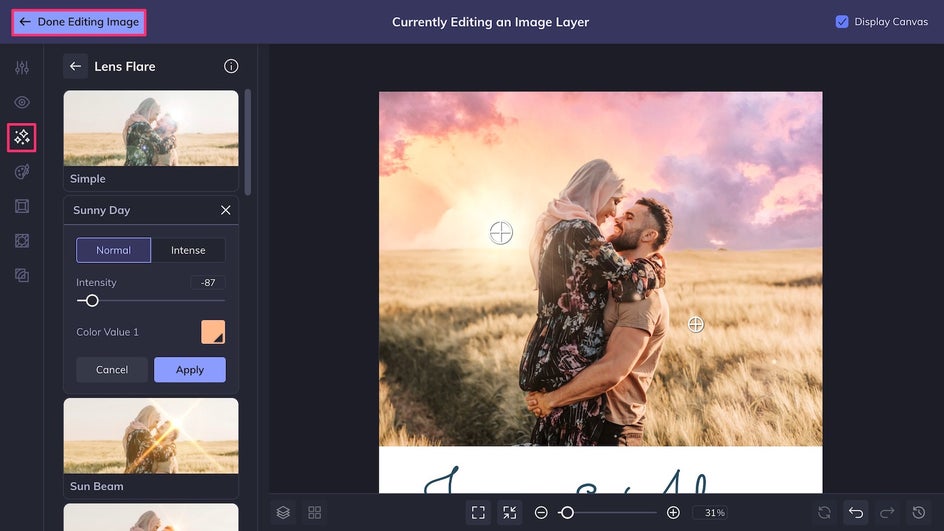
In just a couple of clicks, we’ve completely transformed this wedding invitation photo! Click Done Editing Image in the top left corner of the canvas to return to your design.
Step 3: Personalize and Save
Now it’s time to finish customizing your invitation template. Change the background color in the Customize tab, tweak the font and text in the Text Editor, and add or replace graphics in the Graphics Library. If you haven’t decided on a wedding color palette, you can always pull colors from the edited photo and use them for the design.
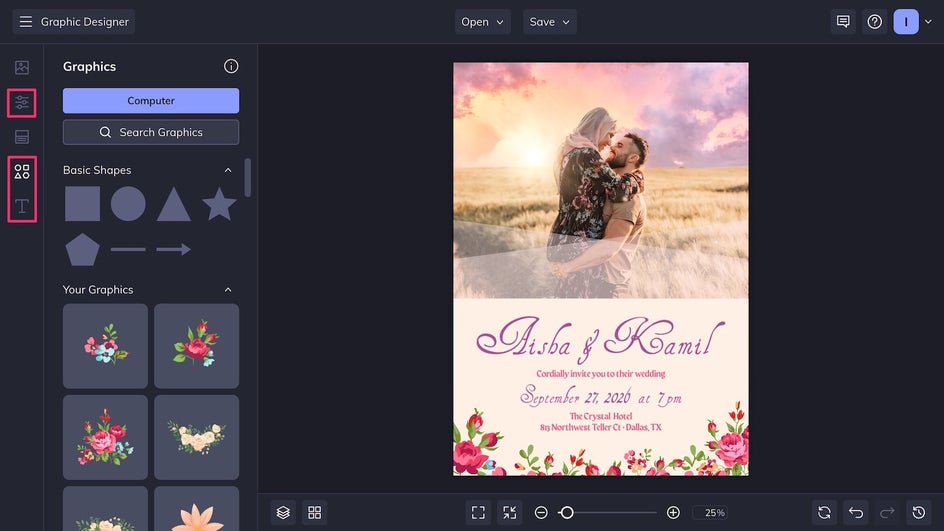
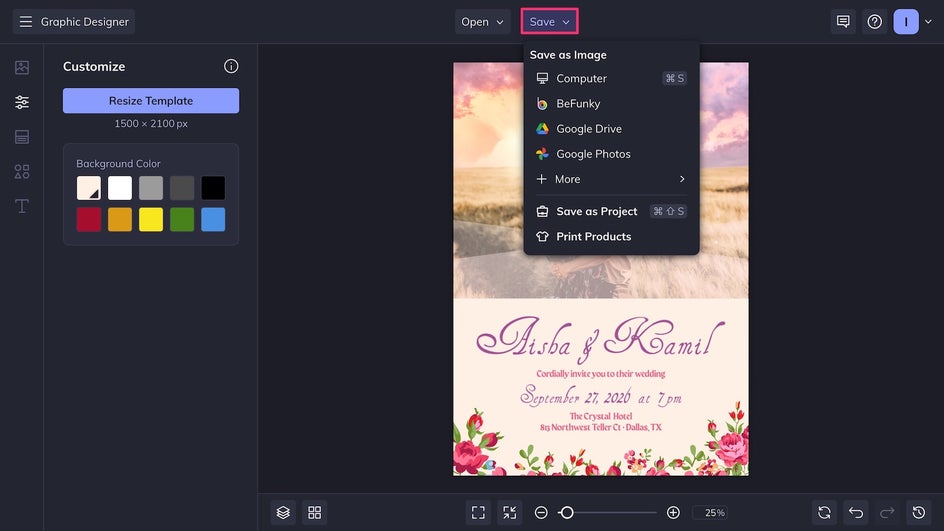
Now it’s time to Save using the button at the top of the canvas. Export the file as a high-quality PDF to have it printed at home or at your local print shop. Or, send the design directly to our integrated printing partner and order your invitations online! For digital invitations, save the design as a high-quality PNG instead.
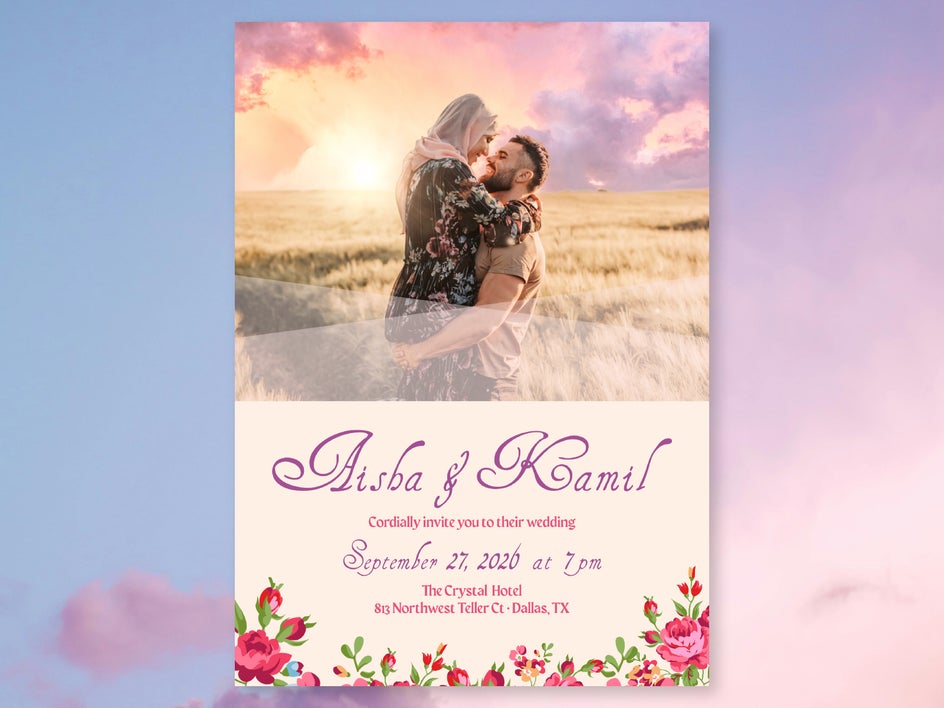
Final Result: Easy Edits for Custom Invites
Your final design shows how a few simple edits can completely elevate a wedding invitation. By enhancing engagement photos, applying creative effects, and customizing BeFunky's intuitive templates, you can create an invite that feels polished, personal, and true to your wedding style. These easy changes make your invitation stand out while still keeping the entire process quick and budget friendly.
More Wedding Invitation Edits to Try
With so many features available in the Graphic Designer and Photo Editor, there’s no limit to what you can create. Tools can be used on their own or layered and combined for unique results. Here are some of our favorite creative ideas for making your wedding invitations stand out!
Get Creative With Artsy Effects
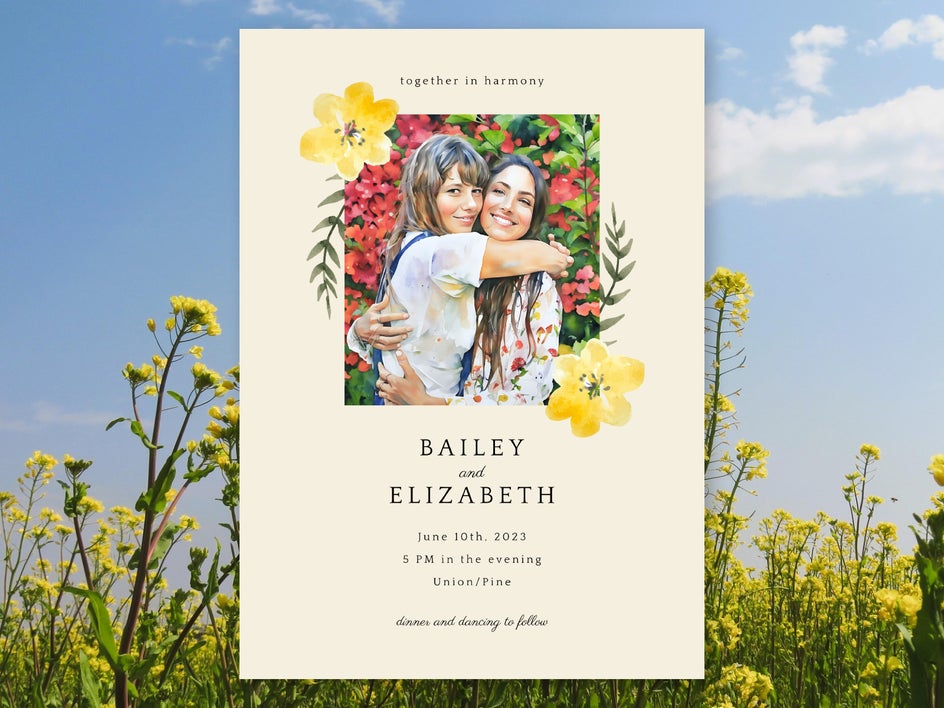
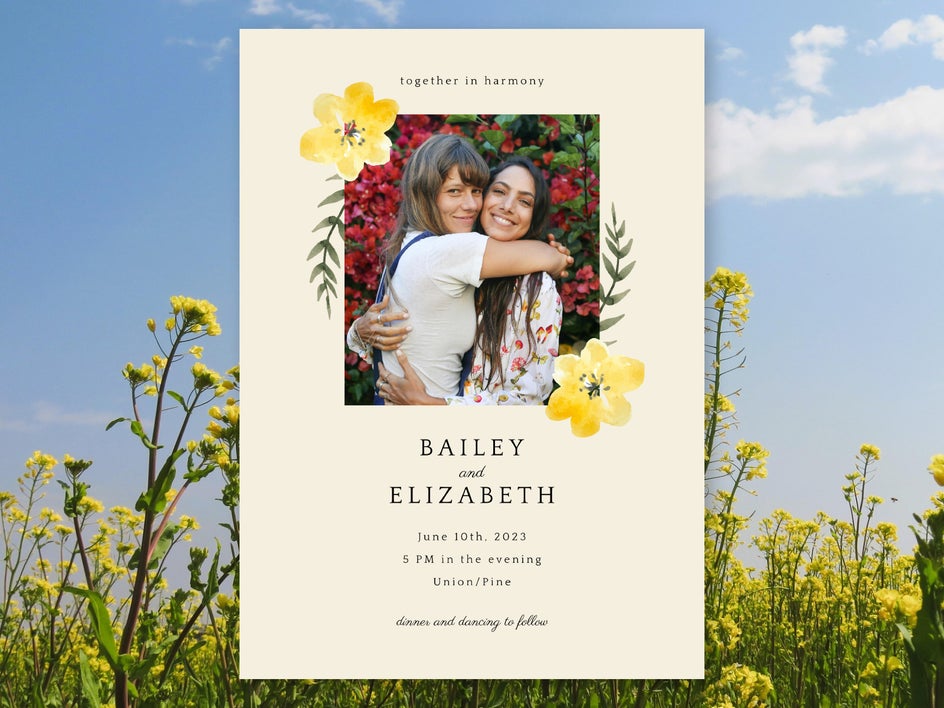
Take your wedding invitation to the next level with Artsy effects. These filters can transform any photo into different mediums and styles of art, including oil painting, watercolor, vector art, and ink drawings. Experiment with different effects and customize them as needed to find your perfect style! Here we’ve used the AI-powered Watercolor GFX 1 from the Watercolor category.
Add Depth to Your Design With Textures
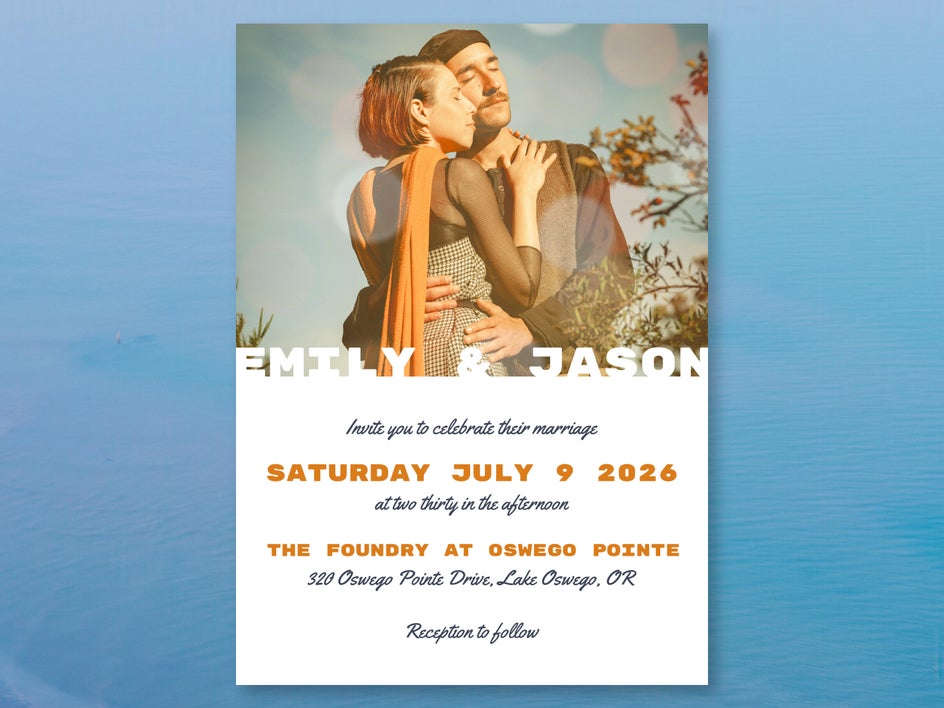
For a quick but impactful change, add a texture to your wedding invitation photo. Choose from classic textures like paper and fabric, gritty textures like paint or metal, or colorful textures like bokeh and light leaks. This example uses Bokeh 2 for a dreamy aesthetic.

Make Portraits Pop With Touch Ups
If you find that the photo in your wedding invitation is feeling lackluster, try using a few touch up tools. These tools are designed to make portraits more flattering with small, subtle changes. Here we’ve used the AI Portrait Enhancer, which improves lighting, whitens teeth and eyes, and smooths out texture in a single click. We’ve also added some blush for extra contrast.


Make Your Wedding Invitation Stand Out With Photo Edits
A wedding is a truly special occasion – and your invitations should reflect that! Rather than settling for a generic template, make your invitation unique with a custom design and thoughtful photo edits. It’s a more personal way to welcome guests and will be the perfect keepsake to look back on once the day is over. Matching wedding sets make it easy to keep your wedding designs cohesive from start to finish. Get started on your own creative invite today with BeFunky’s wedding invitation templates!




