Make Your Food Pop on Instagram: 5 Pro Tips

If you’re a recipe blogger or content creator, then you know that Instagram serves as a powerful gateway to building a loyal community. It establishes credibility, connects you with your audience and other creators, and drives traffic back to your blog, newsletter, or YouTube channel. But Instagram is already saturated with food content – so how do you make sure your posts are especially eye-catching, engaging, and follow-worthy?
More than just beautiful photos of a finished dish, what potential IG followers are really looking for are appealing, informative visuals – photos that reflect the kind of cooking experience they’re hoping to recreate. Below, we’ll explore five ways to make your Instagram recipe photos stand out using BeFunky’s Photo Editor and Instagram templates, without the need for pro photography or graphic design experience.
How to Create Instagram-Worthy Recipe Photos
There’s no shortage of food content on Instagram, but the most successful recipe bloggers know how to go beyond enticing photos. They establish a brand, provide information, and make cooking engaging and accessible. Here we’ll look at some of the top BeFunky tools and techniques that can help elevate your recipe content for better engagement, whether you’re sharing a full recipe or linking through to your website or video channel.
1. Design a Consistent Look With Templates
The most effective recipe bloggers have one thing in common: Visual consistency. Whether you favor clean minimalism, bold colors, or cozy rustic tones, using BeFunky’s Instagram post templates help reinforce your brand. These templates can be easily customized with your fonts, colors, and layout preferences so that your audience recognizes your content the moment it appears in their feed.
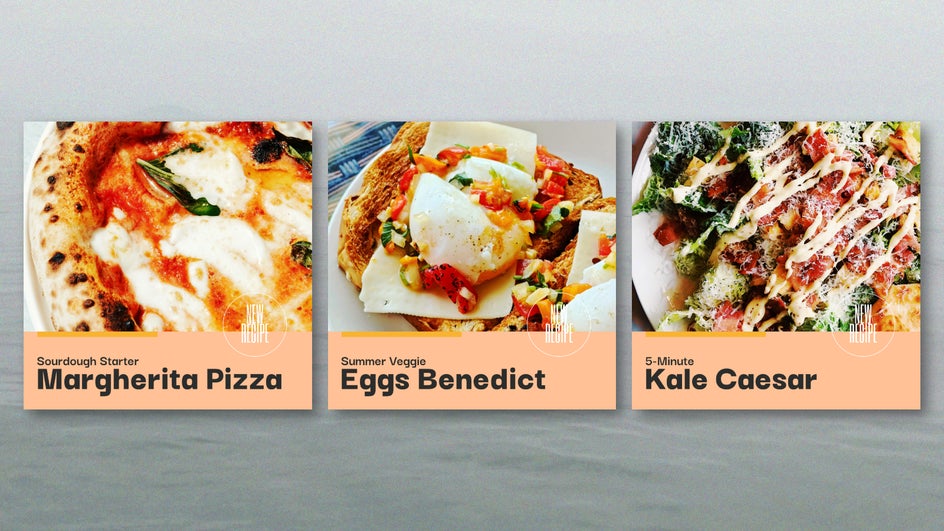
Try using the same framing for every final dish shot, or repeating a standard cover format that includes your blog name, logo, and the recipe title. By maintaining the same visual style, you’ll start to build a recognizable brand, which is key for growing your audience and increasing saves and shares.
2. Repurpose With Expand and Smart Resize
Because every social platform has different visual requirements, one recipe can easily need five different sizes and styles of content. BeFunky’s AI Image Extender lets you creatively extend the borders of your image to fit different platform sizes without needing to reshoot or redesign your content. Meanwhile, the Smart Resize tool resizes text and graphic elements in a single click. This means that a single image can become a blog header, a YouTube thumbnail, a 4:5 Instagram post, and a 9:16 Instagram story or a reel cover without compromising composition.
3. Develop a Signature Editing Style
Aesthetic food photos aren’t everything, but they do significantly boost engagement. To save time while still curating a beautiful feed, it’s best to find your editing formula and stick to it. Whether you lean toward strong, editorial-style contrast or soft, golden-hour warmth, defining your go-to style will create visual harmony across your posts.
In the Photo Editor, emphasize similar colors and tones with toning filters and Color Mixer tools, or experiment with filters from collections like Chromatic, Cinematic, or Vintage Colors. You can then adjust the exposure, temperature, and saturation until you find your signature tone. These examples use a combination of Vibrance, Warmer Tones 3, and Film Grain.
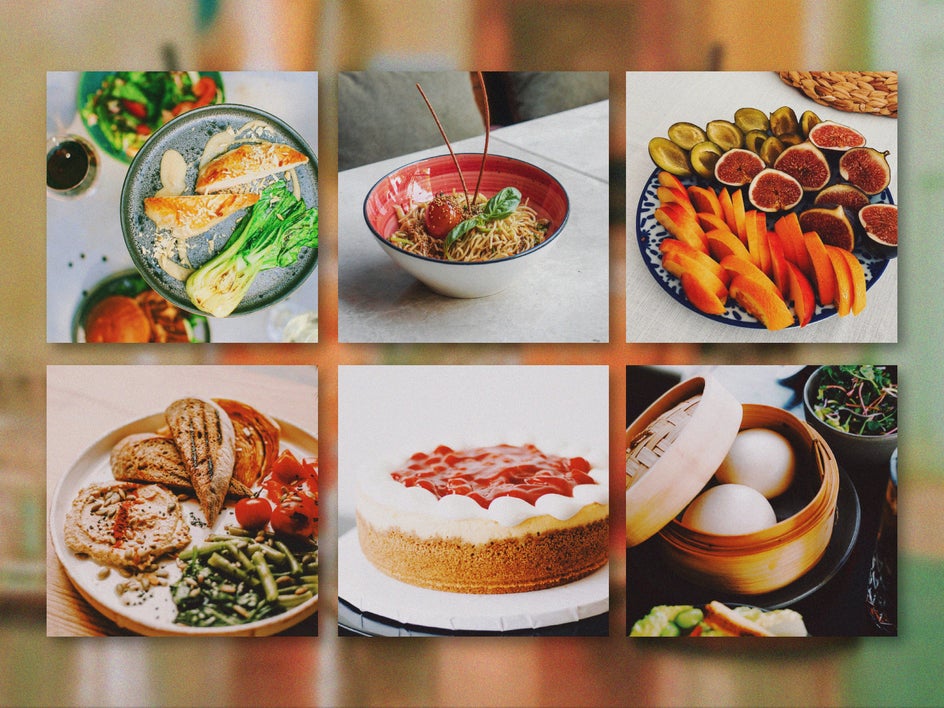
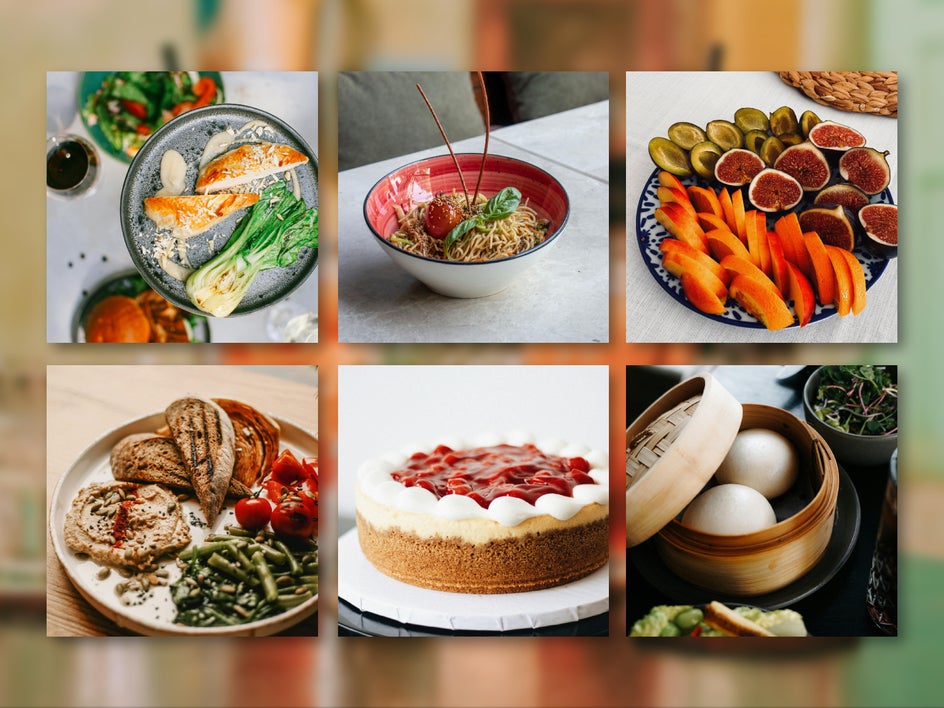
Once you’ve landed on a look you love, save those effects as Favorites or use the Batch Editor to apply multiple effects to an entire shoot in one go. This way, no matter the weather, setting, or time of day, your recipe photos stay consistent and your feed stays professional.
4. Add Text for Clarity and Consistency
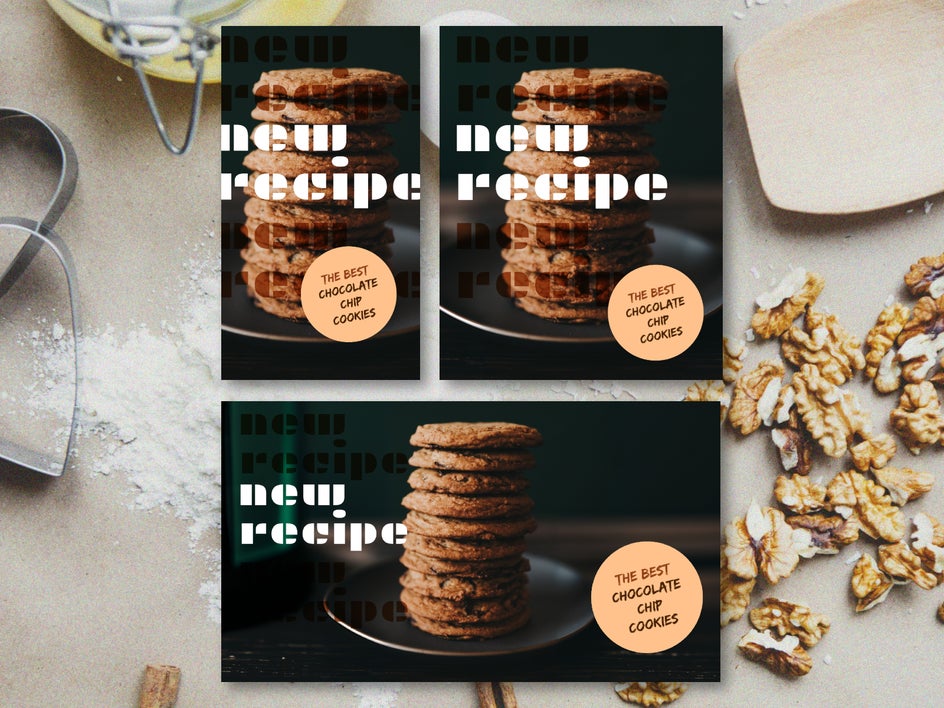
Sometimes, a photo alone doesn’t tell the full story. This is where the Text Editor comes in. You can use this text tool directly in the Photo Editor to superimpose recipe titles directly on your photos. This works especially well for carousel posts, where you can start with a title image followed by detailed ingredient and process shots.
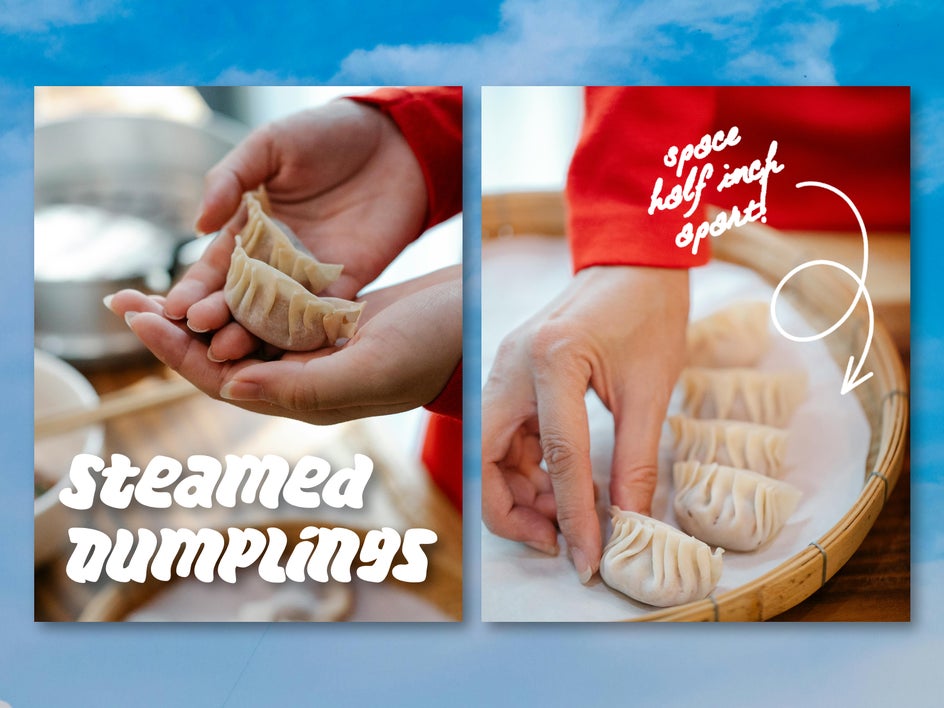
Keep your text styling clean and legible: Stick to one or two fonts, make sure there’s enough contrast to be legible, and leave space around the edges for more appealing composition. Make sure to integrate your signature font and brand color palette.
You can also use the Text and Graphics tools to create one-page recipe cards for stories, making your content even more shareable.
5. Break It Down With a Collage
A single photo is great for grabbing attention, but a well-made collage can make your recipe easier to follow. Use BeFunky’s Collage Maker to show step-by-step images, ingredient highlights, or multiple angles of your final dish. Collages are particularly useful for showing techniques – like layering a lasagna or shaping bread dough – without overcrowding a single image.
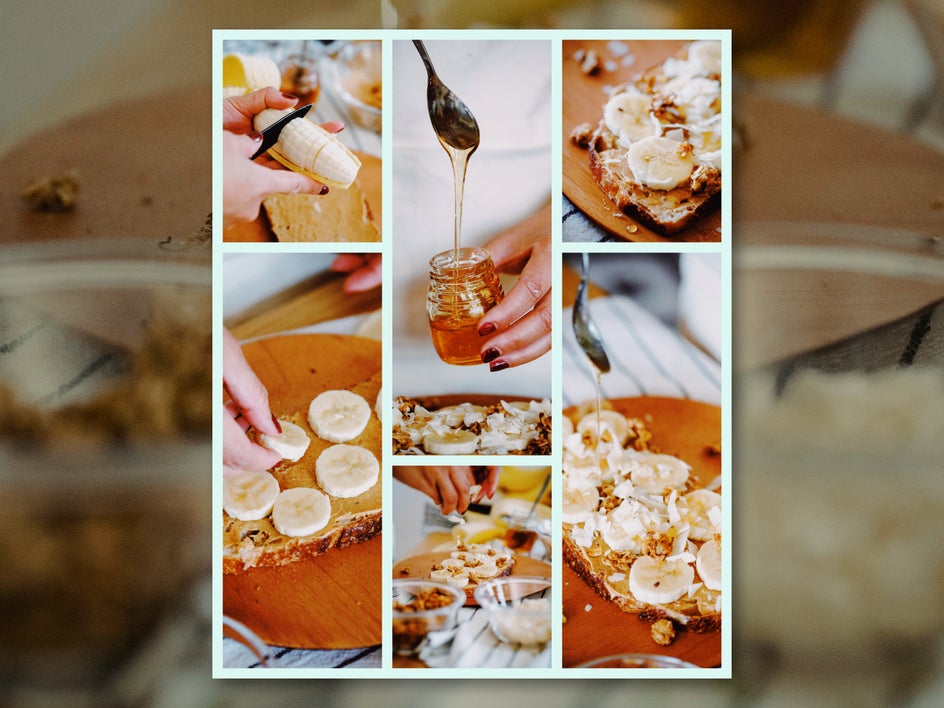
You can also use collages to compare before and after shots, or create seasonal recipe roundups. The Collage Maker makes it easy to keep a consistent layout and spacing for a clean, professional look.
Dish Out Better Content With BeFunky
Good food photos might get a few likes, but great recipe posts build connection. When your Instagram recipe content feels clear, consistent, and professionally crafted, it shows your audience that you truly care about their cooking experience – and that trust is what turns a casual scroller into a returning reader, subscriber, or customer.
Contrary to popular belief, you don’t need to invest in expensive photography gear or hire a designer to make quality recipe content. BeFunky gives you the tools and creative control to produce high-caliber recipe photos from start to finish. Whether you're just starting your food blog or refining your brand, now is the perfect time to upgrade your photos and grow your audience. Start creating with the Photo Editor or explore our Instagram templates to make your next recipe look as good as it tastes.