DIY Birthday Cards They’ll Cherish Forever

When it comes to celebrating someone’s special day, there’s nothing more thoughtful than a personalized birthday card – especially when you make it yourself. With BeFunky’s Card Maker, creating unique birthday cards online is not only fun and easy, but also completely customizable. Whether you want to print it, email it, or share it on social media, these online birthday card templates provide you with everything you need to make a custom birthday greeting that’s both meaningful and memorable.
The Card Maker comes equipped with thousands of vector graphics, hundreds of fonts, and the ability to use stock photos or upload your own. Easy-to-use templates, including free birthday card templates, allow you to create amazing cards even if you don’t have any design experience. Depending on the recipient, you can design a card that includes funny quotes, themed graphics, or sentimental photos – or all three! If you’re planning a birthday party, the Invitation Maker also lets you design birthday party invitations that perfectly match your card’s theme.
How to Make a Personalized Birthday Card Online
The online Card Maker makes it easy to design a birthday card that’s full of personality. You can be as creative as you want, or you can stick close to the original template. Either way, personalizing a birthday card template takes just a few easy steps.
Step 1: Choose a Birthday Card Template
Open up the Birthday Card category of the Card Maker. Here you’ll have access to a wide range of ready-made birthday greeting card templates, from funny birthday card templates to heartfelt photo collage designs. Choose a template that’s closest to your ideal final design.
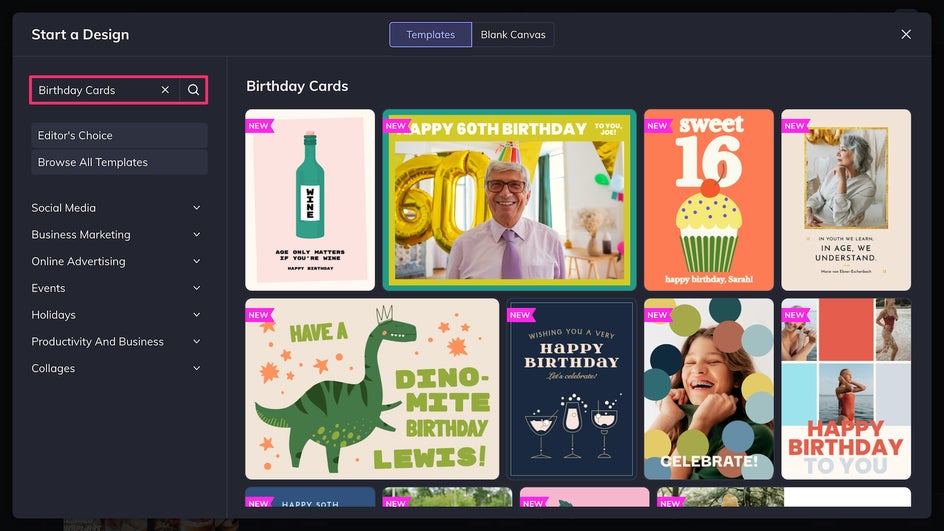
With the Card Maker, it’s easy to change the theme and aesthetic of your card, so focus on the overall layout – like if it’s text-heavy, uses a lot of graphics, or centers around a photo. All birthday card templates are in a standard 5”x7” or 7”x5 format for easier printing. Click to open your chosen template, and you’re ready to personalize!
Step 2: Customize Your Birthday Card
It’s time to let your creativity shine. First, upload any photos you want to use to the Image Manager. You can drag and drop them onto the canvas to replace the placeholder images with your own, and even edit them in the Photo Editor without leaving your design.
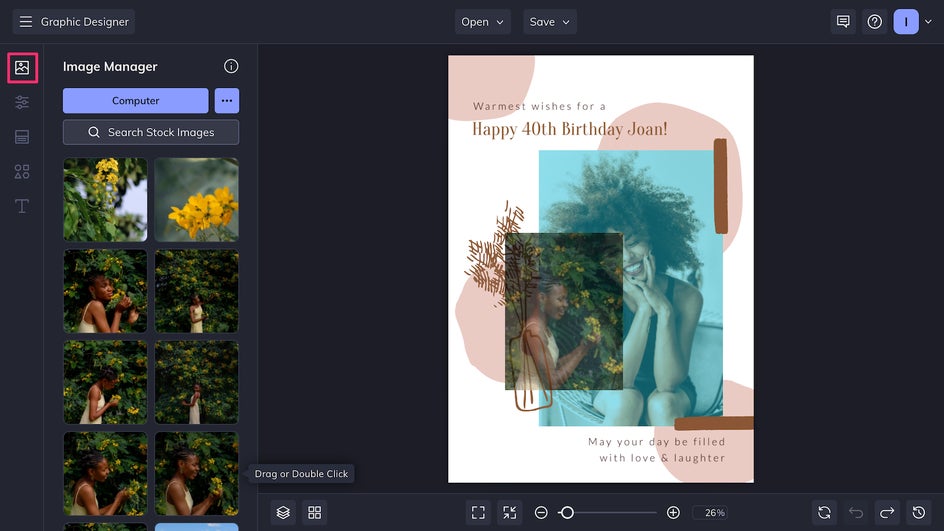
Next, in the Customize tab, adjust the colors or background to match the recipient’s aesthetic – whether it’s colorful and festive or sleek and minimal. (Check out this article for tips on creating a cohesive color palette for your card!)
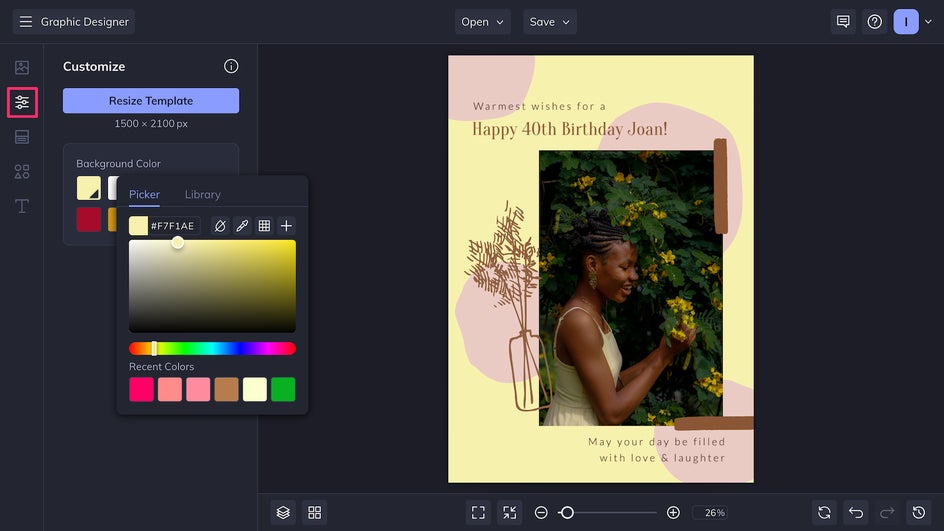
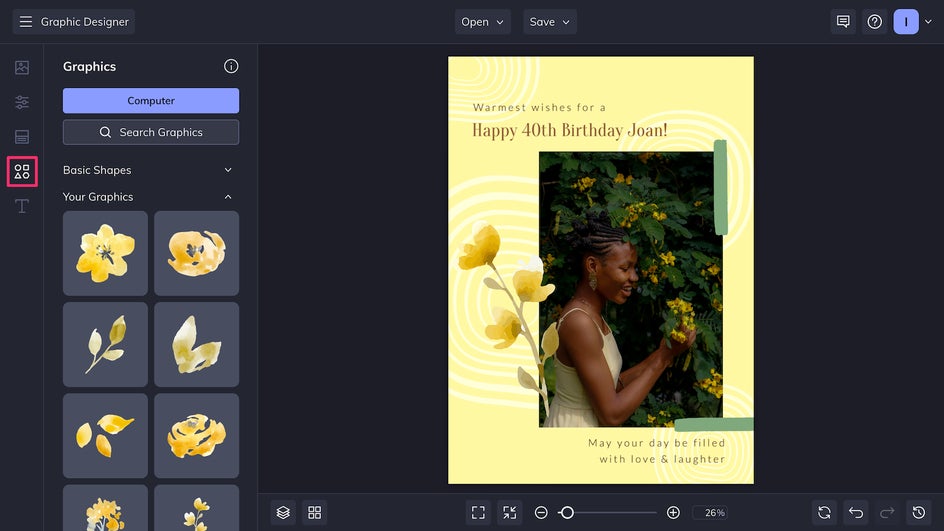
Now you can adjust and replace the existing graphics in the Graphics tab. Note that for much of the vector artwork in the Graphics Library, you can adjust the individual colors to better go with your design.
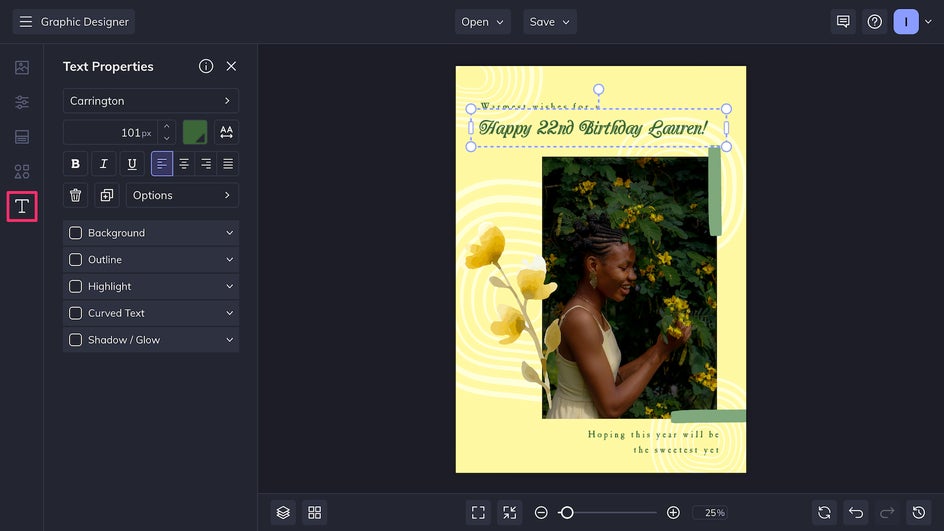
Whether you’re writing a sweet note or a quirky one-liner, it’s super easy to add text to a birthday card with the Text Editor – just click on any of the text areas to edit your birthday message and font. Choose from dozens of different typefaces to fit your card’s aesthetic.
Step 3: Save and Share
Once you’re happy with your custom birthday card design, click Save at the top of the canvas to export it to your device as a high-res PNG for digital sharing or a PDF for printing.
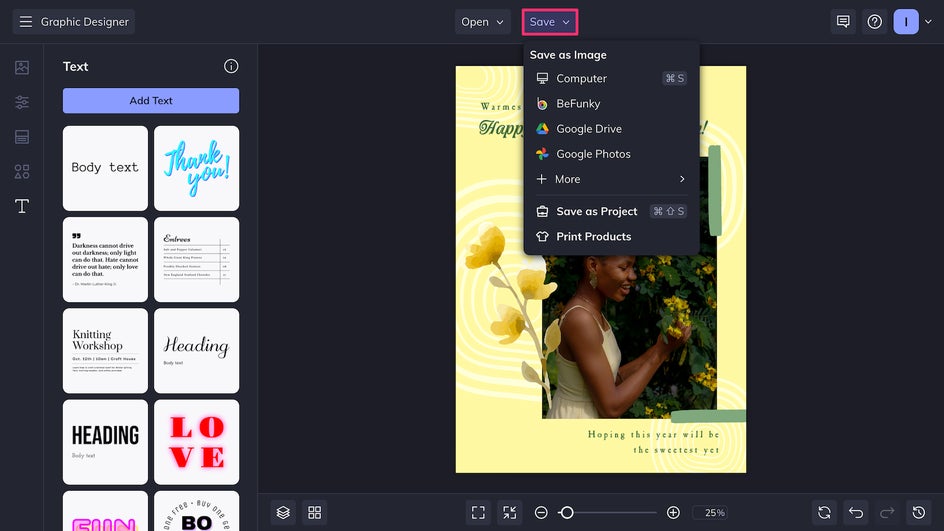
That’s it! You can share your digital birthday greeting directly via email, social media, or messaging apps. If printing, make sure to use a sturdy cardstock for a higher-quality birthday card, and confirm you’re printing at the correct size for your card. If your design is the wrong size, don’t worry – the Smart Resizer tool makes it possible to resize your whole template with ease.
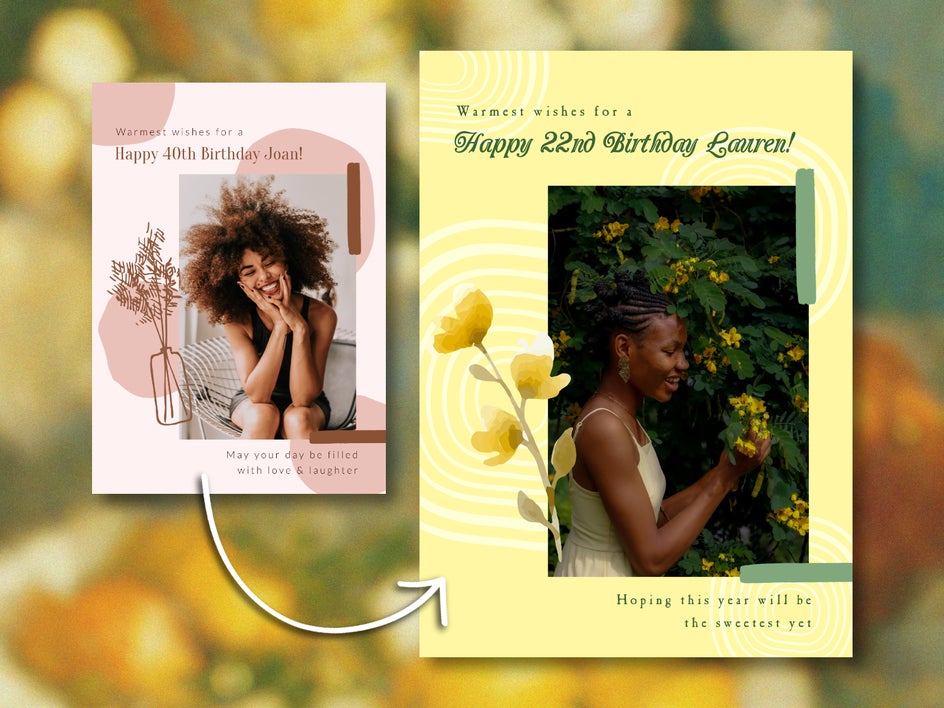
Birthday Card Inspiration
Looking for ideas to get started? Here are four of the most popular types of customizable birthday card templates on BeFunky that can be edited to fit any kind of aesthetic, theme, and personality.
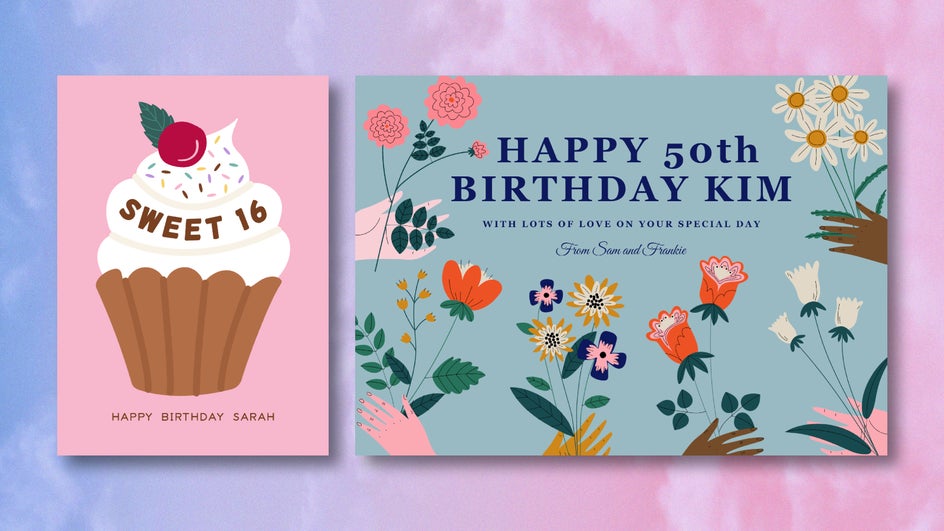
Graphical
These cards use playful icons, illustrations, and bold typefaces to bring your message to life. From cupcakes and confetti to fun characters, graphic templates are perfect for kids’ birthday cards or for anyone who loves a whimsical touch. Customize the colors and swap out any graphic to suit the recipient’s interests or party theme.
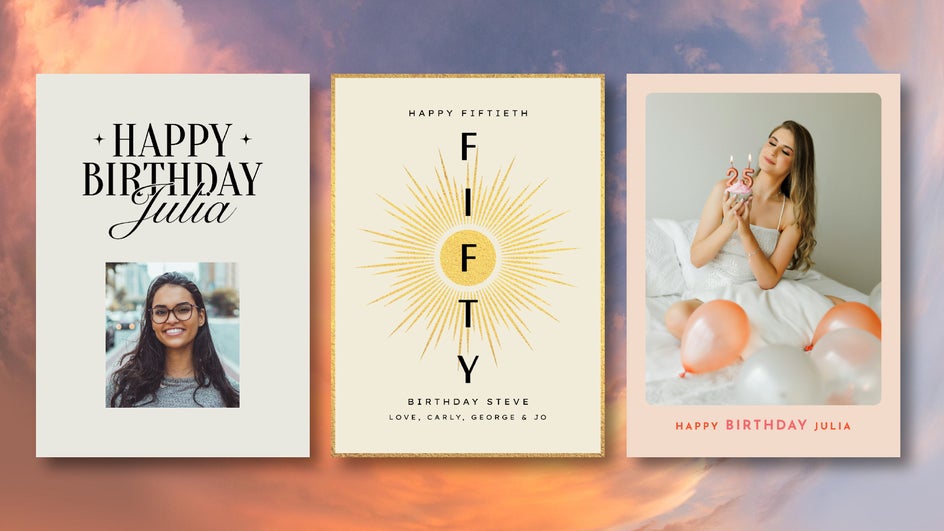
Simple & Minimal
Sometimes less is more. The Card Maker’s simple and minimal birthday card templates are ideal for modern design lovers. These cards feature elegant typography, muted backgrounds, and clean layouts. The final designs are timeless and work beautifully for adults or colleagues where a more polished feel is needed.
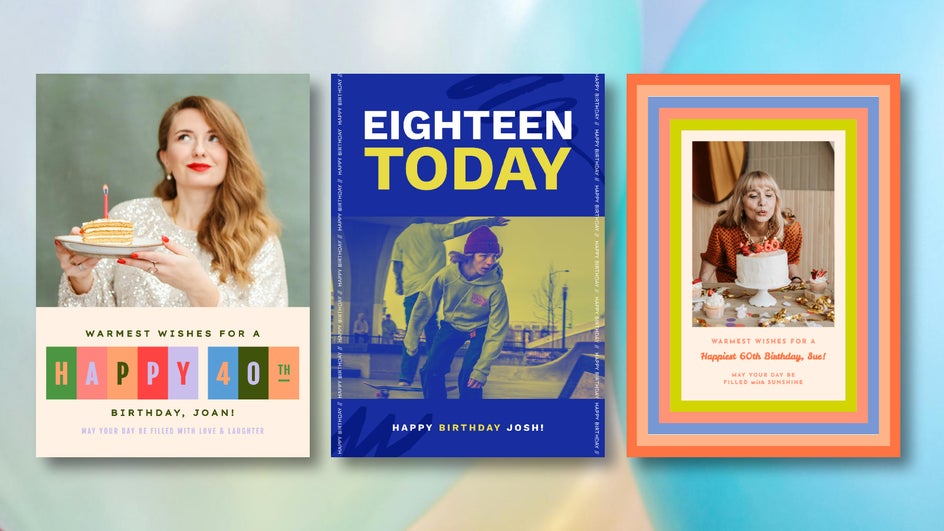
Central Photo
Want to let a single photo do all the talking? Big photo templates are designed with one central image in mind, making them perfect for showcasing a favorite memory. If it fits the design, you can use the Background Remover to isolate the subject for a more unique card. Combine your photo with the text tool to send a heartfelt message or inside joke.
Collage
If you’re close with someone, you probably have tons of photos of them, making it impossible to choose just one for their birthday card. If that’s the case, use a photo collage birthday card to include several memories in one design. Particularly great for close friends, family, and milestone birthdays, these templates let you show how far the recipient has come.
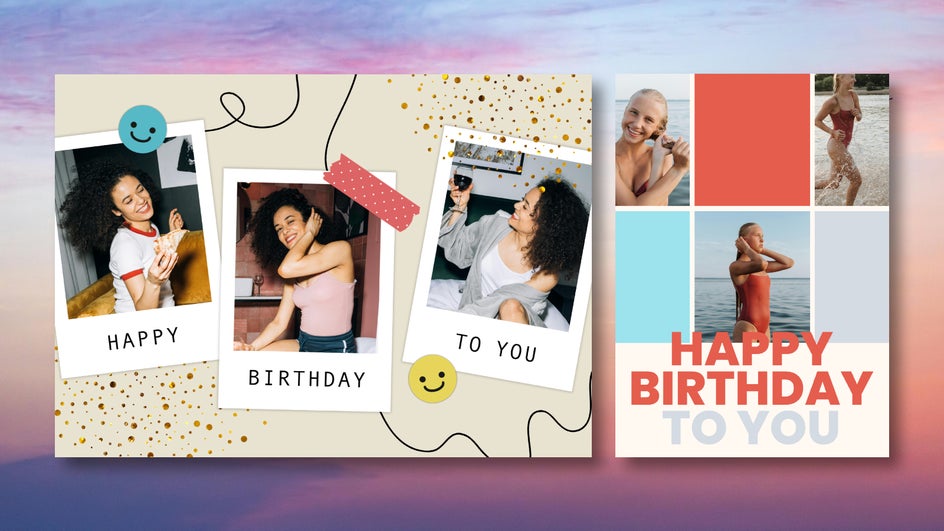
Want to use a low-resolution photo? No problem – just run it through the AI Upscaler. You can also use Artsy effects and other BeFunky tools to make your birthday collage totally unique.
Custom Birthday Cards Made Easy
No matter how old you’re turning, there’s something truly touching about receiving a handmade card. And with BeFunky’s birthday card maker, it’s never been easier to make that happen. Whether you want to design a greeting that’s funny, sincere, or professional, you’ll have all the tools you need to create a birthday card that feels truly personal. Customize your first birthday card template online today with the Card Maker!