Make Your YouTube Series Instantly Recognizable With Custom Thumbnail Templates

Making different series on the same channel is useful for anyone who creates a lot of YouTube content. A viewer may not like every single one of your videos – but if they enjoy one video in a specific series, they’ll probably enjoy the rest of that series! That’s why differentiating your videos with consistent thumbnails for each series is so important. Matching thumbnails help videos stand out in a crowded feed and make your channel easier to search through, ultimately increasing click-through rates and boosting watch time.
If you’re wondering how to make a series recognizable through thumbnails alone, look no further – with the Graphic Designer and YouTube Thumbnail Maker, you can create a reusable series thumbnail template right from your browser. Once the template is designed, it takes just a few clicks to create a matching thumbnail for every new installment in the series.
With its intuitive interface, customizable asset library, and useful project-saving features, the Designer streamlines this final step of the content creation workflow to save hours of time. BeFunky also lets you align your visuals with premade thumbnail templates and custom channel art to solidify your brand. Here’s how to create your own YouTube series thumbnail template for use in your next video – and future videos to come!
How to Create a Customizable YouTube Thumbnail Template
A reusable template can turn a 30-minute design task into a 3-minute edit. Here’s how to build one that fits any video series.
Step 1: Prep Your YouTube Thumbnail Canvas
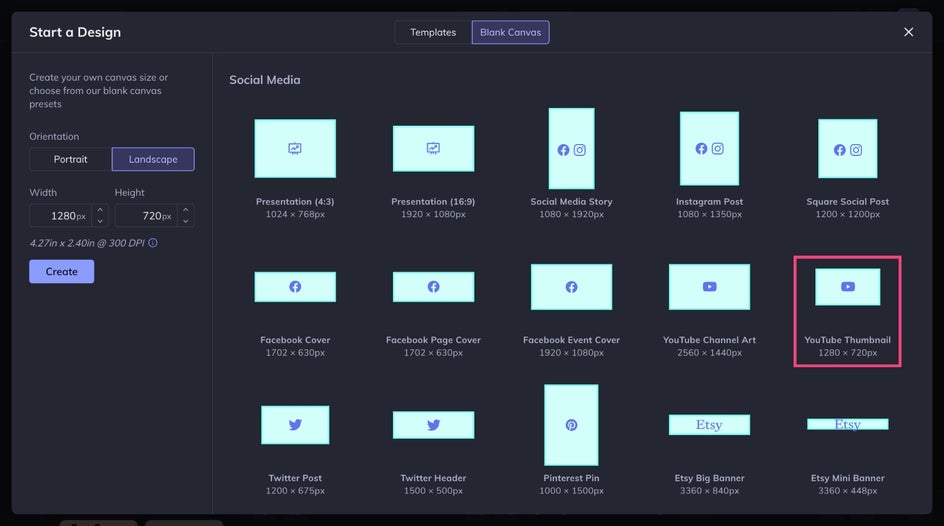
Head to the Graphic Designer and select the blank canvas preset sized perfectly for YouTube thumbnails (1280x720 px). This gives you a clean slate to start from and offers ultimate control over the final thumbnail design. (If you prefer to start with a pre-built template, check out the YouTube Thumbnail Maker category!)
Step 2: Add Placeholder Images
Remember that the thumbnail template will act as a frame – the structure will remain similar, but the individual elements are flexible. What will probably stay the same are the typeface, color palette, and general placement of design elements. Content like copy and images can be swapped out later.
So first, choose a background image – this could be a still from the video, a branded color, or even a pattern.
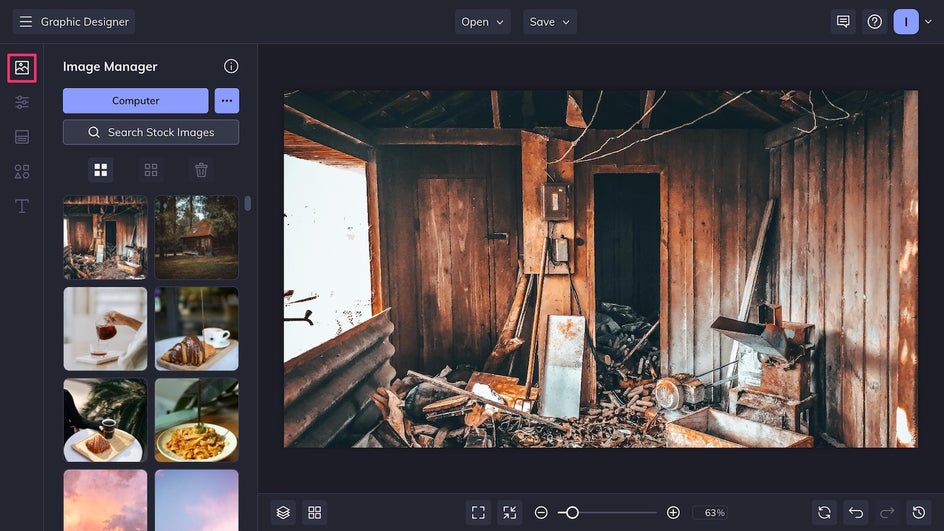
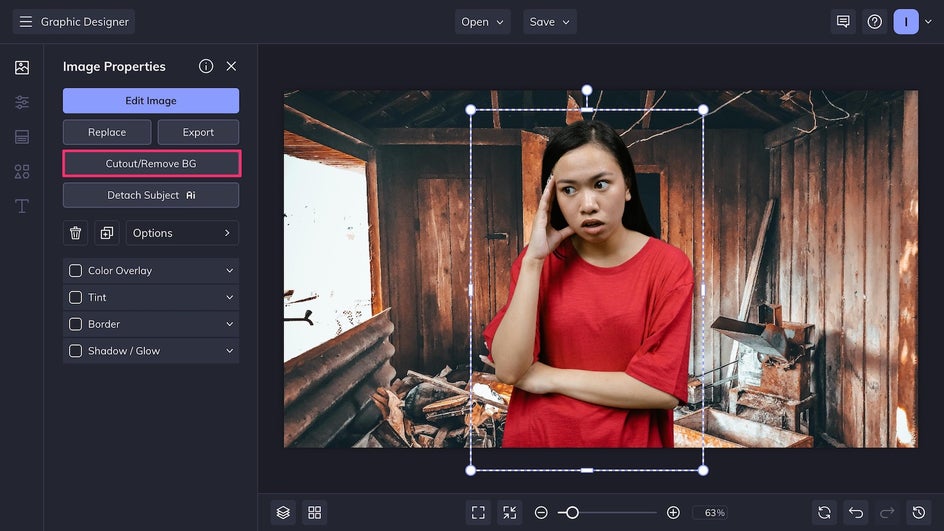
Depending on the content, you can layer in another image on top like a reaction image or product still. Here we’ve used the Cutout tool to instantly erase the background of our reaction image.
Step 3: Stylize With Text and Graphics
Head over to the Text tab to add a placeholder for the episode title or topic, using bold, legible fonts. Stick to one or two fonts that will repeat throughout the series. For more contrast, add a background or outline.
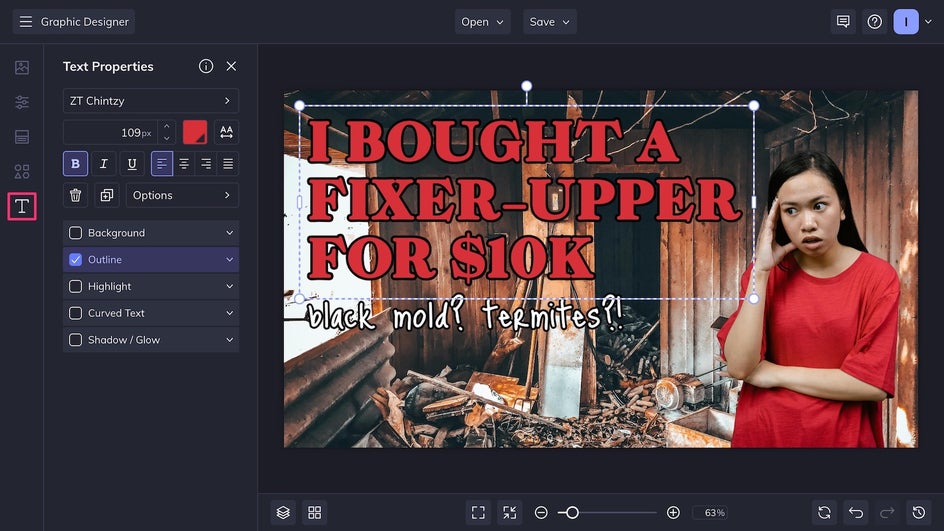
Add shapes from the Graphics tab like arrows, borders, or banners to highlight key info and guide the viewer’s eye. At this stage you may also want to add a watermark or logo.
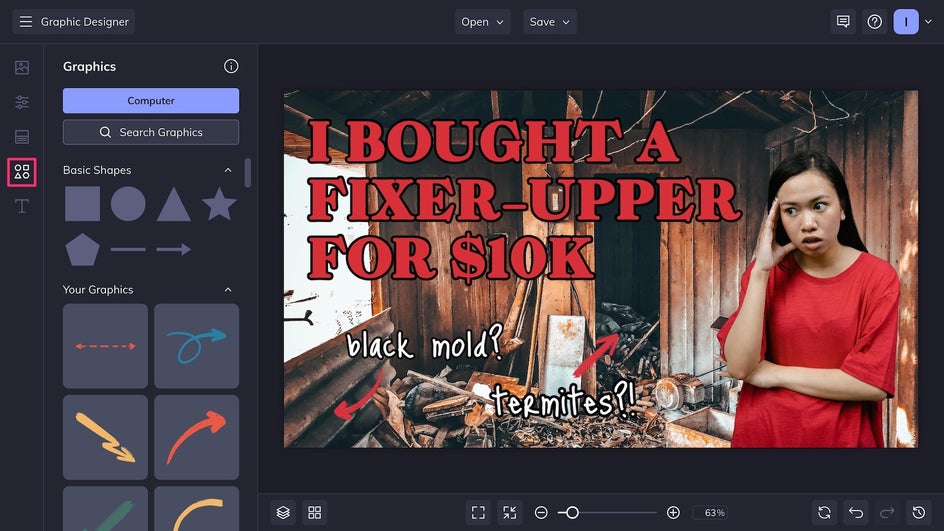
Keep the layout balanced and clear – 70% of YouTube views happen on mobile, where thumbnails appear quite small. High contrast and readable typefaces help with clarity.
Step 4: Save as a Project to Reuse
Once the design structure and layout look good, click Save as Project at the top of the canvas and save the file either to your device or to your BeFunky account. This creates a fully editable .BFD template that can be opened again in Graphic Designer at any time.
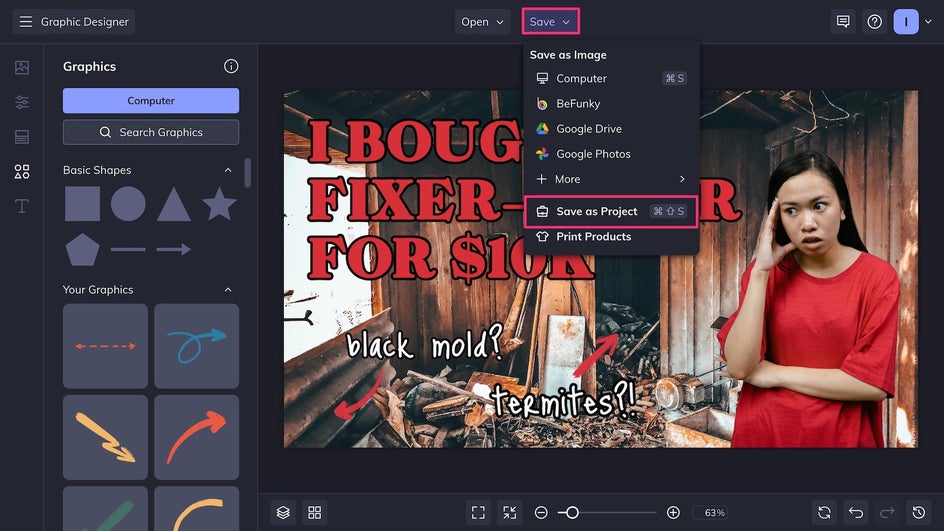
Final Results: A Custom Thumbnail Template for a Faster Workflow
From this point on, future series thumbnails are just a few clicks away. When a new video drops, simply swap out the photos, update the title text, and export the new thumbnail. No need to start from scratch each time – by putting work into this first template, you’ll have an iconic YouTube series that’s effortlessly consistent, polished, and and professional.
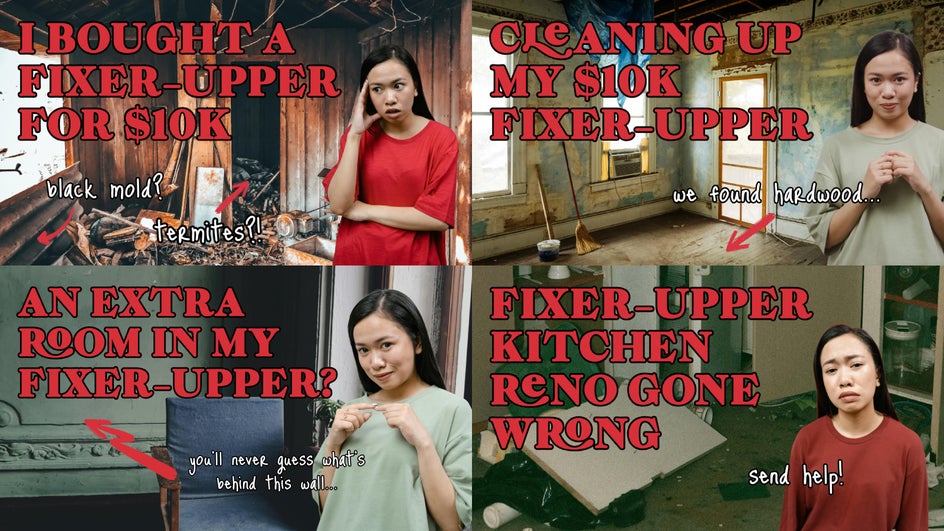
YouTube Series Thumbnail Inspiration
The right thumbnail approach can vary depending on content style, audience, and tone. Here are some of the most popular YouTube series categories at the moment and template inspiration for each one.
Lifestyle Videos and Vlogs
These thumbnails tend to emphasize personality, storytelling, and setting. A popular template might include a low-contrast background using a still from the video itself, like a kitchen, café, or city view. For the episode number and descriptive title, use creative fonts that match the series’ vibe, like playful handwritten styles for casual vlogs or elegant serif fonts for aesthetic daily routines.

This template type helps build familiarity and encourages viewers to click through to similar videos. Try using a toning filter to tie the series together visually even when using different background images!
Educational and How-To Series
This includes tutorials, breakdown videos, and skill-building content. A great how-to thumbnail uses a background with minimal visual clutter, bold text that gets straight to the point, and icons or photos that represent the topic.

A minimalist layout that avoids the clickbait style of other videos makes a creator seem more trustworthy as an informative source. It also reinforces structure and makes it easy for viewers to follow the progression of the series. Use hand-drawn graphics to keep things simple!
Gaming and Tech
Gaming thumbnails are all about energy, action, and eye-catching visuals. With so many titles and streamers in the space, successful gaming series thumbnails need to be loud, fun, and immediately recognizable. The most common trends include dynamic in-game screenshots, the game’s logo front and center, and a cutout image of the creator with an expressive or dramatic reaction

Gaming creators are often playing multiple games at once. With a template saved in Thumbnail Maker, it’s easy to swap in a new screenshot, tweak the title, and keep the series looking cohesive while matching the fast pace of gaming uploads.
Make Your Video Series Stand Out With Custom Thumbnails
Custom thumbnails make a channel look more professional, help users find the content they’re looking for, and create trust between a creator and their long-term audience. Creating a repeatable design with the Graphic Designer and YouTube Thumbnail Maker helps cut down production time and maintain consistency, even during busy publishing schedules. Whether you’re creating tutorials, vlogs, reviews, or something else, a solid thumbnail template makes any series look sharp. Create your first reusable thumbnail template today!