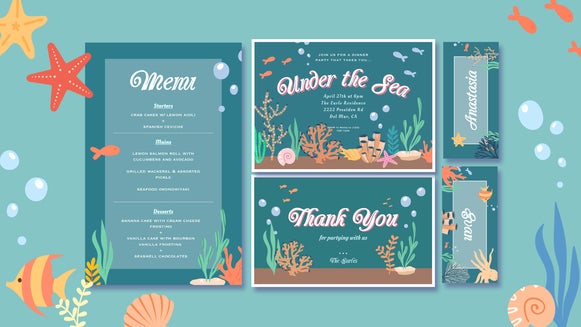
Create Original Illustrations for Invitations, Greeting Cards, and Stationery

Whether you're designing wedding invitations, birthday cards, or a set of personalized stationery, original illustrations can make your creations feel that much more special. But what if you're not an illustrator yourself? With BeFunky's Image Generator, you can create custom artwork from scratch, experimenting with different artistic styles, color palettes, and themes to suit any occasion.
From delicate watercolor florals to whimsical birthday illustrations, it's easy to generate imagery that feels personal and completely your own. Then, with BeFunky’s Graphic Designer, you can bring everything together into a polished invitation, greeting card, or stationery design. We’ll show you how!
Generate Custom Illustrations for Every Occasion
One of the best things about using our Image Generator for stationery is that you're not limited to the illustrations or design elements everyone else is already using. You can describe exactly what you're envisioning and generate artwork that complements your theme, aesthetic, and occasion.
Here are a few ideas to get your creativity flowing!
Floral Illustrations for Wedding Stationery
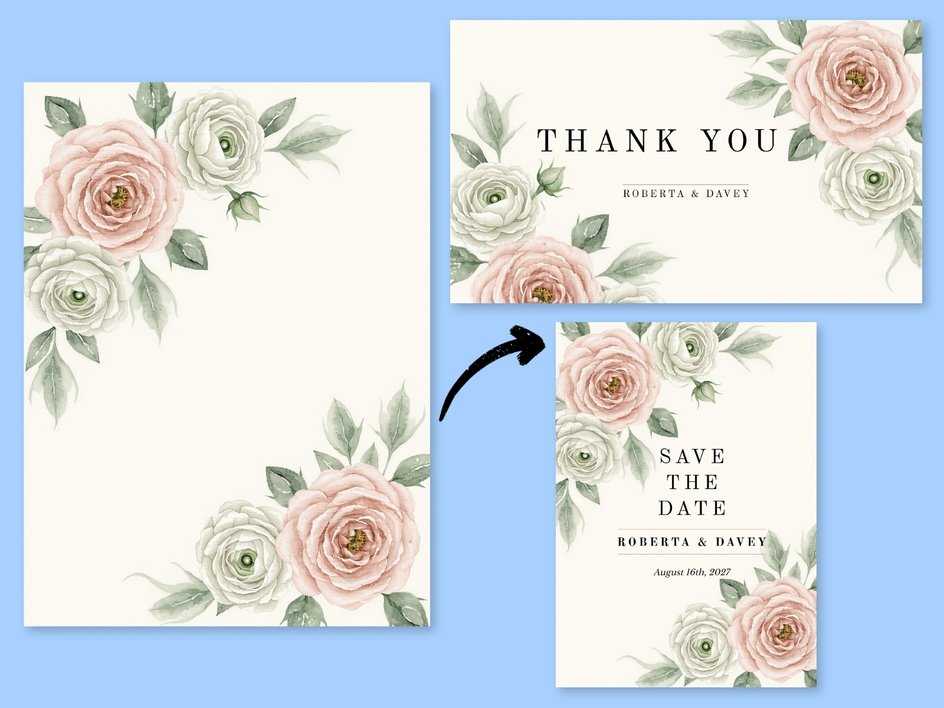
Floral illustrations are a timeless choice for wedding invitations, save-the-date cards, and thank-you notes. Whether you love the look of soft watercolor blooms, delicate botanical sketches, or romantic garden-inspired arrangements, you can generate custom floral artwork to complement your wedding aesthetic.
You can also experiment with different flowers, arrangements, and color combinations to create a collection of coordinating illustrations for all of your wedding stationery.
Whimsical Birthday Illustrations
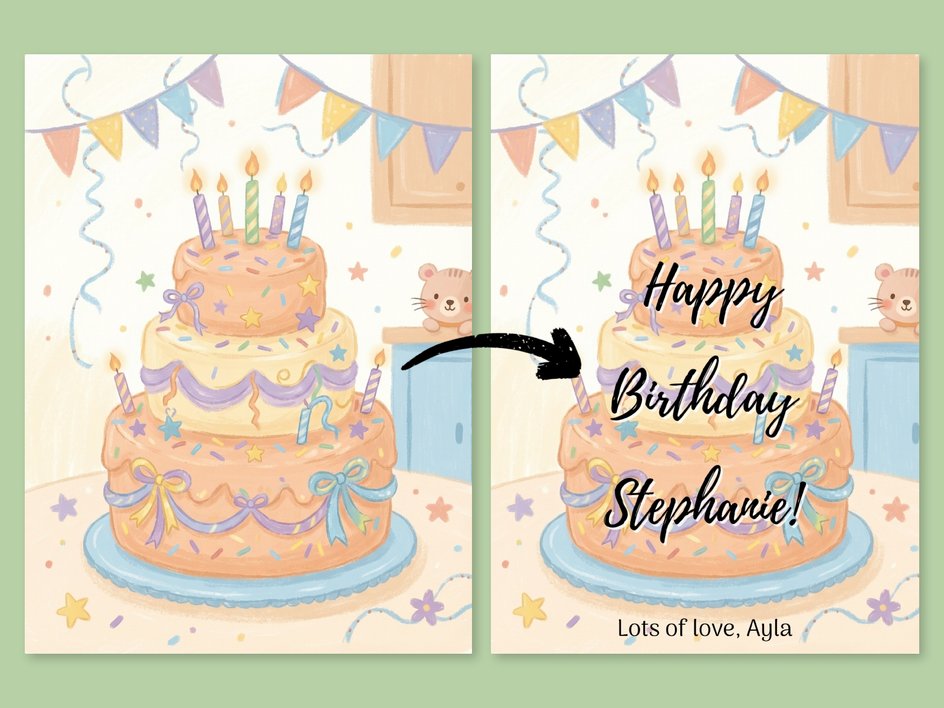
Birthday invitations and greeting cards are a wonderful opportunity to get playful with your artwork. Think colorful birthday cakes, whimsical balloons, hand-painted party decorations, or adorable storybook-inspired animals.
You can tailor your illustrations to suit the recipient, too. For a child's birthday party, you might generate cute woodland creatures or a whimsical circus scene. For a more grown-up celebration, try retro-inspired illustrations with bold colors and vintage charm.
Adorable Baby Shower and New Arrival Artwork
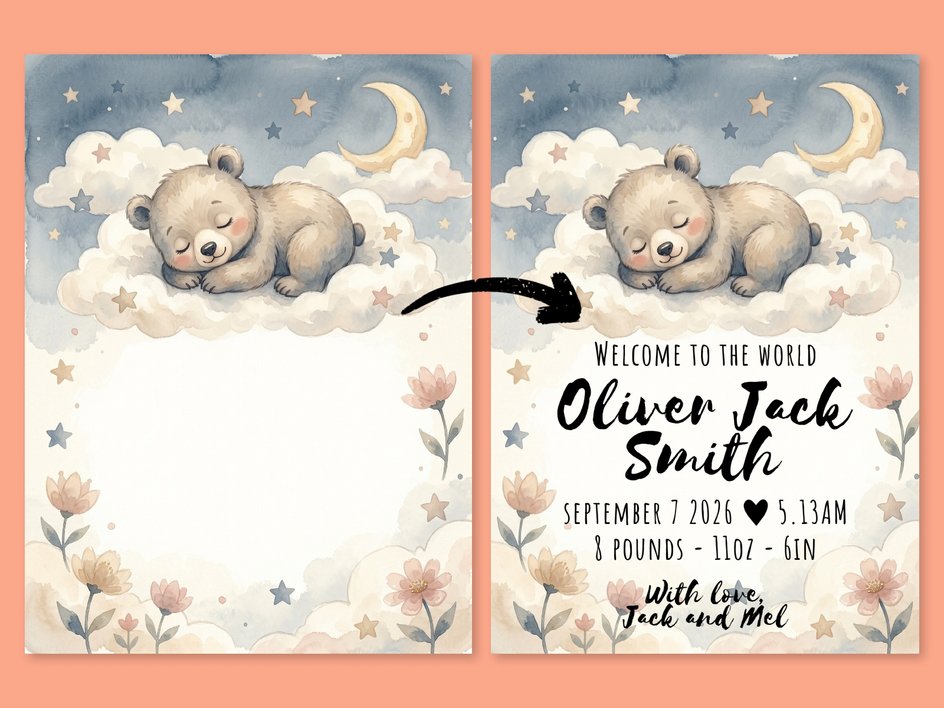
If you're creating baby shower invitations, birth announcements, or welcome cards, the Image Generator makes it easy to create charming illustrations that suit the occasion.
Try generating watercolor teddy bears, woodland animals, rainbows, or dreamy moon-and-stars imagery. You could even create a little collection of nursery-inspired illustrations using a consistent color palette and artistic style.
Unique Seasonal Greeting Card Art
Why settle for generic seasonal illustrations when you can create something entirely your own? Generate springtime florals, summery botanical illustrations, autumn leaves, or festive winter greenery to give your holiday greeting cards a custom look.
This is also a great opportunity for stationery designers and small creative businesses to develop seasonal collections of original artwork that can be used across multiple products.
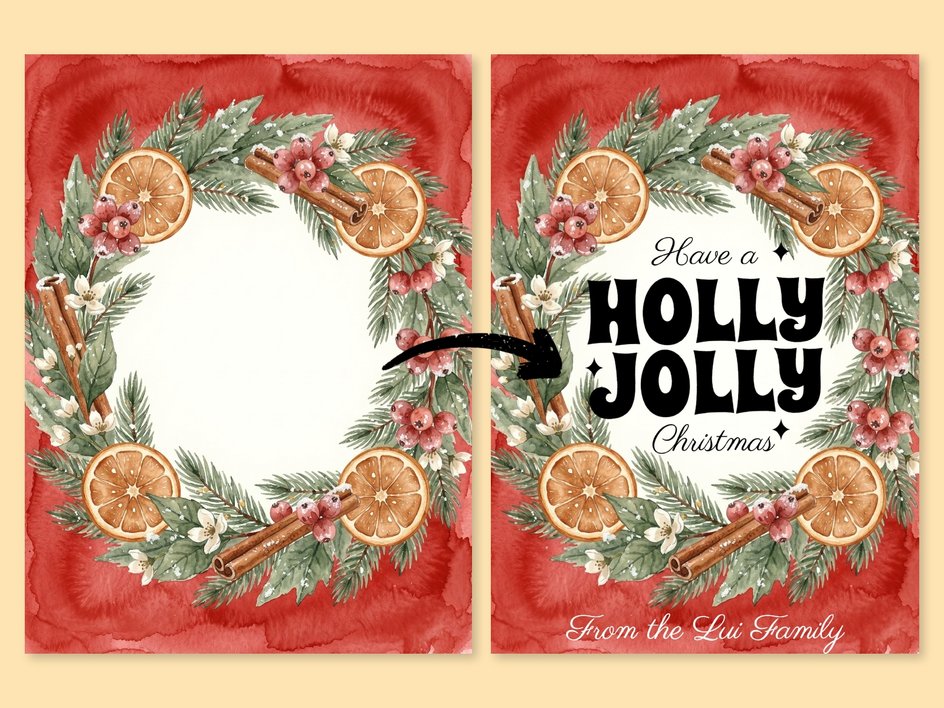
How to Create Your Own Invitation or Greeting Card Illustrations Using AI
Now that you've got a few ideas, let's walk through how to generate your own illustrations and incorporate them into a finished stationery design using our creative suite.
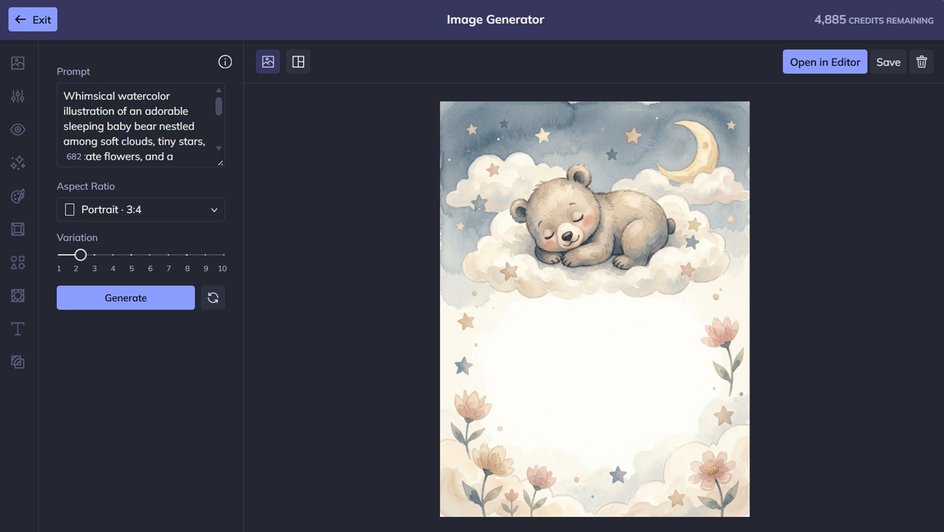
Step 1: Generate Your Original Illustration
Before opening the Image Generator, think about the type of stationery you're creating and the overall look you're hoping to achieve. Additionally, consider your color palette, illustration style, and the mood you want to convey.
Having a clear direction will help you write a more descriptive prompt and generate imagery that feels cohesive with your design.
Once you've settled on an aesthetic, follow our Image Generator tutorial to bring your idea to life.
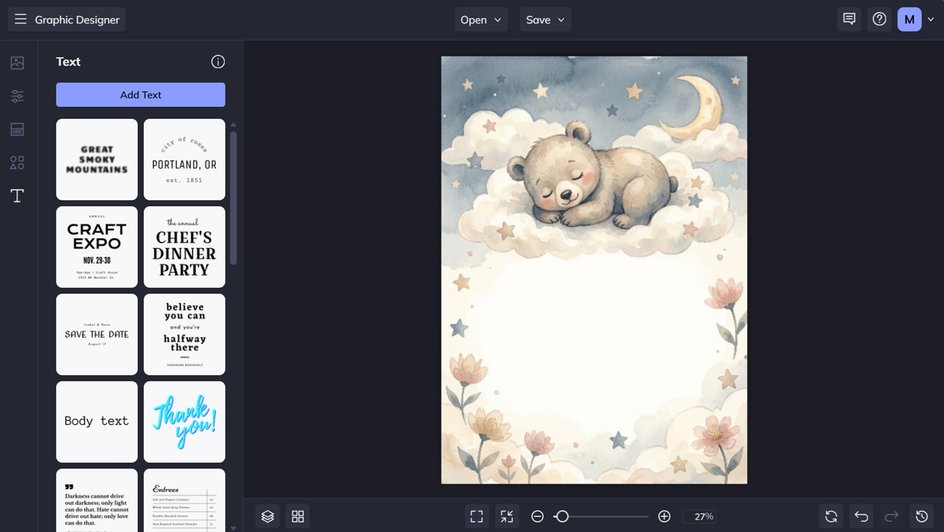
One helpful tip: If you're planning to add wording to your invitation or card, consider generating an illustration with some negative space. An uncluttered area gives you somewhere to position your text without competing with the artwork.
Once you're happy with your result, save your generated image so it's ready to use in your design.
Step 2: Create Your Invitation or Card Layout
With your original illustration ready, it's time to turn it into a complete design! Open the Graphic Designer, where you can choose between starting with a ready-made template or creating your layout from scratch.
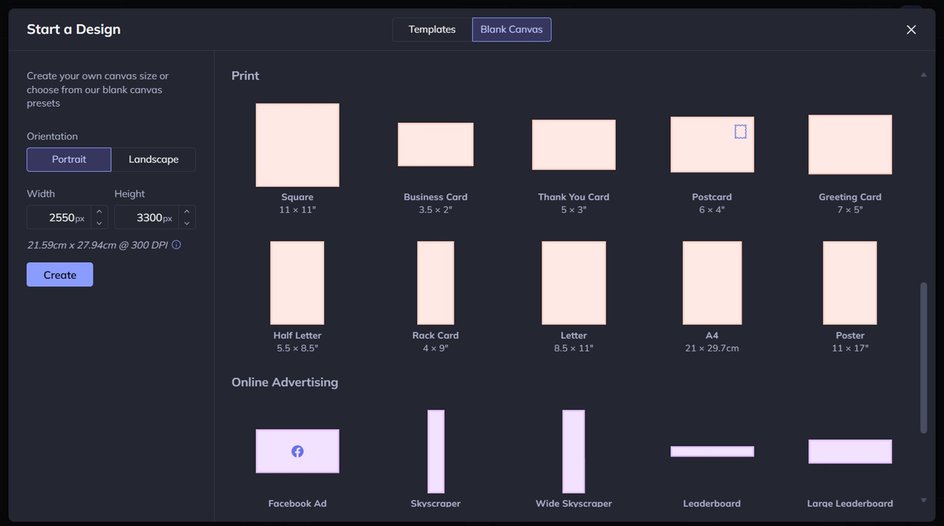
If you'd like a little design inspiration to get started, browse the available templates and select one that suits your occasion. You can then customize it by incorporating your newly generated illustration, replacing existing imagery, and adjusting the layout to suit your aesthetic.
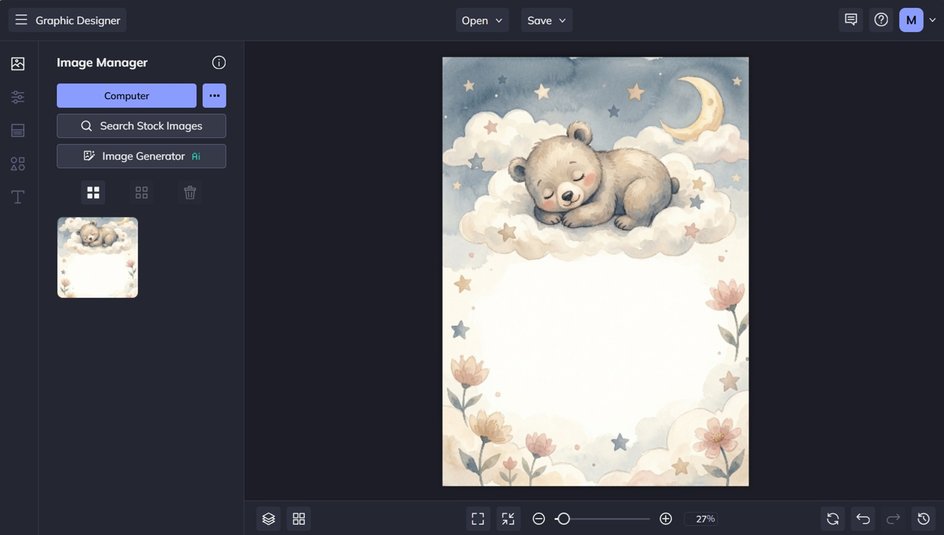
Alternatively, start with a blank canvas and upload your generated artwork. You might use it as a full background, position it as a decorative border, or make it the focal point of your design.
For this tutorial, we’re starting with a blank canvas and using our birth announcement design.
Step 3: Add Your Wording and Finishing Touches
The final step is to add the details that make your invitation or greeting card complete. Use the Text tab to incorporate your wording, whether that's the essential details of an upcoming celebration or a heartfelt message for someone special.
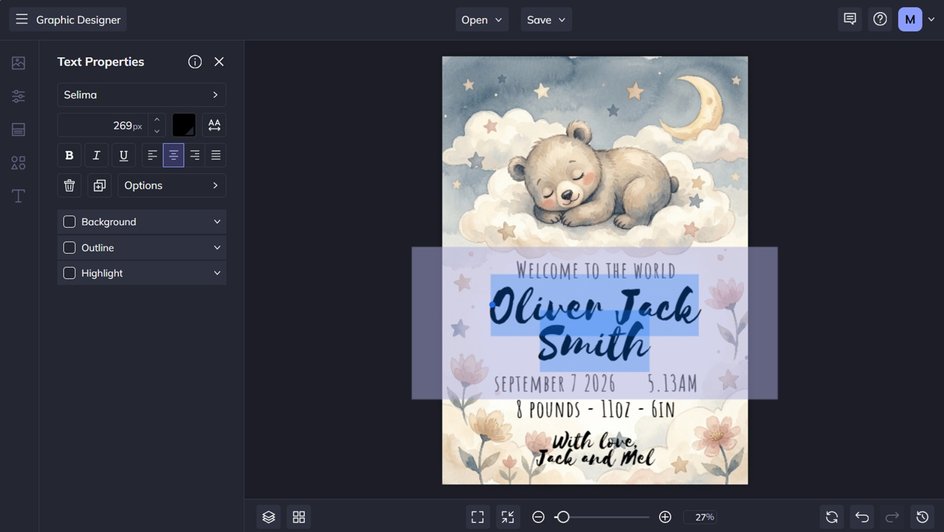
From the Text Properties panel which appears when you click on a text box, you can also adjust things such as the font, text size, text color, spacing, and more.
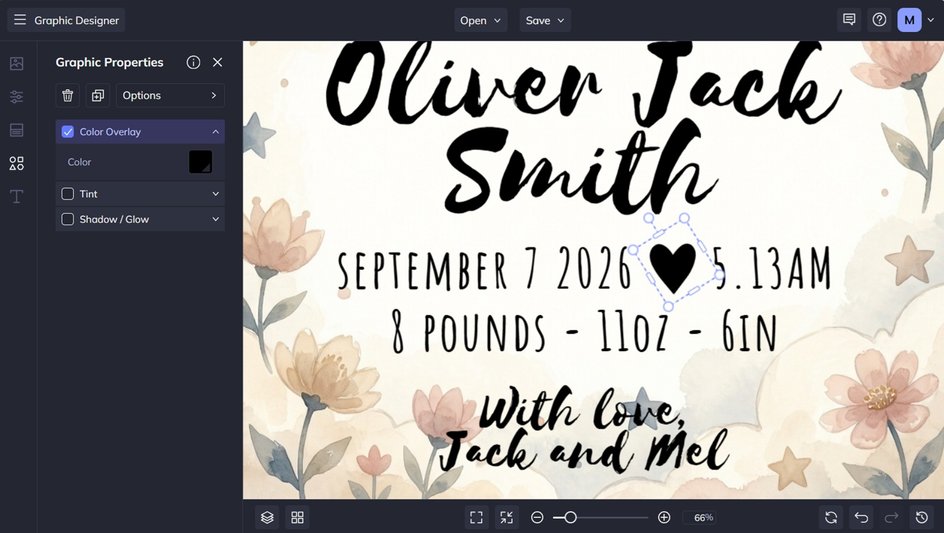
You can then incorporate additional design elements, decorative borders, or subtle embellishments to tie everything together. Just head to the Graphics tab to access all of these. Want to change the colors of your chosen design element? Simply click on it, then use the options in the Graphic Properties panel.
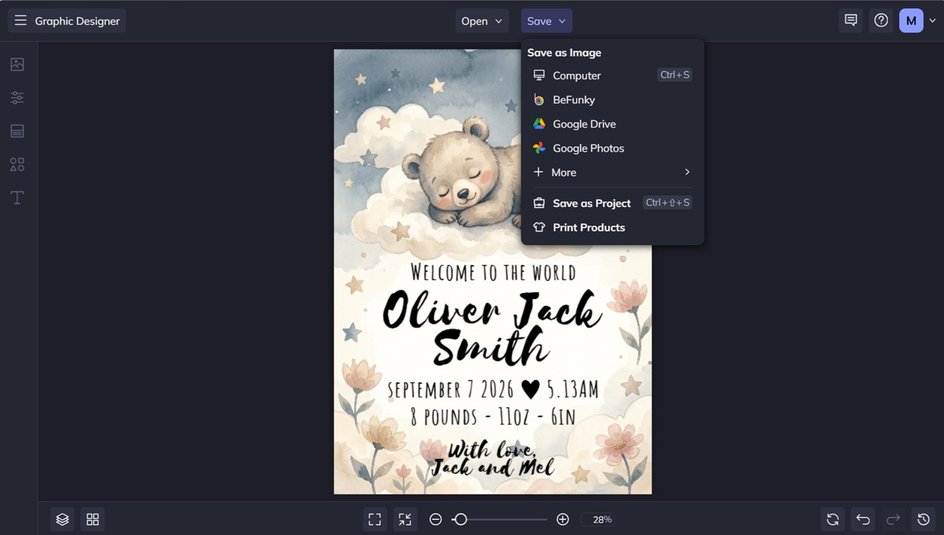
Once you're happy with your finished creation, save it to your computer or prepare it for printing. You now have an original piece of stationery featuring artwork you generated yourself!
Bring Your Stationery Ideas to Life With BeFunky
Creating beautiful invitations, greeting cards, and stationery doesn't require professional illustration skills. With our AI-powered Image Generator, you can bring your ideas to life with original artwork tailored to your occasion, aesthetic, and creative vision.
Simply generate your imagery, then use the Graphic Designer to arrange your artwork, typography, and finishing details. Whether you're making something special for a loved one or developing an original stationery collection for your business, the possibilities are endless!
Ready to create your own custom illustrations? Check out the Image Generator today!