Twitch Profile Picture Maker for Streamers

On Twitch, first impressions happen fast. Before someone clicks into your stream or reads your bio, they see your profile picture – a small image that hints at your personality, content style, and channel’s overall vibe. A strong profile picture helps you stand out and ensures your channel is recognizable at a glance.
Because Twitch profile pictures are often displayed at very small sizes, clarity matters. Images must be uploaded as a perfect square (1:1) measuring at least 256 × 256 pixels. Twitch then automatically applies a circular crop wherever your profile picture appears. Centering your face, logo, or focal point ensures important details aren’t cut off and that your image stays clear and recognizable in search results, recommendations, and chats.
With so much importance riding on a single image, it can be daunting trying to create the perfect profile pic. That’s where BeFunky’s Smart Templates come in. With a collection designed specifically for profile images, these templates automatically apply background removal, stylized effects, and balanced layouts. Want to create a standout Twitch profile picture? We’ll show you how!
How to Make a Twitch Profile Picture With Smart Templates
Before getting started, select a bright, high-quality portrait where your face is clearly visible. Images that are cropped closer, with strong contrast and defined details, tend to work best for profile pictures.
Step 1: Choose a Portrait Smart Template
Head directly to our Smart Templates and open the Portraits category. This is where you’ll find Smart Templates designed specifically for stylized portraits and profile images.
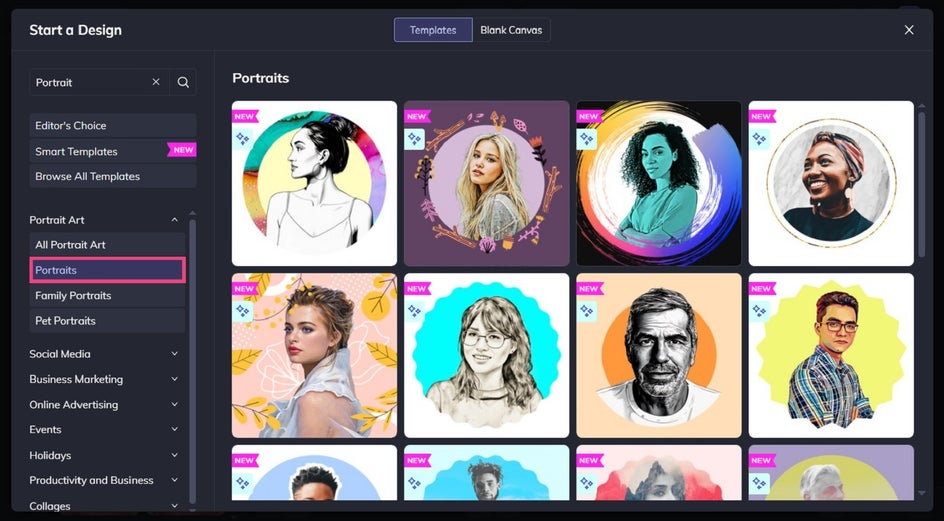
Browse the Portrait templates and choose one that fits your brand. Some designs feel bold and colorful, while others lean more minimal or artistic.
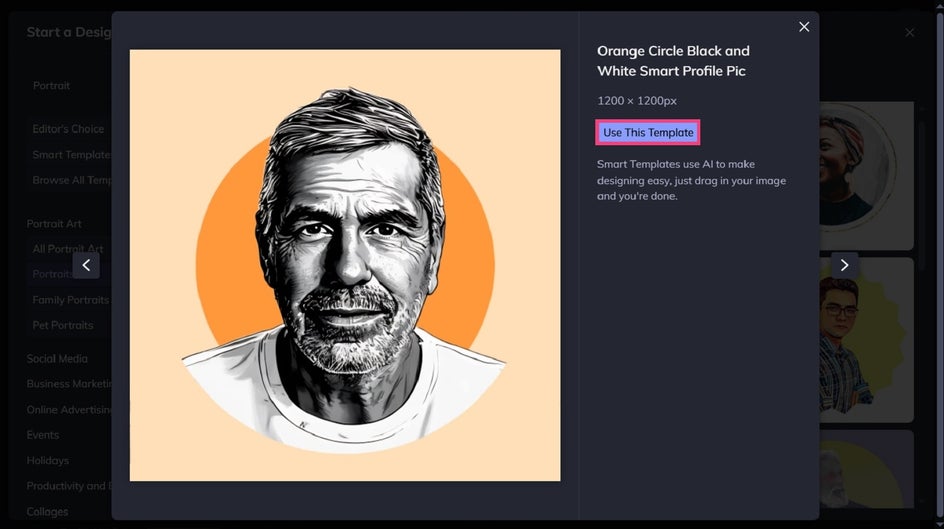
Click Use This Template to open it on your canvas.
Step 2: Add Your Photo
Click on the placeholder image to replace it with your own photo. You can upload an image from your computer, drag and drop one onto the canvas, or choose a photo from the Image Manager.
As soon as your image is added, the Smart Template automatically applies built-in effects, background removal, and graphic elements. This instantly transforms your photo into a polished, profile-ready design!
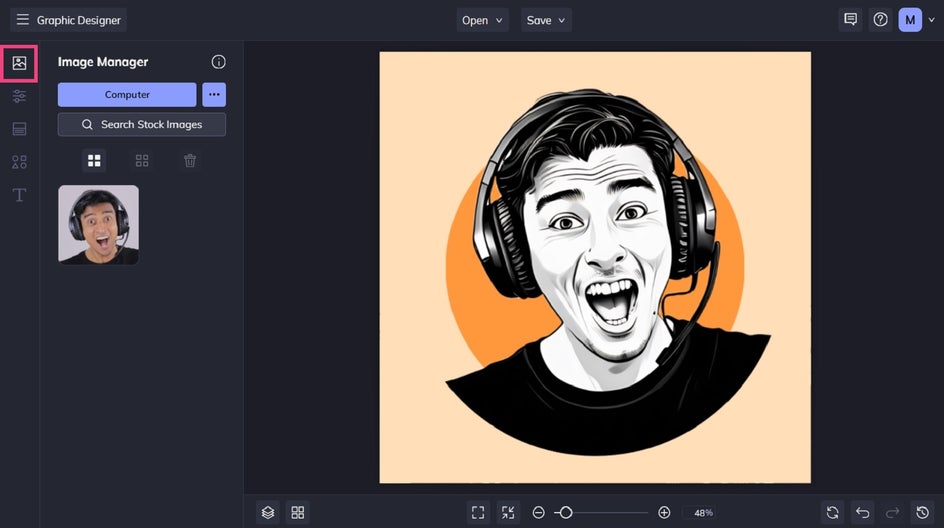
Step 3: Customize and Fine-Tune
Smart Templates do the heavy lifting, but you’re still free to customize. You can also resize the template so it’s the perfect measurement for your chosen platform. To do this, navigate to Customize, then click Resize Template.
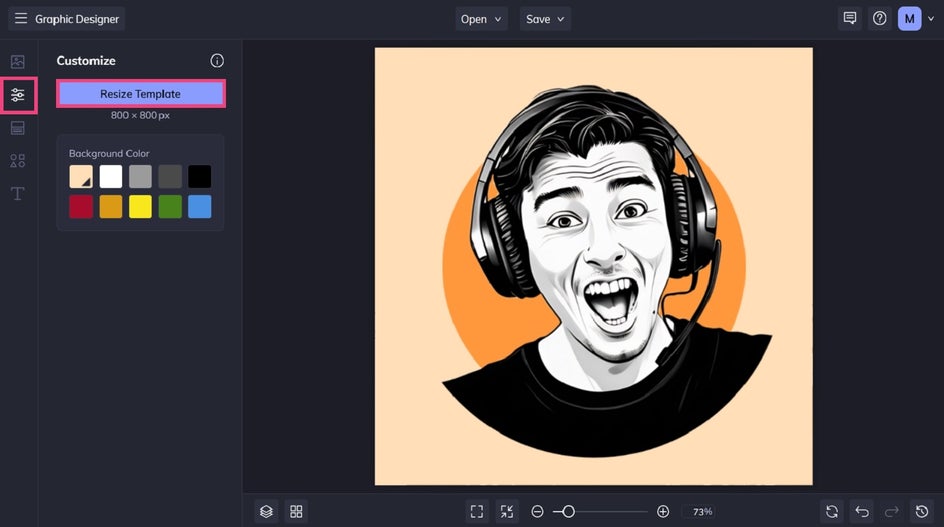
For Twitch, the platform requires a minimum of 256 x 256 pixels, but you can use larger dimensions (like 800 x 800 pixels) for a higher quality result, provided the file size is under 10MB.
Step 4: Save and Upload Your Twitch Profile Picture
Click Save at the top of the canvas and export your image as a PNG or JPG. Your profile picture is now ready to upload to your Twitch account!
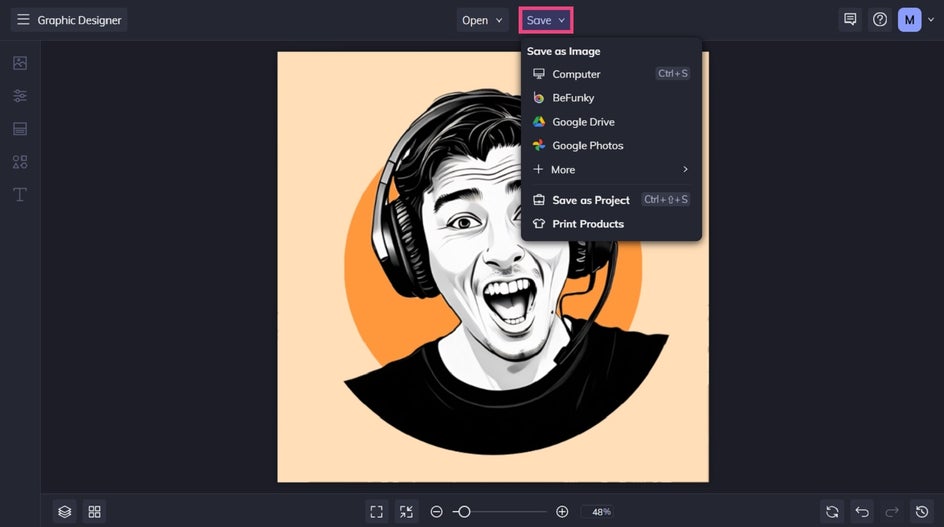
A Polished Twitch Profile Picture in Seconds
Thanks to our Smart Templates for portraits, creating a professional and polished profile picture for Twitch has never been easier. Just drag and drop your own image and you're good to go!
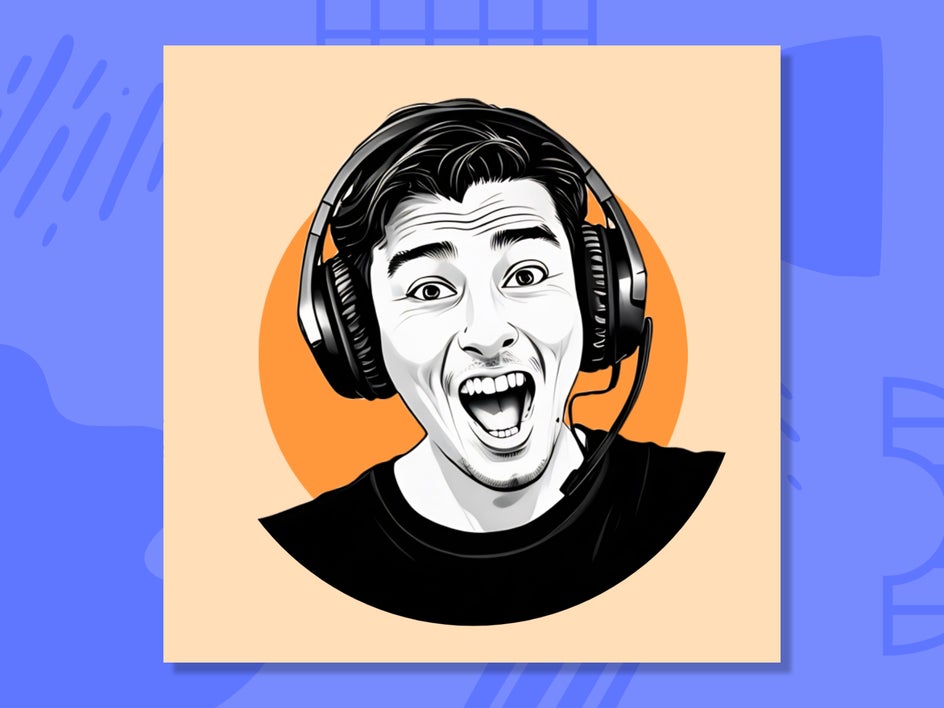
More Twitch Profile Picture Ideas
Looking to explore beyond portrait-based designs? Here are a few additional ways you can use our Smart Templates to take your Twitch profile to a whole new level.
Logos
Some Twitch creators choose logos for their profile pictures, especially when building a recognizable brand identity. Logo-based profile images can include initials, mascots, icons, or symbols tied directly to a channel’s theme or content style. This approach works particularly well for team channels, e-sports organizations, or streamers who want a consistent look across Twitch, social media, and merchandise.
When designing a logo-style profile picture, simplicity is key. High contrast, bold shapes, and limited colors help ensure your design stays clear at small sizes and within Twitch’s circular crop.
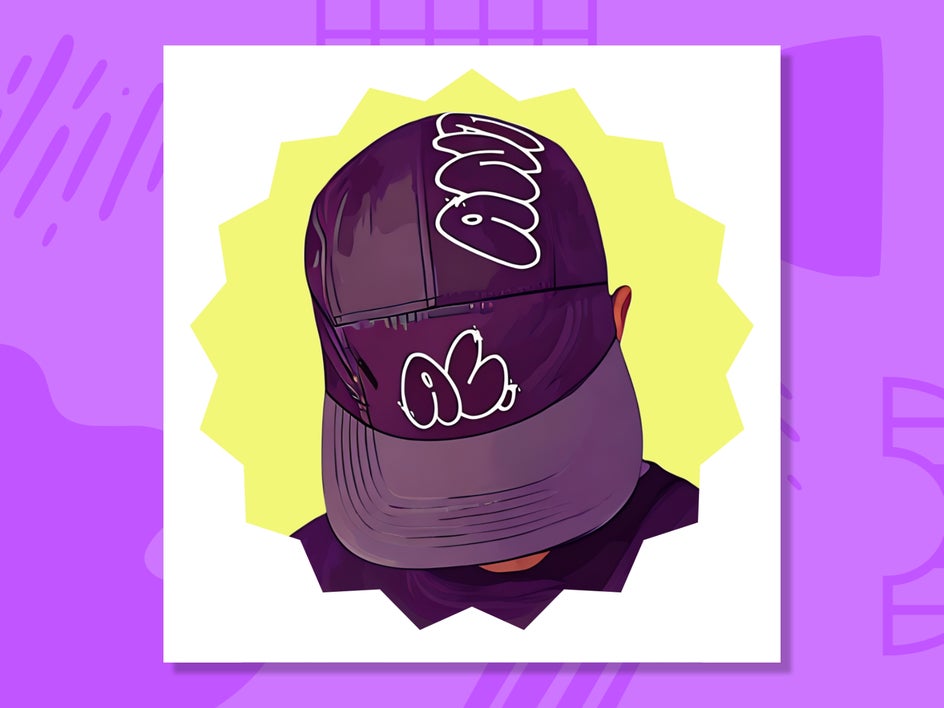
Want to get even more creative? Try combining a photo with your logo! In the example below, we’ve used an image featuring the streamer wearing merchandise that contains his logo.
Text
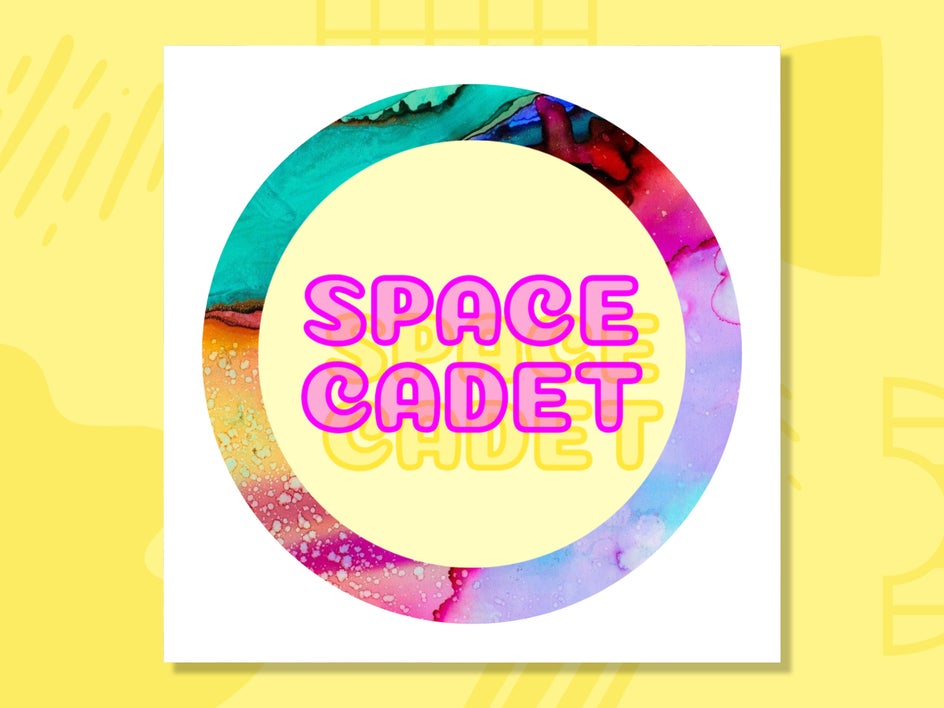
Text-based profile images are another popular option for brand-focused Twitch channels. These designs typically feature a channel name, initials, or tagline styled with strong typography and supported by a colored or textured background. When done well, text-only profile pictures can be just as recognizable as portraits or logos.
To keep text readable at small sizes, use short words, bold fonts, and plenty of spacing. Avoid overly decorative typefaces, and make sure your text is centered so it isn’t clipped by Twitch’s circular frame. In our Graphic Designer, you can experiment with fonts, backgrounds, and subtle effects (such as a drop shadow or glow) to create a professional text-based profile image that stands out.
Seasonal
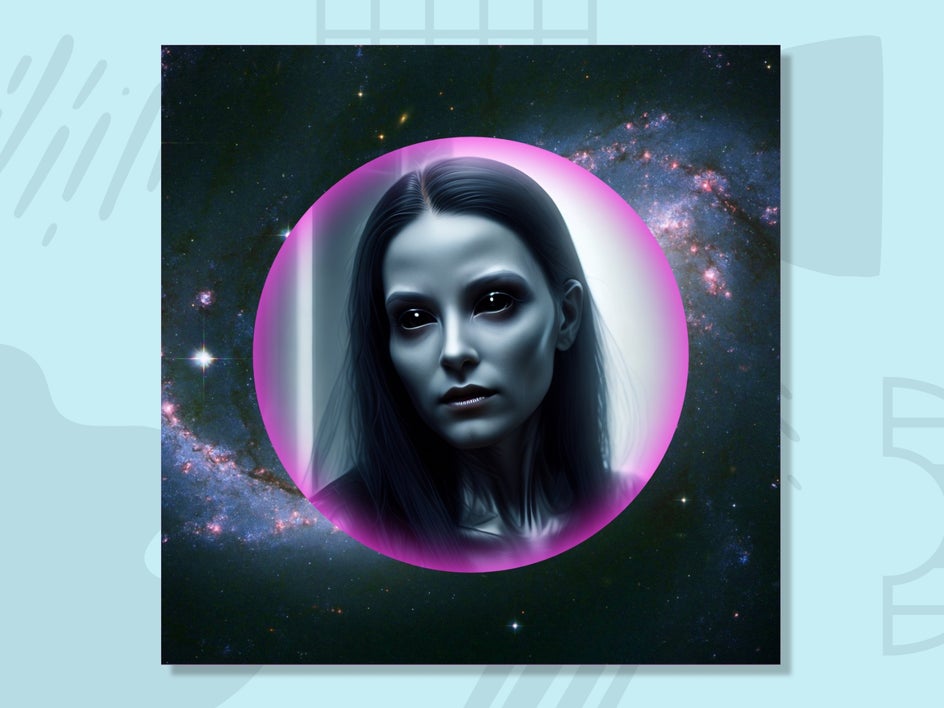
With our Portrait Art Templates, personalizing your Twitch profile picture for different seasons or events takes just minutes. There are ready-to-use templates perfect for fall and Halloween, featuring Fantasy Portrait Artsy effects and spooky or autumnal graphics. These templates make it easy to create a festive look that still keeps your face or logo clear and centered, making them ideal for Twitch’s circular profile crop.
You can also customize your profile picture for winter and holiday seasons by layering in additional edits. Try adding winter-inspired Photo Effects for a cool, frosted look, or incorporate Christmas-themed Graphics to create a festive profile image.
Create a Twitch Profile Picture That Stands Out
Your Twitch profile picture might be small, but it’s mighty. It helps viewers recognize you, remember you, and connect with your channel before they press play.
With our Smart Templates, creating a standout Twitch profile picture is fast, fun, and completely customizable. Explore the Smart Templates today and design a Twitch profile picture that truly represents your streaming style!