









How to Turn Pet Portraits Into Pop Art Online

As pet owners, we love to show off our furry friends to the world – whether that’s on social media, in a scrapbook, or in a frame hung on the wall. But sometimes, a simple photo doesn’t quite capture the charm and joy that a pet brings to our lives.
This is where BeFunky’s Pop Art effects come in. These photo effects turn any pet portrait into colorful pop art in seconds, resulting in a fun, unique tribute to your pet that also doubles as a gallery-worthy work of art.
The pop art movement, which began in the 1950s, drew influence from comics, movies, and advertisements of the day. It remains visually appealing thanks to its bright colors, bold linework, and memorable iconography. This makes it the perfect style for adding color and flair to a pet portrait: Just apply a Pop Art effect to your favorite pet photo in the Photo Editor and it’s ready to be turned into a super-unique greeting card, framed print, social post, and more!
Turn a Pet Portrait Into Pop Art Instantly
To get started, open up the Pop Art effects category of the Photo Editor and upload your favorite pet photo. If you plan on creating a four-panel pop art piece, it’s better to use a portrait taken from the neck up (or use the Crop tool to crop it to size). Otherwise, any pet photo where your pet is centered works great. From here, it’s just a couple of steps until you have the pop art pet portrait of your dreams!
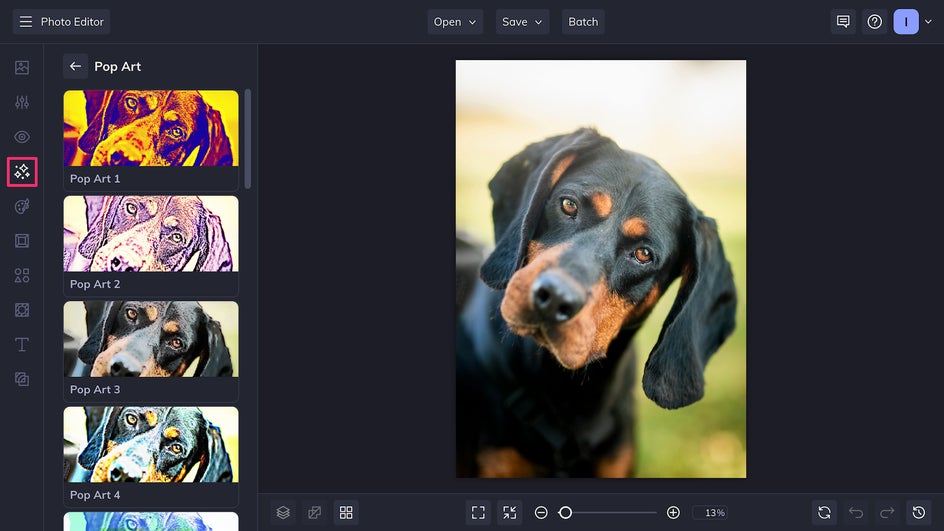
Step 1: Choose a Pop Art Effect
The Photo Editor offers over a dozen different pop art effects depending on your taste. Some recreate the look of famous Warhol pieces by mimicking a screen-printed look in four different color palettes; others use halftones to achieve a Lichtenstein-inspired comic book style. (Be sure to check out Pop Art DLX in the Digital Art category and Pop Comic GFX in the Comics category for even more pop art-inspired fun!)
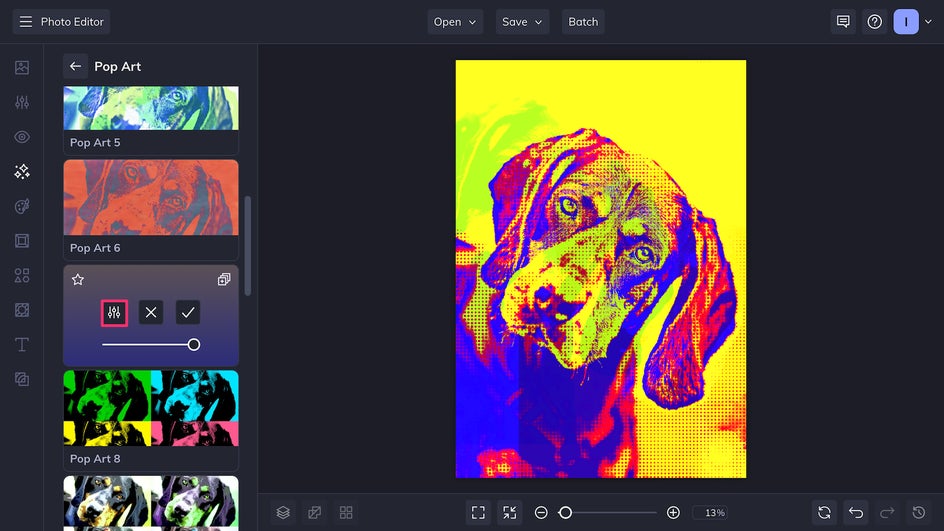
Different effects work better for different photos, so play around to see which one speaks to you! After picking your favorite Pop Art effect, you’ll have the opportunity to customize it by clicking the Settings button.
This effect allows us to customize the Halftone Size, the size of the dots that make up the image. A bigger halftone helps create a stronger stylistic impact. Other Pop Art effects let you customize factors like smoothness and level of detail.
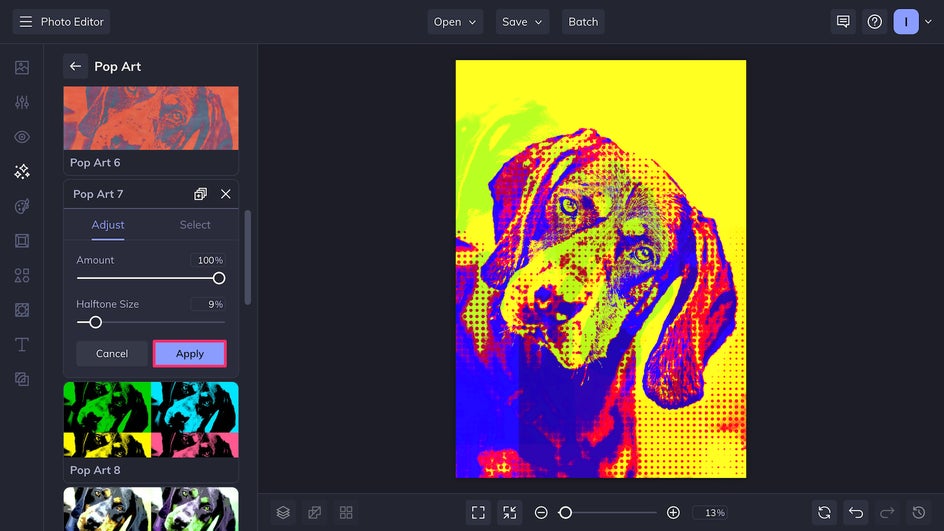
Once you’re satisfied with your changes, don’t forget to click Apply.
Step 2: Save Your New Pop Art Pet Portrait
In just a couple of clicks, this simple pet portrait has become a stunning work of midcentury-style pop art. Now it’s ready for exporting using the Save button at the top of the canvas.
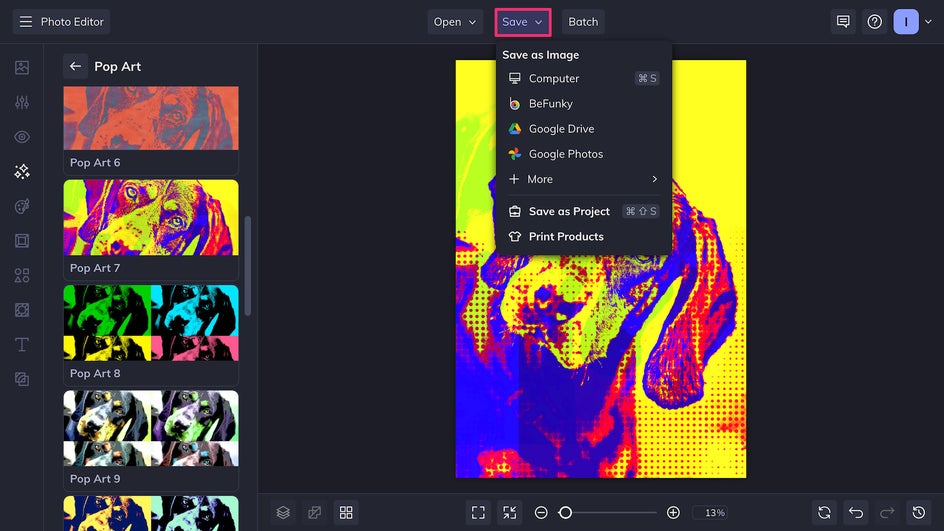
The file can be saved as a high-quality PNG for most digital sharing purposes, or a JPEG if you want to save storage space. Export as a print-quality PDF if you plan to use your new pop art piece as wall art – it can be printed professionally on canvas directly through BeFunky, or on paper at home.
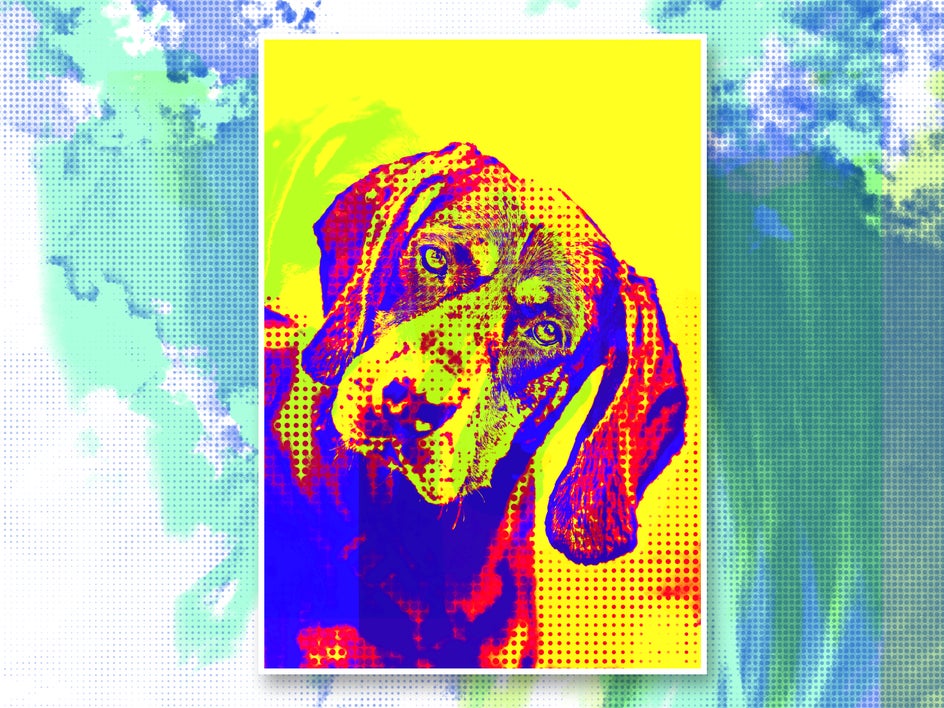
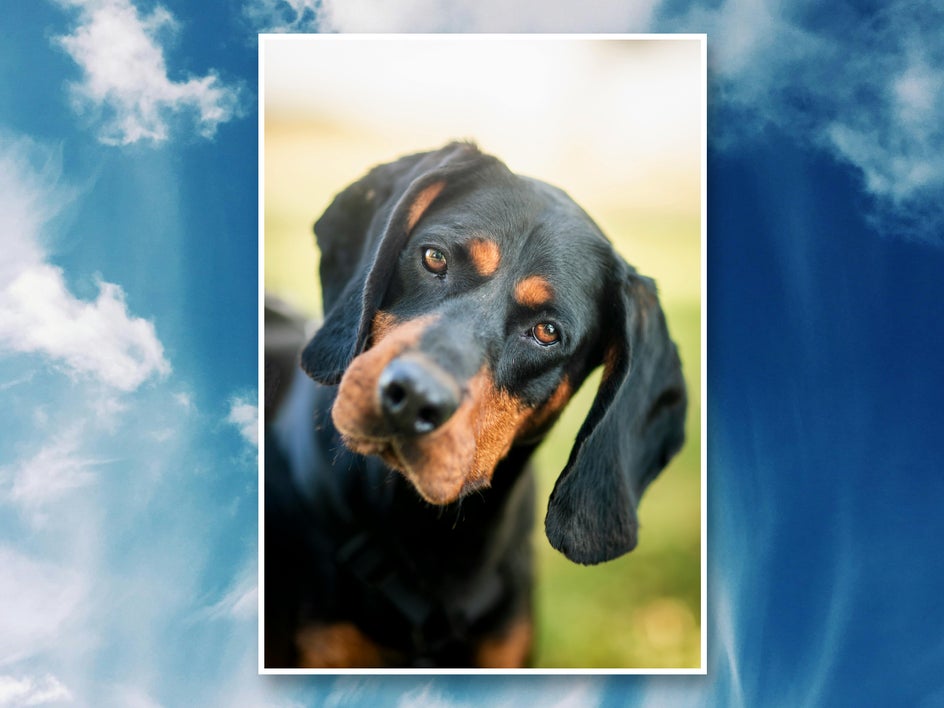
Here’s a before and after of our finished pop art piece!
Pop Art Pet Portrait Inspiration
Now that you’ve turned your pet portrait into a pop art statement, you might be wondering how to use it! Aside from wall art, your new pop art piece can be combined with BeFunky’s other effects and templates for a fun variety of projects.
Greeting Cards
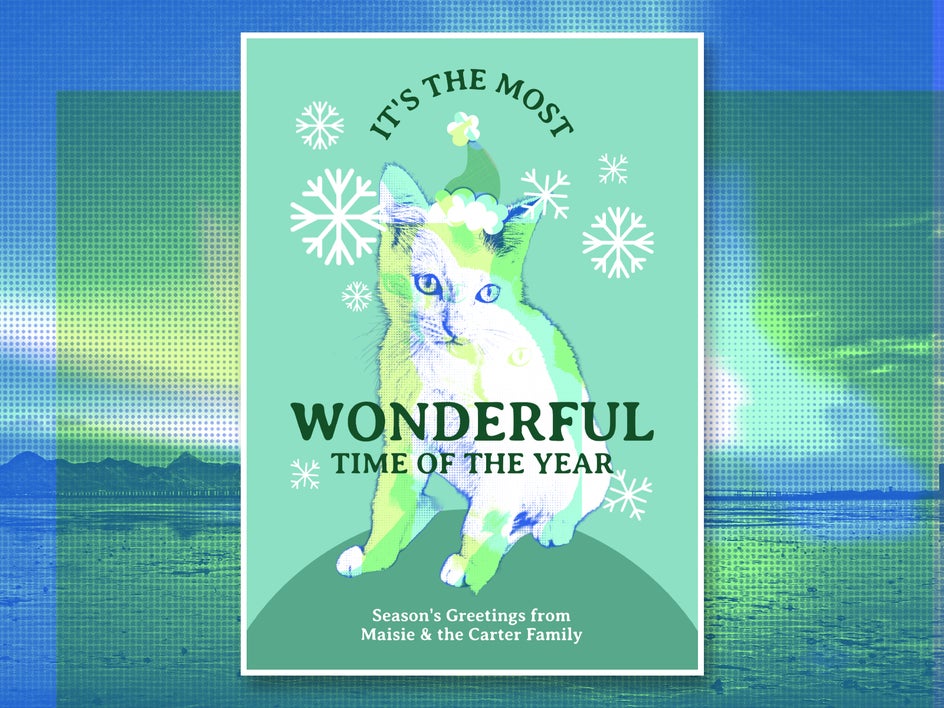
Combine your pop art pet portrait with a holiday card, birthday card, or postcard template to create a heartfelt greeting that the recipient can treasure for years to come. Make use of the AI Background Remover for a cleaner look and be sure to choose a fun font for your custom message. This card uses Pop Art 5.
Social Media Posts
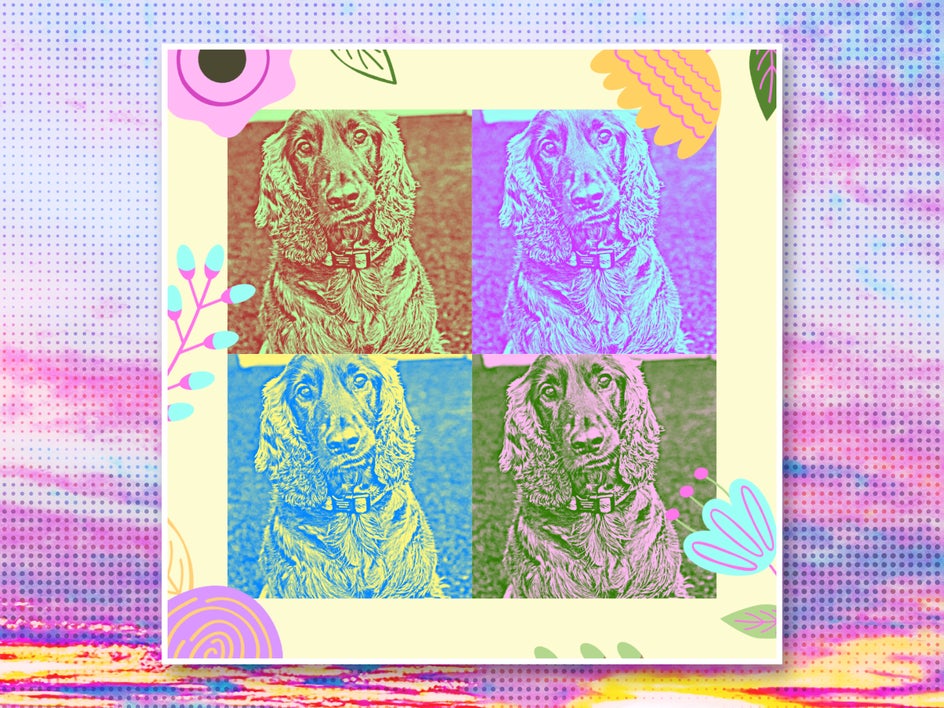
If there’s one subject that’s universally loved on social media, it’s cute animals. Make your pet stand out on the feed by adding some pop art flair! The example below uses Pop Art 12. The Graphic Designer offers templates for Instagram, Facebook, and Twitter/X, and the Smart Resize tool makes it a breeze to resize a template for different platforms.
Mixed Media Collages
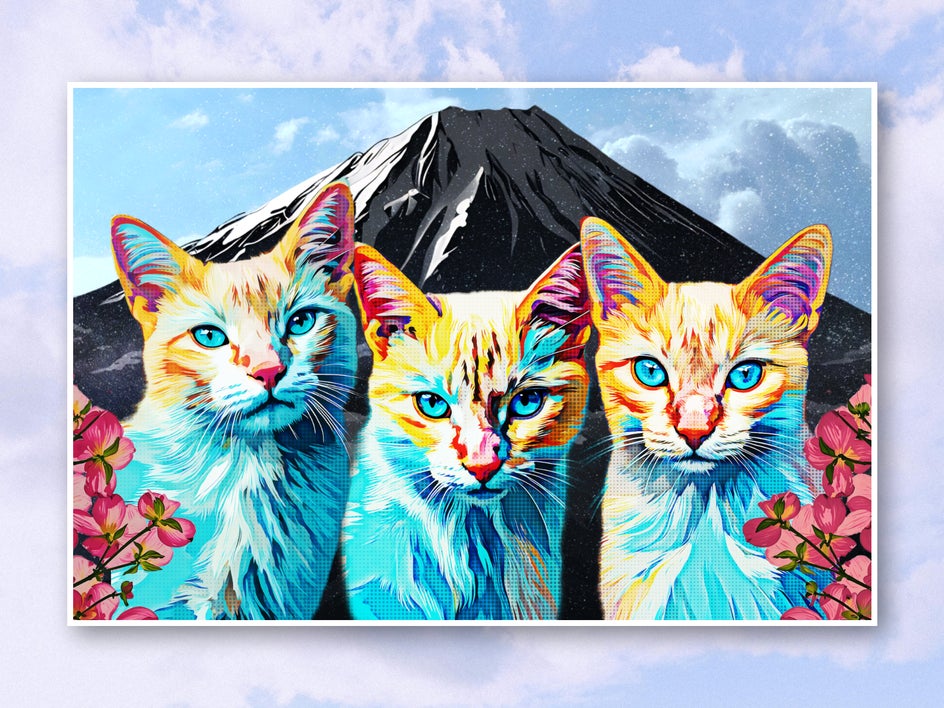
Besides our collection of classic Pop Art effects, the Photo Editor also features pop art Artsy effects like Pop Art DLX and Vector Pop GFX. These make your pet portraits look hand painted! First use the Cutout tool on photos to use as background and foreground elements. Apply Vector Pop GFX to your pet portrait, then experiment applying different Artsy effects like Comic Noir GFX to the other assets. Don’t forget to try out other blend modes too! In no time, you’ll have a creative mixed media pet collage that’s perfect for framing.
Add Flair to Pet Portraits With Pop Art Effects
Any pet lover has hundreds – if not thousands – of photos of their pet on their camera roll. It’s time to take advantage of all those great photos and use them to create something completely unique! With BeFunky, pop art is just the beginning – you can also turn your pet portraits into watercolor paintings, cartoons, or even hand-drawn sketches. But creating a colorful Warhol-style piece is a great place to start. Turn your pet portrait into pop art today with BeFunky’s online Pop Art effects!




