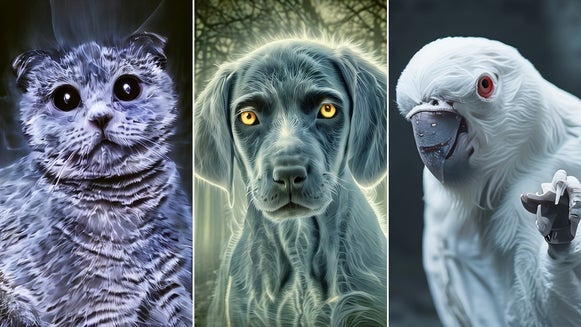
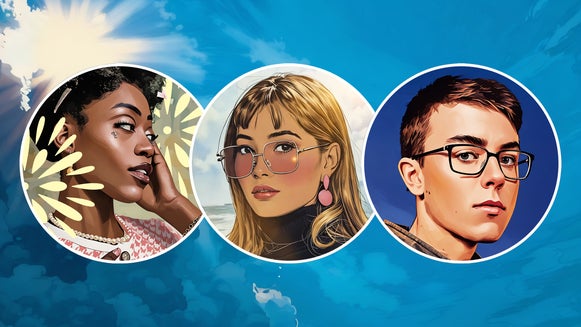
The Easiest Way to Cartoonize Your Pet Online

Pet portraits are the perfect way to celebrate your furry friend. But have you ever thought about turning your favorite photo of your pet into a cartoon-inspired masterpiece? We know what you’re thinking though: drawing cartoons takes time, resources, and most of all, advanced drawing skills. Or at least, it used to.
So, how do you turn your pet photo into a cartoon? By using our Cartoonizer™ – the best pet photo to cartoon app! By using our Cartoonizer™ effects, it's easy to transform regular photos of your pet into cartoon-like images with ease and creativity. There’s a wide range of looks to choose from, whether you want a bold comic-inspired look or something softer and more sketch-like.
You can even simplify the process even further with our Smart Templates, which are pre-designed with pet-friendly styles ready to go. These templates offer a simple drag-and-drop experience, making it easy to create an Artsy pet portrait in seconds – no need to start from scratch or fine-tune every detail yourself.
Here’s everything you need to know to get started!
Why Cartoonize Your Pet With BeFunky?
BeFunky makes turning your pet portrait into a cartoon quick, fun, and incredibly easy. With just a few clicks, you can transform any photo of your furry friend into a playful and professional-quality cartoon that’s completely unique. There’s a wide variety of styles to choose from, so you can match your pet’s personality – from dramatic and high-contrast to soft and whimsical.
It’s also a cost-effective way to create a custom pet portrait without the need for professional artists or expensive software. Plus, our Cartoon effects work seamlessly with BeFunky’s other tools, allowing you to further personalize your cartoon by adding vibrant backgrounds, text, or graphics. The result? A standout pet portrait that’s sure to bring a smile to anyone who sees it.
How to Turn a Pet Photo Into a Cartoon
Ready to turn your pet into a cartoon? First, we recommend using a pet photo that’s appropriately sized for printing (such as one with an aspect ratio of 4x6 or 5x7, for example). If you need to, use the Crop and Resize tools first. Then, follow the steps below!
Step 1: Remove and Replace the Background
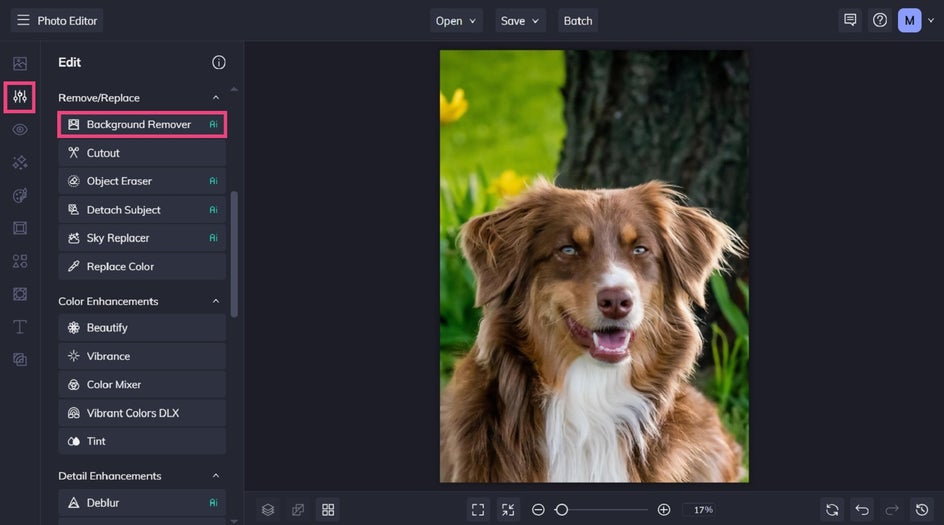
Head to the Photo Editor and open your pet portrait. Then, locate the Background Remover in the Edit tab.
Click Change Background > Color. This will replace the existing background in your pet image with a solid color of your choice.
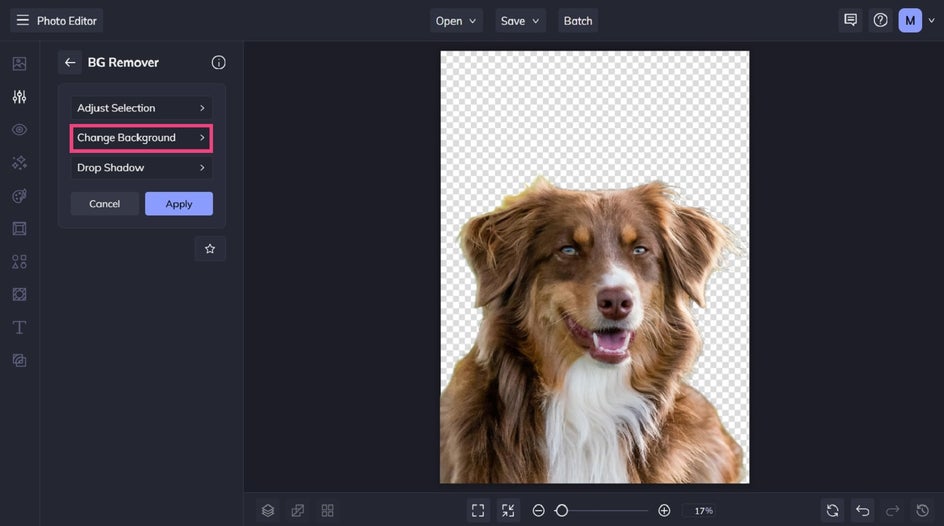
Select one of the existing color swatches or click the first swatch to choose a new shade from the Color Picker.
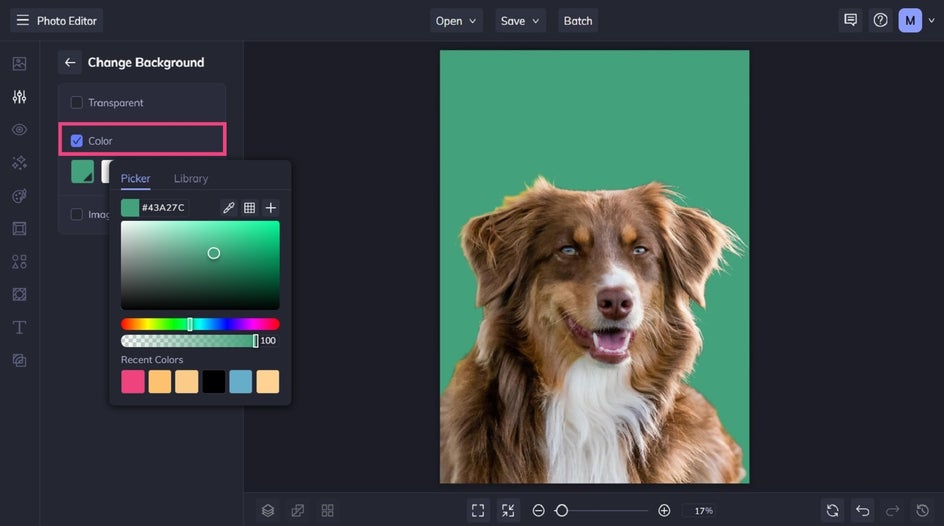
Then, head back to the main menu and click Apply.
Step 2: Cartoonize Your Pet
With your pet photo’s new colored background in place, it’s now time to add a Cartoon effect to your pet.
Click on Artsy in the main menu, then scroll down to locate Cartoon.
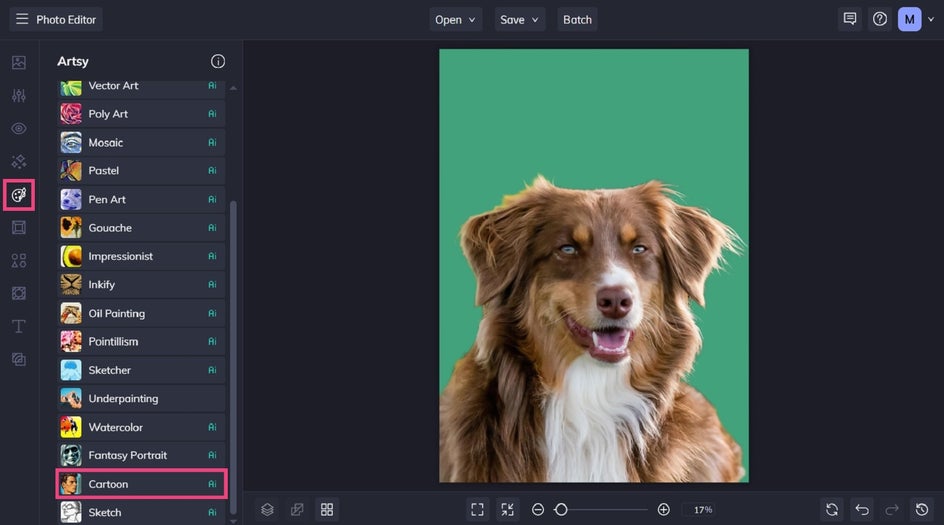
When you click on an effect, you can view a sample of how it looks on your pet portrait. You can adjust the strength of the cartoon filter using the corresponding slider or apply it as-is by clicking on the checkmark icon.
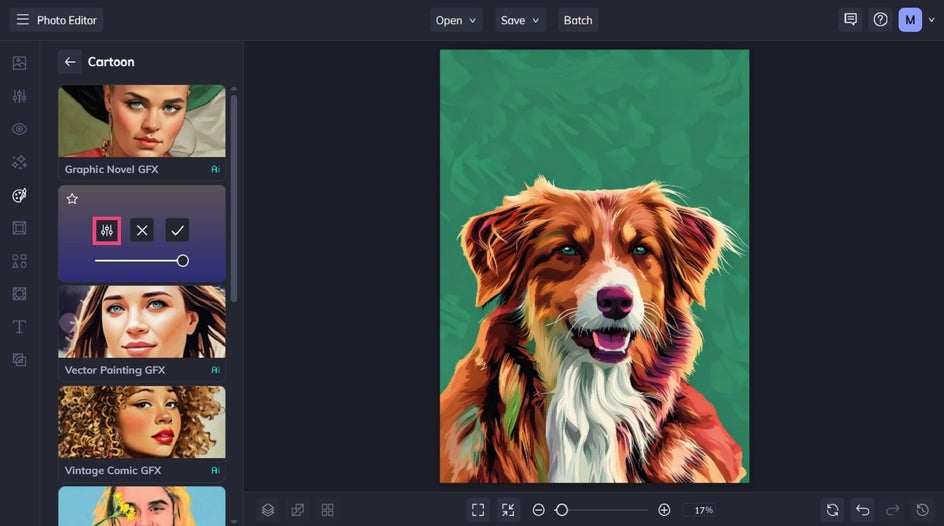
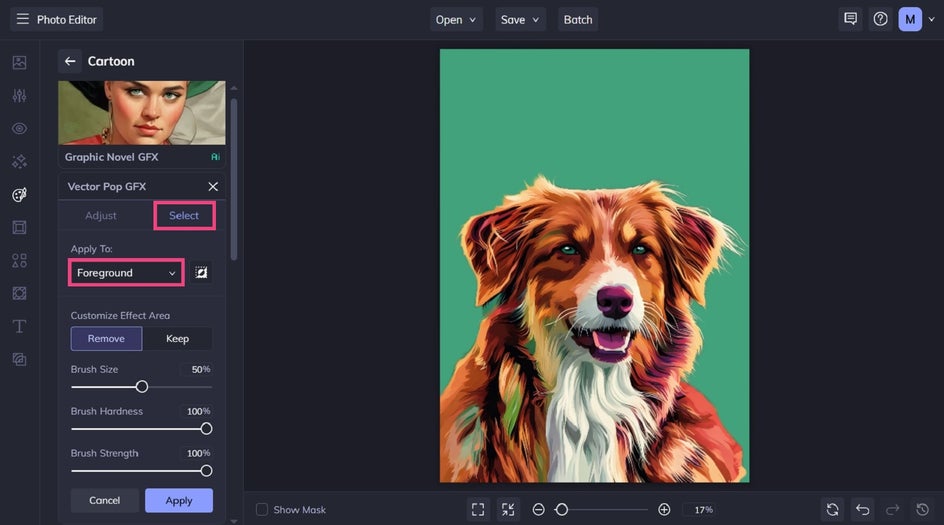
If you want your colored background to remain unaffected by the effect, click the left-most icon to open the Settings menu. Switch to the Select tab and underneath “Apply to:” select Foreground. Finally, click Apply.
Step 3: Add Your Pet’s Name
Now, it’s time to add your pet’s name to your cartoon portrait. Click Text in the main menu and choose from one of our curated text patches or click Add Text to add a new text box.
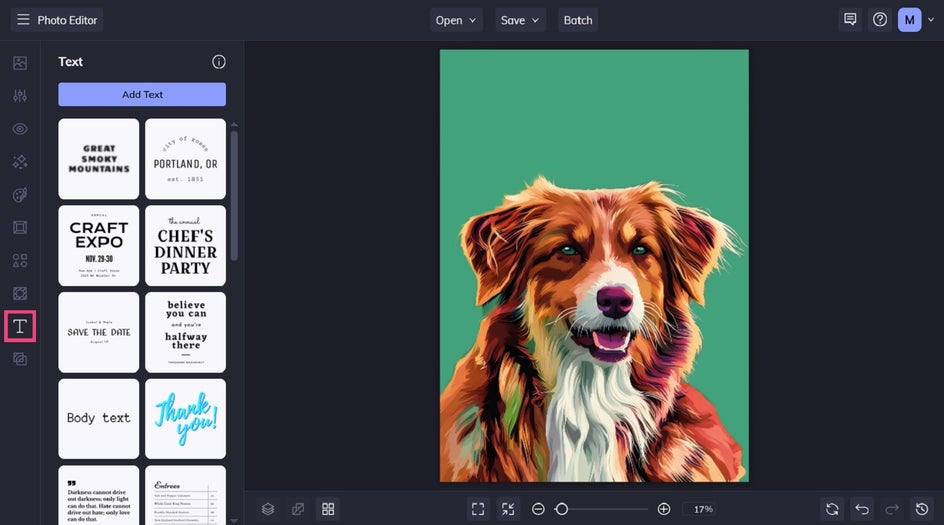
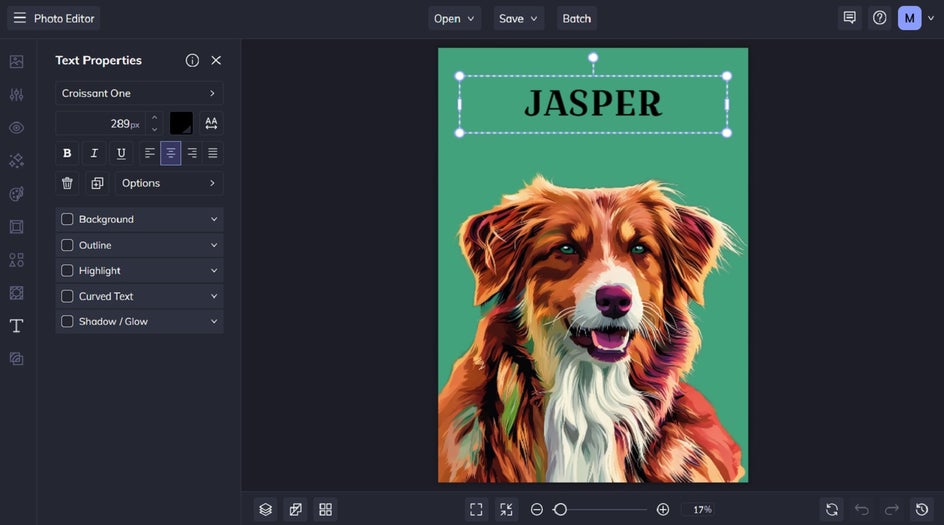
Double-click the textbox and type your pet’s name (or any other text you want your cartoonized pet to feature). Any time you have a textbox selected, a Text Properties menu will appear on the left. This is where you’re able to change the font, font color, letter spacing, and so much more.
Step 4: Save Your Pet Cartoon
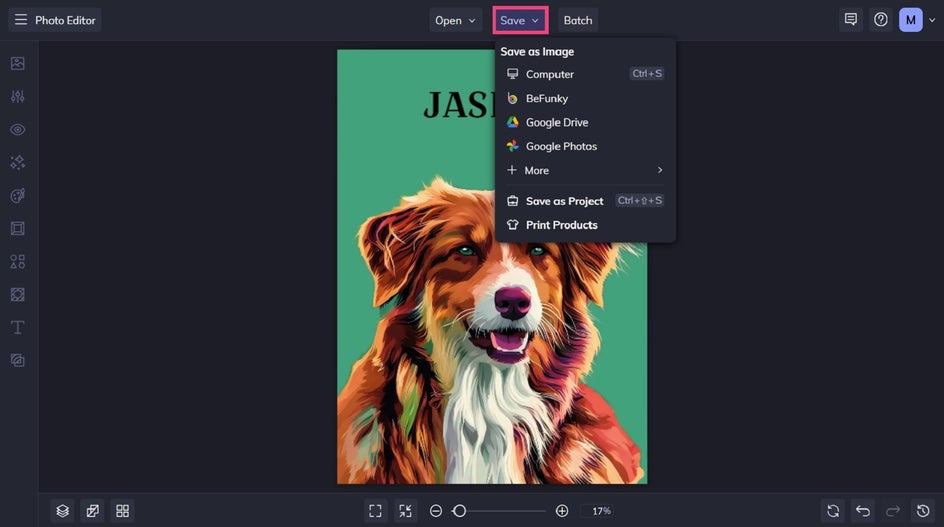
Once you’ve finished turning your pet into a cartoon, click the Save button at the top of the page, then select your desired save location and file type. With BeFunky’s handy print integration, you can even print your custom pet cartoon as a poster, canvas, or framed masterpiece in seconds. Just click Print Products > Send to Zazzle, then follow the prompts.
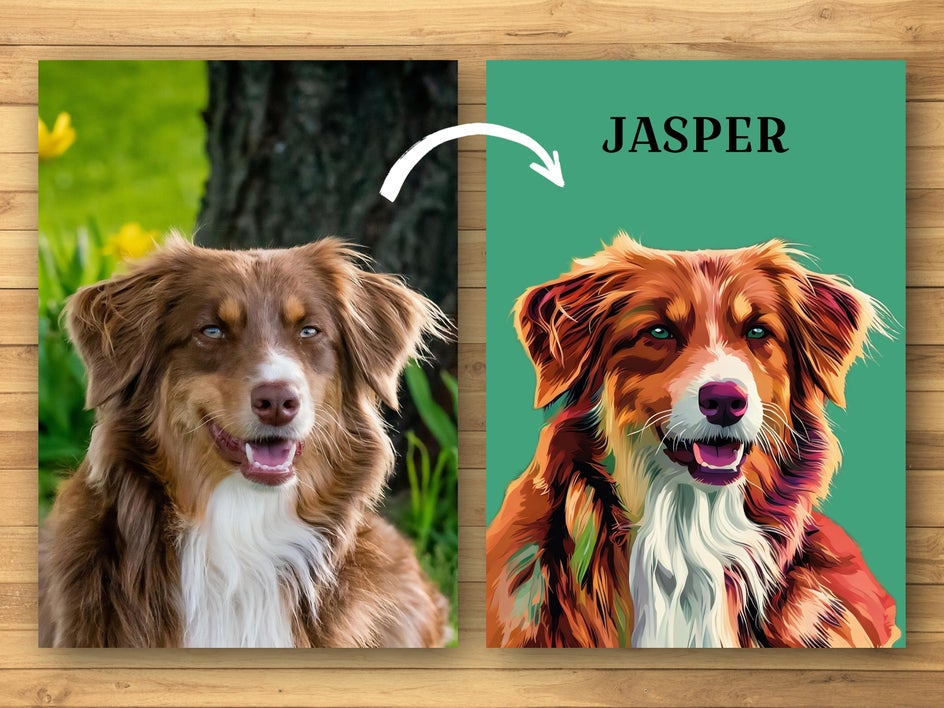
Final Results: A Pet Portrait Turned Cartoon in Seconds
Wasn’t that easy? In just a few simple steps, you can turn a pet photo into a cartoon online. Think of it as your very own pet photo to cartoon app!
Cartoon Pet Portrait Inspiration
Need some more ideas for your own pet portrait? Below, we’ve included three more of our favorite ways to turn your pet into a cartoon-inspired drawing!
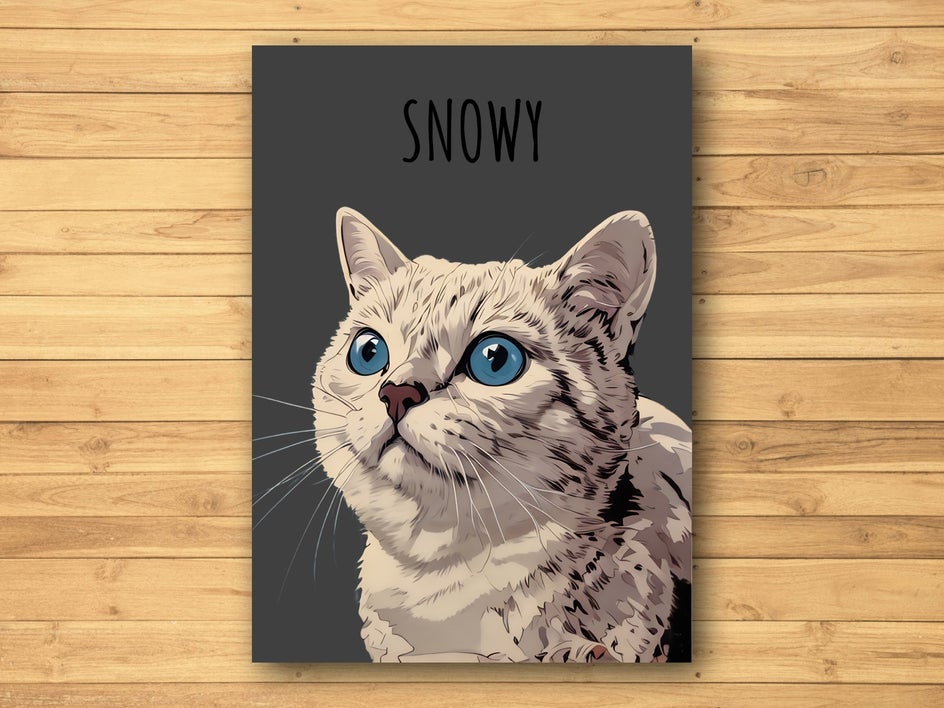
Graphic Novel GFX
Graphic Novel GFX is a unique way to transform your pet portraits into bold, comic-inspired artwork. With its high-contrast details and striking illustrated style, this effect gives your pet’s image a fun, storytelling vibe – almost as if they’ve leaped off the pages of a graphic novel! It’s perfect for pet owners who want to add a dramatic and artistic twist to their fur baby’s portraits.
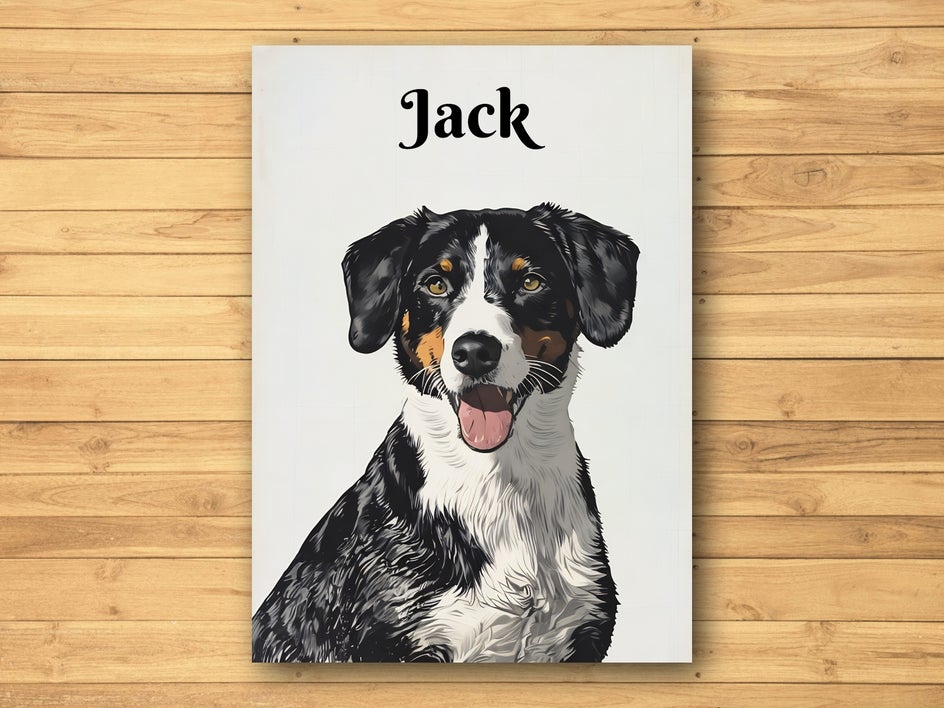
Vintage Comic GFX
Vintage Comic GFX is perfect for turning your pet portraits into retro, comic book-style masterpieces. With its halftone textures, bold outlines, and vibrant colors, this effect brings a nostalgic and playful energy to your pet’s image. It’s an ideal choice for pet lovers wanting to make their furry friend the star of their very own classic comic strip!
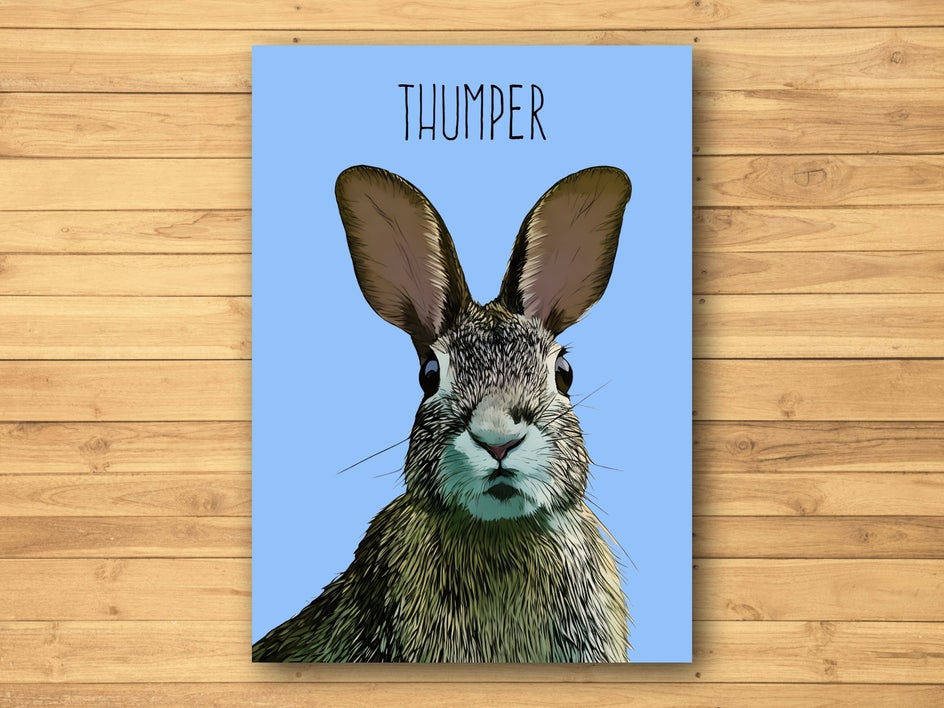
Cartoonizer GFX 2
Cartoonizer GFX 2 applies a modern and polished cartoon style to your pet portraits. This effect transforms your furry friend’s photo into a smooth, vibrant cartoon while maintaining just the right amount of detail. With its bold outlines, rich colors, and sleek finish, Cartoonizer GFX 2 is perfect for anyone who wants a clean and contemporary cartoon look.
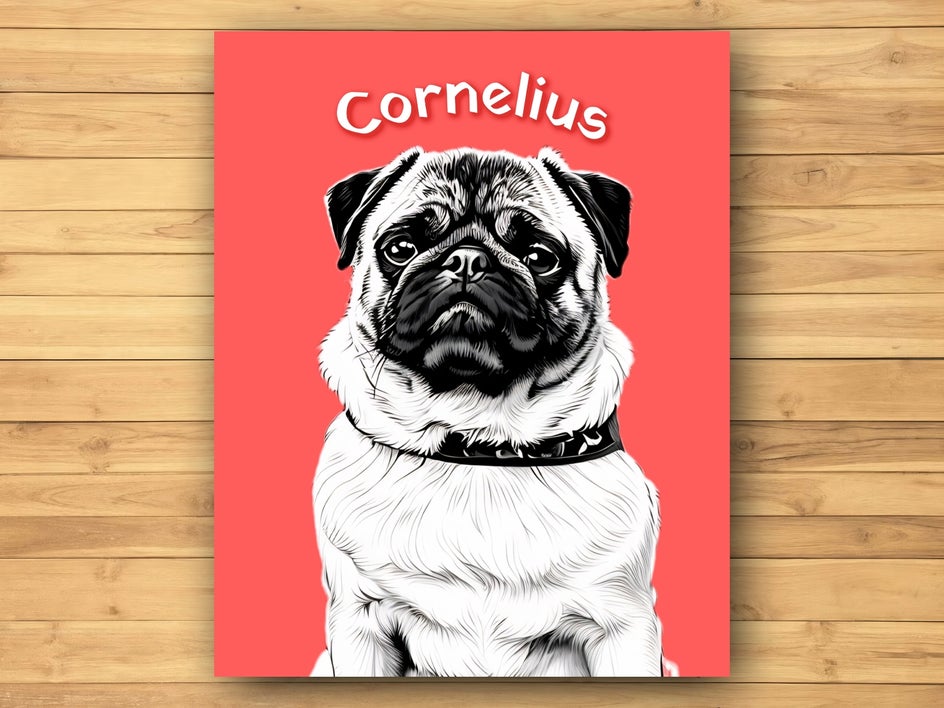
Comic Noir GFX
Seen in our Cornelius Smart Template, Comic Noir GFX delivers a moody, cinematic take on pet portraits. With deep shadows and a noir-inspired aesthetic, it’s a great choice if you want something bolder and more stylized.
Ready to Turn Your Pet Photo Into a Cartoon?
Wondering “How can I cartoonize my pet online?” Our Photo Editor is home to so many Artsy effects to choose from, allowing you to create your most realistic pet cartoon portrait yet!
Check out BeFunky’s Cartoonizer™ now to see just how incredible it is!