Design Better Instagram Stories From Your Phone

Instagram stories are one of the hardest types of social media content to perfect. They’re fast, visual, and constantly refreshing, which means they’re a great way to connect with your audience – but they’re also easy to skip. These days, unedited photos and video stories are no longer enough to keep people’s attention, especially if you’re a brand or content creator. That’s why many creators turn to mobile-friendly design tools – whether they’re on the go or just want a more streamlined way to create standout Instagram templates right from their phone.
This is where BeFunky’s mobile app comes in. Instead of your phone’s basic editing tools, you’ll have access to customizable Instagram story templates as well as comprehensive photo editing software. This includes the Levels tool to improve lighting, Artsy effects for AI photo-to-art transformations, Cinematic effects for more aesthetic posts, and an AI Portrait Enhancer for perfect selfies. And you can create Instagram Stories from anywhere for sharing on the go with the BeFunky mobile app.
Whether you’re promoting a product, providing a service, or just trying to create a more aesthetic and engaging Instagram account, these editing and design tools give you everything you need to create professional, custom Instagram stories right from your mobile device.
How to Create Instagram Stories on the Go
To get started, just open up the Instagram story templates category on your mobile device. (If you don’t want to use a template, you also have the option to open a blank canvas – you’ll find the correct 9:16 size for Instagram stories in the Social Media category.)
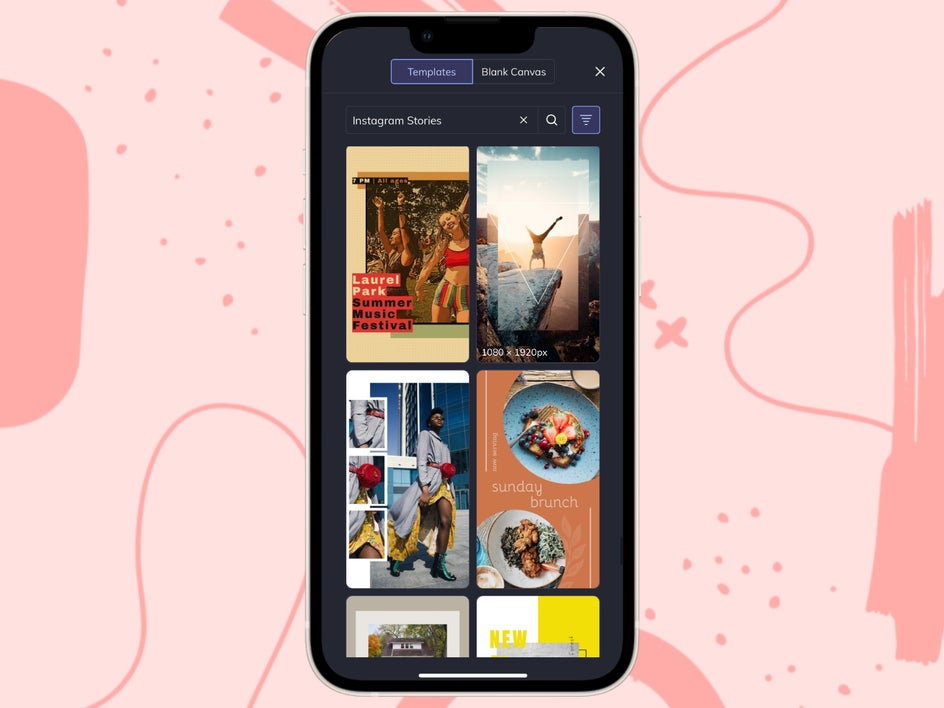
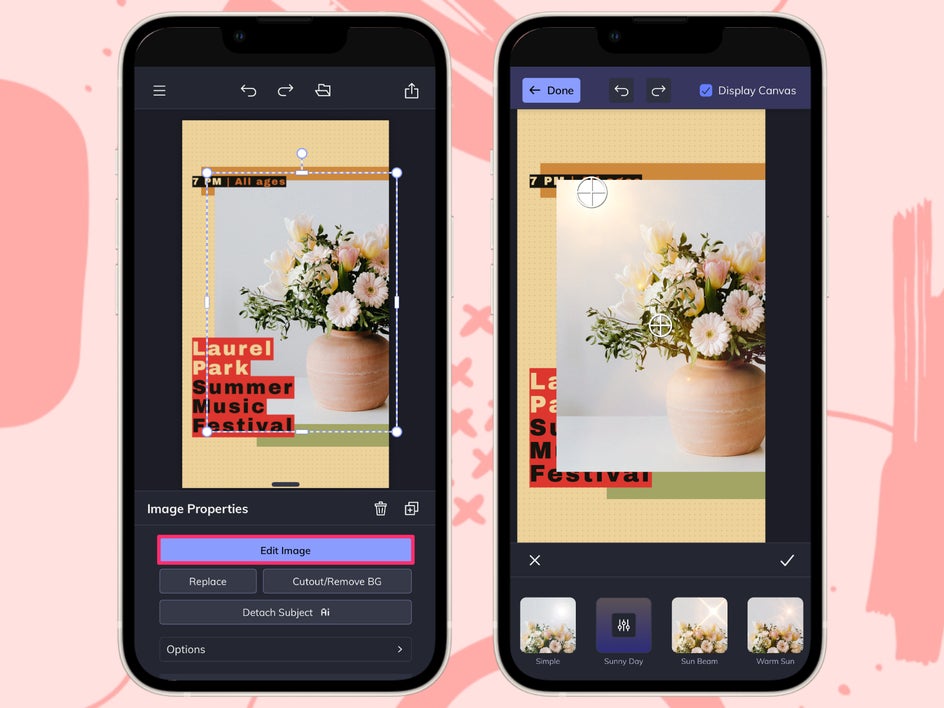
Once you’ve opened up your canvas, there’s no limit to what you can create. Upload photos from your phone into the Image Manager to add them to your story. Click on any image to edit it in the Photo Editor without leaving your design – you can add toning filters, Artsy effects, grain, vignettes, and more. Here we’re adding a warm Lens Flare effect to create more visual depth.
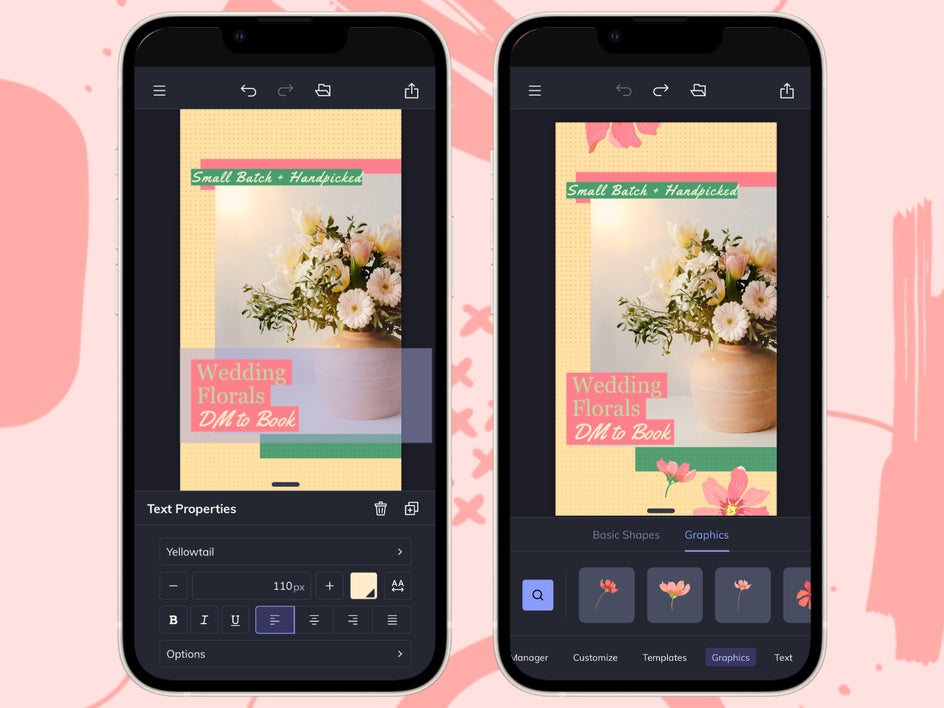
Then, use the Text tab to add a headline, message, or quote – you can even adjust the font weight, color, line spacing, and alignment. To make your story really pop, you can also add shapes, icons, and hand-drawn art in the Graphics tab.
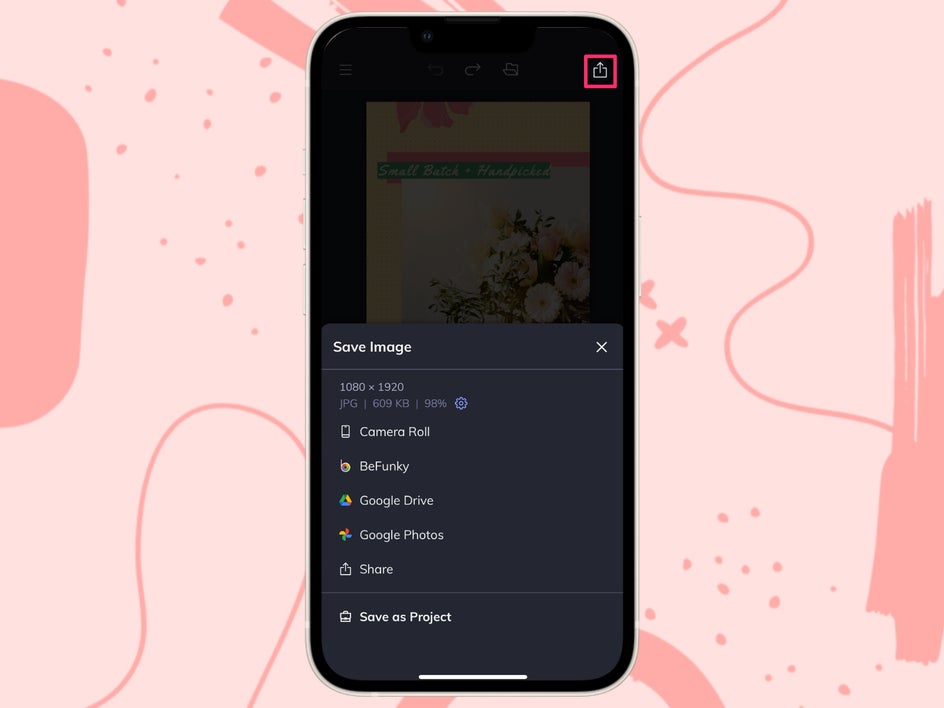
Finally, save and export your story design to your camera roll. From there, it’s a matter of seconds to open Instagram and upload your new story.
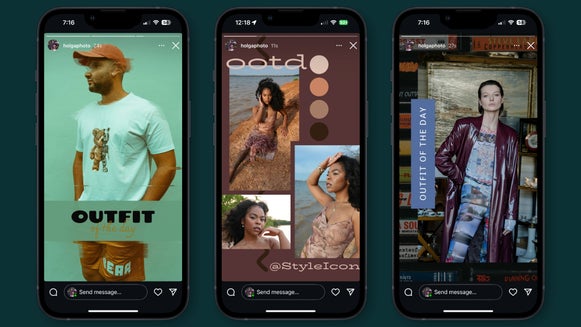
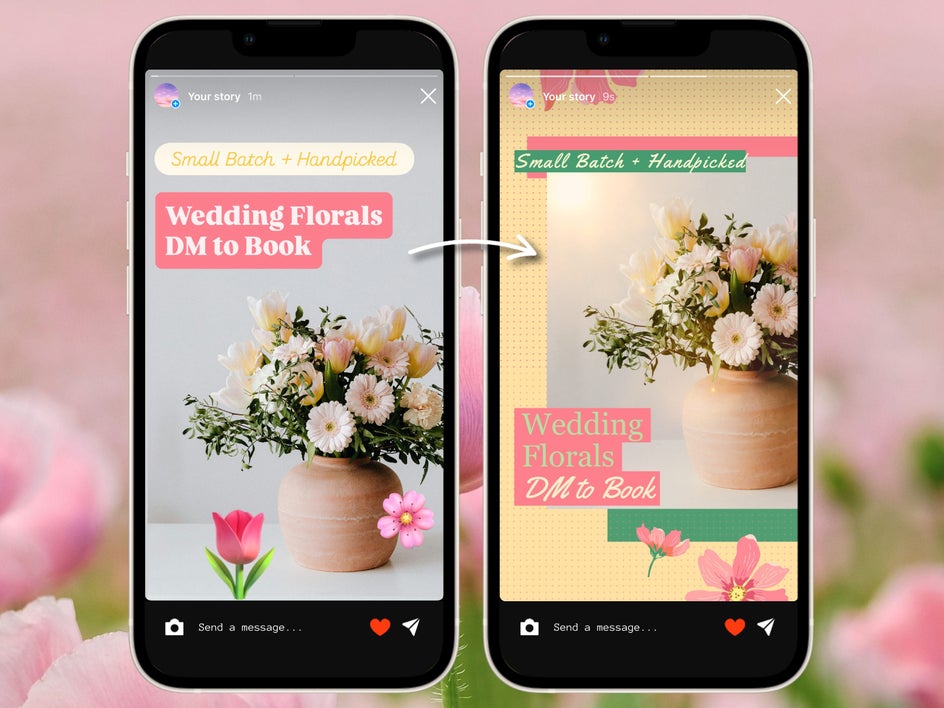
Whether it’s a single slide or part of a series, your custom Instagram story is sure to stand out. Just look at the difference between what you can accomplish with IG’s native design tools versus the mobile Graphic Designer:
3 Story Designs to Create on the Go
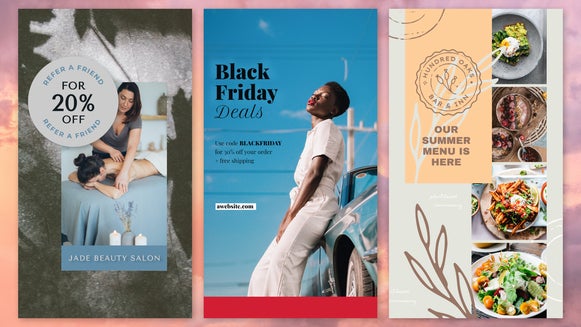
When you’re creating IG stories on the go, you need designs that are not only eye-catching but also easy to pull off from your phone. The Graphic Designer’s intuitive editing and design tools allow you to combine professional-grade visuals with speed and convenience. Here are three types of stories that you can make easily on mobile.
1. Promote Your Product or Service
If you’re running a business Instagram account, promote your brand with Instagram story marketing templates. Bold headers and hero images make these templates perfect for product or service launches, sales, and campaigns. Make sure to keep the call-to-action clear (like “DM Us,” “Swipe Up,” or “Click Here”) and use your brand color palette to maintain a cohesive aesthetic.
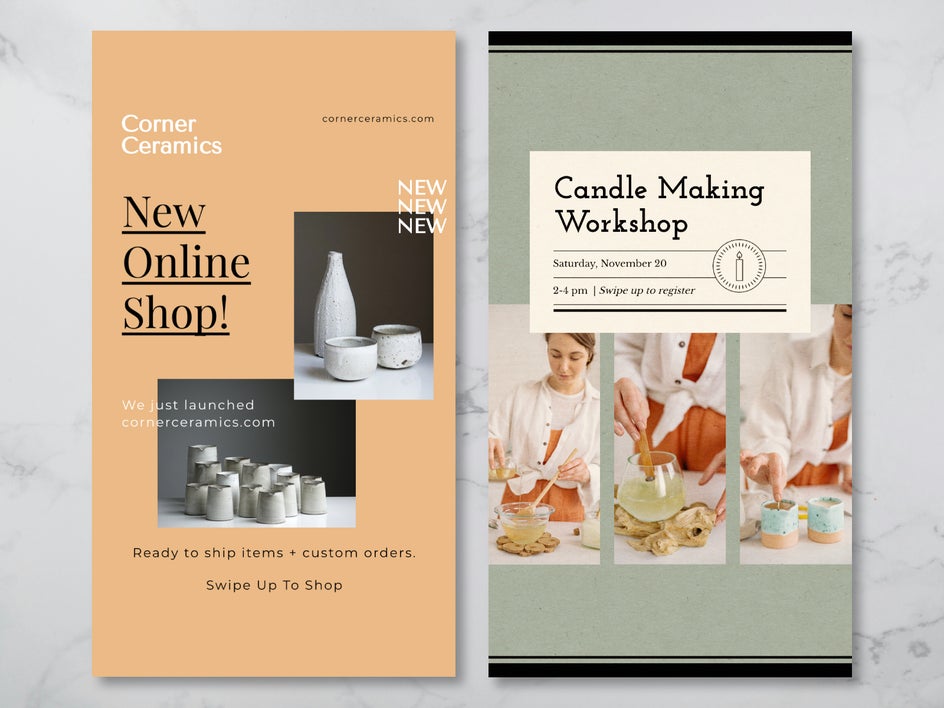
With BeFunky’s app, you can easily add product shots from your camera roll, match your brand colors using the color picker, and insert stylized buttons and graphics to increase interaction.
2. Share Your Message With Visual Text
Text-heavy Instagram stories are easy to skip, but they perform better when paired with strong visuals and a bold font. The Graphic Designer has templates designed specifically for quotes and announcements, or you can simply overlay text onto a photo or gradient. When using a plain background, consider adding a few graphic embellishments – using a set of matching graphics helps your brand stay consistent. Use these custom Instagram stories to share important messages with your audience without boring them.

3. Tell a Story With Photo Collages
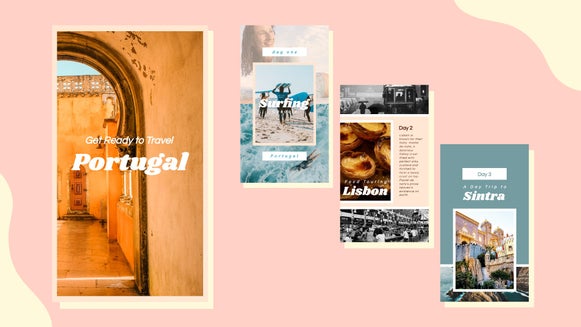
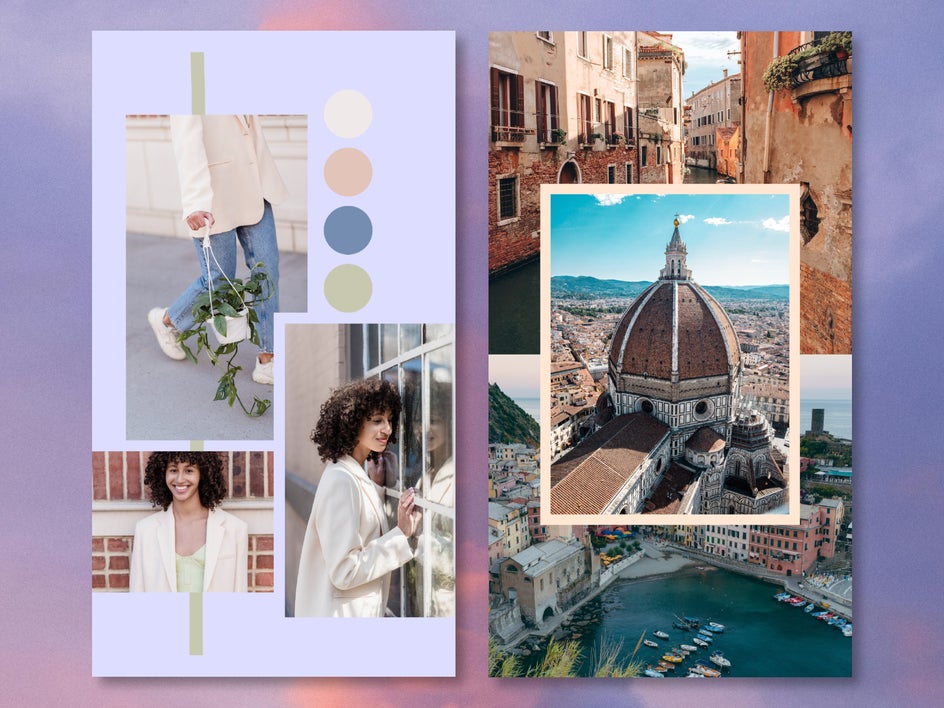
Want to share travel photos, post behind-the-scenes shots, or showcase a product from several angles? Try a collage-style layout to share multiple photos to your Instagram story at once. The mobile Collage Maker lets you select common grid layouts for a 9:16 IG story, or you can manually arrange photos with custom spacing, backgrounds, and layering. This format is perfect for lifestyle content, events, branding, or storytelling.
Create Instagram Stories Right From Your Phone
With the BeFunky mobile app, everything you need to design better Instagram stories is already in your pocket. No clunky interfaces, no limited design features – just a sleek, comprehensive app that makes getting creative easy – even when you’re on the go. Whether you’re an influencer, entrepreneur, or just want to make more aesthetic posts, BeFunky’s online Story Maker is the perfect tool for designing better content. Download the mobile app to create your own unique Instagram story today!