5 Tricks for Editing Flawless Engagement Photos

Your engagement photos capture one of the most exciting chapters of your love story – so naturally, you want them to look as flawless as they feel.
Thankfully, you don’t need professional editing experience to achieve polished, romantic results. With BeFunky’s Photo Editor, enhancing your engagement photos is simple, intuitive, and even fun. From refining portraits to creating dreamy, cinematic effects, there are plenty of tools that can elevate your images in just a few clicks. You can even pair your edited photos with our wedding templates for save-the-dates and invitations that feel cohesive and beautifully designed.
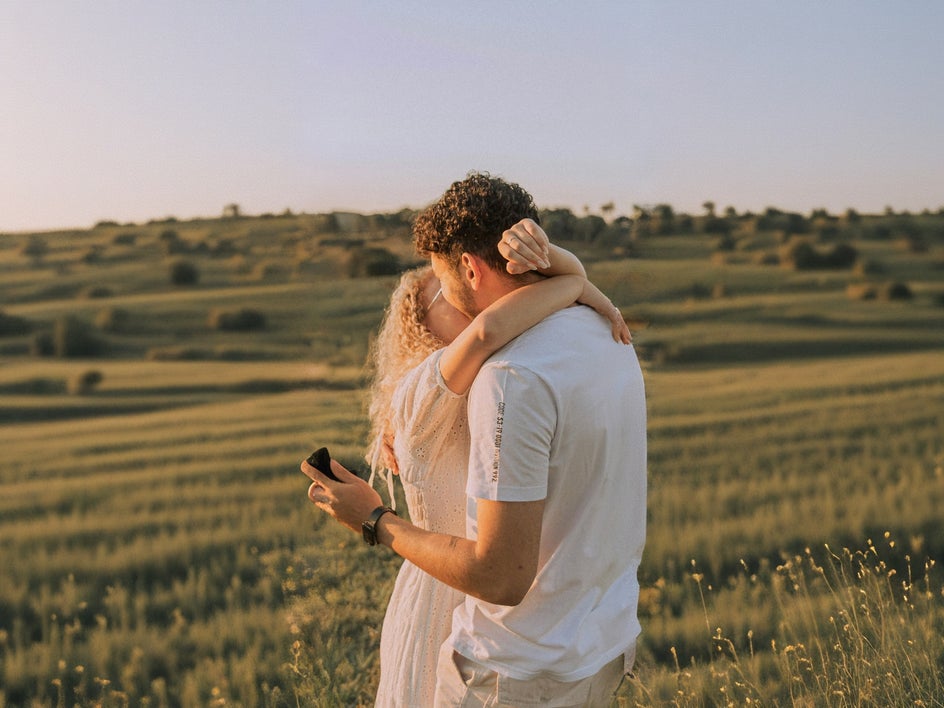
Before diving into editing, it’s worth setting yourself up for success. The better your original photo, the easier it is to enhance – and the more natural your final result will look. A few simple choices during your shoot can make all the difference:
- Take advantage of soft, natural lighting: Aim for golden hour (shortly after sunrise or before sunset) or shoot in shaded areas for soft, even light.
- Keep poses relaxed and natural: Focus on candid moments, gentle movement, and genuine interaction to capture emotion.
- Choose a meaningful location: Whether it’s where you first met, your favorite park, or a dreamy scenic backdrop, your setting adds depth and personality to your photos.
- Pay attention to the background: Clean, uncluttered backgrounds help keep the focus on you as a couple.
Starting with these simple tips ensures your engagement photos already look beautiful, making the editing process faster, easier, and more effective.
Ready to transform your engagement photos? Here are five simple tools to help you get there!
1. Perfect Your Composition With AI Expand
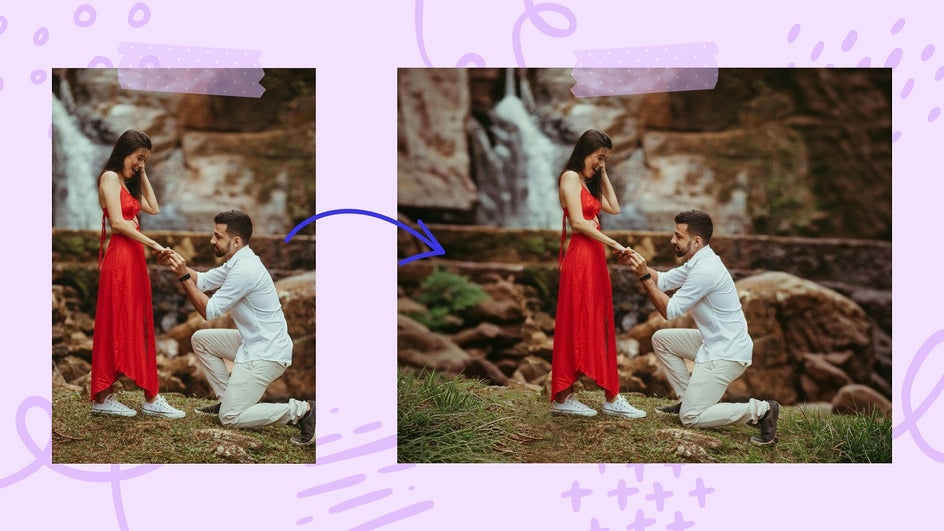
Sometimes, the perfect photo doesn’t quite fit the format you need. That’s where our Expand AI tool, found in the Edit tab, comes in.
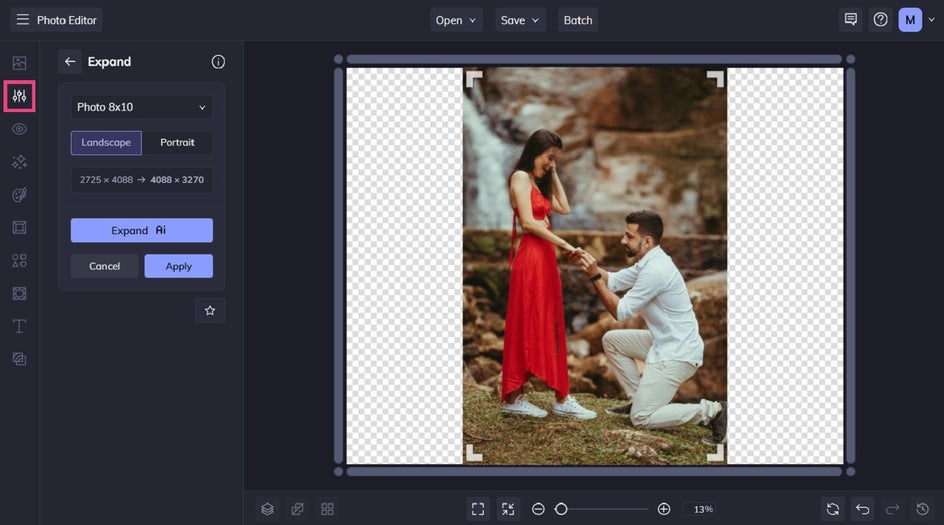
This tool intelligently extends your image beyond its original borders, making it easy to adjust your aspect ratio without awkward cropping. Whether you’re resizing for social media, prints, or wedding stationery, Expand fills in the background seamlessly so your photo still looks natural.
It’s especially helpful for engagement shots where you want a little more breathing room around the couple, creating a balanced and professional composition without losing important details.
2. Enhance Natural Beauty With Portrait Enhancer
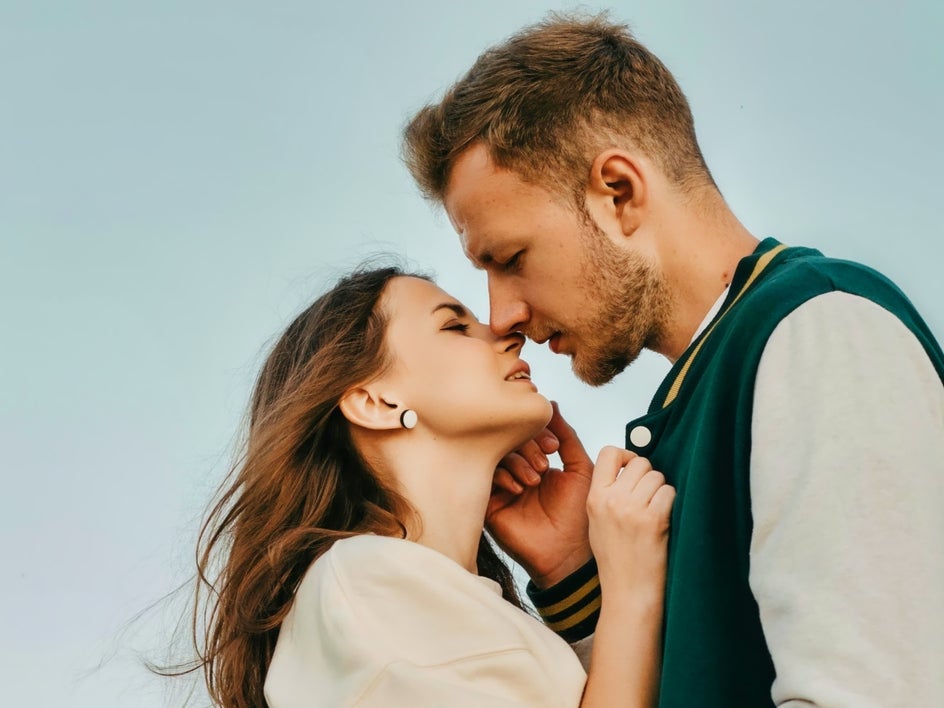
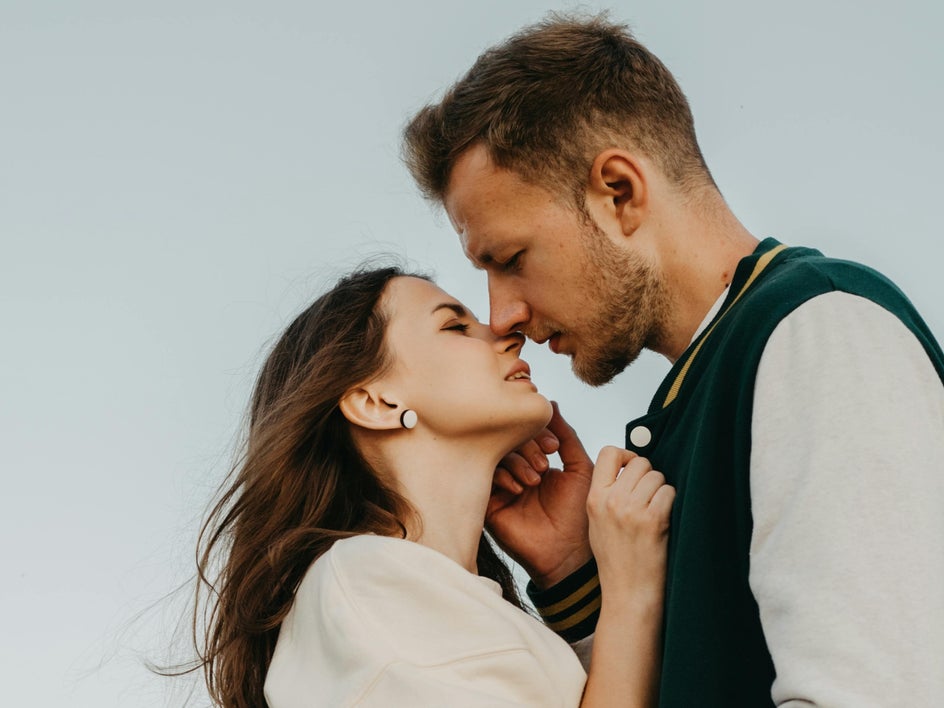
Engagement photos should feel like you – just on your very best day. The Portrait Enhancer, located in the Touch Up tab, helps you achieve that effortlessly.
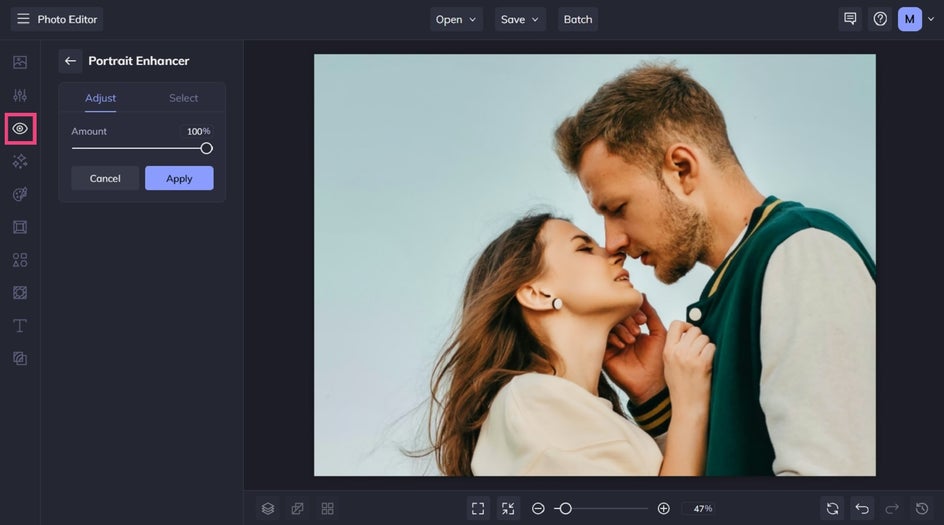
With a range of subtle, customizable tools, you can smooth skin, brighten eyes, and refine features while maintaining a natural look. The key here is restraint – small adjustments go a long way in preserving authenticity while still giving your photos a polished finish.
Think of it as enhancing what’s already there, rather than changing it!
3. Remove Distractions With Object Eraser
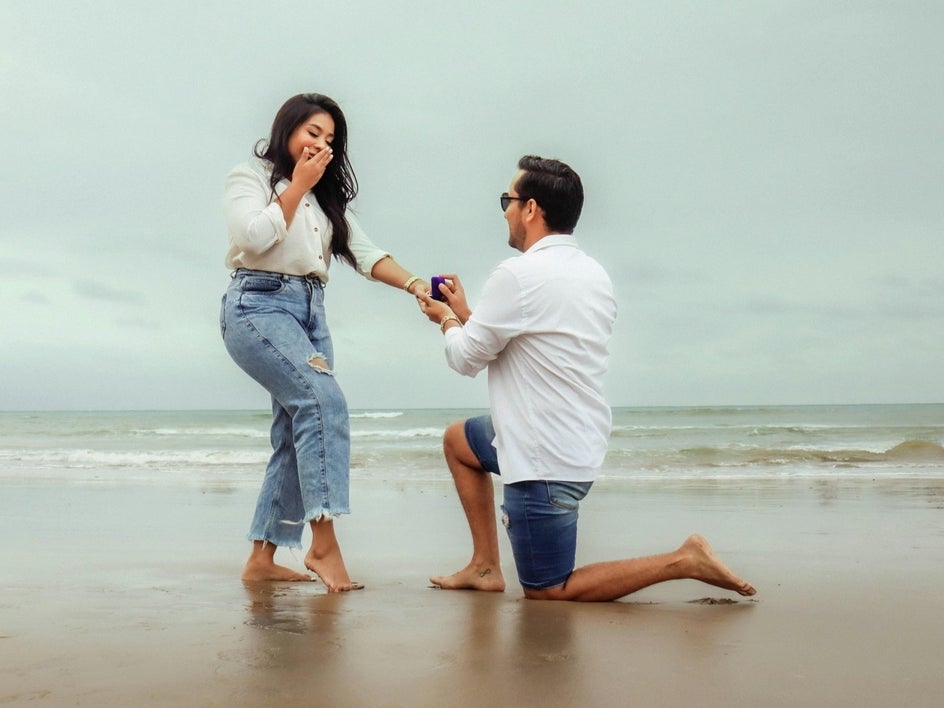
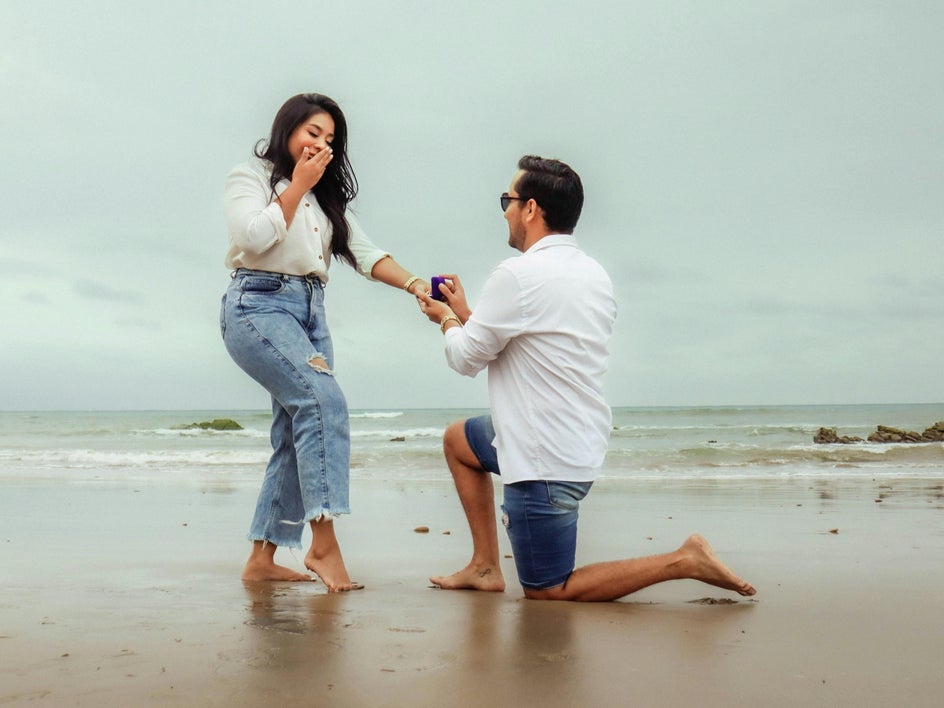
Even the most beautifully captured moments can have small distractions like a passerby in the background, an unwanted object, or visual clutter that pulls focus away from the couple.
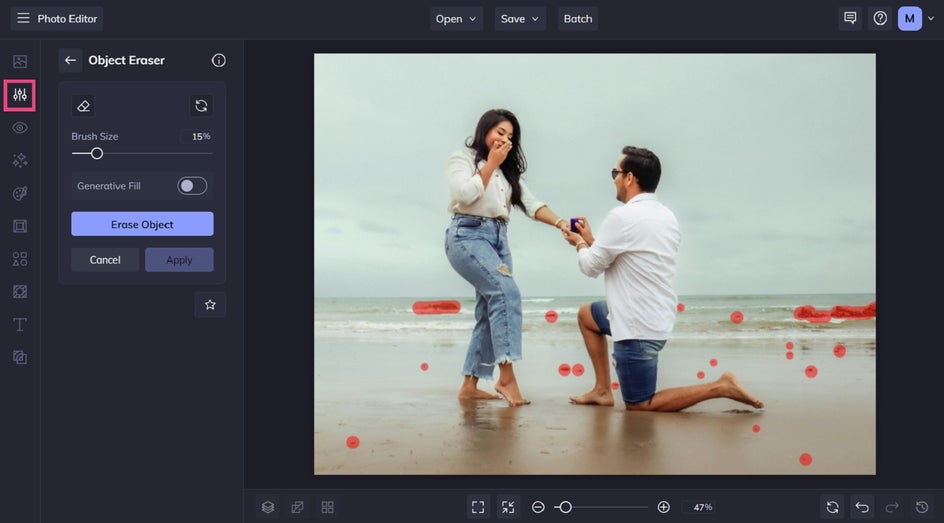
Using the Object Eraser in the Edit tab, you can quickly remove these elements with just a few clicks. The tool blends the surrounding area seamlessly, so it looks like the distraction was never there.
This is one of the easiest ways to instantly elevate your engagement photos, keeping the focus exactly where it belongs.
4. Create Depth With Lens Blur and Funky Focus
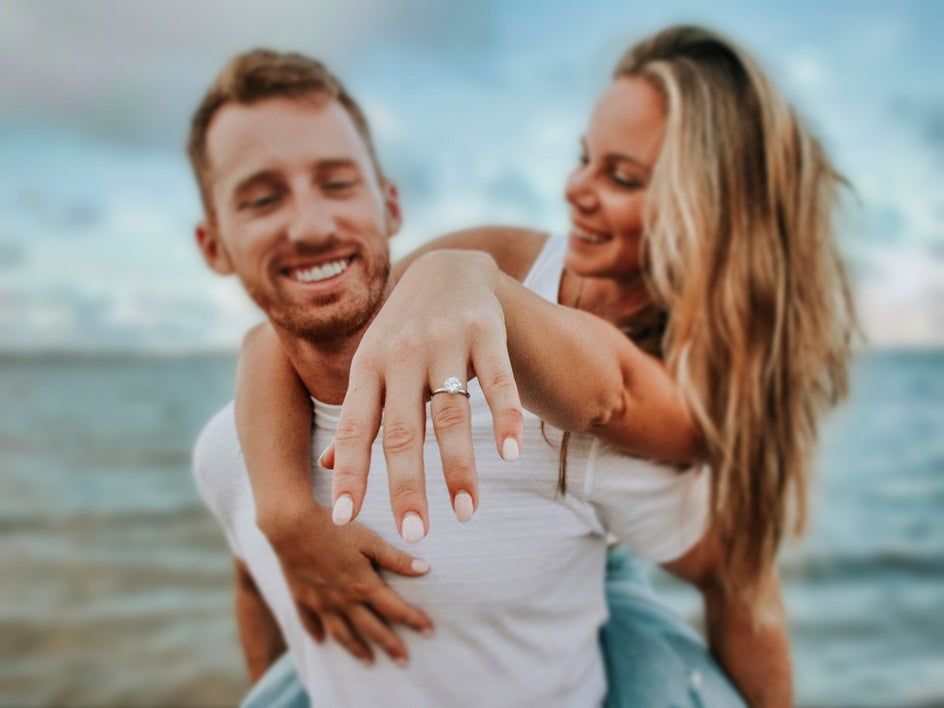
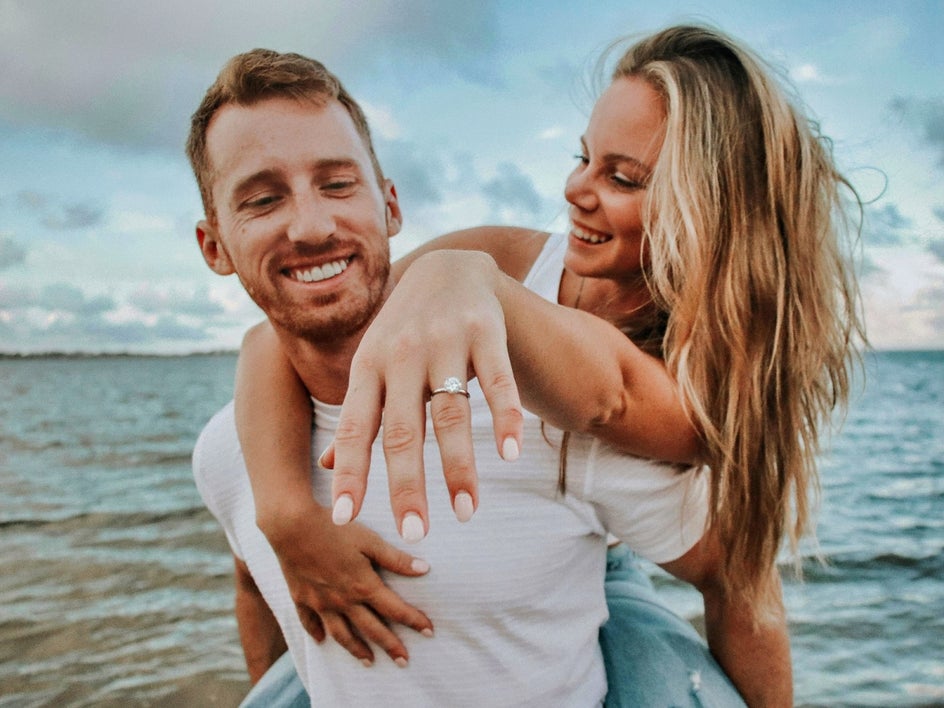
A soft, dreamy background can make your engagement photos feel more intimate and romantic. That’s where Lens Blur and Funky Focus, both found in the Edit tab, come into play.
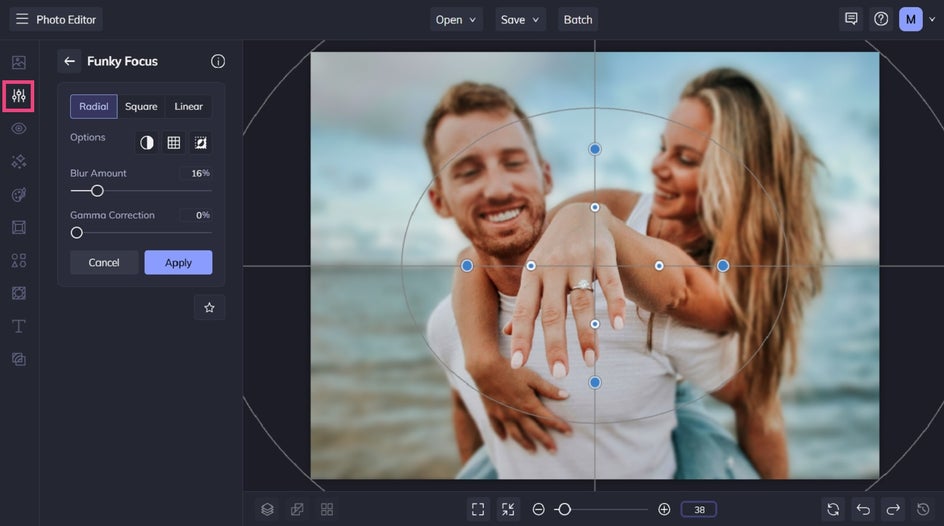
These tools allow you to selectively blur parts of your image, drawing attention to the couple while gently softening the background. Whether you want a subtle depth-of-field effect or something more stylized, adjusting the intensity gives you full creative control.
It’s a simple trick that adds dimension and helps your subject stand out beautifully.
5. Set the Mood With Effects and Artsy Filters
Once your photo is polished, it’s time to get creative. BeFunky’s Photo Effects tab is full of options for enhancing color, lighting, and overall mood.
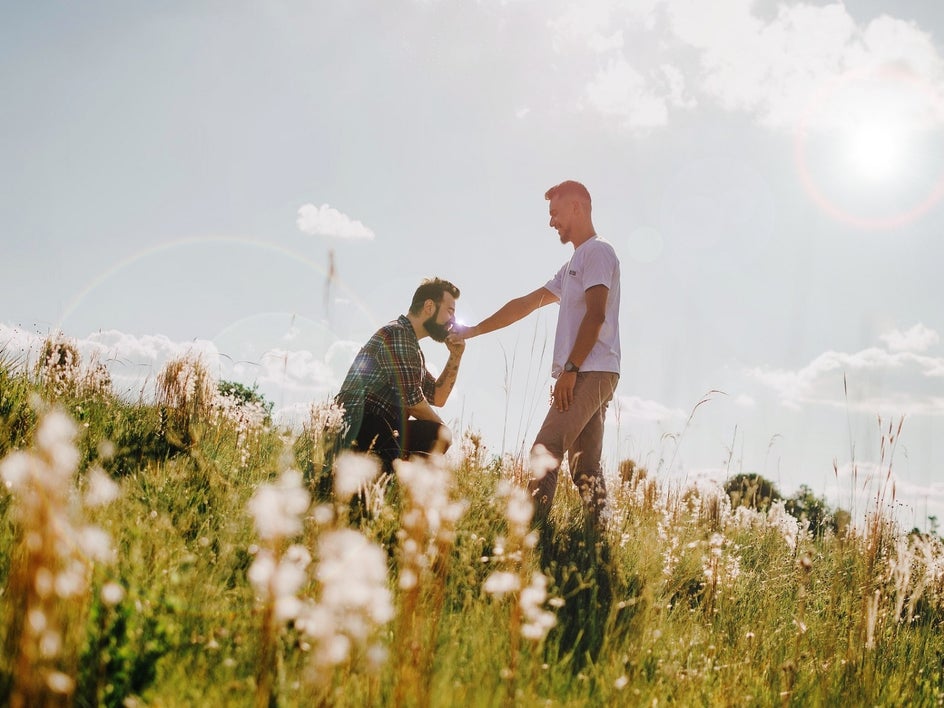
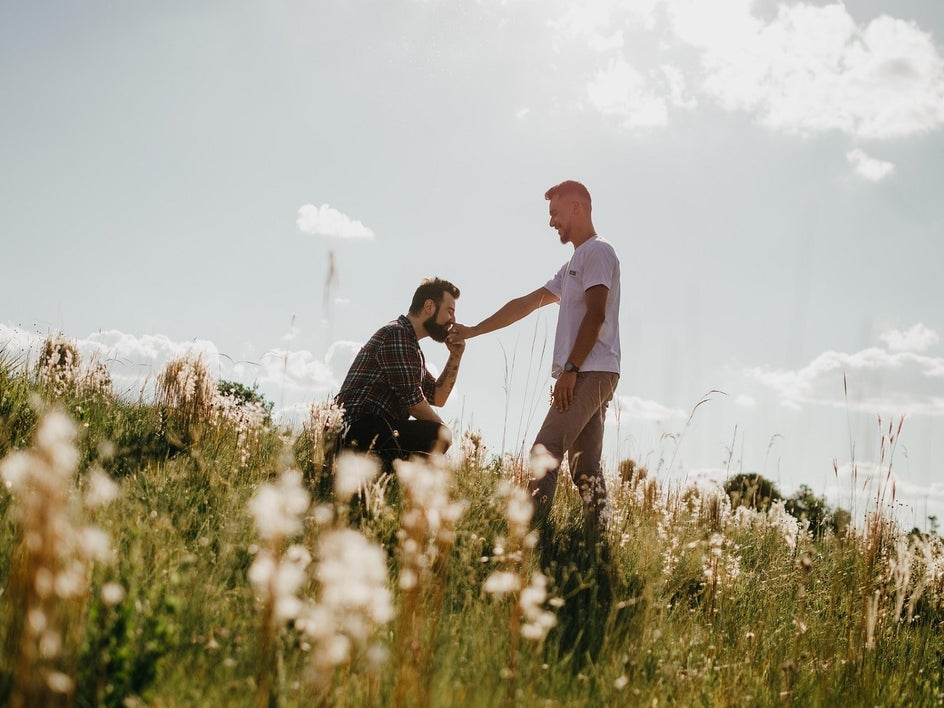
For engagement photos, warm and light-enhancing effects tend to work especially well. A subtle warming filter can add a romantic glow, while something like a soft lens flare can introduce a natural, sun-kissed feel.
Here, we're adding the 'Simple' Lens Flare effect:
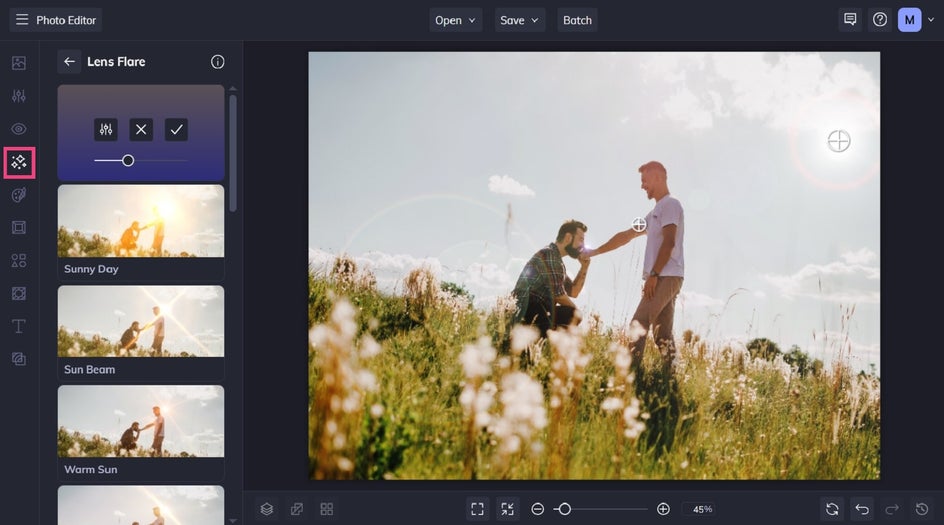
The goal is to complement the emotion of the moment – not overpower it – so experiment until you find a look that feels just right.
If you’d like to add extra creativity to your engagement photos by turning them into art, you can also explore our Artsy effects. These help you turn your beautiful memories into masterpieces featuring effects like watercolor, oil painting, cartoon, pen art, and so much more.
Ready to Edit Your Engagement Photos?
With just a few thoughtful adjustments, your engagement photos can go from beautiful to truly unforgettable. Then, feel free to explore our Wedding templates to turn your favorite shots into stunning save-the-dates, invitations, and more.
Whether you’re refining details, removing distractions, or adding a creative touch, the Photo Editor makes it easy to bring your vision to life!