How to Use Pop Art Effects in Your Marketing Campaigns
Pop art is bold, bright, and impossible to ignore – exactly what your marketing visuals should be. In a world where brands compete for attention with every scroll, creating something that stands out can feel like an uphill battle. But with BeFunky’s Pop Art effects, you don’t need a design degree or pricey software to turn your visuals into striking pieces of marketing art.
Whether you’re announcing a new business endeavor, running a social media campaign, or designing promotional materials for your next big event, colorful pop art helps your brand grab attention instantly.
Why Use Pop Art in Marketing
Pop art is more than a design style – it’s a visual language of energy, fun, and confidence. Adding it to your marketing materials helps your audience connect with your brand in an instant. Here’s why it works so well:
- It stops the scroll. Bright colors, bold outlines, and strong contrast immediately draw the eye.
- It makes your brand memorable. Pop art transforms simple photos into graphic masterpieces that stick in people’s minds.
- It’s flexible. Whether your brand is playful or edgy, pop art can adapt to the message you want to send.
- It’s nostalgic yet modern. Its retro roots feel familiar while still looking fresh and contemporary.
Now that you know why pop art works, let’s explore how to create it with BeFunky.
How to Add Pop Art to Your Marketing
Before you dive into design, think about where pop art visuals will make the biggest impact – a flyer for an upcoming event, a bold social media post, or a refreshed menu. With BeFunky, the process is quick, creative, and fun.
Step 1: Replace Placeholder Images
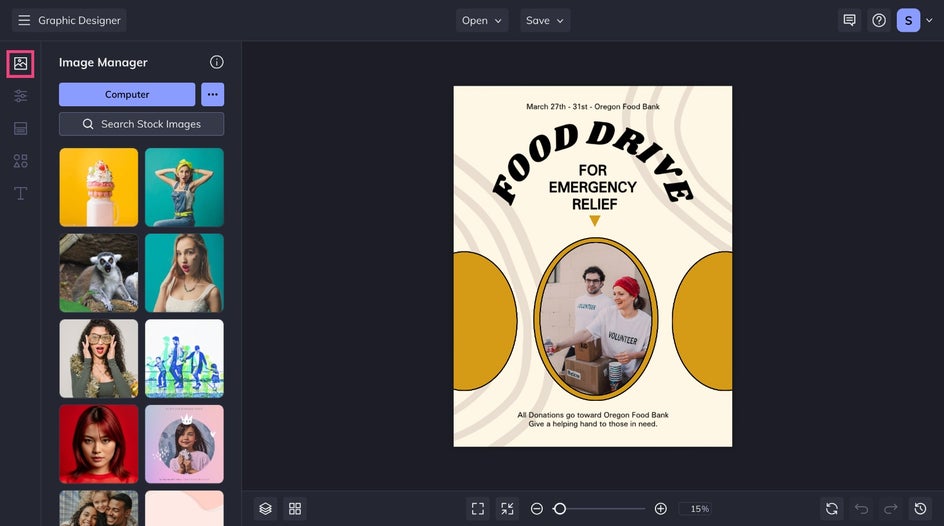
First, choose a marketing template that fits your needs. Head to the Image Manager to replace the placeholder photos, or drag and drop them directly onto the canvas from your desktop. For now, don’t worry about fonts or colors. Focus on the visuals.
Step 2: Apply Pop Art Effects
Select an image, then click Edit Image in the Image Properties menu to open it in the Photo Editor. This is where the magic happens.
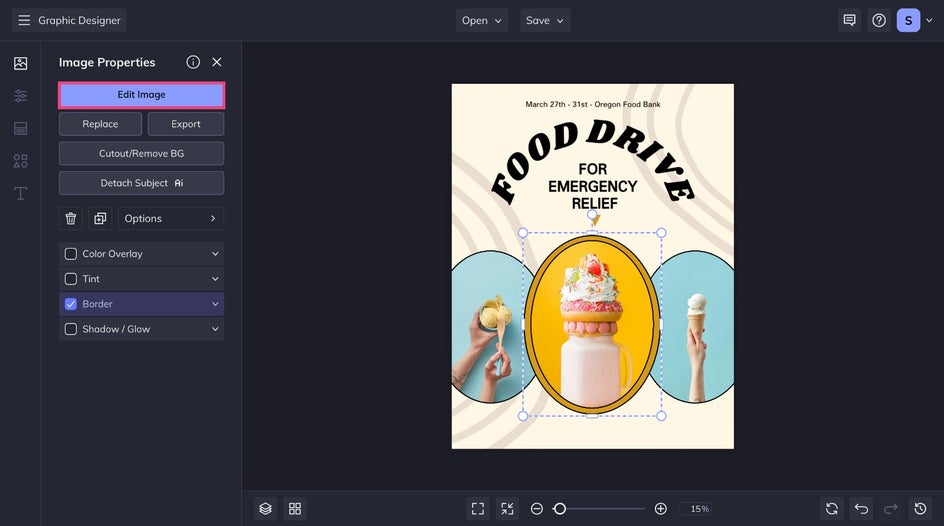
Under the Effects tab, open the Pop Art category to explore different styles and find your favorite. Each one instantly transforms your photo into a vivid, comic-inspired masterpiece. Customize the effect to your liking before clicking Apply.
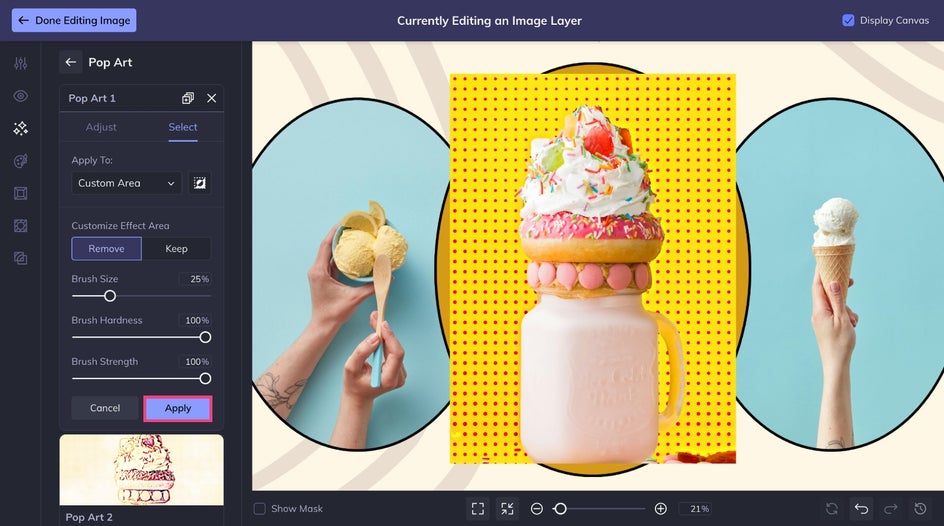
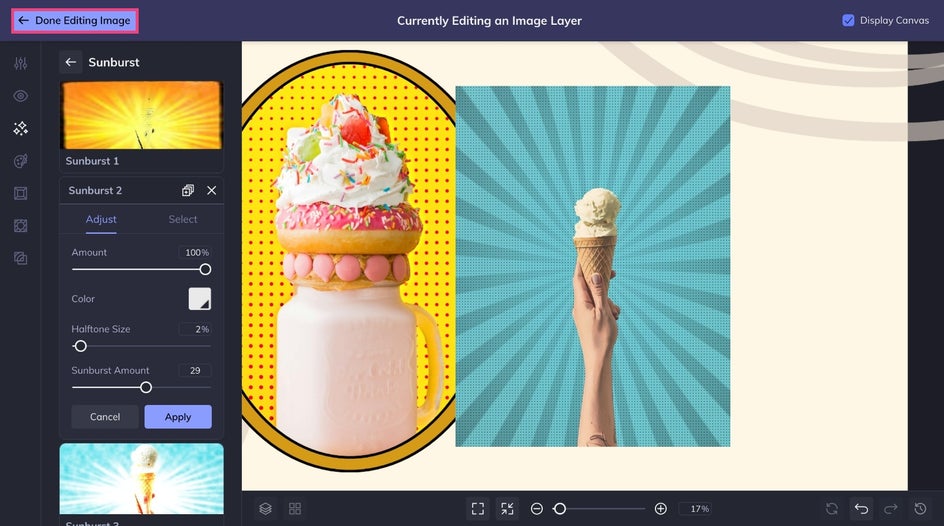
But that’s not the only way to get the pop art look. Try layering a Sunburst effect or applying Pop Comic GFX (found in the Comics category of the Artsy tab) for even more visual appeal. Once you’re happy with your edits, click Done Editing Image to return to the Designer.
Step 3: Finalize Your Marketing Content
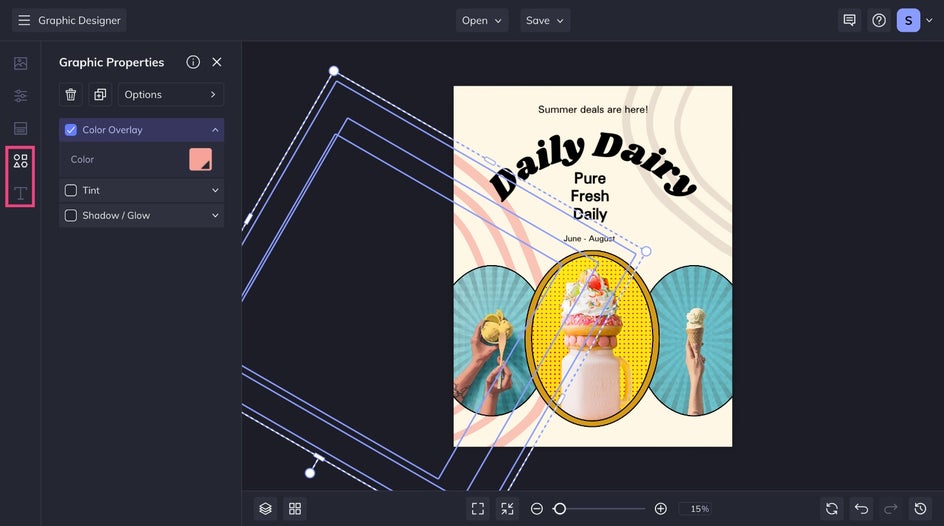
Add your finishing touches to make the design your own. Tweak what's already there or use the Text and Graphics tabs to include new elements.
Step 4: Save It!
When everything looks just right, click Save at the top of the canvas. Choose the format that best fits your needs – Print Products for professional printing via Zazzle or a high-quality JPG for digital sharing.
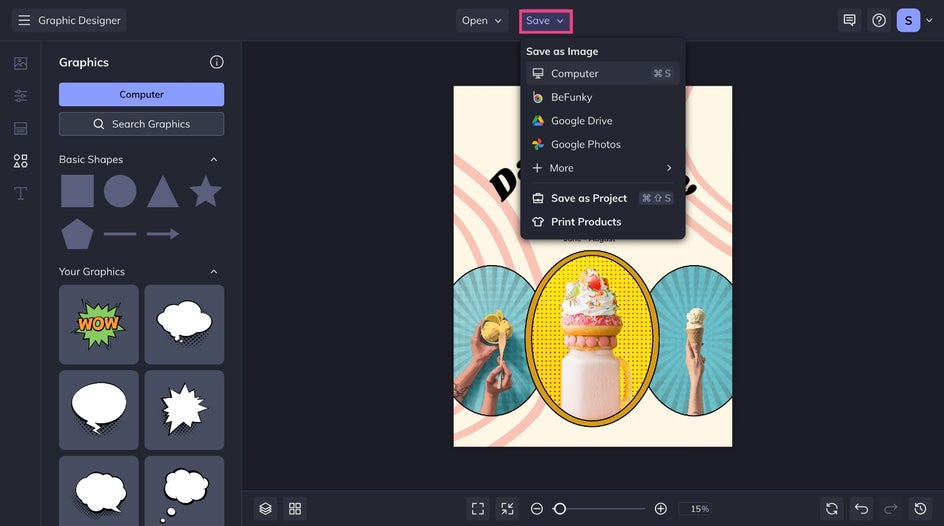
And that's it! With just a few clicks, we customized a fun and informative flyer for our ice cream shop. BeFunky's Pop Art effects can be used to elevate your branded content without losing the original image's appeal.
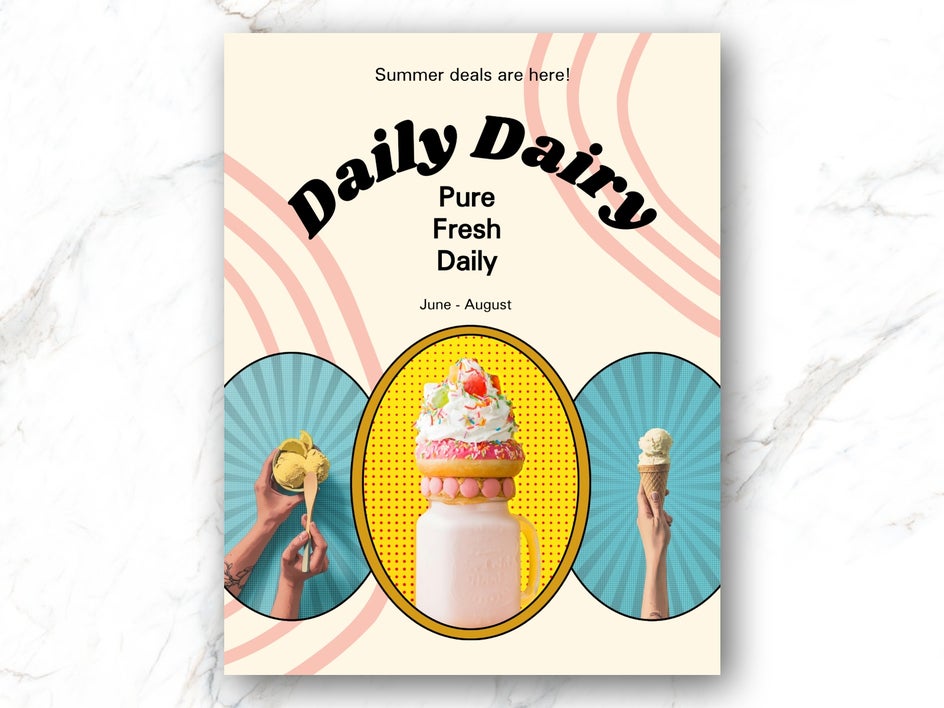
Pop Art Inspo for a Cohesive Marketing Strategy
Don’t stop at one design. A consistent pop art aesthetic across your marketing channels builds instant brand recognition. Here are a few ways to extend the look:
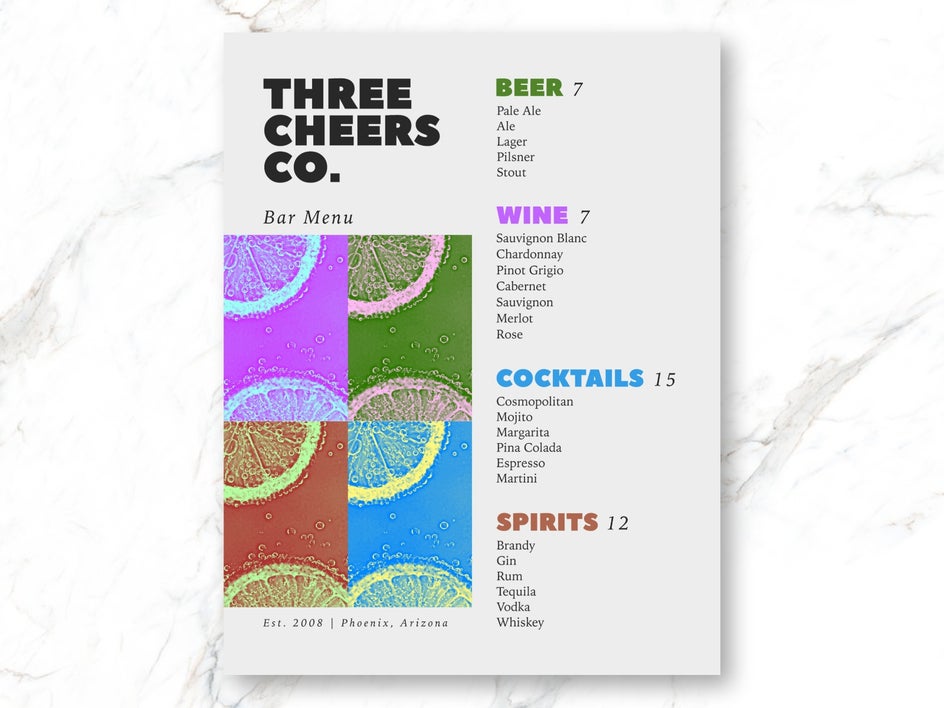
Eye-Catching Menus
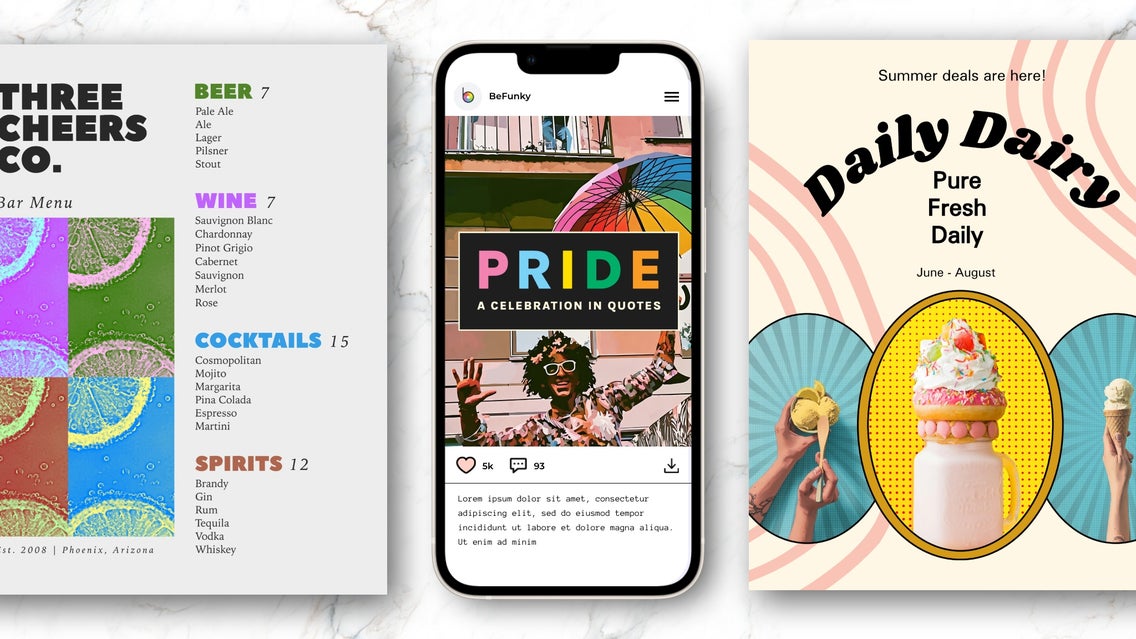
Turn a menu into a work of art that’s as eye-catching as your offerings. Choose a Pop Art effect to accent photos for a bold, graphic touch, then pull colors from the edited images for the text and background. Keep fonts bold and easy to read so customers can take in every delicious detail at a glance.
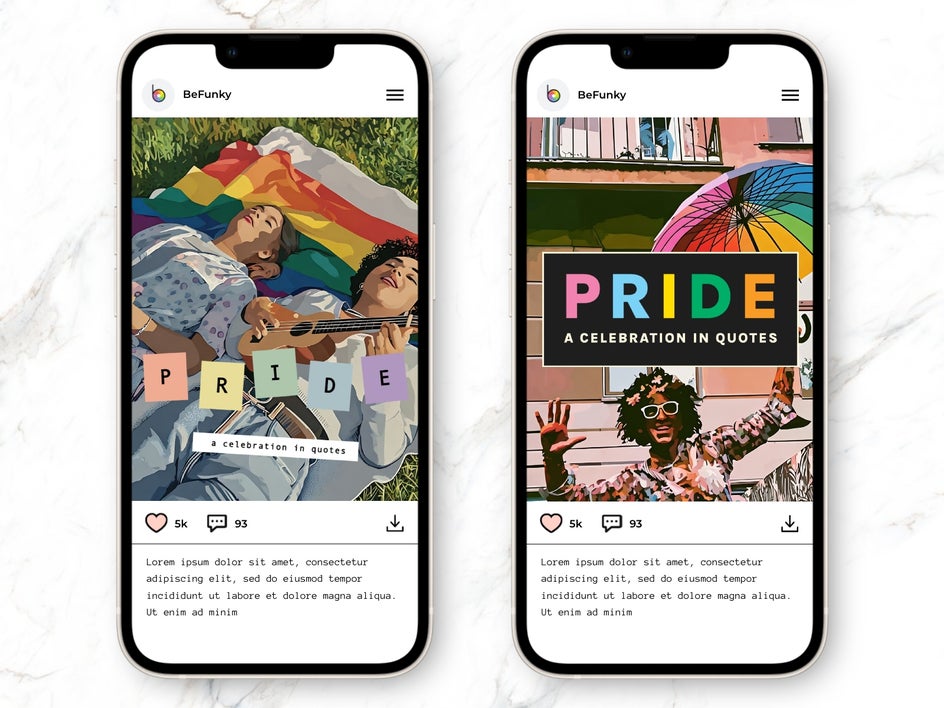
Social Media Campaigns
Design a coordinated series of social posts using for an Andy Warhol-inspired look. Play with textures, overlays, and graphics to add depth, and use a consistent color palette for a cohesive grid that pops. Try applying Vector Pop GFX (found in the Vector Art category of the Artsy tab) for a vector graphic-style effect.
Promotion Announcements
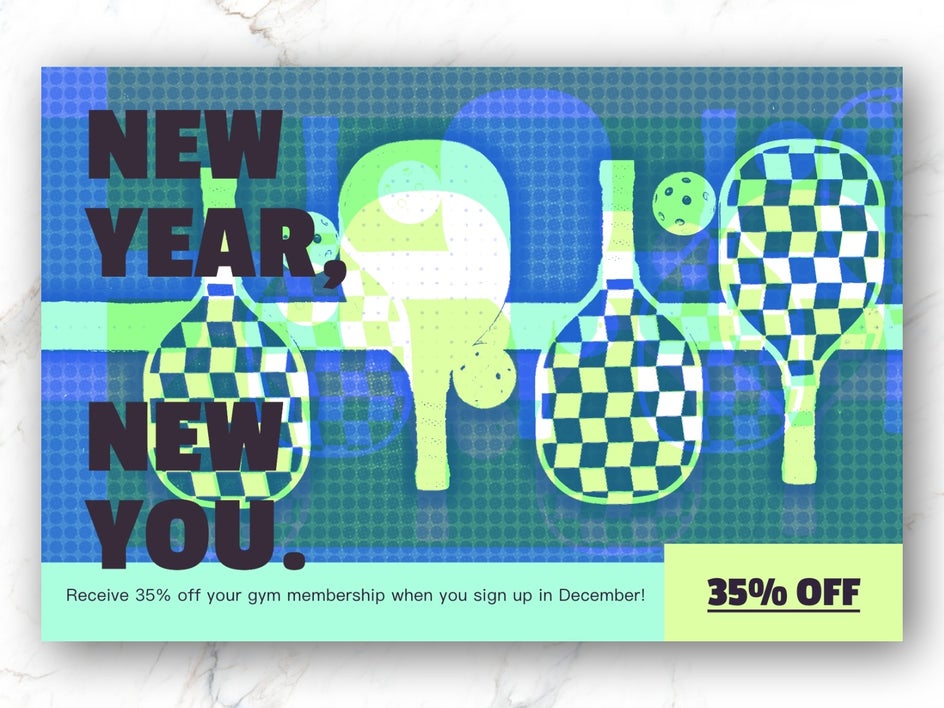
Promote your next big thing with a pop art-inspired design that demands attention. Combine Pop Art DLX (found in the Digital Art category of the Artsy tab) with Pop Art 5 for a layered look. Pair the visuals with bold typography and playful color combinations to create a poster worth sharing.
Bring a Pop of Personality to Your Marketing
Adding pop art to your marketing strategy is about more than bright colors and bold outlines – it’s about creating visuals that feel alive. This style captures attention instantly and tells your audience your brand is confident, creative, and ready to stand out.
Apply this look across all channels and mediums to build a cohesive, unforgettable brand presence. Whether you want something playful and fun or sleek and modern, pop art gives you the flexibility to express your unique style without complicated design tools.
Ready to get started? Head to BeFunky’s Business Marketing category to turn everyday visuals into striking works of art.