









Design YouTube Watermarks for Video Protection and Branding

As of today, YouTube is the second most visited website online. That means there is huge potential for your video content (and overall brand) to be seen, but it’s also more important than ever to make your content stand out. In addition to making great videos, creating click-worthy thumbnails, and branding your YouTube Channel as a whole, there’s one more thing that’ll help keep your video content on-brand: adding a watermark.
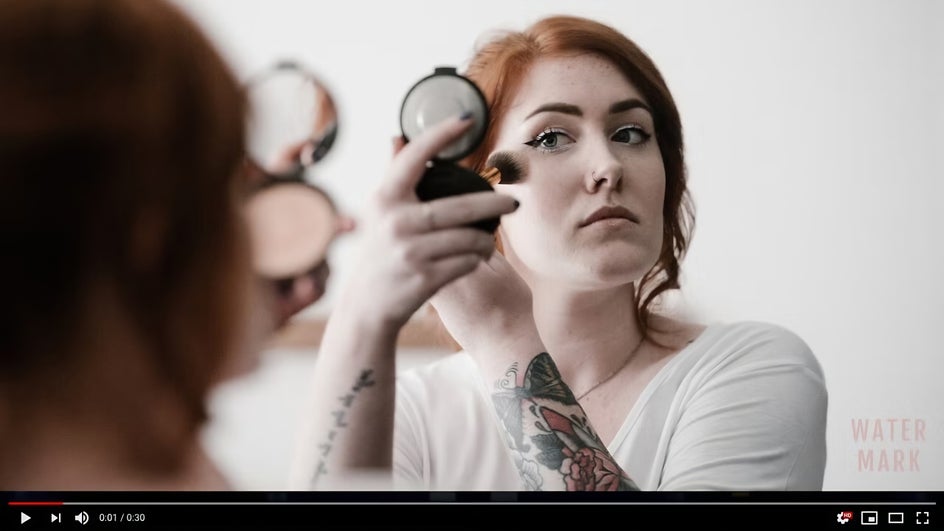
It’s a pretty common part of the creative workflow to watermark photos and designs, but these days where video content reigns, watermarking videos is also on the rise. Not only does a watermark add a professional, branded look to your videos, it also helps prevent your content from being stolen. Luckily, you can easily create your own watermarks with BeFunky's Graphic Designer.
Why Use YouTube Video Watermarks?
A video watermark works just like a photo watermark. It is a small, still image that sits on top of your video while it plays, usually in the bottom right. Your watermark can be your logo, your website URL, or a custom mark that matches your brand. If you use a URL, keep it short and clearly tied to your channel.
Watermarks matter for two reasons. They help protect your content from being reposted without credit, and they build brand recognition every time someone watches. Think of it like signing your work. It signals who made the video, and it is not easily removed.
The best part is you can add a watermark at any point. You can build one now, then apply it while editing or add it later to videos that are already on YouTube. Next, we will walk through how to create your watermark, then how to upload and apply it.

How to Create a YouTube Video Watermark
YouTube video watermarks are small, simple, and designed to sit neatly in the corner of your videos without distracting from your content. Here is how to make one in BeFunky’s Graphic Designer, using the same clean, logo style workflow.
Step 1: Prep Your Canvas
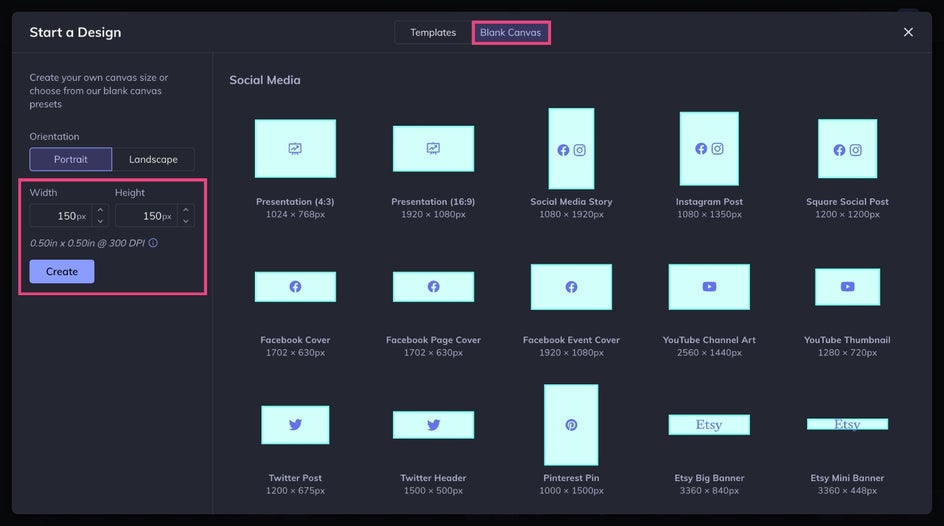
Start in the Graphic Designer’s Blank Canvas tab and set your canvas to 150 x 150 px for a perfect 1:1 YouTube watermark size. Then, click Create.
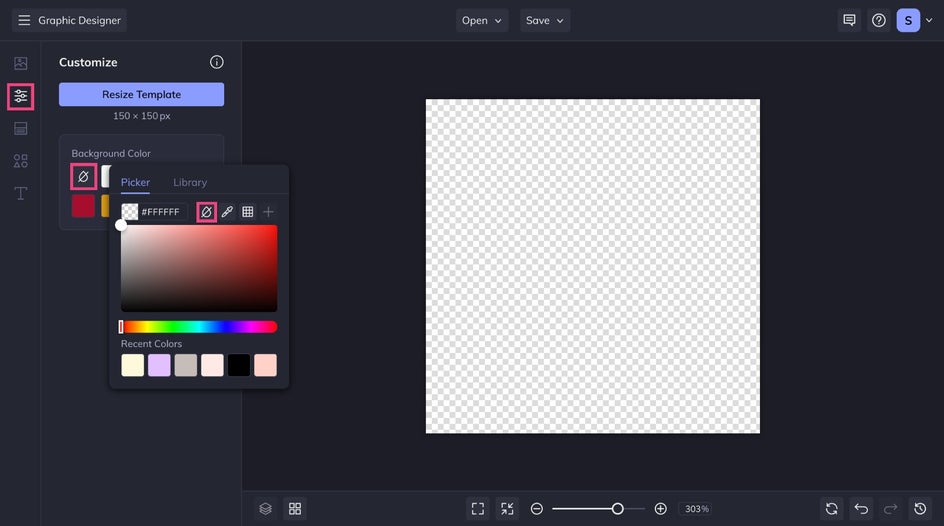
Head to the Customize tab, click the top left color swatch, and select No Color to make the background transparent. Now your canvas is ready to go!
Step 2: Add or Create Your Logo
Now it is time to add your watermark design. The goal is simple, recognizable branding that stays readable at a small size.
If you already have a logo ready to go, drag and drop it onto your canvas or select it from the Image Manager. Then, scale it so it fits comfortably inside the square – with a little padding around the edges. If your logo includes tiny details or a long tagline, consider using a simplified version, like an icon or initials. Watermarks work best when they are easy to understand at a glance.
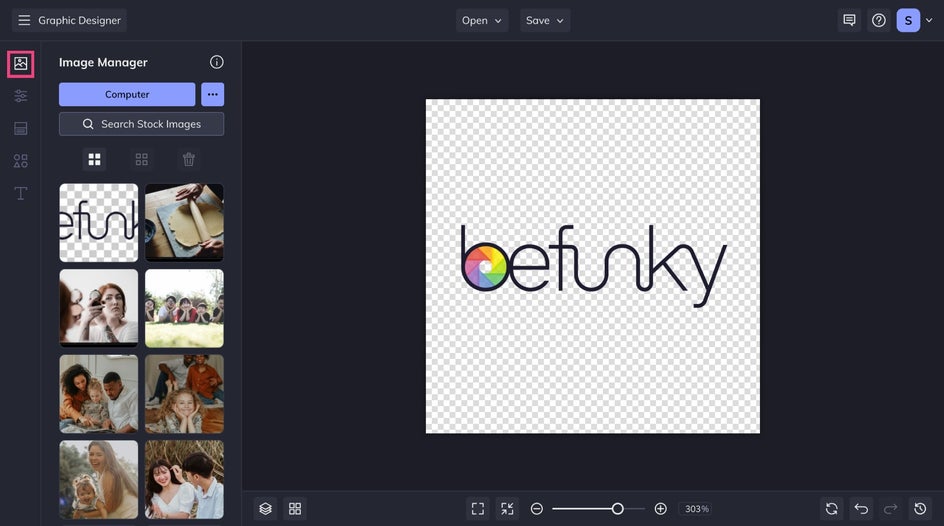
If you do not have a logo file, you can create a clean watermark directly in BeFunky. Use the Text Editor to add your channel name, brand name, or handle in a clear font. Pair your text with a icon from the Graphics Library or keep it simple with one or the other. Minimal designs work best since fine lines and small details can disappear once the watermark is placed on a video.
Step 3: Save and Upload
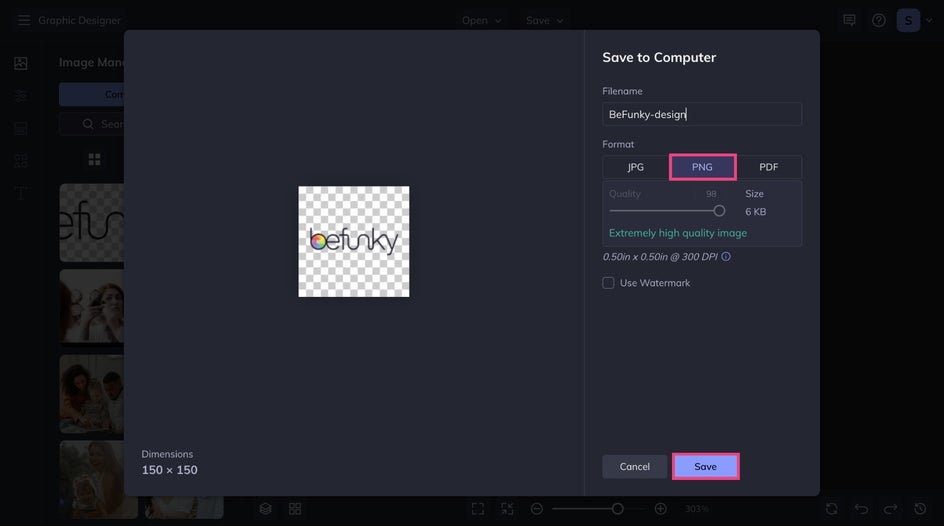
When your watermark looks just right, click Save at the top of your canvas and download it as a PNG so the transparent background stays intact. It is also a good idea to save it as a project so you can quickly adjust the size, colors, or layout later for other use cases without starting over.
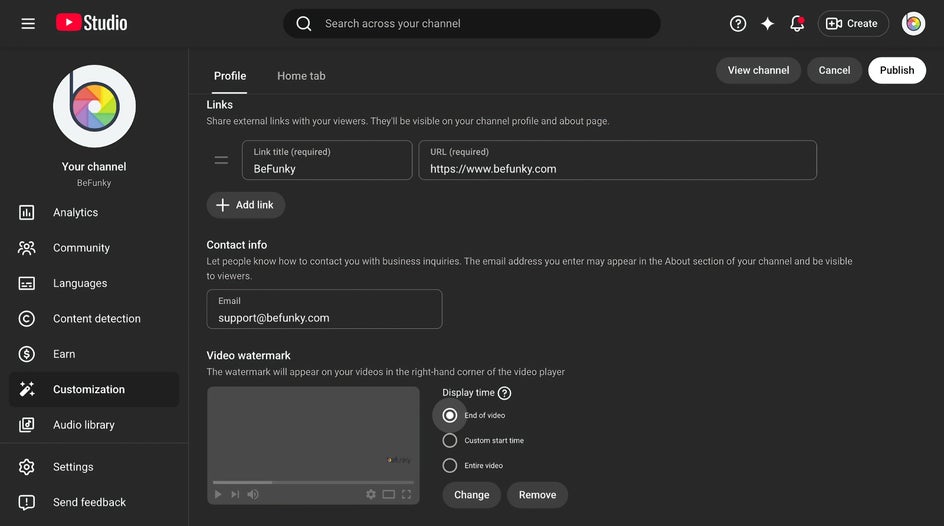
Once saved, upload your PNG in YouTube Studio's Customization tab as your channel watermark. YouTube will then overlay it on your videos based on the display settings you choose.
Build and Protect Your Channel With BeFunky
And that is it! With BeFunky, it's easy to design, download, and apply a watermark to your YouTube videos in just a few minutes. Once it is in place, every upload does a little more work for you, helping discourage reposts and making your brand instantly recognizable to viewers as your content plays.
Now that you have a watermark ready to go, keep the momentum going by bringing the rest of your channel visuals into the same style. Continue refining your channel with matching YouTube Channel Art, eye catching thumbnails, and social ready graphics that feel consistent from video to video. Start with a template, swap in your colors and fonts, and build a cohesive look your audience will recognize anywhere they find you.




