How to Add Speech Bubbles to Your Photos

You know the saying: “a picture is worth a thousand words”. But sometimes, a single image isn’t quite enough. If your photo needs some added context, then you should consider speech bubbles. Adding speech bubbles to your photos is a fun and creative way to bring personality, humor, and storytelling into your images. Whether you’re creating memes, comic-style graphics, social media posts, or playful photo edits, these text-adorned graphics instantly turn static photos into something more expressive.
With BeFunky’s Graphic Library, adding speech bubbles is incredibly easy. You can choose from a variety of bubble styles then add in your own phrases in any typography you see fit. In just a few clicks, you can transform an ordinary photo into something entertaining and share-worthy. Keep reading, because we’ll show you how and when you can use speech bubbles in your own photos!
How to Add Speech Bubbles to Your Photos
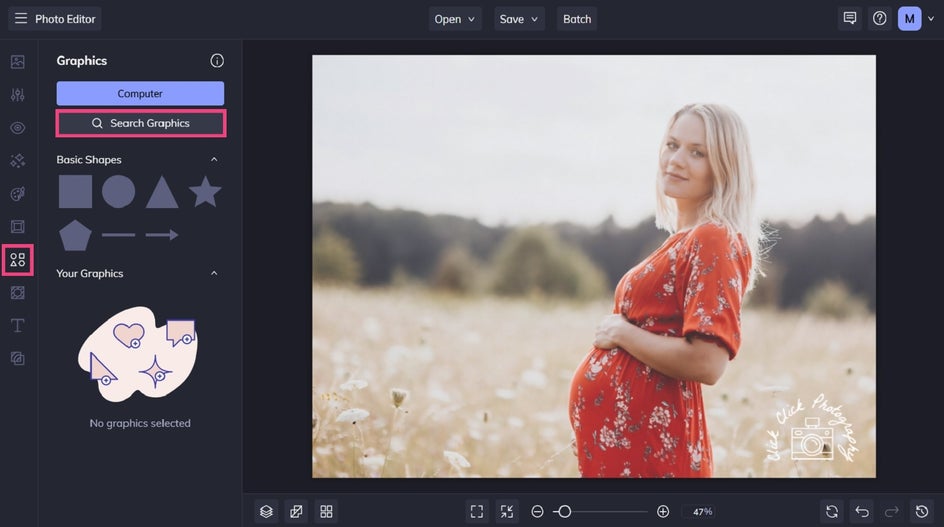
Start by opening your image in the Photo Editor, then head to the Graphics tab.
Step 1: Insert a Speech Bubble
In the Graphics tab, click Search Graphics. This is where you’ll find plenty of customizable design elements, including speech bubbles.
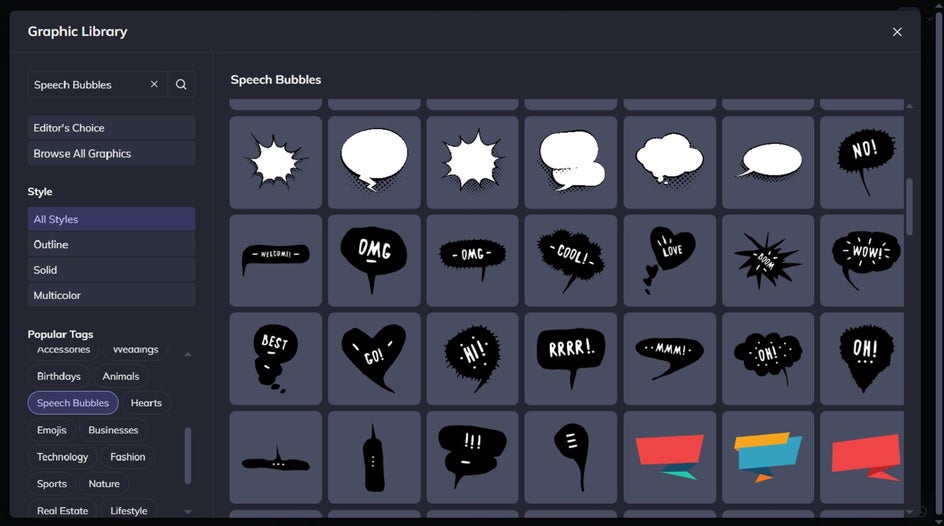
To quickly locate speech bubbles, use the search bar. You’ll instantly see a variety of speech bubble styles to choose from. Simply select the bubble(s) you wish to use.
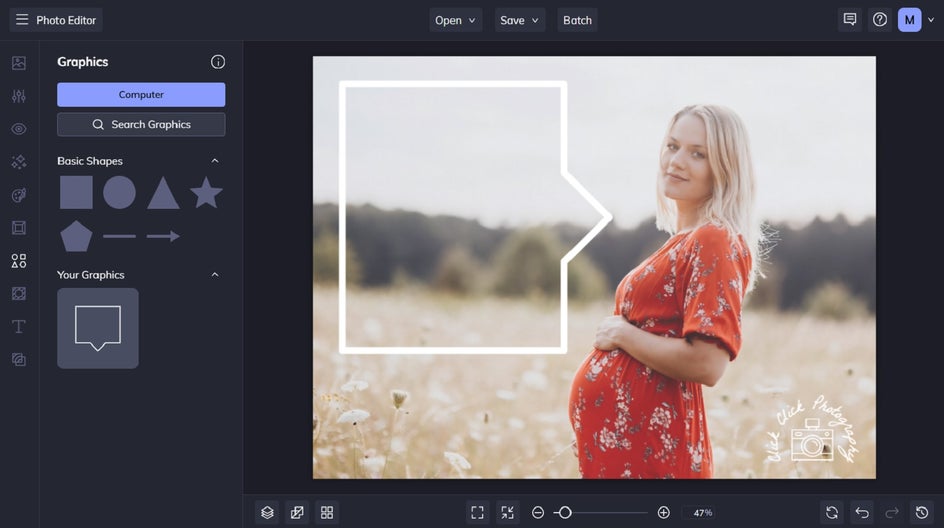
Next, drag and drop your chosen graphics onto your design. You can also use your cursor to reposition or resize as needed.
Place the bubble near your subject’s face or point it toward a pet, person, or object to make it look like they’re “speaking.”
Want to change the color of your speech bubble? Just click on it, and a Graphic Properties menu will appear. From here, adjust the color overlay or fill color.
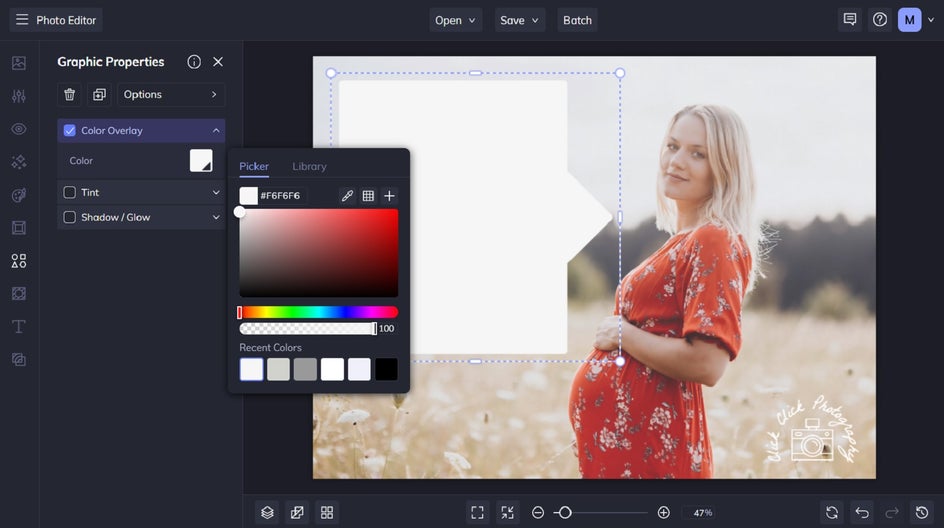
Step 2: Add and Customize Text
To add text to your speech bubble(s), navigate to the Text tab. Click Add Text or choose one of our curated text patches.
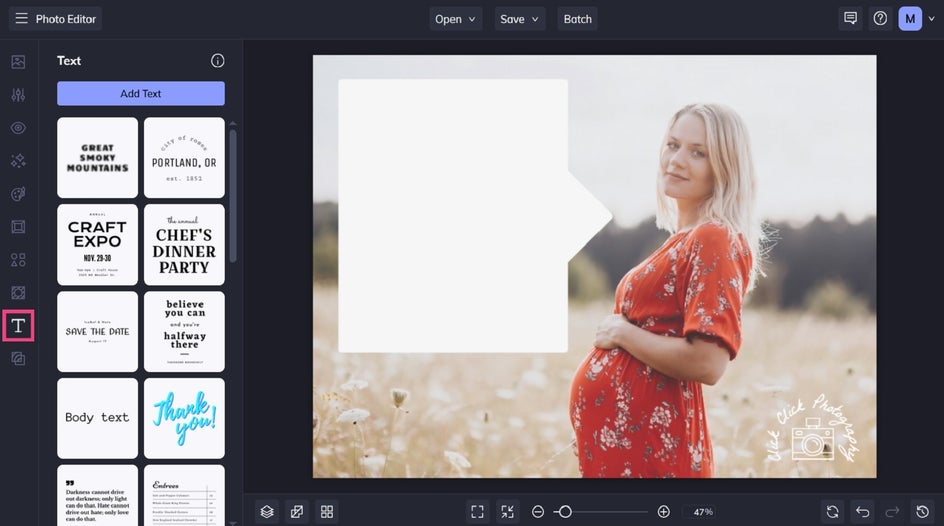
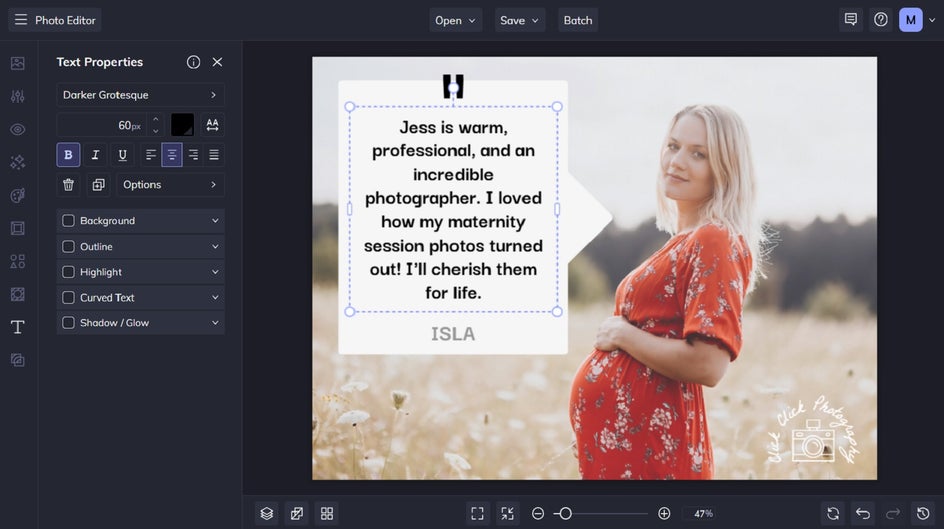
Then, double-click your text box to type in what you’d like it to say. Short, punchy phrases often work best for speech bubbles and thought bubbles. Think funny reactions, playful commentary, or clever captions that add personality to your image.
You can also use the Text Properties menu to customize the font, size, alignment, color, and more.
Step 3: Save Your Final Photo
Click Save at the top of the screen, then choose your save location and format.
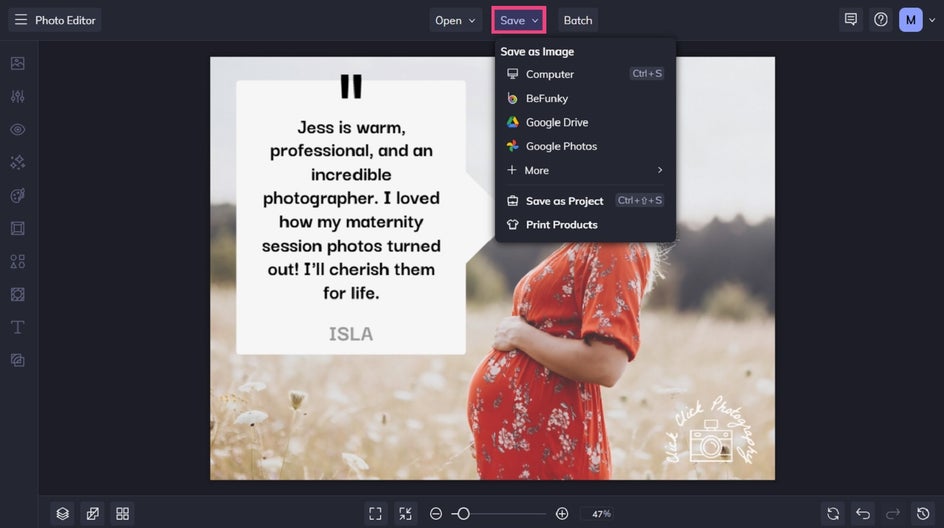
Final Result: A Clever Way to Display Client Testimonials
As you can see, speech bubbles give you a clear and eye-catching way to add context to any image – just like with this client testimonial.

Creative Projects You Can Make With Speech Bubbles
Speech bubbles are surprisingly versatile and can be used across a variety of fun design projects. Here are a few ideas to spark your creativity!
Funny Social Media Memes
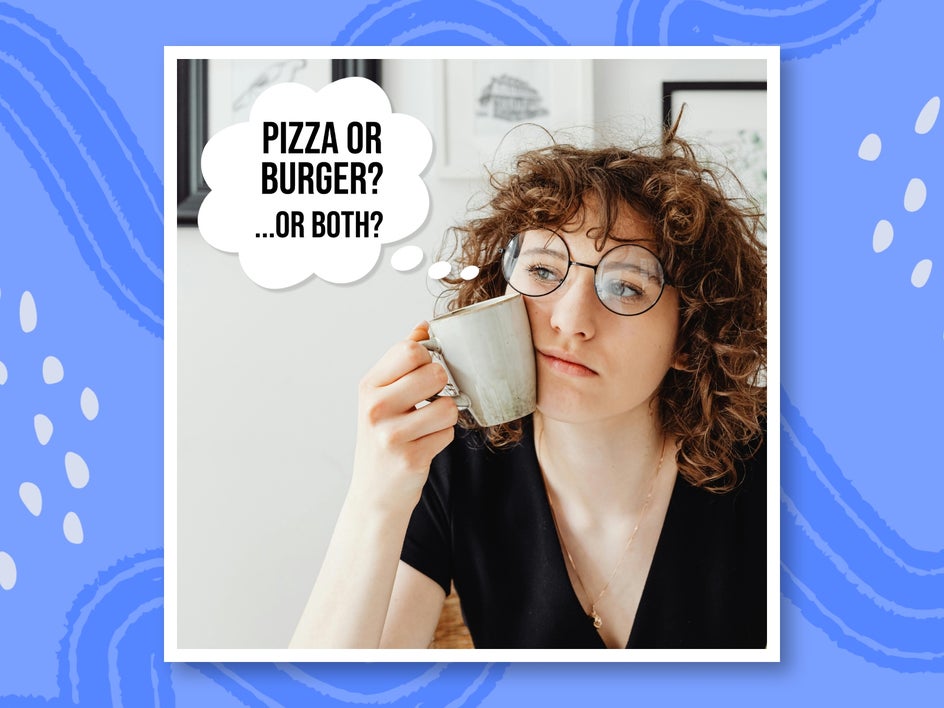
Turn everyday photos into shareable memes by pairing expressive images with witty speech bubbles or thought bubbles. Whether it’s a surprised pet, a dramatic selfie, or a perfectly timed reaction shot, speech bubbles make it easy to add a punchline.
Add Artsy effects or bold typography to enhance the humor and make your meme even more eye-catching in social feeds. Even the most basic of photos can be transformed into something funny and relatable using these graphics and accompanying text.
Comic-Style Photo Stories
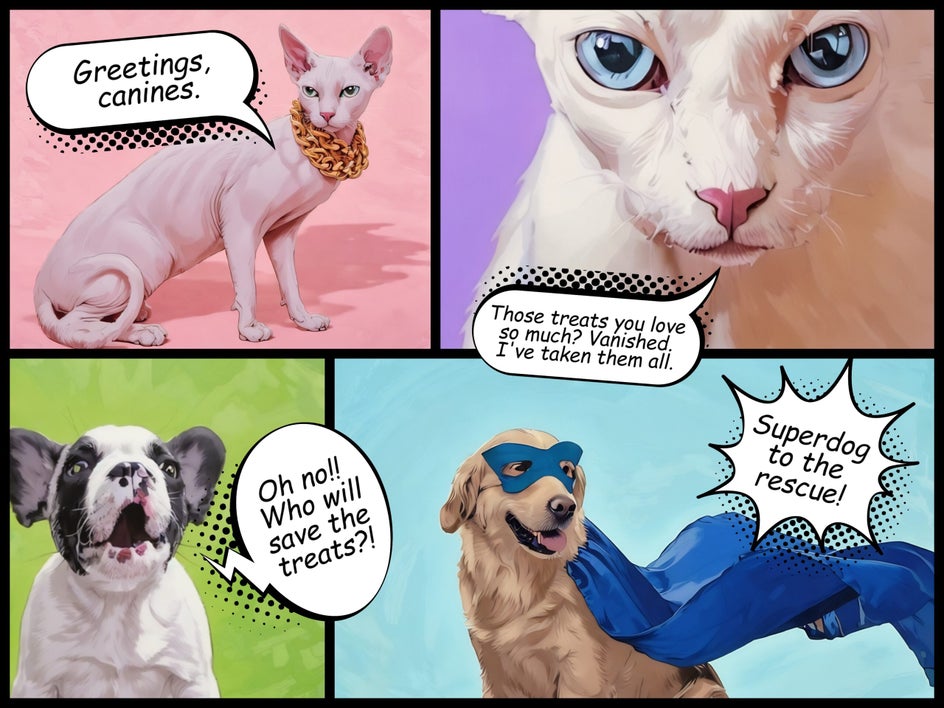
Why stop at one speech bubble when you can tell an entire story? Create a comic-style layout by combining multiple speech bubbles, comic effects, and graphic elements across a photo or collage. This works especially well for storytelling posts, creative projects, or even fun family photo edits.
Thankfully, it’s easy to create comic book pages in the Collage Maker. Select your desired layout and drag and drop your images in. Don’t forget you can edit your photos to add comic or cartoon effects. Then, just add speech bubbles and text to complete your story.
Announcements
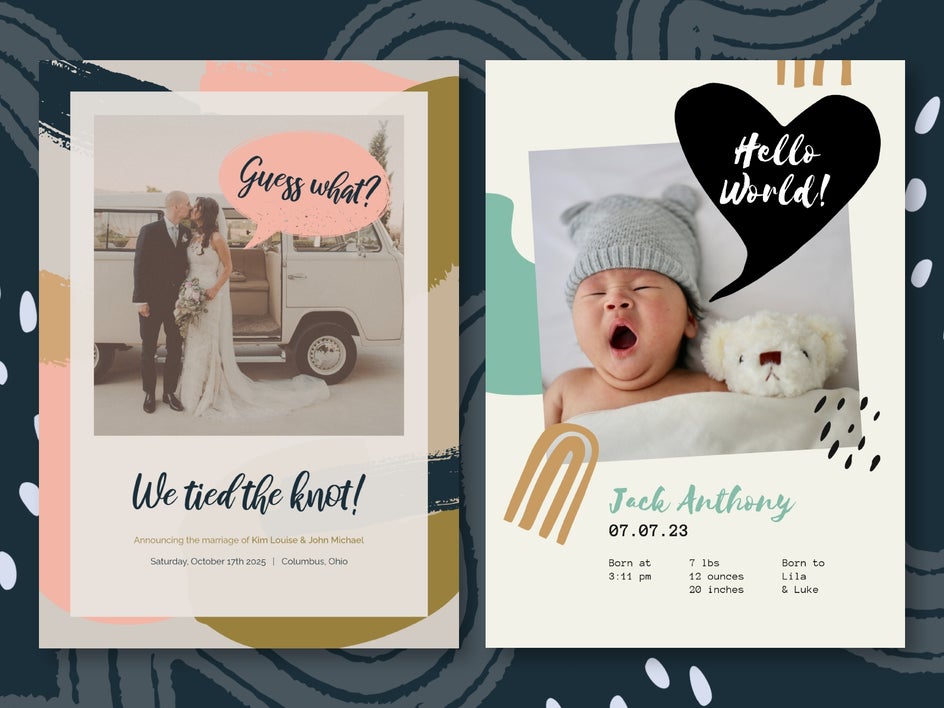
Speech bubbles are a fun way to make announcements feel more playful and conversational. Whether you’re announcing a new baby, graduation, or elopement, a speech bubble can highlight the key message in a creative way.
Try pairing a speech bubble with a photo of the person or couple being celebrated and add text like “We’re Expecting!”, “She Said Yes!”, or “Class of 2026!” to instantly draw attention to the announcement.
Start Creating With Speech Bubbles Today
Adding speech bubbles to your photos is a quick and creative way to bring personality and storytelling into your images. Whether you’re designing memes, comic-style graphics, or playful social posts, the wide range of speech bubbles in BeFunky’s Graphics Library make it easy to build fun designs in minutes.
Ready to try it for yourself? Head to the Graphics tab and explore the speech bubbles waiting to bring your photos to life!