









Go From Photo to Realistic Oil Painting Masterpiece

Realism is all about showing life as it really is. Instead of dramatic or idealized scenes, this art style focuses on everyday moments, natural settings, and true-to-life detail. It first emerged in mid-19th-century France as a shift away from more romantic and exaggerated art, putting the spotlight on ordinary people and real-world subjects.
While traditional Realist paintings are often created with oil paints, you don’t need brushes or years of experience to achieve a similar look today. With BeFunky’s Photo Editor, you can easily transform your images into lifelike, painterly artworks in just a few clicks.
Using effects from the Oil Painting category – including Realist-inspired GFX and GFX+ options – you can add rich texture, depth, and detail to your photos. We’ll show you how to create your own Realist-style painting, plus share a few fun ideas to inspire your next project!
How to Turn a Photo Into a Realist Oil Painting
Start by heading to the Oil Painting Artsy effects within the Photo Editor and open the image you’d like to transform.
Portraits, landscapes, and still-life images all work beautifully for Realist effects, especially when they feature good lighting and clear detail. Realist paintings also emphasize light and shadow, so images with natural contrast tend to work best.
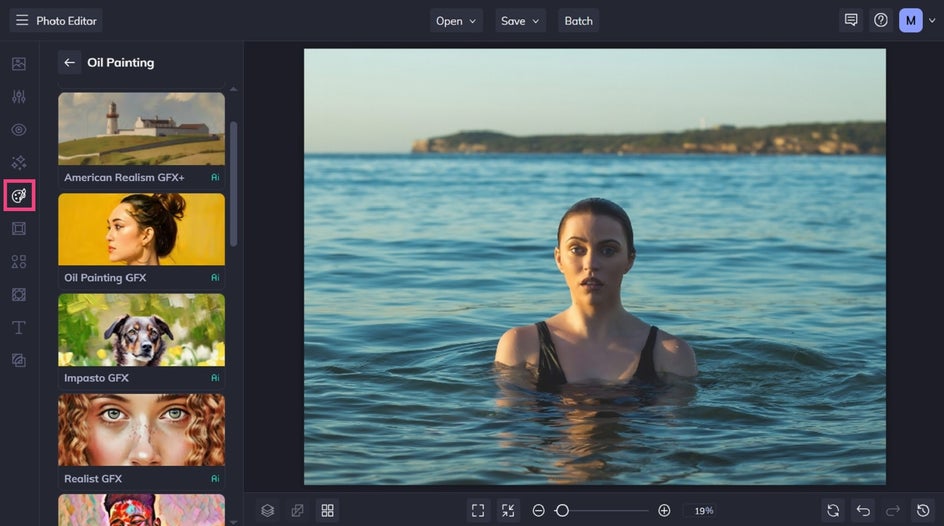
Step 1: Choose a Realism Art Effect
Once you’ve selected a Realism-inspired oil painting effect, you’ll see your photo instantly transformed to resemble the art form. You can adjust the slider to increase or decrease the effect.
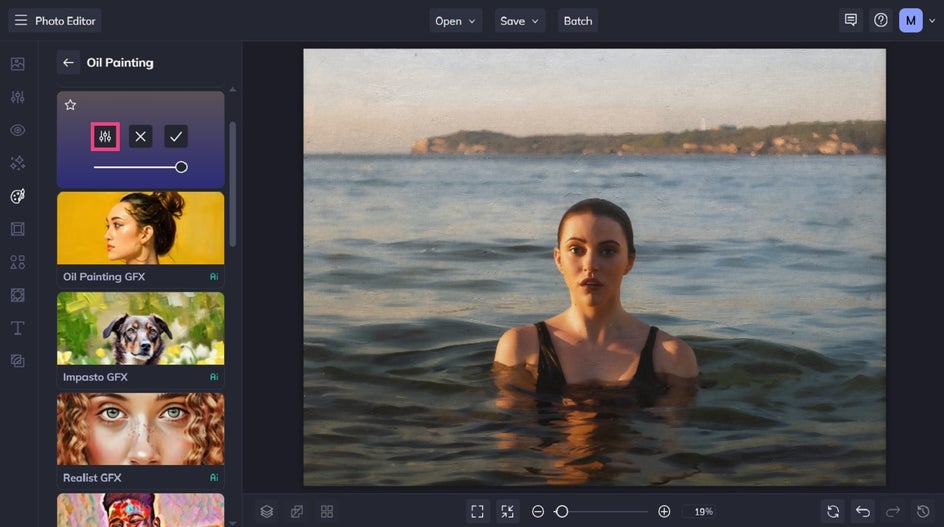
Step 2: Customize It
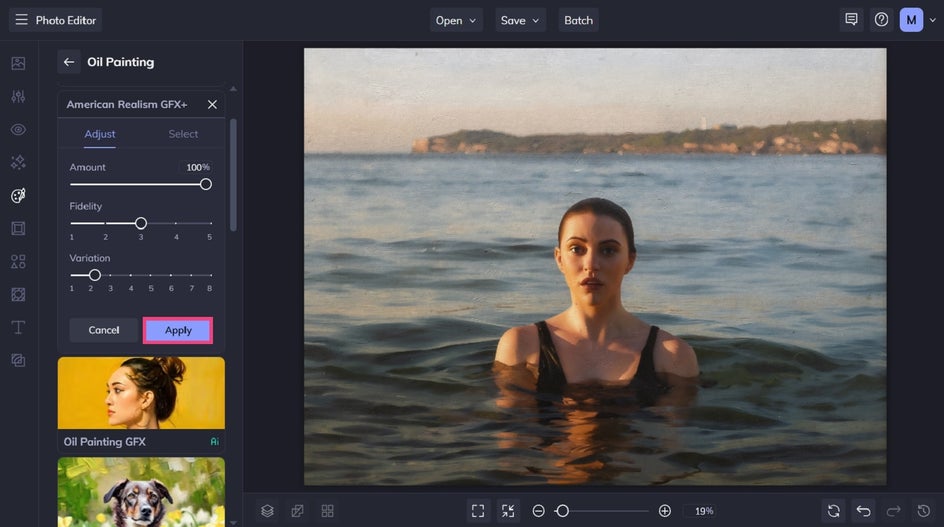
You also have the option to further customize your Artsy effect by clicking the left-most icon (Settings).
Here, you can adjust the effect’s fidelity and variation. Fidelity refers to how closely your Realism effect resembles the original photo without losing detail. Variation, on the other hand, allows you to toggle through several different variations of your image with the same effect applied to it.
Click Apply to keep your changes.
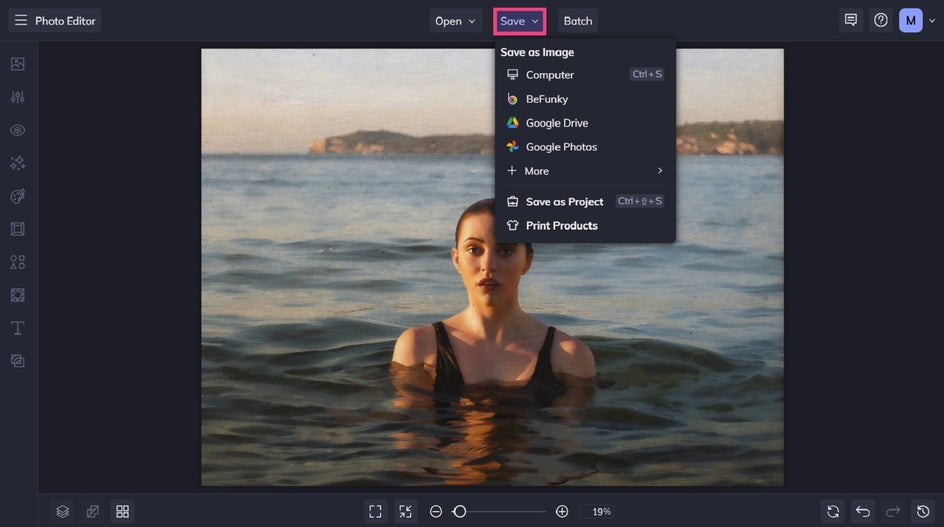
Step 3: Save Your Oil Painting
Once you’re happy with the transformation, it’s time to save your new work of art. Click Save at the top of the screen and select your desired save location.
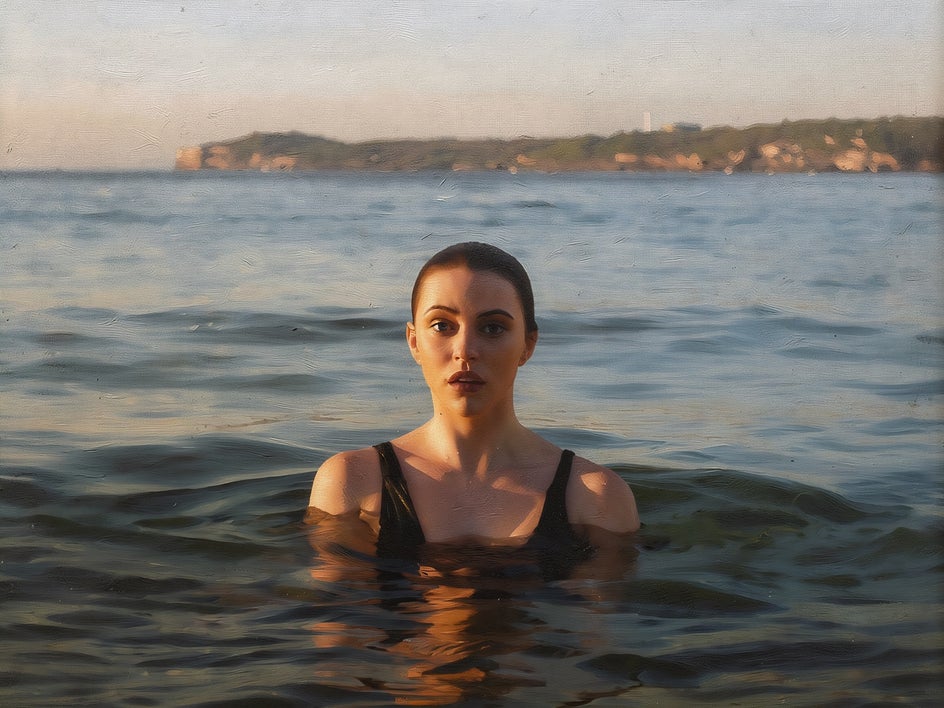
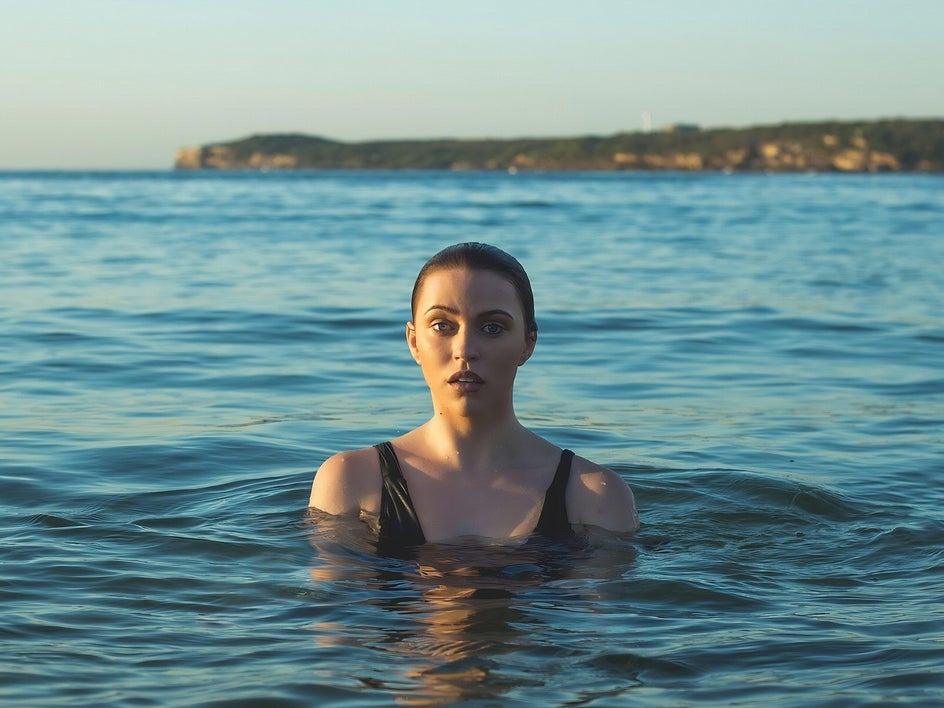
Before and After: From Photo to Realist Painting
It’s hard to believe that within just a few clicks, we were able to turn a beautiful photo into a stunning, Realism-inspired masterpiece!
Creative Inspiration for Realist Painting Effects
This style works beautifully across a range of subjects, helping you turn everyday photos into artwork that feels timeless and expressive. Here are a few ideas to inspire your next creation.
Pet Portraits
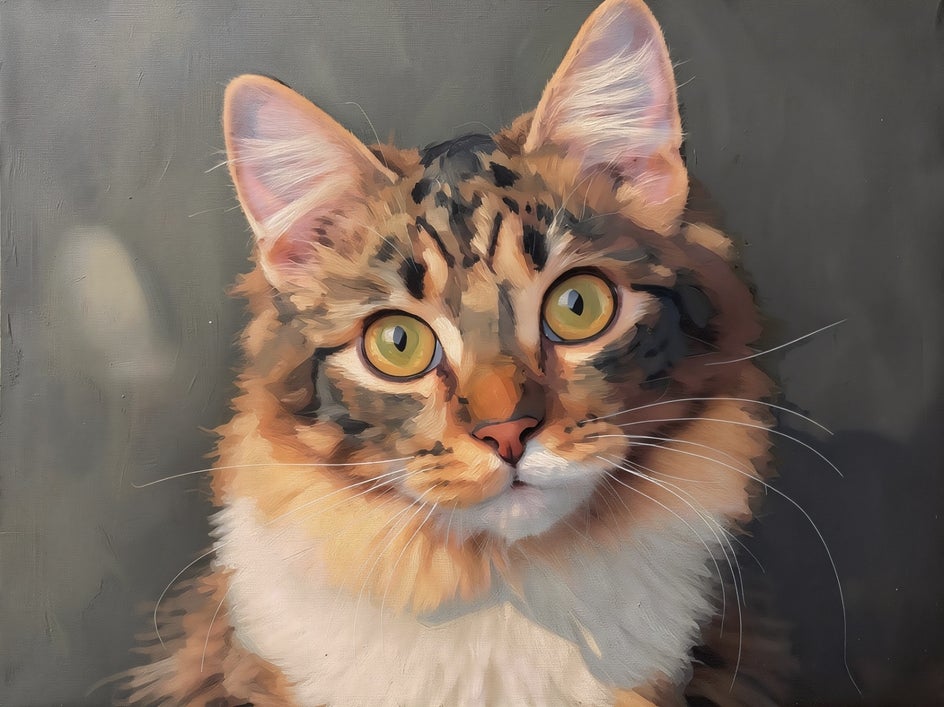
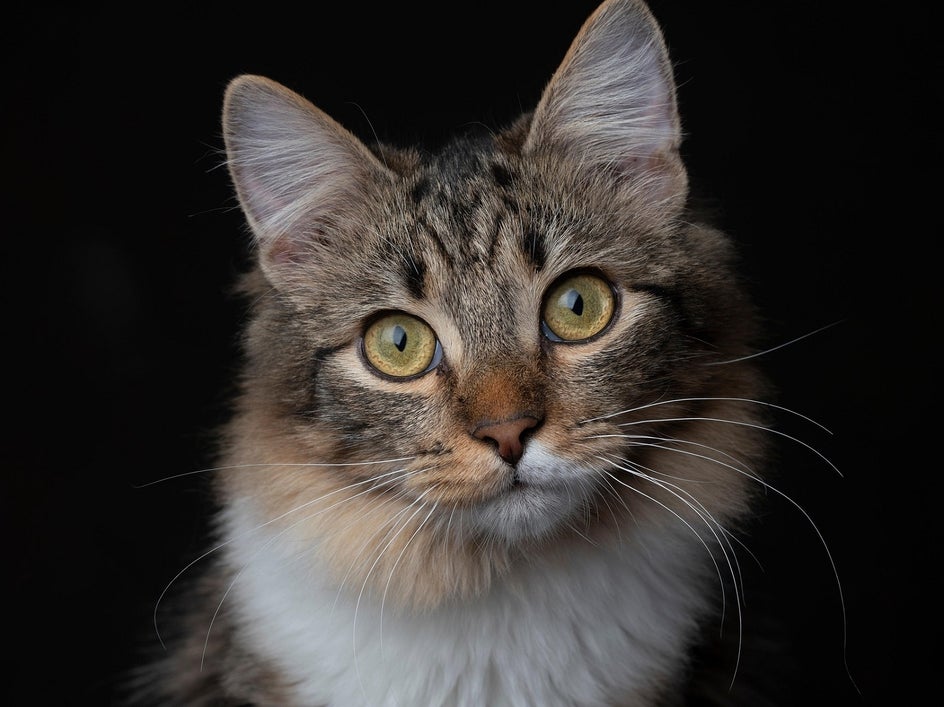
Pet portraits are a perfect match for Realist effects. Using Realist GFX on a cat portrait, for example, can highlight fine details like fur texture, facial features, and subtle lighting.
This approach is great for turning a favorite pet photo into something frame-worthy. For best results, choose an image where your pet is clearly in focus with good natural lighting. You can enhance the final look by slightly adjusting contrast or sharpness to bring out those intricate details.
Family Portraits
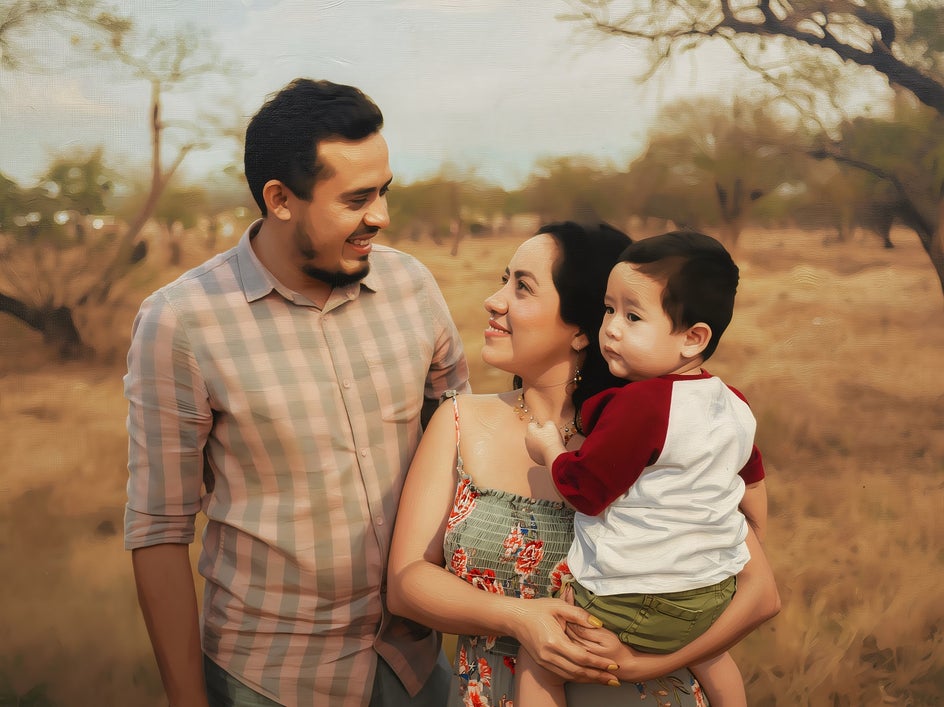
Family portraits take on a whole new level of warmth and depth when transformed with American Realism GFX+. This effect adds a soft, painterly quality while still preserving the natural expressions of subjects.
It’s a beautiful way to elevate special moments, whether it’s a candid snapshot or a more posed photo.

Landscapes
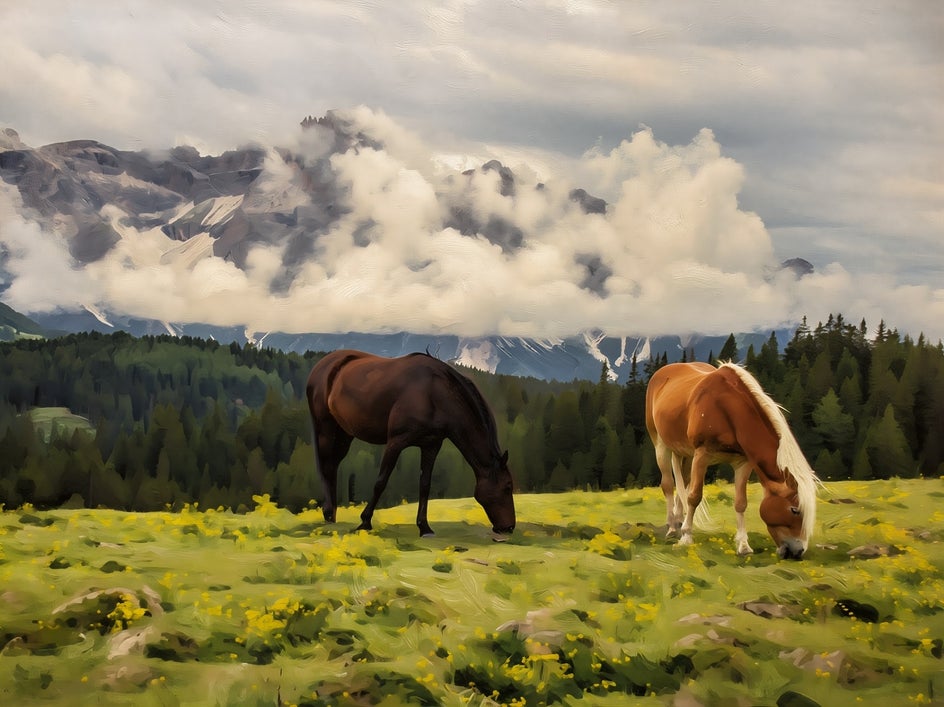
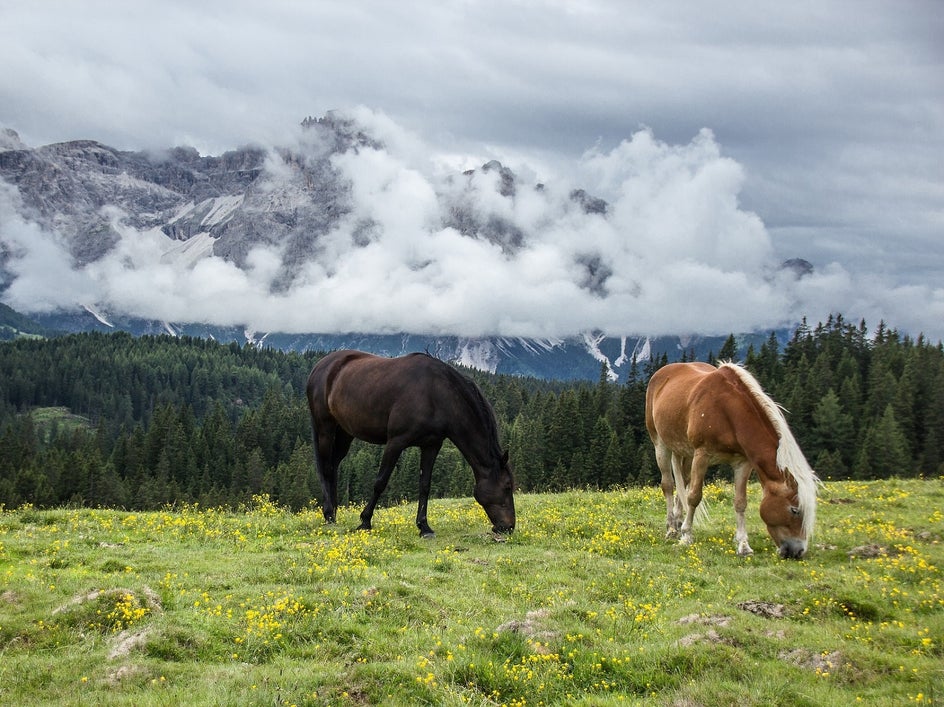
Landscapes are another standout when it comes to Realist painting effects. Applying American Realism GFX+ to a scene – like this peaceful field with two grazing horses – can enhance depth, texture, and atmosphere without losing the natural beauty of the setting.
This style works especially well for outdoor scenes with layered elements, such as foreground, midground, and background details. Think rolling hills, mountains, fields, and cloudy skies.
Streetscapes
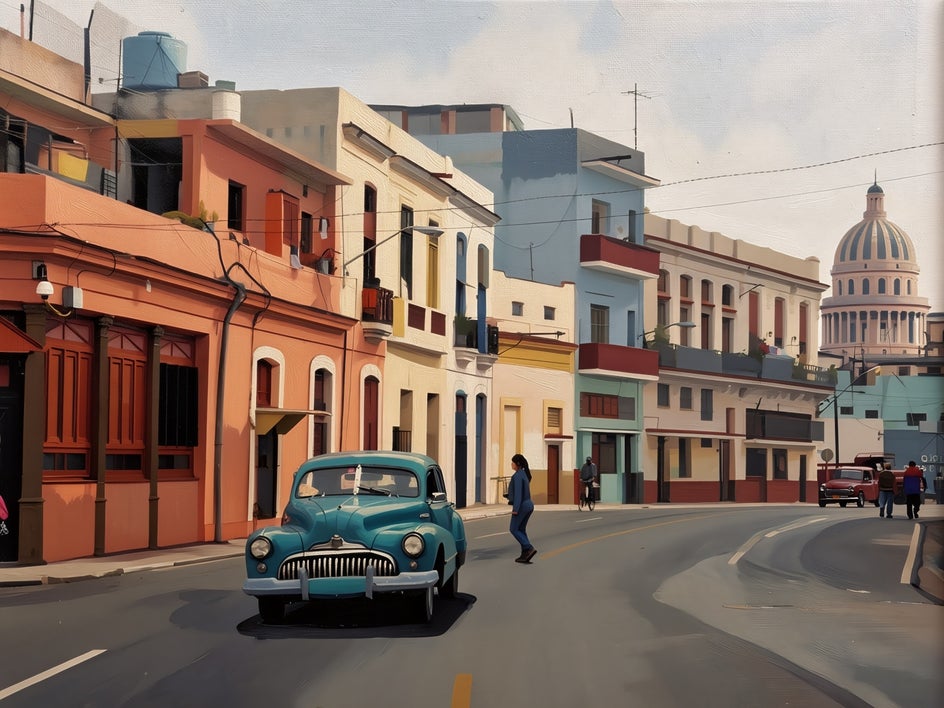
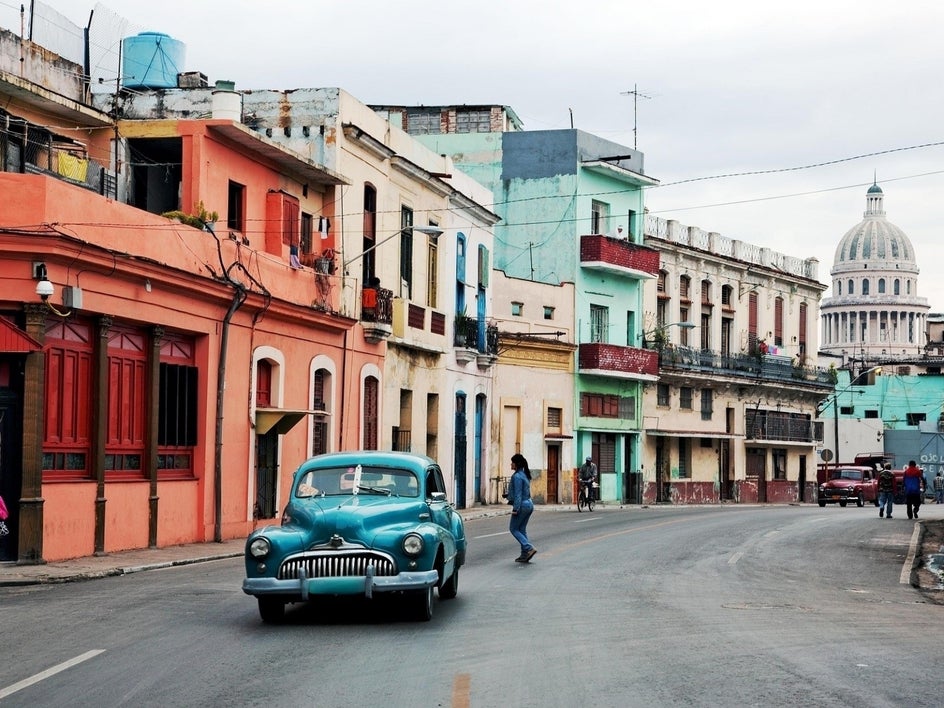
Everyday street scenes are at the heart of Realism, making them an ideal subject for this style. Whether it’s a quiet neighborhood corner or a bustling city street, these types of photos can be instantly elevated into unique works of art by adding a Realist effect.
Using American Realism GFX+ on a streetscape can bring out architectural details, textures, and the subtle character of a place, all while maintaining an authentic feel.
Create Realistic Oil Paintings Instantly
Turning a photo into a Realist painting is a great way to reimagine your images and explore a more artistic side of photo editing. With our Photo Editor and its range of Oil Painting effects, you can achieve stunning, lifelike results without the need for traditional tools or techniques.Ready to get started? Explore our Oil Painting effects and transform your favorite photos into works of art!




