









Light Up Your Photos With Neon Art Effects

Neon first became popular in the 1920s, when these iconic signs lit up streets in big cities all around the world. Giant glass tubes filled with glowing gas could be produced in a spectrum of colors and stood out spectacularly against the night sky, an inescapable visual representation of progress and modernity. In the 1960s, contemporary artists began using neon lights to make unique displays and sculptures as a subversion of the commercialism associated with neon. While neon signs became less and less common as the 20th century drew to a close, neon has remained a part of the art world ever since, from underground punk scenes to modern art museums.
Back in the day, neon was a symbol of the future. And even though it's been over a hundred years, it still holds the sentiment. You’ll often find neon lights used in sci-fi films like Blade Runner or Tron, and neon visuals are associated with modern music genres like techno and house. Neon art is high contrast and high energy, meaning it’s perfect for grabbing attention.
While learning to bend neon tubes or paint with fluorescent light may take years of practice, there’s another way to make neon art: Using a Neon Art GFX effect. This set of AI-powered Artsy effects can turn any photo into a glowing work of art. Whether you want to create a futuristic portrait, a cyberpunk album cover, or a luminous poster, a neon art effect is a surefire way to take your photos and design projects to the next level.
How to Turn Any Photo Into Neon Art
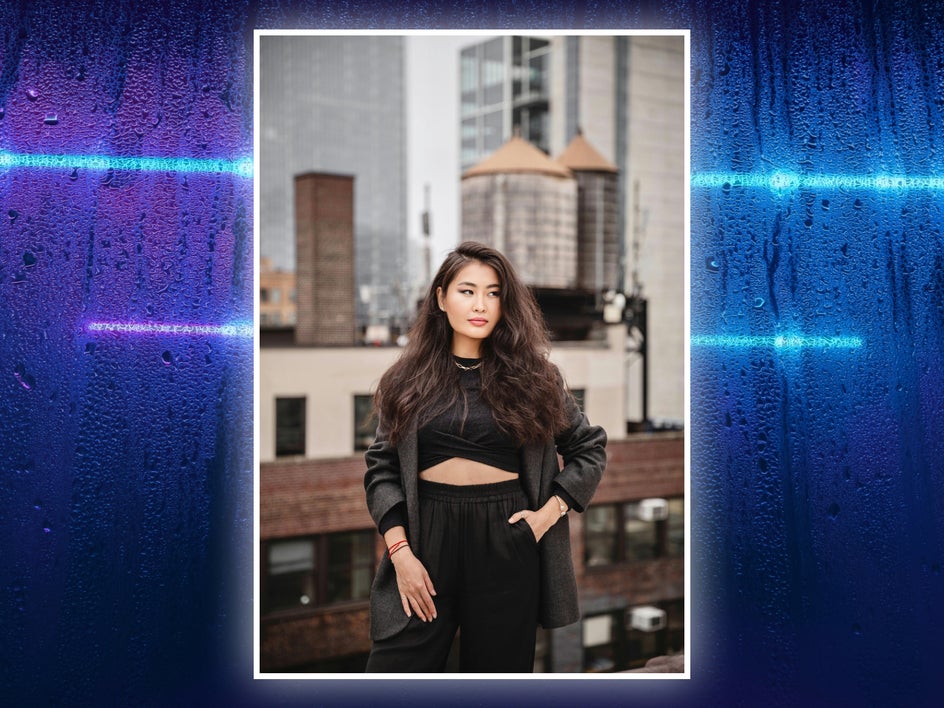
To create your neon artwork, first head over to the Artsy GFX+ category – or head directly to the Neon Art category – and upload a photo. You can use a portrait, landscape, still life, pet photo, or any other image that has a clear subject.
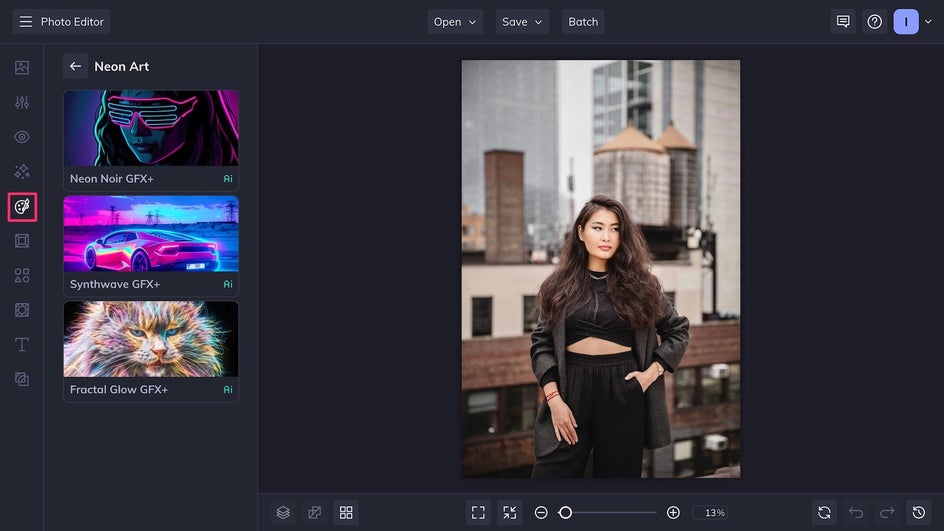
Step 1: Choose a Neon Effect
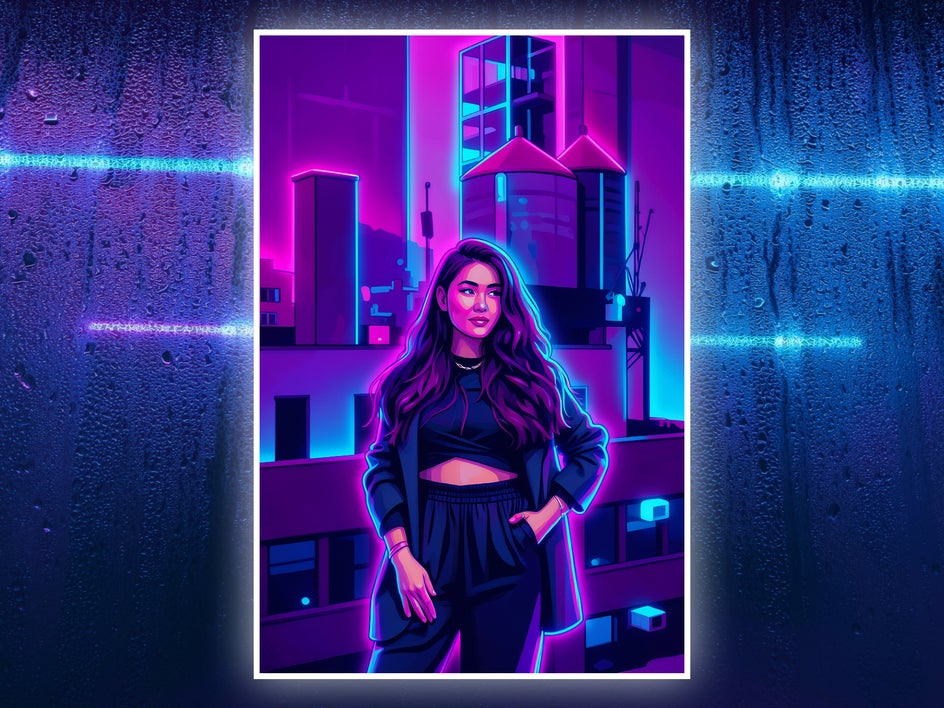
Click on any neon effect to apply it to your photo instantly. Here, we’re using Synthwave GFX+, which creates stylized linework and bold vector-style shapes with a strong neon backlight. The blue, pink, and purple hues give everything a futuristic glow.
At this point, if you’re happy with the results, click the checkmark and save to wrap up your artwork in one click! But for a more fine-tuned piece of neon art, select Settings and use the adjustment sliders to customize the effect further.
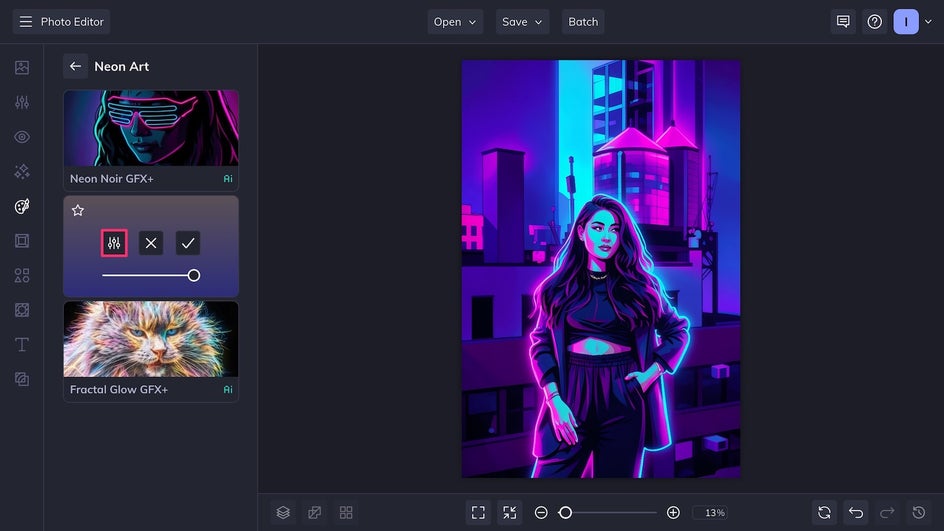
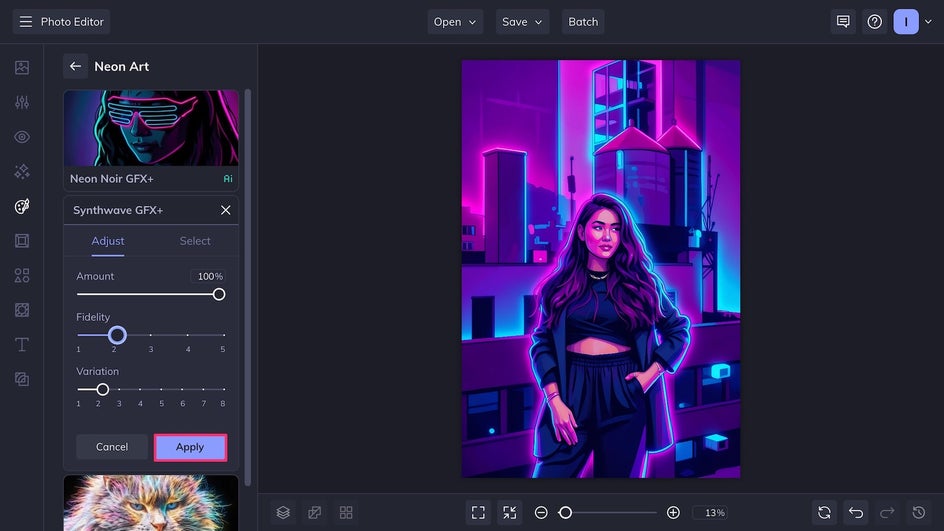
Step 2: Customize It
Use the Fidelity slider to adjust the impact of the effect. A high fidelity artwork will stay truer to the original photo, while a lower fidelity one will be more stylized. The Variation slider allows you to select between slightly different versions of the effect. By combining adjustments, you can get dozens of different results from the same photo!
Step 3: Save Your Neon Creation
Now, simply click Save at the top of the page to export the file to your device. Save as a high-quality PNG for digital use, or a print-quality PDF if you plan to use it as a poster or other printable.
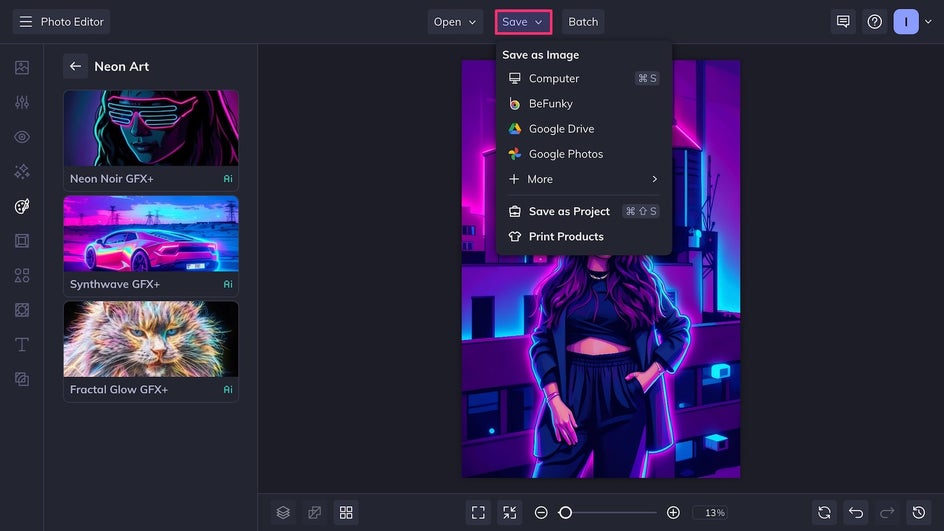
Photo to Neon Art Final Results
The high contrast and bright glowing outlines of Synthwave GFX+ turned an already great portrait into a stunning work of neon art. This colorful, stylized piece is now ready to be printed as-is or used in a futuristic graphic design project.
Neon Art Design Inspiration
BeFunky’s Neon Art GFX+ effects are perfect for attention-grabbing designs and unique creative projects. The bright colors and futuristic glows enhance personal and professional work alike. In most cases, all you need to do is start with a photo, apply a Neon Art effect, then layer it with texts, graphics, and other images as needed. If you’re looking for more specific ideas, here’s some neon art inspiration to help you get started!
Album Covers
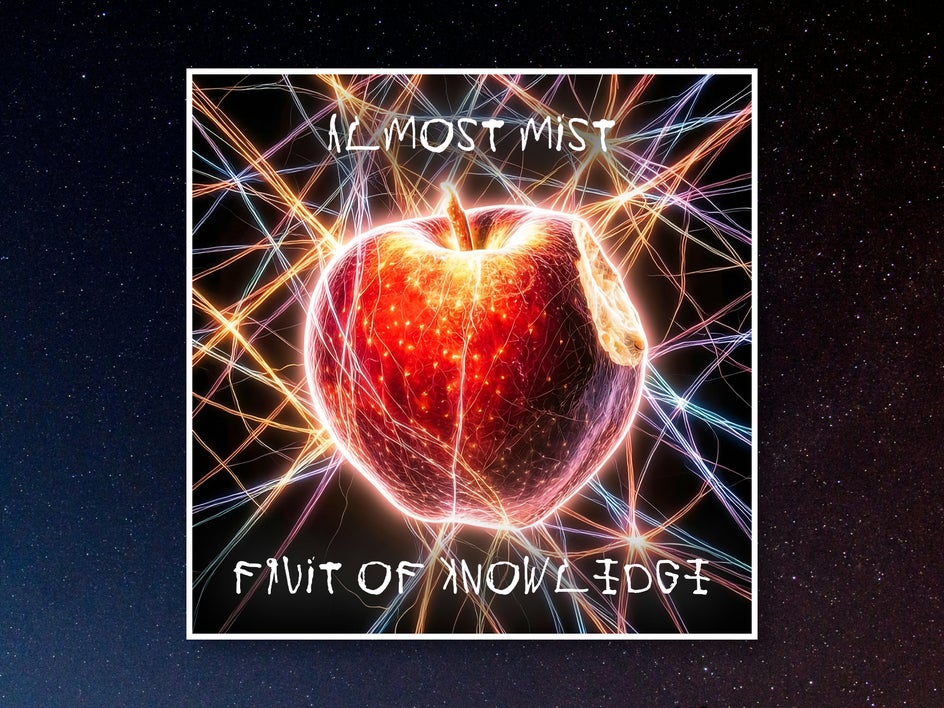
Neon art effects like Fractal Glow GFX+ can be used to create dazzling album covers in a flash. Just apply the effect to a portrait, still life, or cityscape, then crop the image to size and add text like the band name and album title. You can even make the text glow for a more cohesive look. Neon art is especially great for album covers in genres like pop punk, EDM, and lo-fi.
Marketing Posters
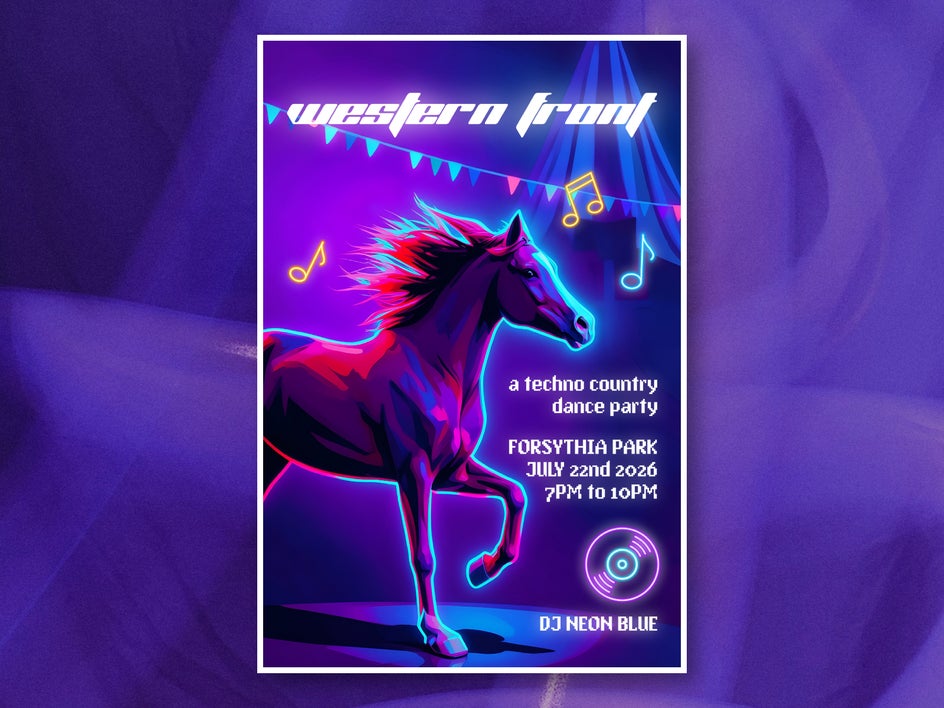
Neon art began as a form of advertising for venues and storefronts, so it makes sense to use its eye-catching glow for modern-day marketing, too. Try using Synthwave GFX+ for your next concert or festival poster, then adding neon vector graphics from the Graphics Library. The bright colors and high contrast tones are sure to grab attention even at a distance.
Cyberpunk Comics
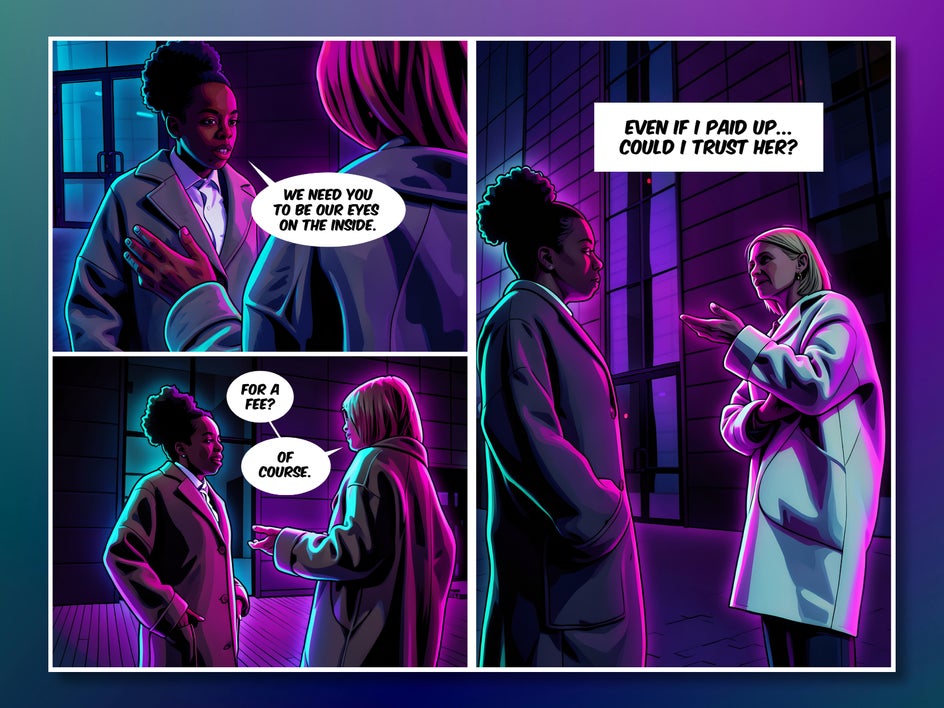
Turn everyday photos into sci-fi comic book pages with Neon Noir GFX+, which creates black shadows and neon rim lights for a gritty, mysterious vibe. The Collage Maker makes it easy to stitch files into panels, while the Graphics Library provides speech bubbles and other accent graphics to make the end result feel like an authentic comic book. It’s perfect for stories taking place on far-off spaceships or in cyberpunk dystopias.
Make Your Photos Shine With Neon Art Effects
There’s nothing quite like the bright glow of neon, up close or from a distance. It’s a medium that has remained relevant for over a hundred years, attracting attention wherever it’s used – from street signs to museum displays. With Neon Art GFX effects, you can recreate this unmistakable fluorescence in seconds and use it for marketing, social media, personal creative projects, and more. Try it for yourself and light up your designs today with neon art!




