Transform Portrait Photos Into Stunning Oil Paintings Instantly

Portraits have long been a favorite subject for artists, and oil painting has been one of the most celebrated ways to bring them to life. When oil paints gained popularity in 14th-century Europe, painters quickly realized that their ability to blend and layer colors created depth, dimension, and lifelike detail unlike any other medium.
Today, you don’t need a brush or canvas to achieve that timeless look – with BeFunky’s AI-powered GFX Oil Painting effects, you can turn any portrait photo into a stunning work of art in seconds.
Choosing the Right Portrait
Your image choice will impact how realistic and striking the final painting appears. For best results, start with a photo that has balanced exposure, a clear subject, and minimal background distractions. A blurred or out-of-focus image makes it harder for the AI to identify the subject and apply the effect accurately.
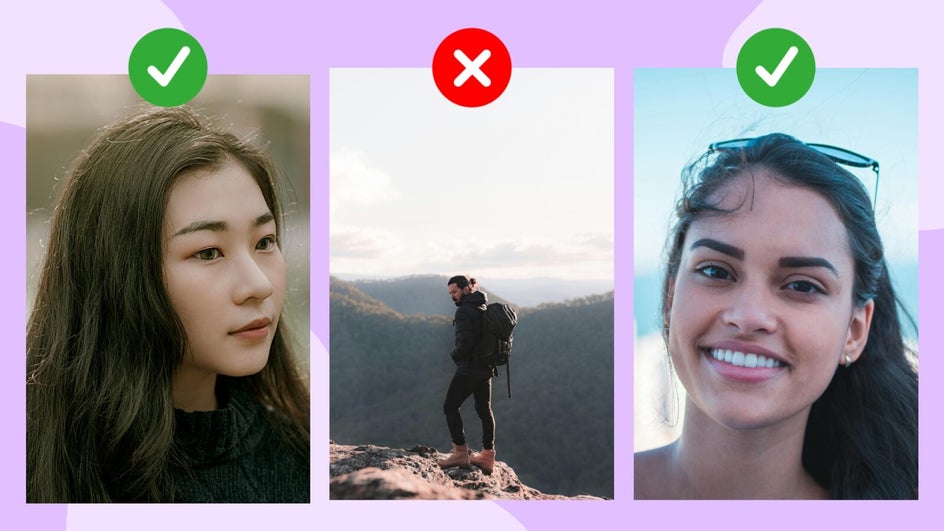
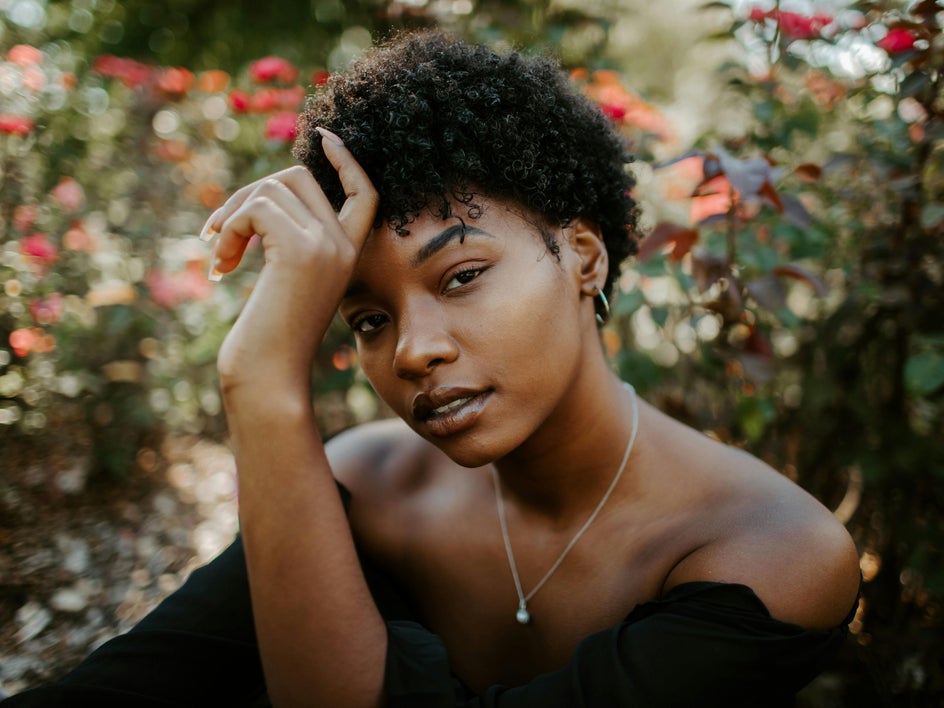
A clean, eye-catching portrait with the subject in sharp focus and a softly blurred background will give the AI the best canvas to work with.
How to Turn Your Portrait Into an Oil Painting
Ready to create your masterpiece? Here’s how to do it in BeFunky:
Step 1: Upload a Portrait
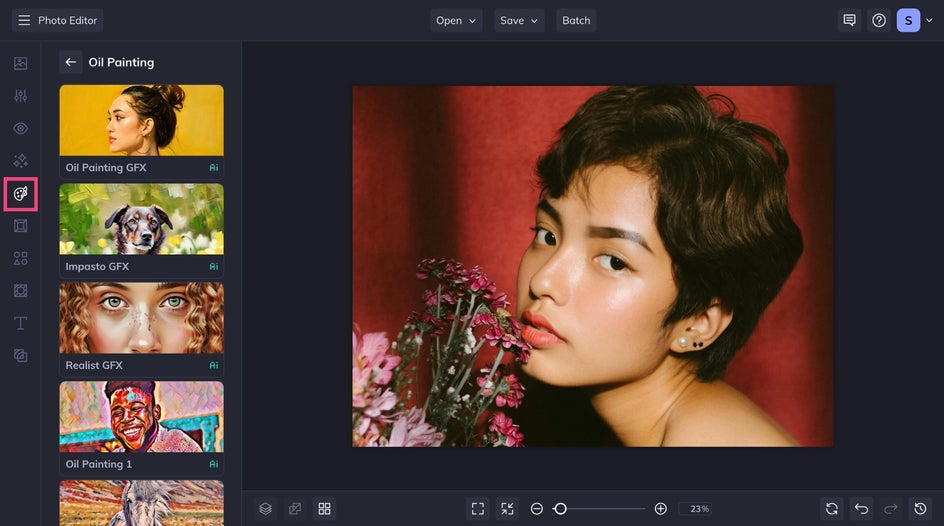
To get started, head to the Oil Painting category and open your portrait. If you already have a project in the works, you’ll find the Oil Painting category in the Artsy tab.
Step 2: Select & Customize an Oil Painting Effect
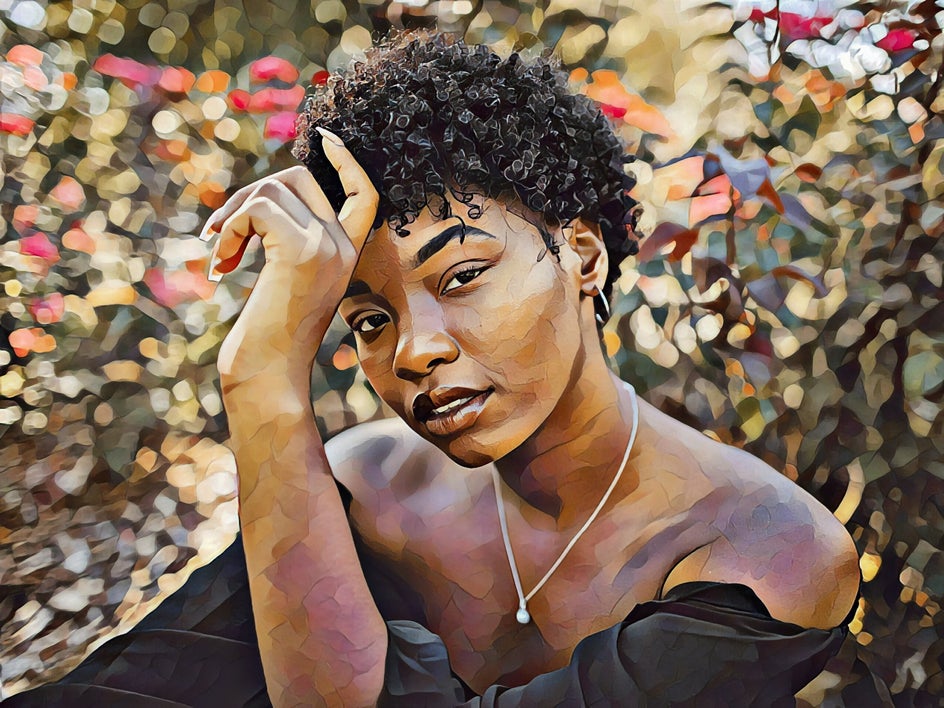
For this example, we will use the Oil Painting GFX for a classic, painterly vibe. When you hear "oil painting," this style is probably what you imagine. Click on the Checkmark to apply the effects as-is. Or, click on the Settings icon to customize the results.
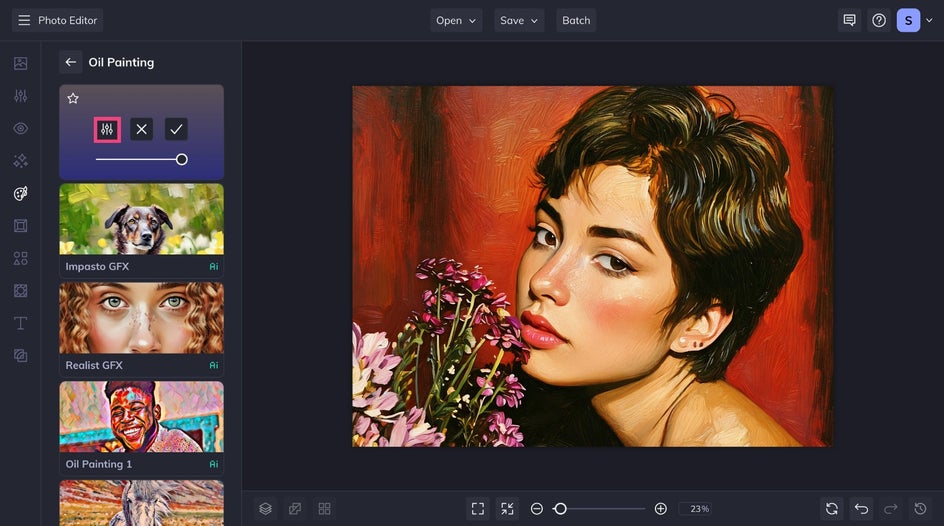
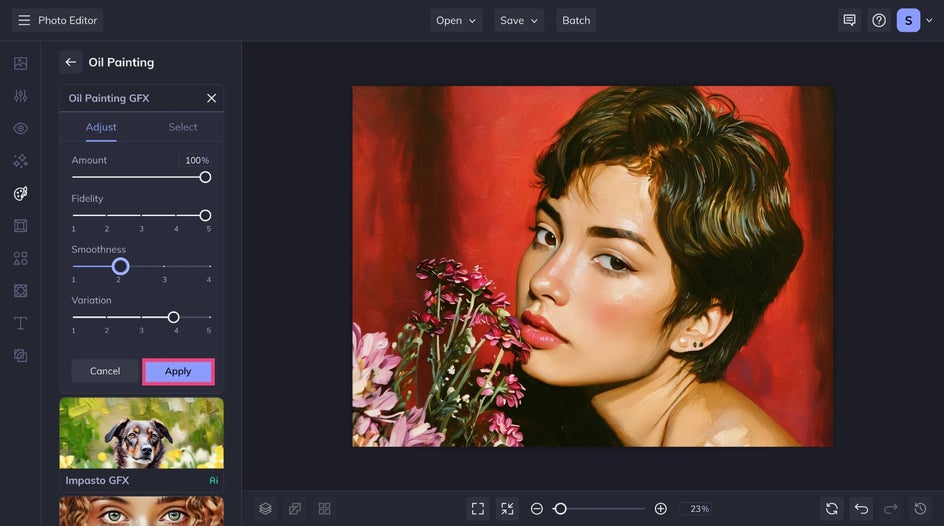
Increase the Fidelity to preserve the original details or lower it to make a more abstract work of art. Additionally, you can adjust the smoothness and choose from several slightly different variations generated by the AI.
Step 3: Save Your Painted Portrait
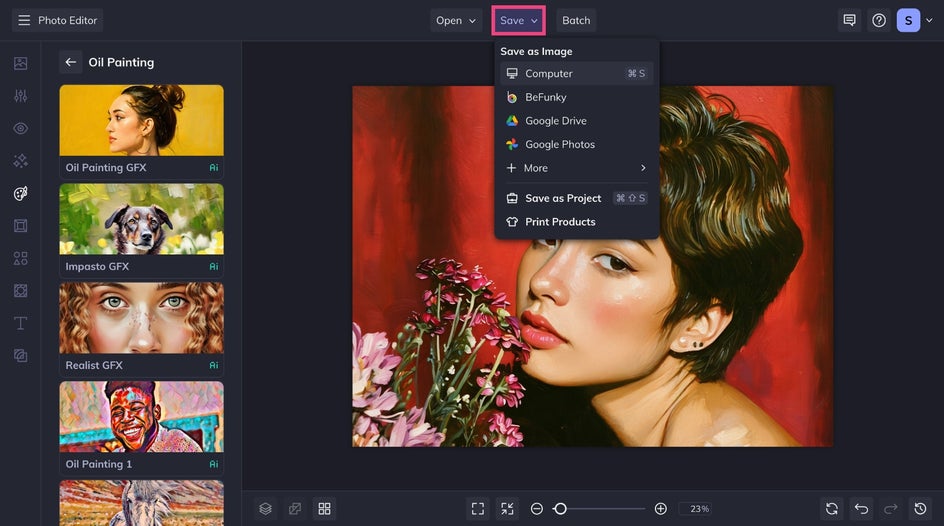
Once you’re happy with the results, click Save at the top of the canvas. In just minutes, we've created a unique oil painting portrait – ready for sharing online or printing for display.
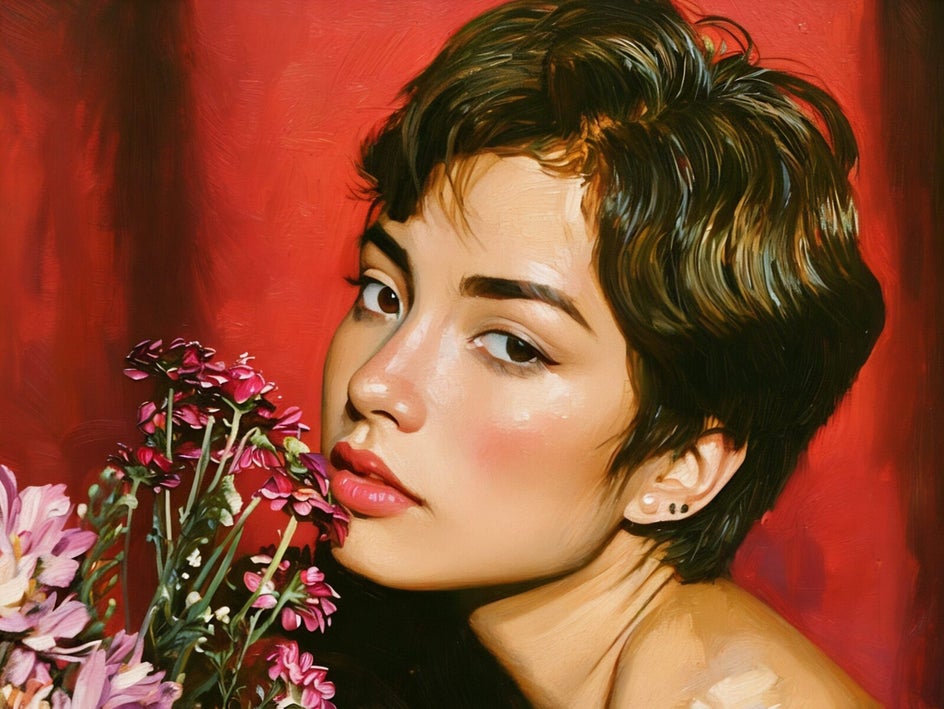
And just like that, we have transformed this portrait into a realistic oil painting without ever needing to break out the brushes. No matter the subject, these effects work hard – so you don't have to.
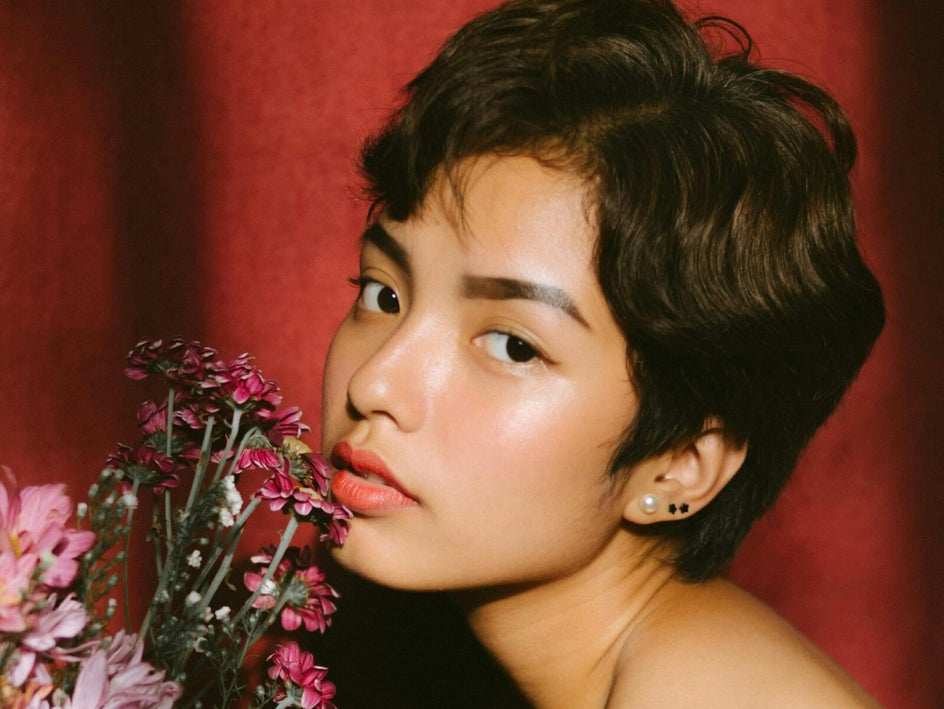
Additional Oil Painting Styles to Try
The Oil Painting tab offers more styles to experiment with. Here are some of our favorites that you can really make your own.
Impasto GFX
This style of painting involves applying thick layers – to the point where you can see the brush or palette knife strokes. This gives the subject a three-dimensional look. And Impasto GFX perfectly encapsulates the appeal!
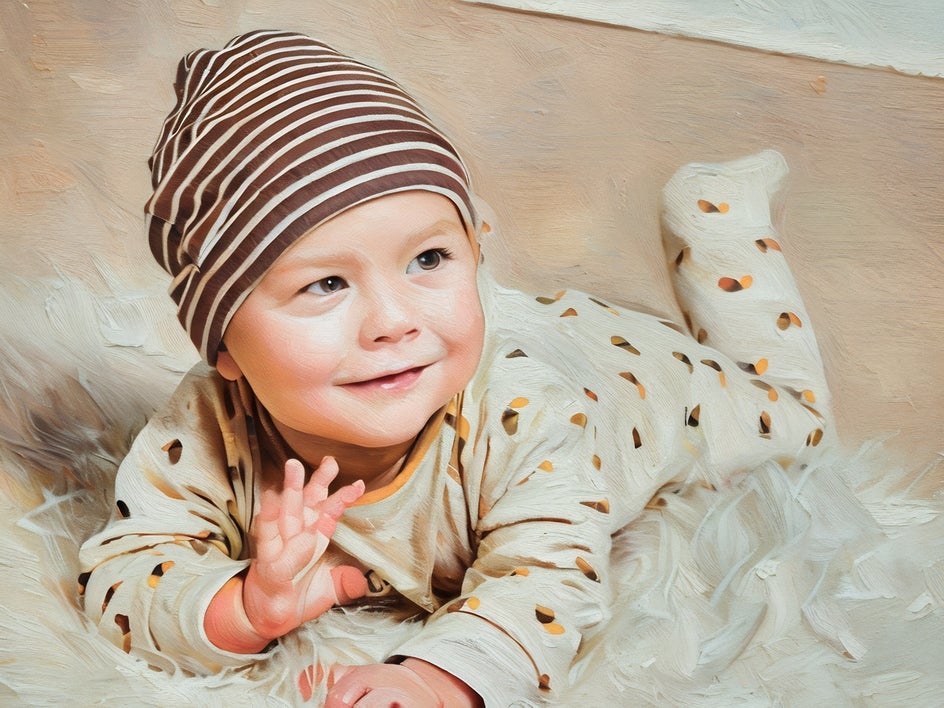

Realist GFX
Realist GFX turns your photograph into a hyper-realistic oil painting. The effect has smoother brush strokes when compared to Impasto GFX. It's a great option if you're trying to maintain realism when applying an artistic effect.
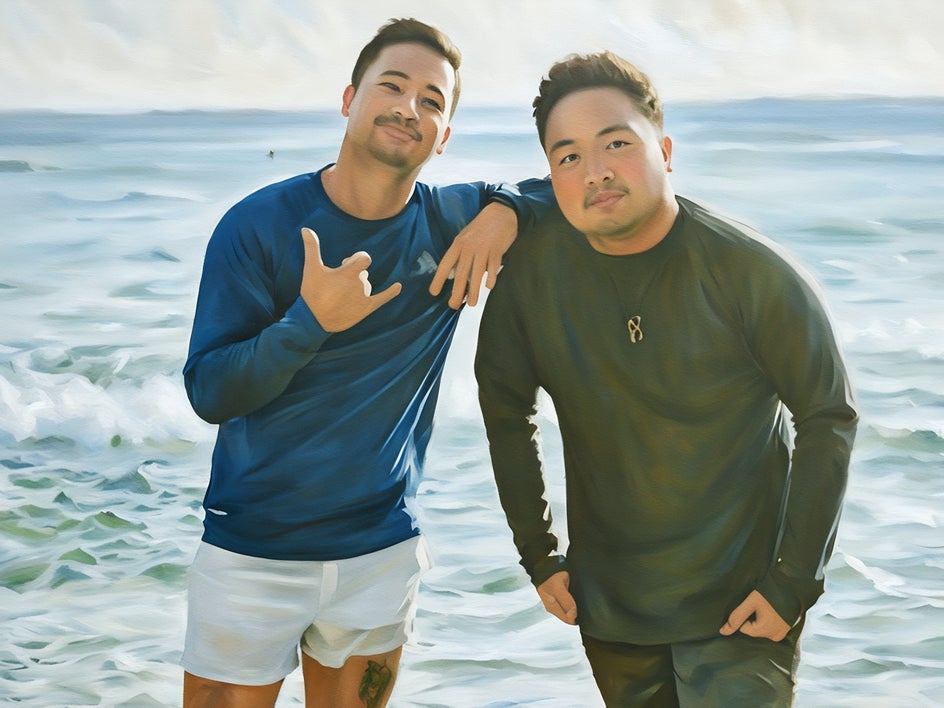

Oil Painting 1
This style emulates chunky brushstrokes and applies a vibrant color palette to your original photo. What makes our OG oil painting effects unique is they allow you to alter the hue or add a color blend for an eye-catching work of art.
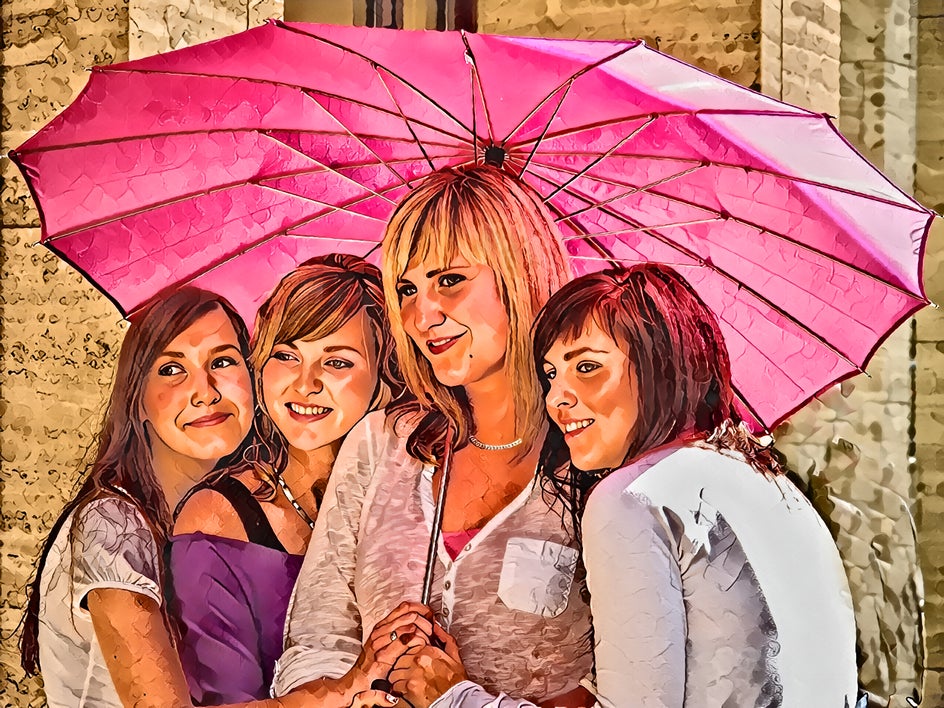
Oil Painting 2
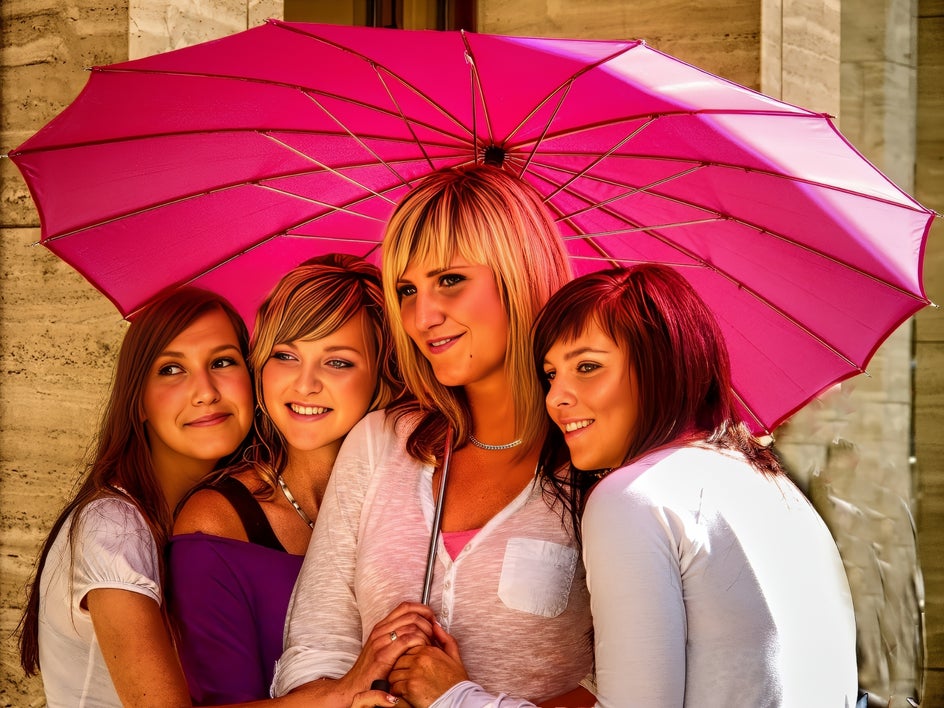
Compared to Oil Painting 1, this effect emulates smaller brushstrokes while while maintaining a chunky, textured appeal. It delivers a touch of depth without overpowering your image with heavy globs of "paint."
Turn Yourself Into an Oil Painting – Fast
With BeFunky’s Oil Painting effects, turning your photos into breathtaking canvas-worthy paintings has never been simpler. In just a few clicks, you can create a piece that looks like it was crafted by a skilled artist – all without picking up a paintbrush. See what you can create and watch your portraits take on a whole new life.
Once you’ve explored the Oil Painting styles, be sure to experiment with our other Artsy effects, including Watercolor, Sketcher, and Impressionist. They’re perfect for making gallery-ready artwork, heartfelt gifts for friends and family, or eye-catching visuals for marketing materials.