Create Viral Pinterest Pins with Customizable Templates

If you’ve ever scrolled through Pinterest and wondered why some Pins seem to take off while others barely get noticed, you’re not alone. Creating viral Pins isn’t just about luck – it’s about eye-catching design, clear messaging, and consistency.
So, what actually makes a Pin go viral? While there’s no one-size-fits-all formula, the most successful Pins tend to share a few key characteristics:
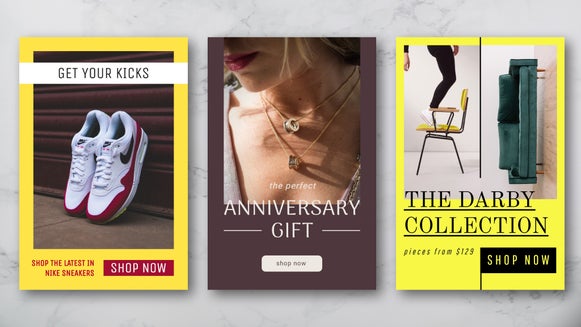
- Bright, high-quality imagery: Crisp, colorful visuals instantly grab attention in a crowded feed and encourage users to save your content for later.
- Clear, complementary fonts: Using one or two easy-to-read fonts helps communicate your message at a glance while keeping your design clean and visually appealing.
- A visible web link or branding: Including your website or brand name builds recognition and ensures viewers can always trace the content back to you.
- Vertical, Pinterest-friendly design: Portrait-oriented Pins take up greater space in the feed, making them more noticeable and more likely to be clicked.
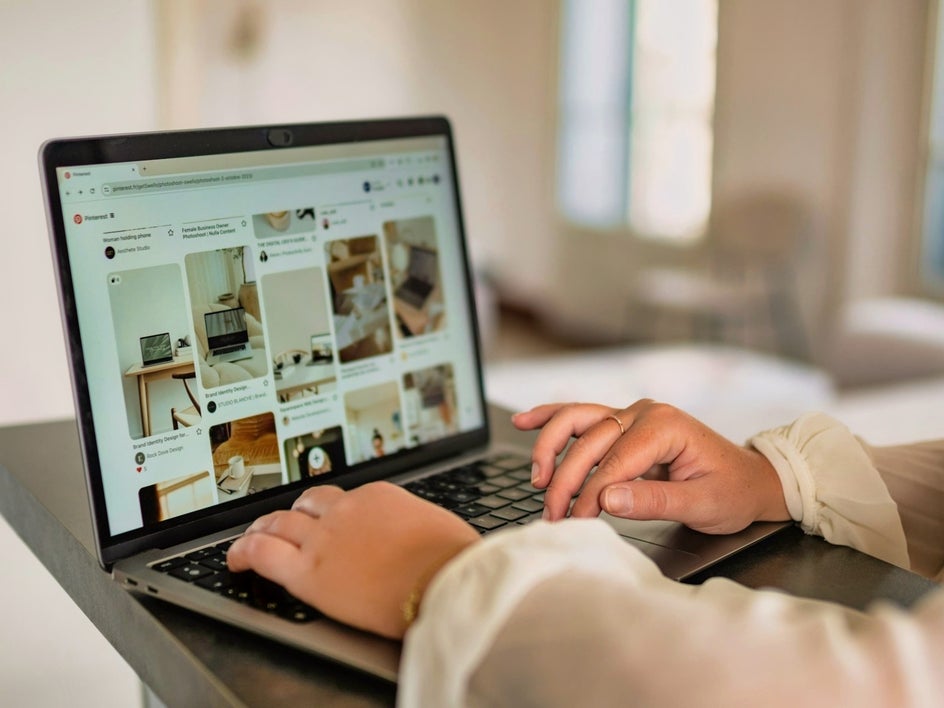
Thankfully, by using BeFunky, you don’t need to create your Pins from scratch. With professionally designed Pinterest templates in the Graphic Designer, you can create scroll-stopping Pins in minutes – no design experience required. Whether you’re promoting a blog post, showcasing products, or building your brand, these templates are optimized to help your content stand out.
If you’re looking for more ways to grow your Pinterest presence, be sure to explore our guides on creating Pinterest graphics and designing high-performing social content for even more inspiration.
Ready to create Pins people actually want to click? Let’s walk through how it’s done.
How to Customize Pinterest Templates for Eye-Catching Pins
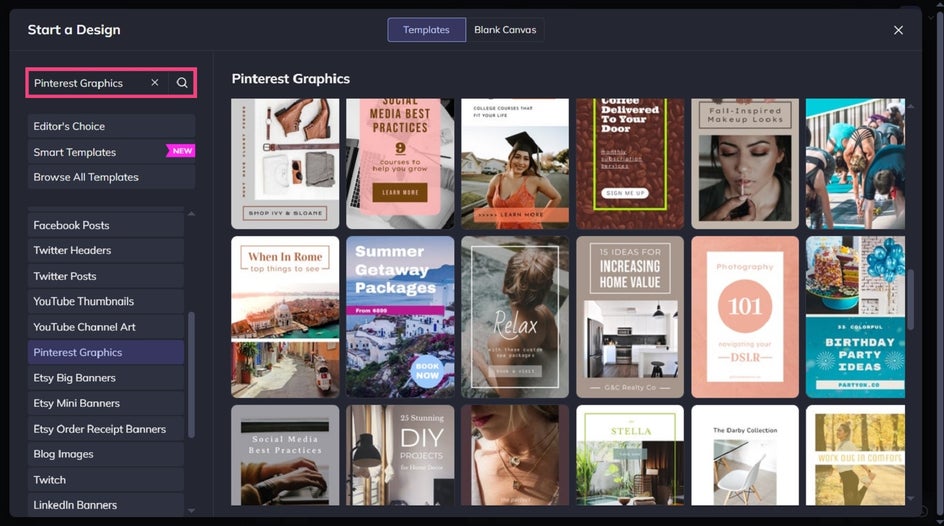
To get started, head directly to the Pinterest templates section of the Graphic Designer and choose a design. Click Use This Template to begin editing it.
Step 1: Swap Out the Existing Imagery
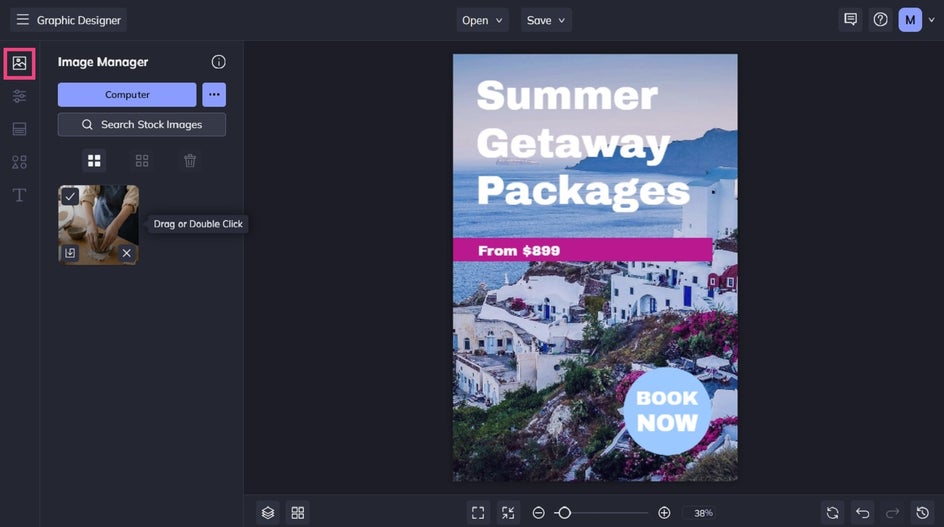
First, you’ll want to swap out your template’s existing photos with ones representing the content you’re sharing.
Navigate to Image Manager from the main menu on the left and upload your desired image from your Computer, Facebook, or BeFunky account. Once it's uploaded, simply drag and drop its thumbnail to replace the existing image on the template.
Step 2: Add Your Own Text
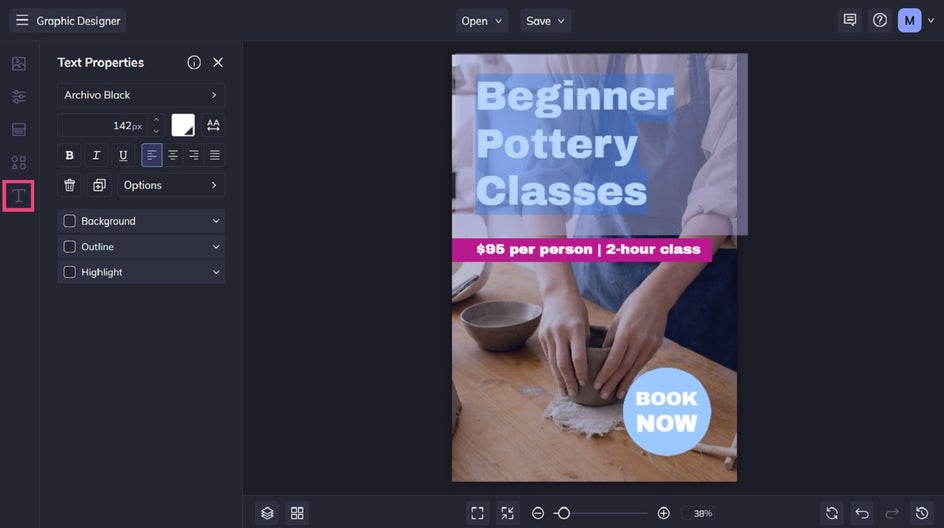
Next, it’s time to edit the existing text to reflect your own message. To do this, click on the text box twice and start typing. When you select text, a Text Properties toolbar appears, where you can also adjust things such as the font, size, color, spacing, and more.
Step 3: Customize Colors
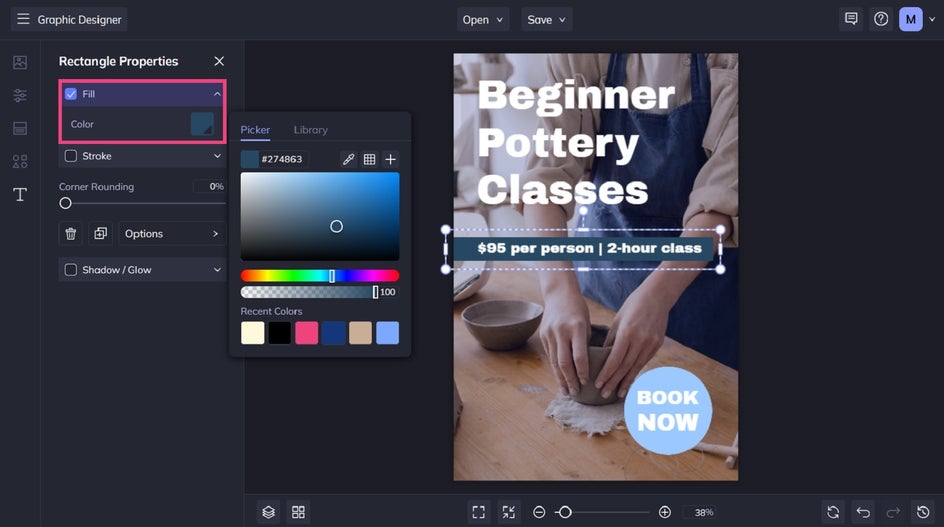
In some cases, you might wish to change the existing color of your graphics so it's more cohesive with your branding or a specific color palette. To do this, click on the graphic you wish to recolor. Then, from the Image Properties panel, click on the Color swatch underneath Color Overlay or Fill.
This will give you access to the Color Picker. You can also use the Eye Dropper Tool to replicate a color already present in your design.
Step 4: Save and Export for Pinterest
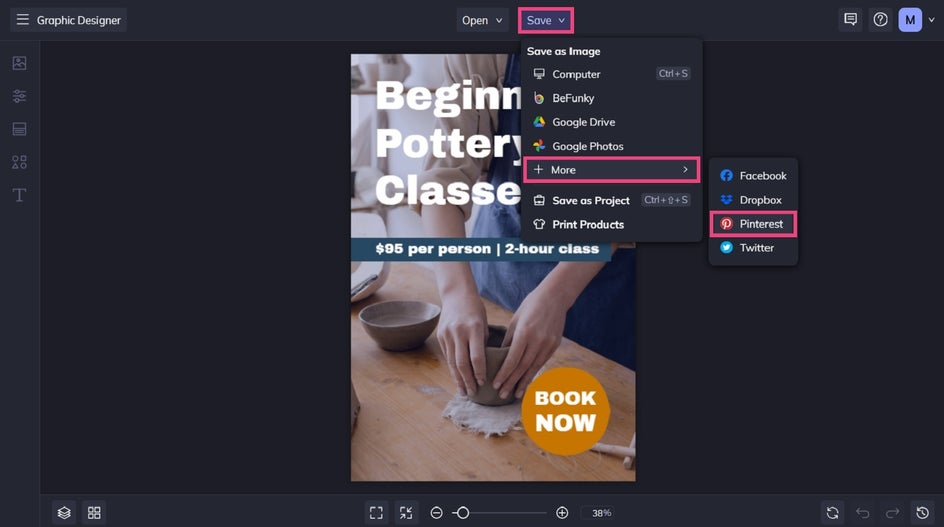
When you’re happy with your design, click Save at the top of the screen, then select your desired destination.
For the best results on Pinterest, export your Pin as a high-quality JPG or PNG. This ensures your design looks crisp and professional once uploaded. If your Pin includes text or fine details, PNG is often the best choice for maintaining clarity.
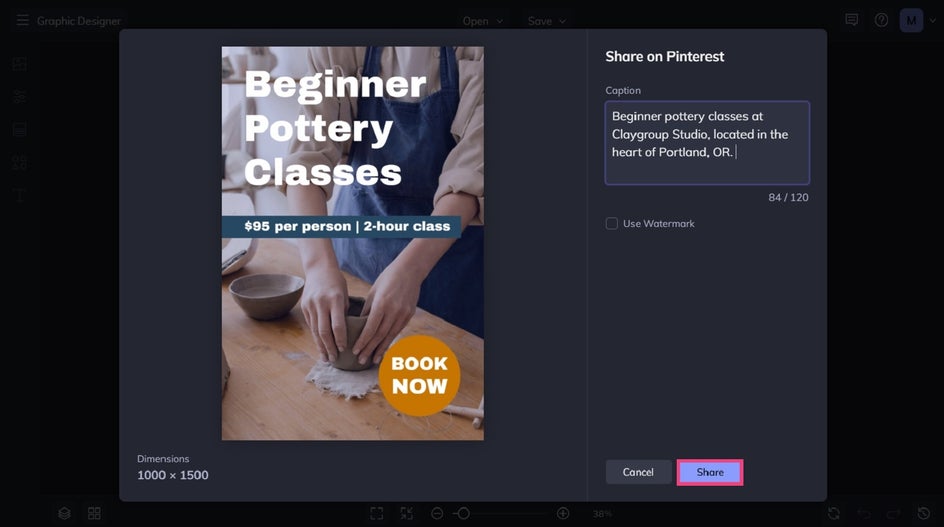
You can even upload it directly to Pinterest from within the Designer. To do this, click More, followed by Pinterest. Then, just follow the prompts, enter your caption, and hit Share.
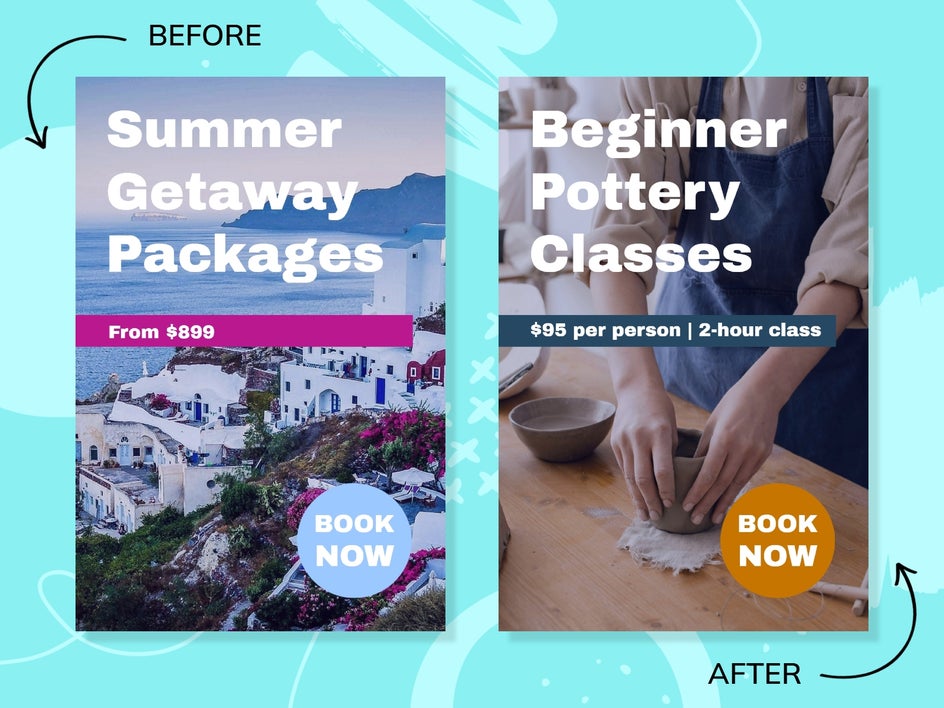
Before and After: A Polished Pin in Minutes
In just a few steps, we were able to transform this premade Pinterest template into one reflecting a totally different topic and brand. You’ve done the hard work in creating your content – now, let our customizable Pinterest templates take your work to even greater heights!
Pinterest Pin Ideas to Inspire Your Next Design
Not sure where to start? The right template can make all the difference. Here are some popular content styles, as well as how you can bring them to life with our premade Pinterest templates.
Food Blogger Pins
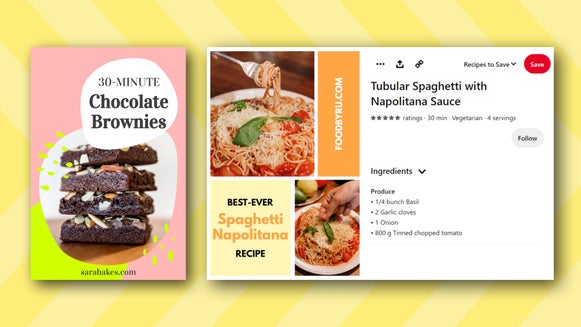
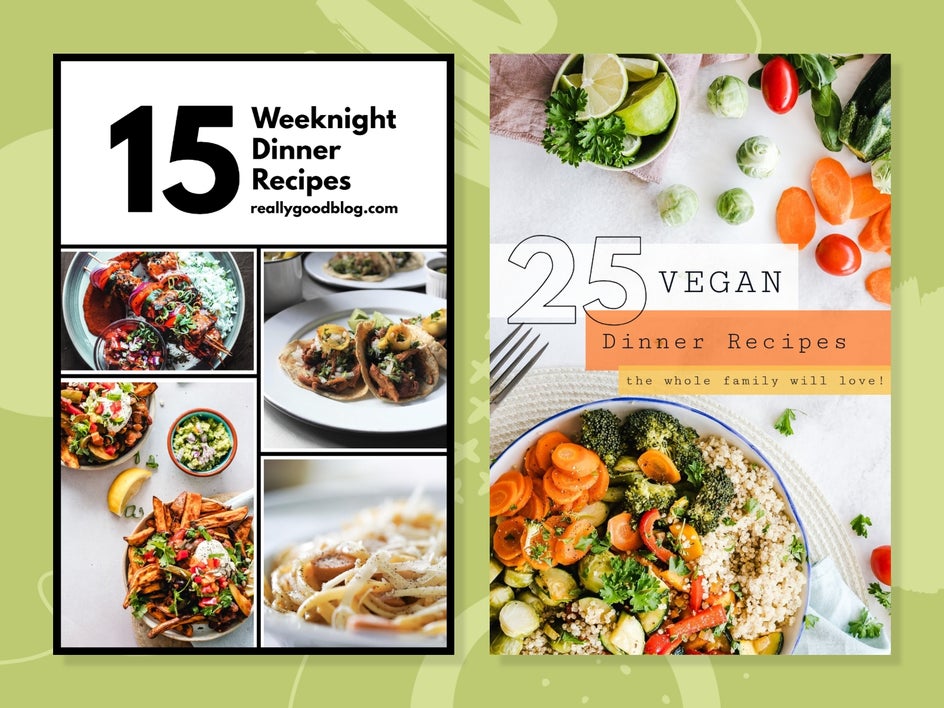
Food content thrives on Pinterest, especially when it’s visually irresistible. Use bright, high-quality images and pair them with bold, easy-to-read text overlays like “Easy Weeknight Dinner” or “5-Ingredient Desserts.”
Templates designed for food bloggers often include space for recipe titles and layered imagery that instantly grabs attention.
Fashion and Beauty Pins
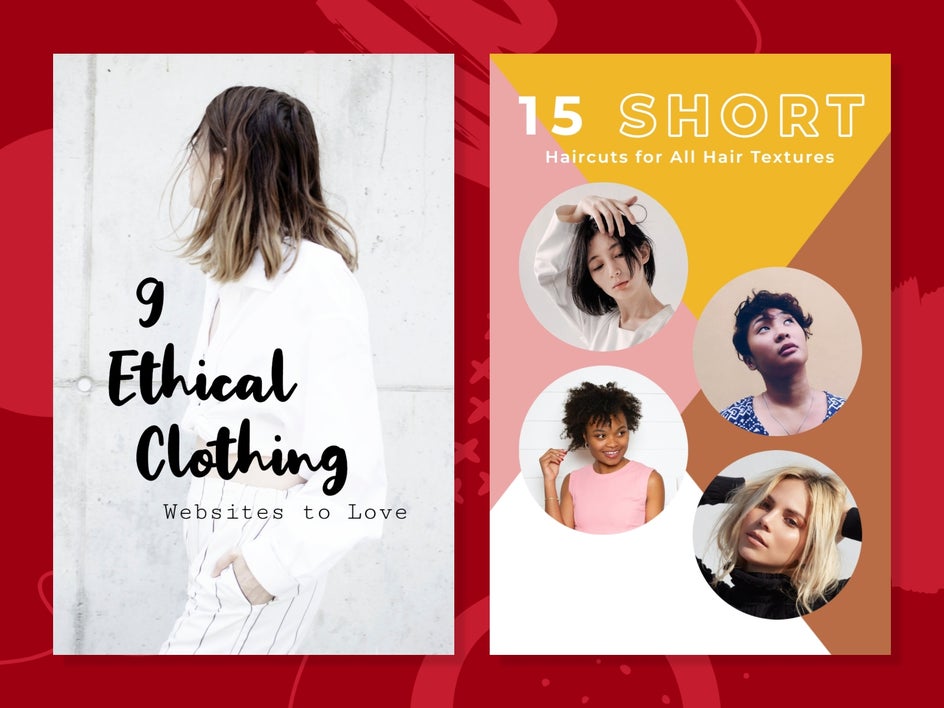
For fashion and beauty creators, aesthetic is everything. Clean layouts, neutral tones, and elegant typography help create a polished, on-brand look.
Use templates that highlight imagery first, with minimal but impactful text to complement your visuals.
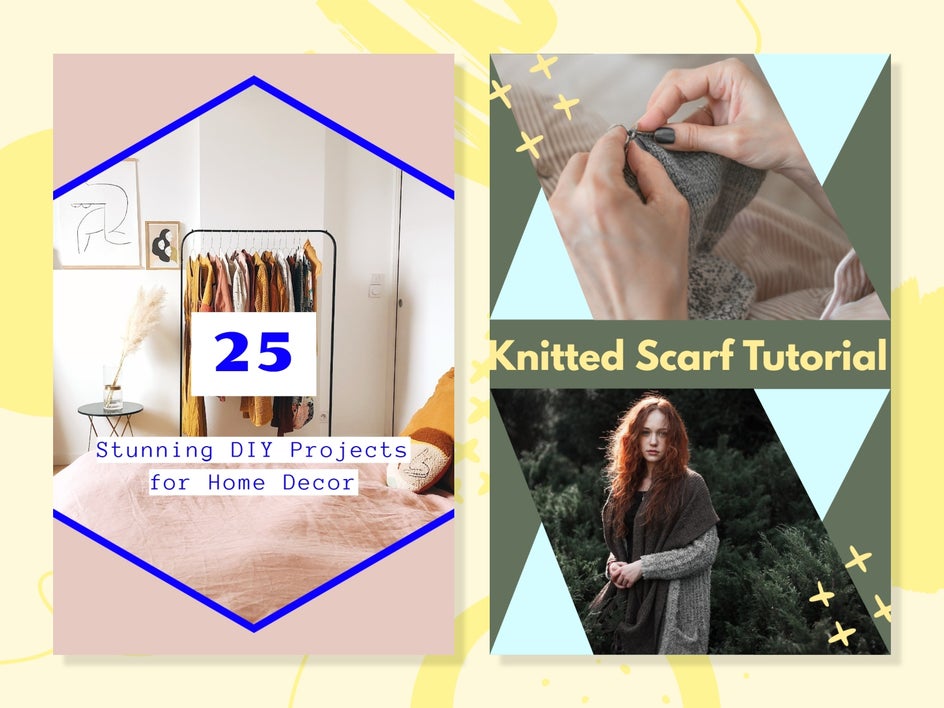
DIY and Craft Pins
DIY Pins are all about clarity and inspiration. Step-by-step visuals, “how-to” headlines, and before-and-after imagery perform especially well.
Choose templates that guide the viewer’s eye and make your project feel approachable and achievable.
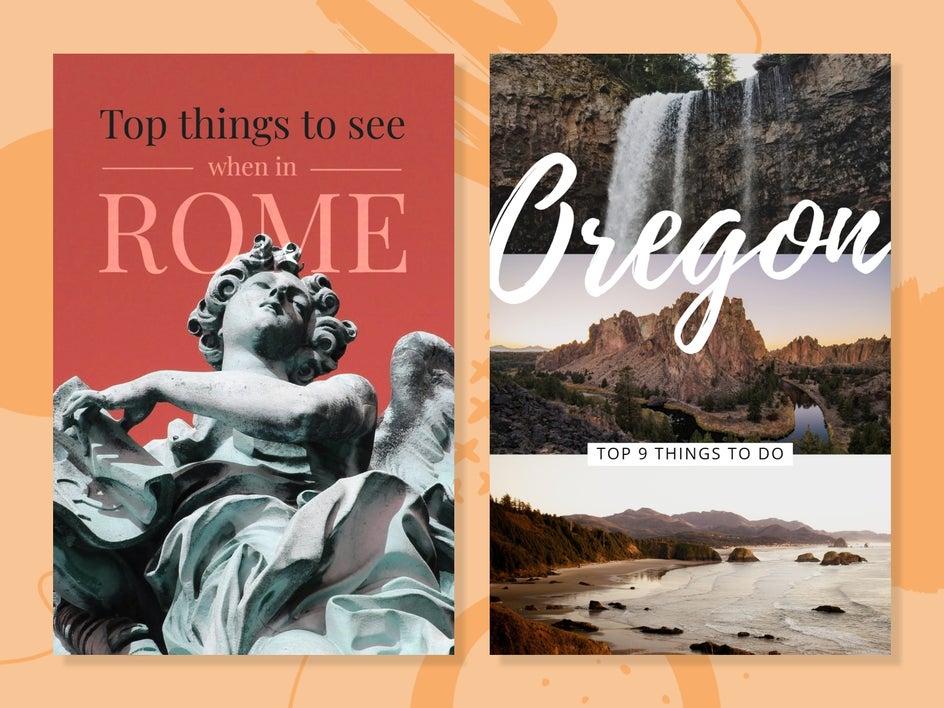
Travel Pins
Travel content is naturally engaging, but strong design can make it even more clickable. Think scenic imagery paired with bold text like “Top 10 Hidden Gems in the U.S” or “Ultimate Travel Guide.”
Templates with layered text and image overlays help create that aspirational, wanderlust-driven feel.
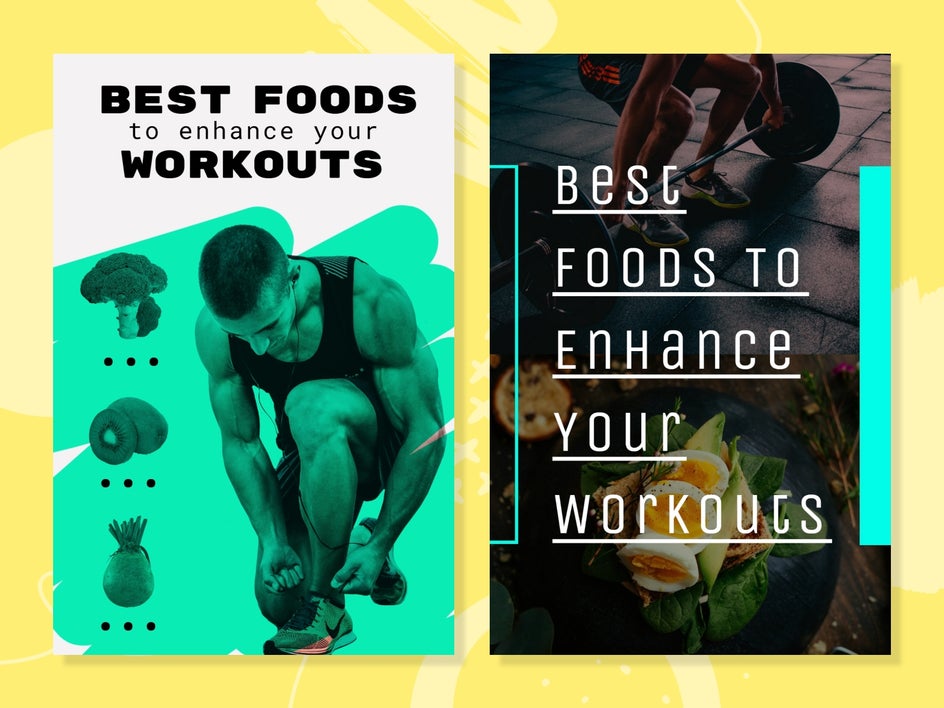
Health and Fitness Pins
Clean, motivating, and easy to digest – that’s the goal for health and fitness Pins. Use templates that support quick tips, routines, or list-style content.
Bold headings and structured layouts also help communicate value at a glance.
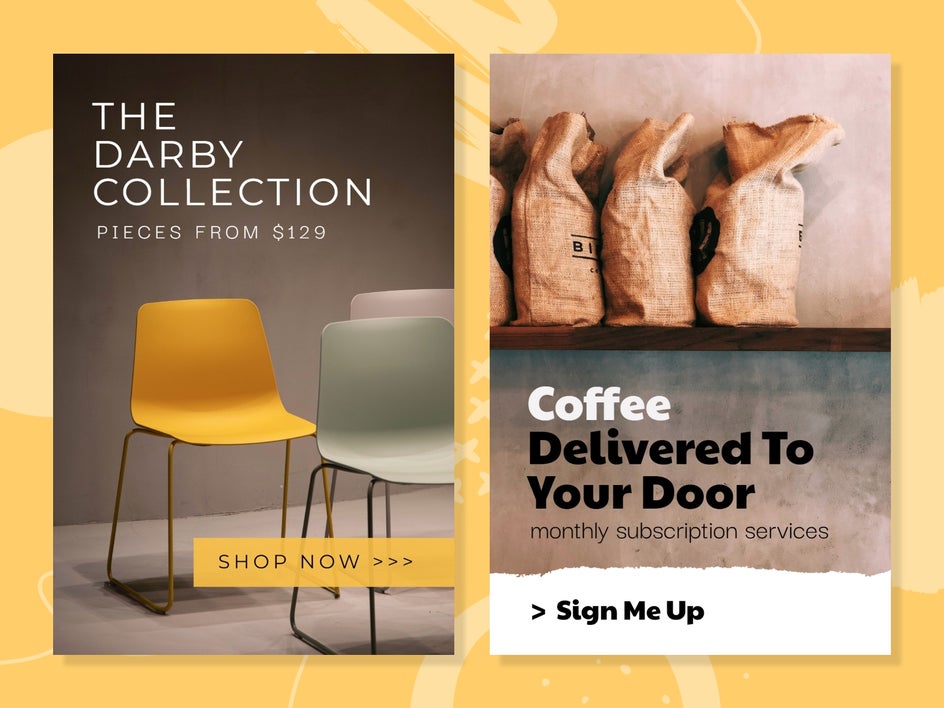
Small Business Pins
Pinterest is a powerful tool for small businesses looking to promote products or services. Templates designed for promotions, announcements, or educational content can help you connect with your audience while staying on-brand.
Focus on clear messaging, strong visuals, and a cohesive aesthetic that reflects your business identity.
Ready to Create Your Own Viral Pins?
Designing high-performing Pinterest content doesn’t have to be time-consuming or complicated. With BeFunky’s ready-made templates and intuitive tools, you can create beautiful, engaging Pins in just a few clicks.
Whether you’re growing a blog, building a brand, or promoting a business, the right Pin can make all the difference. Explore our Pinterest templates to start putting your content in front of a wider audience!