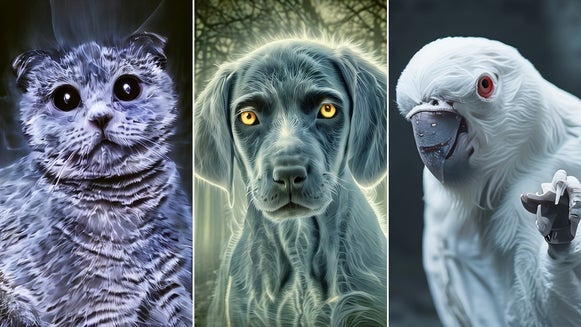
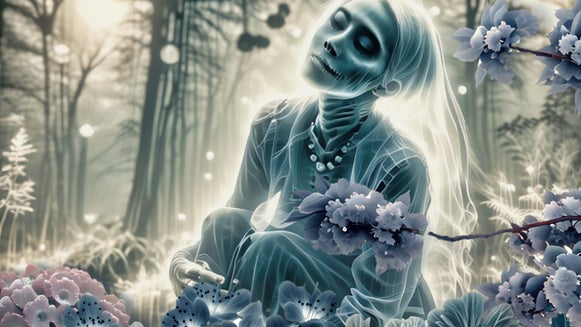
Transform Any Photo Into a Colored Pencil Drawing

Colored pencils might remind you of childhood art projects, but they’re also a remarkably expressive tool for serious artwork. With their ability to create intricate linework and layered textures, they can bring both vibrancy and dimension to a wide range of illustrations. BeFunky’s Color Sketch GFX takes the timeless charm of colored pencil drawing and applies it to any photo in seconds – no manual sketching required.
In the Sketcher category, you’ll find Color Sketch GFX along with a variety of other artistic styles like charcoal, crosshatch, and pen art. Whether you're an experienced designer or just having fun with photo edits, it's easy to get creative with sketch-inspired effects. Read on to discover how to turn your favorite photos into detailed colored pencil art and explore ideas for creative projects you can try today.
What Kind of Photo Works Best?
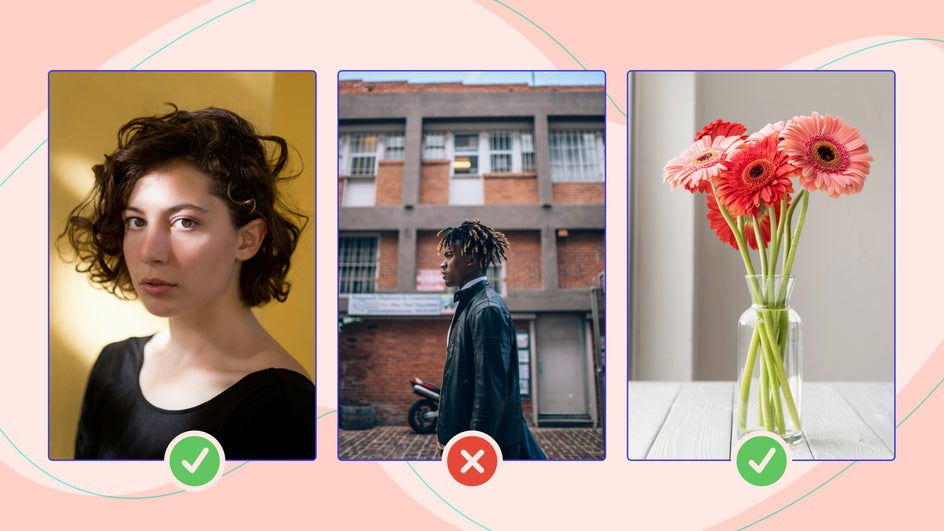
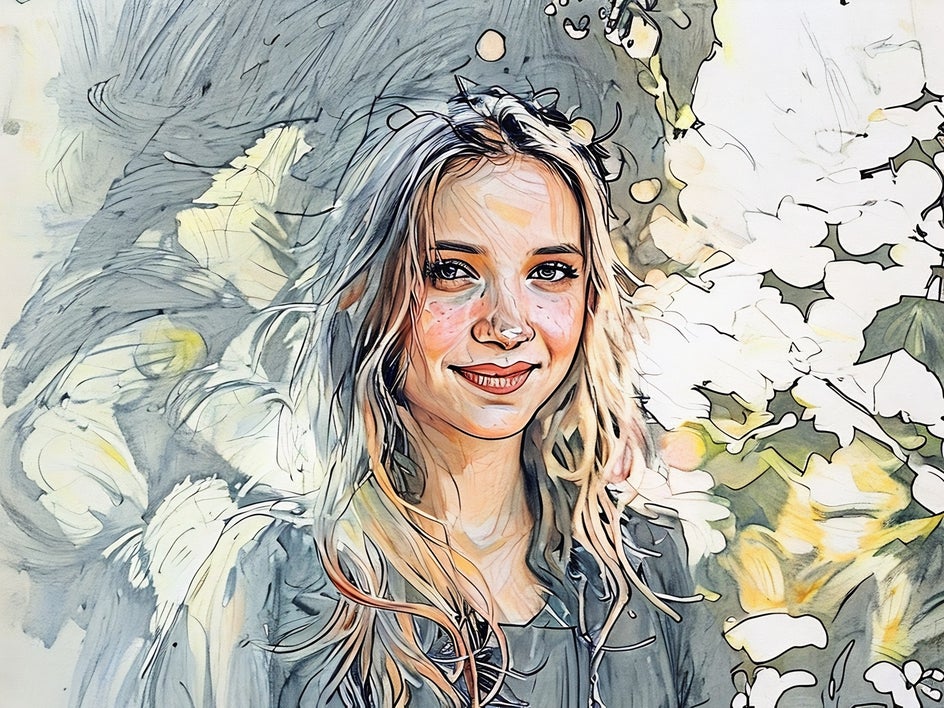
Color Sketch GFX replicates the nuanced layering, subtle imperfections, and crosshatching you'd expect from a traditional colored pencil illustration. It works best on images with clear subjects and good contrast – think:
- Portraits: Great for capturing facial details and expressions
- Nature shots: Like flowers, landscapes, and foliage
- Still life photography: Objects with interesting shapes and shadows
Avoid blurry, low-contrast photos or anything with an overly busy background. The cleaner and more defined the subject, the better the final sketch will look.
How to Go From Photo to Colored Pencil Sketch
First, head to the Sketch category and select the image you want to edit by dragging and dropping it directly onto the canvas.
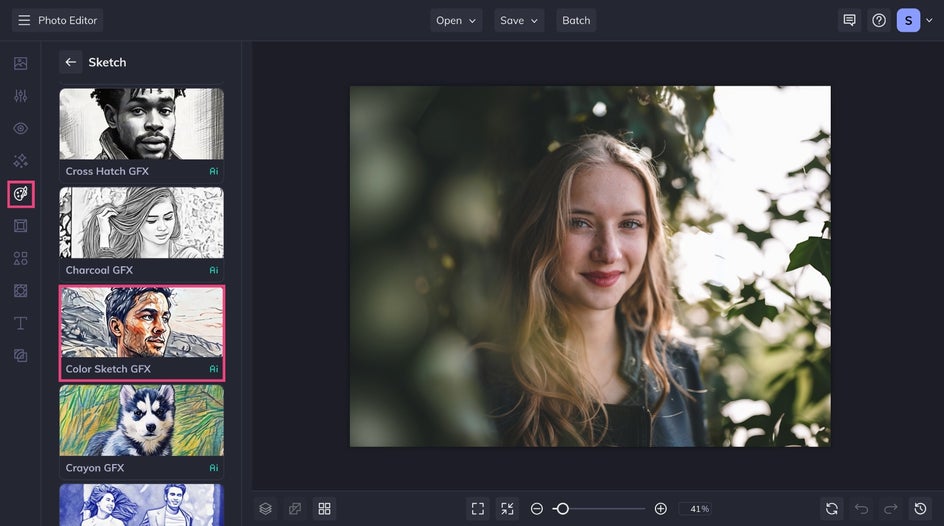
Step 1: Select Color Sketch GFX
Click on Color Sketch GFX to instantly apply the effect. Your photo will transform into a vibrant sketch with realistic colored pencil textures.
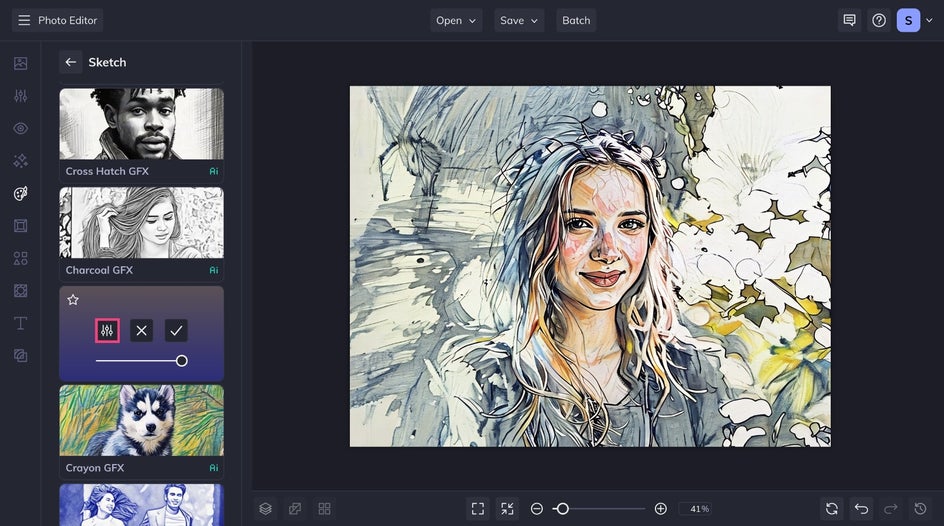
If you're happy with your sketch as-is, click the checkmark icon to apply. Otherwise, click on the Settings icon.
Step 2: Customize and Apply
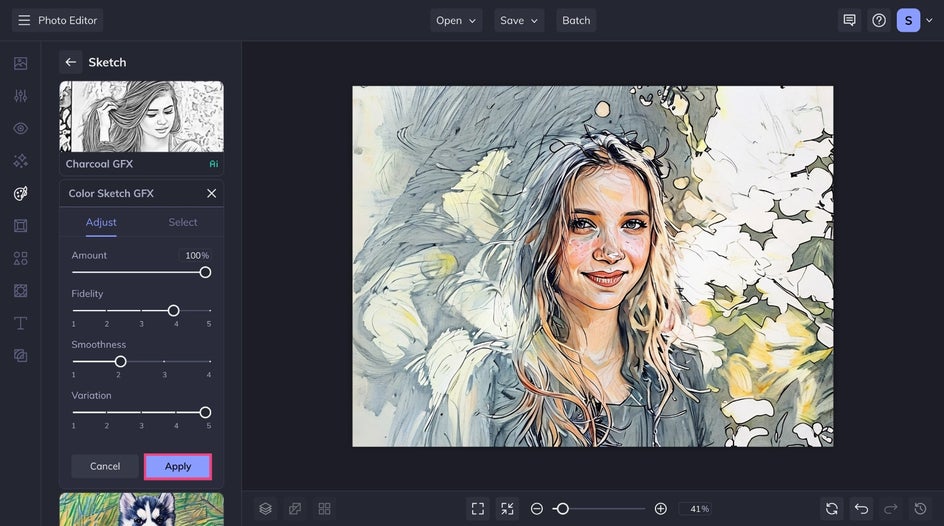
From the Settings menu, you can adjust and personalize the effect using the three adjustable sliders.
- Smoothness controls how blended or textured your pencil lines appear. Lower settings create a more textured look, while higher values smooth out the strokes.
- Variation lets you toggle through alternate versions of the sketch. Each variation uses different linework and shading for a unique take on your photo.
- Fidelity determines how closely the sketch resembles the original image. Lower Fidelity results in more abstract, artistic interpretations.
Once you're satisfied with the customization, click Apply to lock in the changes.
Step 3: Save Your Colored Pencil Artwork
Click the Save dropdown in the top toolbar to export your image. Choose your preferred file format and destination for sharing online or creating a high-quality print!
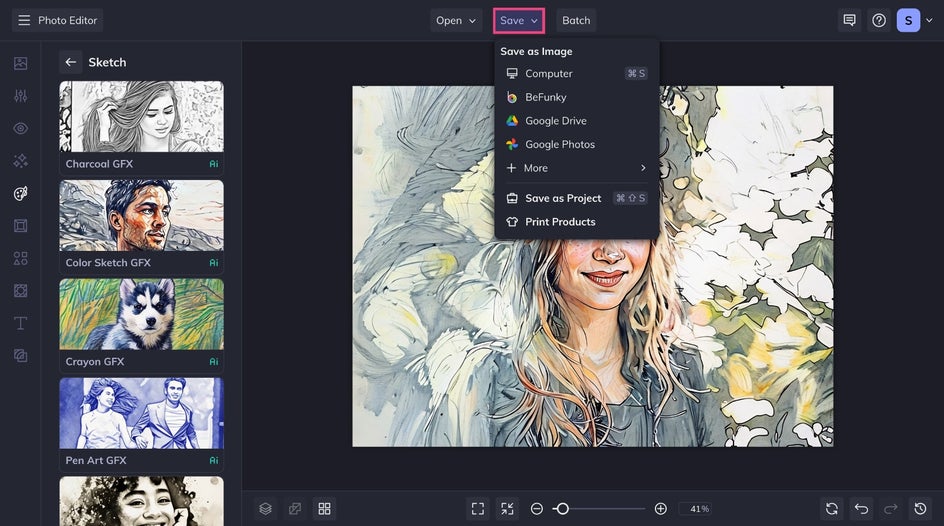
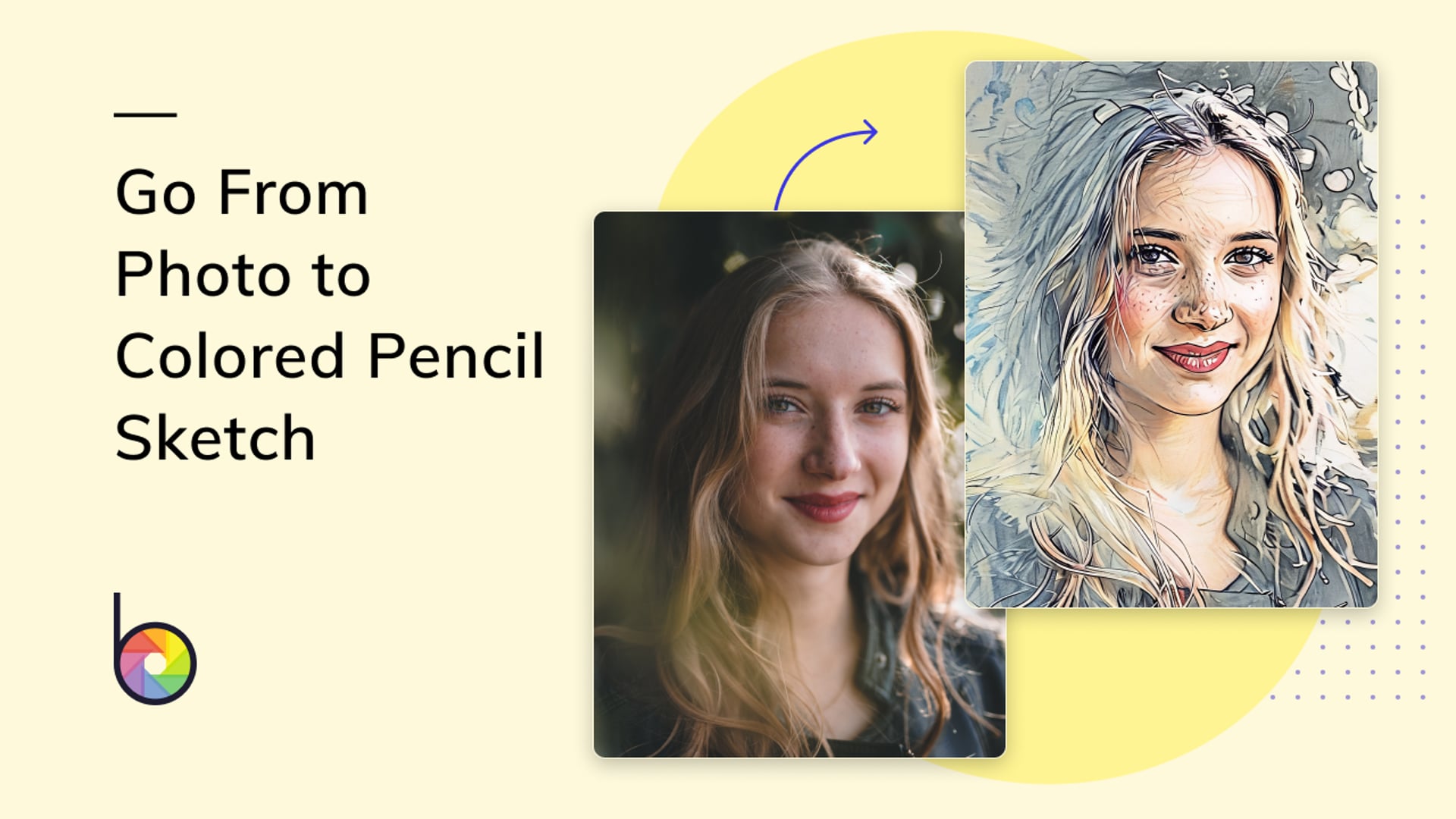
It is that easy to transform your photo into pencil art! Take a look at the before and after of this image that transformed from a photo into a textured colored pencil drawing:

More Creative Sketch Projects
There are endless ways to use your new artwork beyond a simple save or printout. Whether you’re crafting a gift, building a design, or telling a visual story, Color Sketch GFX adds personality and charm to any creative project. Here are a few ways to take your sketch to the next level.
Combine With Other Artsy Effects
Try stacking Color Sketch GFX with effects like Impressionist GFX to experiment with visual textures. This effect in particular adds stronger outlines and deeper shading – perfect for a bold, comic book-style illustration.
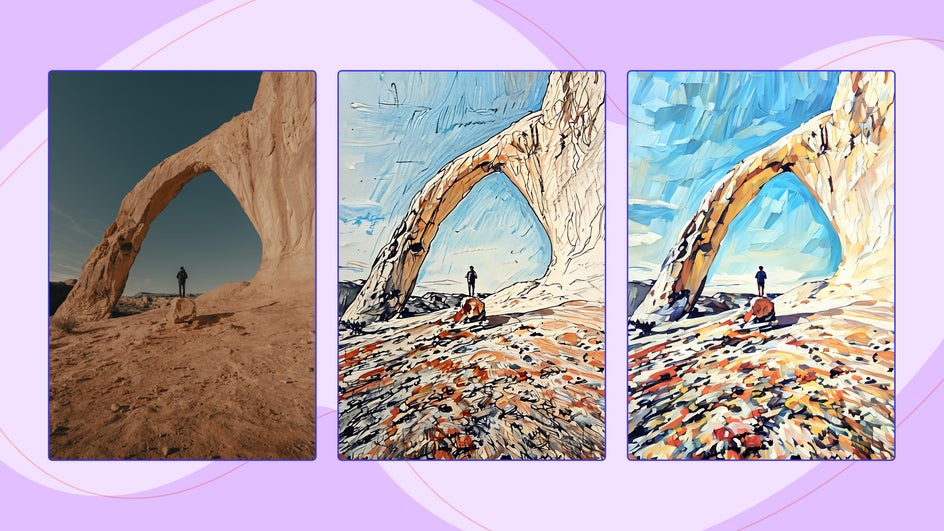
You can even turn your images into a full comic book by adding them to a collage layout with speech bubbles, panels, and stylized fonts. This is great option for graphic design projects or social media storytelling.
Design an Illustrated Children’s Book
Transform treasured family photos into a custom children’s book filled with sketch-style pages. With Color Sketch GFX, each page can feel hand-illustrated, giving your storybook a personal and nostalgic look.
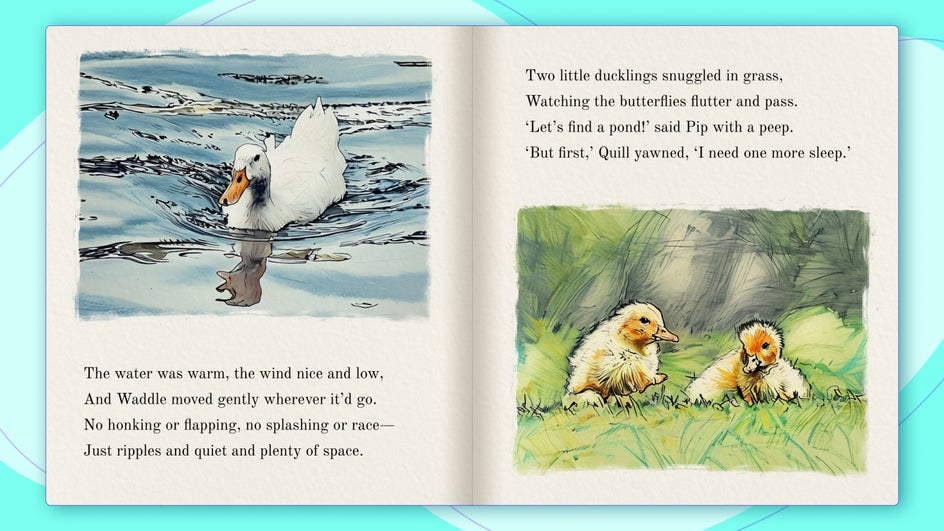
To enhance the “book feel,” format your designs using a two-page spread collage or design layout. Add captions, dialogue, or imaginative storytelling text that complements your image. Include photos of your kids, pets, or favorite places to personalize the story even further.
Try using one of these topics as inspiration:
- A bedtime story featuring your child as the main character.
- An adventure with your family pet as the hero.
- A memory book of vacations with sketch-style visuals.
Create Unique Pet Portraits
Pets make some of the most rewarding subjects for creative photo editing, and BeFunky’s Color Sketch GFX is the perfect effect for turning your favorite snapshots into one-of-a-kind, pencil-drawn pet portrait.
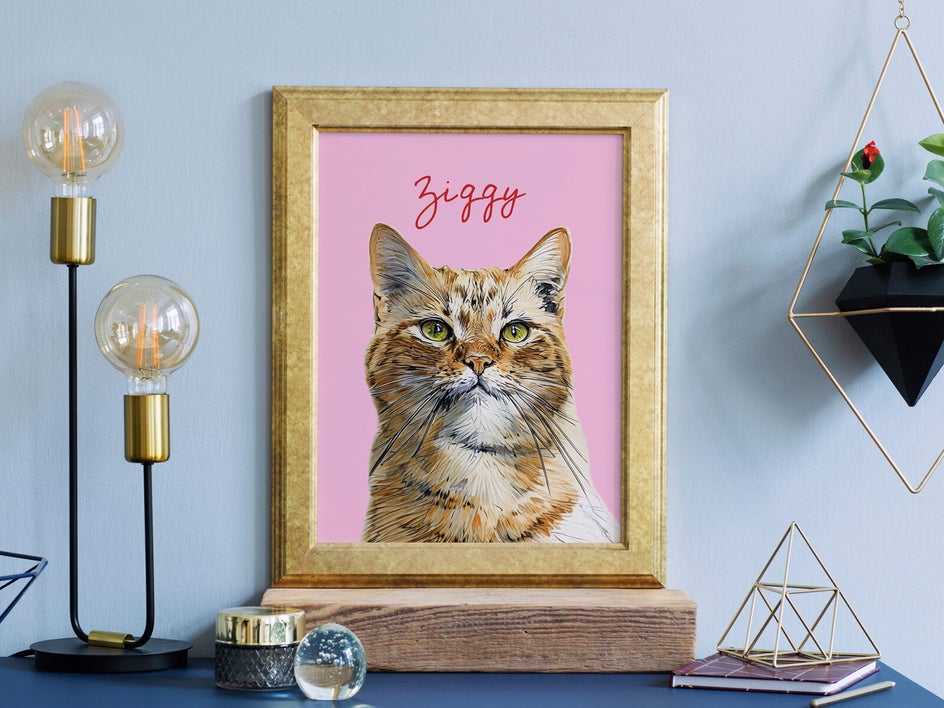
After sketching your photo, you can personalize it further with text, new backgrounds, and more – ideal for turning your pet portrait into printable wall art, personalized greeting cards, or even a feature in a photo calendar.
Apply to Greeting Cards, Invitations & More
If you're looking to add a handmade touch to your next design project, try using your colored pencil sketches as a foundation for things like invitations, holiday cards, or thank-you notes.
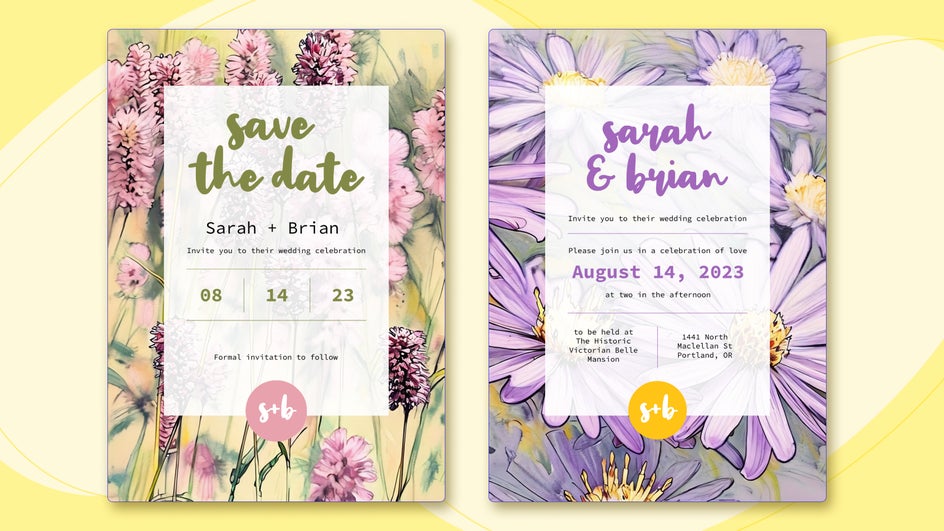
BeFunky's creative suite makes it easy to swap between the Graphic Designer and Photo Editor without needing to open a new tab. Simply click on any photo in your design to open it in the Photo Editor and apply your Artsy effect.
Bring Photos to Life With Colored Pencil Art
Whether you’re designing something personal, professional, or just for fun, BeFunky’s Sketcher effects makes it easy to give your photos an artistic flair. With adjustable settings and AI-powered variations, each sketch can be as unique as your original image. Add them to greeting cards, storybooks, pet portraits, or creative collages – the possibilities are endless.
Ready to get sketching? Head to BeFunky’s photo to sketch category and turn your favorite photo into a vibrant colored pencil drawing today.