How to Make a Facebook Cover Photo Collage

Your Facebook Cover Photo is one of the first things people notice – whether you're promoting a business, blog, or personal profile. If a single image doesn’t quite capture who you are or what you do, a collage can help tell the full story.
BeFunky offers two great ways to design your header: you can use the Facebook header templates in the Designer for a layout that includes space for text and branding elements, or choose a Facebook Cover layout in the Collage Maker for a more photo-focused approach. If you want to showcase multiple images with fewer design elements, the Collage Maker is for you!
Follow the steps below to design a collage-style cover photo that makes a great first impression.
How to Make a Facebook Cover Photo Collage
BeFunky’s Collage Maker includes templates specifically designed for Facebook Cover Photos, so you don’t have to guess dimensions or worry about elements being covered by your profile picture. Here’s how to create yours:
Step 1: Choose a Facebook Cover Layout
Head to the Collage Maker and open the Layouts tab from the left-hand menu. Under the Facebook Cover category, you’ll find a curated collection of collage presets – all perfectly sized for Facebook’s recommended aspect ratio.
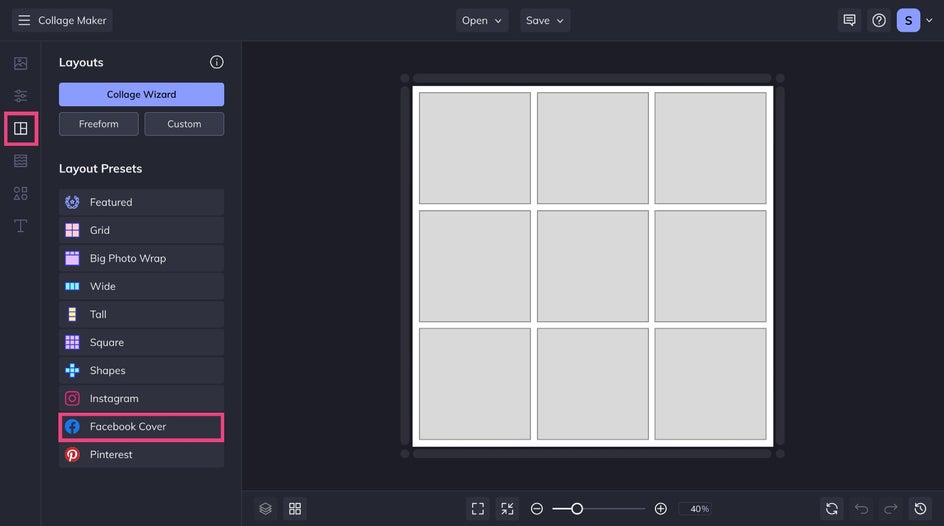
Explore your options and click to preview the layouts. Choose the one that best suits your goal and number of images.
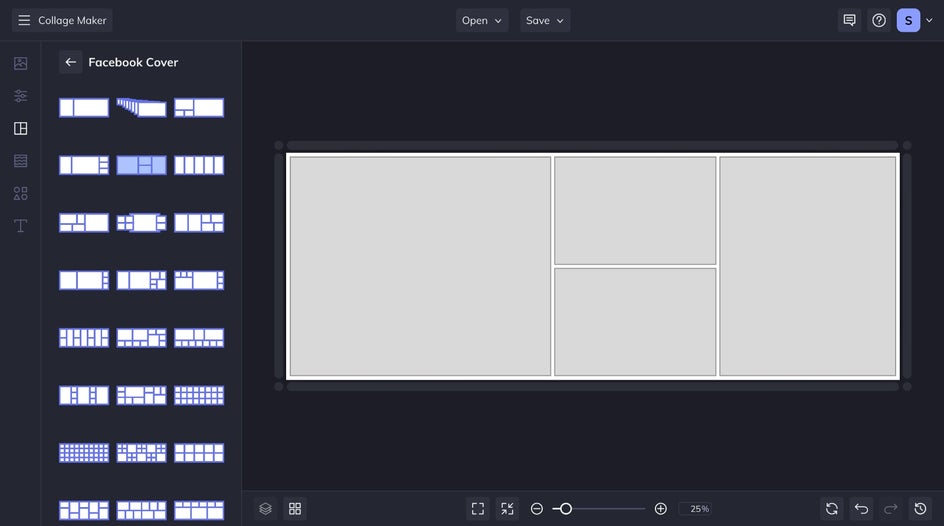
Step 2: Add Your Images
Head to the Image Manager tab to upload your own photos or browse Stock Images for free, high-quality visuals. Once uploaded, drag and drop your images into the layout cells. Use the on-canvas controls to swap, crop, or reposition images until everything fits just right.
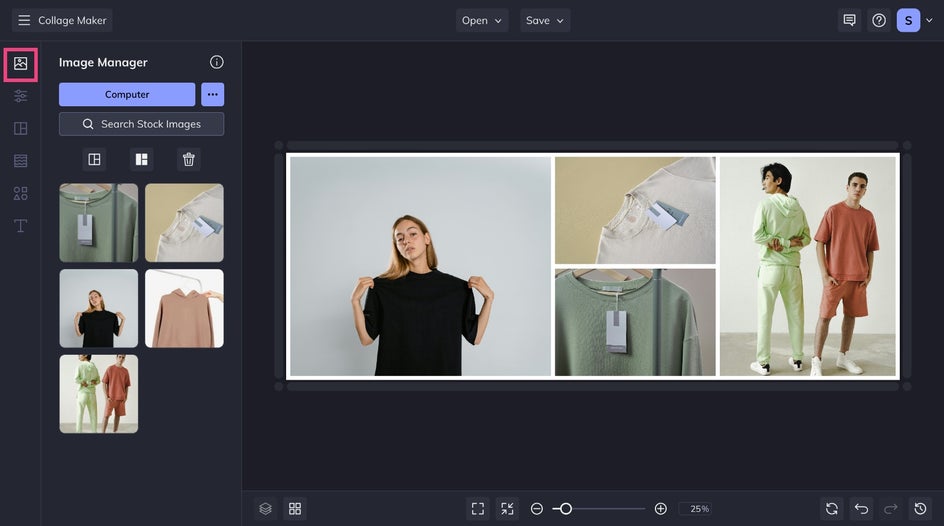
For more advanced edits like brightness adjustments or adding filters, click a photo and select Edit Image to access BeFunky’s Photo Editor tools.
Step 3: Customize With Color, Graphics, and Text
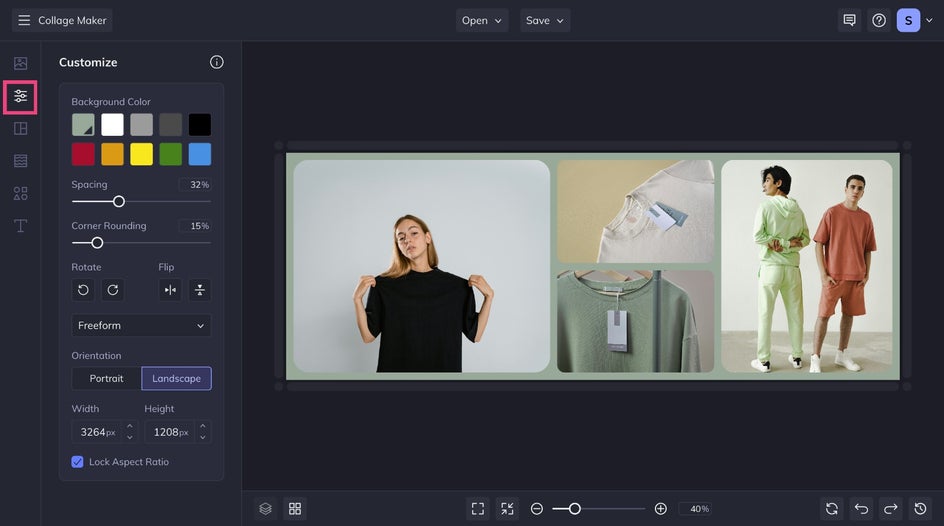
In the Customize tab, adjust your background color, spacing, and corner rounding. Try bold color choices or clean white space – whatever fits your style.
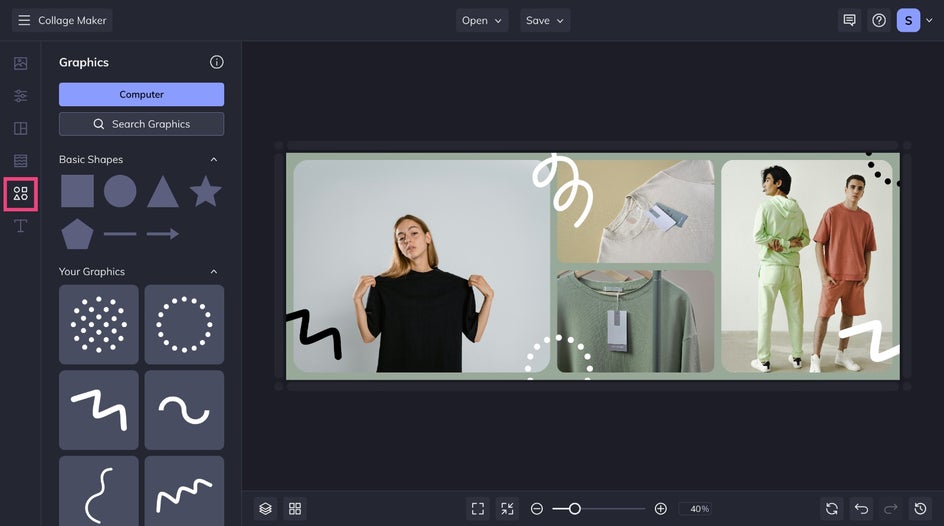
To make your design pop, add decorative elements from the Graphics tab. Use Search Graphics to browse BeFunky’s massive graphic library, then drag, resize, and position them for a playful or professional touch. Let your graphics overlap images or bleed outside the collage boundaries for extra visual interest.
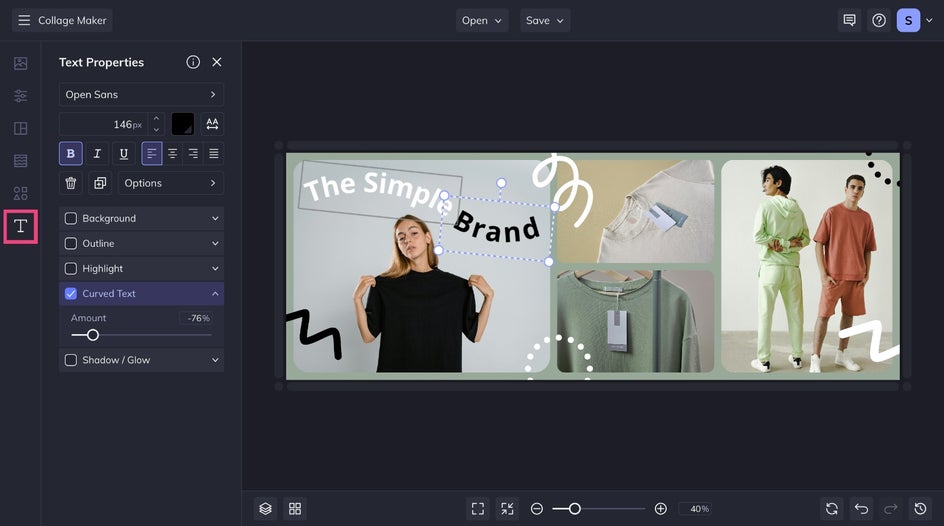
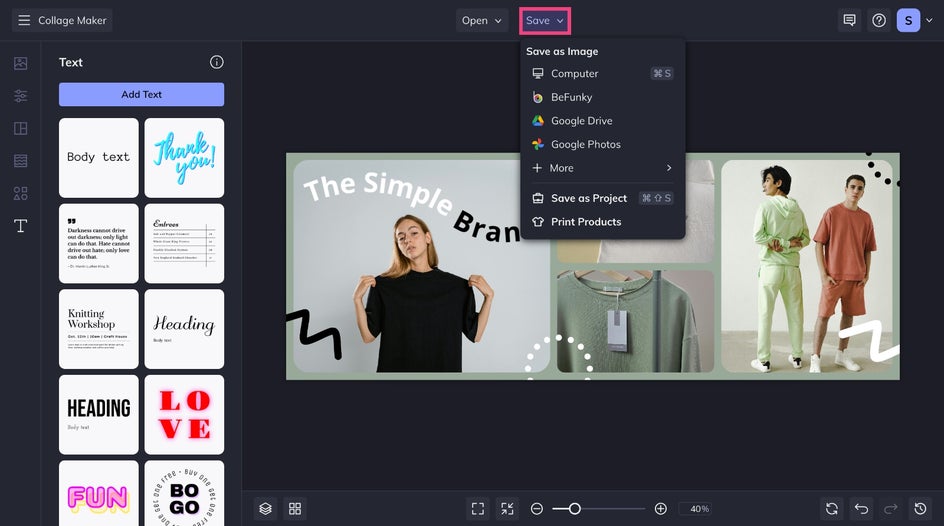
Want to add a title, business name, or call-to-action? Open the Text tab, click Add Text, and use the Text Properties toolbar to style your typography. You can change fonts, colors, letter spacing, and rotate or resize the textbox as needed.
Step 4: Save and Share
Once you're happy with your design, click Save at the top of the screen. Save it to your Computer or upload directly to Facebook. To edit it later, choose Save as Project to keep an editable version.
Show Off Your New Facebook Cover Photo
That’s all it takes to create a customized Facebook Cover Photo collage with BeFunky. Whether you used personal snapshots, product images, or blog photography, you now have a dynamic cover photo that helps tell your story at a glance. Upload it to your profile and enjoy a bold first impression every time someone visits your page.

Inspo for Standout Facebook Cover Collages
No matter how you use Facebook, BeFunky gives you the tools to create a collage that reflects your personality or brand. Here are a few ideas to get started:
For Bloggers
Treat your Facebook page as an extension of your blog. Experiment with Photo effects like Chromatic or Vintage to match your aesthetic, and more. Finally, wrap everything together with eye-catching fonts and color palettes.
For Small Businesses
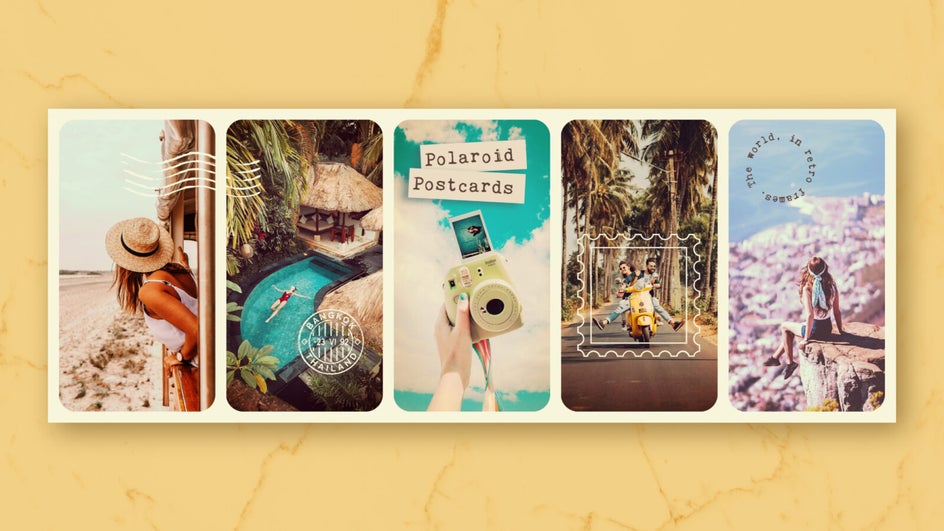
Highlight different aspects of your business with a multi-photo layout. Upload shots of your products, behind-the-scenes moments, customer testimonials, or mouthwatering food photography. You can even layer Artsy effects to make your business photos really pop.

For Personal Profiles
Showcase your favorite memories, people, or hobbies all in one place. Mix candid photos with playful graphics and apply various Touch Up tools for consistency throughout your portraits.

Design Stunning Facebook Cover Photos
Designing your own Facebook Cover Photo is easy. There are several layouts and editing features available on BeFunky that will help you make a unique and eye-catching image. Ready to start designing your own Facebook cover photo collage? Get started with BeFunky’s Collage Maker!