









Create Personalized Holiday Cards With Collage Templates

Collage holiday cards are a wonderful way to share your favorite memories from the year. By combining multiple photos into one design, you can showcase life’s biggest highlights or the cozy, everyday moments that made the season special. Whether you’re printing cards to send by mail or sharing them online, BeFunky’s holiday card templates make it easy to create a festive collage with the innovative tools of the Graphic Designer that’s both meaningful and completely your own.
Turn Photos Into One-of-a-Kind Holiday Cards
Designing a holiday card is more than a creative project. It’s a way to reflect on the past year and share your story with others. BeFunky’s collage holiday card templates offer layouts for every style, helping you design something that’s full of personality and professional looking.
Here’s how to get started:
Step 1: Choose a Collage Template
Open the Holiday Cards category of the Graphic Designer and select a template. Look for collage designs that feature multiple photo spots so you can highlight different moments from your year.
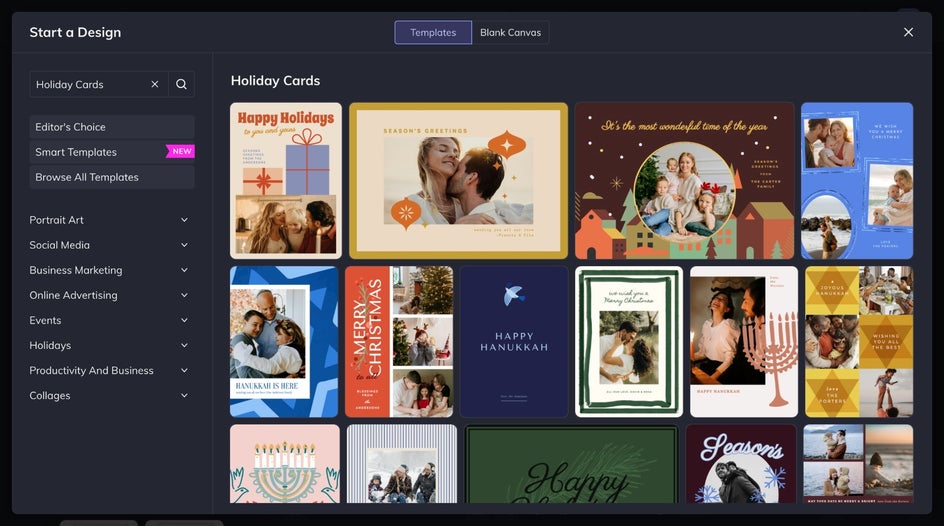
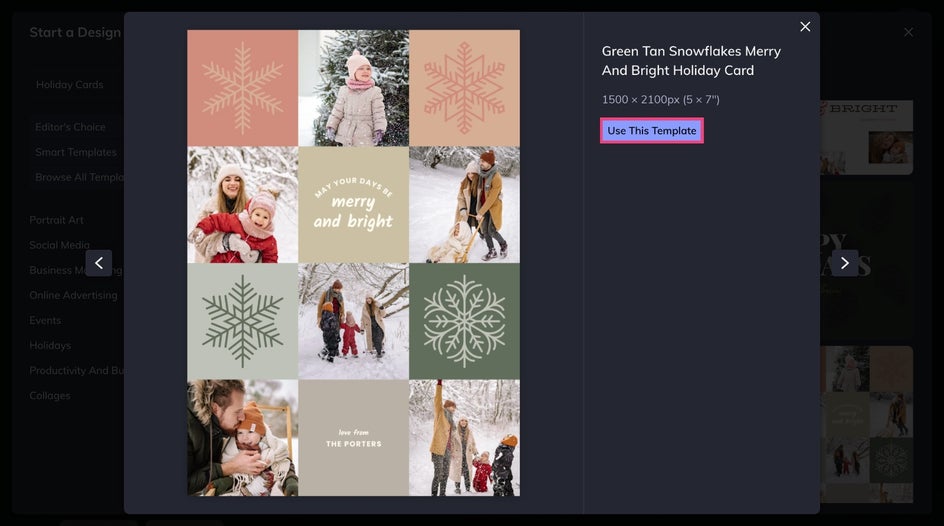
Once you've found the perfect template to start with, select Use This Template. Remember, you can adjust the layout later to fit your preferred photo arrangement.
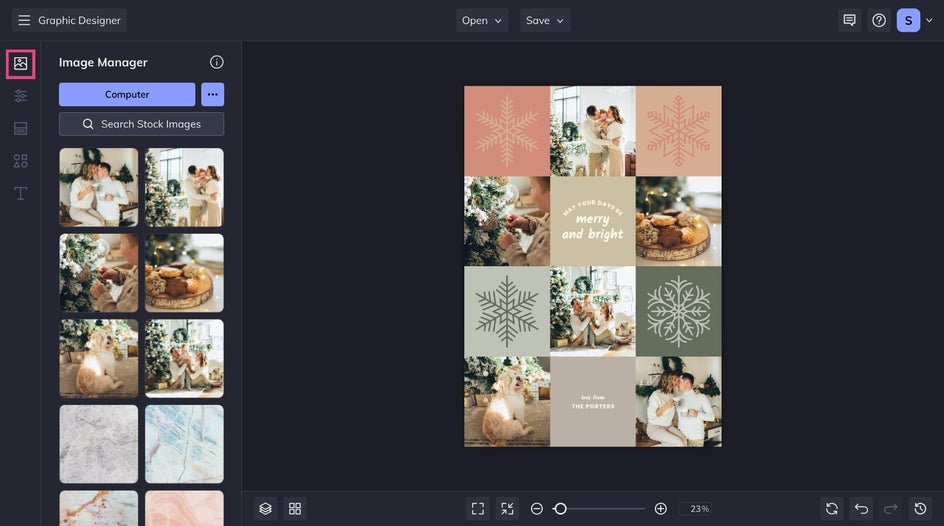
Step 2: Add Your Photos
Head to the Image Manager to upload your favorite photos. Replace the placeholders in the template by dragging and dropping images into each.
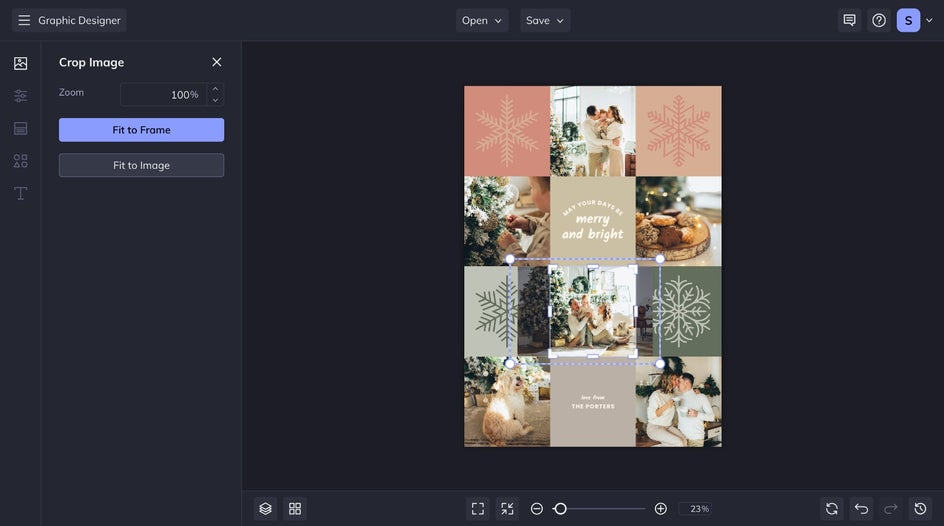
Double-click any collage cell to adjust the positioning and zoom of the photo until everything looks just right.
Step 3: Customize the Design
BeFunky’s Graphic Designer makes customizing templates simple and intuitive. Just click any element in your design to adjust fonts, colors, and more – all without leaving your workspace.
Start by updating the colors of any existing graphics. Here, we used the Eye Dropper tool to match shades directly from our photos for a cohesive look. You can also add festive details like ornaments, stars, menorahs, or candles to give your collage a seasonal touch from the Graphics tab.
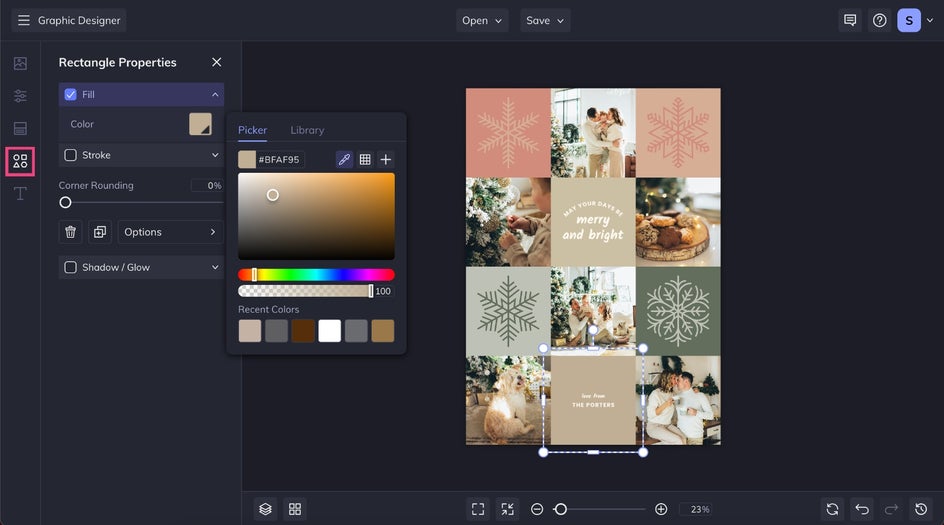
Then, it's time to personalize your message by adjusting the text or experimenting with seasonal fonts, effects, and layout until your greeting feels perfectly balanced. To add new phrases, click on the Text tab to explore our ready-to-go font pairings.
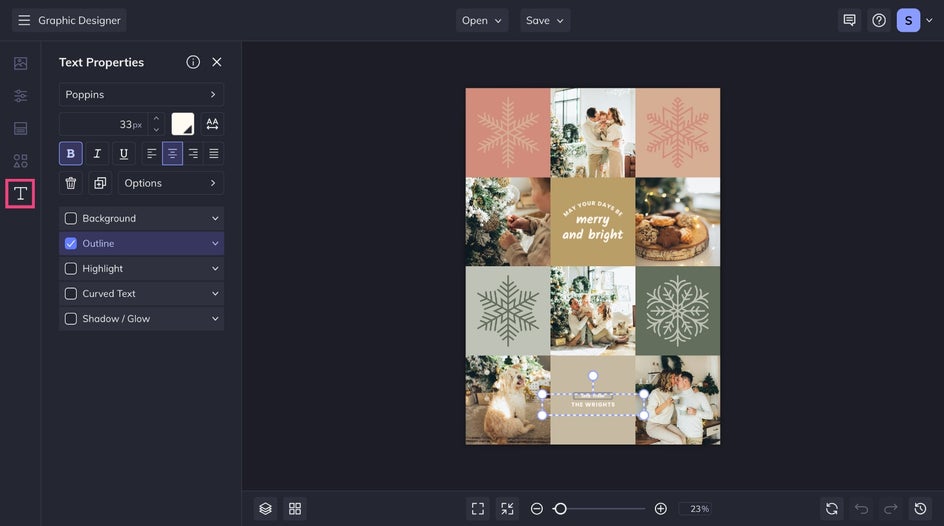
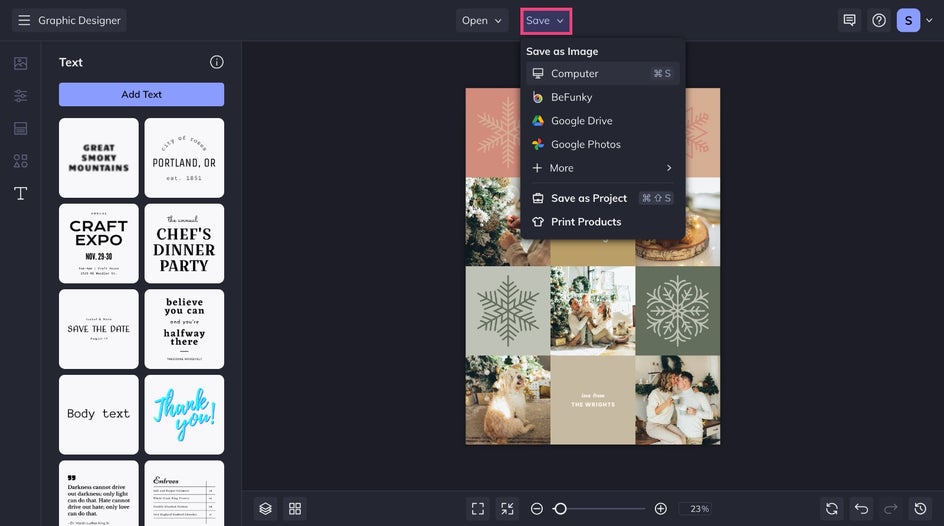
Step 4: Save and Share
When your festive collage card is complete, click Save to download it as a high-resolution JPG, PNG, or PDF. You can print it at home, send it to our integrated printing partner by selecting Print Products, or share it instantly via email or social media.
With a holiday collage card, it's easy to share favorite memories in a design that feels festive, personal, and polished.
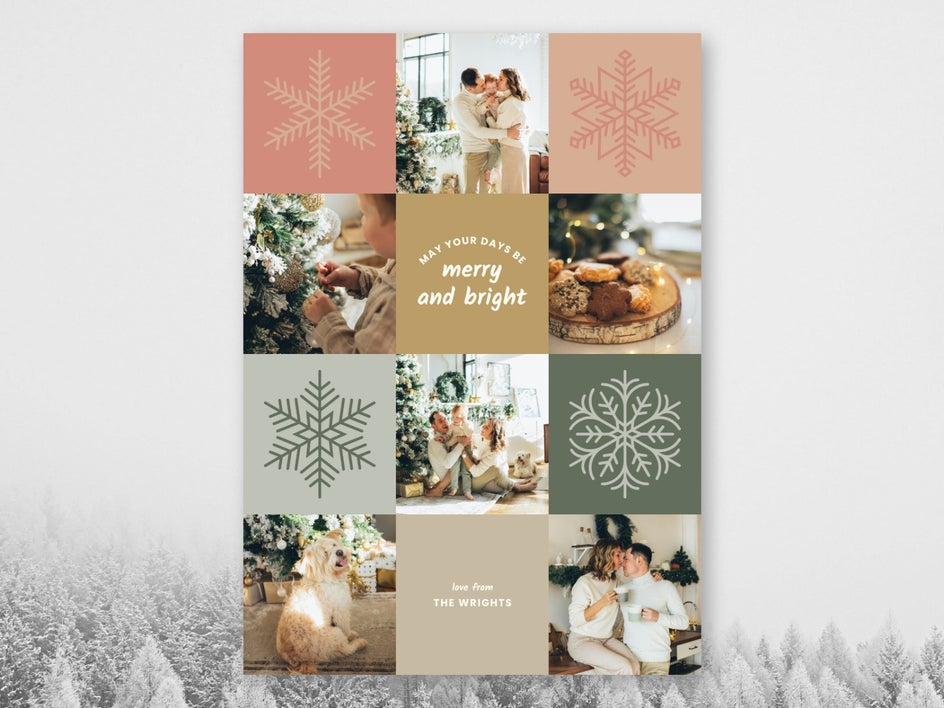
Holiday Card Collage Inspiration
Collage templates give you room to get creative and make your design stand out. Whether you want something modern, artistic, or whimsical, there are countless ways to transform your layout into a unique expression of your style. Here are a few inspiring project ideas to try.
Add an Artistic Touch
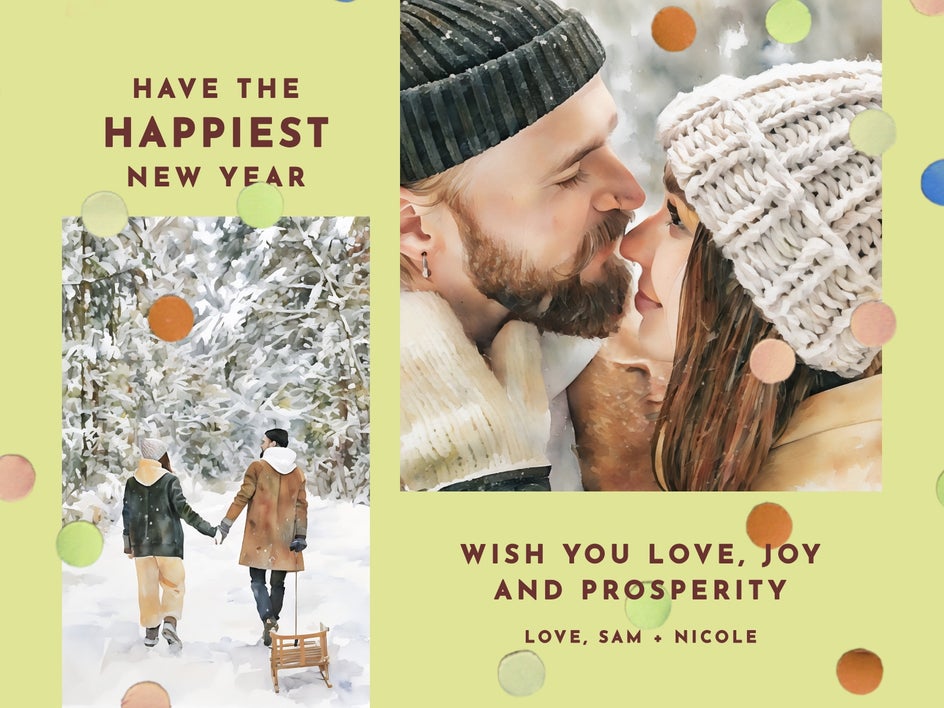
Give your collage an artistic touch by applying BeFunky’s photo effects and filters to your images. Try our AI Watercolor or Oil Painting filters for a creative painterly feel, or use the Cartoonizer to make your card look like a hand-drawn illustration. Applying a consistent style across all your photos ties the design together while making it feel handcrafted and original.
Create Festive Shapes
Swap traditional photo frames for fun, holiday-inspired shapes. Turn your collage cells into stars, ornaments, or Christmas trees for a playful and thematic twist. You can even layer these shapes behind your photos to add depth and visual balance, making your collage look like a custom piece of seasonal art.

Deck It Out With Graphics
Accentuate your collage with BeFunky’s wide range of holiday graphics. Add sparkling lights, hand-drawn snowflakes, or festive borders to frame your design beautifully. You can layer graphics between photos or pair them with text to create a finished look that feels cohesive, cheerful, and full of personality.

Share a Season of Memories With a Collage
Every collage card tells a story. With BeFunky’s Holiday Card templates, you can create designs that celebrate your favorite people, moments, and traditions all in one design. Whether you mail them or share them digitally, these cards are a heartfelt way to spread joy and preserve your memories for years to come. What are you waiting for? Start celebrating the season today in the Graphic Designer!




