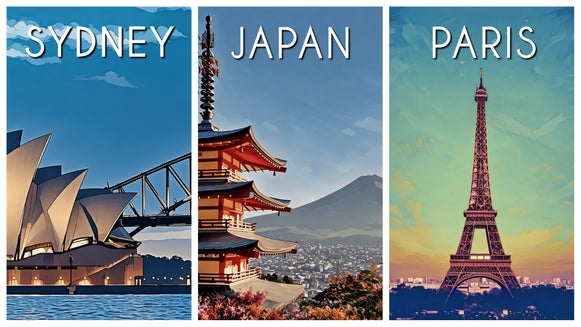
Add Drama and Depth to Your Photos With Cinematic Painting Effects

Cinematic imagery has a way of pulling you in. With its rich atmosphere, shaped by light and shadow, it often feels like a still from a larger story. When paired with painterly texture, that effect becomes even more striking – blending the emotion of film with the detail of traditional painting.
This style draws inspiration from techniques used in both classic oil painting and modern cinematography. Think dramatic lighting reminiscent of chiaroscuro, warm tones similar to golden hour photography, and soft, glowing highlights that feel almost dreamlike.
You can now easily recreate this look using our Cinematic Painting effects, which are available in the Artsy category. These GFX+ effects combine depth, lighting, and texture to instantly transform your photos – no complex edits required.
We’ll show you how to use these effects and explore the different styles available so you can find the perfect look for your image!
How to Go From Photo to Cinematic Painting
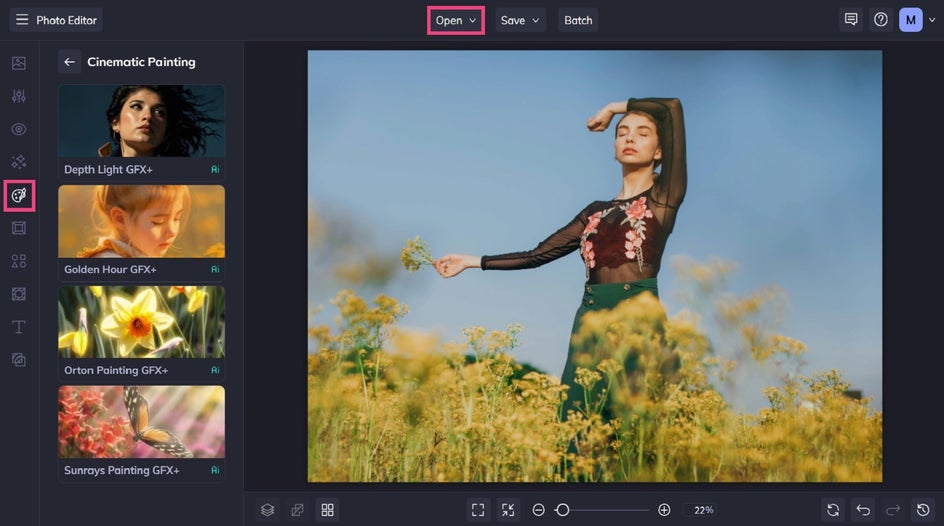
Start by heading to the Cinematic Painting category in the Photo Editor and open the image you’d like to edit. Photos with natural lighting, strong shadows, or a clear subject tend to work especially well for cinematic effects.
Step 1: Choose an Effect
There are multiple effects to choose from, so be sure to click on each one to sample how it looks on your image.
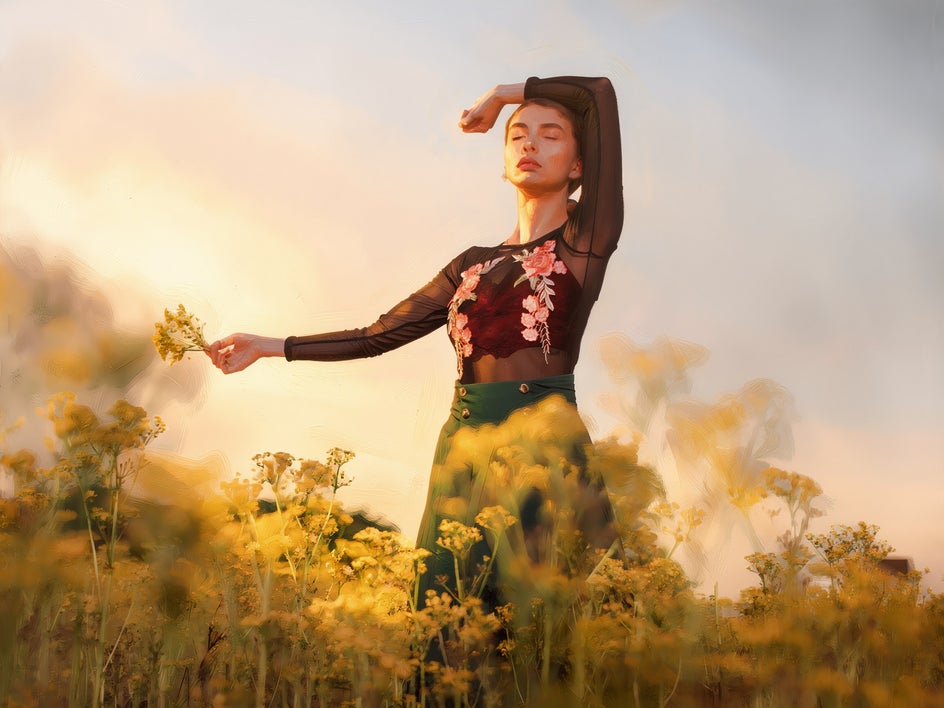
For this tutorial, we’re using Golden Hour GFX+. This effect adds a warm, glowing light that mimics the natural tones seen just before sunset. It softens harsh lighting and gives images a nostalgic vibe.
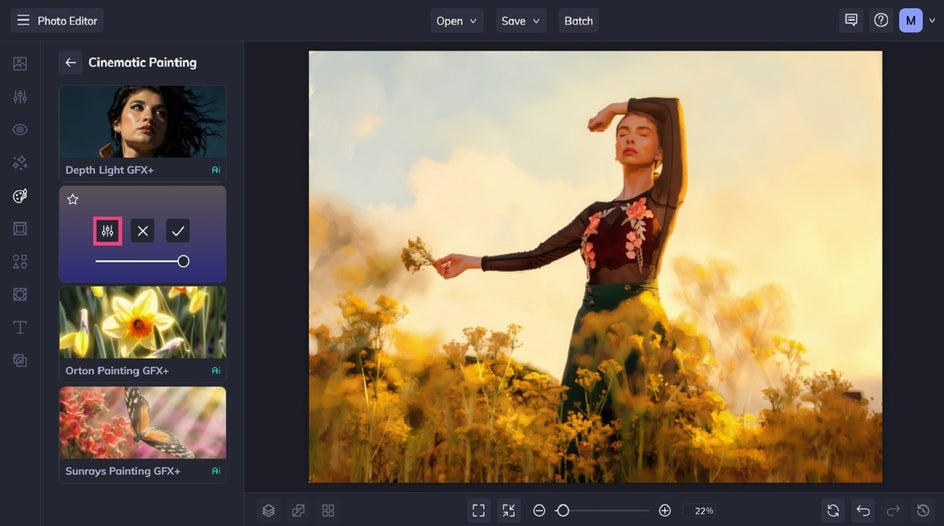
When you select an effect, three options are available: Settings, which allows you to alter the effect further; Cancel, which cancels the selected effect; and Apply, which applies the effect as-is. You can also adjust the strength of the effect using the slider.
Click the left-most icon to open the Settings menu.
Step 2: Adjust and Apply
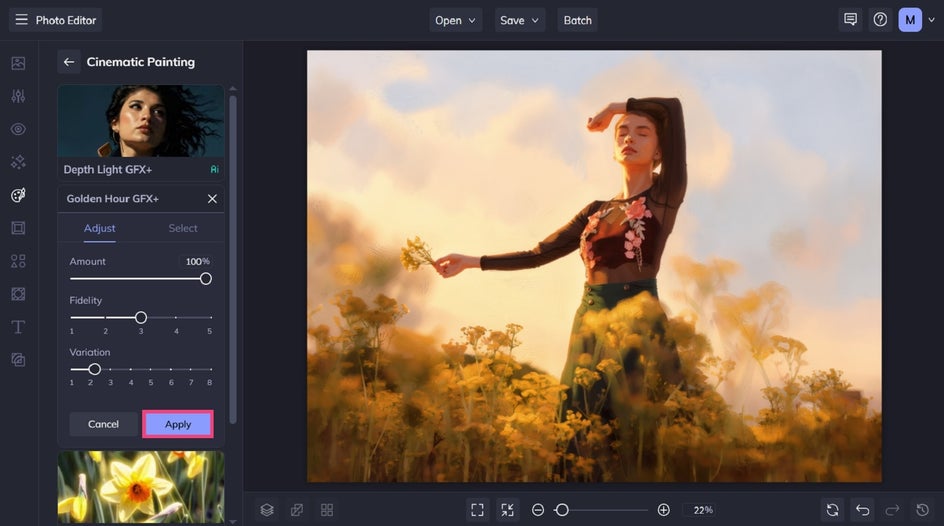
Along with adjusting the strength of your chosen Cinematic Painting effect, you also have the options to customize the fidelity and variation.
Fidelity controls how true the effect stays to your original image, helping preserve key details while still applying the style. Variation lets you cycle through different interpretations of the same effect, giving you a few alternate looks to choose from.
When you’ve finished making your adjustments, click Apply.
Step 3: Save Your Cinematic Painting
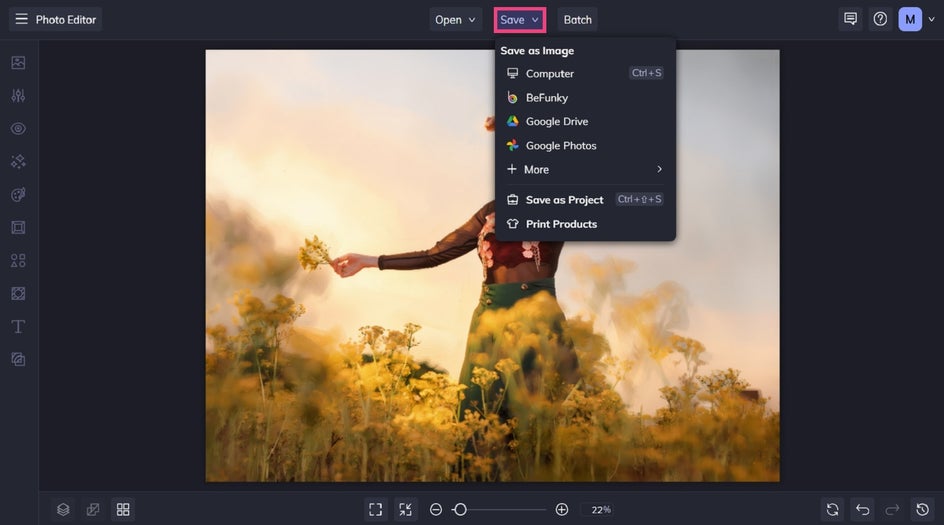
When you’ve finished making your edits, select Save at the top of the screen and then choose the best destination for your new cinematic painting.
Final Results: A Cinematic Masterpiece
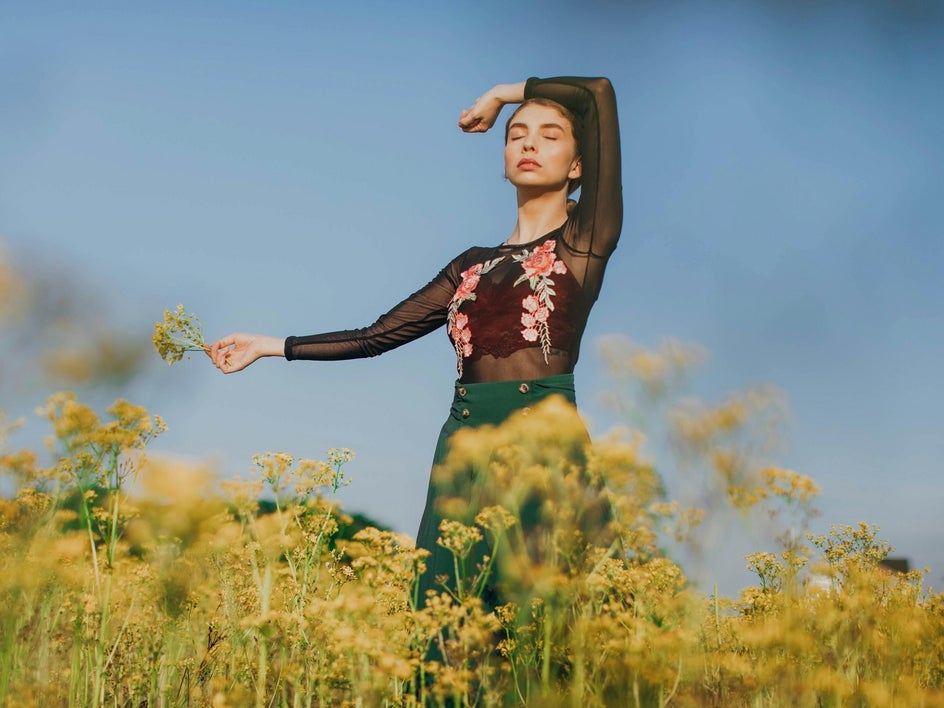
It’s hard to believe that an image filled with so much depth and emotion was achieved within just a few clicks. What was once an ordinarily beautiful photo now looks like a gorgeous still from a cinematic masterpiece, or a work of painted perfection.
Other Ways to Use Cinematic Painting Effects
Cinematic painting effects can completely change how your image feels and how your audience connects with it. Here are some of our other cinematic painting effects on offer, as well as the benefits they can offer for your next project.
Create a Sense of Narrative
For storytelling, these effects help create a sense of narrative. A simple photo can feel like a moment from a film, inviting viewers to imagine what comes before or after. The cinematic lighting and depth guide the viewer’s eye and highlights key details, while allowing other areas to fall into shadow. That contrast not only creates focus but a particular mood too, helping your image feel more intentional and emotionally driven.
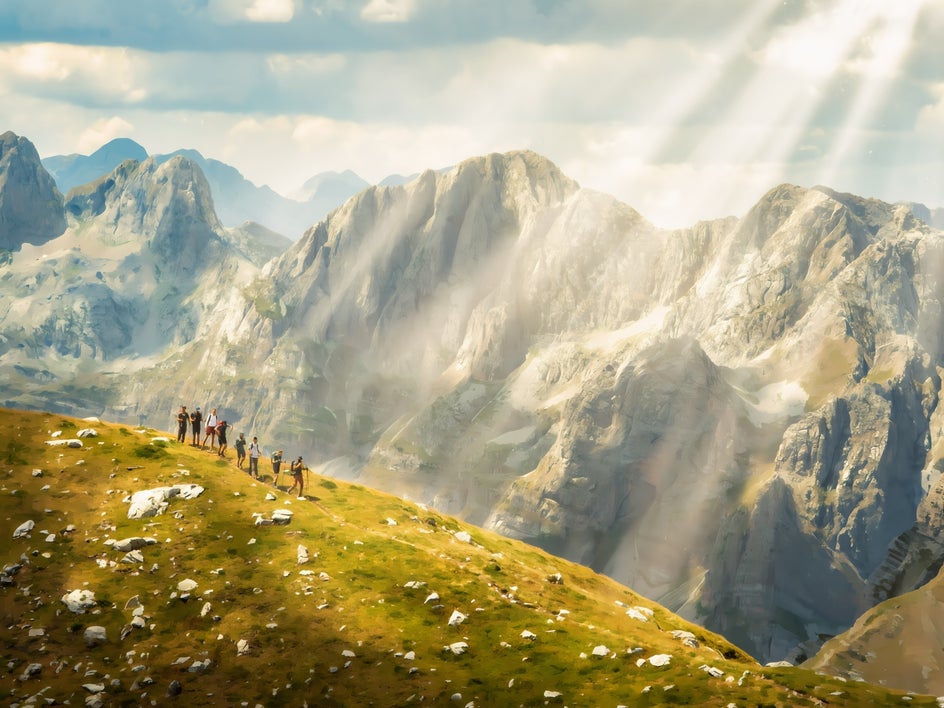

In this example, we added Sunrays Painting GFX+. This effect mimics the look of sunlight breaking through clouds or trees and adds beams of light that stream across your image.
Sunrays Painting GFX+ works beautifully for outdoor scenes, especially those with natural light sources or open skies.
Help Your Images Stand Out in Busy Feeds
For social media, our Cinematic Painting effects pack a double punch. Not only do their added depth and cinematic lighting draw the eye, but their painterly qualities – like visible brushstrokes and light-reflecting paint pigments – will have viewers in awe.
As a mix between a still from a stunning movie and gallery-worthy masterpiece, your social media content will feel more intentional and visually distinctive.


In this example, we applied Depth Light GFX+. It brings out highlights and shadows in a way that adds structure and realism, making your subject feel more defined within the scene.
This effect works especially well for portraits and architectural shots where depth and form play a key role.
Create Majestic Pet Portraits
Cinematic Painting effects are a beautiful way to turn photos of your pet into artwork you’ll actually want to display. The combination of dramatic lighting and painterly texture adds depth and brings out details like fur, eyes, and expression in a way that feels both lifelike and artistic.
Try using the warmer tones of Golden Hour GFX+ or soft light of Orton Painting GFX+ to create a more emotional feel, or opt for the high contrast of Depth Light GFX+ for something bolder and more dramatic.
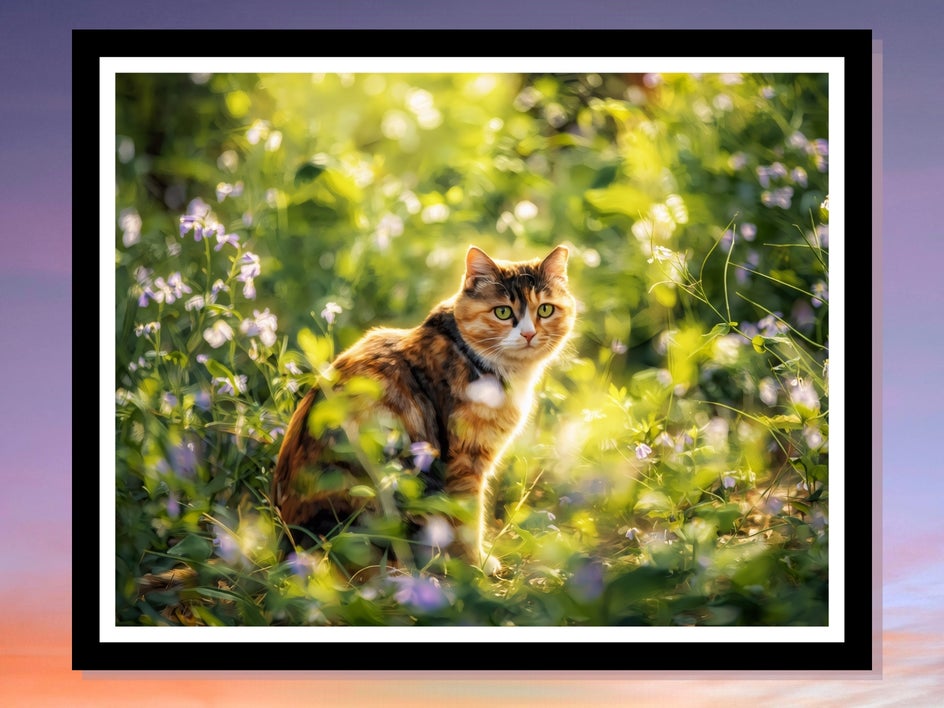
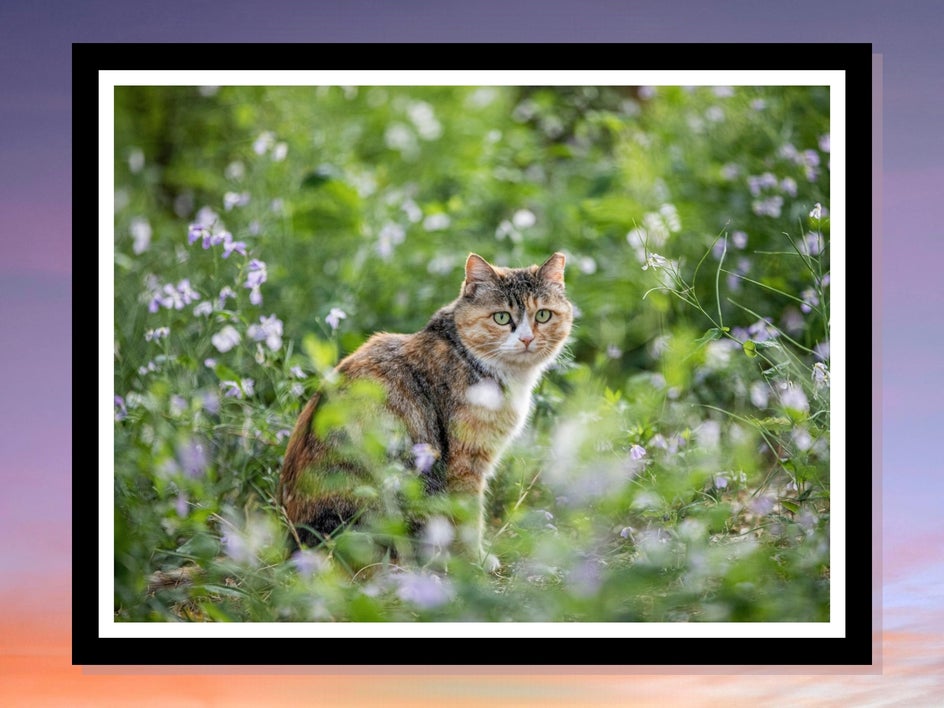
Take this photo of a cat in a garden, for example. We added Orton Painting GFX+ to introduce a soft, dreamy glow while maintaining detail in key areas of the scene. The result is a slightly diffused look that feels both painterly and ethereal.
This effect is ideal for any image where you want to create a more atmospheric, almost surreal mood – whether it’s in a pet portrait, landscape photo, travel snap, and more.
Explore Our Cinematic Painting Effects
Cinematic painting effects offer a powerful way to add depth, emotion, and visual impact to your photos. By combining painterly texture with dramatic lighting, they turn simple images into something that feels immersive and story driven.
Ready to try it for yourself? Take a look at our Cinematic Painting effects today!