OOTD Instagram Stories: Elevate Your Fashion With BeFunky

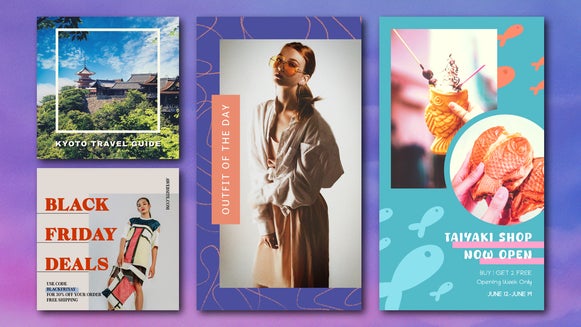
Outfits can say everything before a word is spoken. Whether it’s a casual jeans-and-tee combination or a fully styled lookbook-worthy ensemble, the Outfit of the Day, or OOTD, is more than just a trend. It’s a visual language of self-expression. BeFunky has several Instagram post templates to take your pick from, but the real show stopper to get views is the Story templates. The right Instagram Story can transform a simple photo into a curated fashion moment.
Instagram’s native tools provide a starting point, but they often fall short when it comes to creating design-forward, personalized content. BeFunky’s Instagram Story templates offer a powerful alternative for anyone wanting to elevate their outfit content and make a strong visual impact. With a few easy steps, even everyday looks can become editorial-quality Stories that reflect a unique point of view.
Design OOTD Stories Anywhere
Creating a standout Story doesn’t require sitting at a computer. BeFunky’s mobile app offers the same powerful design tools as the desktop version, so you can snap a photo, edit, and customize your OOTD right from your phone or tablet.
Here are some ways to get the best results when designing on mobile:
- Keep your text large and legible. Small screens can make text harder to read, so opt for bold fonts, high contrast, and minimal words per Story to make sure your message pops.
- Build brand consistency with colors and fonts. Stick to a defined color palette and use the same fonts across your Stories to create a recognizable aesthetic that ties your looks together.
- Save templates for future outfits. Once you create a Story layout you love, save it as a template. This way, you can quickly swap in new photos for your next OOTD without starting from scratch.
- Use layering for depth. Drag-and-drop design elements like shapes, stickers, and text boxes to layer over photos, giving your Story a more dynamic and styled feel.
- Preview in real time. Use the instant preview tool to see how your Story will appear on Instagram before posting, ensuring text isn’t cut off and details are perfectly framed.
How to Create OOTD Instagram Stories
Designing Instagram Stories may seem like something reserved for influencers or content pros, but with BeFunky, it’s both easy and approachable for every fashion lover. Here’s how to get started.
Step 1: Select a Template
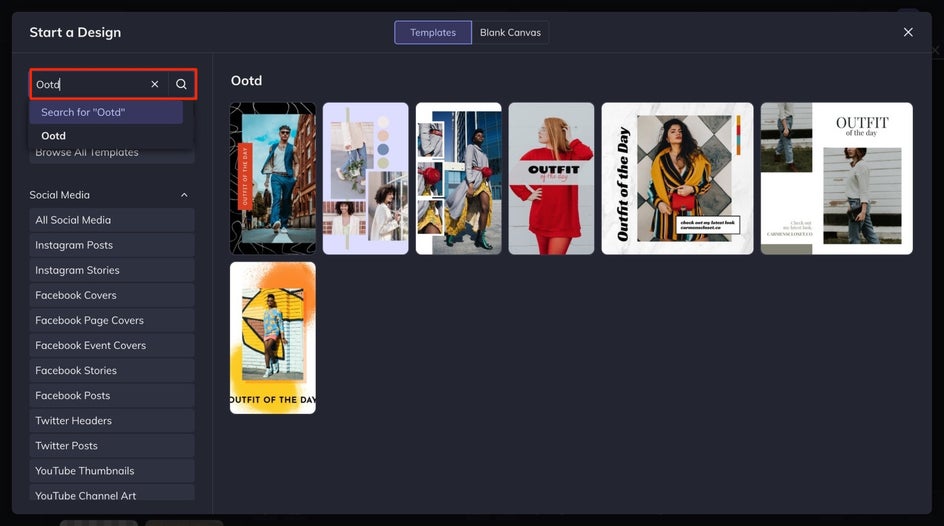
Start in the Instagram Story templates category and search for “OOTD” or “Outfit of the Day.” Choose the template that matches the mood of your outfit best: playful, chic, edgy, or minimalist.
Step 2: Upload Your OOTD
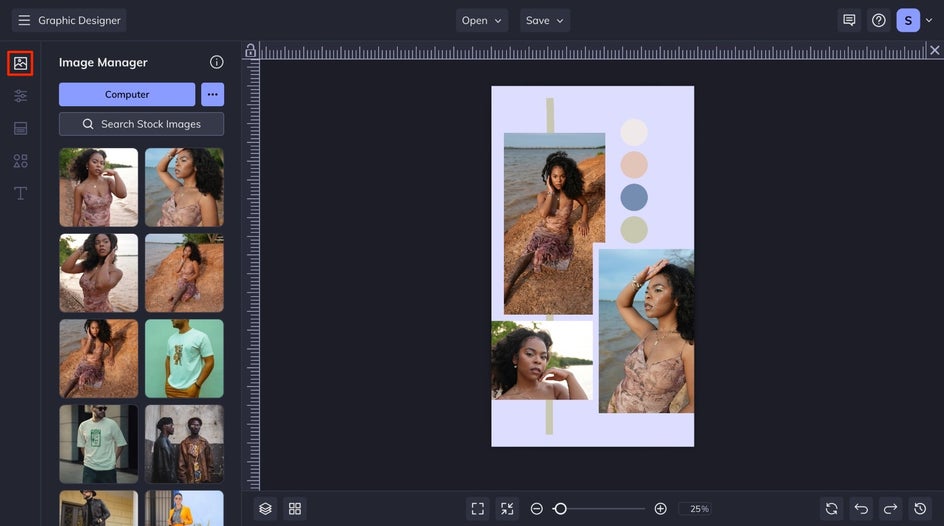
Head to the Image Manager to upload your OOTD photos. Then, drag and drop them right into the template. Full-body shots work great here, but don’t shy away from close-up details or accessories that tell more of the story.
Step 3: Customize Your Story
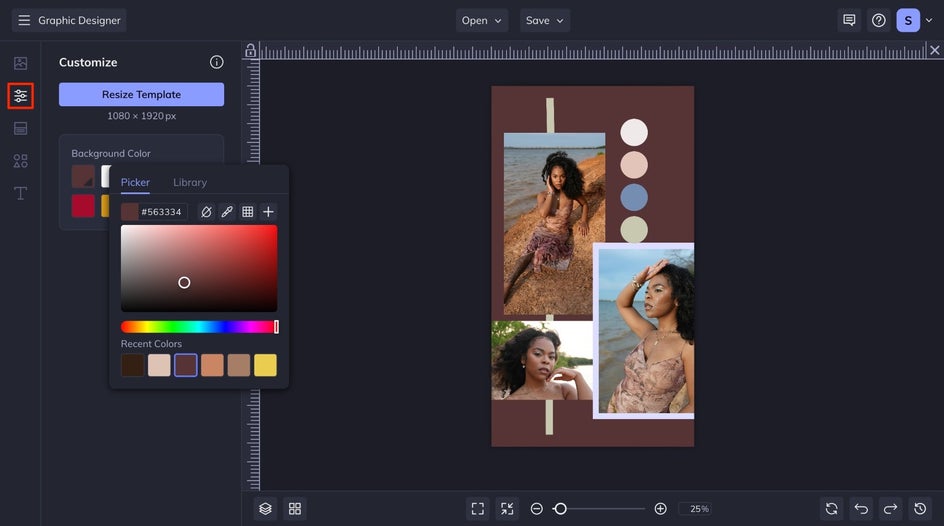
Backgrounds can elevate your Story without stealing the show. From the Customize tab, select the background color by clicking on the Color Picker and choosing the background color that fits your fashion the best.
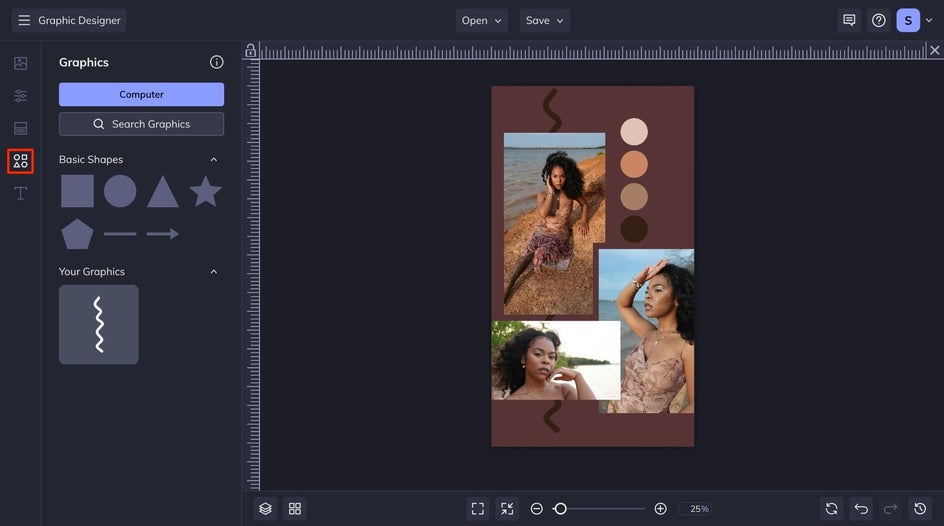
To personalize even more, navigate to the Graphics tab to choose new and on-brand graphics for your Story.
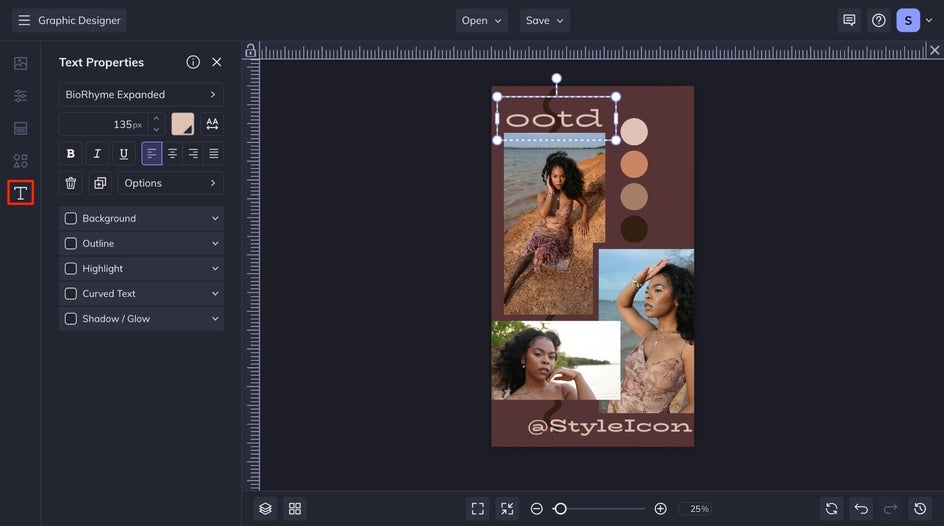
To add additional text to your template, head to the Text tab. Select a font and add your handle, tag brands, or include a vibe-setting quote (“main character energy,” anyone?).
Step 5: Save and Share
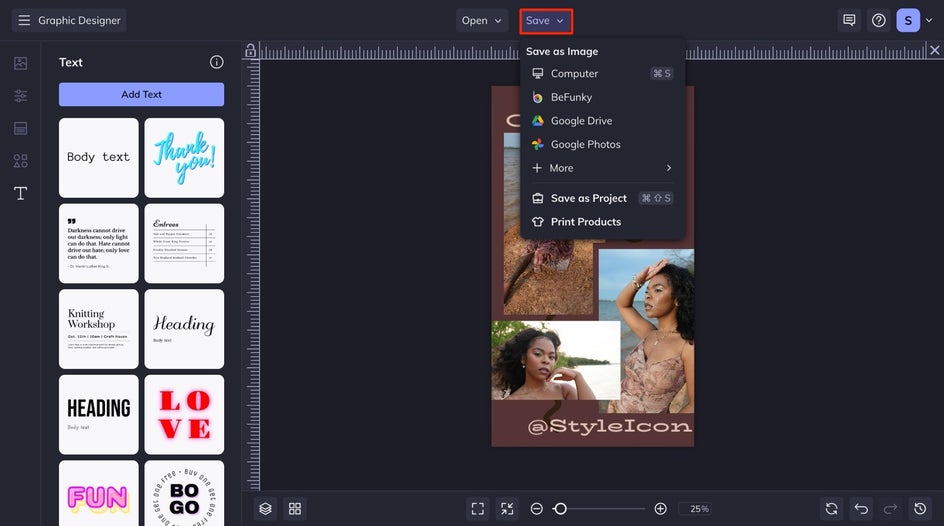
When you’re done, hit Save at the top of the canvas and either post to your Stories or queue it up for later. You can also “Favorite” the template to reuse it for future outfits.
Outfit of the Day: Final Reveal
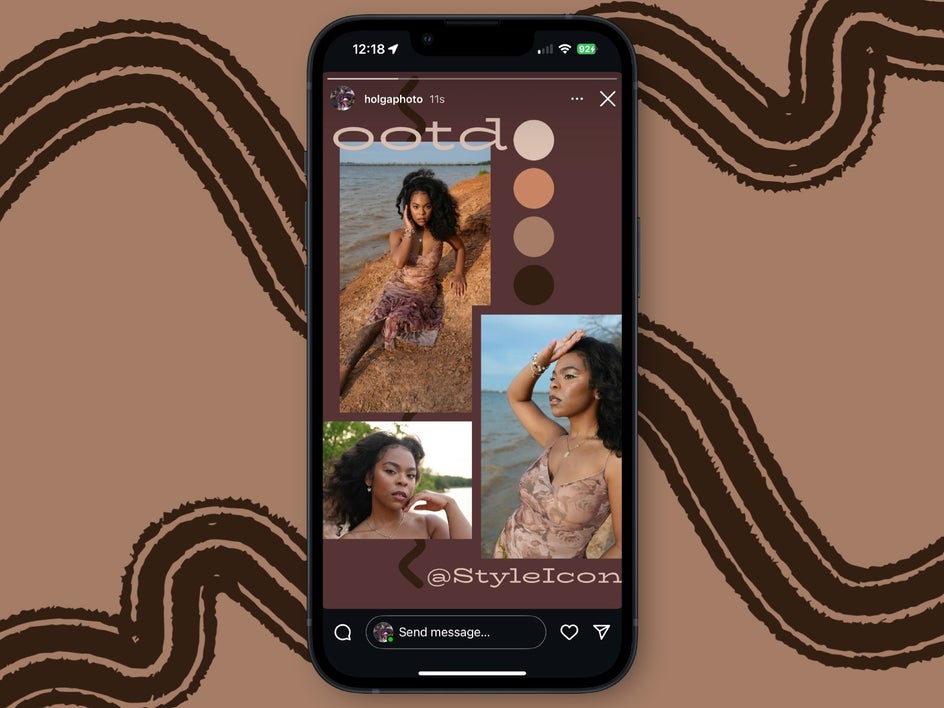
With just a few quick edits, your OOTD Story is ready to post, and it looks like it was created by a pro. The combination of thoughtfully chosen templates, cohesive fonts, and on-brand colors ensures your outfit photos stand out in a sea of Stories.
OOTD Ideas for Every Style
Different styles benefit from different visual treatments. Here are a few outfit of the day niches and ideas for how to bring them to life using BeFunky:
Streetwear
Bold clothing choices like sneakers, statement outerwear, and oversized silhouettes pair well with urban-inspired design. Utilize grungy textures, graffiti elements, and bold color contrasts to convey the energetic essence of the style. You can apply eye-catching effects (we used Glitch here) in the Photo Editor to make your streetwear pop.

Vintage or Thrifted Finds
Retro styles come to life with film overlays, aged textures, and muted tones. Look for templates with Polaroid frames or layered collage-style layouts. Fonts that mimic typewriters or 70s signage add authenticity. Filters like Instant or Film Grain create a nostalgic feel.

Highlight the Little Details
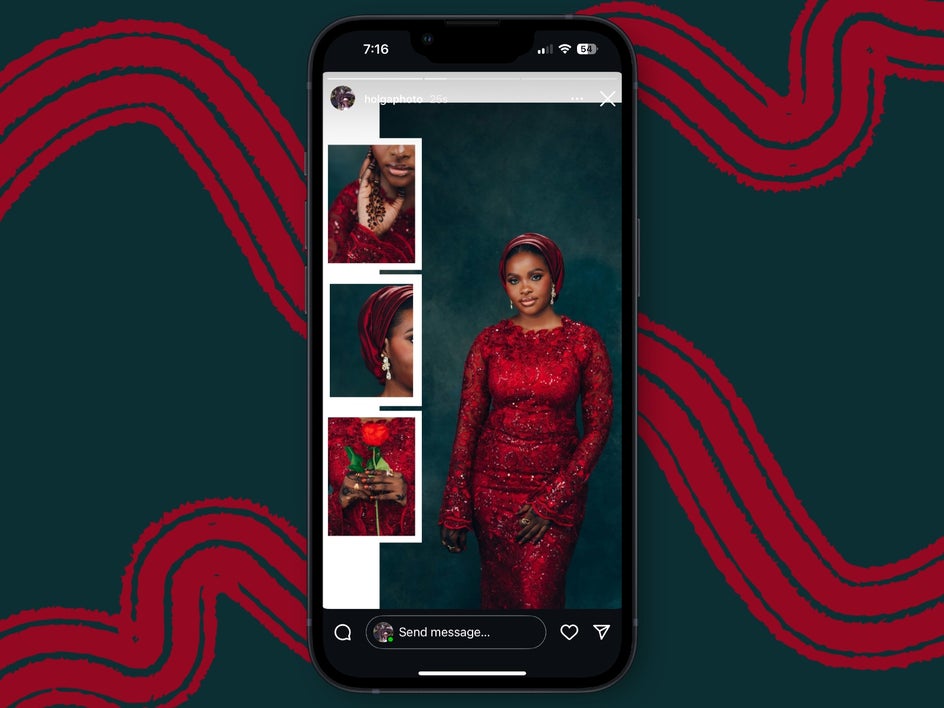
Sometimes the most memorable part of an outfit isn’t the full look . . . it’s the intricate details that tell a deeper Story. Lace patterns, jewelry, embroidery, and even the way a fabric catches light can all become focal points. Zooming in on accessories, makeup, or fabric texture gives followers an intimate look at your style.
Style Is in the Story
There is a difference between simply wearing something and truly sharing it. When an outfit is thoughtfully presented, it becomes more than fabric and fit; it becomes a reflection of mood, personality, and creativity. Strong visual design enhances that message, helping the content feel confident, curated, and intentional.
BeFunky makes it easy to turn outfit photos into fully realized Stories that feel as styled as the clothes themselves. These Instagram Story templates give you total creative control over layout, color, text, and branding. Whether the goal is consistency, audience engagement, or simply stronger storytelling, every feature is designed to support the process. Start creating your OOTD Story that shows off your style and creativity.