How to Customize Instagram Story Templates

Instagram Stories are a powerful way to connect with your audience, whether you're promoting your business, sharing behind-the-scenes moments, or featuring a sale. Over 500 million users engage with Stories daily, making them a great opportunity to increase your profile’s visibility and drive traffic. However, Instagram’s built-in tools can feel limiting when it comes to branding and efficiency. Thankfully, this is where BeFunky’s Graphic Designer and customizable Instagram Story templates come in handy!
With our predesigned templates, you can create on-brand Story slides in the perfect size (1080 x 1920 px), easily swap out content each time, and maintain consistent visuals – all without having to start from scratch each time. It’s perfect for sharing eye-catching visuals featuring business updates, holiday content, specials and sales, event announcements, “get to know me” posts, and more.
Below, we’ll walk you through the simplest way to build a versatile, on-brand Instagram Story template that can be reused again and again!
What Are Instagram Stories and Why Should You Make Them?
Instagram Stories let you share everything from quick quotes and memes to longer narratives and behind-the-scenes moments, making them a powerful way to connect with audiences. While you’re able to create Stories directly in Instagram, the app’s limited design features make it hard to stay on-brand or reuse layouts. With our Graphic Designer, you’re able to create polished and reusable Story templates that save time and make your content stand out every time you post.
How to Customize Instagram Story Templates
Ready to design a custom Story template for Instagram? Head directly to the Instagram Story templates library to get started. Choose the template you wish to use, then follow these 4 steps below!
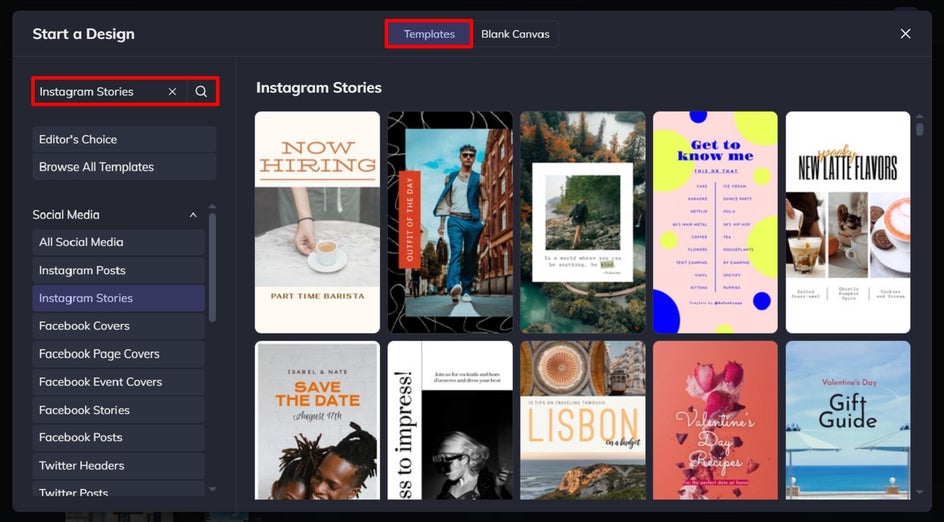
Step 1: Add Your Images
The first thing you’ll need to do is to change the template’s existing photo (or photos) for one that represents your Story content. Navigate to the Image Manager, then upload your own file(s). Simply drag and drop the new image onto the existing image to replace it.
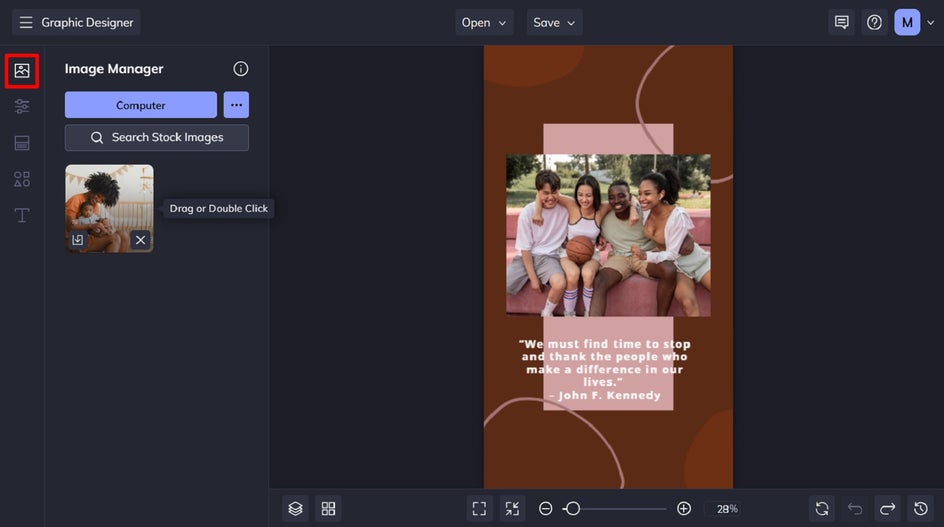
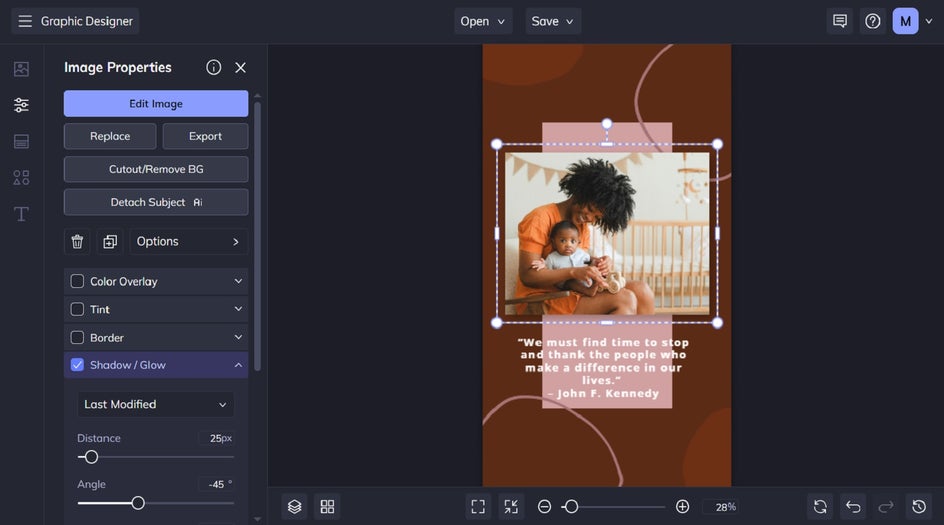
Want to customize your new image? Click on the image, and this will bring up the Image Properties menu. From here, you’re able to edit the image in the Photo Editor (if you want to make corrections, add effects, or more), as well as add a drop shadow or color overlay, or even remove your image’s background.
Step 2: Customize the Background
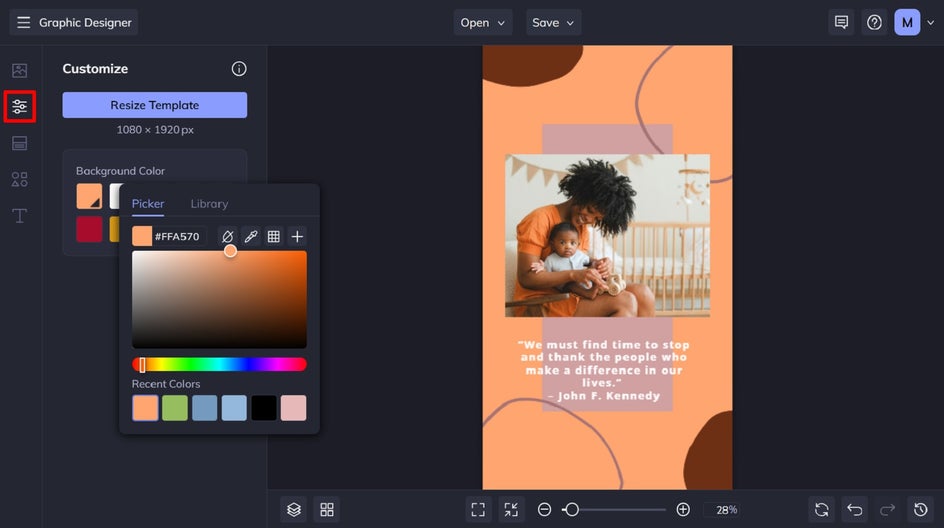
Want to change the background color of your Instagram Story design? Navigate to the Customize tab, then select a new shade from the color swatches. Clicking the first swatch will open the Color Picker, which allows you to choose any color you want.
Step 3: Add Text and Graphics
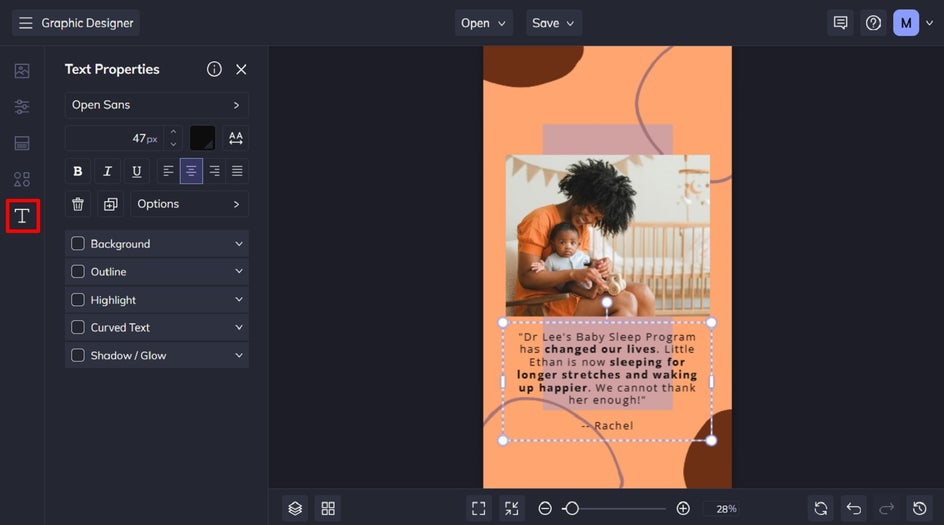
You’ll also want to edit the Story template’s existing text to include your own message. To do this, just double-click the text box you wish to change, and type. From the Text Properties menu which appears when you click on a text box, you can also adjust things such as the font, text size, text color, spacing, and more.
If you have existing graphics or shapes on your template, you can change the color of these to better suit your own branding. Just click on the graphic or shape you wish to change, and a Graphic Properties menu will appear. From here, adjust the color overlay or fill color.
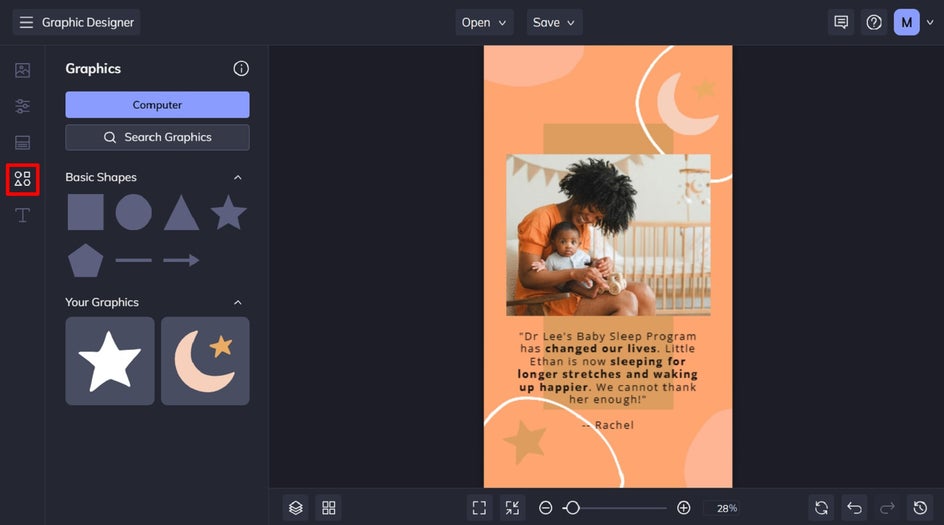
Want to add more graphics to your Instagram Story design? In the Graphics tab, there are basic shapes to choose from, or click Search Graphics to access our huge library of clip art, symbols, illustrations, and more. Once selected, drag and drop the new graphics onto the design and reposition or resize as needed.
Step 4: Save Your Instagram Story
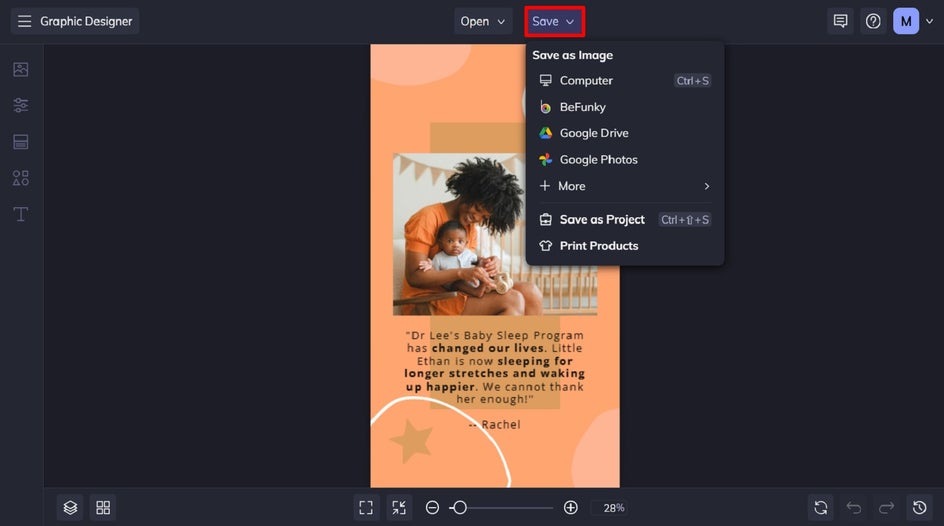
Once you’ve finished designing your Story, save it as a JPG or PNG file, so it’s in a compatible format for uploading to Instagram. We also recommend saving your custom Instagram Story template as an editable BeFunky file that you can edit any time you want to reuse it. To do this, click Save, then select Save as Project and BFD.
An On-Brand Instagram Story in Minutes
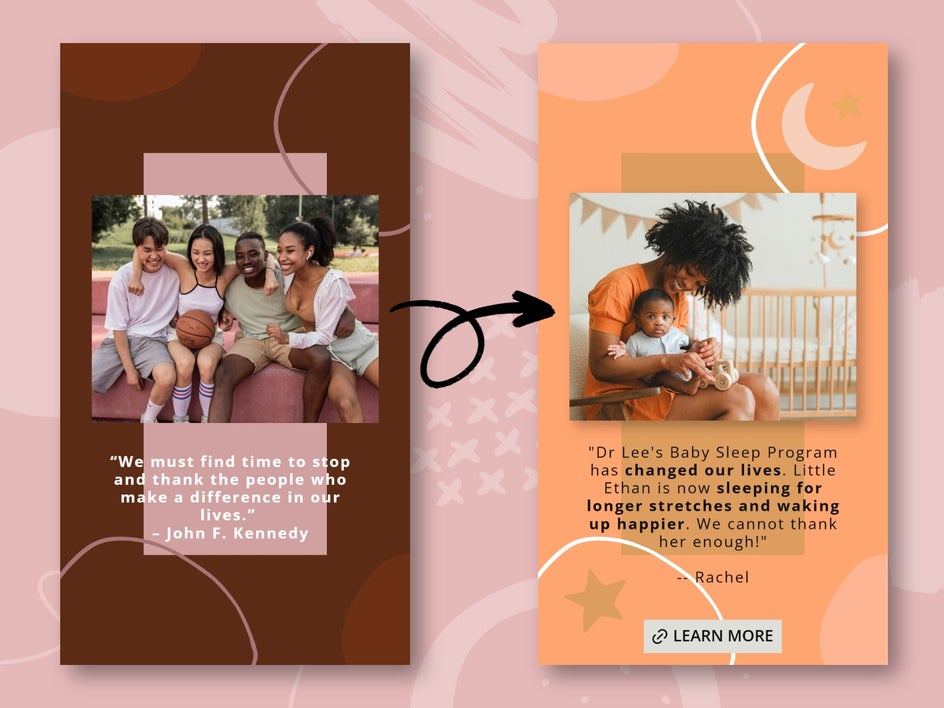
By building versatile Instagram Story templates in the Graphic Designer, you’ll never have to start from scratch again. Swap in new images and text, customize the color scheme, and your on-brand Stories are ready to go.
Types of Instagram Stories
Reusing Story templates keeps your visual identity strong and ensures every post feels intentional – even when you’re short on time. Here are four of the most popular types of Stories, which audiences are sure to love!
Business Updates
Whether you’re introducing a new product, announcing updated hours, or highlighting team milestones, an engaging and eye-catching Instagram Story helps you get the word out quickly and professionally. Just pop in your new text and image, and you’ve got a branded Story ready to share. It keeps your audience informed and reinforces your visual style with every update.
Specials and Sales
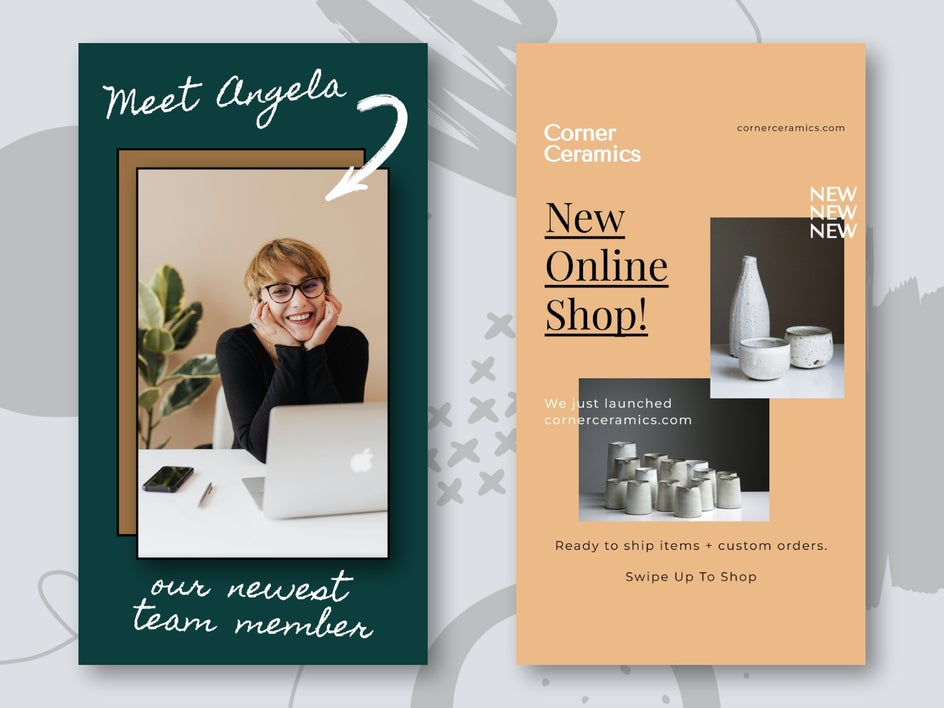
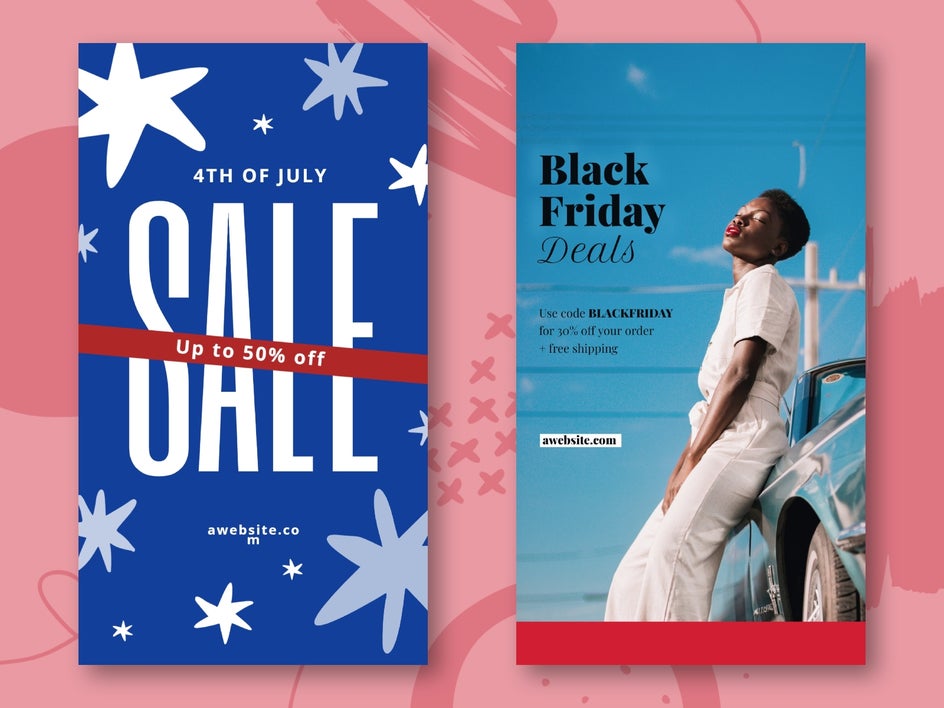
Make promos stand out with bold, on-brand designs that drive action. Whether it’s a limited-time discount, high-value bundle, or seasonal sale, our Story templates give you a strong starting point. Just update the offer details, adjust the imagery, and share! It’s a simple way to turn views into clicks.
Event Announcements
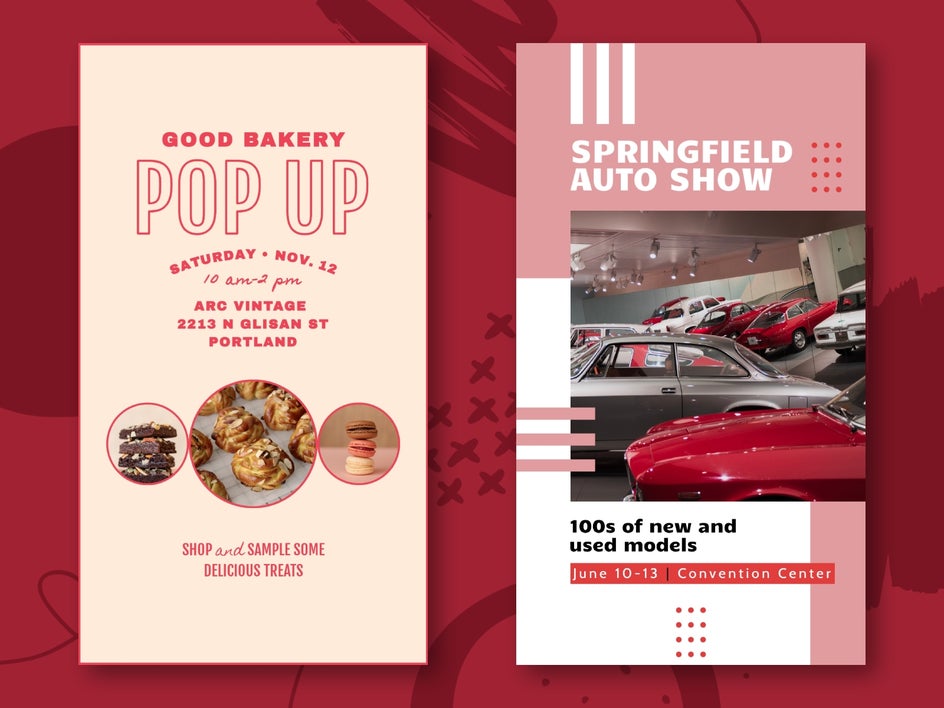
Hosting a live workshop, pop-up market, or launch party? Our Story templates make it easy to share all the key info – like date, time, location, and RSVP links – without having to start with a blank canvas each time. A well-designed slide adds polish to announcements and helps events feel even more official and exciting.
Holiday Content
From festive greetings to seasonal offers and gift guides, holidays are the perfect time to keep your brand top-of-mind. You can even use Story templates to share countdowns, limited-edition items, or behind-the-scenes holiday prep – all with a cohesive visual style. With our customizable and professionally designed Instagram Story templates, it’s easy to infuse your content with seasonal spirit while staying true to your branding.

Start Designing an Instagram Stories Today
BeFunky’s Graphic Designer gives you the flexibility to build branded, eye-catching Instagram Story templates you’re able to reuse again and again, making your workflow faster, easier, and far more creative. Whether you’re promoting a sale, launching a product, or simply sharing your day, our templates help you do it in style.
Ready to start creating scroll-stopping and on-brand Story content? Check out our Instagram Story template library today!