DIY Mother’s Day Cards With the Card Maker

Have you ever wondered what makes a truly meaningful Mother’s Day card? If you ask your mom, she’d probably say one that comes straight from the heart. And nothing feels more heartfelt than a personalized design created just for her. Whether she loves something sweet and sentimental, modern and minimalist, floral and elegant, or playful and lighthearted, the right card reflects her personality.
Instead of heading to the card aisle this year, consider creating something custom. With BeFunky’s Card Maker, you can choose from beautifully designed Mother’s Day templates in a range of styles, then personalize them with your own photos, colors, and message. Not sure what to write inside? You can always find inspiration in our collection of Mother’s Day quotes to help you say exactly what you’re feeling!
Designing a DIY Mother’s Day card is simple and doesn’t take much time at all. Keep reading to learn how to create a one-of-a-kind card she’ll want to keep forever.
How to Create a DIY Mother’s Day Card
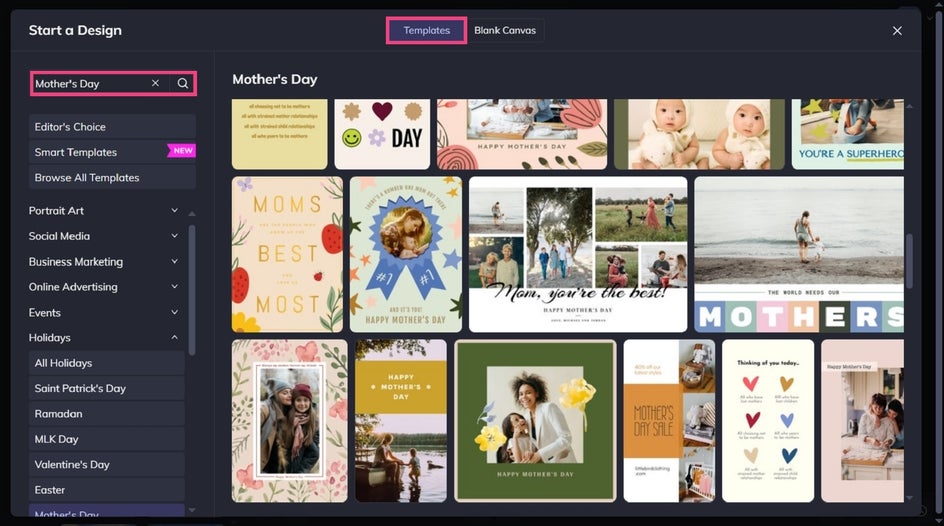
Ready to create a meaningful Mother’s Day card? To get started, head directly to our Mother’s Day templates. Click on the template that takes your fancy, before selecting Use This Template to begin editing it.
Step 1: Upload Your Own Photo
The first thing you’ll want to do is swap out the card’s existing photo for one featuring you and/or your mom. To do this, select the existing image with your mouse, then click Replace from the Image Properties menu. This will open your computer’s files, from which you can select your new image.
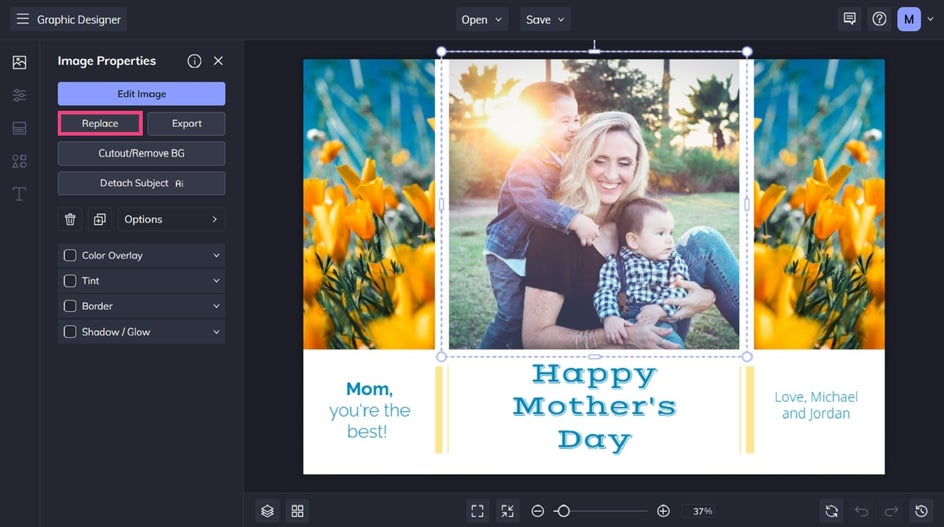
Pro Tip: Want to edit your photo or add some effects to it? Just click Edit Photo from the Image Properties menu to open your image in the Photo Editor – no separate tabs required!
Step 2: Edit the Text
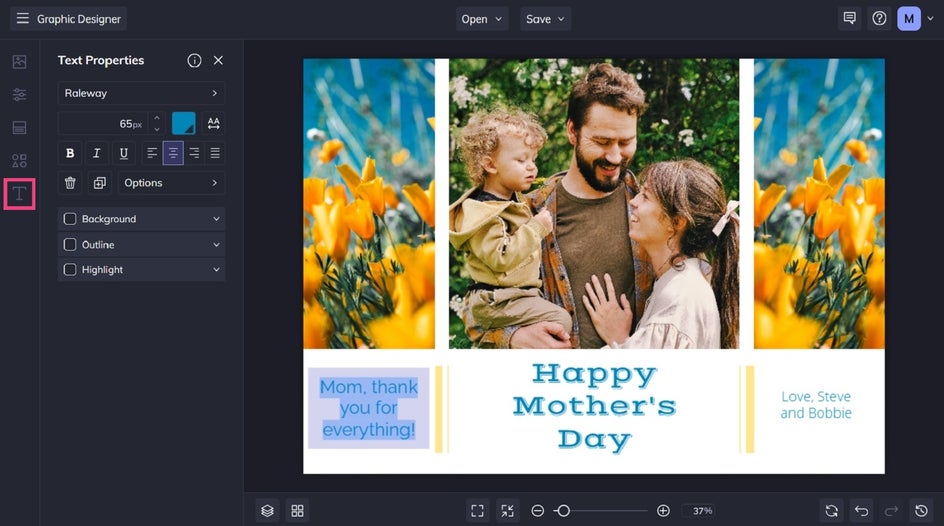
To alter any existing text, just double-click the text box and type what you want it to say. You can also click on any text box to bring up the Text Properties menu. From here, you can change things such as the font, color, spacing, alignment, and more.
Step 3: Customize the Design
Simple tweaks like changing the color scheme or adding graphics can further enhance your Mother’s Day card design.
Navigate to Customize to change the background color.
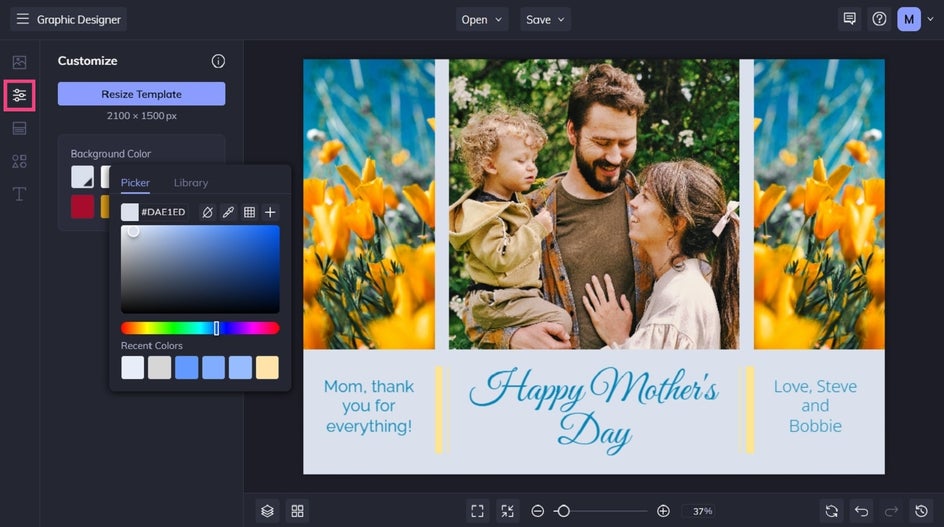
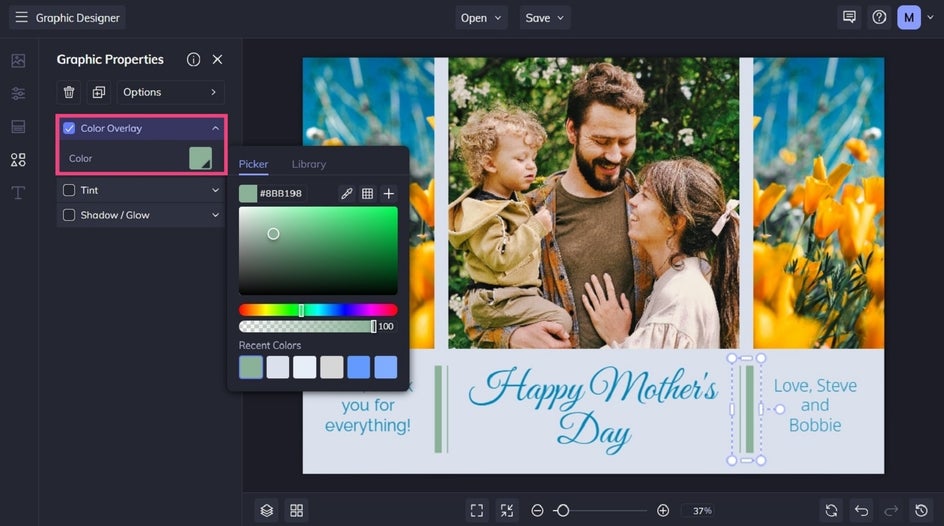
You can also change the color of new or existing graphics using the Graphic Properties menu. Just click on the graphic or shape you wish to change to access this.
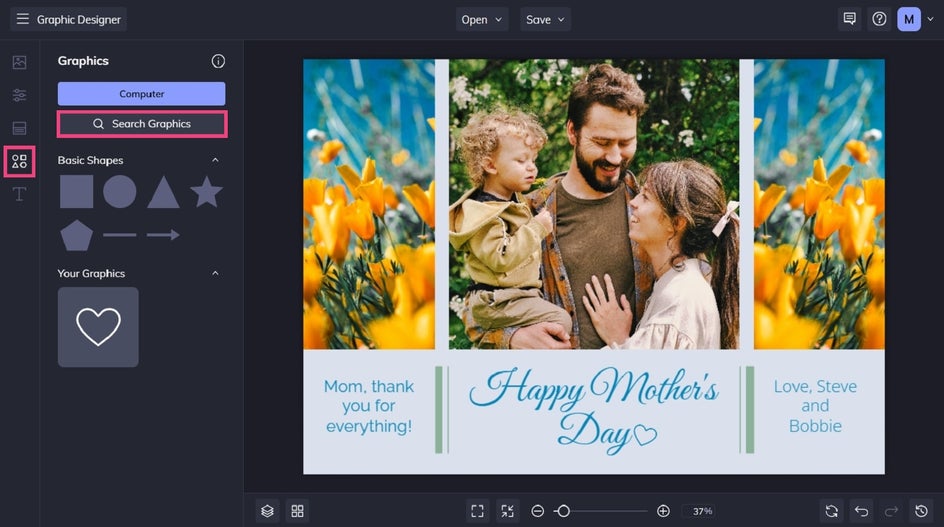
Want to insert additional graphic elements to give your Mother’s Day card template a fun, unique look? Navigate to Graphics, then click Search Graphics to access a huge range of illustrations, clip art, shapes, and more.
Step 4: Save and Share Your Card
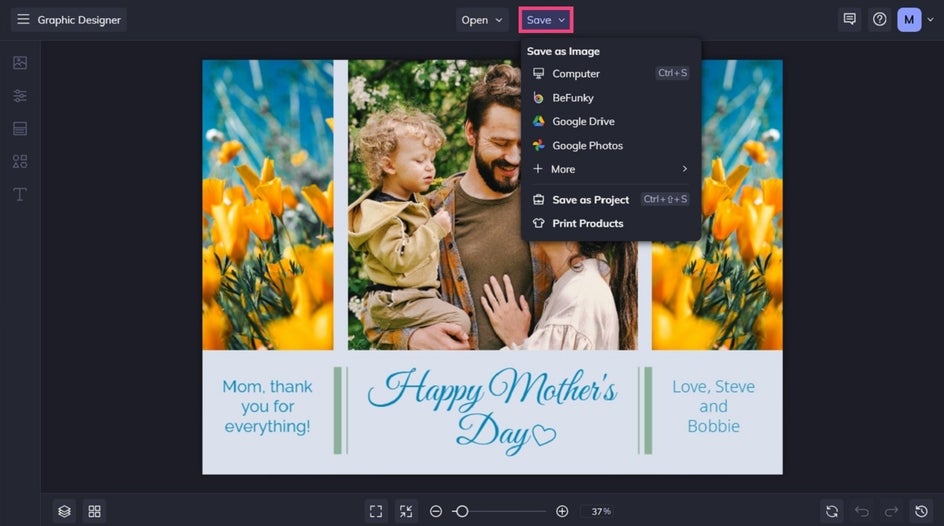
Once everything looks just right, click Save at the top of the screen. Your Mother’s Day card can be shared digitally, printed at home, or professionally printed through Zazzle.
Final Results: A Custom Mother’s Day Card in Minutes
There you have it – a beautiful, personalized Mother’s Day card that beats any store-bought option!

Inspiration for Easy Mother’s Day Cards
Before you start designing your own Mother’s Day card, let us share some of our favorite Mother’s Day card templates to get your creative juices flowing.
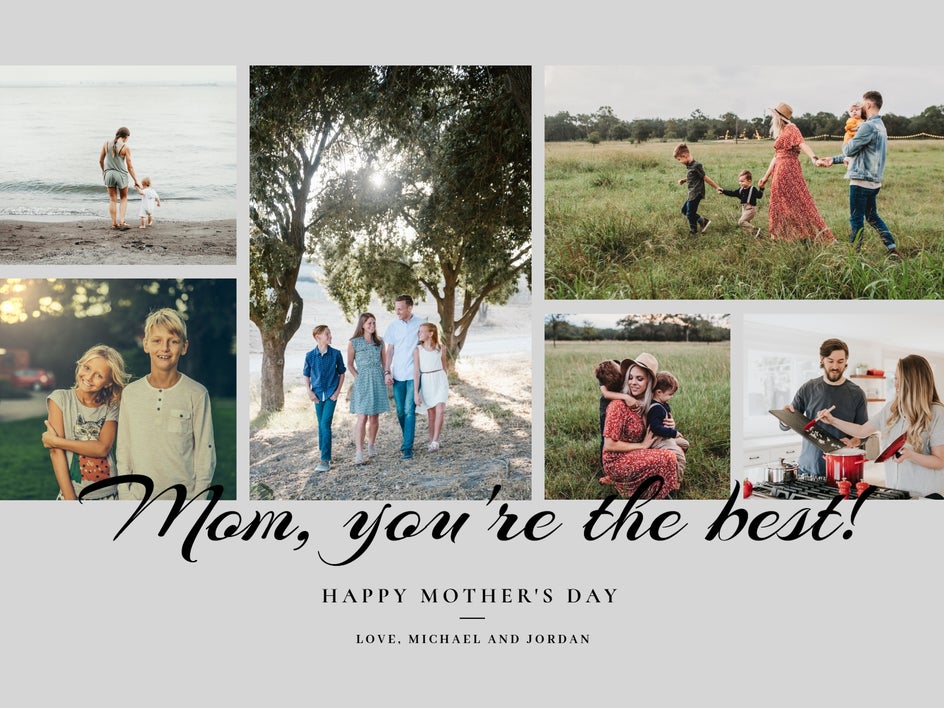
Collage
Sometimes, a single photo just won’t do. Whether you’re having trouble narrowing your favorite images down to one, or simply want to showcase several photos from the same series, then a collage style Mother’s Day card is for you.
Arty
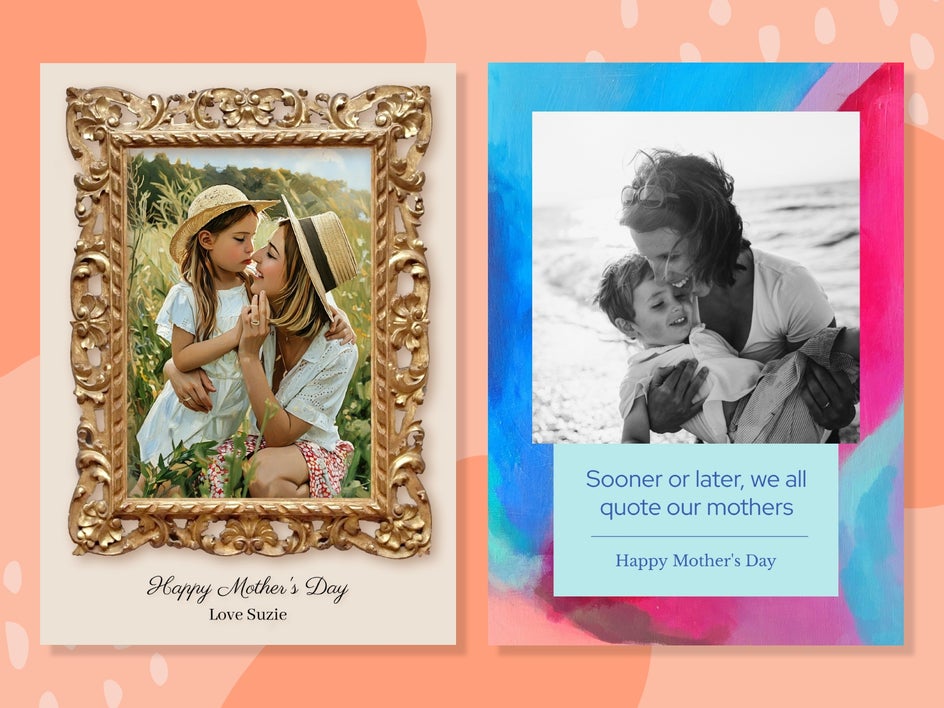
If your mom appreciates creativity, color, or anything a little outside the box, an artsy Mother’s Day card is a beautiful way to reflect that. Think painterly textures, abstract backgrounds, hand-lettered typography, or bold color palettes. You can add Artsy effects to your photos, insert brush strokes or graphic elements, and experiment with unexpected layouts to create something that feels truly one-of-a-kind.
The example below on the left uses a Smart Template that instantly transforms your chosen photo into a watercolor painting. Just swap in your own image – no editing required! Mom is guaranteed to love that unique touch.
Flowers and Foliage
You can never go wrong with feminine florals and foliage for Mother’s Day. Soft pastels, delicate botanicals, watercolor blooms, or elegant greenery all create a timeless look that feels thoughtful and refined. Whether your mom loves roses, wildflowers, or subtle leafy accents, a nature-inspired card instantly adds charm.

Playful and Light-Hearted
If your mom is known for her sense of humor, why not choose a card that makes her smile (or laugh out loud)? Playful designs with bright colors, quirky illustrations, fun fonts, or cheeky messages are perfect for celebrating her personality.
You can personalize it with inside jokes, candid photos, or a witty one-liner that captures your relationship. After all, Mother’s Day doesn’t have to be overly sentimental – sometimes the most memorable cards are the ones that feel joyful and true to who she is.

Whatever style card you think your mom will love the most, we’ve got it all. The best part is you can either use the designs we’ve created and only swap out a few elements or go full-on with your customization. There’s no limit to your creativity!
Heartfelt Mother’s Day Wishes Start With the Perfect Card
Thanks to our wide range of Mother’s Day card templates, creating customized cards for your loved ones has never been easier. This Mother’s Day, make mom’s day by giving her a personalized card that shows her how much you care. Go on, try our online Mother’s Day card maker for yourself!