









Design and Print Family Portrait Art With BeFunky

Family photos are special no matter how simple they are – but that doesn’t mean you shouldn’t get creative with it. Instead of using the same cookie cutter family portraits for your wall art, holiday cards, and scrapbooks, consider turning your family photos into breathtaking art with the Graphic Designer. With tons of effects, assets, and editing tools, the Designer allows you to create unique family portrait art that you can cherish for years to come. Smart Templates make the process even easier: Simply drag and drop your family photo into a template to create an instant, one-click design.
BeFunky’s Smart Templates feature professional layouts that use Artistic effects and other photo editing tools to transform any family portrait into a stunning work of art. Combine that with BeFunky’s Zazzle integration and you can have a beautiful, creative print ordered to your door – fast.
How to Design & Print a Custom Family Portrait in Minutes
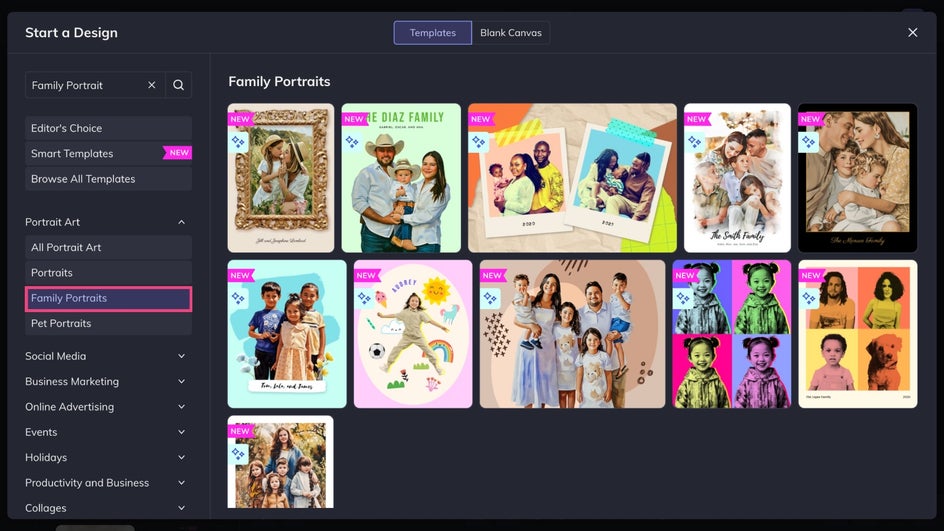
First, open up the Graphic Designer and head to the Family Portraits category to browse our templates built just for family photos!
Step 1: Choose a Template
Click on a template to preview the design – your family portrait will have the same layout and art style. Text and colors can always be customized later.
Step 2: Add a Family Photo
Click Replace Image, drag and drop a family photo onto the canvas, or select one from your Image Manager to replace the placeholder image. For the best results, choose a well-lit portrait of your family from either the waist or bust up.
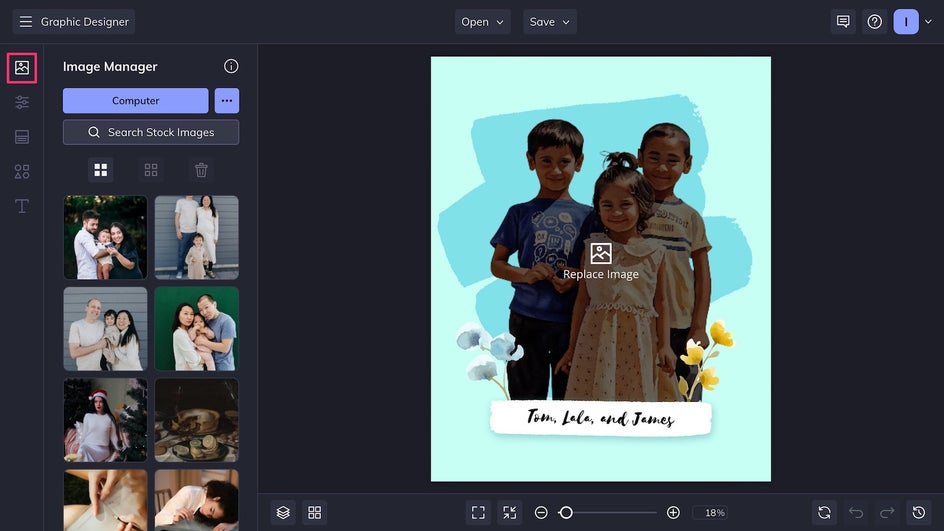
Once your family portrait is uploaded, the Smart Template AI will analyze it and automatically apply effects and tools to create a beautiful family portrait design. In this case, our template uses the Background Remover and a watercolor painting Artsy effect. Click on your newly edited photo to resize and reposition it as needed.
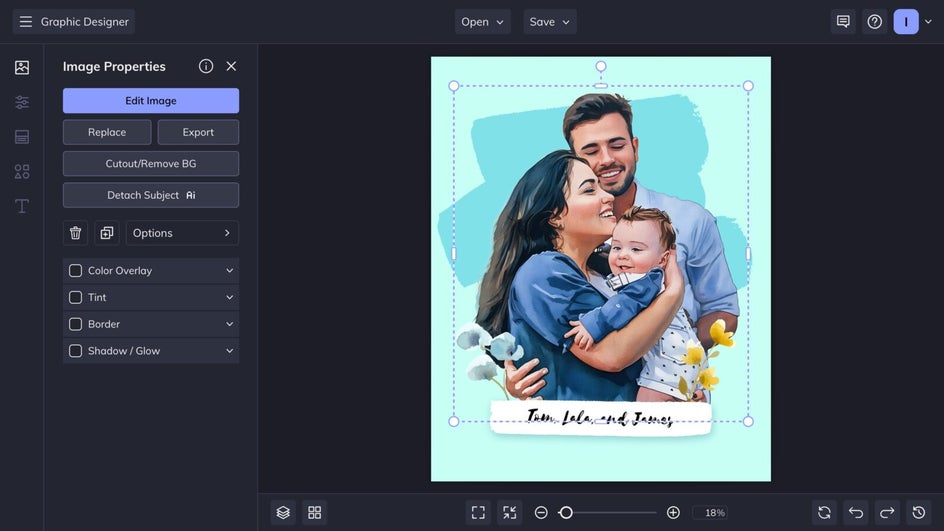
Step 3: Personalize the Design
Click on the text to customize it with your family name, a meaningful phrase, or a date you want to commemorate.
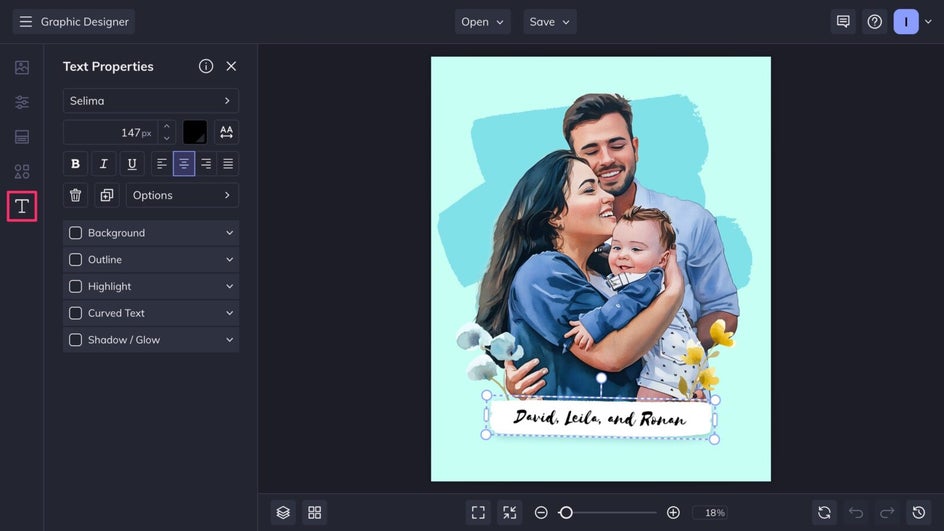
You can easily adjust the text color, font, and style, as well as the canvas background color. However, for a polished result with minimal effort, simply update the text and leave the rest of the design as is – the layout, typography, and spacing have already been optimized by BeFunky’s professional designers.
Step 4: Save and Print Your Family Portrait
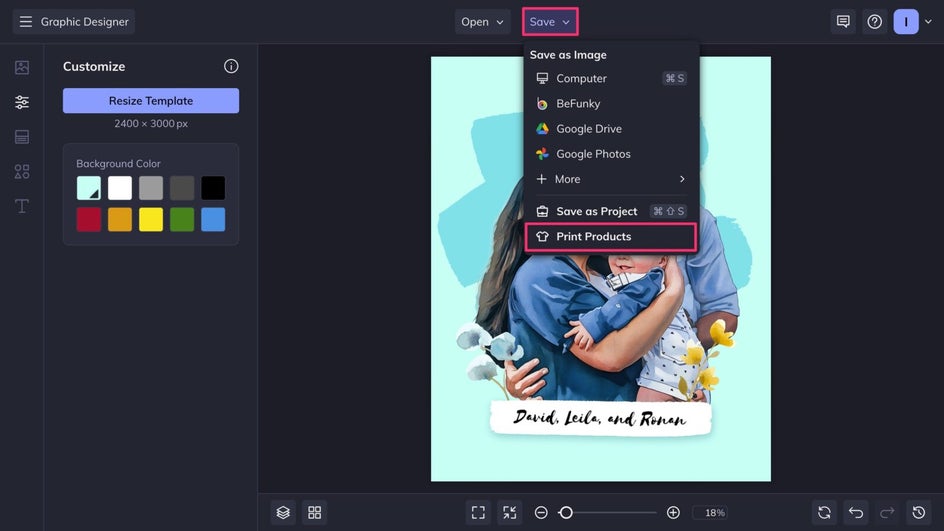
Your design is complete! To print your family portrait right from the Designer, click the Save button at the top of the canvas and select Print as Product.
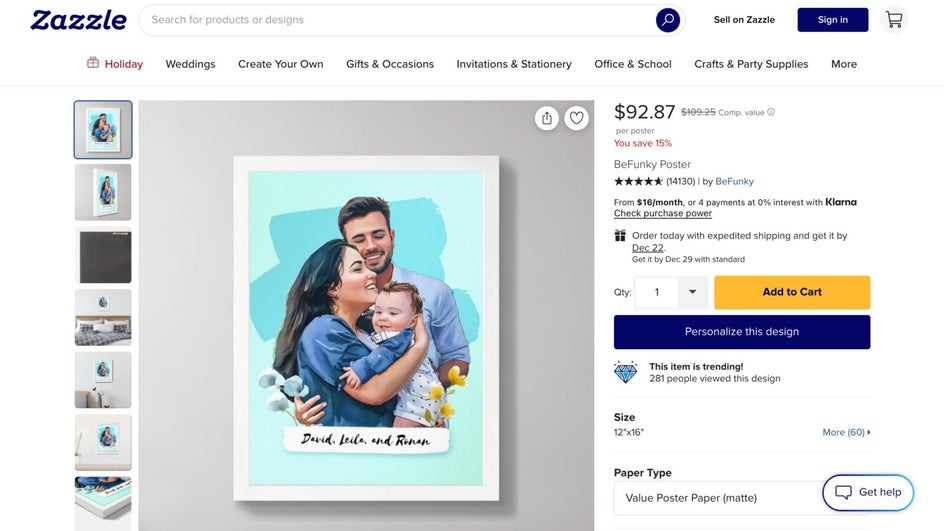
On the Zazzle website, choose from print options like a framed canvas or a high-quality poster, then customize the material, size, and other options to suit your space. Whether the design is a statement piece for your living room or something subtle for a hallway, there’s flexibility to match both budget and style.
The fun doesn’t need to stop at wall art. With Zazzle, family portraits can also be printed on mugs, t-shirts, and more – making them thoughtful gifts for birthdays, anniversaries, and the holidays. Once you’ve added the product to your cart and placed the order, you’re ready to go!
Family Portrait Wall Art: Final Results
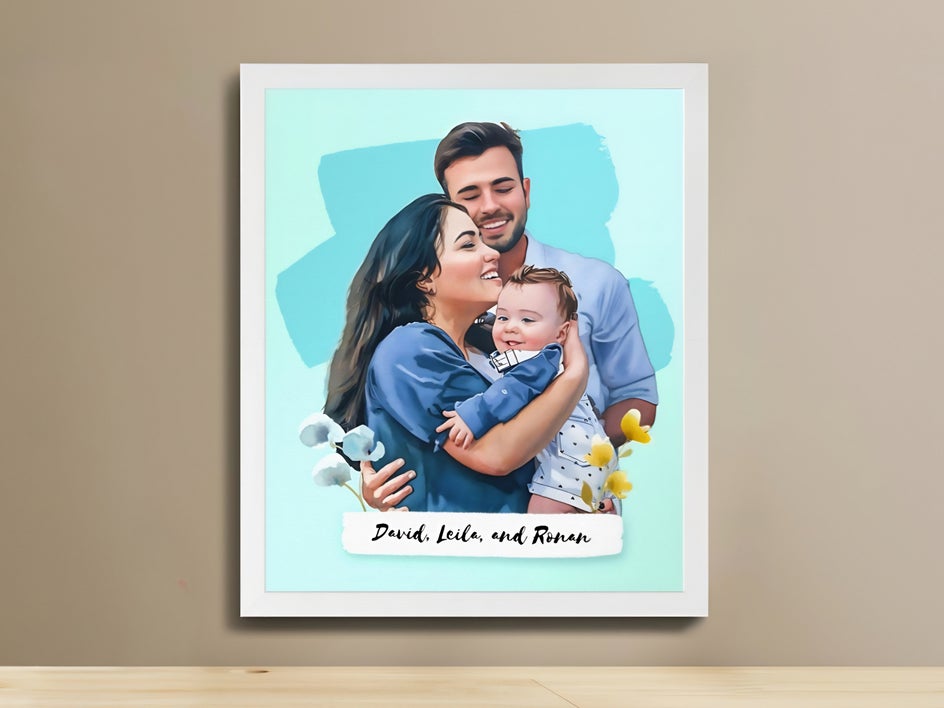
In just a few minutes, we’ve turned a classic family photo into a stunning watercolor design that looks hand painted. It’s perfect for printing and framing, or for turning into a custom mug, magnet, or card.
More Creative Family Photo Projects to Try
The Graphic Designer has so much to offer, you’ll never want to settle for a simple family photo again. These creative projects can take your family portrait to the next level – design them right from your browser or try out the mobile app. Here are some of our favorite templates and design ideas to try.
Unique Holiday Cards
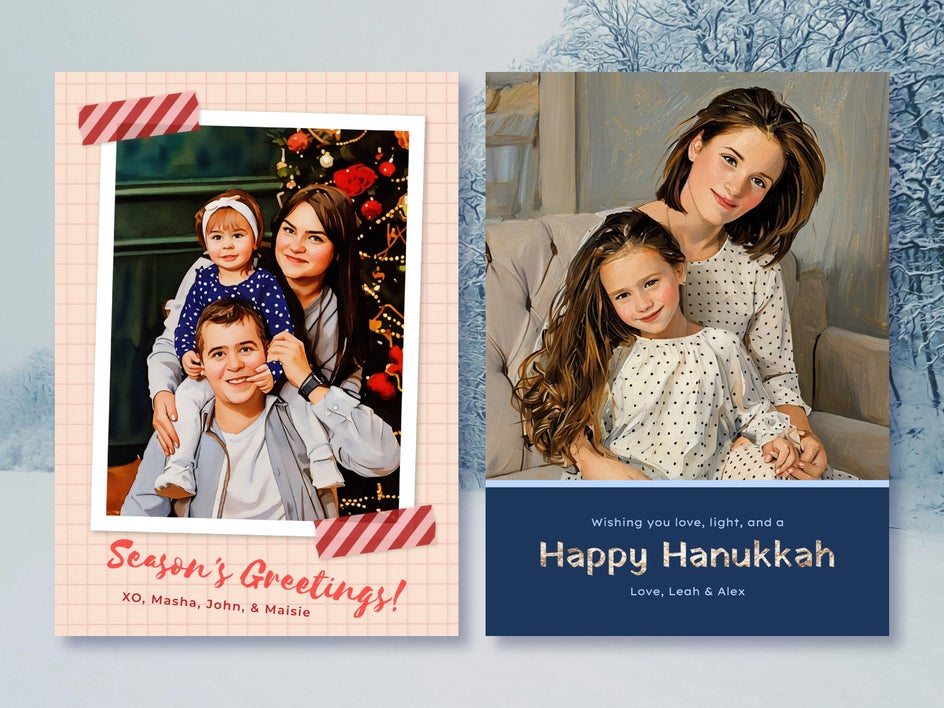
A personalized holiday card is the perfect way to share your festive family portraits. You'll find both regular and Smart layouts to choose from. No matter which style or holiday you're designing for, simply drop in your photo, tweak the text, and you’ve got a card that looks thoughtfully put together – even if the busy holiday season has you feeling rushed.
Spooky Fantasy Portraits
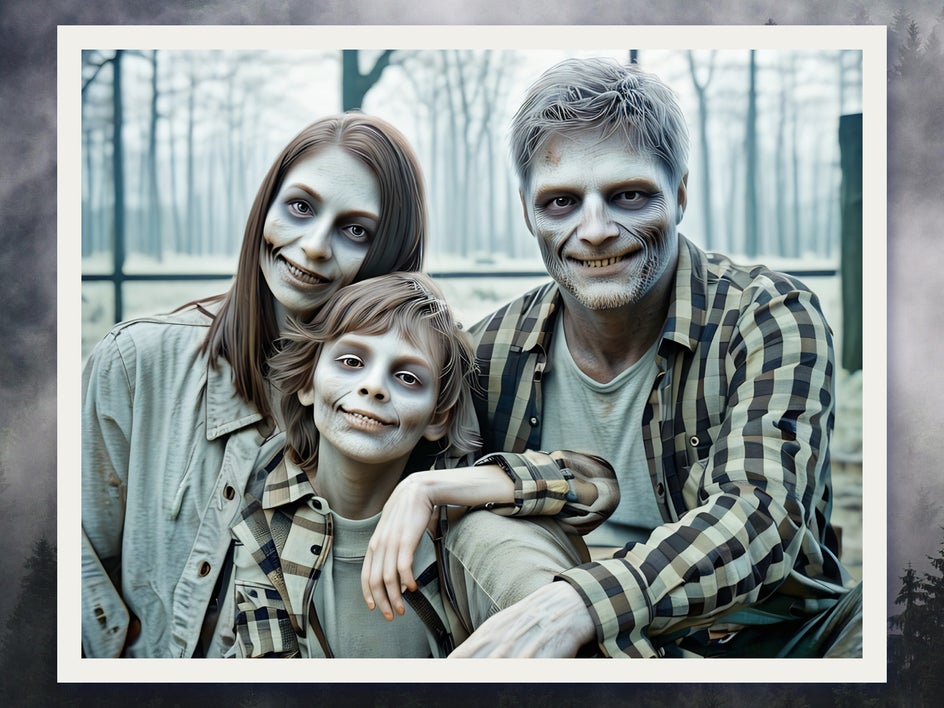
Whether you’re getting into the Halloween spirit or just looking for something a little more unconventional, try applying a Fantasy Portrait effect im the Photo Editor. These effects can transform family members into ghosts, zombies, ice sculptures, and more – perfect for spooky season or just for fun.
Memorable Family Calendar
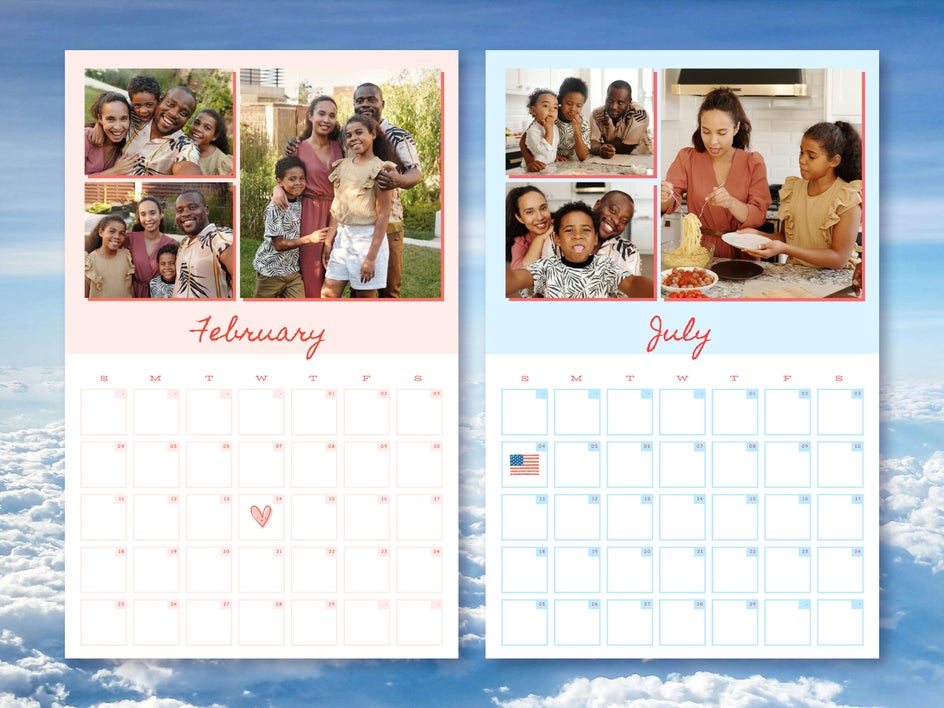
Turn your favorite family photos into a custom printable calendar! Feature different memories for each month, combining posed shots with candid moments. For a cohesive look, keep the design consistent across all pages by using the same fonts and filters, but change the color palette month-to-month to match the seasons.
Preserve Favorite Memories With Printable Family Portraits
BeFunky makes it easy to turn meaningful family moments into creative portraits that feel both professional and personal. Whether you’re updating wall art, creating keepsakes, or making gifts to share, it gives you the flexibility to customize while still delivering professional-looking results. It’s never been easier to create family portraits you’ll be proud to display and revisit for years to come. Design your own unique family portrait today with Smart Templates!




