









Pop Art Portraits: From Social Media Avatars to Family Keepsakes

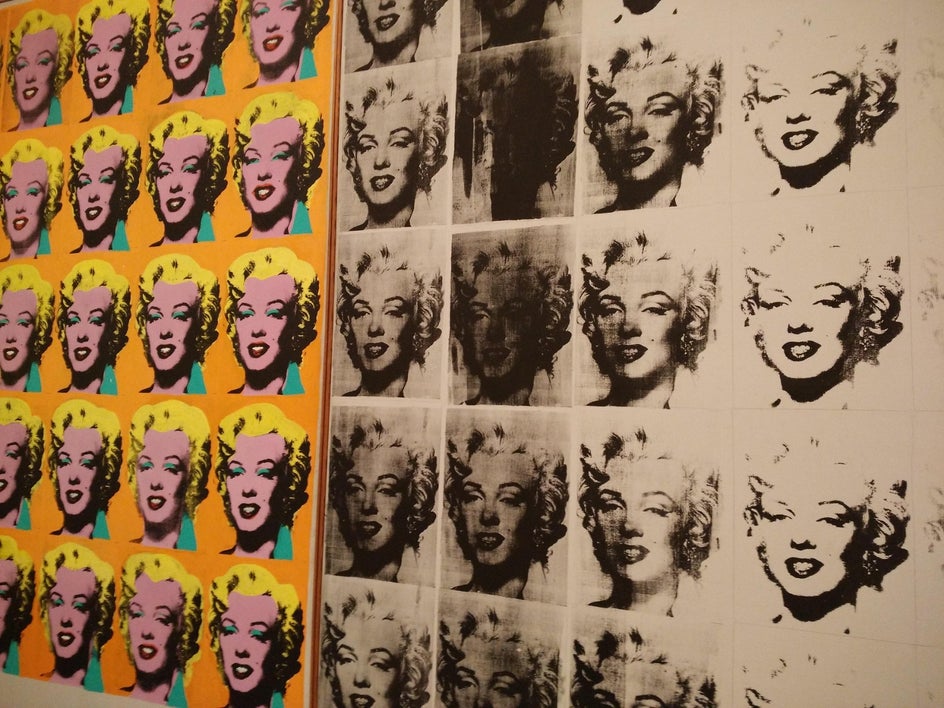
The Pop Art movement was all about challenging the meaningful of artistic value by incorporating everyday subjects and printing techniques to create fine art. Artists like Andy Warhol and Roy Lichtenstein became icons for their vibrant portraits and comic-inspired designs. Warhol’s famous Marilyn Monroe series used repetition, striking color palettes, and high contrast to turn a simple celebrity photo into an instantly recognizable work of art.
That same combination of bold color, clean lines, and dramatic contrast is what makes pop art perfect for portrait photography today. It turns ordinary photos into high-impact visuals that capture both personality and emotion. BeFunky’s Pop Art effects make it easy to channel that timeless style – turning your favorite portraits into works of art that feel both classic and contemporary.
How to Create Pop Art Portraits With BeFunky
Making your own pop art portrait is easier than you may think. Even if you have never edited a photo before, BeFunky makes it simple. All you need is a photo you love and the excitement to see it in a whole new way.
Step 1: Open Your Portrait
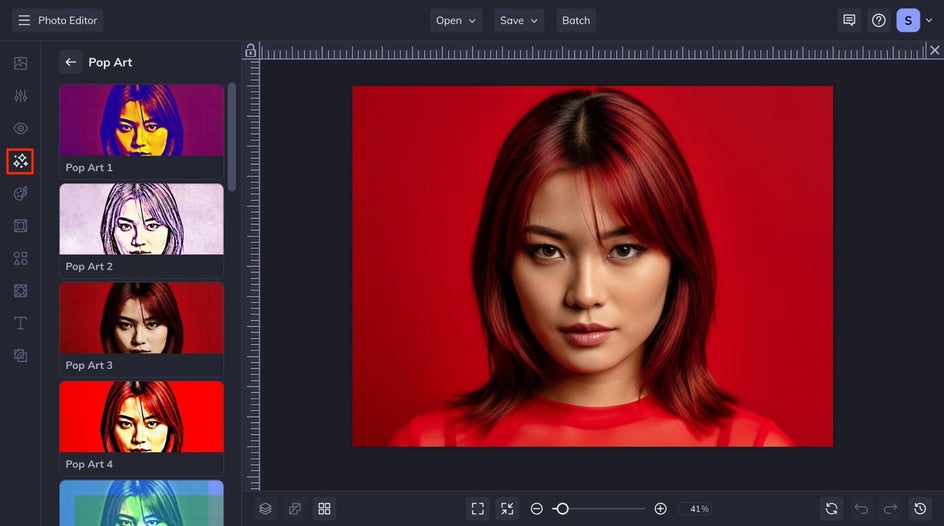
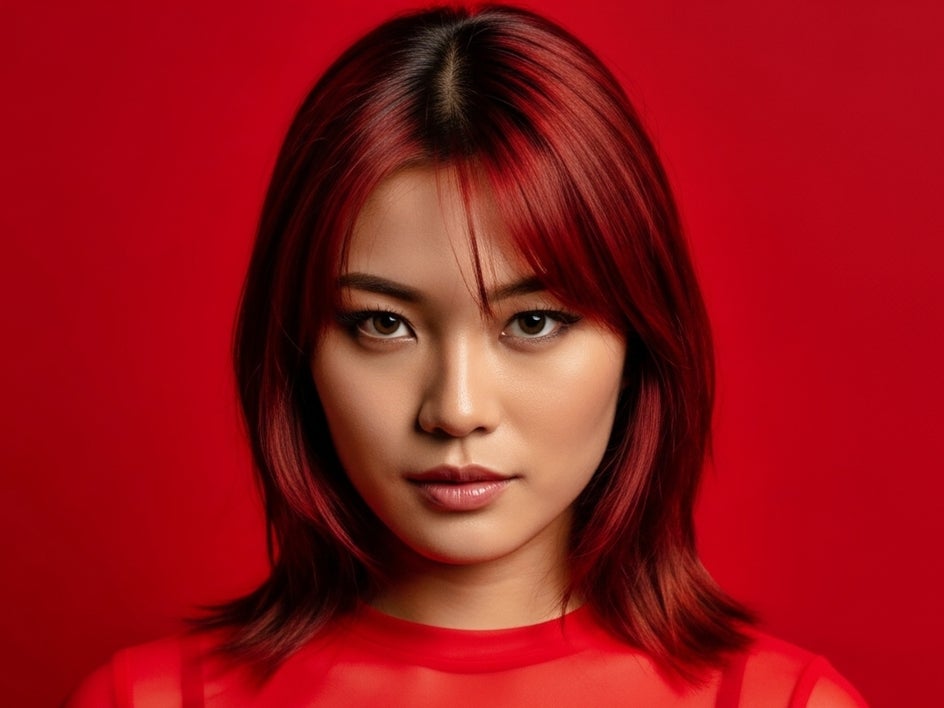
Start by opening your portrait in the Pop Art category, found in the Effects tab. Pop art is all about bold colors and high contrast. Upload a portrait that is well-lit, has a tidy background, and shows plenty of detail. If your photo has a busy background, use the Background Remover to replace it with a plain color.
Step 2: Choose a Pop Art EFfect
Take a scroll through the Pop Art effects, you’ll notice that each one has its own personality. Some capture the bold colors and repeating patterns of Andy Warhol’s portraits, while others lean more toward a comic book or vintage poster vibe.
Click through a few options to see how they transform your photo. Notice how different color palettes and outlines can shift the entire mood of your portrait. A high-contrast effect might feel loud and energetic, while softer tones can create a more nostalgic, retro effect.
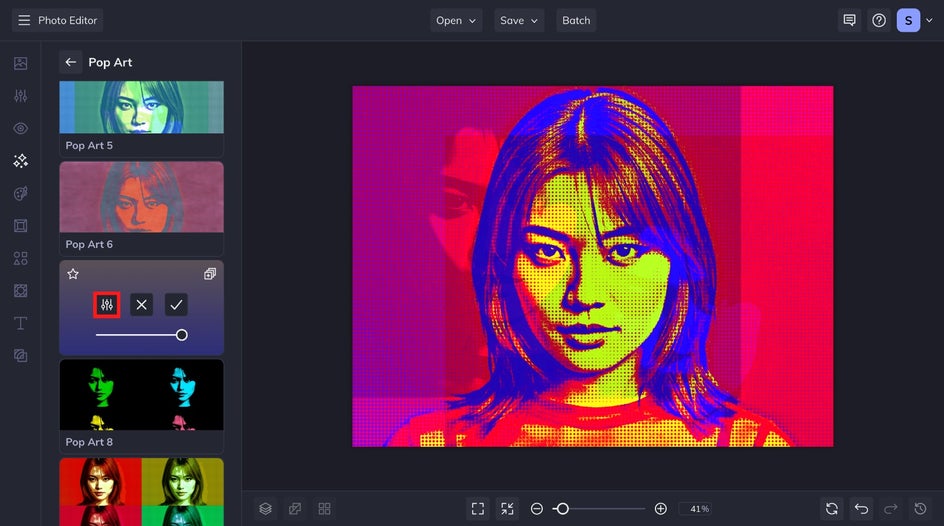
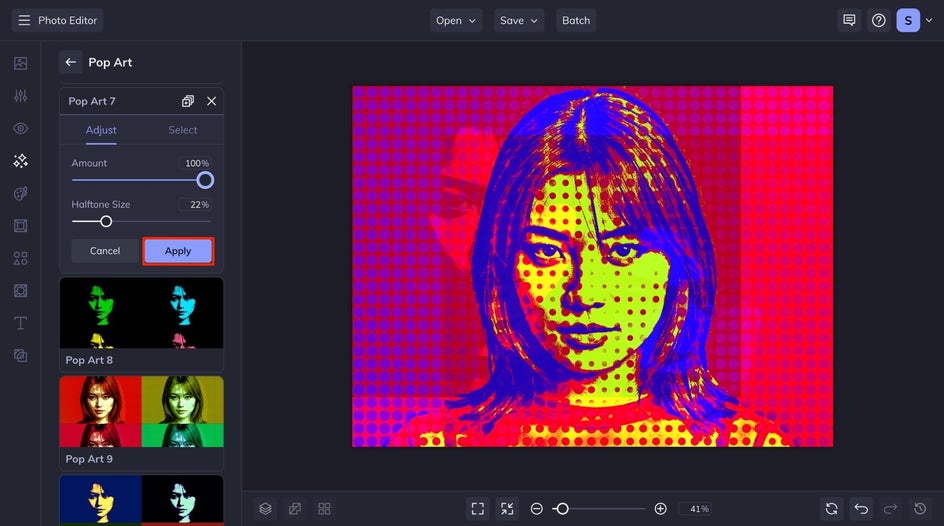
Once you settle on one, play with the Settings sliders, most of the pop art effects have their own customization, adjust the intensity, the halftone amount, or any of the other settings until everything feels just right. Those little tweaks can make your portrait stand out and look completely one-of-a-kind. If you are satisfied with the effect, click Apply.
Step 3: Save Your Portrait Art
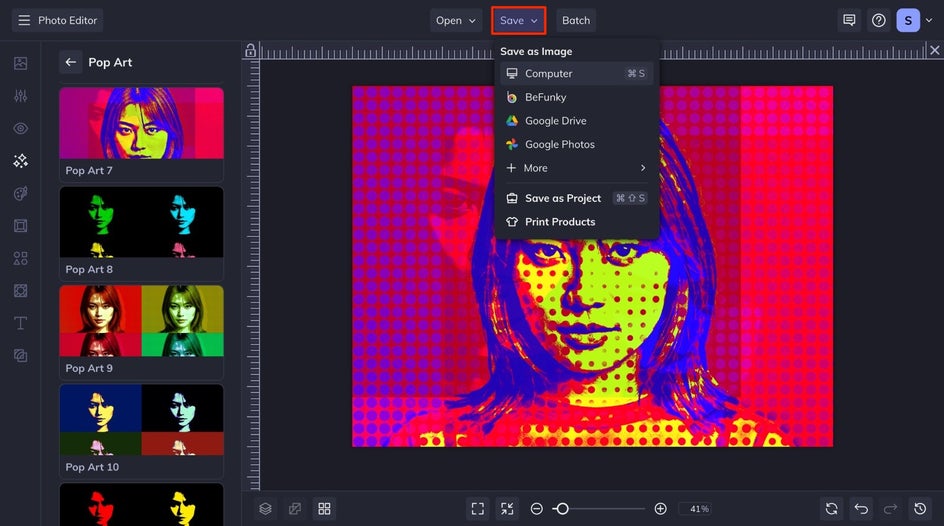
When you’re happy with your pop art portrait, click Save at the top of your canvas. Choose where you want to store your image, whether that’s your computer, your BeFunky account as a project, Google Drive, or Dropbox.
If you plan to print your portrait, save it as a high-quality PNG file to preserve all the color and detail. For online sharing or emailing, a JPG file works perfectly and keeps the file size smaller.
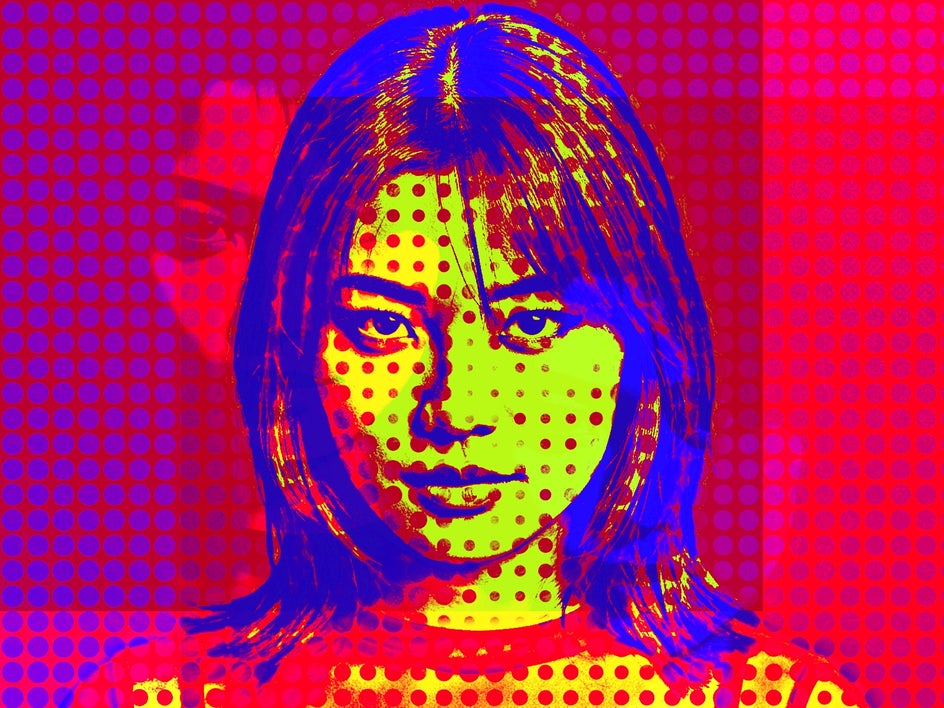
Final Results: Your Portrait, Reimagined in Pop Art
In just a few minutes, you’ve transformed an ordinary photo into a bold, eye-catching pop art portrait. The bright colors, crisp lines, and graphic feel make it both timeless and modern. Whether it’s for a profile picture, creative project, or just for fun, your portrait now has that unmistakable pop art flair that stands out wherever it’s shared.
Pop Art Portrait Inspiration
Once you get the hang of turning your portraits into pop art, it’s hard to stop. The style is so versatile that it fits everything from digital designs to printed keepsakes. Here are a few creative ways to use your new portraits and keep experimenting with BeFunky.
Social Media Profile Photos
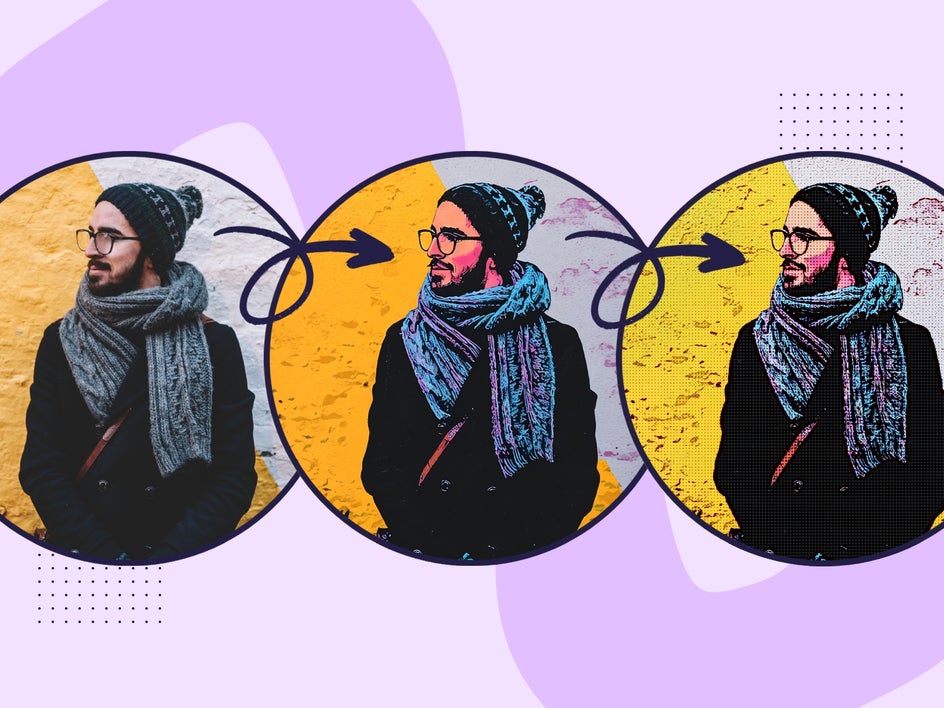
Make your online presence pop with a pop art portrait. The vibrant colors and bold outlines help your personality shine on Instagram, TikTok, or LinkedIn. Apply a simple Pop Art effect or try layering a filter from the Comics or Cartoonizer categories in the Artsy tab. Each variation shows a different side of your personality and makes your profile picture unforgettable. Here, we combined Pop Comic GFX and Pop Art 3.
Turn Family Photos Into Creative Wall Art
Transform your favorite family photos into vibrant works of art. All of our Pop Art effects work on multiple-subject portraits, so every member of your family can be reimagined in a pop art style. But you can also create portraits of each member in your family and combine them in the Collage Maker to achieve a modern, Warhol-inspired layout.

Preserve Meaningful Events With a T-Shirt
Put your favorite memories on a t-shirt with a colorful design that can be worn whenever, wherever. Whether it's for a bachelorette party, graduation, you can transform any meaningful portrait into a fun, colorful design. Print them with Zazzle to start wearing your art – fast.

Create Pop Art Portraits in Seconds!
Pop art has a way of transforming the ordinary into something extraordinary. With BeFunky’s Pop Art effects, you can turn any portrait into a striking, high-impact work of art in just a few clicks. Whether you’re experimenting with vibrant color palettes, creating standout visuals for social media, or designing wall-worthy prints, the creative control is completely in your hands.
Ready to give your portraits the pop art treatment? Head to BeFunky’s Photo Editor to explore the full collection of Pop Art effects and start designing your own gallery-worthy creations today.




