









Instagram Story Templates for Your Small Business

With more than 500 million daily users, Instagram stories are a prime business marketing tool. Positioned at the top of the feed, they help keep your brand relevant and allow you to connect with customers in real-time. You probably already know that stories are great for sharing promotions and getting click-throughs – but built-in analytics and features like polls, links, and questions also make stories ideal for testing content, gathering feedback, and guiding customers through the buyer journey. Nevertheless, to get the most out of stories, your designs need to be both consistent and compelling.
Enter BeFunky’s Instagram story templates. With many created specifically for business use, these professionally designed templates help your stories stay on-brand while saving valuable time. They’re easy to customize and can even be created right from your smartphone. Whether you’re increasing brand awareness, promoting a new product, or looking for customer feedback, BeFunky’s business Instagram templates can help you hone your content strategy and increase engagement. Here’s how to get started.
How to Design an Instagram Story
Instagram stories were designed to be posted and responded to within 24 hours. The process for creating them should be equally quick and simple. To customize a marketing story template for effortless content, just follow these three simple steps.
Step 1: Choose a Business Story Template
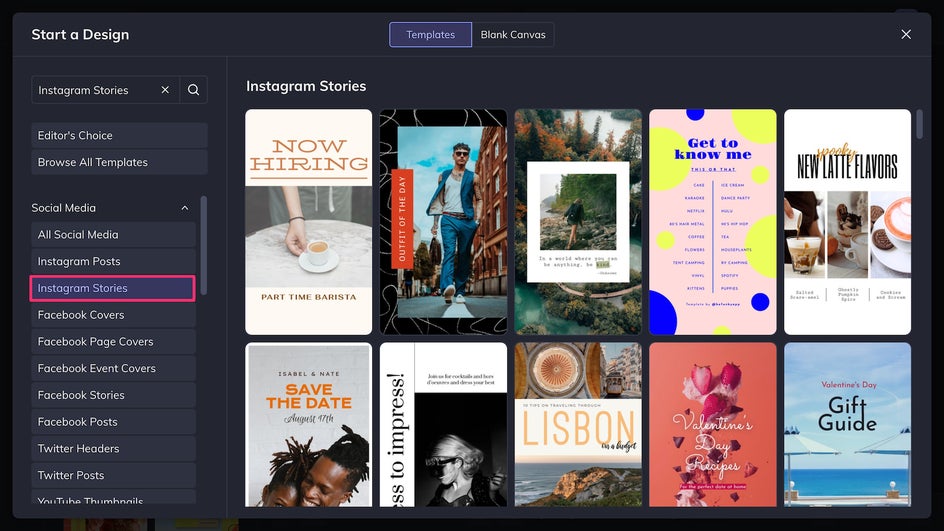
To get started, open up BeFunky’s Instagram story templates to browse a wide variety of template options. Whether you’re announcing a product launch, promoting a limited-time offer, or just sharing an update with your audience, you’ll find a fitting design that’s easy to customize with your own branding and content. Pick the template that best suits your message and the number of photos you want to post.
Step 2: Customize With Your Branding
Once your template is open, it’s time to make it your own. Swap out the default text with your brand messaging – this could be a product description, a sale announcement, a discount code, a booking link, or simply a headline that grabs attention. You can also change the font to match your brand typeface and color palette – if you can’t find it in BeFunky’s font library, simply upload it to the Designer. Change the color of any existing text or graphic element by clicking on them.
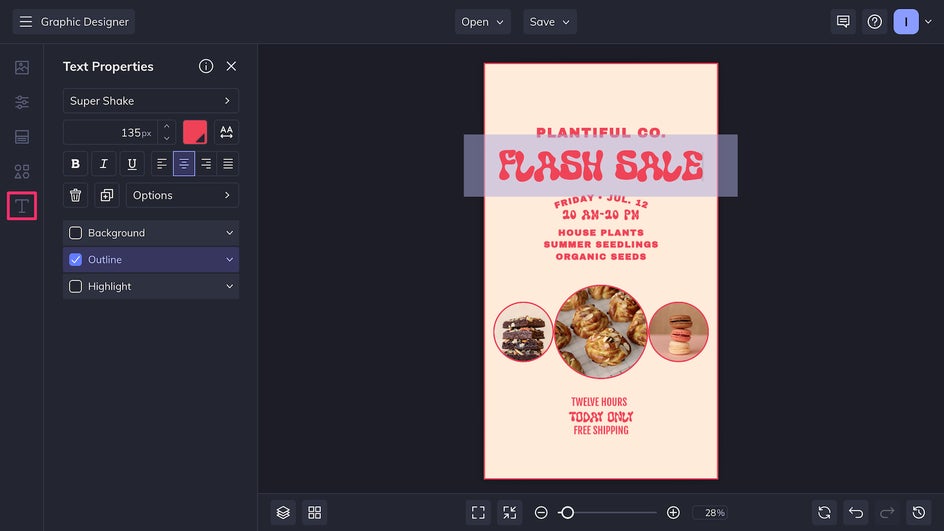
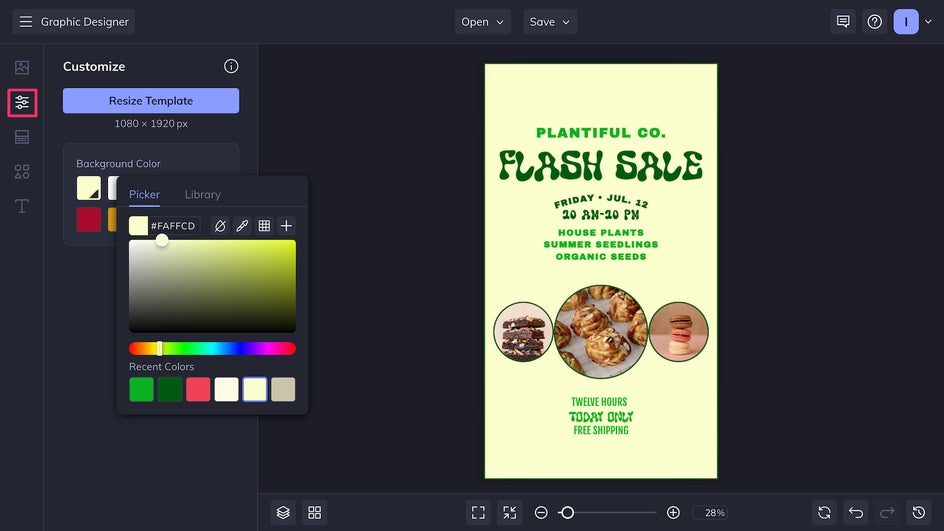
To better align with your brand, change the color of the background in the Customize tab.
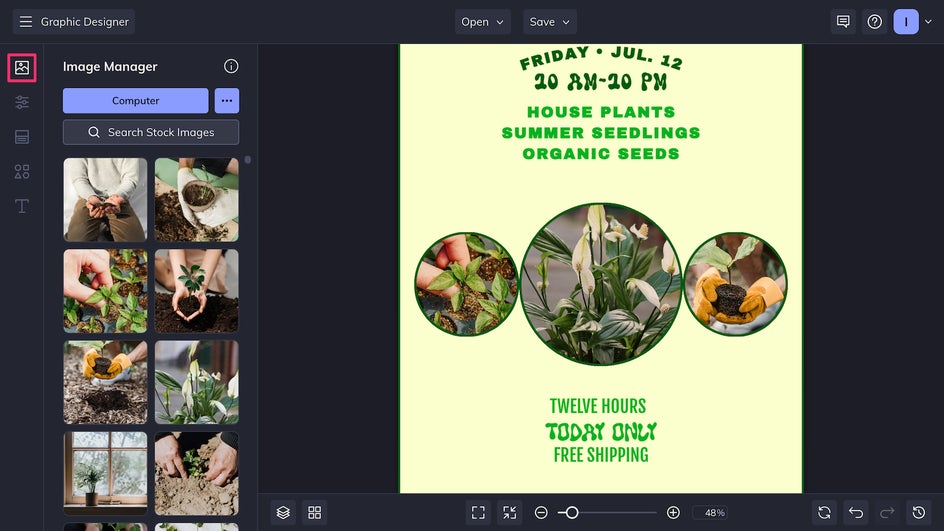
Now it’s time to update the visuals. Replace the placeholder images with your own photos by uploading them to the Image Manager, or drag in product images directly from your device.
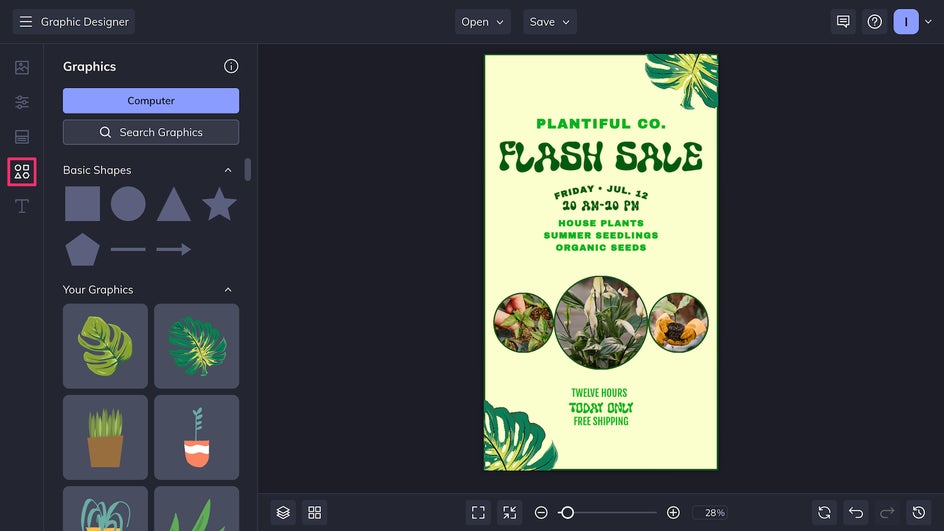
Finally, you can add in graphics from the Graphic Library to make your Instagram story a little bit more custom. With thousands of vector graphics to choose from, there’s no limit to how creative you can be.
Step 3: Save and Share
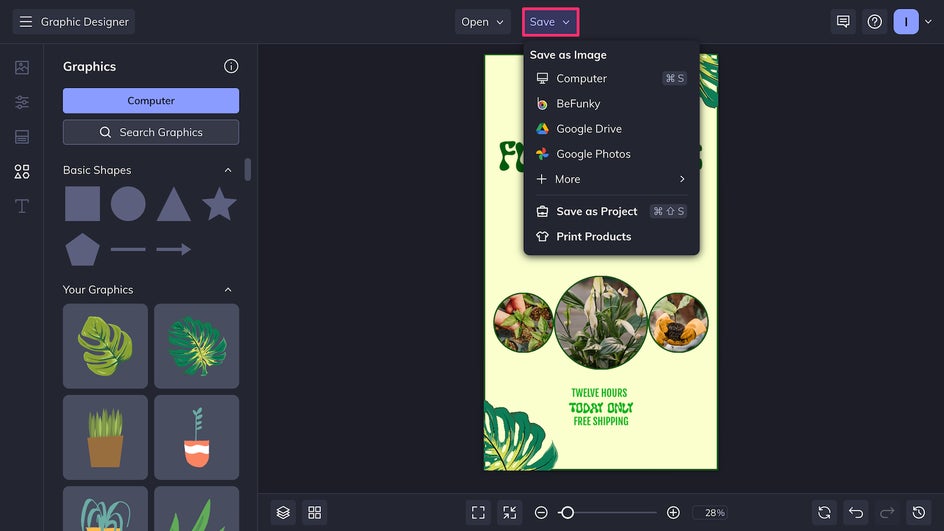
Once you’re happy with your design, click Save at the top of the canvas. Make sure to save as a high-quality PNG for the best digital resolution. Now your new marketing Instagram story is ready to be uploaded right from your device.
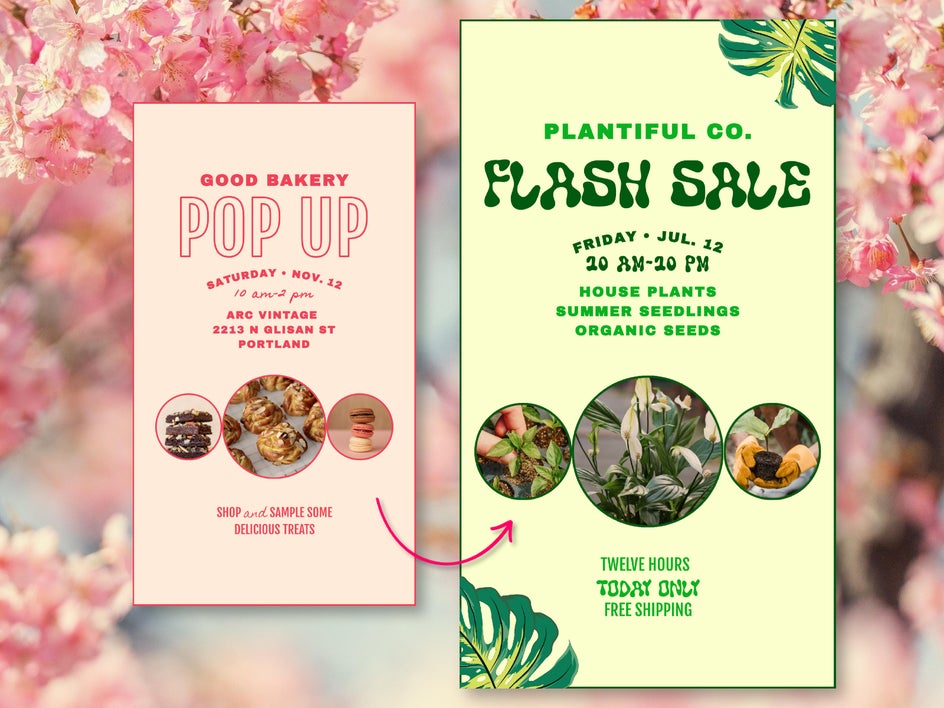
That’s it! In just a few minutes, we’ve turned this simple Instagram business story template into a piece of scroll-stopping branded content.
If you’re managing content ahead of time, consider making and saving multiple stories in one sitting. The Graphic Designer makes it easy to save your design as a project and swap out content for future posts. You can then upload them manually from your phone on the day or use scheduling tools to publish at your preferred day and time.
Inspiration for Your Next Instagram Story
Whether you’re offering a service, selling a product, or running a venue, there’s a customizable Instagram story template to meet your business goals. Here’s how different industries can tap into strategic story design for business impact:
Professional Services
If you’re a consultant, trainer, stylist, real estate agent, or any kind of service provider, Instagram stories are a great way to build trust and communicate value. Use BeFunky’s story templates for marketing to:
- Introduce yourself or your team
- Share your pricing or packages
- Promote limited-time offers
- Post testimonials or client wins
- Announce availability or booking windows
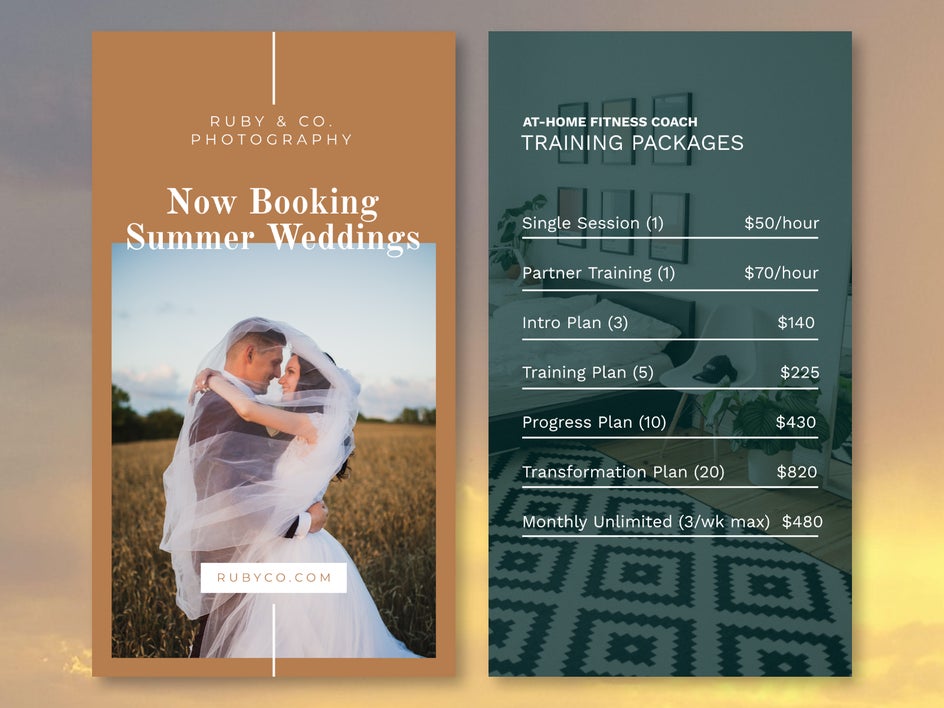
For example, a yoga instructor might use a calming, minimalist template to share a weekly class schedule, while a copywriter might use bold text to break down their service tiers. Consider adding evergreen stories with important information to a highlight on your profile so that both old and new customers can find them with ease.
Stores & Products
If you run an e-commerce shop or sell your own handmade goods, you can use Instagram Story templates to build anticipation, highlight new items, and boost conversions.
Try using stories to:
- Launch a product with countdowns and sneak peeks
- Promote flash sales and discount codes
- Run a poll to decide what product to release next
- Showcase how-to demos or user-generated content
- Link viewers to your latest shop update
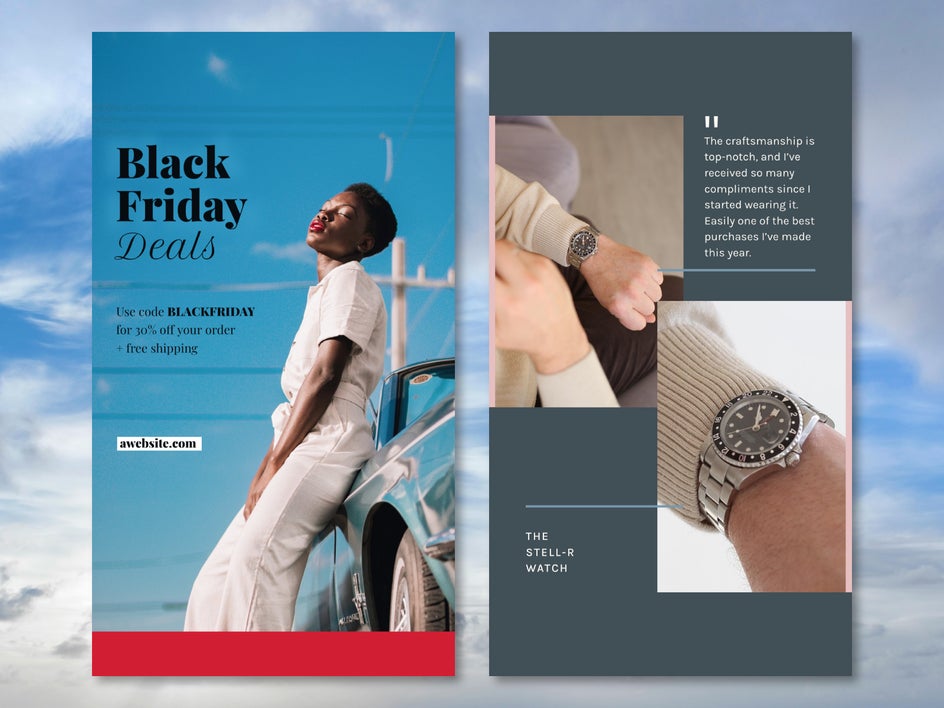
For instance, you could use a general photo-heavy template to share product close-ups and behind-the-scenes looks, then use a sales template to promote a special offer at the end of your story.
Hospitality & Events
Hotels, event planners, travel businesses, and venues can use Instagram stories to spark excitement and snag new bookings. Use story templates to efficiently:
- Tease upcoming events or room packages
- Highlight photo-worthy spots at your property
- Share countdowns to key dates
- Show off real-time experiences from guests
- Promote seasonal services or itineraries
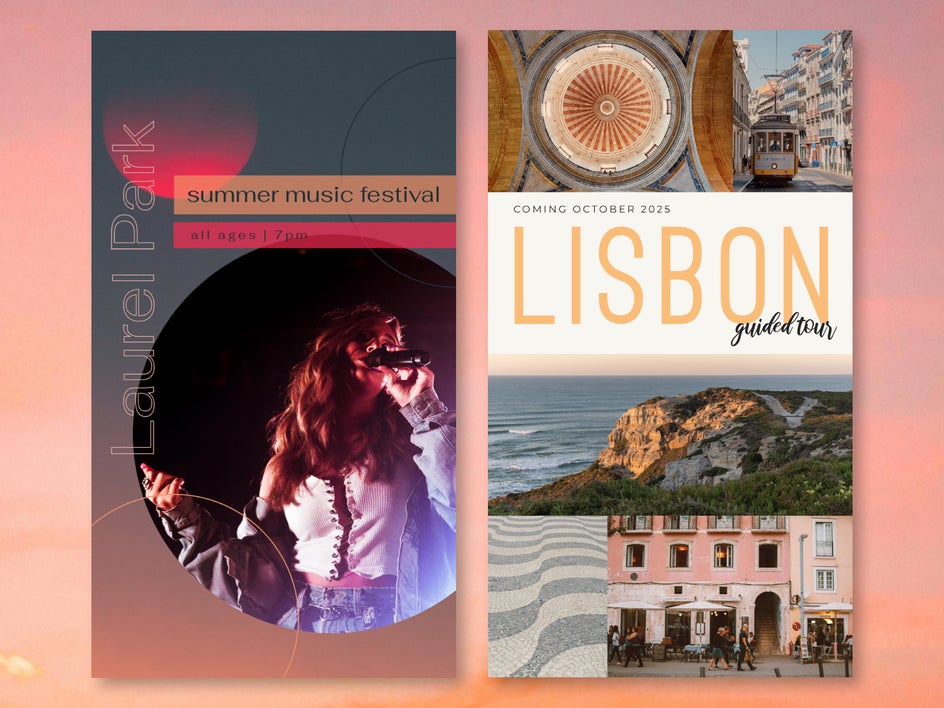
For example, if you run a boutique hotel or bed-and-breakfast, you could use a story series to spotlight your amenities, staff, and special offers. If you’re a tour or travel guide, you can use a quote template to advertise an upcoming trip along with last year’s customer testimonials.
Restaurants & Food Service
Restaurants, cafés, and food trucks can use Instagram stories to turn everyday moments into crave-worthy content. Use templates to:
- Highlight daily specials, new menu items, or happy hour promos
- Share behind-the-scenes footage from the kitchen
- Feature staff favorites or customer reviews
- Promote reservations, order-ahead links, or delivery services
- Count down to special events like tastings or pop-ups
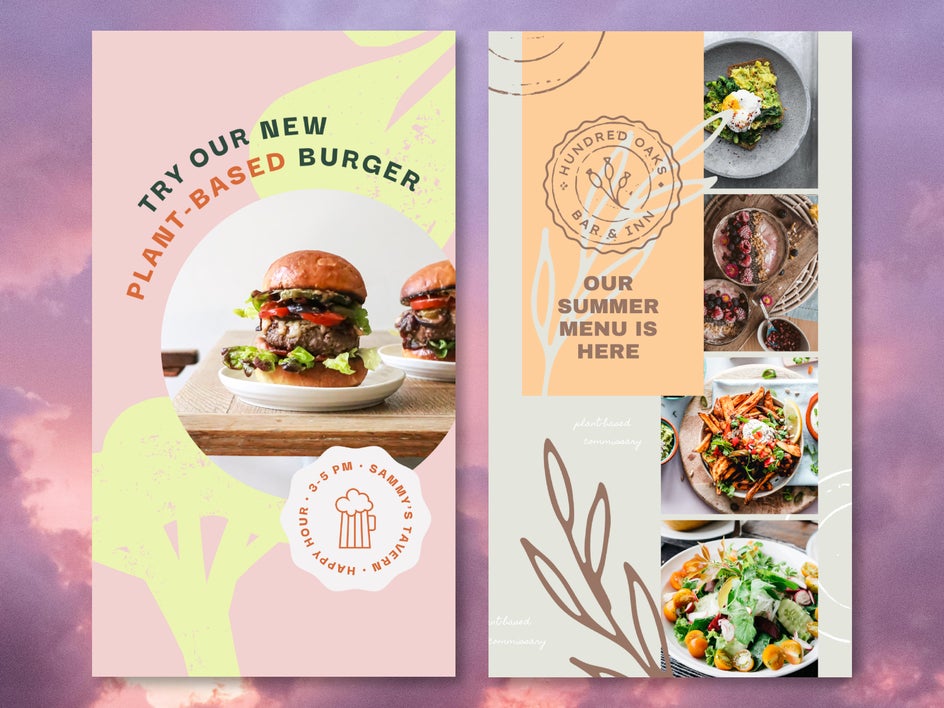
With mouthwatering visuals and appealing branded design, stories are an ideal tool for whetting your followers' appetite and driving foot traffic or online orders.
Plan Smarter & Post More With Instagram Story Templates
Well-designed Instagram marketing story templates help you both expedite your content and produce more engaging posts. With them, there’s no longer any need to spend hours creating designs from scratch – just choose a template, make a few edits, and you’re done. With BeFunky, it’s never been easier to build brand awareness, push new promotions, and get in touch with your audience. Create better story content for your business today with marketing story templates!




