









Design and Print Pop Art Posters With BeFunky
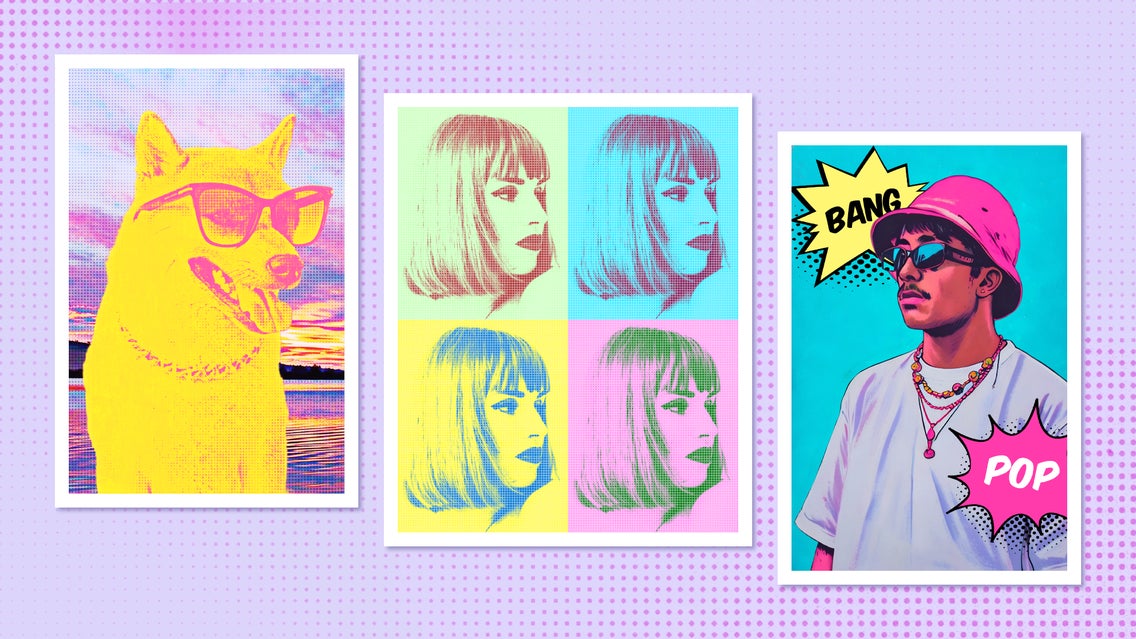
The pop art movement may have started in the 1950s, but it’s created a lasting impact on modern-day art and iconography. Pieces like Warhol’s Campbell’s Soup Cans and Marilyn Monroe screen prints, as well as Lichtenstein’s comic-inspired pop art, are still commonly used as wall art around the world. But what if you want to create your own custom pop art poster?
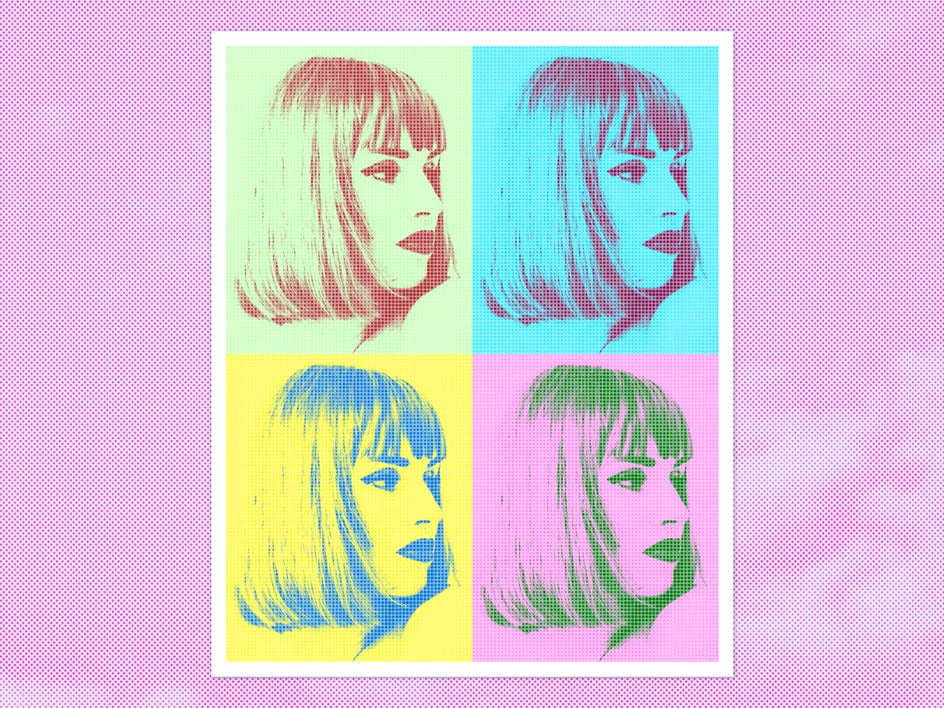
From screenprint-style blocks of color to customizable halftones, our Pop Art effects are perfect for turning any photo into a bold pop art print. These effects can be applied in just one click or adjusted to your taste – either way, the result is a stunning vintage pop art poster that’s completely unique to you. Once it’s finished, your poster can be printed at home or through a professional printing service. It’s then ready to be hung in your living room or gifted to a friend!
Famous pop art prints are a fun addition to any home, but a custom pop art poster – whether it uses photos of a pet, or a loved one, or even yourself – is a way to truly personalize your space. Not to mention it will serve as a conversation piece for years to come!
How to Turn Any Photo Into a Pop Art Poster
With the power of the Photo Editor, creating a pop art canvas from a photo takes just a few minutes. To get started, simply open up the Pop Art effects category and upload your photo.
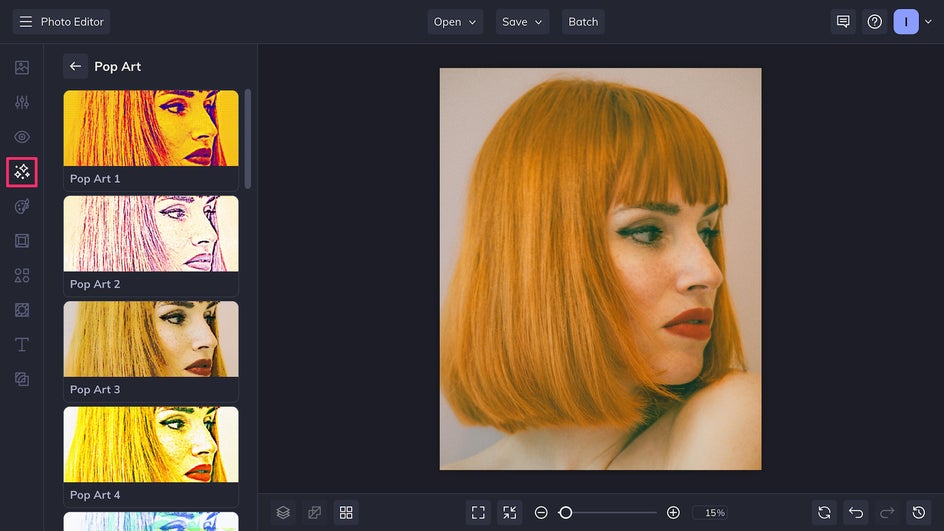
A simple image with a clear subject works best, like a close-up portrait or a single object. (If your photo has some background distractions, try using the AI-powered Object Eraser or Background Remover first!) Ensure it’s cropped to a standard poster size like 8x10 or 11x17. This will make it easier to print at home or send to a professional print shop.
Step 1: Choose a Pop Art Effect
In the Pop Art effects category, you’ll find styles that feature screen print grids, comic book halftones, rainbow gradients, and more. If you’re not sure where to start, it’s easy to click through each option and see which one appeals to you the most!
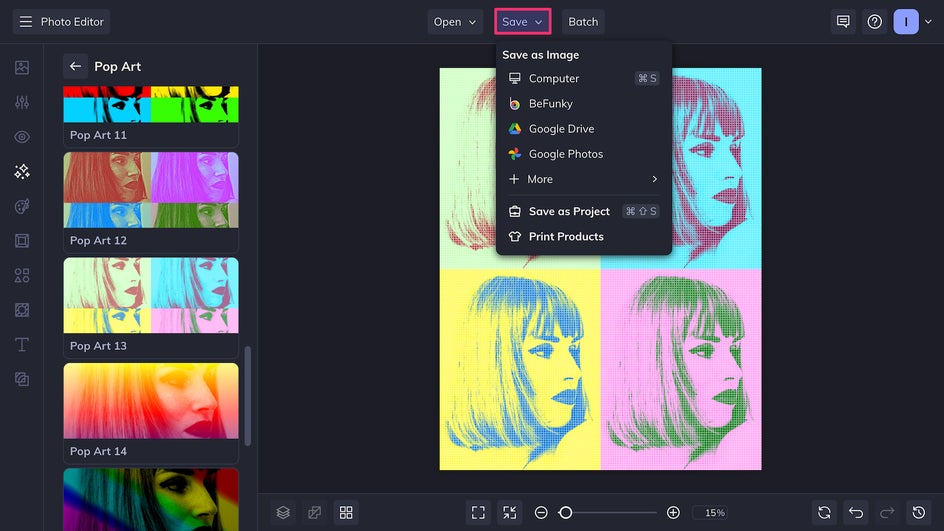
Once you’ve decided on the right effect for your pop art poster, either click the check mark to confirm changes or click on Settings to customize the style further. (Note that a few effects, like Pop Art 12, can’t be adjusted.)
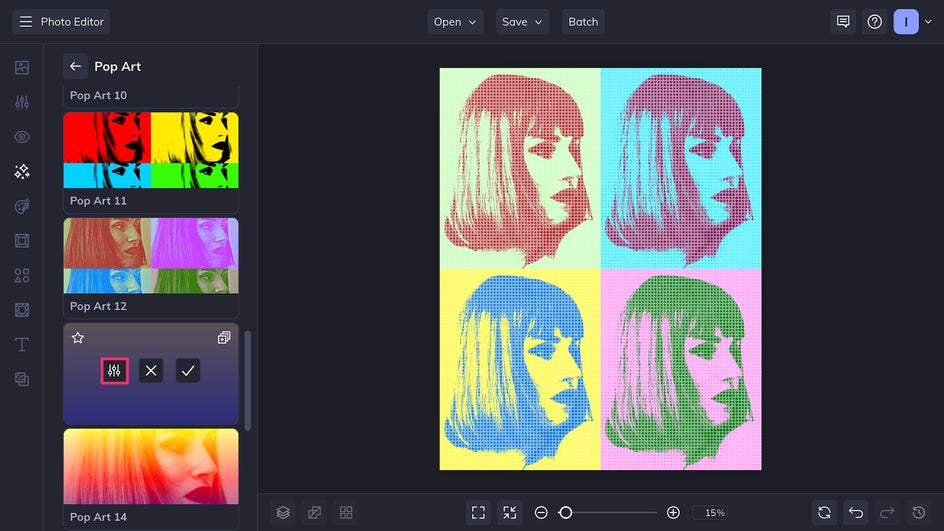
Step 2: Customize It
In this case, the size of the dots that have been overlaid on the image can be adjusted using the Halftone Size slider. A larger halftone creates a more obvious vintage comic book style, but a smaller halftone will bring out more details. Up the Silhouette Amount to create a blockier screenprint look or lower it for finer lines.
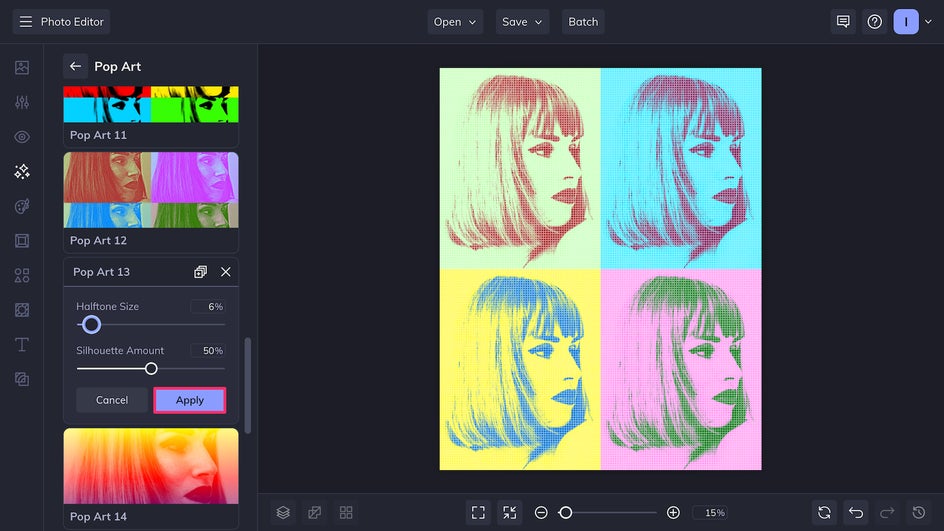
Because the original image already features simple lines and strong color blocking, we’ve chosen to reduce both the halftone and silhouette so that some of the finer details shine through and the subject remains recognizable. You may prefer something more abstract – simply customize the sliders based on your taste.
Step 3: Save Your New Pop Art Poster
Our custom pop art poster is almost ready! The final step is to click Save at the top of the canvas. Export the file as a print-quality PDF, then have it printed at a local shop or print it yourself at home. You’ll also see the option to print with Zazzle, our integrated printing partner – you can order the design on traditional glossy paper or more heavyweight archival paper, and even choose to have it framed.
And that’s it. In no time at all, you’ll have a personalized pop art poster hanging on your wall!
Custom Pop Art Poster Ideas
There are dozens of different styles of pop art – not to mention each Pop Art effect can be combined with BeFunky’s other filters and tools for completely unique results each time. This means that even within the realm of pop art, there are endless opportunities for creativity. Here are just a few ideas to inspire your next pop art poster.
Comic Book Panel
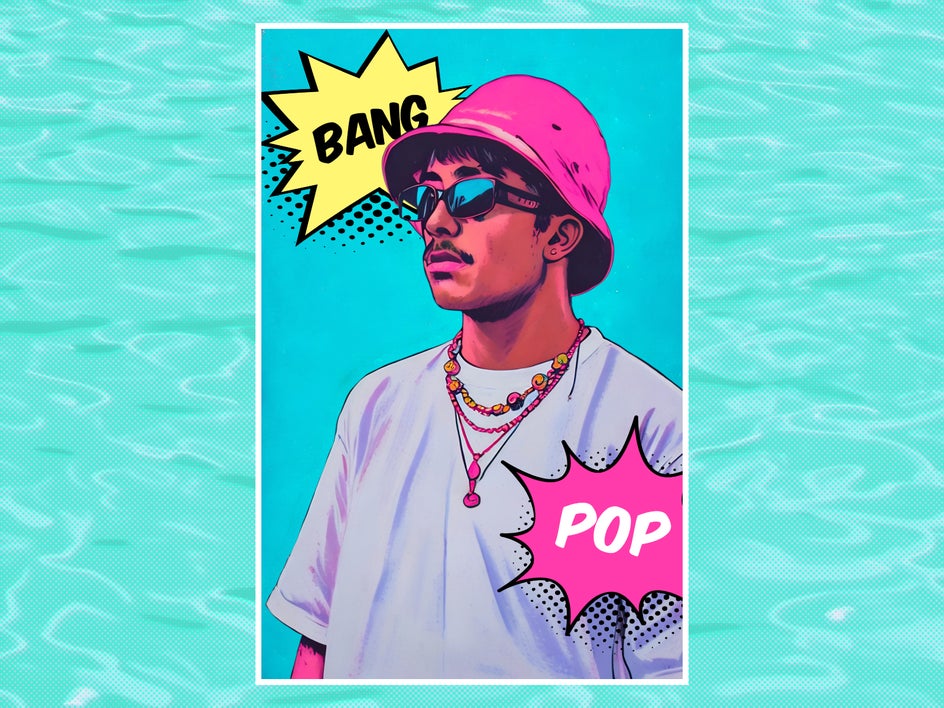
Did you know that BeFunky has Artsy pop art effects in addition to the Pop Art effects category? For a pop art poster that makes a statement, use Pop Comic GFX to create a Lichtenstein-style comic book panel. Add a halftone with Halftone Duotone, boost the saturation, and add text in a font like Komika Axis or Let’s Just Trace for the most authentic look.
Still Life Screenprint
Common household items, especially ones that are heavily branded and marketed, are a staple of the original pop art movement. Add some fun, eye-catching wall art to your living room that also doubles as cultural commentary by combining Pop Art 12 and the Background Remover.
Colorful Pet Portrait
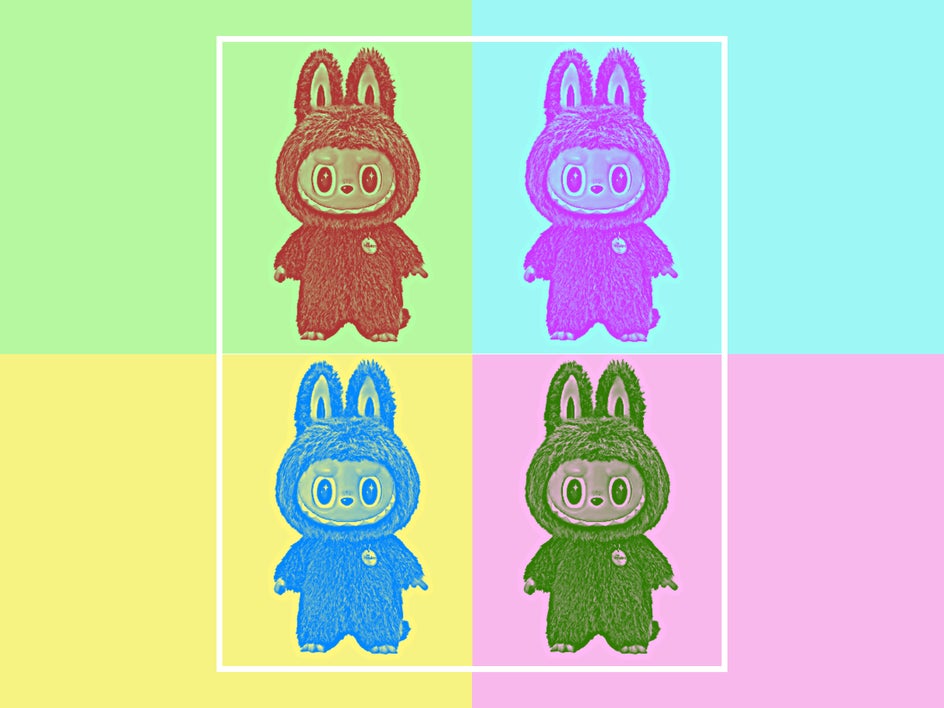
Start in the Graphic Designer with a fun background photo as a base layer. Use the Cutout tool on a favorite photo of your pet, then layer Pop Art 6 with United Colors 1 to create a super unique pet portrait. This is a great way to pay tribute to your furry friend while also adding a splash of color to your living space.
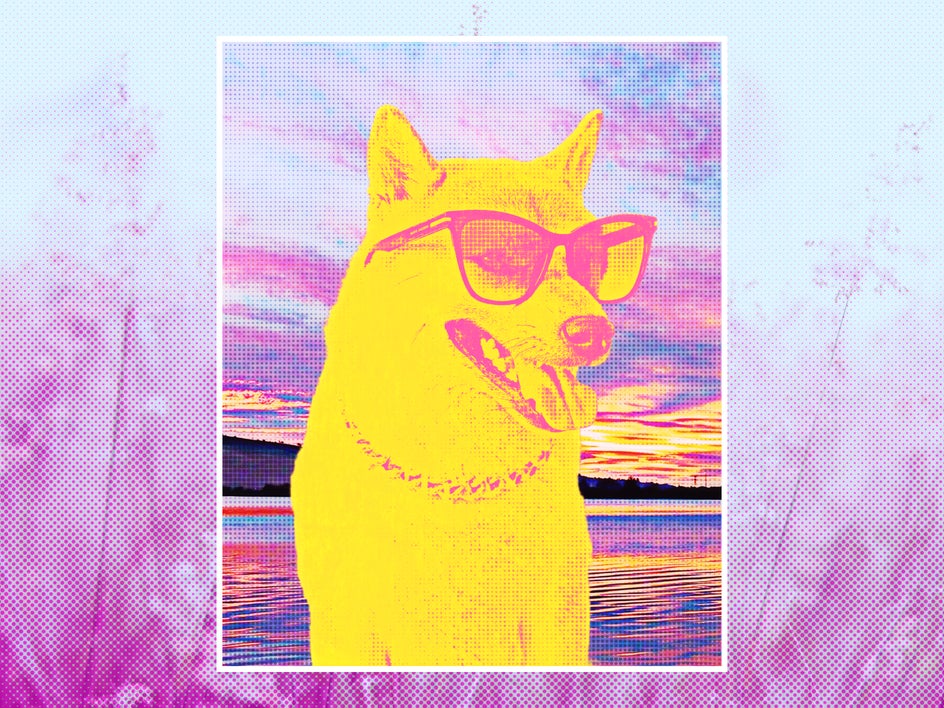
Create Your Own Pop Art Poster in Minutes
Looking to bring more color and style to your wall? It’s always possible to purchase a copy of a famous pop art print – but designing your own gives you unlimited creative freedom and makes your space feel even more personal. Create the perfect pop art poster for your home today with Pop Art effects!




