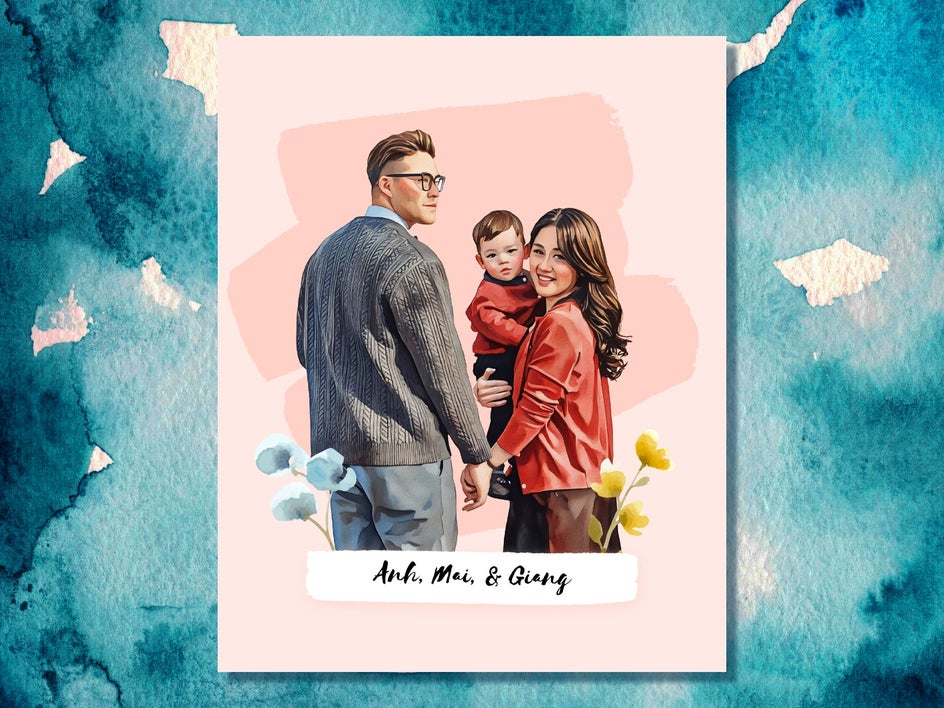
Transform Your Family Portrait Into a Watercolor Painting

Family portraits are some of the most meaningful photos you own, but a standard print can be a little plain when you want something worth framing. That is where BeFunky’s photo to watercolor effects come in. Our professionally crafted filters were built to transform photos into watercolor-inspired artwork – with realistic brush strokes, soft textures, and translucent color – without sacrificing the unique look of your original photo.
We also know most people do not want to spend time experimenting with effects, layouts, and typography. That is why we created Smart Templates for a near instant solution, especially for family portraits. These templates combine balanced layouts with built-in photo-to-art styling. The moment you add your family photo, the template automatically applies a watercolor painting effect and adapts the design to your image. The result? An artistic family portrait that you can personalize it with names, dates, and effective finishing touches.
In this tutorial, you will learn how to create a watercolor family portrait using a Smart Template, followed by a few creative projects you can try with your finished watercolor design.
How to Create a Watercolor Family Portrait
Before you begin, choose a clear, high quality family photo. Group portraits work best when faces are evenly lit and in focus, whether the photo was taken professionally or captured during a casual moment at home.
Step 1: Choose a Template
Open the Graphic Designer and browse the Smart Family Portrait category. These layouts are designed specifically for showcasing multiple people, with balanced compositions that work beautifully as wall art.
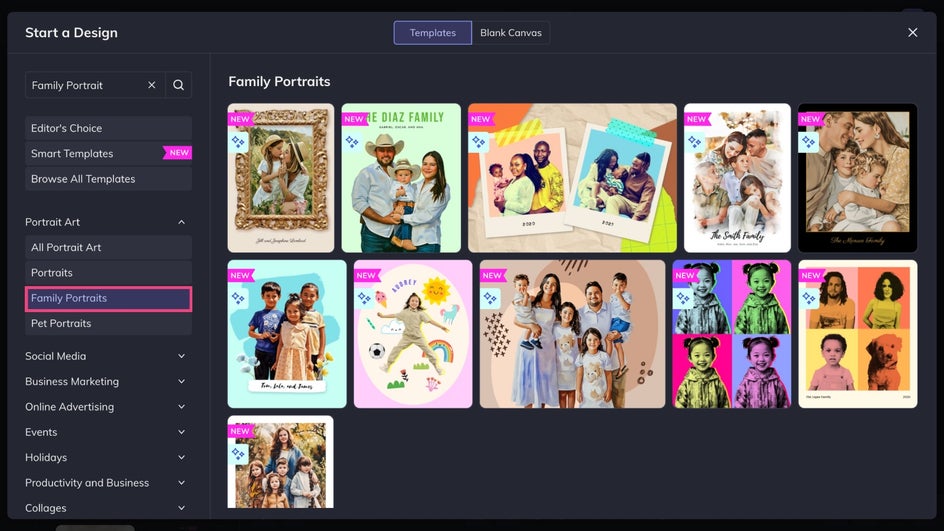
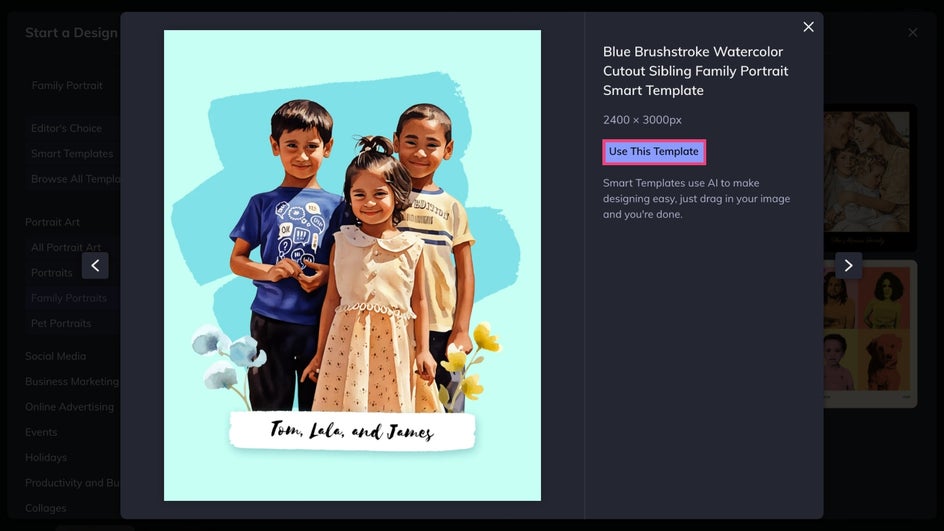
Our Smart Templates apply styling and AI-powered effects to turn your image into an artistic style automatically. They are ideal if you want a finished, artistic look with minimal effort. Once you find a design that features a watercolor effect, click Use This Template to open it on the canvas.
Step 2: Add Your Family Photo
Replace the placeholder image by dragging your family photo onto the canvas or adding it from the Image Manager. When using Smart Templates, the built-in watercolor effect is applied instantly, transforming your portrait into a realistic watercolor painting style without any extra steps or expensive art supplies.
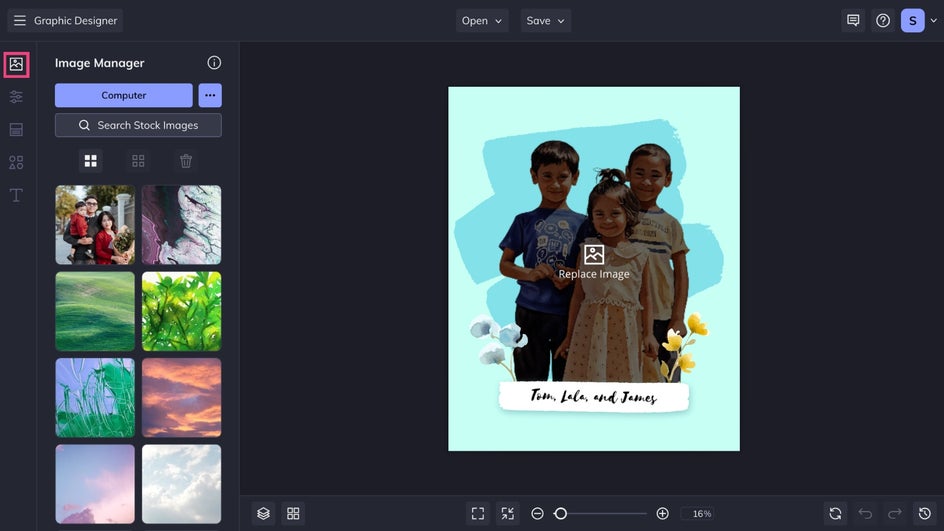
Click on your image to make any adjustments from the Image Properties menu. You can refine cropping and positioning so every face is framed well.
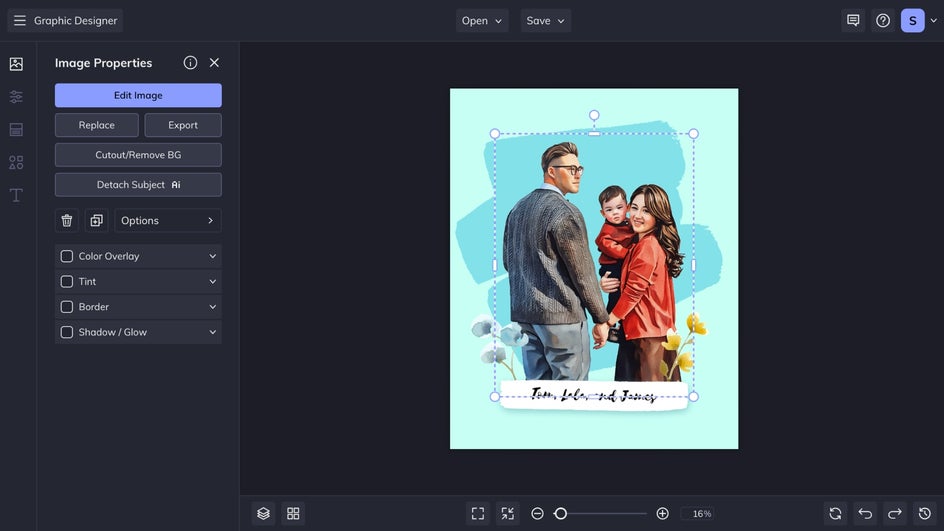
Step 3: Customize It
Once your photo is in place, you can make light adjustments to personalize the design. Update text if included, change the background color from the Customize tab, or customize any graphics to complement the watercolor style.
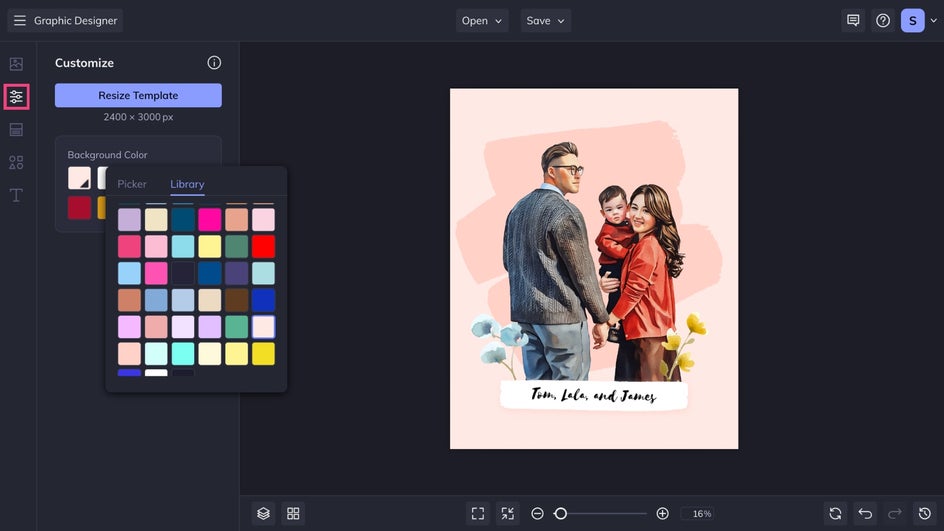
Because the watercolor styling is already handled by the template, small changes usually go a long way. This keeps the focus on the portrait itself while still allowing room for creative expression.
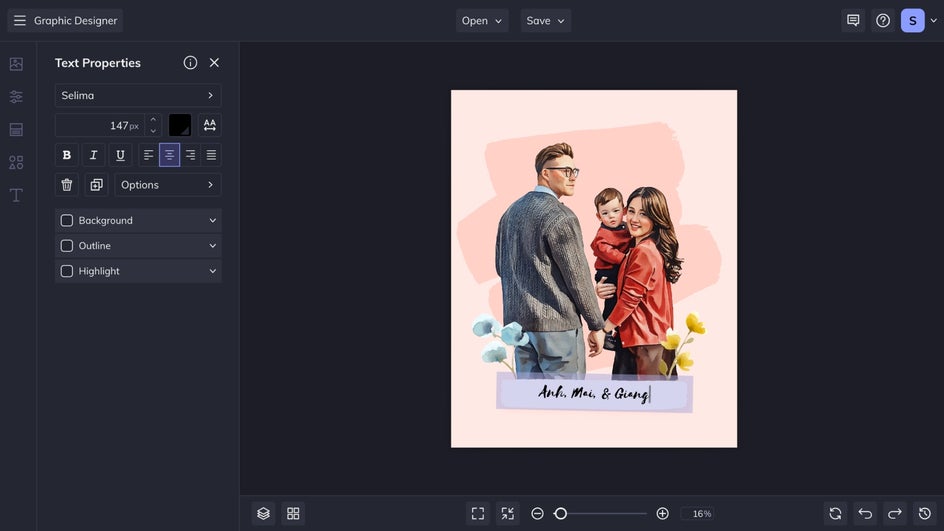
Step 4: Save and Share
When your design feels complete, click Save at the top of the canvas.
Choose a JPG or PNG file if you want a digital copy of your artwork, or a PDF for at-home printing.
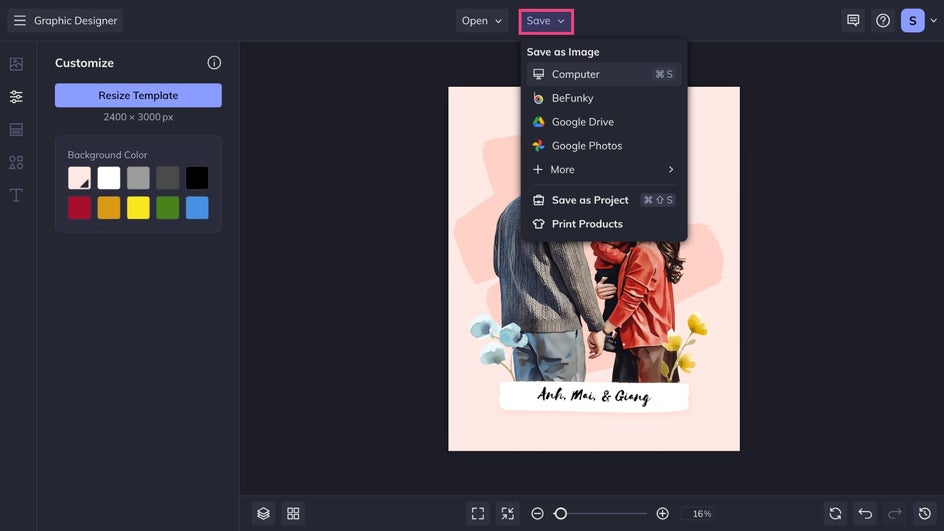
To turn your portrait into custom wall art, select Print Products and follow the prompts to order a professional canvas print through Zazzle. Your watercolor family portrait will be printed on high quality materials and shipped directly to your door, ready to hang.
A Watercolor Portrait in Just a Few Clicks
BeFunky's Artsy effects make it easy to transform meaningful family photos into beautiful watercolor artwork. And with the AI-powered styling of Smart Templates, portraits always feel cohesive, expressive, and ready for display in seconds. Whether you keep the design almost exactly as it appears or add a few personal touches, the end result will always feel intentional and print ready. Create your own watercolor family portrait today – no mess or brushes required!